The core conclusion first, because most readers won't scroll: anything behind your logins or facing hardened anti-bot defenses belongs in a real browser, and batch, stateless work (bulk crawls of public pages, PDF generation, CI checks) belongs in a headless one.
Within the real-browser lane, the strongest daily setup is ego (lite): it shares your everyday browser's logins with the agent inside an isolated workspace, so login-walled tasks run without handing over the window you work in, and it's free. Public-data scraping at scale stays headless, where paying for a real browser is waste.
The terms, for anyone landing cold: a headless browser runs the same engine with no visible window, driven entirely by code. A real browser is the one a person actually uses, real profile and sessions included; in automation jargon it is headed (a window is rendered), but a headed automation browser with a fresh profile is not yet real.
Everything below is the evidence: the concrete tools on each side by name starting with the real-browser side, then the three deciding dimensions in depth (logins, detection, cost), and a task table you can pick from directly.
Match the browser to the task, not to a preference.
How do you decide: real browser or headless?
The question sounds binary and mostly is, but the boundary runs through the task, not the tooling. Both modes drive the same engines (Chromium, Firefox, WebKit) through the same automation protocols, so capability isn't the differentiator.
Three things are: whether your logins come along, how visible the automation is to a defending site, and what a running instance costs. The table below is the summary; the tools come next, and each dimension gets its own deep dive after them.
One clarification that saves confusion: headless is not a synonym for "detectable" and real is not a synonym for "safe." A real browser driven badly (impossible speeds, robotic paths) gets flagged, and a modern headless setup on public pages sails through. The modes set a baseline; behavior moves you off it in either direction.
The whole split in one look, before any detail. Find the row your task cares about most; the winner in that row is your browser.
| Dimension | Real (headed) browser | Headless browser |
|---|---|---|
| Logins and sessions | Already signed in: your real profile and sessions come along | Boots empty; every login must be injected and then maintained |
| Detection baseline | Real fingerprint and display environment; the lowest baseline | New headless mode closes the old tells, but automation flags and environment signals still leak |
| Cost and parallelism | One desktop instance; a rendered window is not free | Cheap per instance, packs densely, parallelizes without a display |
| CI and servers | Not for headless CI; it needs a desktop | Native habitat: bare servers, pipelines, fleets |
| Best at | Login-walled tasks, hardened targets, daily agent work (ego (lite)) | Bulk public crawls, PDF generation, CI checks |
The real-browser tools, by name
The real-browser side has its own concrete roster, and it sorts into four families by how the agent reaches the browser: a shared-session browser built for the job, attach routes into the Chrome you already run, vendor extensions, and no-code recorders.
ego (lite)
(free) is the shared-session browser family, and it's our own product, stated plainly. Import from Chrome once and every site you've signed into stays signed in; the agent works in an isolated Space with its own tabs, driven by any agent that can run a shell command through the ego-browser skill.
On complex tasks it finishes up to 3.45x faster than agent-browser, on fewer tokens. It's the only entry in this roster that gives the agent real sessions without giving it your window.
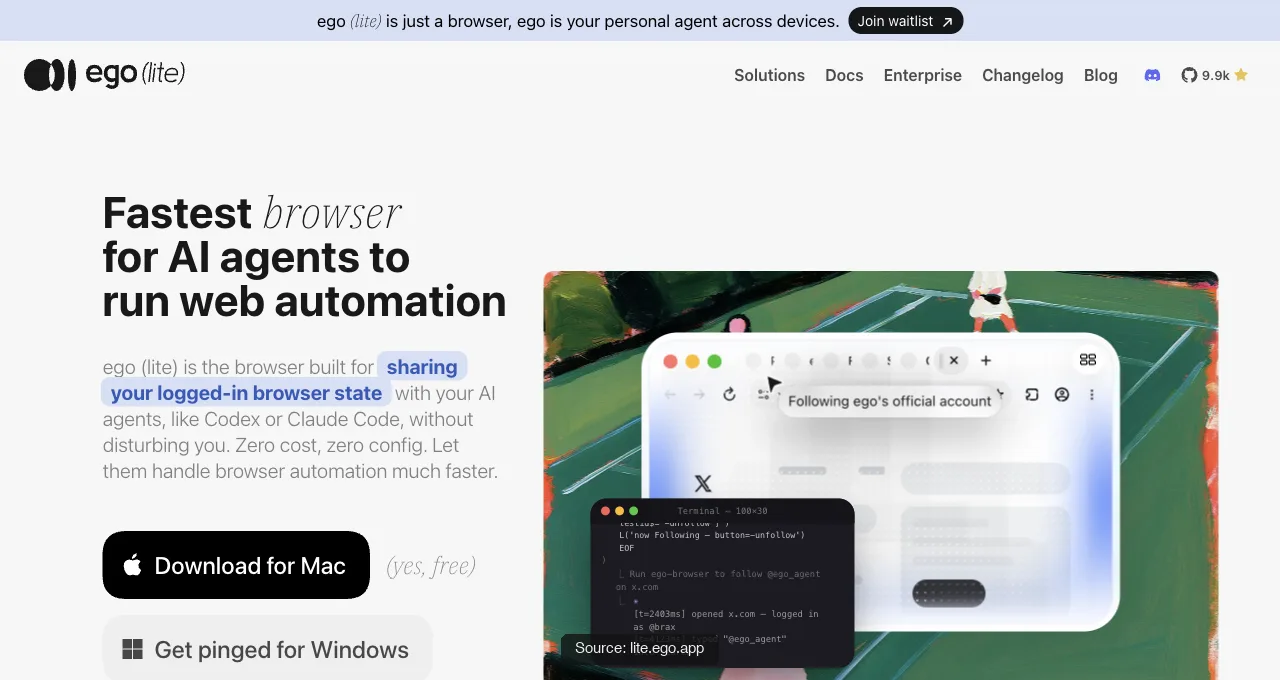
What that isolated Space actually returns, run today against a live page: a real ego-browser session opens a task, navigates, and comes back with only the fields asked for, no accessibility-tree dump attached.
const task = await egoBrowser.newTaskSpace('evidence-egobrowser-hn')
await task.page.goto('https://news.ycombinator.com/', { waitUntil: 'load', timeout: 20000 })
const title = await task.page.title()
const topStory = await task.page.locator('.athing .titleline > a').first().innerText()
const points = await task.page.locator('.subtext .score').first().innerText().catch(() => null)

{
  "taskSpaceId": 13
}
{
  "title": "Hacker News",
  "url": "https://news.ycombinator.com/",
  "topStory": "Qwen 3.8 27B",
  "points": "412 points"
}
Download ego (lite) for Mac, free, or see the full session model in the logged-in browser guide.
Chrome DevTools MCP auto-connect
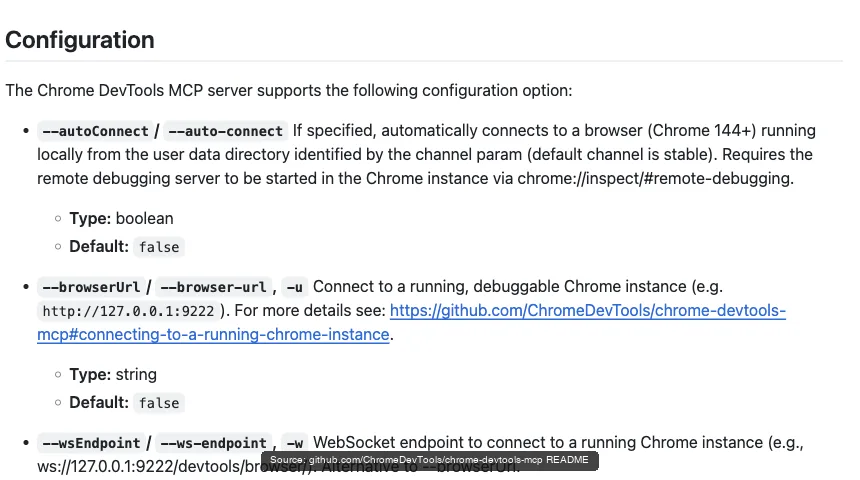
(Google, free) is the official attach route: on Chrome 144+, enable remote debugging at chrome://inspect, add the --autoConnect flag, and the agent operates inside your signed-in Chrome after a per-session permission dialog. Full sessions, real fingerprint, plus the debugging toolkit nothing else has; the cost is that it's your window being driven while it works.
Browser MCP
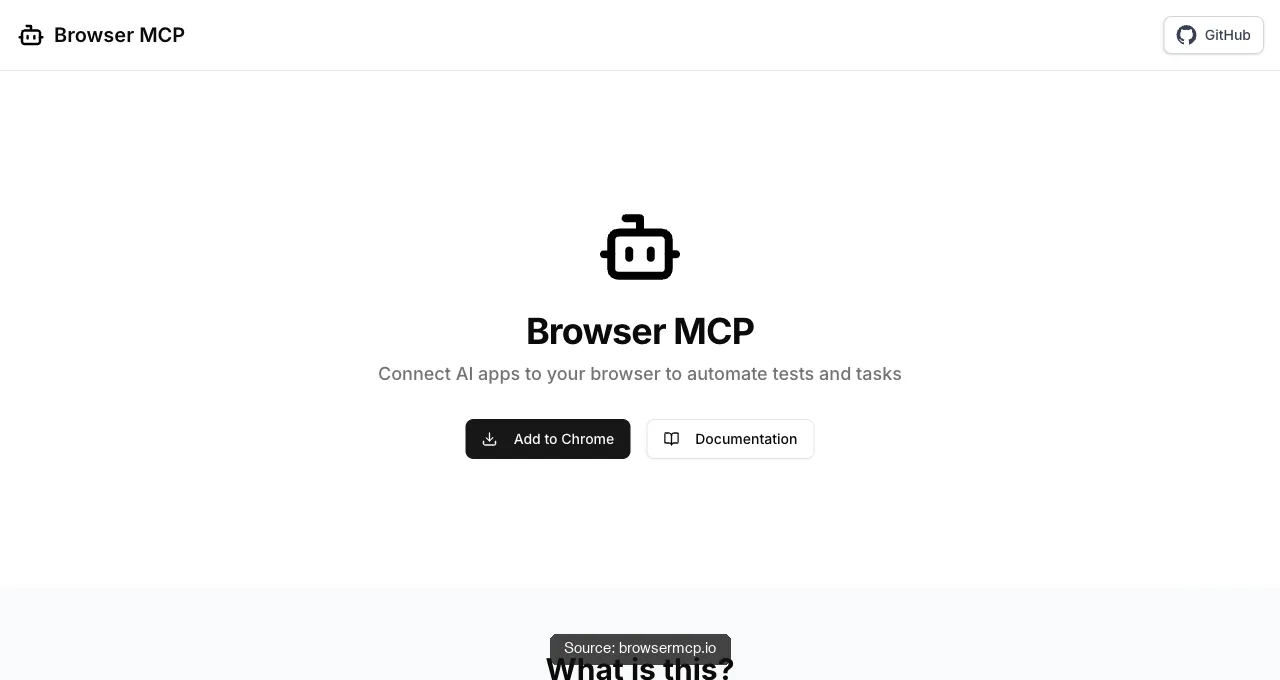
(browsermcp.io, free) is the community attach route: an extension-plus-server pair that connects Cursor, Claude, VS Code, and other MCP clients to your existing browser. Automation runs locally, uses your existing profile so your logins come along, and rides your real fingerprint; like every attach route, it drives the browser you're using, one task at a time.
Claude in Chrome and Codex for Chrome
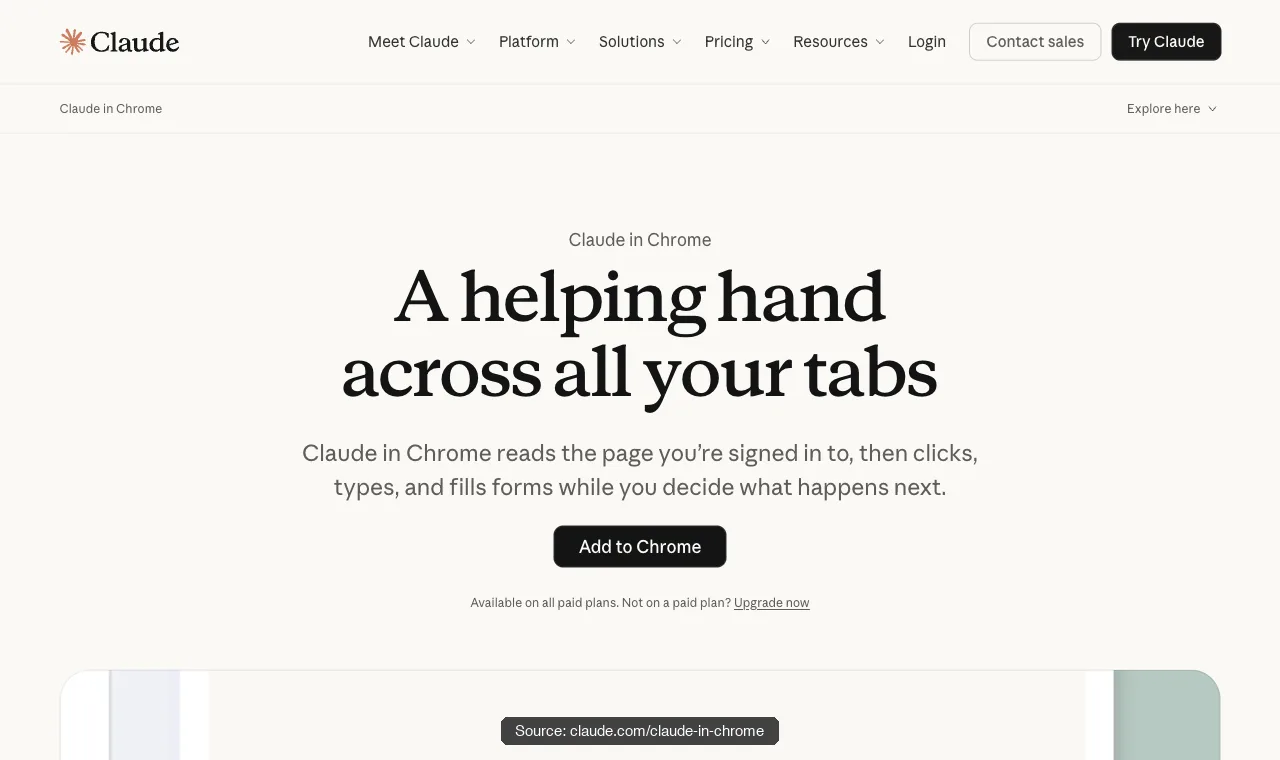
are the vendor-extension family: Anthropic's reads the page you're signed in to, then clicks, types, and fills forms, on all paid Claude plans; OpenAI's acts on sites where you're already signed in (its docs name LinkedIn, Salesforce, Gmail) with tasks grouped into Chrome tab groups.
Zero technical setup, mature per-site permission prompts, and two shared costs: each serves only its own vendor's agent, and each works in your window.
Axiom, Browse AI, and Simplescraper
are the no-code family: point-and-click recorders that capture a login-and-extract flow in a real browser session and replay it on a schedule. For a non-developer pulling one table from one portal they're the fastest first result on this page; the trade is brittleness when the site redesigns, and a hosted runner carrying your session on someone else's infrastructure.
| Tool | How the agent reaches the browser | The trade |
|---|---|---|
| ego (lite) | Separate browser inherits your sessions; agent works in its own Space via CLI | Desktop only, no headless CI; free |
| Chrome DevTools MCP | Attaches to your live Chrome via --autoConnect (Chrome 144+)Shares your window while it works; free | |
| Browser MCP | Extension + MCP server into your existing profile | Your window, one task at a time; free |
| Claude in Chrome | Vendor extension in your signed-in Chrome | Claude only, paid plans, your window |
| Codex for Chrome | Vendor extension, tasks in Chrome tab groups | OpenAI ecosystem only, Chrome only, your window |
| Axiom / Browse AI / Simplescraper | Recorded point-and-click flows, replayed on schedule | Brittle on redesigns; session lives on their runner |
Read the trade column and the pattern is visible: everything except the first row either borrows your window or ships your session somewhere. That's the structural reason the shared-session family exists at all.
The headless tools, by name
"Go headless" is a category, not a decision, so here's the category by name. It splits into three tiers: libraries you script against, tools built for agents specifically, and cloud fleets you rent when one machine stops being enough.
Playwright
(Microsoft, 90K+ GitHub stars) is the default library tier answer. One API drives Chromium, Firefox, and WebKit with full parity, official bindings cover JavaScript, TypeScript, Python, Java, and C#, and auto-waiting actionability checks make scripts stable without hand-written sleeps.
Headless is its native habitat in CI, and for agent use there's Playwright MCP on top of the same engine.
Puppeteer
(Google's Chrome DevTools team, 95K+ stars) is the lean, Chrome-first alternative: JavaScript and TypeScript only, Firefox support in beta via WebDriver BiDi, no WebKit. Where it wins is simplicity per task: PDF generation, screenshots, and straightforward crawls with minimal overhead, which is why plenty of scraping fleets still standardize on it.
Selenium
is the oldest survivor and the compatibility net: seven-plus language bindings, every browser that ships a WebDriver, and Selenium Grid for distributing a suite across machines. Its WebDriver protocol adds an HTTP hop per command that the CDP-native tools skip, so it's rarely the pick for new scraping work, but nothing matches its reach across an existing test estate.
agent-browser
(Vercel Labs, ~40K stars, Apache-2.0) is what the agent-native tier looks like: a Rust CLI with a daemon speaking raw CDP, driving a downloaded Chrome for Testing. The agent runs agent-browser snapshot to get an accessibility tree with refs like @e1, then acts on them with commands like click @e2. Sessions are deliberately isolated, output is filterable to stay token-lean, and the whole design assumes no human is watching.
Browser Use
(MIT, ~109K stars) belongs in this list with an asterisk: it's an autonomous Python framework rather than a browser, but it runs its perceive-decide-act loop over direct CDP in a browser it manages, and its headless toggle is exactly the switch this article is about. Run it headless for goal-driven scraping at scale; run it headed when the target fights back.
Here's that perceive-decide-act loop actually running: a real Agent (browser-use 0.13.7, gpt-4.1-mini via OPENAI_API_KEY) against a live page today, headless, real LLM tokens spent.
agent = Agent(
    task="Go to https://news.ycombinator.com/ and tell me the exact title text of the #1 story on the front page, plus its points count.",
    llm=llm,
)
history = await agent.run(max_steps=8)

INFO     [Agent] Starting a browser-use agent with version 0.13.7, with provider=openai and model=gpt-4.1-mini
INFO     [Agent]   navigate: url: https://news.ycombinator.com/, new_tab: False
INFO     [tools] Navigated to https://news.ycombinator.com/
INFO     [Agent] Step 1:
INFO     [Agent]   Eval: Successfully located the #1 story title and its points count on the Hacker News front page.
INFO     [Agent]   Memory: Located the top story on Hacker News with title 'Qwen 3.8 27B' and points count '415 points'.
INFO     [Agent]   Next goal: Report the exact title text and points count of the #1 story to the user.
INFO     [Agent]   done: text: The #1 story on Hacker News front page is titled "Qwen 3.8 27B" with 415 points., success: True
Final Result:
The #1 story on Hacker News front page is titled "Qwen 3.8 27B" with 415 points.
INFO     [Agent] Task completed successfully
Browserbase and Stagehand
When the fleet outgrows your machine, the cloud tier takes over. Browserbase sells managed browser infrastructure at the scale of thousands of concurrent sessions (36.9M unique sessions in a March 2026 monthly count, 10,000+ companies), with Stagehand (23.7K stars) as its open-source SDK layering act, extract, and observe primitives over Playwright-style code.
Browserless
Browserless plays the same position with an API-first shape: REST endpoints for /screenshot, /pdf, /content, and /scrape, an /unblock endpoint for bot-detection handling, and BrowserQL for multi-step flows, callable from anything that can send an HTTP request, n8n workflows included.
The stealth layer
And one honest layer on top: the stealth ecosystem. Selenium has undetected-chromedriver and SeleniumBase; Puppeteer's puppeteer-extra-plugin-stealth is the mature classic, and playwright-extra can load its plugins; Camoufox and Patchright currently support only Playwright. Treat all of it as a moving target rather than a purchase: practitioners on r/webscraping report cases where a stealth fork got blocked while default Playwright passed.
| Tool | What it is | Where it fits headless work |
|---|---|---|
| Playwright | Cross-engine library, 5 official languages, auto-waiting | Default for CI, testing, and scripted scraping |
| Puppeteer | Chrome-first JS/TS library from the Chrome DevTools team | Lean PDF, screenshot, and crawl jobs |
| Selenium | WebDriver ecosystem, 7+ languages, Grid distribution | Legacy estates and widest language/browser reach |
| agent-browser | Rust CLI + daemon, snapshot refs, isolated sessions | Agent-driven stateless automation, token-lean |
| Browser Use | Autonomous Python agent loop over direct CDP | Goal-driven scraping where steps can't be scripted |
| Browserbase | Cloud browser infrastructure; Stagehand SDK on top | Thousands of parallel sessions, managed ops |
| Browserless | Hosted browser API: REST endpoints + BrowserQL | HTTP-callable browser work from any pipeline |
Seven names, one shared property: every one of them boots a browser with no logins in it. If that is the wall your tasks keep hitting, the real-browser roster above is the answer; if it isn't, these seven are the cheaper lane.
Which one has your logins?
This is the divide that ends most debates. A headless instance boots empty: no cookies, no sessions, no signed-in accounts, so any login-walled task requires you to inject a session (a cookie file, a stored auth state) and then maintain it as it expires.
A real browser can carry sessions that already exist, which is why login-heavy work gravitates to it. The task decides: if what you're scraping needs an account, the empty-by-default mode is fighting you before the first page loads.
But "a real browser" splits again, and this is where a plain manual Chrome and a purpose-built agent browser part ways. Opening a Chrome window by hand gives the agent a real browser, but not cleanly: the agent shares your one window, collides with your browsing, and you're back to managing which tab belongs to whom.
That purpose-built version is a browser that inherits your daily logins while the agent works in a separate workspace. The real-browser toolbox above covered it and its neighbors by name; what matters for this dimension is that the option exists, and it removes the last practical reason to hand an agent your own window.
How big is the detection gap?
Less different than it used to be, and the reason is a specific change. Chrome shipped a new headless mode (--headless=new) that runs the same browser binary as the visible one, replacing the old separate headless implementation that leaked obvious tells.
Under the old mode, sites caught headless instances on things like a HeadlessChrome token in the user agent, missing plugin and MIME arrays, and a stripped-down rendering path. The new mode closes most of those, because there's no longer a separate, thinner browser to catch.
What still leaks is subtler and rarely lives in the user agent. Automation flags (navigator.webdriver set true unless suppressed), the absence of a real display and its device-scale quirks, timing and interaction patterns no human produces, and connection signals from datacenter IPs all remain visible to a determined defender.
Detection in 2026 is a scoring problem, not a single check: no one signal condemns you, but a stack of them does. That's why the honest framing is baseline plus behavior, not headless-bad, real-good.
What does each cost to run?
Headless wins on cost, and it isn't close for scaled work. Without rendering a window to a display, a headless instance uses less memory and CPU per browser, runs on a server with no graphical environment at all, and packs many instances onto one machine for parallel jobs.
That's the whole reason CI systems and large crawlers run headless: a thousand pages across fifty parallel instances is a headless workload by economics, before detection even enters the conversation.
A real browser costs more per instance, because a rendered window and its supporting stack aren't free, and it wants a real desktop environment rather than a bare server. For a handful of login-walled tasks that's a rounding error against the value of the sessions working at all.
For a fleet of stateless scrapers it's a tax you'd never willingly pay. Cost, in other words, points the same direction the other two dimensions do: scale-and-public toward headless, sessions-and-hardened toward real.
Which browser for which task?
The three dimensions collapse into a task lookup. Find the row that matches what you're actually doing; the pull is rarely ambiguous once the task is named honestly.
| Task | Pick | Why |
|---|---|---|
| Scraping behind your own login | Real browser | Sessions are already there; no cookie-shipping |
| Hardened anti-bot target | Real browser | Lower baseline detection surface than old headless |
| Daily agent tasks across your accounts | Real browser (ego (lite)) | Shared logins, isolated Space, window stays yours |
| Bulk crawl of public pages | Headless | No login needed; cost and parallelism dominate |
| PDF generation, CI screenshot checks | Headless | Deterministic, stateless, runs on a bare server |
The composite most real setups reach: headless for the fleet of stateless jobs, a real browser for the login-walled and defended ones, and no attempt to force one mode to do the other's job. The failure pattern is picking a mode for taste ("headless feels lighter," "a real browser feels safer") and then fighting your own choice on every task that doesn't fit it.
FAQ
What is the best headless browser for AI agents?
For most agent work it's headless Chromium driven by Playwright, because it has the widest tooling, five official language bindings, and the new headless mode closed the old detection gap; Puppeteer is the leaner pick for Chrome-only jobs, and agent-browser is the CLI built for agents specifically. Firefox and WebKit headless matter when you need cross-engine coverage.
"Best" is task-shaped: the right headless browser for CI checks and the right one for evading a hardened target can differ, and for the hardened target the better answer is often a real browser.
Is a browser like ego (lite) called a headed browser or a real browser?
Both are true, but real browser is the precise term. Headed only says a window is rendered, and a Playwright-launched headed Chromium is still a fresh, empty profile with an automation flag. A real browser is the one a person actually uses: real profile, real sessions, a fingerprint earned by daily use. ego (lite) is real in that strict sense, because it imports your Chrome logins and browsing identity; headed follows automatically.
Can websites detect a headless browser?
Yes, but less easily than before. Chrome's new headless mode removed the obvious tells (the HeadlessChrome user-agent token, missing plugin arrays), so detection now leans on automation flags, environment signals like the absence of a display, and behavioral patterns. It's a scoring stack, not one check, which is why a well-configured headless setup passes on public pages while a careless one still gets caught.
Should Browser Use run headless or not?
It depends on the task, and the toggle exists for exactly that. Run it headless for stateless scraping and CI-style jobs where cost and speed win. Run it headed (or on a real-browser setup) when the target is login-walled or heavily defended, where a visible, session-carrying browser is worth the resource cost. The framework supports both; the task should decide which.
Is a real browser always safer from bans?
No. A real browser lowers the baseline detection surface, but bans track behavior: volume, speed, and access patterns no human produces get flagged in any browser. A real browser driven abusively is more detectable than a careful headless crawler on public data. The browser sets the floor; how you behave decides whether you stay on it.
Does headless mean faster?
Usually per-instance and at scale, yes, because there's no window to render and instances pack densely for parallel work. For a single interactive task the difference is marginal, and any speed edge disappears if the site blocks the headless instance and you have to retry. Headless is faster where its economics apply (many stateless jobs), not universally.
Can I share my logins with a headless browser?
Only by injecting a session (a cookie file or stored auth state) and maintaining it as it expires, which is the session-injection route with all its upkeep. A headless instance has no logins of its own. If shared logins are the point, a real-browser tool that inherits your existing sessions (ego (lite)) removes the injection step entirely, at the cost of being a desktop browser rather than a CI-friendly headless one.
What is the difference between a headless browser and a real browser?
A headless browser is a browser engine running without a visible window, built for scripted, parallel work on servers. A real browser is the browser a person actually uses: a rendered window, a real profile, live sessions, and a fingerprint earned by daily use. The practical divide is state: headless boots empty, a real browser is already signed in.
Do stealth plugins make a headless browser undetectable?
No. Plugins like puppeteer-extra-plugin-stealth or forks like Camoufox and Patchright suppress known signals, but detection is a moving target and practitioners report cases where a stealth fork got blocked while default Playwright passed. Stealth lowers a score; it doesn't buy invisibility. When the target is hardened and the task is yours to run legitimately, a real browser with real sessions sidesteps the arms race instead of joining it.