Quick start
Two minutes to get your Codex, Claude Code, or any AI Agent working in the browser for you.
ego lite is a browser built for both you and your AI Agent. Like Chrome, it's based on Chromium, so you don't have to change a thing about how you browse — your extensions, history, and login state all carry straight over into ego lite. That's exactly what lets your AI Agent operate the sites for you that only work once you're signed in.
Say you want your AI Agent to work inside your CRM, your email inbox, an application-form platform, an accounting tool, a social account, a booking site, an internal admin panel… anything you can do in a web page, your AI Agent can do for you.
Below, we'll use one simple task to show you, in two minutes, how to get your Codex, Claude Code, or any AI Agent working in the browser.
Before you start: install ego lite
Before we get to the actual task, you need to install ego lite first.
If you've already installed it and gone through onboarding — you're looking at the screen below — you can skip this section and jump straight to Try it: have your Agent summarize the latest OpenAI and Anthropic posts.
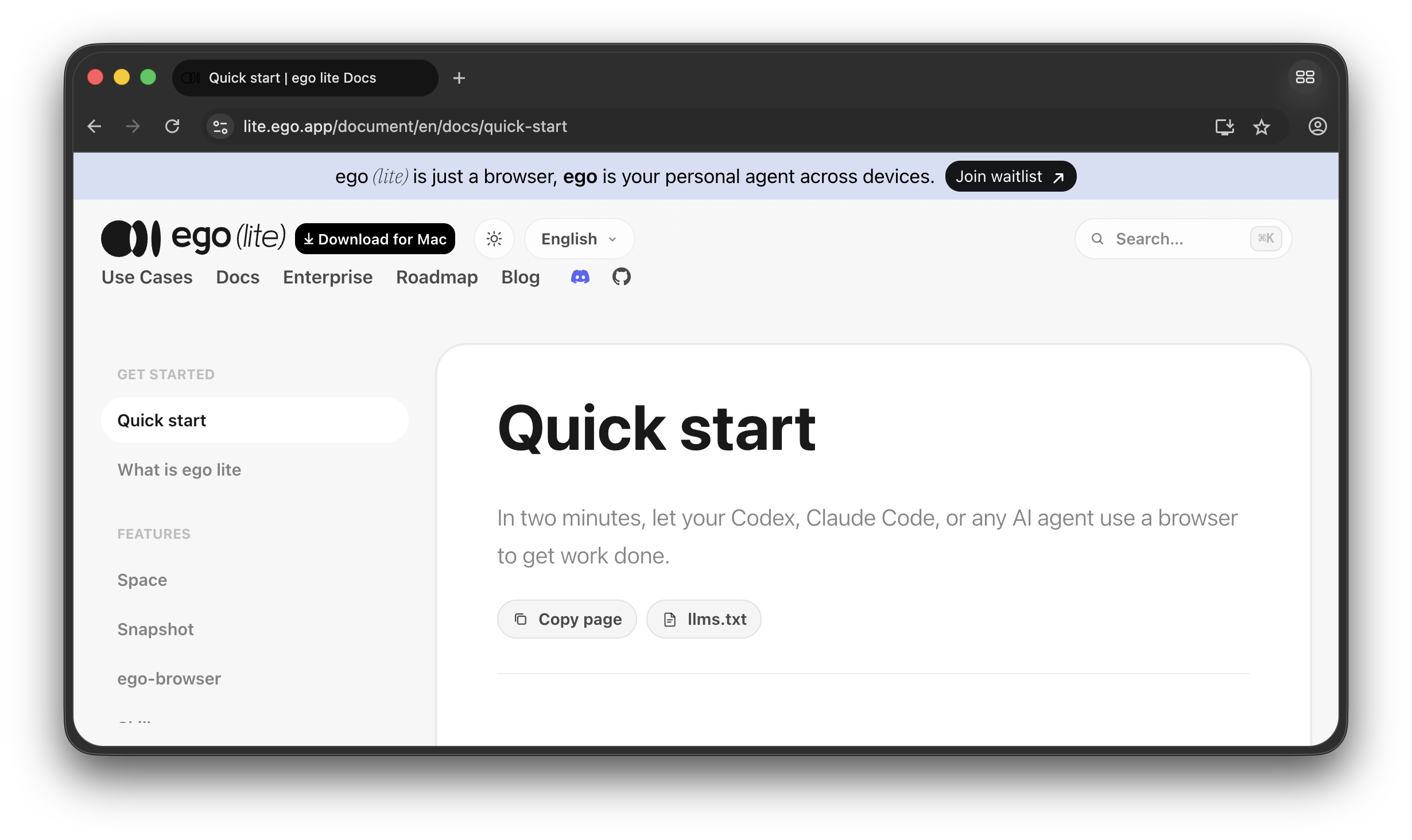
If you haven't installed it yet, follow these steps:
- Download the DMG above and open it
- Drag ego lite into your Applications folder (just like any other Mac app)
- Find ego lite, open it, and finish onboarding
Tip: On first launch, ego lite scans your machine for installed Agents and writes the ego-browser skill into their skill directories. It'll also ask whether you want to migrate your browser data — pick the right browser and confirm, and your login state, cookies, extensions, and Profile all come along, ready for your Agent to reuse.
Tip: During onboarding you may be asked for your password. That's so your login state, cookies, Chrome extensions, and Profile can be migrated for you and your agent to use directly. It also installs the ego-browser skill automatically into ~/.agents/skills and ~/.claude/skills/, and most mainstream Agents can use it right out of the box.
Try it: have your Agent summarize the latest OpenAI and Anthropic posts
Getting to work
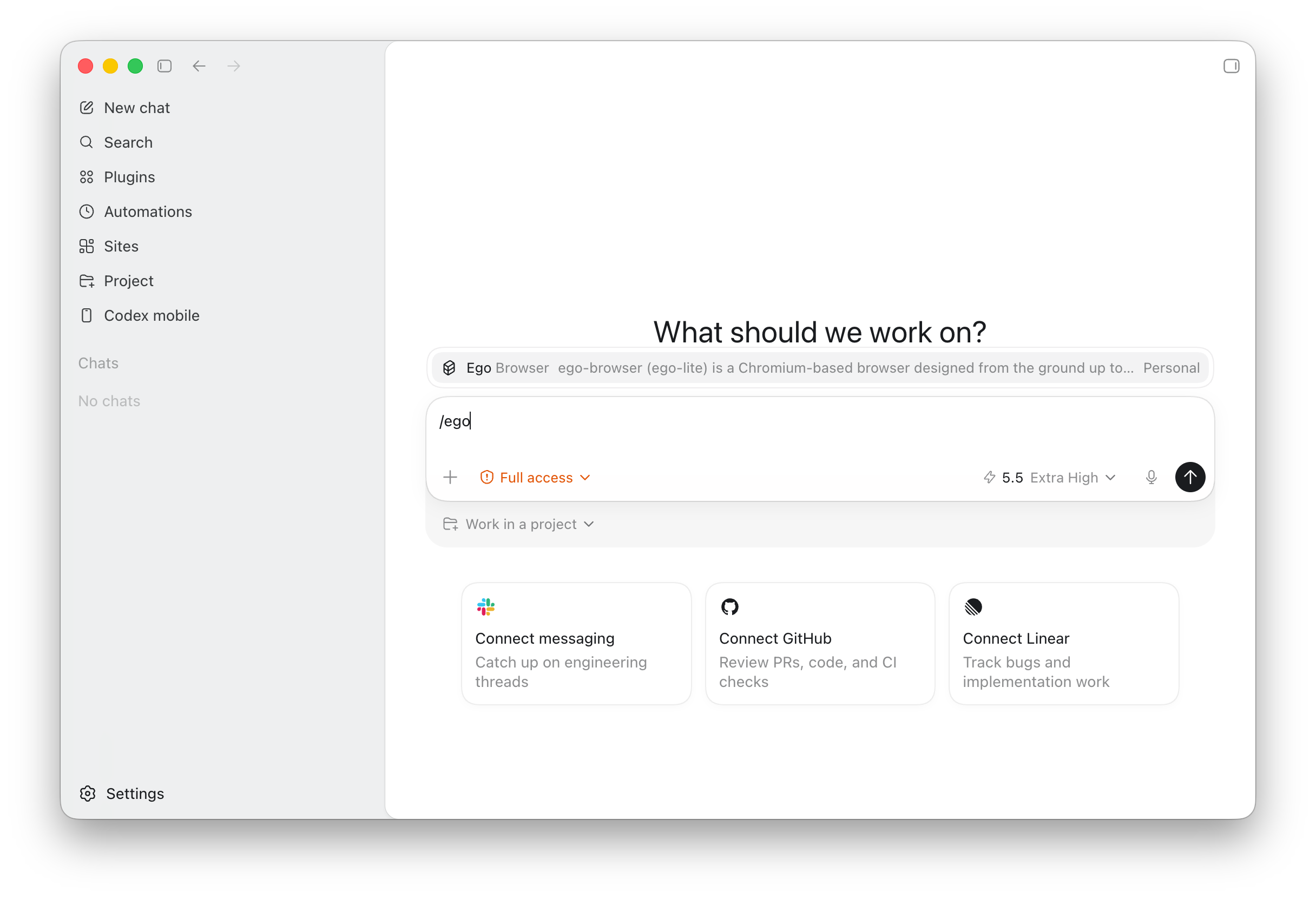
In your Agent's chat box, type /ego-browser to activate the skill — we'll use Codex as the example here.
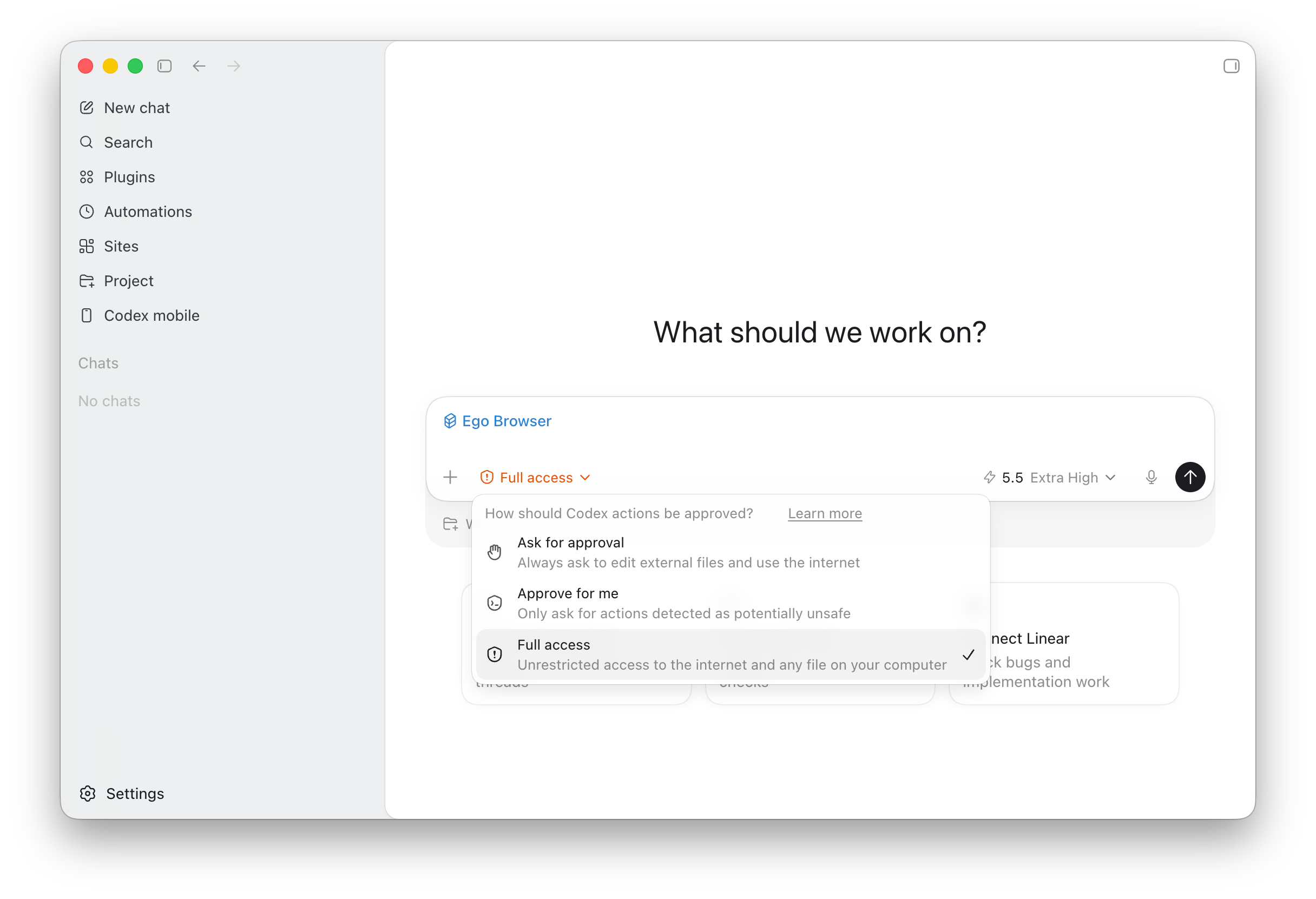
If your Agent has a permission setting, we recommend setting it to Full access: the ego browser command needs to launch ego lite, and since ego lite is installed on your local machine, launching it requires permission to run an app outside the sandbox. In Codex, you'll want to set this so it can launch ego lite through ego browser and run the task.
With the skill activated and permissions set to Full access, paste the line below into the chat box and hit enter:
Use ego-browser. Please open the blog pages of OpenAI and Anthropic, check if there is any noteworthy information, and quickly summarize the main points of the latest articles for me.
The Agent will create a new Space in ego lite, open the OpenAI and Anthropic blog pages there, read through the latest articles, organize the most recent updates and key points from both companies, and return the summary to you.
Want to see what the AI agent is doing? — Managing and switching Spaces
While the Agent runs its task, if you're curious what it's up to, click the Space button in the top-right corner of ego lite to open the Space management panel.
ego lite's Space mechanism lets your AI Agent work inside its own Space, so it won't pop open random windows or hijack the tabs you're using.
This is the human-and-machine browser experience we want: let the Agent quietly run its flow in the background, and pull you in only when it needs you to log in, verify something, or check a result, without interrupting what you were already doing, like reading an article or writing a friend an email by hand.
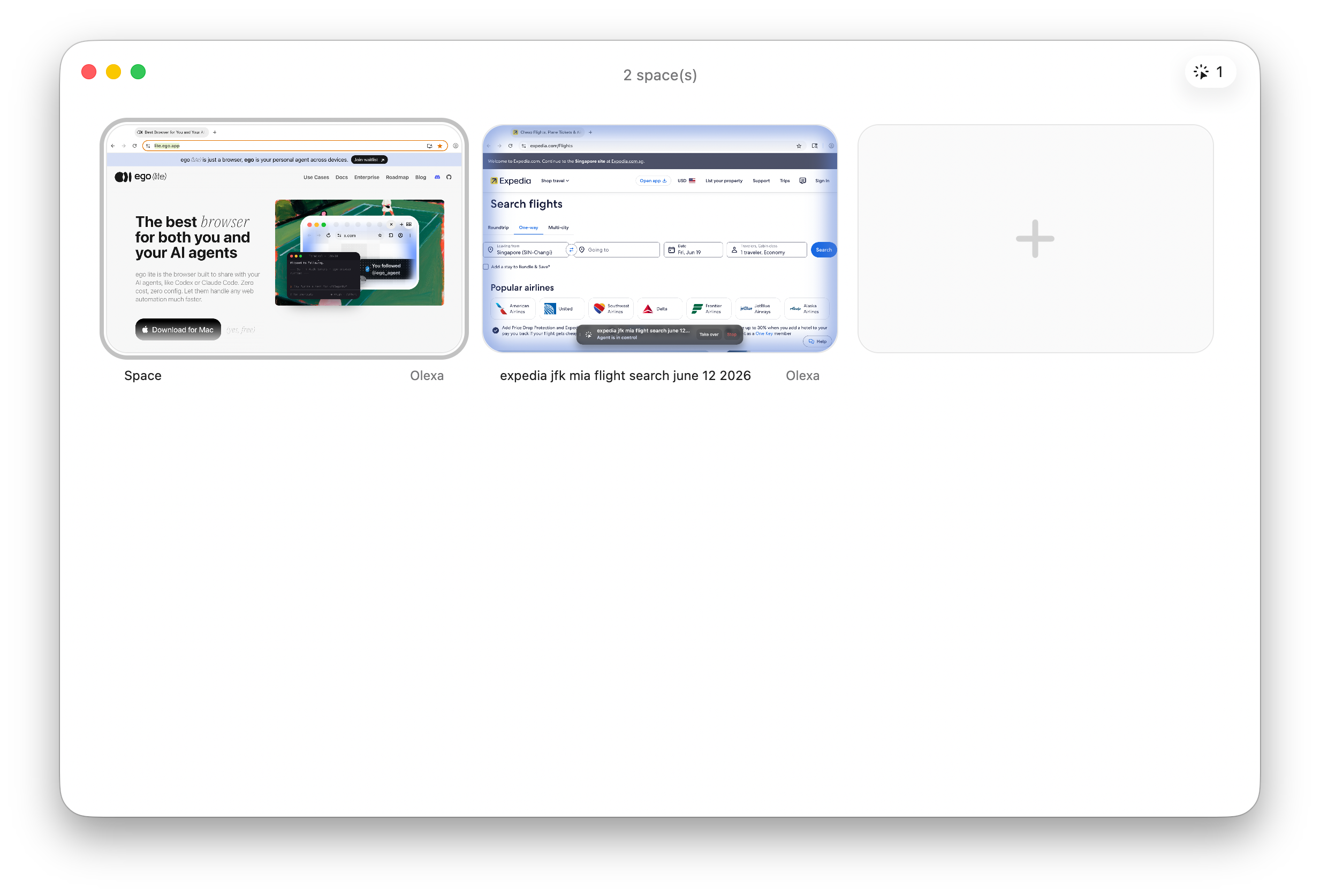
The one with the blue glow is the Space the Agent is working in. You can click into the Agent Space to see what the Agent is doing, or to help it with anything that needs you — logging in, verification, and so on.
What else can you do with ego lite
-
Social media: Reply to tweets, quote-tweet with content from your own notes, draft and queue posts, scrape engagement data, monitor mentions, and pull account activity. X, LinkedIn, Threads, Reddit, Instagram, and Facebook are all supported. Any data that needs a login but isn't reachable through an API, ego lite can get to.
-
Job hunting and recruiting: Search and filter roles on LinkedIn, Wellfound, and YC startup jobs, hit Apply to jump into the ATS (AshbyHQ, Greenhouse, Lever, Workday), upload your résumé, and fill in draft answers… then stop and wait for you to confirm before the final submit.
-
Real estate, finance, shopping: Filter listings on Redfin, Zillow, and Apartments.com by your criteria, run their mortgage and affordability calculators, and write the structured data into a local Markdown file. It can also compare prices on Amazon and place bulk orders on Costco. The brokerage back ends whose APIs are basically closed off work the same way.
-
Booking: The full flow for flights, hotels, and restaurants — auto-filling the tedious forms with your real personal details, all the way up to the payment page, where it stops.
-
SaaS back ends: Office work leans on SaaS more and more — HubSpot, Salesforce, Notion, Airtable, Linear, Stripe, GA4, Search Console, Mixpanel… and you end up doing the same things across countless systems: pulling reports, refreshing dashboards, bulk-updating fields, sending on a schedule. They rarely expose every API, and not everyone can write their own automation — which is exactly what ego lite is for.
-
Internal tools: Your own admin panels, staging environments, QA flows. For the pages locked behind a login that other automation frameworks can't get past, ego lite inherits the real login state from your everyday browser and walks right in the front door.
Go deeper
- ego-browser: the full helper list, the in-page
js()context, raw CDP access - Space: Space lifecycle and naming rules
- Snapshot: refs and the
loc=selector
We can't wait to see the efficient — or just plain fun — workflows you come up with. Whether you want to share a tip or need a hand, come join our Discord community: https://discord.gg/5eGZVvHbTq