
The short answer, before anything else: there are three technical routes past a login wall, and the right one depends on the site, not your preference. Inject a session into a script; reuse a real browser's session; or point a no-code tool at the page. No route promises you won't get banned.
Session injection has the lowest barrier but the cookies expire and you maintain them forever. Browser-session reuse is the sturdiest, because an AI agent drives the browser you're already signed into (products like ego (lite) do this, free). No-code tools are the fastest to start and the least flexible when the site fights back.
The compliance floor is the same under all three: public data is generally fair, other people's private data isn't, platform terms are yours to weigh, and no route promises you won't get banned.
Three routes, one floor. Details below.
What are the three routes past a login wall?
Web scraping behind a login is the practice of extracting data from pages that require authentication, which means the scraper has to carry a valid session the way a signed-in browser does. Every method reduces to how it gets and holds that session, and there are three.
Route 1: session injection.
You authenticate once, capture the session, and replay it from code. In Python that's logging in with a requests.Session() and reusing its cookie jar, or the modern version: driving a login in Playwright and saving storageState to a JSON file that later runs load.
It's the route every "scrape a website with login using Python" tutorial teaches, and it genuinely works on simple sites. The catch is maintenance: the session expires on the site's clock, breaks the moment 2FA or a device check enters the flow, and the cookie file is a credential you now have to store like a password. On a site you scrape weekly, you'll re-harvest that session weekly, forever.
Route 2: browser-session reuse.
Instead of extracting a session into a file, you let an AI agent operate a real browser that's already signed in. Nothing is copied out; the session stays where it lives, in a genuine browser, and the agent reads and acts through it.
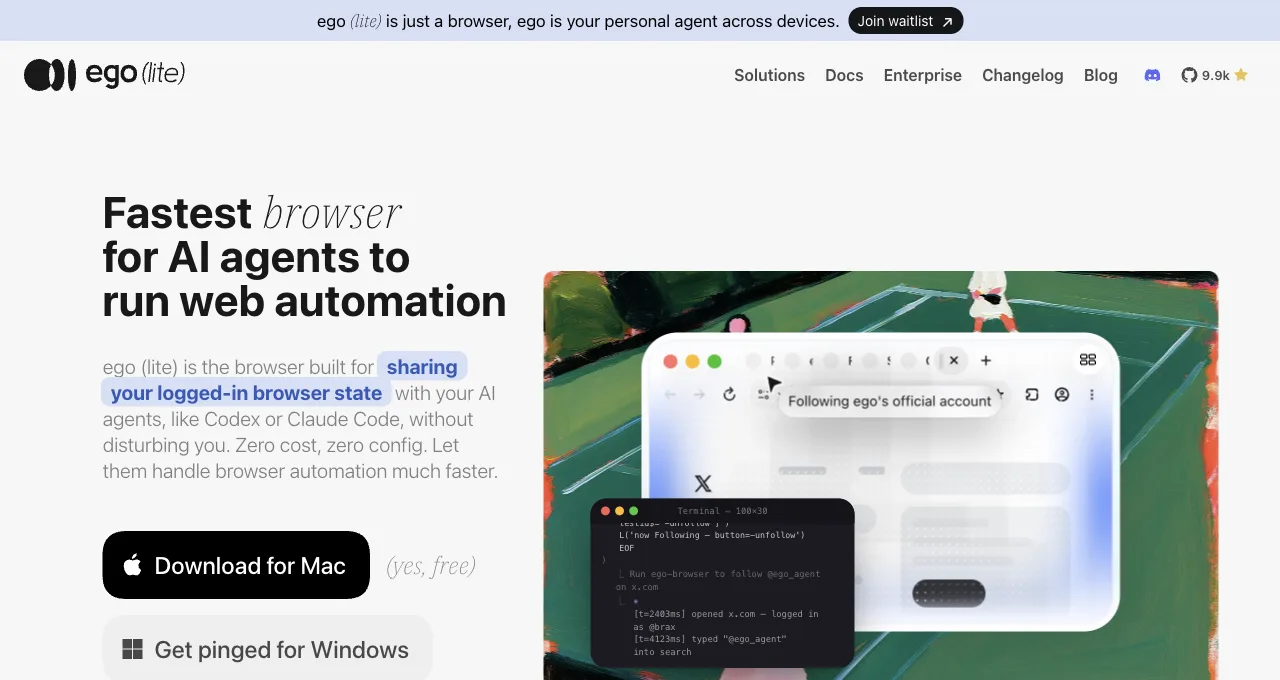
ego (lite) is the implementation built for this: import from Chrome once and every site you've signed into stays signed in, then the agent works in an isolated Space driven by any agent that can run a shell command through the ego-browser skill, with 2FA handled by a hand-off-and-resume flow instead of a hard failure.
Because the session is real and lives in a real daily browser, this route carries the fewest anomaly signals of the three. Its limits are equally plain: it's a desktop browser, so it doesn't run in headless CI, and you're adopting a specific tool rather than a few lines you already know.
A minimal shape of route 2, so it isn't abstract: your agent runs a shell command that opens a Space, navigates to the signed-in dashboard, and returns the rows as text. No cookie file leaves your machine, and the login you did by hand last month is the login the agent uses today.
Here's that shell command run for real, against a live page, today: a task space opens, navigates, and hands back exactly the four fields asked for, nothing more.
ego-browser nodejs <<'EOF'
const task = await egoBrowser.newTaskSpace('evidence-egobrowser-hn')
console.log({ taskSpaceId: task.id })

await task.page.goto('https://news.ycombinator.com/', { waitUntil: 'load', timeout: 20000 })
const title = await task.page.title()
const topStory = await task.page.locator('.athing .titleline > a').first().innerText()
const points = await task.page.locator('.subtext .score').first().innerText().catch(() => null)
console.log({ title, url: task.page.url(), topStory, points })
EOF

# Real output:
{
  "taskSpaceId": 13
}
{
  "title": "Hacker News",
  "url": "https://news.ycombinator.com/",
  "topStory": "Qwen 3.8 27B",
  "points": "412 points"
}
Route 3: no-code tools.
Point-and-click scrapers record you performing the login and the extraction, then replay it on a schedule. Axiom, Simplescraper, and Browse AI all document a "scrape behind a login" flow of exactly this shape. For a non-developer pulling a table from one portal, it's the fastest path to a first result, sometimes minutes.
The tradeoff is flexibility: recorded flows are brittle against layout changes, most cap what they can express when a site adds an interstitial or a challenge, and you're renting a hosted runner that carries your session on its infrastructure, which is its own risk decision.
How do the three routes compare?
Three dimensions decide most real choices: the barrier to get started, how stable the route is once a site starts defending itself, and how much ongoing maintenance it costs you. Read the row that matches your weakest constraint, not your strongest.
| Route | Barrier to start | Stability under defenses | Maintenance cost |
|---|---|---|---|
| Session injection | Low if you code; a Python script and a cookie capture | Weak; breaks on 2FA, device binding, and session rotation | High; re-harvest the session on every expiry, guard the file |
| Browser-session reuse | Low if you run an agent; install once, import Chrome logins | Strong; real session in a real browser, 2FA becomes a pause | Low; no cookie files to rotate, logins persist as they do for you |
| No-code tools | Lowest; record a flow by clicking, no code at all | Weak to medium; brittle to layout change and interstitials | Medium; re-record on redesign, and a hosted runner holds your session |
The pattern the table hides in plain sight: session injection and no-code tools both trade long-term stability for a fast start, and both put your session somewhere it can go stale or leak. Browser-session reuse costs more to adopt (a tool, a desktop) and pays it back in maintenance you never do, because it never separates the session from the browser that owns it.
What's actually allowed? Compliance by data type
Legality doesn't sort by which route you picked; it sorts by what data you touch. The useful frame is three layers, from safest to most fraught, and you should know which one you're standing in before the first request goes out.
Public data behind a convenience login is the safe lane: information the site shows any signed-in user, with no personal detail about third parties, is where most legitimate scraping lives. Your own data behind your own login is equally clean, and it's the bulk of agent tasks: pulling your invoices, your analytics, your account history.
Third parties' personal data is the fraught layer: names, contact details, and behavior tied to identifiable people pull in privacy law (GDPR, CCPA, and their kin) regardless of how public the page felt, and "it was reachable" is not the same as "it was yours to collect."
What raises ban risk, and how do you lower it?
Start with the sentence every vendor skips: no method promises you won't get banned, and any that does is selling something. Bans come from behavior a human never produces, and the route you chose barely moves the needle next to how you behave once you're in.
What raises risk: volume and speed no person could match, hammering endpoints in tight loops, harvesting far beyond what your account would ever view by hand, and running a session from signals that contradict how that account normally appears.
What lowers it: pacing requests to human rhythms, scraping only what your role legitimately reads, and keeping the session in a form that looks like ordinary use. That last point is where the routes genuinely differ.
A real session in a real browser (route 2) carries the fewest contradictions, because it is ordinary use with an agent's hands; a transplanted cookie file (route 1) or a hosted runner (route 3) adds device and infrastructure signals a site can weigh. That's a gradient, not a guarantee, and it never excuses abusive volume.
The practical containment, in one line: behave like the account you're using would behave, and the route that makes that easiest is the one where the session was never faked in the first place.
Download ego (lite) for Mac, free, or see every way in from the four routes to your logged-in state and what they combine into.
FAQ
How do I scrape a website that requires login with Python?
The classic route is session injection: log in once with a requests.Session() so its cookie jar persists, or drive the login in Playwright and save storageState to reuse later. Both work on simple sites and both break when the login adds 2FA or device checks, at which point browser-session reuse (an agent driving a browser you're already signed into) is the sturdier answer.
Can I scrape a site behind a login without code?
Yes; no-code tools like Axiom, Simplescraper, and Browse AI record you logging in and extracting, then replay it. It's the fastest start for a single portal and a non-developer. The costs are brittleness when the site's layout changes and the fact that a hosted runner holds your session on its own infrastructure.
Why do my scraped sessions keep expiring?
Because an injected cookie or token has the lifetime the site assigns it, and many sites rotate sessions or bind them to device signals that a replayed file doesn't reproduce. That's the structural weakness of route 1. Route 2 avoids it by never separating the session from the real browser that maintains it, so the login persists exactly as long as it does when you use the site yourself.
Is scraping data behind a login legal?
It depends on the data, not the method. Public data and your own account data are the clean lanes; third parties' personal data pulls in privacy law like GDPR and CCPA, and a platform's terms may forbid automation regardless. None of this is legal advice, and for personal or commercial-stakes data the right step is a lawyer, not a tutorial.
Does using a real browser guarantee I won't get banned?
No, and no route can. A real session lowers the anomaly signals a site sees, but bans track behavior: volume, speed, and patterns no human produces will get an account flagged in any browser. The browser only changes the baseline; your behavior is what actually earns the ban.
Which route should I use for a login-walled site I scrape daily?
Daily cadence punishes maintenance, which rules session injection out first (you'd re-harvest the session constantly). If the task is your own account data and you run an agent, browser-session reuse is the low-maintenance answer. If you can't run a desktop tool and the flow is simple, a no-code tool on a schedule is the pragmatic pick, accepting the re-recording tax when the site changes.