Search "codex browser" and you're actually asking about three different products wearing one name: a built-in browser inside the ChatGPT app, a Chrome extension that borrows your real browser, and the MCP door that accepts any browser server you configure.
The conclusion up front: none of the three combines any-agent flexibility, your logins, and an independent window. That combination is ego (lite), an agent browser for browser automation: the agent drives it through the ego-browser skill, works in an isolated Space with your sessions inherited, and never occupies a window you're using.
OpenAI documents each well and lines none of them up, so users discover the boundaries by hitting them: the built-in browser has no logins, the extension has no independence, the MCP route has no OpenAI polish.
Here's each path with what it can and can't do, straight from the docs. If you only remember one thing, make it the profile boundary: the built-in browser is a stranger to your accounts on purpose, and the extension is your accounts on purpose, and half of all Codex browser confusion is asking one to act like the other.
Path 1: The built-in browser (@Browser)
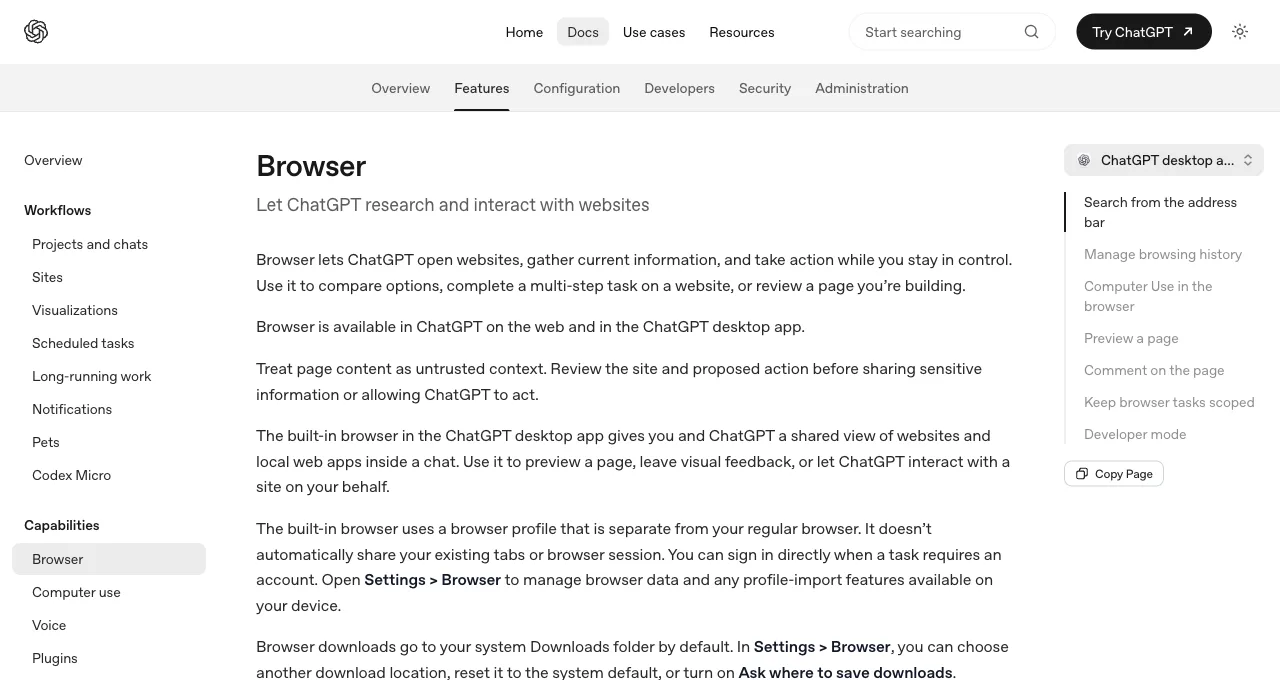
What it is: a browser embedded in the ChatGPT desktop app (and web) giving you and the model "a shared view of websites and local web apps inside a chat." Enable it from the Plugins tab, invoke it with @Browser or Cmd+Shift+B, and Computer Use lets Codex "open pages, click, type, inspect rendered state, take screenshots" against what you're both looking at.
Its developer story is better than most people expect: it previews local dev servers, supports visual annotations on page elements (the Adjust option gives granular style feedback), and a Developer mode grants "controlled access to the Chrome DevTools Protocol" for console, network, and DOM inspection, gated behind explicit approval because CDP "can expose sensitive browser internals."
Its boundaries, per the docs: it runs "a browser profile that is separate from your regular browser," so none of your sessions exist in it; it "can't automate file uploads"; and it "isn't available in Codex CLI or the Codex IDE extension," which surprises CLI-first developers most. Think of it as the demo-and-preview surface, not the task surface.
Path 2: Codex for Chrome (@Chrome)
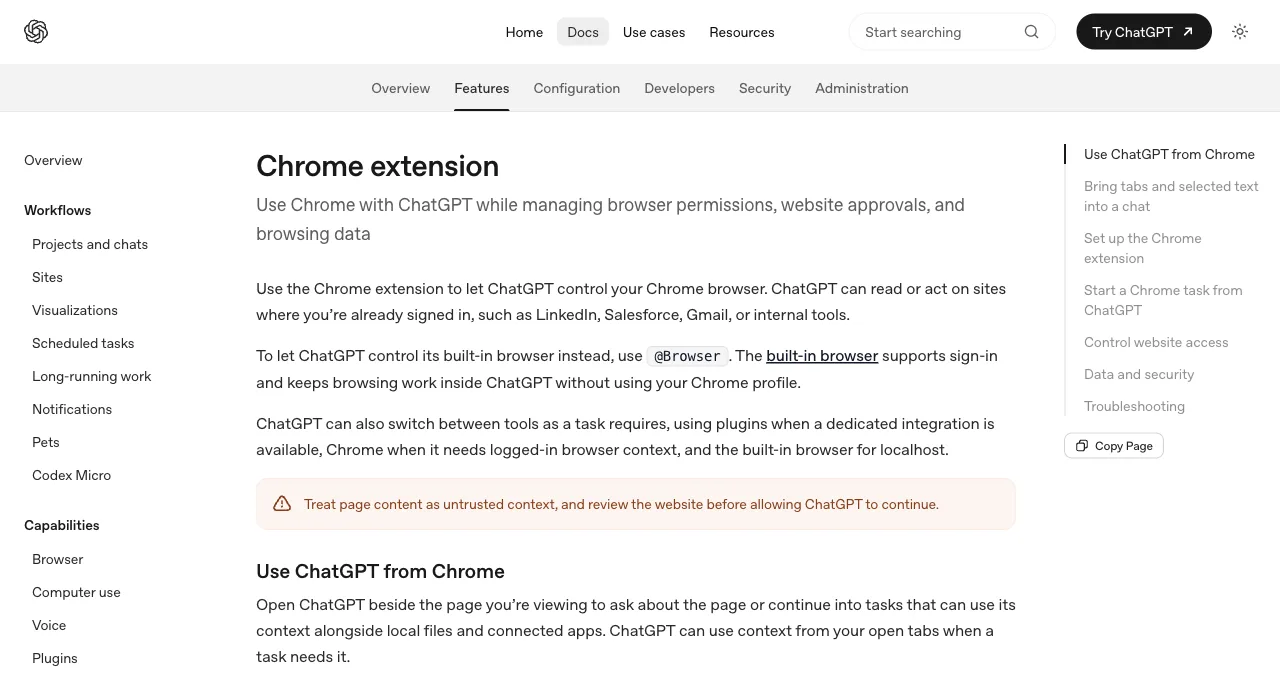
What it is: the Chrome extension route into your actual browser. Install the Chrome plugin from the desktop app plus the Web Store extension (they talk through a native host), and Codex can act on sites "where you're already signed in, such as LinkedIn, Salesforce, Gmail, or internal tools," with each task's work grouped into Chrome tab groups.
The permission model is the mature part: per-site approvals by default, an elevated-risk flag on allow-all-sites, no always-allow for history, and the standing instruction to treat page content "as untrusted context." The boundaries: Chrome only ("other Chromium-based browsers aren't currently supported"), OpenAI ecosystem only, and possession: tab groups organize the work, but it's still your browser doing it, sharing your focus.
The docs' own division: @Browser for a shared view, @Chrome for your real tabs and profile.
Path 3: MCP servers
What it is: Codex speaks MCP, so any browser server plugs in with one command:
codex mcp add playwright npx "@playwright/mcp@latest"
codex mcp add chrome-devtools npx chrome-devtools-mcp@latest
This is the extensible path, and it inherits each server's profile wholesale: Playwright MCP brings cross-browser automation and the snapshot token bill (89K-114K per measured test run); Chrome DevTools MCP brings performance traces and, via auto-connect, your signed-in Chrome with a shared window; Browser MCP brings extension-style takeover as a protocol citizen.
Everything in our Claude Code browser MCP scorecard transfers here unchanged, because these are the same servers behind a different client.
What the MCP path uniquely offers Codex users: an exit from single-vendor design decisions. What it doesn't offer: any single server that has your logins, an independent window, and lean tokens at once. That triple is the gap the comparison table below makes visible.
How do the three paths compare?
Three dimensions decide daily use; the fourth row is the one none of the paths fills.
| Path | Your logins | Window ownership | Extensibility |
|---|---|---|---|
| @Browser | No; separate profile by design | Shared view in the chat; fine for previews | Fixed feature set + CDP dev mode |
| @Chrome | Yes; your real sessions | Your Chrome, tab groups or not | OpenAI-defined, Chrome-only |
| MCP | Server-dependent; usually no | Server-dependent | Open; any server |
| ego (lite), external | Yes; inherited from Chrome import | Its own Space; yours untouched, tasks parallel | Any shell-capable agent, not just Codex |
That last row is the combination this article promised: ego (lite) is a free browser built for sharing your logged-in browser state with AI agents, Codex included; the agent drives it through the ego-browser skill (whole workflows execute outside the model's context), works in an isolated Space with your sessions inherited, and never occupies a window you're using.
On complex tasks it finishes up to 3.45x faster than agent-browser, on fewer tokens. What it lacks against the three official paths: @Browser's in-chat shared view and annotation flow, and the extension's zero-technical-setup path.
The lean-tokens claim is a comparison, not a detour into Path 3. Same Hacker News page, minutes apart today: an MCP accessibility snapshot first, then the targeted extraction ego (lite) returns.
Chrome DevTools MCP take_snapshot, same page
# take_snapshot via chrome-devtools-mcp@latest (mcp Python SDK, stdio session)
navigate_page chars: 123
take_snapshot chars: 38285
## Latest page snapshot
uid=1_0 RootWebArea "Hacker News" url="https://news.ycombinator.com/"
  uid=1_1 link url="https://news.ycombinator.com/"
  uid=1_2 link "Hacker News" url="https://news.ycombinator.com/news"
    uid=1_3 StaticText "Hacker News"
  uid=1_4 link "new" url="https://news.ycombinator.com/newest"
    uid=1_5 StaticText "new"
  uid=1_6 StaticText " | "
  uid=1_7 link "past" url="https://news.ycombinator.com/front"
    uid=1_8 StaticText "past"
  uid=1_9 StaticText " | "
  uid=1_10 link "comments" url="https://news.ycombinator.com/newcomments"
    uid=1_11 StaticText "comments"
  uid=1_12 StaticText " | "
  uid=1_13 link "ask" url="https://news.ycombinator.com/ask"
...
ego (lite), targeted extraction of the same page
ego-browser nodejs <<'EOF'
const task = await egoBrowser.newTaskSpace('evidence-egobrowser-hn')
console.log({ taskSpaceId: task.id })

await task.page.goto('https://news.ycombinator.com/', { waitUntil: 'load', timeout: 20000 })
const title = await task.page.title()
const topStory = await task.page.locator('.athing .titleline > a').first().innerText()
const points = await task.page.locator('.subtext .score').first().innerText().catch(() => null)
console.log({ title, url: task.page.url(), topStory, points })
EOF

# real output
{
  "taskSpaceId": 13
}
{
  "title": "Hacker News",
  "url": "https://news.ycombinator.com/",
  "topStory": "Qwen 3.8 27B",
  "points": "412 points"
}
38,285 characters of accessibility tree versus about 90 characters of targeted JSON: that's the token gap the table's last row is scoring, measured today, not asserted.
Which path for which purpose?
By what you're doing, since that's how the choice arrives. Verifying code you're writing (previews, visual checks, style feedback): @Browser, which was built for exactly this shared-view loop, CDP dev mode included.
Occasional tasks in your accounts with zero setup: @Chrome, accepting the window loan for the convenience. Testing infrastructure, cross-browser needs, or debugging depth: the MCP path with the matching server.
Daily logged-in tasks that should run in parallel without borrowing anything: ego (lite) as the external arm, with the official paths kept for what they're each best at.
One day, all four, to show they compose rather than compete: morning, @Browser previews the branch you're shipping and annotates the spacing bug; midday, Playwright MCP runs the cross-browser check on the fix.
Afternoon, ego (lite) pulls the week's numbers from three logged-in dashboards in parallel Spaces while you review a PR; evening, @Chrome files the expense report in your accounting portal because it was one task and the extension was already there. No tool did another's job.
See ego (lite) vs the Codex browser in detail, or download ego (lite) for Mac, free.
FAQ
Why can't Codex CLI use the built-in browser?
The built-in browser lives in the ChatGPT app surfaces; OpenAI's docs state it "isn't available in Codex CLI or the Codex IDE extension." CLI users wanting browser hands use the MCP path, or ego (lite), the combination the comparison table lands on: any-agent control, your logins, and an independent window in one tool.
What's the Cloud browser I've seen mentioned?
A fourth, narrower thing: a remotely-hosted browser for ChatGPT Work on the web that "supports public, signed-out websites" only, with no logins, local tabs, or extensions, and plan-dependent availability. Useful for public research from the web app; not a path to your accounts.
Can I use Playwright MCP and the extension together?
Yes; they occupy different slots (MCP config vs Chrome extension) and don't conflict. A common Codex setup is exactly that pair: MCP for testing work, extension for account tasks, with the usual caution about how many MCP tool schemas you keep loaded.
How do I enable the built-in browser's Developer mode?
Settings, then Browser, then Enable full CDP access, with an explicit approval step because CDP "can expose sensitive browser internals." Admins can block it org-wide with browser_use_full_cdp_access = false in requirements.toml. Once on, Codex can profile JavaScript and inspect console, network, and DOM in the built-in browser.
What does codex chrome mcp mean when people search it?
Usually one of two setups mashed into one phrase: adding Chrome DevTools MCP to Codex (codex mcp add chrome-devtools npx chrome-devtools-mcp@latest, the debugging server), or the Codex Chrome extension, which isn't an MCP at all. If your goal is Codex debugging your pages, you want the former; if it's Codex acting in your signed-in Chrome, the latter.
Is any of this available without a paid plan?
The extension and built-in browser ride your ChatGPT plan and its usage limits; the MCP servers themselves are free software billed in tokens; ego (lite) is free outright and works with whatever Codex plan you already have.