Hermes Agent GitHub 仓库与浏览器设置:搭配 ego(lite) 使用


搜索“Hermes Agent GitHub”通常意味着两件事:找到项目源码,以及弄清它的 Agent 如何在真实网站上操作。Hermes Agent 是运行时;ego (lite) 则是浏览器层,让在人工监督下进行的网页工作全程可见。本文会给出上游项目的链接和当前的安装方式,并把 Hermes 自身的浏览器选项与 ego (lite) 真正增加的能力区分开来。
Hermes Agent 的 GitHub 仓库在哪里?
Hermes Agent 的官方仓库是 GitHub 上的 NousResearch/hermes-agent。这是 Nous Research 以 MIT 许可证发布的开源项目,提供 CLI、消息网关、定时任务、技能、记忆、终端后端和浏览器集成。版本发布和实现细节以仓库为准;安装与配置可能随版本变化,请以官方文档为准。
Hermes 不是 ego (lite) 的插件,也不是 ego 官方发布的扩展程序。 Hermes 负责提供 Agent 循环,并选择使用哪个浏览器后端。ego (lite) 提供的是一款基于 Chromium 的浏览器,专为人和 Agent 通过 Spaces 共享使用而设计。你可以把 Agent 接入 ego-browser,但这只是一种集成方式,并不代表 ego (lite) 是 Hermes 仓库的一部分。把两者的职责分开,排查问题和做安全决策时都会清晰得多。
如何安装 Hermes Agent
请使用 Nous Research 文档中提供的安装脚本,先完成基础配置,再添加浏览器自动化:
# macOS, Linux, WSL2, or Termux
curl -fsSL https://hermes-agent.nousresearch.com/install.sh | bash

# Windows PowerShell
iex (irm https://hermes-agent.nousresearch.com/install.ps1)

# First-run configuration
hermes setup
hermes model
安装完成后,先正常发起一次对话,确认所选的模型提供商能正常响应。Hermes 支持多家模型提供商,因此不需要事先绑定某个特定的模型或 API 厂商。用 hermes tools 启用浏览器自动化;如果某个依赖或后端无法正常工作,就运行 hermes doctor。官方快速入门还介绍了 hermes gateway,可用于接入 Telegram、Discord、Slack、WhatsApp、Signal 等界面。
如需查看权威的命令列表,请参阅 Hermes Agent 快速入门 和 上游项目的 README;命令和支持的平台都可能变化,请不要照搬过时的第三方安装脚本。
Hermes 使用哪种浏览器?
Hermes 并没有唯一的浏览器实现。它的官方浏览器自动化文档列出了 Browser Use 云服务、Browserbase、Firecrawl、Camofox、Lightpanda、通过 CDP 连接的本地 Chromium,以及本地 agent-browser。在 Browser Use 模式下,Hermes 可以通过 Browser Use CLI 3.0 执行由模型编写的 Python 代码,这条路径需要终端访问权限。云端会话会产生服务商费用并受其限制,本地模式则取决于你的机器和浏览器配置。
Hermes 还可以在终端 CLI 中连接已在运行的 Chrome、Brave、Chromium 或 Edge 实例,方式是使用 /browser connect 或 CDP 端点。这是一个交互式 CLI 命令,不是可以通过 Telegram 或 WhatsApp 发送的消息。Chrome 136 及更高版本在开启远程调试端口时,要求使用专用的非默认用户数据目录,因此请按照上游的 CDP 说明操作,不要让自动化直接指向你日常使用的浏览器配置文件目录。
Hermes 的文档还介绍了使用真实浏览器配置文件进行浏览的功能。设置 browser.use_real_profile: true 后,它会把当前活跃的 Chromium 浏览器配置文件复制到 ~/.hermes/browser-profile/<browser>/,再操控这份快照;它不会直接打开正在使用的原配置文件。该功能默认关闭,只是一项需要你明确同意才会启用的便利功能,而不是安全边界。在该会话中访问的页面可以凭借复制过来的登录状态执行操作,因此只应在你愿意全程监督的任务中使用。
一款真实的浏览器,带着你完整的登录状态
大多数浏览器 Agent 都是无头的。它们每次都从一张白纸开始:没有 cookie、没有登录状态、没有扩展程序。拿来做测试和一次性演示没问题,但这并不是你真正上网的方式。
你真正的工作,都发生在你已经登录的浏览器里。你的 X 时间线只属于你。 YouTube 记得你看过什么。 Gmail、Notion、CRM、仪表盘、管理后台和内部工具,都藏在你的登录状态、权限和你一点点积累起来的设置背后。 ego (lite) 让 Agent 也能用上同一个真实浏览器。这是一款货真价实的 Chromium 浏览器,专为你和你的 AI Agent 打造。它带着你的 cookie、登录状态、扩展程序和书签,让 Agent 能替你完成平时要手动进行的浏览、阅读、整理和提交。整个过程全程可见,你可以随时接管,它也可以在关键操作前先征求你的确认。
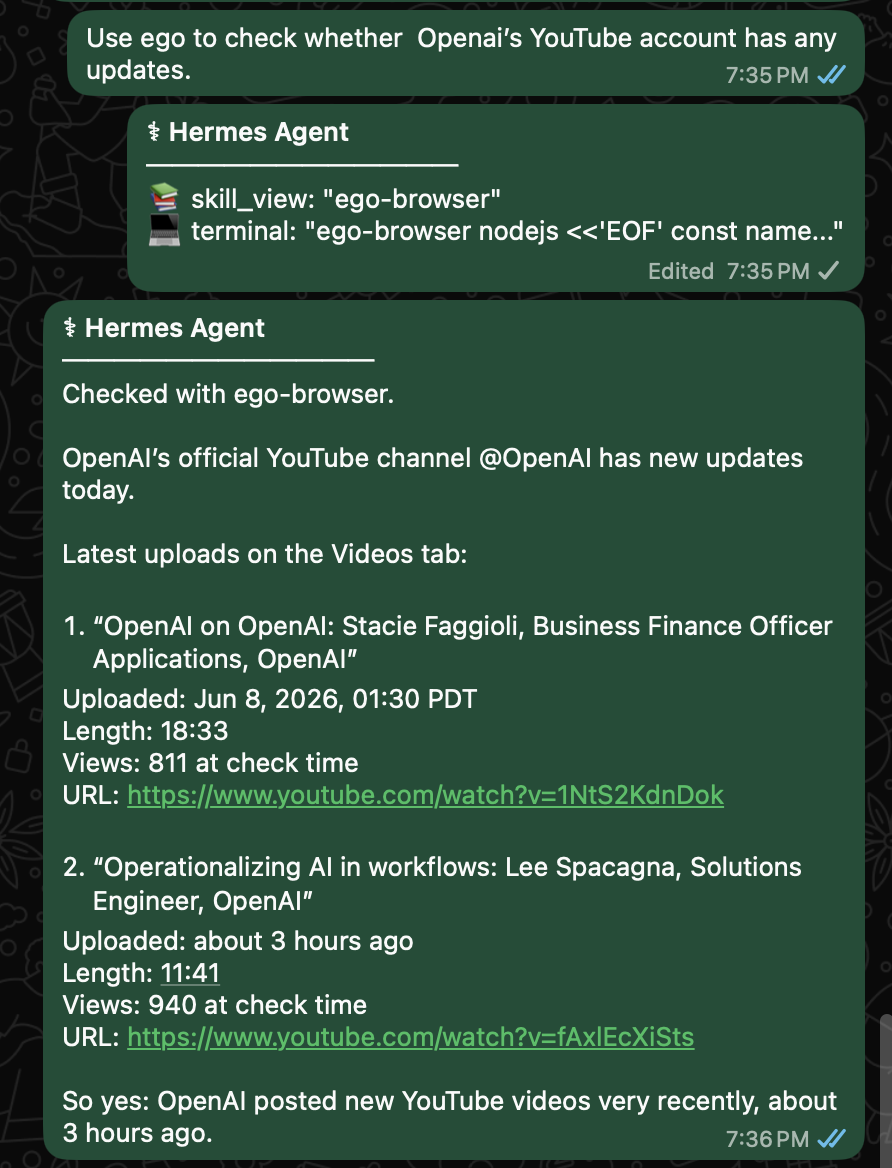
这对 Hermes 来说很重要。当你在 WhatsApp 里让 Hermes 看看 OpenAI 的 YouTube 账号有没有更新时,它可以用 ego (lite) 打开真实网页,查看频道、读取最新上传的视频,再把标题、上传时间、时长、播放量和链接汇报给你。
这不是让 Hermes 充当外部爬虫,而是让它在真实浏览器里,替你完成原本要亲手做的浏览器工作,你也不必来回切换上下文。
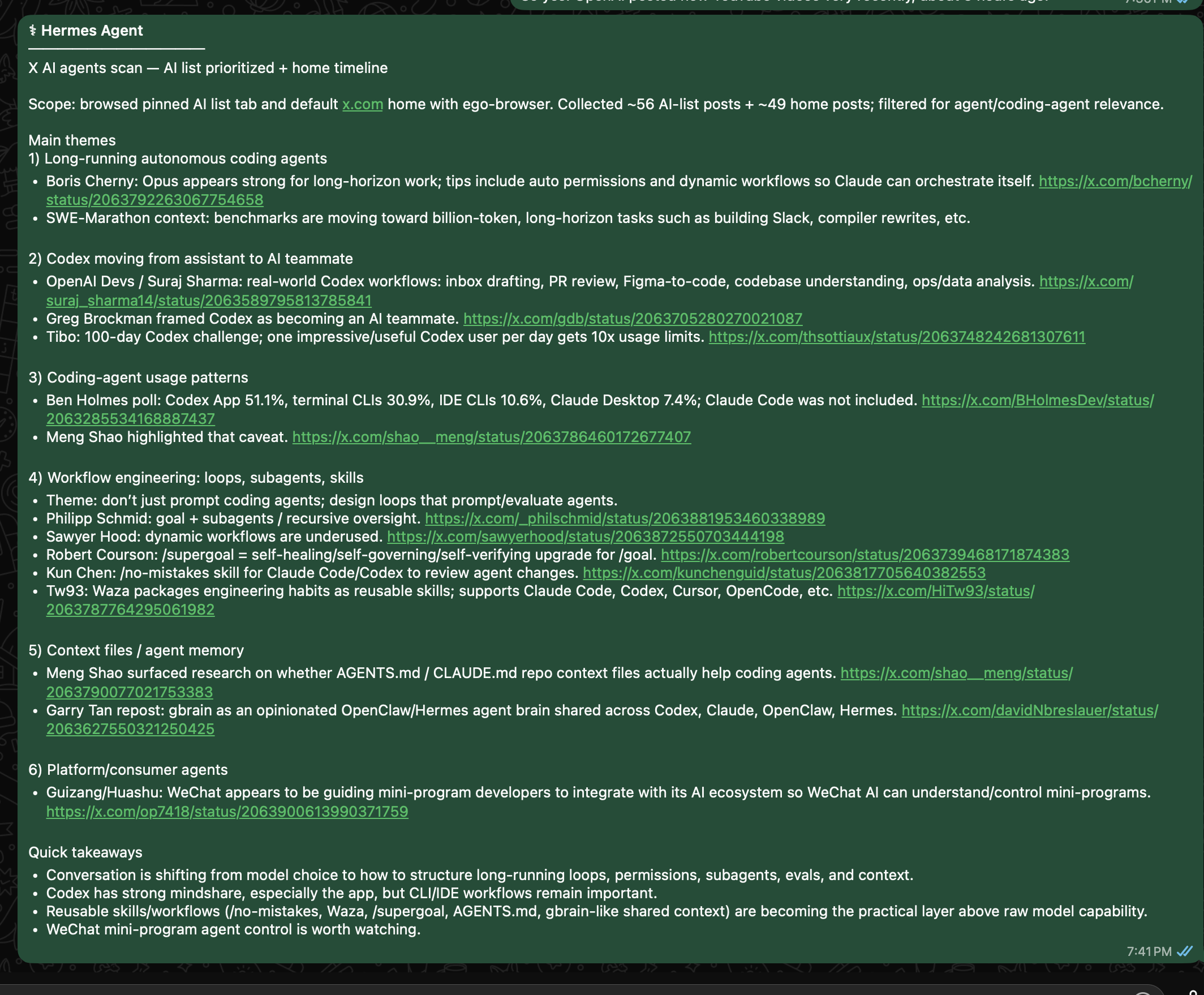
这同样适用于 X。如果你让 Hermes Desktop 去 X 上浏览 AI Agent 相关动态,你的 AI 列表和主页时间线可不是通用的公开搜索结果。它们是你登录后所看到的世界。借助 ego (lite),Hermes 可以基于这个真实视角工作,用的正是你每天都在用的账号状态、列表、关注和上下文。
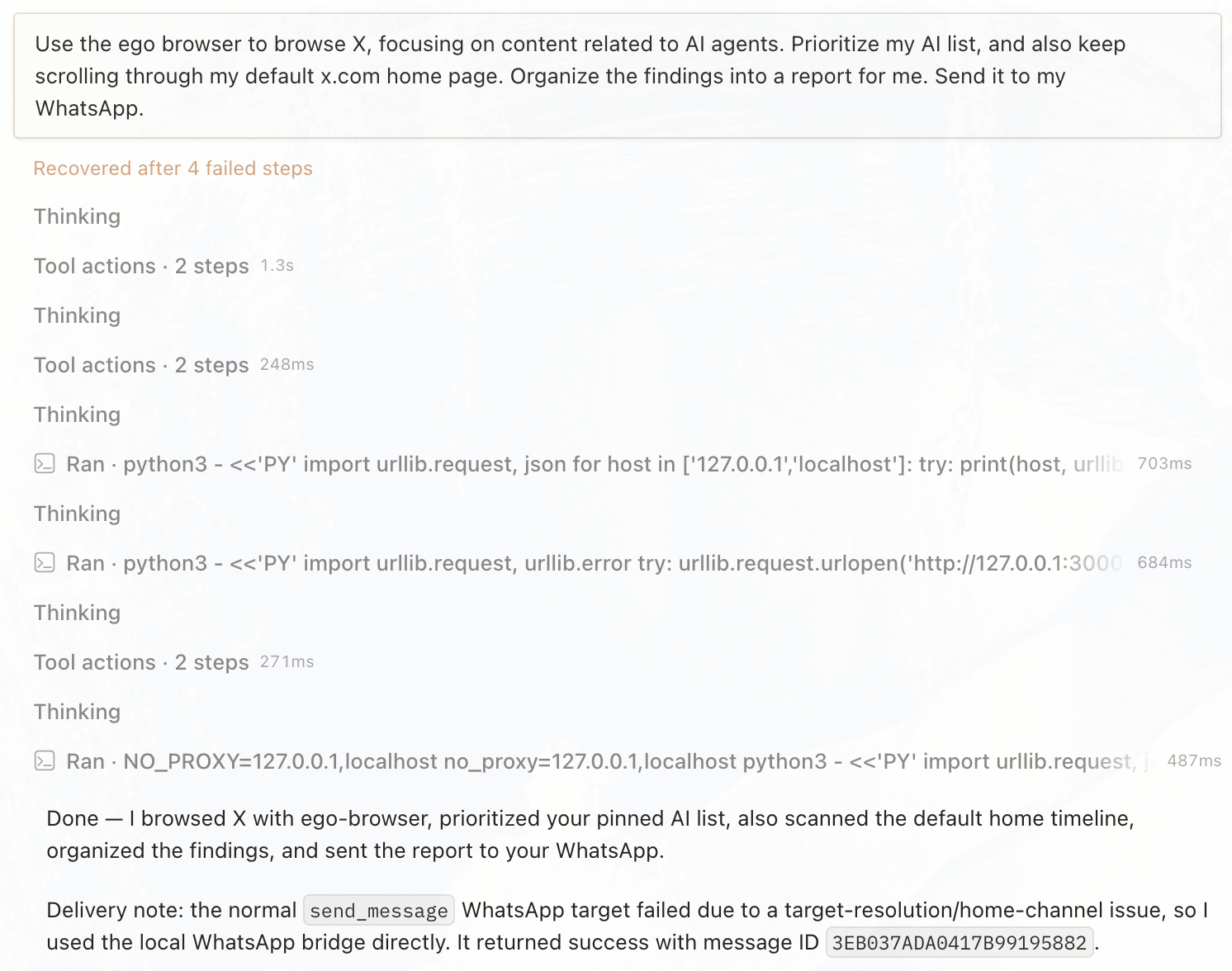
Hermes 会把这一条指令变成一个定期运行的网页工作流:它就在你平时使用的、已登录的 X 环境里工作,筛出有价值的信息,再通过你选定的渠道把摘要发回给你。
人和 Agent 共用一款浏览器
重点不是丢给 Hermes 一个独立的黑盒浏览器,然后祈祷它别出岔子。重点是平衡:一个真正的浏览器环境,同时服务于你和 Agent,并通过 Spaces 清楚地分隔开。
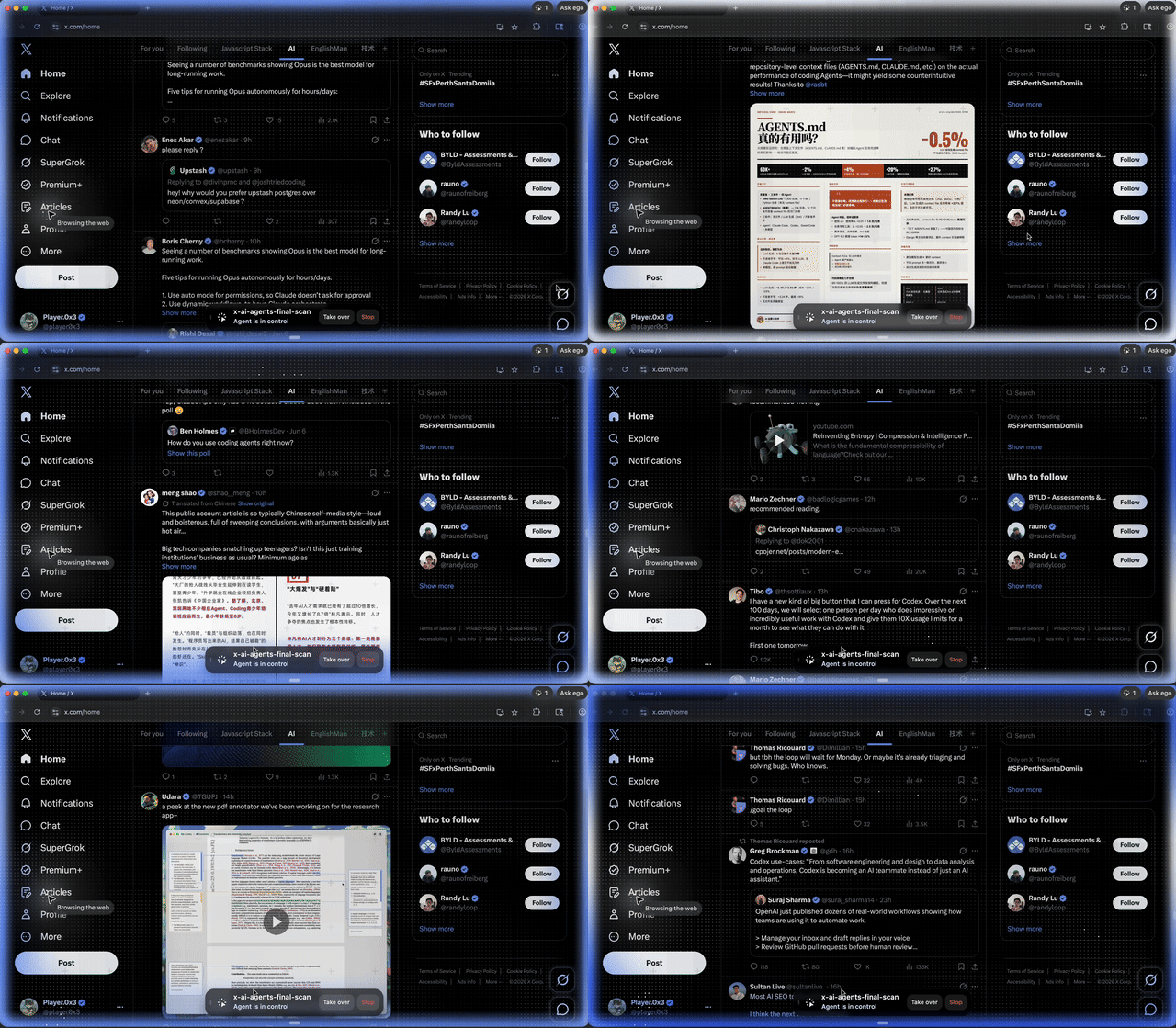
Hermes 在自己的 Space 里工作,你则继续用自己的标签页。需要的时候,你可以随时切进那个 Space,看看它在做什么,并在登录、确认或任何关键操作时接手。它不会消失在一个看不见的无头会话里,而是在一个你随时可以查看、也可以打断的真实浏览器中运行。
不断进化的 Agent,遇上经验丰富的浏览器
Hermes 从来就不只是一个陪你聊天的工具。它是一个不断进化的 Agent,能执行任务、积累技能,也拥有记忆。有用的工作不必在完成一项任务后就消失;它可以保留下来,成为 Hermes 持续积累的一部分。
ego-browser 也不是一次性的浏览器脚本。它会积累网页操作经验:读取 X 时间线、提取 Google 搜索结果或整理 GitHub issues 的方法,都可以沉淀成可复用的浏览器 Skills。
所以 Hermes + ego (lite) 的真正价值不仅仅是“连接到浏览器的 Agent”。 Hermes 是一个不断进化的 Agent,你可以通过 WhatsApp、Hermes Desktop 等聊天界面随时召唤它。 ego (lite) 补上了缺失的那一块:一个可以与人共用的真实浏览器“身体”。 一边不断进化技能与记忆,另一边沉淀操作网页的方法。这就是 Hermes + ego (lite) 有趣的地方:一个懂你的 Agent,遇上了一个懂网页的浏览器。