Installing a browser automation agent skill gives the agent instructions. It doesn't hand over your logged-in browser or prove that a task succeeded. Before choosing a skill, check what its installed file tells the agent to run, which browser session it opens, and how you'll read the result back.
In ego (lite), the ego-browser skill points an agent to visible Page controls in an authorized Space. On our owned Request Desk, one active request reached Submitted and an expired session stopped before a write. We checked both outcomes on fresh pages and against separate server records. See the ego (lite) case and original screenshots below for the evidence and limits.
We installed the agent-browser and Browserbase skills in an isolated project and ran their local CLIs through the same task. Scripts, not a model, chose the commands. Six normal runs stored the request; two expired-session runs were rejected. The ego (lite) task used a different operator and sample, so these observations explain session boundaries and outcome checks rather than rank products.
What does a browser automation skill add?
A skill is an instruction file that an Agent can discover and read. The browser still needs an executable tool, a reachable browser target, and an authorized session. This distinction is concrete in the official agent-browser skills guide: its installed SKILL.md is a short discovery stub. It tells the Agent to request the actual core workflow from the installed CLI, keeping detailed commands aligned with that CLI version. The Browserbase skills guide describes a family of skills for different Browserbase surfaces. Its browser skill instructs the Agent to use the browse CLI and choose a local or remote session.
A directory listing can help find a candidate, but the installed skill and the tool's own current help are the operational sources. The installer logs and archived copies record the agent-browser discovery file at .agents/skills/agent-browser/SKILL.md and the Browserbase browser file at .agents/skills/browser/SKILL.md in our isolated project. Their full SHA-256 values and copied source files are in the evidence package; a future install may differ.
How do you install and inspect the current skills?
The official skills CLI documentation shows the skills add command. The agent-browser guide gives the first repository below; the Browserbase skills repository contains the second. In our fresh project, the archived skills CLI 1.7.0 install logs show the selected files copied to the project's .agents/skills directory. We installed agent-browser 0.38.1 and browse 0.11.0 as local npm dependencies, then saved the package lock, installer logs and skill file hashes.
npm ci
./node_modules/.bin/skills add vercel-labs/agent-browser --skill agent-browser --agent codex --copy --yes
./node_modules/.bin/skills add browserbase/skills --skill browser --agent codex --copy --yes
./node_modules/.bin/agent-browser skills get core --full
./node_modules/.bin/browse skills show
These are the case's project-scoped commands, not a requirement to install tools globally. Read the installed files before letting an Agent use them. The agent-browser core output and browse's bundled skill output are archived with the run. The agent-browser command reference and Browserbase's browse CLI guide are the current maintainer references for the browser actions below.
Which browser and session does each route use?
The installed files point to different CLIs, but both formal routes used a fresh local browser session for each trial. The table records the exact versions and session conditions we tested.
| Route | Installed instruction | Browser used in this case | Session boundary |
|---|---|---|---|
| agent-browser | Discovery stub → CLI-served core guidance | Local browser launched by agent-browser 0.38.1 | Unique named CLI session per trial; synthetic cookie activated in the fixture |
| Browserbase browse | Browser skill → browse CLI commands | browse 0.11.0 local route, opened with browse open --local | Unique named CLI session per trial; the same fixture activation step |
The installed Browserbase skill says local mode can open a clean browser without a Browserbase API key. Its remote mode requires one. Our empty-key remote setup attempt reported a remote-session error; the local route then ran. This is an access boundary for our host, not an evaluation of Browserbase cloud capability. We did not attach to an already-running Chrome window or borrow an existing login.
A separate read-only check on a public site
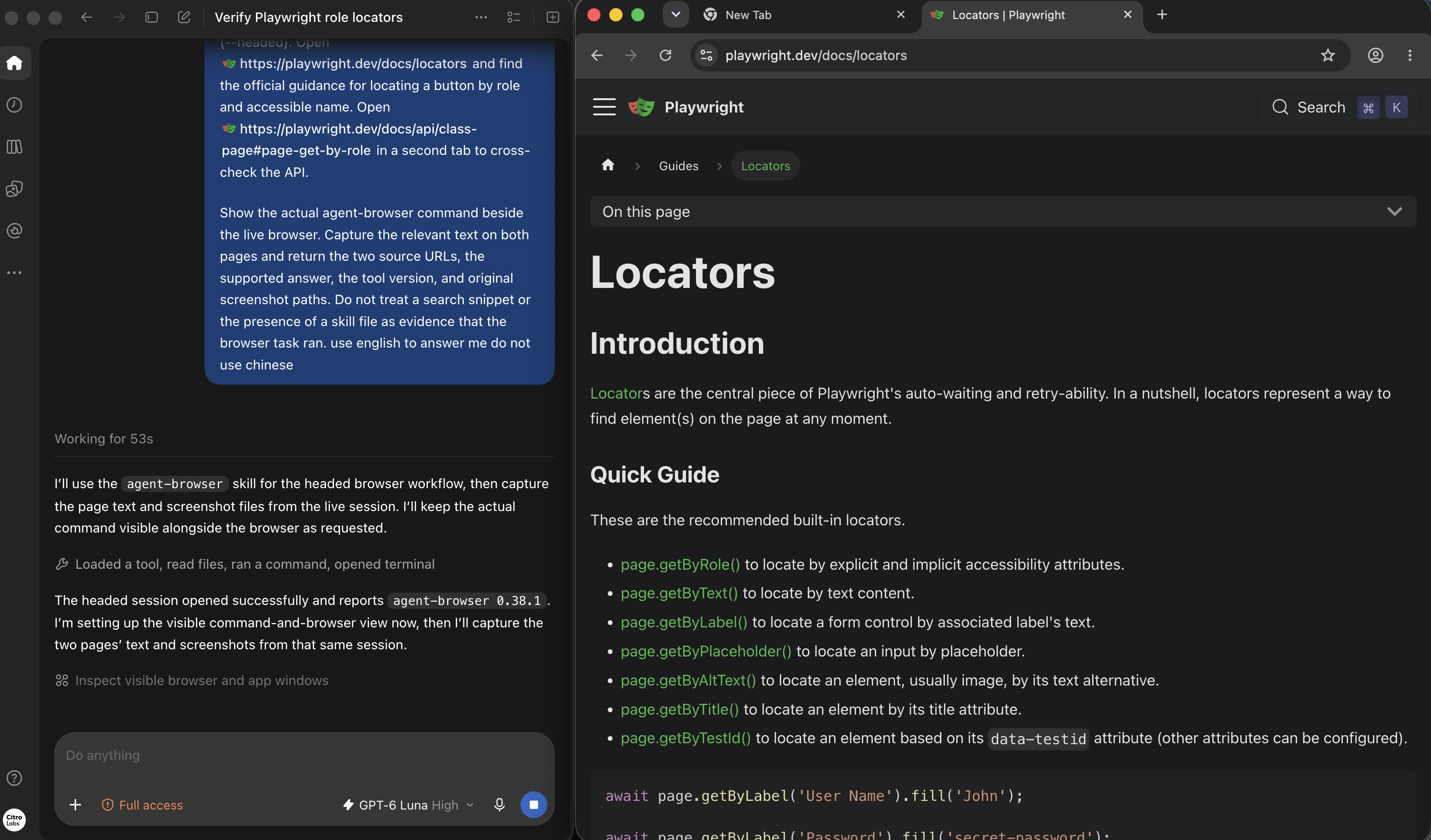
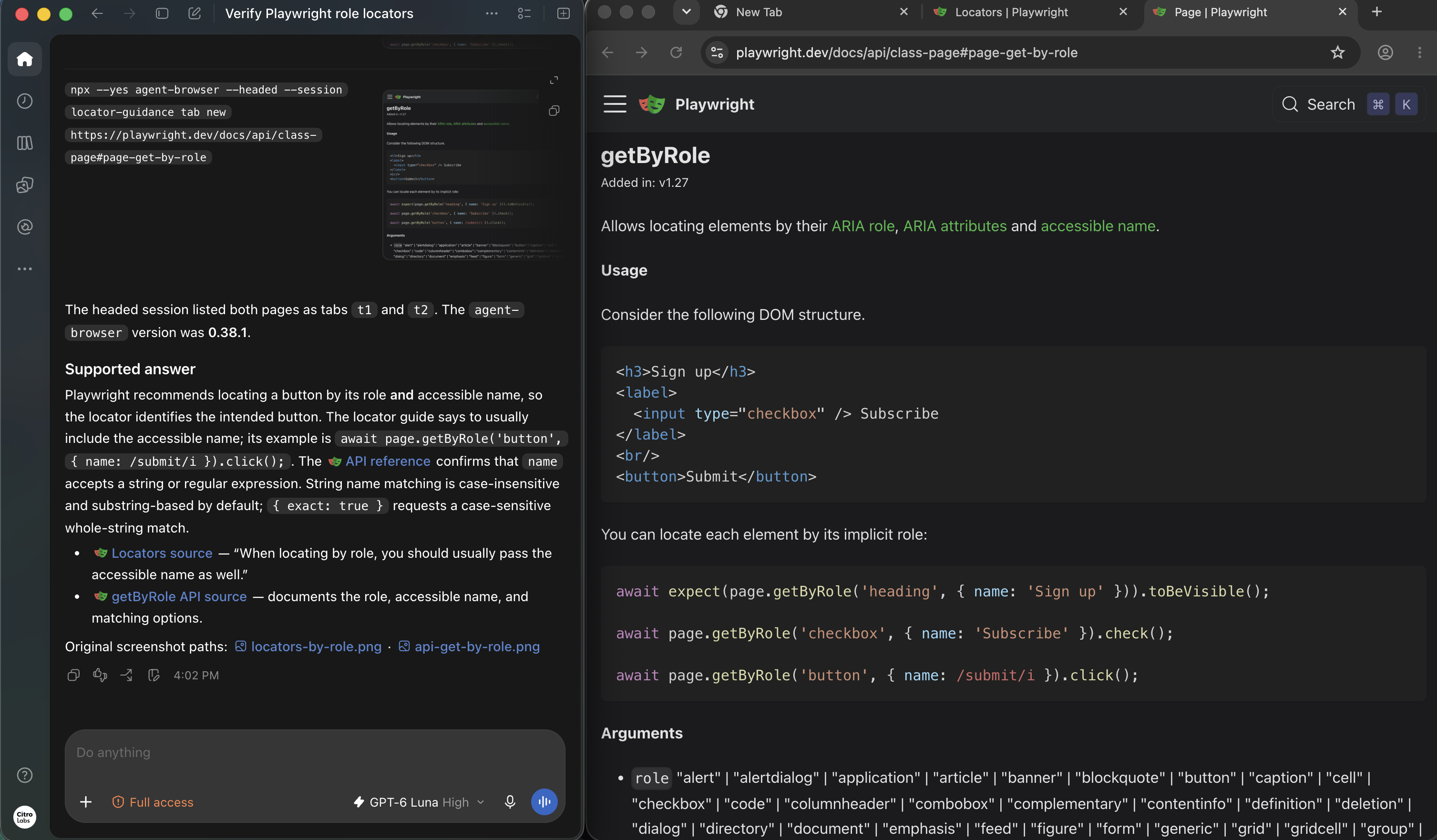
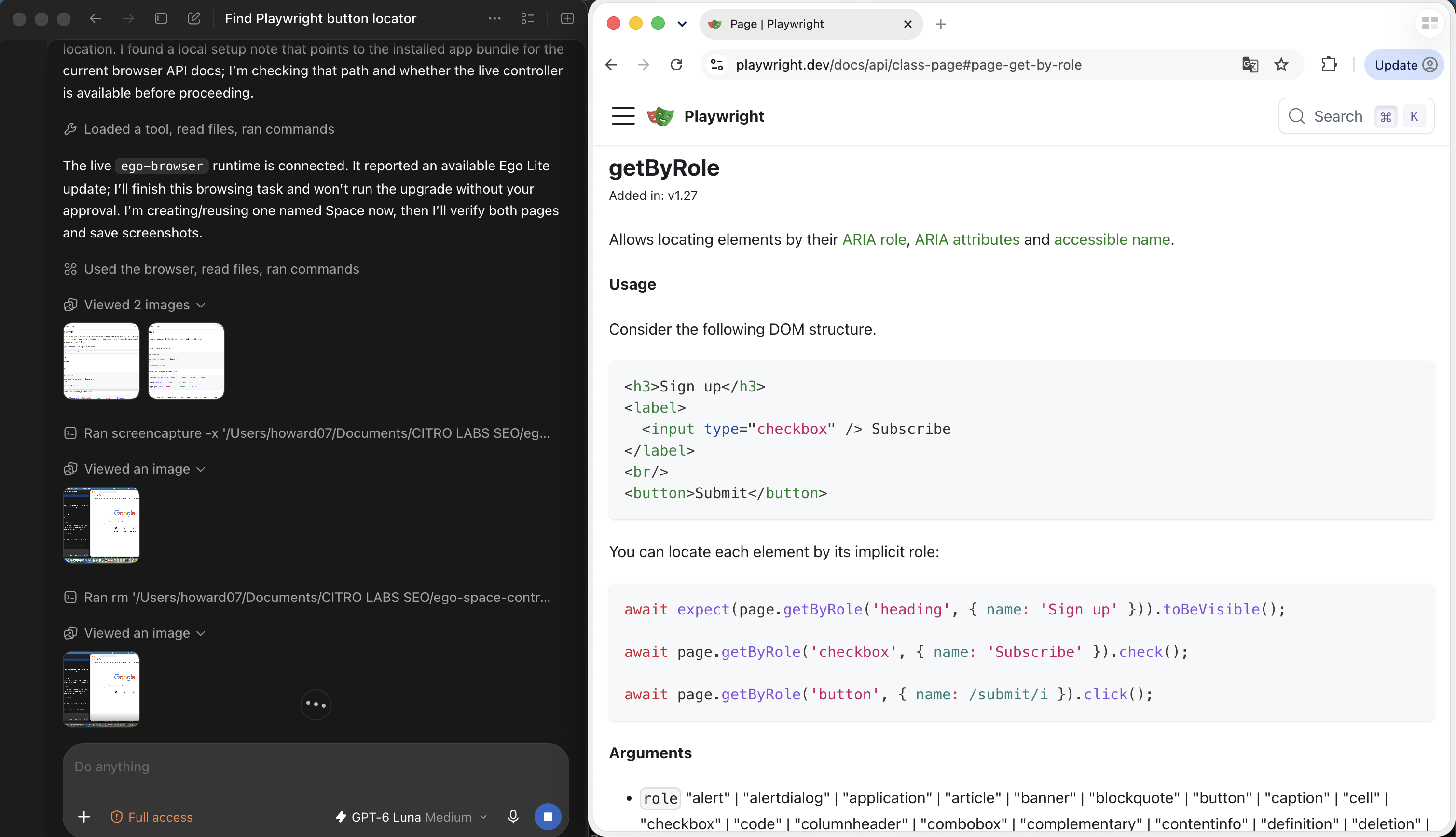
A later, separate demonstration asked Codex to inspect Playwright's public locator guide and getByRole API page in a visible agent-browser session. This documentation lookup did not use the Request Desk fixture or test a saved write. The first frame shows the task and official guide; the second shows the headed command, the answer, and the API page used for the cross-check.
What did our owned three-step case test?
We built a localhost Request Desk with a visible Activate test session button. Each trial used a unique key and a new named browser session. The script activated the synthetic cookie, created the request, selected owner Mira and priority High, saved details, submitted once, and opened a fresh status page. A separate read-only admin endpoint returned the server event ledger. It is a controlled illustration of session and outcome checks, not a test on a real service.
- Create: the server records exactly one create event for the unique key.
- Details: the browser selects Mira and High and the server records one details event.
- Submit and check: the browser sends one submit, navigates to a fresh status page, and the independent ledger must record one stored event.
The fixed plan specified three normal trials per route in this order: A01, B01, B02, A02, A03, B03, then the AF01 and BF01 expired-session faults. The runner followed that fixed sequence; an AI model did not choose commands or retries. The runner kept every command's arguments, stdout, stderr, exit status and duration. It also wrote one JSON admin record, one structured result and two original PNGs per trial. Download the source and fixture reproduction package to run the case in a fresh project. Download the separate redacted run audit package to inspect the installed skill snapshots, version locks, all eight server records, 162 formal transcript entries, original screenshots, source hashes, and independent evidence QA. The audit package replaces private filesystem locations with placeholders while retaining command results, errors and order. The eight-row result table is also available on its own. The post-run validation and metadata addendum provides 128 field checks from the archived UI and server records. The original eight-run metadata did not capture a git SHA or exact per-run end time; the addendum labels derived time bounds and leaves those original fields missing. Versions and browser prerequisites may change after this capture.
Because those original metadata fields cannot be recovered, we froze the same task, trial order and rubric again, then repeated it with new AR-A01 through AR-BF01 IDs. The eight-trial audited rerun retains each trial's git SHA, exact start and end times, 170 raw records (160 CLI commands, two fault injections and eight separate admin reads), CLI stdout and stderr, 16 original screenshots, 128 field checks and both pilot outcomes. The pilots are excluded from the formal eight. The historical trials and their audit package remain available above; this is a new sample, not reconstructed metadata.

A01's fresh page is a browser-visible success signal. The server JSON for that exact key supplies an independent signal: create, details, submit and stored each occurred once. B01, the corresponding browse local route, showed the same fields on its own fresh page:

What happened in all eight formal runs?
In the historical eight trials shown below, all six preregistered normal tasks ended with a Submitted fresh page and a matching stored server record. The fault condition stopped safely in 2/2 trials, while business completion in that fault condition was 0/2. The new AR-A01–AR-BF01 audit rerun reproduced the same six normal and two fault outcomes under the same fixed protocol, with a recorded git SHA and start/end time for every trial. Both fault records in each suite remained Draft after one rejected submit each. These are separate condition-specific observations, not a general product success rate.
| Trial | Local route | Condition | Fresh page and server record |
|---|---|---|---|
| A01 | agent-browser | Active session | Submitted; one stored event |
| B01 | browse | Active session | Submitted; one stored event |
| B02 | browse | Active session | Submitted; one stored event |
| A02 | agent-browser | Active session | Submitted; one stored event |
| A03 | agent-browser | Active session | Submitted; one stored event |
| B03 | browse | Active session | Submitted; one stored event |
| AF01 | agent-browser | Expired after details | Draft; one rejected submit, no stored event |
| BF01 | browse | Expired after details | Draft; one rejected submit, no stored event |
Each normal admin ledger has exactly one create, details, submit and stored event. Each fault ledger has one create and details, one rejected submit, and zero stored events. The original formal CSV used taskSuccess for its condition-specific rubric and marked both safe stops true; that raw field does not mean the business request was stored. Each fault sent one submit request, which the server rejected with HTTP 401. The downloadable public CSV separates businessTaskSuccess, safeStopObserved and rubricPass. A separate two-run pilot is retained but excluded from this table. All 160 formal CLI commands exited 0; agent-browser emitted four browser-launch notices on stderr. Browser console errors were not captured, so a claim that none occurred would be unsupported. We retained wall times for audit but did not design a speed comparison.
What happened when the session expired?
After details were saved, the fixture deliberately invalidated the synthetic session. The script clicked Submit once. The server received the request and rejected it with HTTP 401. The task page showed “Test session expired. Submission stopped.” The fixed script sent no second submit and never reactivated the session; this shows the fixture's server behavior, not autonomous risk handling by either CLI. A fresh status view and the server ledger both remained Draft. This is a safe stopping boundary in our fixture, not evidence that either vendor handles every real login challenge.


How should you choose a skill and verify the result?
Start with the task's execution environment. For a clean localhost app, both documented local routes can be inspected without a cloud key. If the task needs an existing authorized account, identify who owns the browser session and how the Agent is permitted to access it before installing any skill. A clean local browser starts without that account. If the task needs Browserbase's remote browser features, follow its remote setup and credential requirements; our case did not evaluate that route.
| Need | Decision check | Verification |
|---|---|---|
| CLI workflow on an owned local app | Read the installed skill and version-matched CLI help; choose an isolated named session. | Fresh UI plus authorized server or API record. |
| Existing authorized browser state | Choose a browser environment that intentionally exposes that state. ego (lite) offers a visible Space and ego-browser skill, but verify the exact account before acting; a skill install alone does not copy a login. | Check the exact account, target record and final state after the action. |
| Repeatable CI assertion | Use a test framework and controlled test data for deterministic assertions. | Assert state and side effects in the test runner. |
| Stable authorized data operation | Prefer a supported API when it covers the task. | Read the record back through an independent authorized path. |
Where does ego (lite) fit?
ego (lite) is both a browser execution environment and the home of the ego-browser skill. Its Skills documentation explains that the skill gives an Agent the browser-control instructions; the ego-browser runtime guide covers the JavaScript entry point and Page operations. The Space guide describes visible task tabs, human takeover and user-provisioned browser state. We checked these official pages on September 28, 2026. They describe a route for a task that needs an existing authorized session. This case used only an owned synthetic cookie, so it does not prove that a real third-party login carries over.
What a visible public-docs Space shows
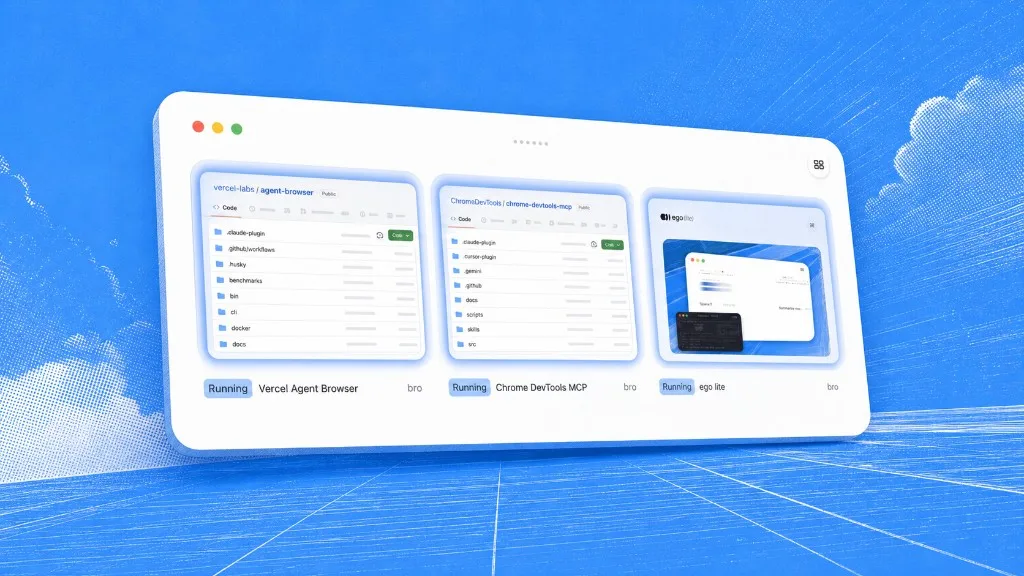
In another September 30 read-only documentation lookup, Codex used ego-browser to open Playwright's official pages in an ego (lite) Space. The Space overview establishes the named browser environment. The neighboring empty Space is visible but was not a second completed task.
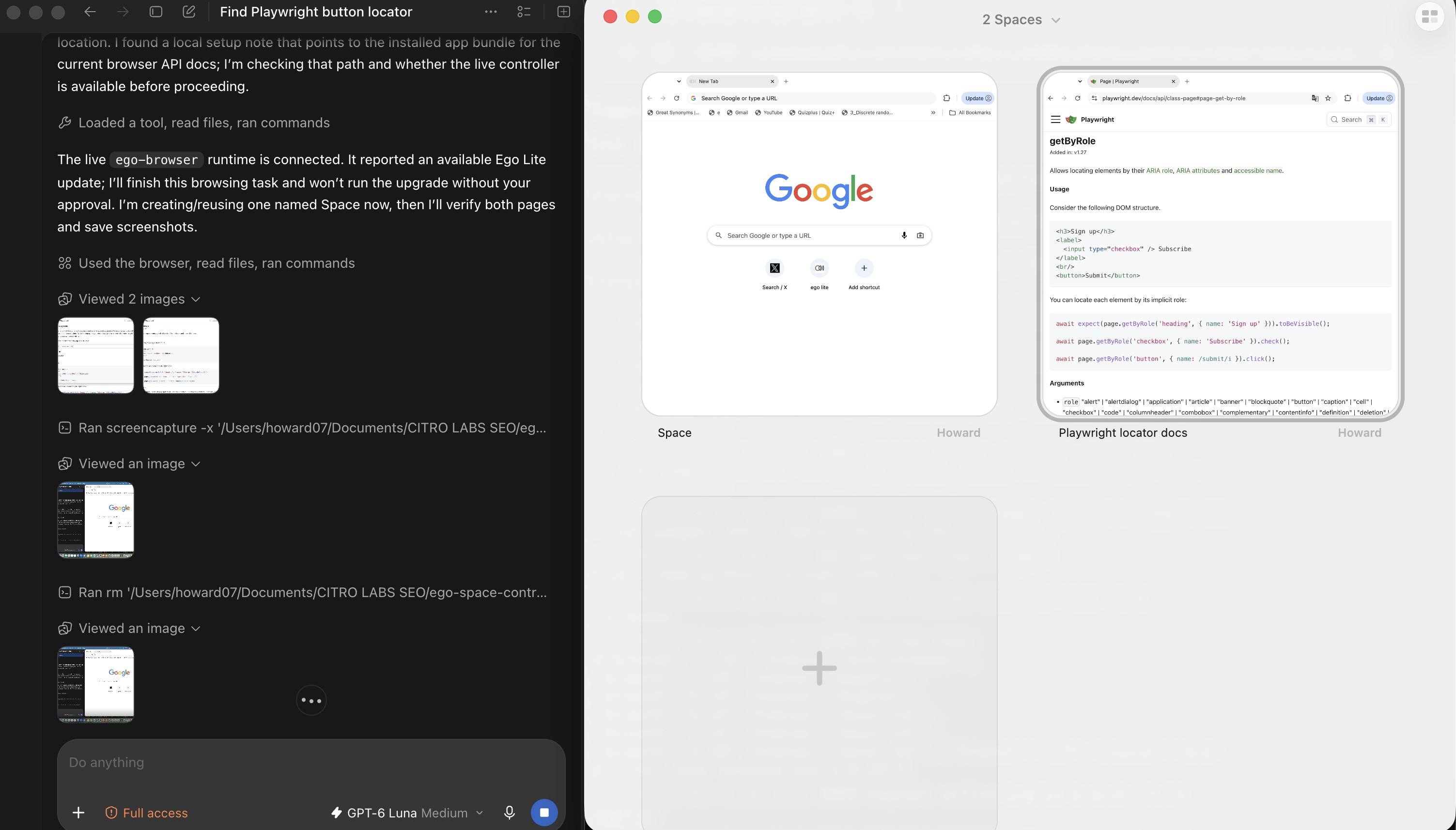
The page detail below makes the source being inspected readable. It shows Playwright's getByRole API text next to the Codex activity, but the named Space and its control state are clearer in the overview above.
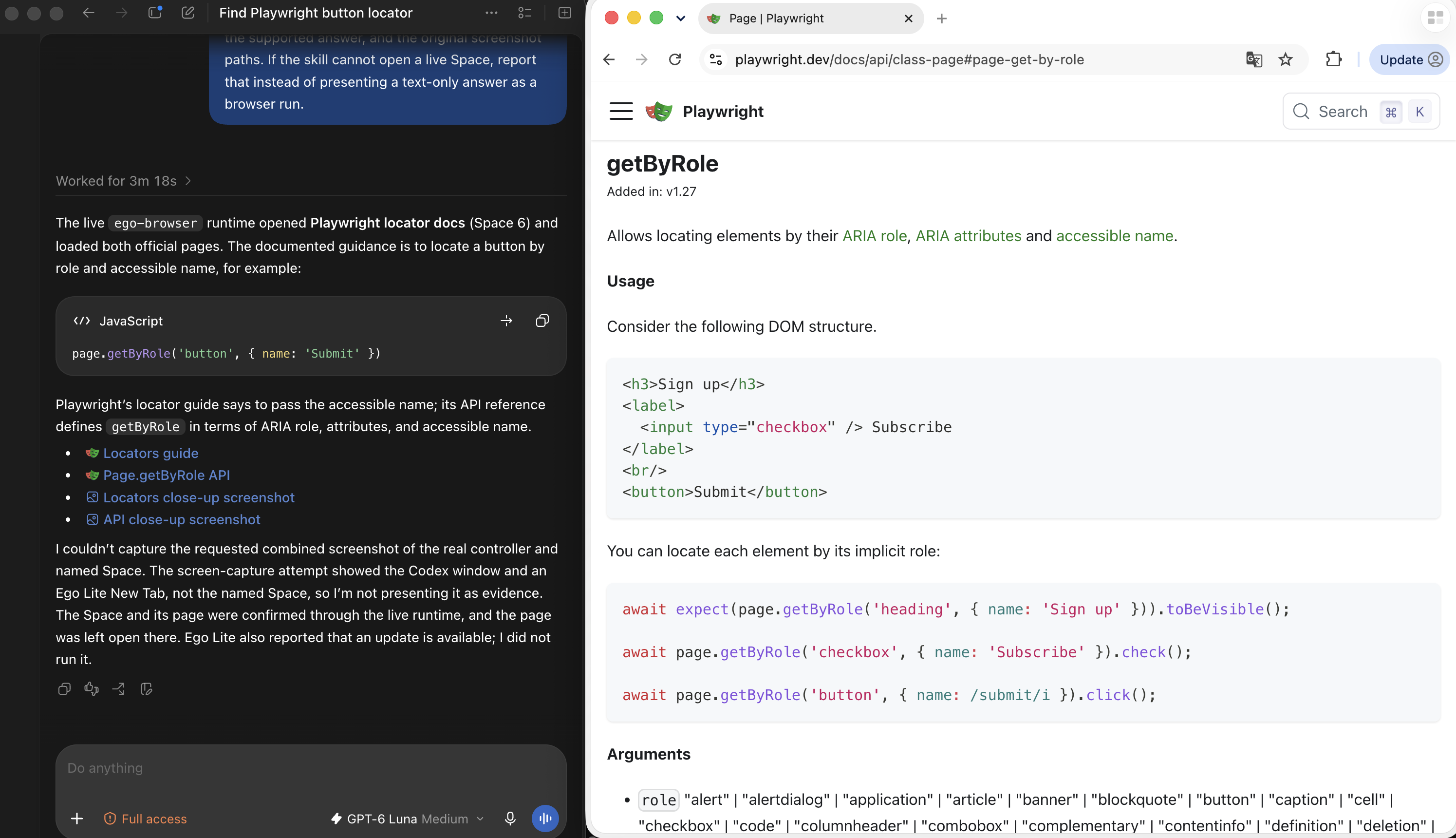
The final Codex answer cited both official pages and reported that a requested combined capture of its controller and the named Space was not obtained. The next image preserves that limitation rather than treating the answer alone as visual proof of the Space.
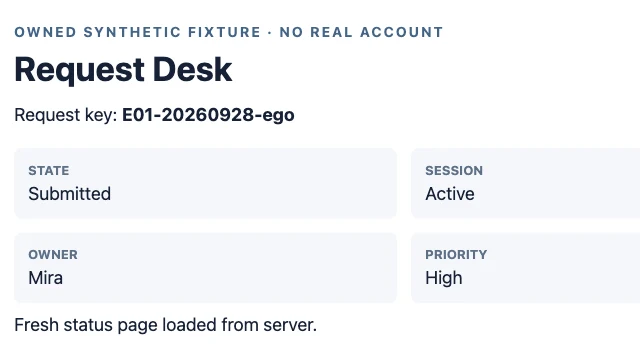
For the same Request Desk task, we read the installed ego-browser skill, checked CLI 0.5.2.16 with Chromium 154.0.8037.44, and allocated one new Page in an existing TaskSpace. The Agent took a snapshot, clicked the visible Activate and Create buttons, selected Mira and High, saved details, clicked Submit once, then opened a fresh status URL. E01 showed Submitted, Mira and High in the new page view. A separate read-only server record showed one create, one details write, one submit and one stored event. The request key ties both views to the same trial.
We also expired the synthetic session after details were saved. The Agent clicked Submit once. The page showed an expired-session warning while its session label still said Active because that action view had not refreshed. A new status navigation showed Draft and Expired. The independent server event list contained one submit_rejected and zero stored events. We did not reactivate, retry, or call this a completed business task.
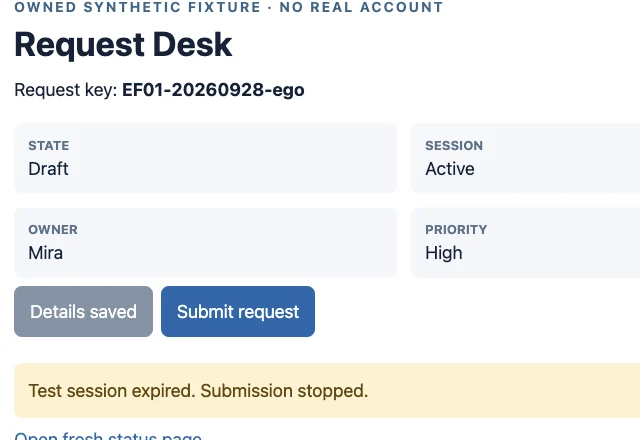
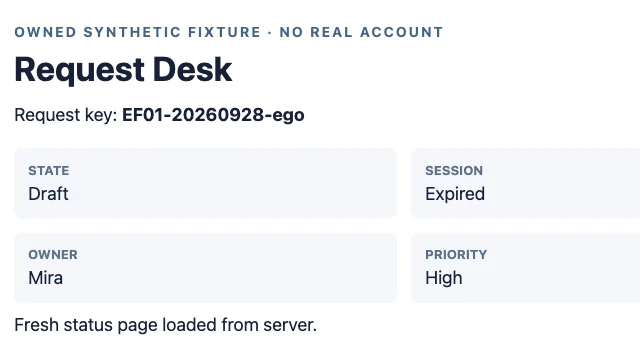
The ego-browser Request Desk evidence package contains the owned fixture source, pre-run plan, both browser traces, original screenshots, server records, result table and source hashes. The original E01/EF01 exact Page commands, Prompt text, per-run end times and stdout/stderr were not captured, so those observations alone do not meet the full evidence checklist. We therefore ran a separate, prespecified ego-browser audited replay with ER-N1 and ER-F1. It includes exact Page API calls, the raw transcript, CLI output, per-run metadata, 26 field checks, original screenshots, fresh UI states and server records. This replay followed a fixed script, while E01/EF01 were Agent-operated. Do not combine them with the agent-browser and browse trials into a success rate or speed ranking. If you already use ego (lite), check the intended browser account, open a dedicated Space, follow the skill's current Page instructions, pause for human-only checks, then confirm the result on a fresh page and in the system of record if you have access. Use a clean local CLI session, cloud browser, repeatable CI test or API when the task calls for one. The published agent-browser, DevTools MCP and ego (lite) comparison explains the broader architecture. The published Claude Code browser access guide surveys connection choices; this article audits installed skills and a verified local state change. For a broader explanation of Agent action and outcome checks, see the computer use Agent guide.
What are the limits of this case?
The fixture, request data and session cookie were ours. A deterministic script chose commands in both eight-trial suites; no model read the agent-browser or Browserbase skill during those task runs. The first eight trials lack original git SHA and exact end times, so their historical metadata remains incomplete; the new AR-labeled suite is a separately frozen rerun, not a repair of those files. An Agent read the ego-browser skill and chose Page operations for E01 and EF01, but its full command and Prompt record is missing. ER-N1 and ER-F1 are a separate scripted audit replay with complete command receipts; they do not isolate the skill's causal effect. The methods and samples differ, so the cases do not compare product reliability, speed or token cost. None used a real third-party account or tested cloud sessions. Browser console errors were not captured in the two-CLI runner. Recheck current official docs, versions and account permissions before applying the steps elsewhere.
FAQ
These answers address the practical installation, session and verification questions raised by this bounded local case.
Is SKILL.md itself a browser automation engine?
No. It is a set of instructions an Agent can read. The installed CLI and its browser session perform the actions. Our case archived both installed SKILL.md files and the actual CLI-served guidance so that distinction is inspectable.
Does installing agent-browser's skill also install the CLI?
Do not assume so. The official skill is a discovery stub that points to agent-browser skills get core. Our project installed the CLI as an npm dependency and checked version 0.38.1 separately before running it.
Does Browserbase's browser skill require an API key for a local browser?
The installed browser skill documents browse open with --local as a clean local route. Our browse 0.11.0 local runs used no Browserbase API key. Its remote route does require credentials; our empty-key remote attempt failed and is recorded as a setup boundary, not a task failure.
Will either skill reuse an account already logged in through Chrome?
A project skill install does not transfer cookies. Both local routes in this case opened isolated sessions and used only a synthetic cookie activated on the fixture. Reusing an existing account requires an explicit, authorized browser and session connection, which we did not test.
Why check the server record when the page says Submitted?
A page message is a visible signal, not proof of a stored write. In each normal trial we matched the fresh page to a separate admin ledger for the same unique key. In the expired-session trials the server had received one submit request but rejected it and stored nothing.
Can these eight trials identify the better skill for an AI Agent?
No. The runner was deterministic and no model interpreted a skill. Each route had only three normal trials on one local app plus one controlled expiry. Use the results to understand installation, session boundaries and verification, not to rank model-assisted task quality, speed or production success.