What is agent-browser?
agent-browser, also known as Vercel agent-browser since Vercel Labs built it, is an open-source browser automation CLI built for AI coding agents: a Rust CLI in front of a pure Rust daemon that drives Chrome directly over the DevTools protocol, with no Playwright or Node.js runtime required to run it. Its snapshot command returns a compact accessibility tree with @e refs, so agents click and fill against stable references instead of brittle selectors, and it ships as a skill for Claude Code, Codex, Cursor, Gemini CLI, GitHub Copilot, and most other coding agents, with an MCP server available as an optional subcommand rather than the default path. It's free, well-designed, and widely adopted.
Is ego(lite) a good agent-browser alternative?
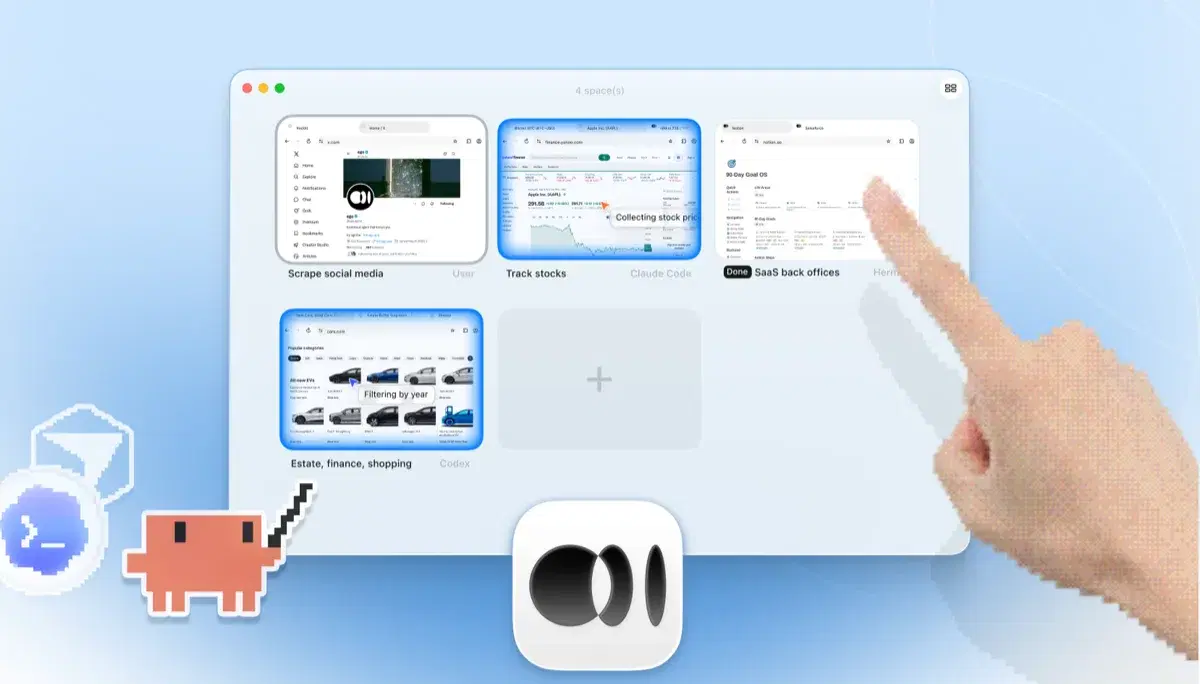
Yes, if the tasks you care about involve your real accounts or benefit from being visible. Both give a coding agent a browser through a CLI or skill rather than an MCP-first setup; ego(lite) adds your imported Chrome profile live by default, headful windows you can take over, parallel Spaces, and multi-action JavaScript execution. agent-browser remains a clean choice for disposable headless automation in scripts and CI.
How was the ego(lite) vs agent-browser benchmark run?
Both tools ran the same 31 complex real-world browser automation tasks on live websites, driven by the same pi agent with the same model (gpt-5.6-sol, thinking effort max) and graded by the same judge against per-task rubrics. Every score covers all 31 tasks, so a bad task still counts against it. ego(lite) finished 93.5% of tasks perfectly at $1.75 per completed task, averaging 6 minutes 38 seconds per task, 52% faster than agent-browser; agent-browser finished 62.9% at $4.23, averaging 10 minutes 5 seconds. The harness, the tasks, the rubrics, and the raw results are open source in the ego-browser-benchmark-framework repository on GitHub, so every number can be audited or reproduced.
Can agent-browser use my Chrome logins?
Yes, with extra setup, and it isn't fully reliable yet. Pass a profile name and agent-browser copies that Chrome profile into a temp directory as a read-only snapshot, so it launches with your existing logins but nothing written during the session copies back to your real profile; on Windows you also have to close Chrome first, since profile files can be locked. There's also a persistent-profile mode meant to carry cookies and login state across restarts on its own, but it has an open bug report of the profile directory staying empty between runs. Connecting to a running Chrome over CDP works too, but the project's own docs flag that port as exposing full browser control to any local process. In ego(lite) the logged-in browser is the default: import your profile once and every agent task starts from it, live, with no extra flags.
Why is ego(lite) cheaper per task if both use accessibility snapshots?
The snapshot is only half of it. agent-browser's batch mode can fire a fixed list of commands in one process launch, but the model still can't act on what a snapshot returns until the whole batch finishes, so a task where each step depends on the last ends up as a long chain of command-then-model-reads-the-result cycles. ego(lite) lets the agent batch several actions in one JavaScript execution and reason about the result immediately, reading it as a compressed Snapshot. The savings come from the two stacked together, and they show up per task: across those 31 jobs, that works out to $1.75 per completed task for ego(lite) against $4.23 for agent-browser.
Do I need an MCP server for either tool?
No. That's a philosophy both tools share. agent-browser's primary interface is its CLI, with an MCP server available as an optional subcommand for clients that want one. ego(lite) connects through the ego-browser shell by running /ego-browser inside your agent. Neither requires editing MCP config files as the default path.
Can I keep using agent-browser alongside ego(lite)?
Yes. They don't conflict. Some developers keep agent-browser for headless checks in CI or on Vercel Sandbox, and use ego(lite) for everything interactive: logged-in tasks, parallel research, anything worth watching. In practice the logged-in tasks are most of them.
Is ego(lite) free like agent-browser?
Yes. ego(lite) is free with no subscription, and the ego-browser shell your agent connects through is MIT-licensed open source.
Can an agent read logged-in tabs without sending screenshots every step?
Yes. ego(lite) exposes a compact DOM/accessibility Snapshot for routine reads and lets the agent request a screenshot only when visual evidence is useful. That keeps token and latency overhead lower than screenshot-first loops while preserving the real page state and your authorized session.
How do persistent browser sessions differ between the two tools?
ego(lite) keeps the imported Chrome context available across tasks and isolates each run in its own Space. agent-browser can copy a profile or use a persistent path, but the copy is read-only by default and community reports describe persistence and CDP attachment as setup-sensitive. Verify the account, URL, and fixture after every reconnect instead of assuming cookies survived.
Can I use either tool for real workflow automation such as finance or research?
Yes, for authorized, reviewable work. Use a test account or safe environment for actions that can charge, send, delete, or change records; preserve source URLs and output fields for scraping or competitor research; and keep publishing, payments, and other irreversible steps human-approved. agent-browser is convenient for disposable headless jobs, while ego(lite) is designed for visible logged-in workflows and parallel Spaces.
Which option is better for local or self-hosted deployment?
agent-browser's Rust CLI and daemon are a compact fit for headless servers and Vercel-style sandboxes. ego(lite) runs locally on macOS or Windows, with the browser and session data on your machine, which is useful when a local model or privacy policy keeps data off hosted infrastructure. Check your OS, display/headless requirements, browser support, and provider data policy before choosing.