ego (lite) keeps an agent's browser work visible with step screenshots. When a reviewer needs continuous video, agent-browser can record the active page: open a session, start recording, run the task, and stop recording before closing the browser. The video shows the path taken. A fresh page and, when authorized, a server or API record show whether the result persisted.
On our local Request Desk, we ran two separate seven-case replays with the agent-browser CLI. The recordings caught the browser steps, including a misleading Saved message. A script chose those steps; an AI model did not run the task.
We also ran the task through ego-browser in an authorized ego (lite) Space. Its normal case was Submitted after a fresh visit and server read; two controlled faults showed Saved first but stayed Draft, with no stored event. That route kept screenshots and action records, not a video. The ego (lite) case and original images below show how to check the result.
How do you record an agent-browser session?
The current official agent-browser recording guide documents record start, record stop, WebM and MP4 output, a contact-sheet option, and ffmpeg as the recording dependency. It says that starting without a URL attaches to the current active page without replacing its state; passing a URL navigates the active tab first. Use agent-browser doctor to inspect recording support before a run.
The official command reference documents open, click, fill, select, screenshot, and get text, which our local script used. The executable runner and a path-redacted copy of its full CLI transcript are in the public evidence package; byte-original output is preserved privately with its SHA-256. Treat the selectors as examples from our own fixture; replace them with the target application's authorized controls.
agent-browser doctor
mkdir -p ./artifacts
agent-browser open https://example.com
agent-browser record start ./artifacts/task.webm --contact-sheet
# Perform the authorized browser actions, then check the visible result.
agent-browser record stop
Choose a file extension before starting. The official documentation maps .webm to VP8 and .mp4 to H.264 through ffmpeg. Stop the recording before closing the session so the file is finished. The optional contact sheet highlights changed frames and adds timestamps; it is an index into the video, not an outcome check. The maintainer's recording reference provides the same command flow. Our case pairs the video with still screenshots at the fresh status states.
What can the video actually prove?
A recording lets a reviewer see the page state, order of actions, visible messages, and transitions within the captured interval. It can reveal a wrong click, missed dialog, or success message that disappeared after a reload. A hidden server write needs its own check. Define the target record and final state before running record start, so the reviewer knows which visual and data signals to look for.
| Question | Evidence to keep | What it establishes |
|---|---|---|
| What did the browser show? | WebM and timestamped stills | The visible sequence within the recording interval |
| Did the state remain changed? | Fresh page load using the same record key | What the application displayed on a later read |
| Did the server store it? | Authorized API or server ledger read | The application state outside the browser's own report |
What a public-site capture bundle can show
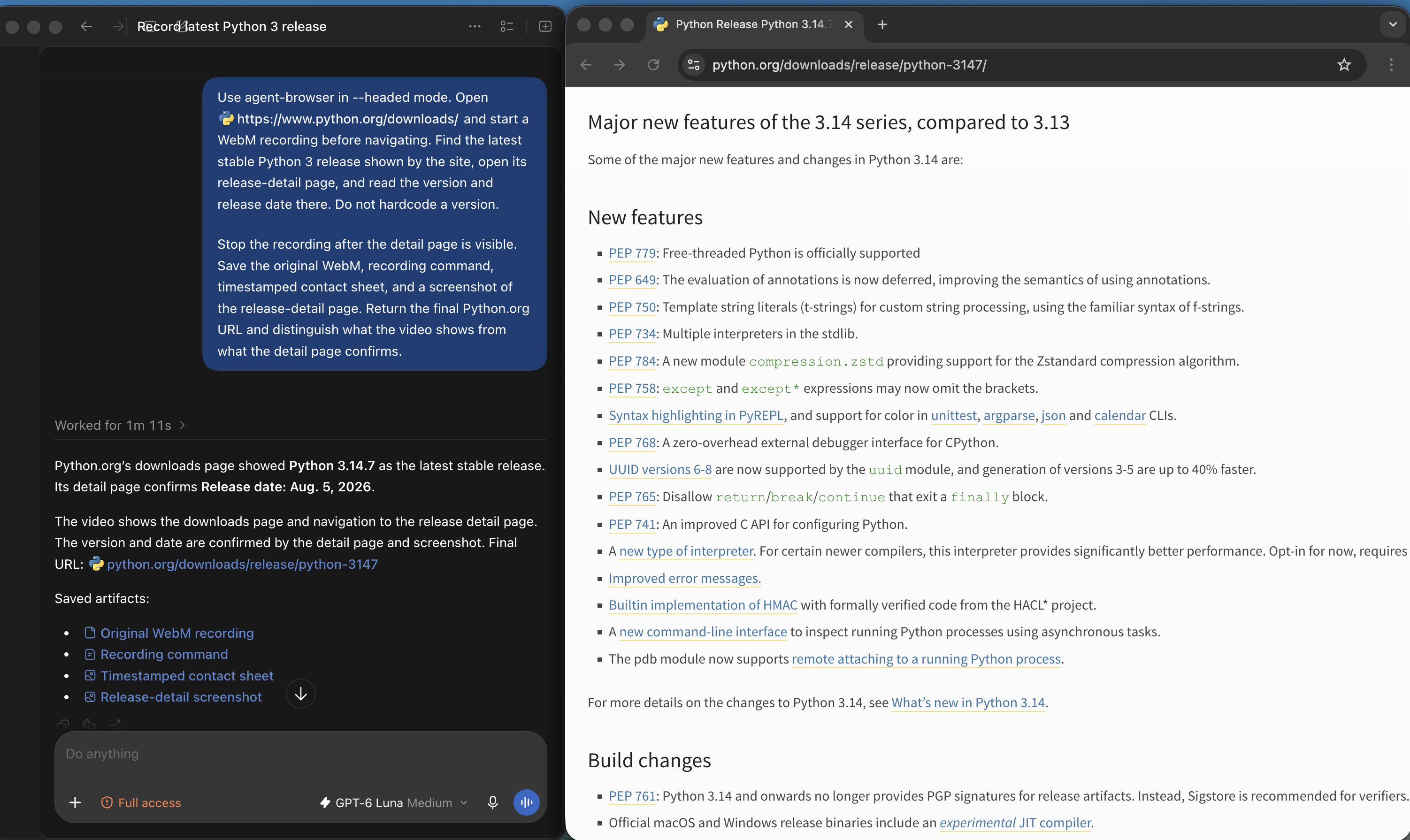
In a separate September 30 demonstration on Python.org, Codex was asked to use agent-browser in headed mode, record the route from downloads to a release-detail page, and retain the original WebM, command, contact sheet and final screenshot. The frame below shows Codex's artifact report beside a Python.org page. Only this still was supplied for the article update, so it cannot verify the WebM's contents or recording interval. The original Request Desk WebM further below remains the playable recording in this guide.
For the wider choice of browser control and evidence tools, see our agent-browser, DevTools MCP, and ego (lite) comparison. This page stays with agent-browser video capture and the evidence needed to interpret that capture.
What did our local recording show?
On September 28, 2026, we ran a new, pre-registered seven-case replay with agent-browser CLI 0.38.1, ffmpeg 7.1.1 and Node 24.16.0 on macOS arm64. The pre-run doctor reported installed Chrome 153.0.8010.54; the exact browser executable and version used by each trial were not captured. The owned Request Desk ran on loopback. A script drove each browser action; no account, model, provider or external website was involved. We use the new AR01–AR06/AF01 identifiers below because the earlier R01–R06/F01 package did not retain all original per-run files needed for an independent replay audit. The older files remain separate and do not enter this table.
- Create a request with a unique REC-AR key and subject Review shipment 6123.
- Set owner Mira and priority High, then save the details.
- Submit once, load the status page afresh and compare its state with the separate server record.
The AR01 WebM is the original from the new replay. The original contact sheet marks the assignment form at 0.281 seconds, Submit request at 1.235 seconds, the first Submitted view at 1.658 seconds and the later fresh status at 2.594 seconds. These frames locate visible stages; the server record establishes whether the write persisted.
Download the original AR01 WebM or open its timestamped contact sheet. The contact sheet helps navigate the video; it is not a second run.
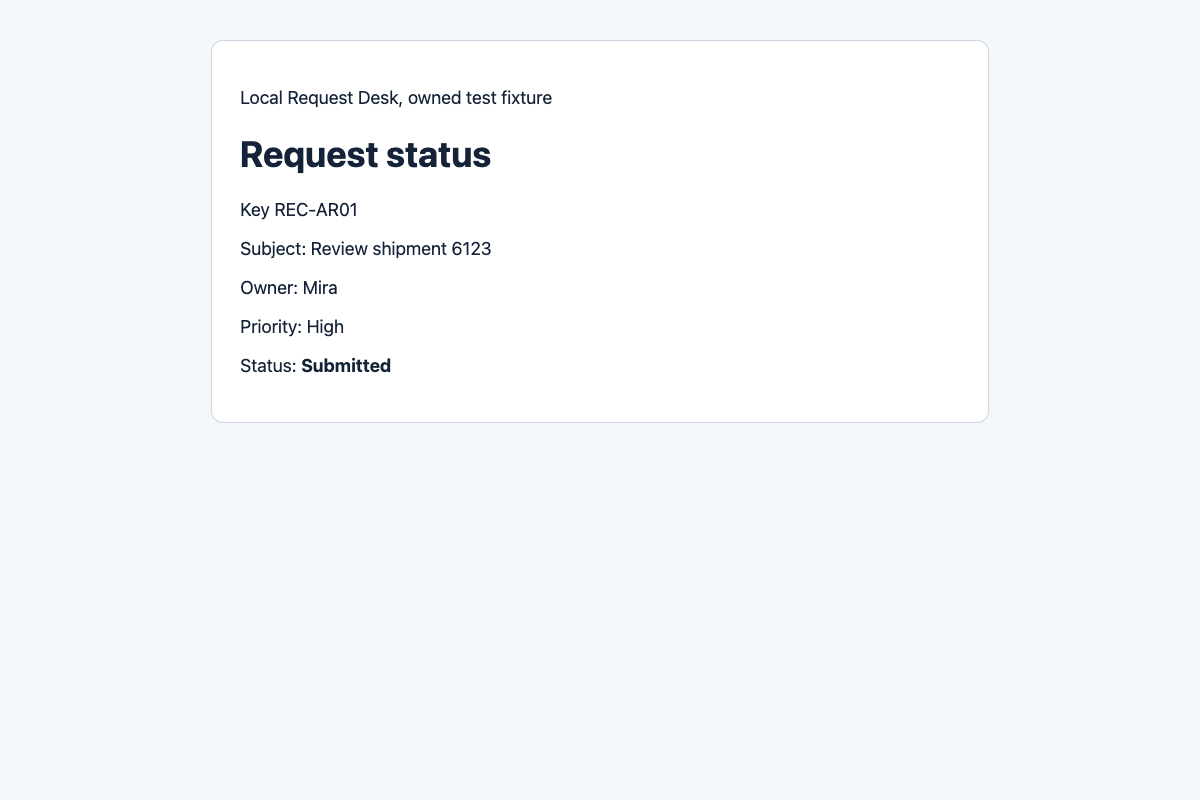
The independent server endpoint returned the same key, Mira, High and Submitted. Its event order was reset → create → details → submit → stored. The AR01 server record is a separate outcome check; the video alone cannot prove that write.
What happened in the earlier audited replay?
The new plan fixed AR01, AR02, AR03, AR04, AR05, AR06, then AF01 before execution. Three normal cases recorded video, three did the same task without video, and AF01 injected a suppressed final write. The new results CSV retains every case. The complete public 58-file evidence package includes the frozen plan, executable fixture and runner, all per-run screenshots and WebM, raw CLI output with local paths redacted, results, sample checks, source ledger and a per-run metadata addendum. That addendum derives each trial's first and last UTC events after the run and copies the batch environment; it is not native per-trial metadata. The ZIP SHA-256 is 729fe1b65e6c6be74c9f569a175f3d0a9e613e524bcaba2970619e43f8b321a8. Byte-original output and hashes are preserved separately. Independent review checked the seven outcome rows and media. The separate NR cohort below supplies native per-trial metadata.
| Run | Recording | Fresh and server status | WebM | Stored events |
|---|---|---|---|---|
| AR01 | On | Submitted | 77,980 bytes; 2.933 s | 1 |
| AR02 | Off | Submitted | No file | 1 |
| AR03 | Off | Submitted | No file | 1 |
| AR04 | On | Submitted | 78,323 bytes; 2.966 s | 1 |
| AR05 | On | Submitted | 77,328 bytes; 2.900 s | 1 |
| AR06 | Off | Submitted | No file | 1 |
| AF01 | On; injected fault | Draft | 87,359 bytes; 2.933 s | 0 |
All four new WebM files were VP8 at 1200 × 800 pixels. ffprobe counted 88, 89, 87 and 88 frames for AR01, AR04, AR05 and AF01, and ffmpeg decoded each file end to end without an error. These checks concern playability in this local environment. Three trials per normal group with fixed display pauses cannot estimate recording overhead or a product success rate.
What did the new native metadata replay show?
A separate plan, fixture, runner and lockfile were frozen at 05:25:58 UTC on September 28, 2026. NR01 began at 05:26:07 UTC. The seven new NR01–NR06/NF01 trials kept their own native start and end UTC timestamps, environment, CLI version, configured Chrome path and version, and live browser version responses while each session was open. In every trial, CDP /json/version self-reported Chrome/153.0.8010.54 and navigator.userAgent reported HeadlessChrome major version 153. The configured executable's version command agreed. CDP and the page report their own runtime identity; we did not inspect the operating system browser process binary. This cohort is separate from AR01–AR06/AF01 and the original R01–R06/F01 files. Independent review checked its seven outcome rows, 28 sampled fields, 205 raw events and four decodable WebM files on the owned fixture.
The NR results CSV and 71-file native-run evidence package include the pre-run freeze, raw command output, all seven per-run metadata and browser responses, original media, independent server reads, result rubric, sample validation and an original-to-public SHA-256 map for the 67 run files. The later research notes and source ledger are outside that per-file map; the ledger identifies the official documentation and its same-day review, while a separate run-file ledger retains the seven-run file index. Only local evidence-root paths were redacted after byte-originals were privately archived. The ZIP SHA-256 is a51af473d2b4ca028f6b262574b43acc730198bfe4a45223e4866b7cead64e41. This new package does not alter the earlier 58-file package linked above. Its runner needs a Git checkout for the per-trial commit SHA and refuses to overwrite the included formal output; copy its source files to a clean directory within a Git checkout before replay.
| Run | Recording | Fresh and server status | WebM | Stored events |
|---|---|---|---|---|
| NR01 | On | Submitted | 78,648 bytes; 3.000 s | 1 |
| NR02 | Off | Submitted | No file | 1 |
| NR03 | Off | Submitted | No file | 1 |
| NR04 | On | Submitted | 77,612 bytes; 2.933 s | 1 |
| NR05 | On | Submitted | 78,398 bytes; 3.000 s | 1 |
| NR06 | Off | Submitted | No file | 1 |
| NF01 | On; injected fault | Draft | 86,400 bytes; 2.900 s | 0 |
All four NR/NF WebM files used VP8 and decoded completely. NR01 contained 90 decoded frames. The normal NR cases each had one create, details, submit and stored event. NF01 had one submit and write_suppressed but no stored event; its Saved receipt and fresh Draft state match the separate server read. These seven local cases do not estimate a general success rate or the speed cost of recording.
Download the original NR01 WebM and compare the independent NR01 server record with the visible fresh status.
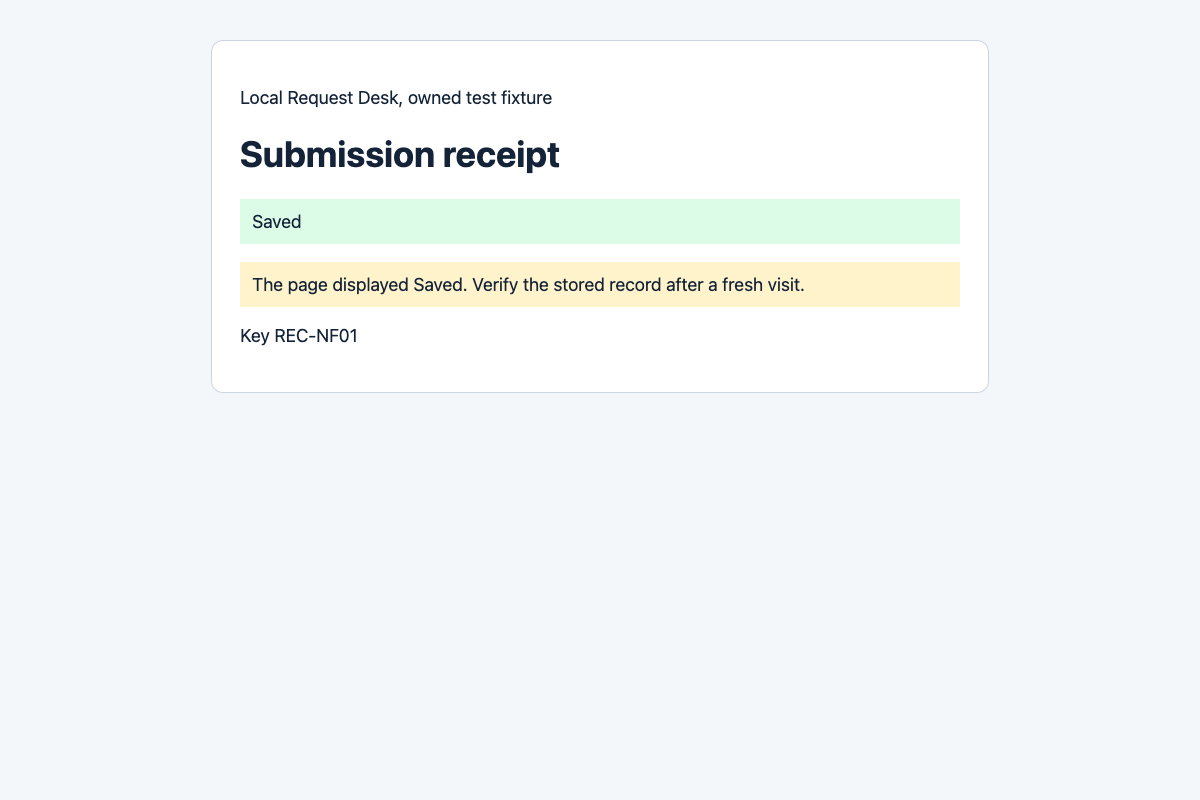
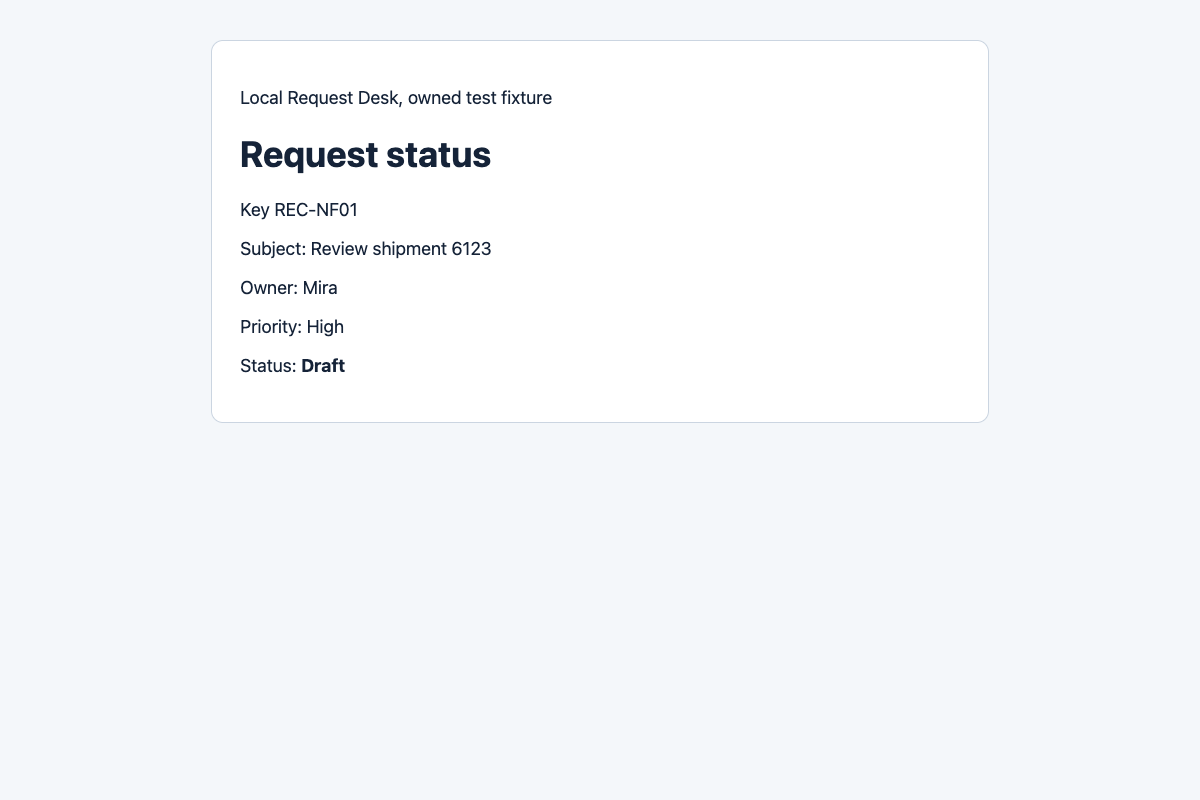
Download the original NF01 WebM and inspect its independent server record for write_suppressed and zero stored events.
How did a Saved receipt hide a failed write?
AF01 used the same create → details → submit path. We deliberately configured our fixture to acknowledge the submit action while suppressing the final status write. The server received exactly one submit attempt, then recorded write_suppressed and zero stored events. The fresh status remained Draft although the receipt displayed Saved.
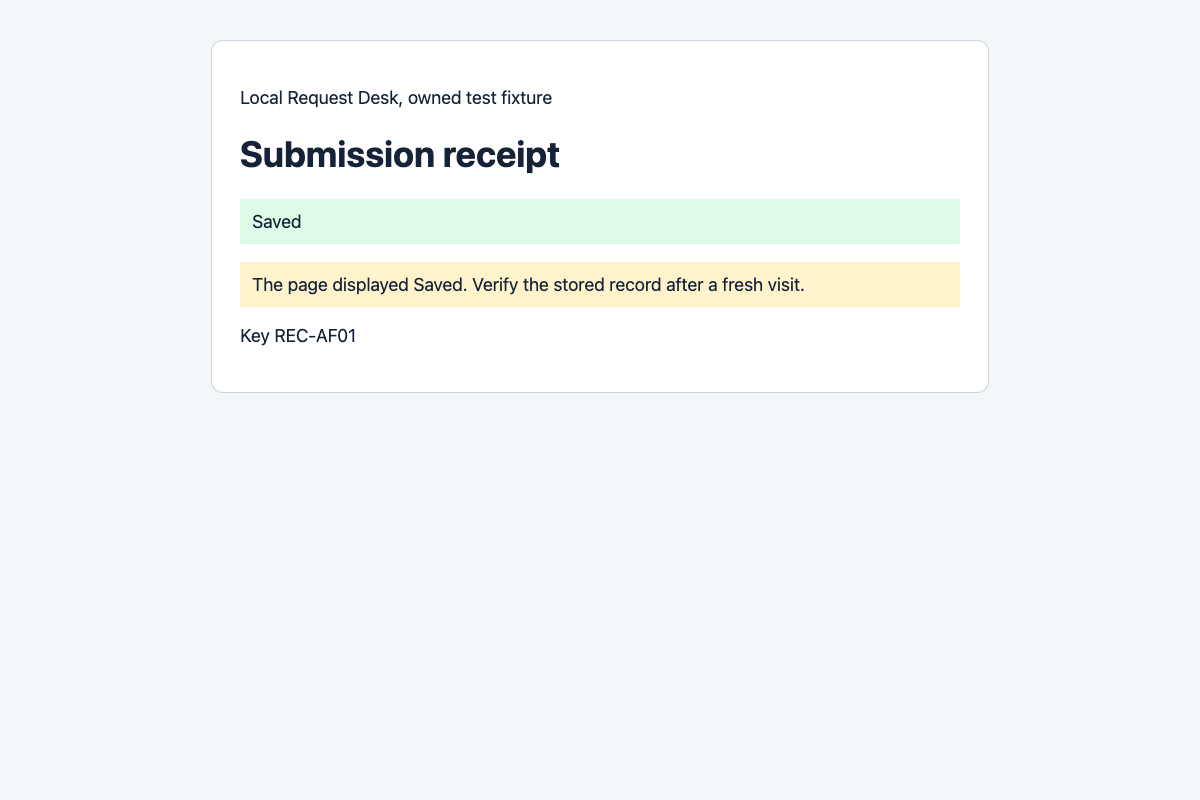
Download the original AF01 WebM to inspect the uninterrupted visible interval.
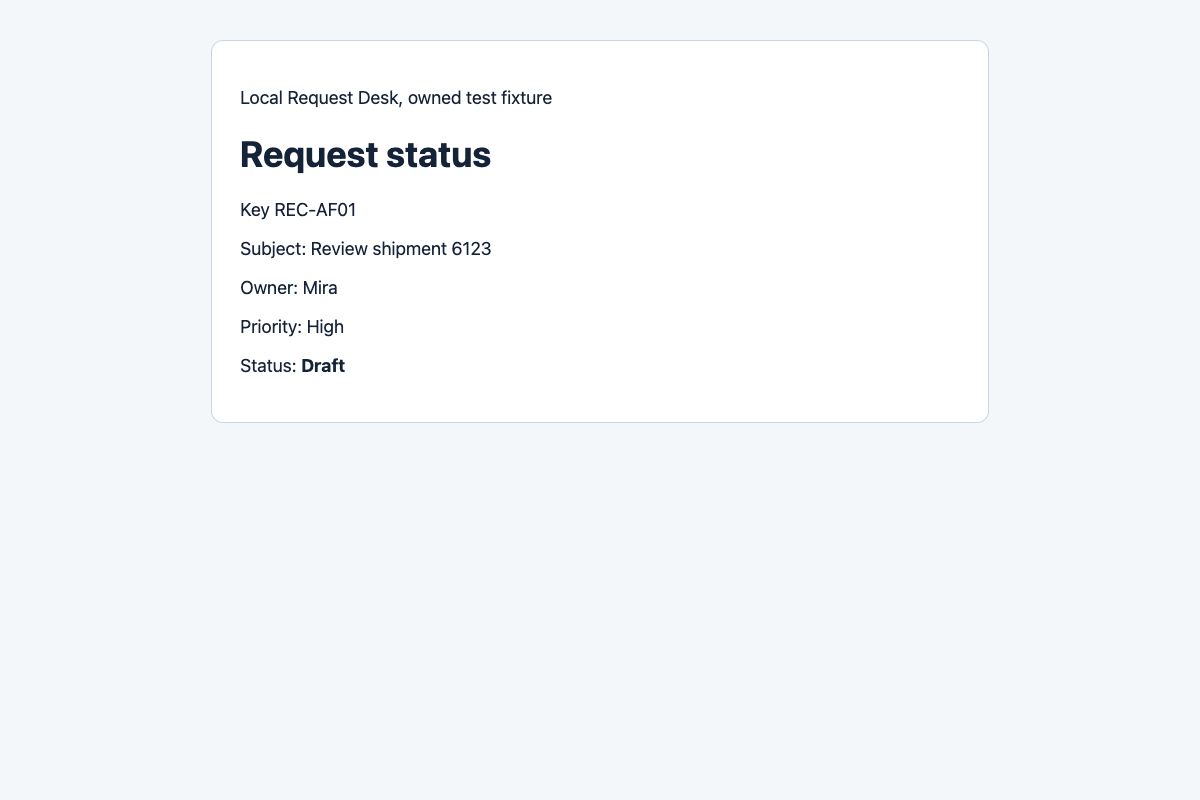
How should you keep and check a recording?
- Define the key, fields, final state and forbidden repeat action before capture.
- Start recording in the authorized session, perform the bounded task and stop even if a command fails. Keep the original video and full command output under the same run ID.
- Load the final page afresh and compare the same key and fields. When authorized, check a separate API or server record and count write events.
- Review video and stills for credentials and unrelated tabs before sharing; preserve the original when a redacted public copy is needed.
The earlier AR evidence package contains the frozen plan, pinned package manifest and lockfile, executable local fixture and runner, all seven AR run folders, raw command transcript, sample validation and source ledger. Extract it with Node 24, Chrome and ffmpeg available, then copy only the source files into a new empty directory before running. The runner refuses to overwrite the formal output included in the download. Its gitSha literal records the original run's source revision; change that value to your own commit, or mark it not_recorded, before any replay. A replay is a new sample, not a replacement for AR01–AF01.
unzip agent-browser-evidence.zip -d replay
mkdir replay-clean
cp replay/agent-browser-replay/{package.json,package-lock.json,experiment-plan.md,fixture.mjs,run.mjs} replay-clean/
cd replay-clean
npm ci
# Set run.mjs gitSha to your own commit or not_recorded.
node run.mjs
# Inspect formal/results.csv and formal/<run-id>/admin-state.json
The official installation guide covers first-time browser setup. The archived doctor report lists the installed Chrome version and available ffmpeg encoders; it does not identify the browser executable used in each trial. The package lock pins the CLI. Fresh timings can differ from this run.
When should you use ego (lite) for review evidence?
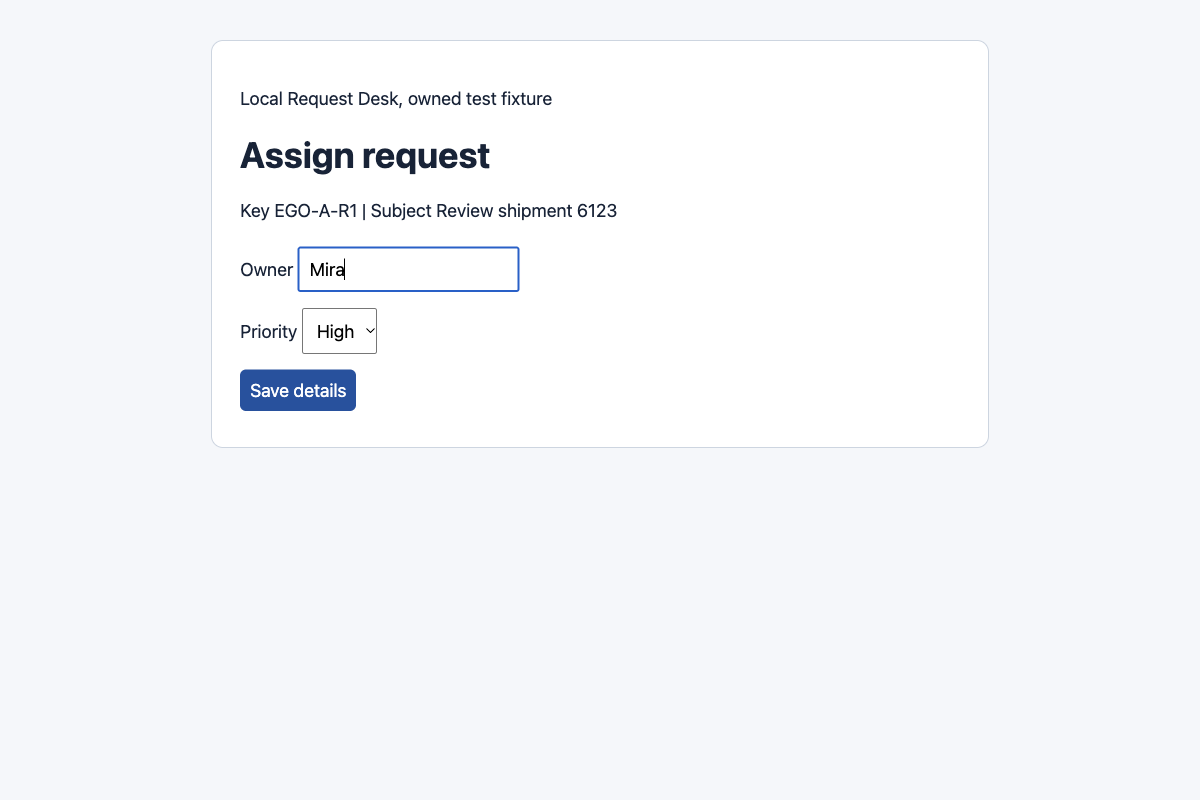
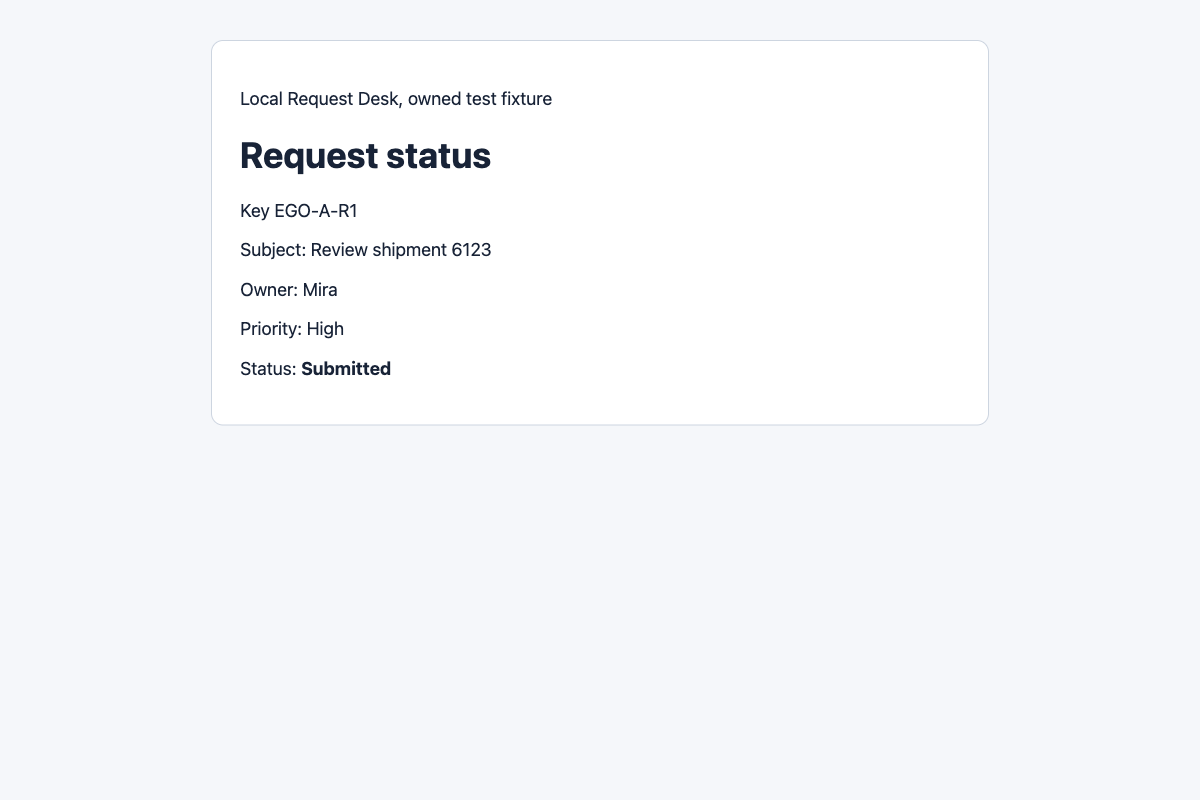
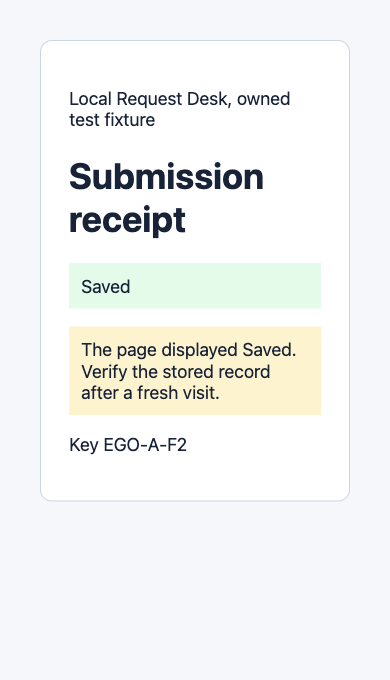
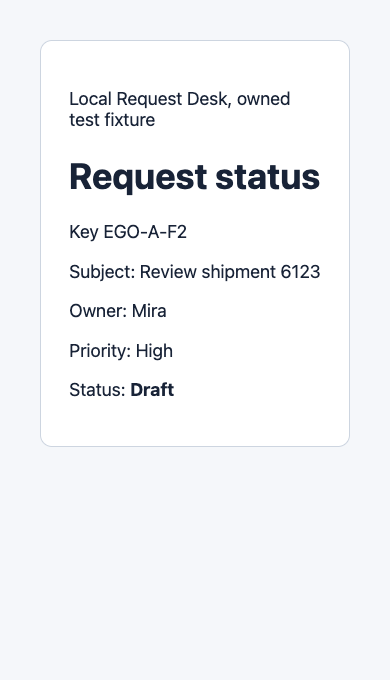
We also ran three new, separately pre-registered Request Desk cases through ego-browser CLI 0.5.2.16 in ego (lite), using Chromium 154.0.8037.44 and one controlled Page. EGO-A-R1 used the normal fixture; EGO-A-F1 and EGO-A-F2 used the same suppressed-write fault, with F2 captured at a native 390-pixel viewport. A fixed script chose the steps, not a model. Each key had one submit attempt. These cases are separate from both seven-case agent-browser recording replays and an earlier exploratory ego set, and they do not enter either recording table.
EGO-A-R1 showed Submitted after a fresh visit, and its server record contained one stored event. Both fault cases showed Saved on the receipt, then Draft on a fresh visit; each server record contained submit and write_suppressed but no stored event. The browser record preserves action receipts, page snapshots and six original screenshots per run. The server record comes from a separate admin read, outside the Page. The 39-file ego-browser evidence package contains the frozen plan, runnable route, sanitized full action transcript, all 18 original screenshots, three server states, results, sample checks and source ledger. The byte-original CLI output and executed runner are preserved privately with their hashes in the package. Independent review checked the visible steps against fresh status and separate server events. These fixed CLI runs did not use a model or generate continuous video.
A separate visible Python.org check
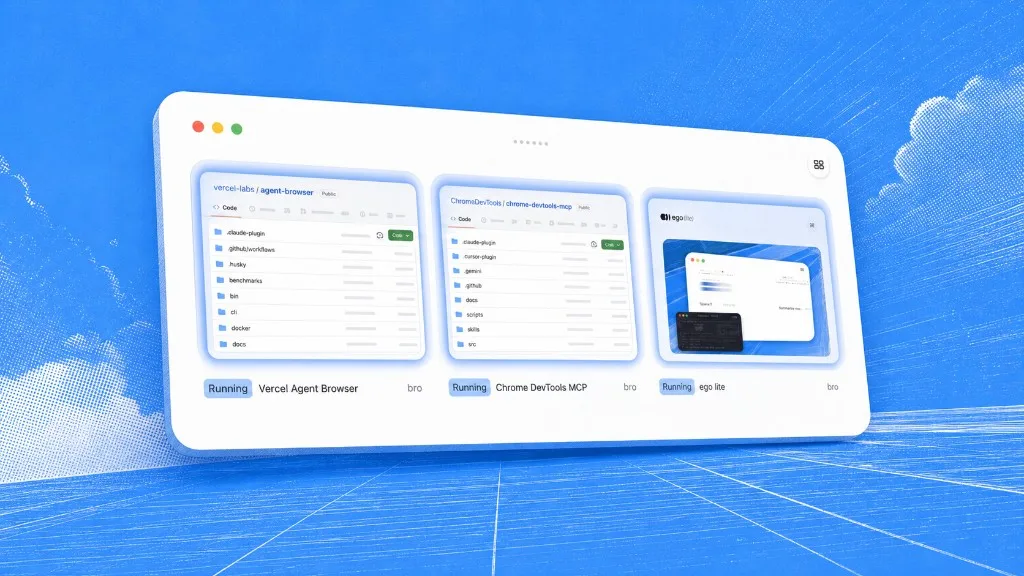
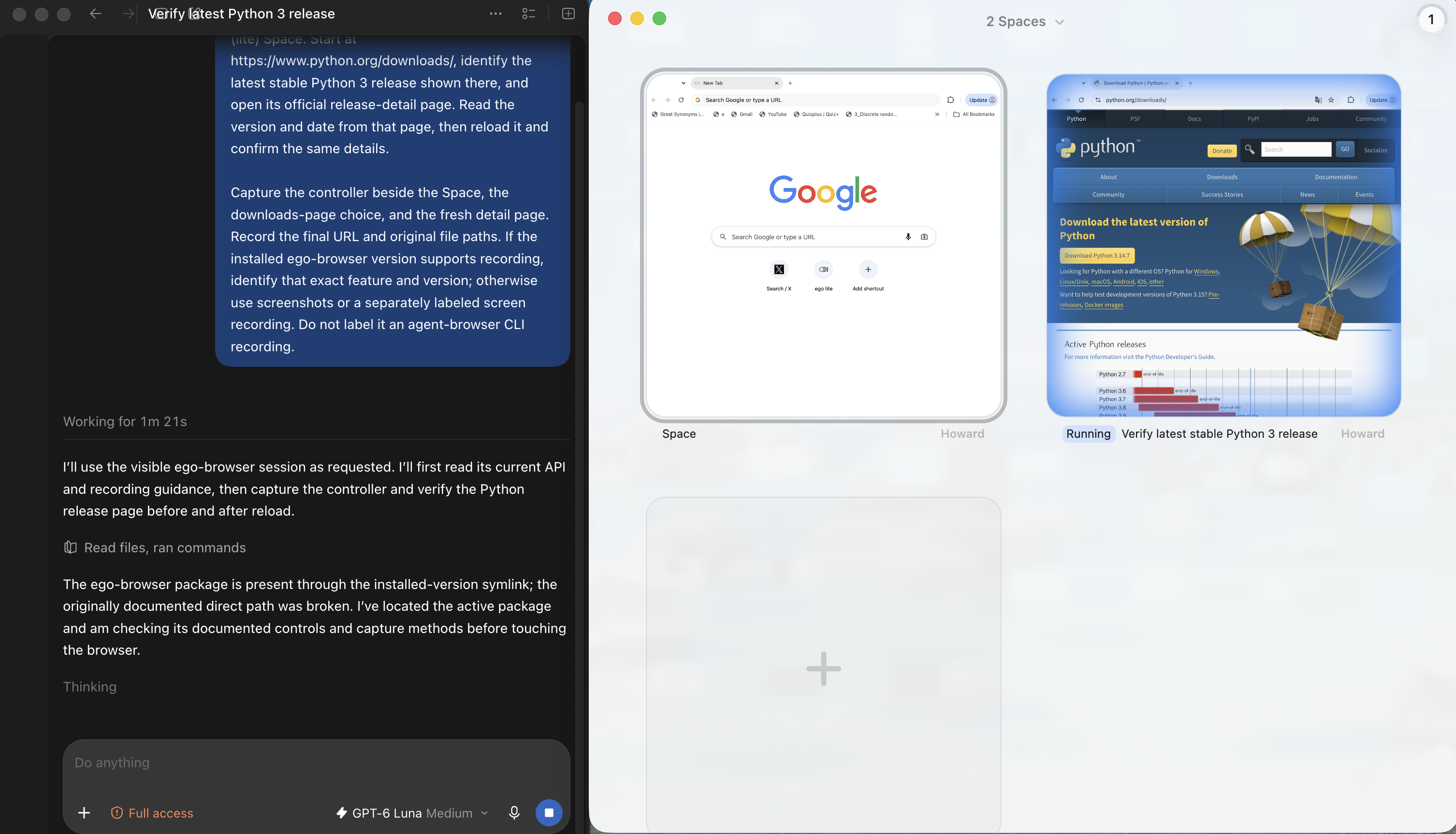
A later Codex task used ego-browser to inspect Python.org in an ego (lite) Space. It did not create a video or change site data. The overview identifies the named running Space on the downloads page; the other Space is an idle New Tab, not a second completed task.
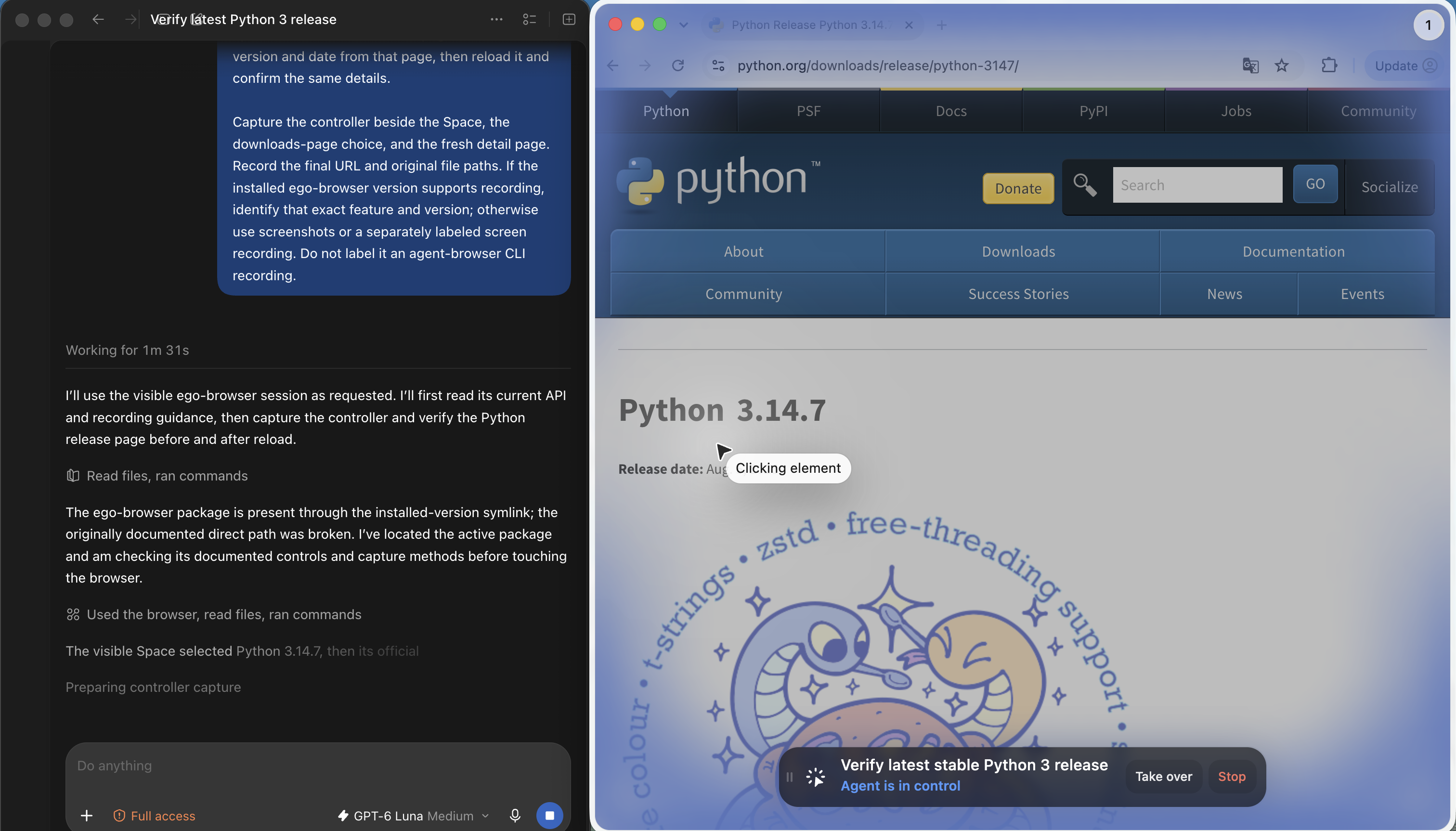
The next frame shows the same public-site task while the Agent is in control of the release-detail page. The visible page and controller are useful for reviewing which source was opened; the overlay does not by itself verify a fresh reload.
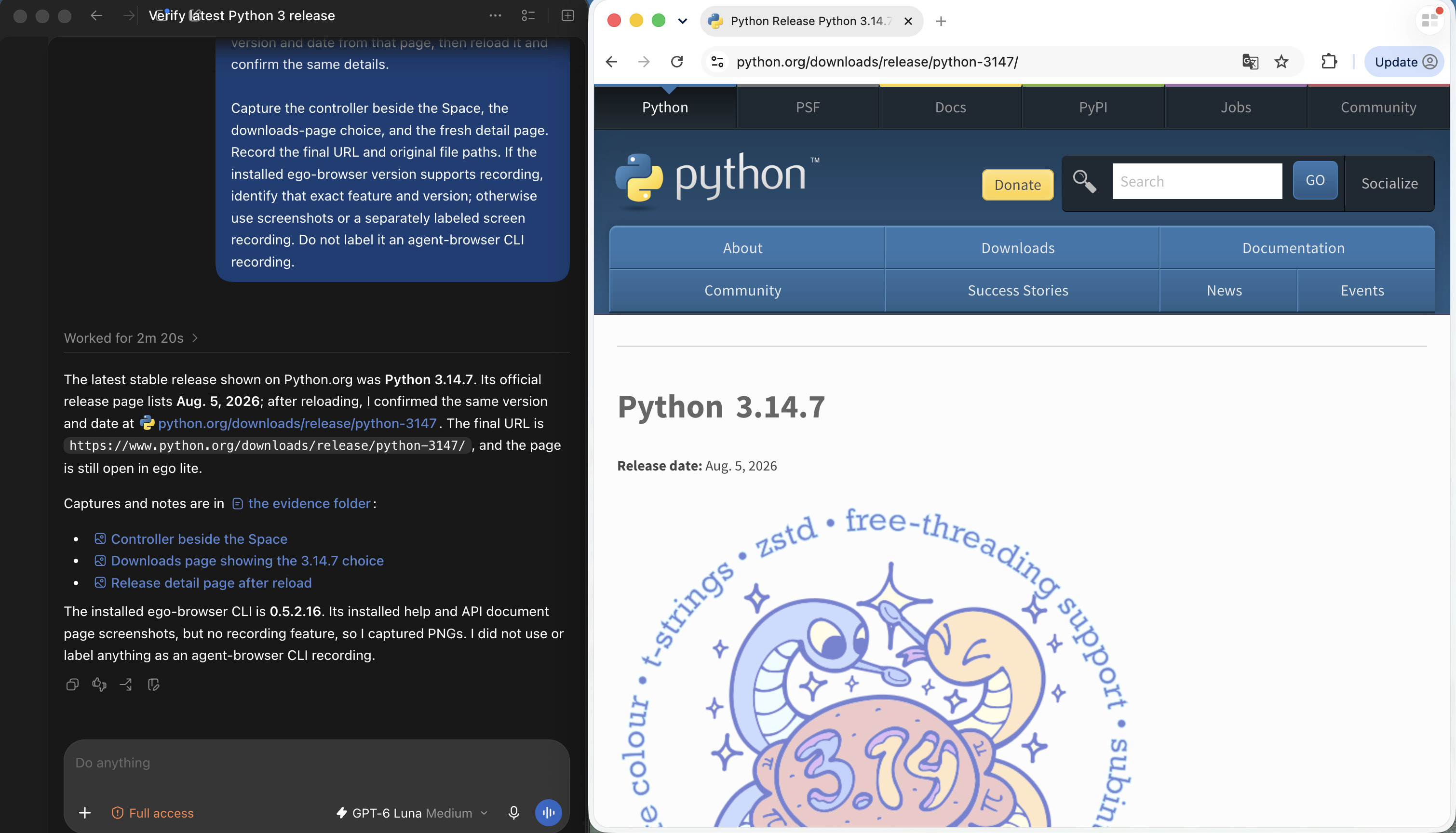
The final frame places Codex's answer beside the release page, where the version and date are visible. Codex says it reloaded the page and reports that the installed ego-browser CLI did not expose a recording feature. The supplied still shows the final page and that report; it does not contain a separate browser trace or WebM.
Choose the evidence that answers your review question. In this local case, ego (lite) kept readable snapshots of the task's important states. Use a recording tool when the reviewer needs to see motion between those states. For a saved result, reload the exact record and check an authorized independent source, whichever browser route you used. The ego (lite) browser testing page describes the product environment; it is not evidence for a video command. We did not test an ego-browser equivalent of agent-browser record start/stop, real accounts, model planning, speed or general reliability.
What are the limits of this case?
- Both seven-case replays used a synthetic Request Desk on loopback, the same CLI version and one machine. The NR cohort's live CDP response reported Chrome 153 in each trial; the AR cohort retained only a pre-run doctor receipt for the installed Chrome version. They do not measure real-site reliability, long recordings, logged-in accounts, or cloud browsers.
- The script controlled each CLI action. No AI Agent planned or recovered a task, so these observations cannot establish agent reasoning quality.
- The runner saved CLI stdout, stderr, exit codes, screenshots and server events. It did not subscribe to browser console, pageerror or failed-request events. We cannot claim those channels were error-free.
- The three on and three off trials include fixed pauses for human viewing. Their wall times do not support a speed or recording-overhead verdict.
- AF01 is an intentionally suppressed final write. It demonstrates why a visual receipt needs an outcome check; it is not a measured frequency of false success on other sites.
FAQ
Does agent-browser record without ffmpeg?
No. The official recording guide requires ffmpeg on PATH with the encoder for the chosen output format. agent-browser doctor reports recording support. Other agent-browser functions do not require ffmpeg according to that guide.
Does the recording include the browser before record start?
The capture starts when record start attaches to the active page or completes the optional navigation. In our run, open happened first, so the WebM begins at the loaded Create request page.
Can a Saved message in the video prove the request was stored?
No. In AF01, the video and screenshot show Saved after one submit attempt, while the fresh page and server ledger still show Draft with no stored event. Check the final record outside the first success message.
Can I save an MP4 instead of WebM?
Yes. The official recording guide chooses the container from the file extension: .webm uses VP8 and .mp4 uses H.264 when ffmpeg has the corresponding encoder. The eight original videos across the AR and NR cohorts are WebM, so this article does not report a local MP4 test.
What does the contact sheet add?
It puts timestamped changed frames on one image, making it quicker to find the create, details, submit, and status moments in a short video. Inspect the full WebM for the motion between those frames and use an independent state read for the business result.
Should I record a logged-in account?
Only when that account and task are authorized, and only after deciding how the video will be stored and reviewed. A recording may expose names, session details, tokens or unrelated tabs. Our test avoided this issue by using a synthetic local fixture with no login.
Did recording make these runs faster or slower?
This experiment cannot answer that. Each normal group had three runs, and the script inserted the same pauses for video readability. The recorded wall times are retained in the CSV for audit, but we did not design or size the test to estimate recording overhead.