The short answer, before anything else: if you pay one vendor, use that vendor's extension. Codex for Chrome and Claude for Chrome are convergent evolution, and which ecosystem you're already inside answers the choice before features get a vote. Both charge the same three costs: your window, one ecosystem, a paid plan.
ego (lite) combines the extensions' core benefit (your real sessions) with programmatic any-agent control and isolation through browser automation, the three costs engineered away. It's free, works with any agent that can run a shell command (Claude Code and Codex included) via the ego-browser skill, and the agent works in an isolated Space with your sessions inherited, so your window stays yours while tasks run in parallel.
OpenAI and Anthropic looked at the same problem (our agent needs the user's logged-in web) and shipped the same answer: a Chrome extension that moves the agent into the browser you already use. The interesting content is in the details and the shared bill, both per their own docs.
Why do these two products look identical?
Because the constraint that shaped them is identical: the highest-value browser tasks live behind the user's logins, and the cheapest legitimate route to those sessions is the browser that already holds them. Hence: an extension, your Chrome, permission prompts, and vendor-only attachment.
OpenAI's docs describe acting on sites "where you're already signed in, such as LinkedIn, Salesforce, Gmail, or internal tools"; Anthropic's describe navigating, clicking, and filling forms in your browser with pre-approved site permissions. Same sentence, two logos, and the same reason underneath: user sessions are the moat every agent vendor wants to cross.
Both also converged on the same safety posture, which deserves credit: explicit warnings that page content is untrusted (prompt injection defenses "aren't foolproof," in Anthropic's words), friction before dangerous actions, and guidance to keep agents away from financial transactions. The vendors take the risk seriously; users should match them.
Convergent products, convergent cautions. The differences live one level down.
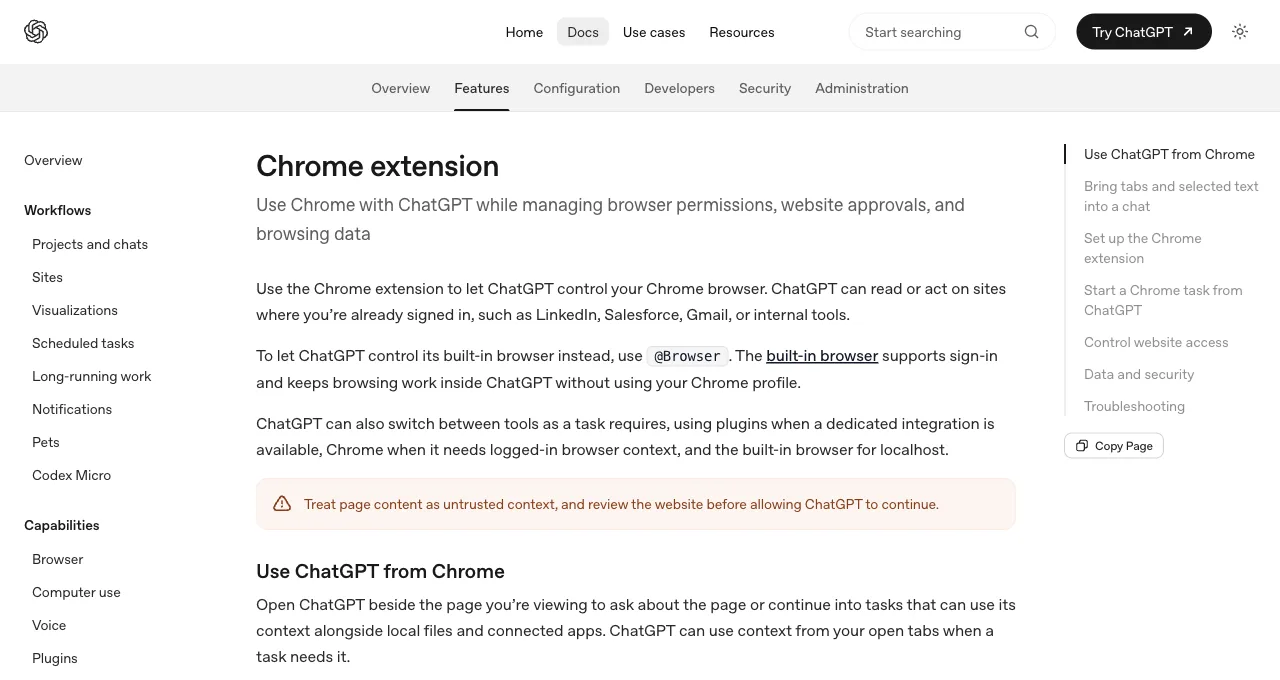
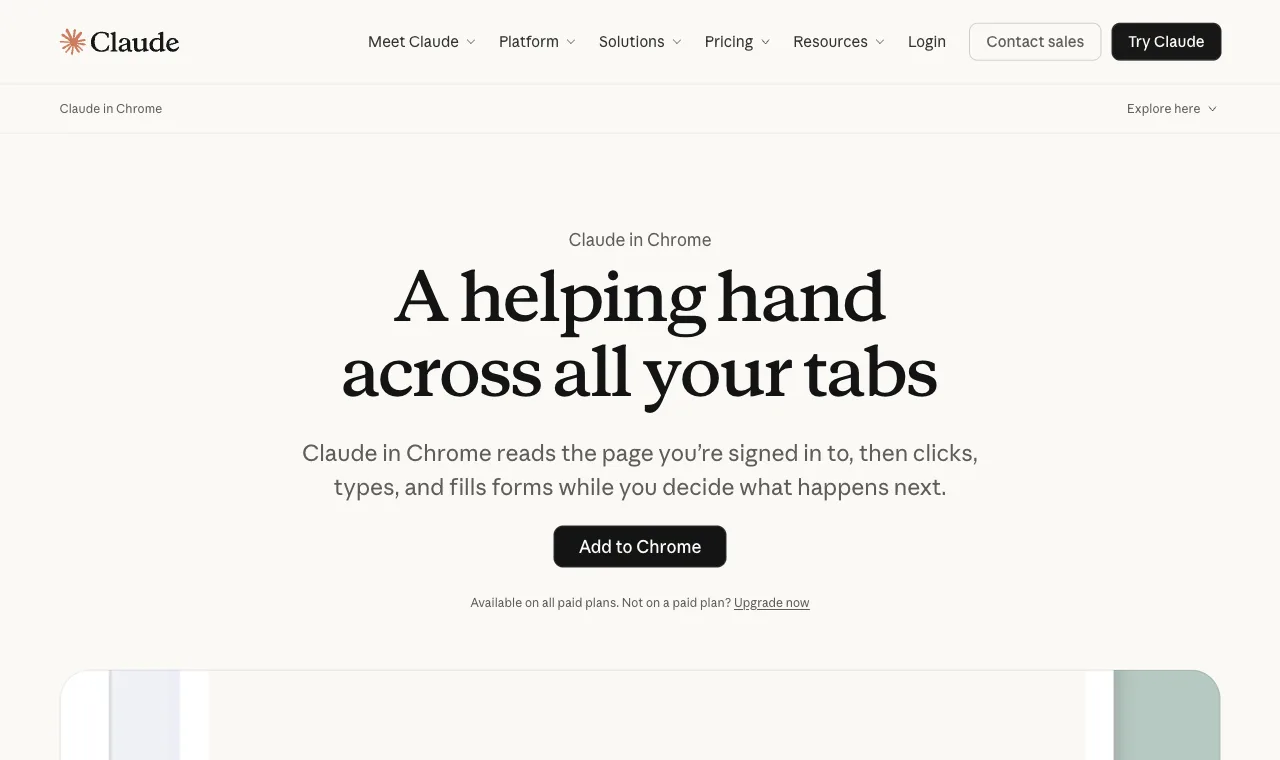
The timeline underlines the convergence: Anthropic shipped Claude for Chrome first as a limited beta and widened it to all paid plans; OpenAI followed with the Chrome extension wired into the ChatGPT desktop app.
Neither company treats it as a side project: both slot the extension into a larger surface family (built-in browsers, coding-agent bridges, work products), which is exactly why the ecosystem rows in the table below matter more than any single feature.
What are the five differences that matter?
Five rows where the two genuinely diverge; everything not listed here is effectively tied.
| Dimension | Codex for Chrome | Claude for Chrome |
|---|---|---|
| Task organization | Chrome tab groups per task: work stays visually bundled in your browser | Session-based within your tabs; no tab-group bundling documented |
| Coding-agent bridge | Via the ChatGPT desktop app and native host; not a Codex CLI feature | claude --chrome (or /chrome) attaches it to Claude Code directly |
| Permission granularity | Per-site approvals; allow-all flagged elevated risk; history has no always-allow | Site-level pre-approvals plus confirmations before irreversible actions; skip-all exists for trusted flows |
| Ecosystem hooks | ChatGPT Work chats, memories integration, the @Browser sibling surface | Claude Code, Cowork, and Claude Desktop "for end-to-end workflows" |
| Availability | Rides ChatGPT paid plans; Chrome only, other Chromium browsers unsupported | Beta on all paid Claude plans; Chrome Web Store install |
An honest note on what's missing from this table: head-to-head task benchmarks. Both extensions are moving weekly and neither vendor publishes comparable task-success numbers; any article giving you a definitive 7-3 scoreline is measuring its own guesses. The structural rows above are stable; performance rankings between these two aren't.
Who should pick which?
Subscription gravity decides most cases, and legitimately: the extension's value compounds with its ecosystem. A ChatGPT-first user gets Codex for Chrome's tab-group organization plus continuity with Work chats and the built-in browser; switching vendors for an extension feature would be backwards.
A Claude-first user gets Claude for Chrome's tighter Claude Code bridge (one flag and your terminal agent has browser hands in your sessions) and the permission model Anthropic has iterated publicly since the beta.
The genuinely undecided (paying both, or paying neither yet) should weight two questions: whose coding agent do you actually live in, since the extension-to-agent bridge is where daily value accrues, and whose permission defaults you'd trust your accounts to. Those answers, not feature counts, predict satisfaction six months in.
To make the ecosystems concrete, one signature task each. Codex for Chrome, from OpenAI's own examples: "@Chrome open Salesforce and update the account from these call notes", with the task's tabs bundled into a group while you keep your others.
Claude for Chrome, from Anthropic's: pulling metrics from an analytics dashboard or logging sales calls to a CRM, chained with Cowork producing the workbook afterward, the "end-to-end workflows" their docs advertise. Both are the same genre of task; the surrounding product family is what differs.
What do both cost you?
Three costs, identical on both sides, all architectural. Your window: both act in the Chrome you're using, so a running task occupies your browsing surface, tab groups or not. One ecosystem: each serves exactly one vendor's agent, so your browser workflows don't survive a vendor switch.
A paid plan: both ride subscriptions, and their actions draw on plan limits. We wrote the architectural argument up in full in the vendor-extension vs shared-browser comparison; the short version is that these costs are invisible in demos and constant in daily use.
Whether those costs matter is workload-shaped: for occasional supervised tasks they're fine; for daily parallel work they compound.
The alternative architecture (a separate browser that shares your logged-in state) pays none of the three: ego (lite) is free, works with any agent that can run a shell command (Claude Code and Codex included), and its agent works in an isolated Space with your sessions inherited, so your window stays yours while tasks run in parallel.
What it lacks is exactly the extensions' strength: the zero-technical-setup, inside-your-tabs immediacy that makes them right for non-developers.
So the real decision tree has three leaves, not two: your vendor's extension for occasional in-your-tabs errands, ego (lite) for the recurring parallel work, and both together for desks that have both shapes of task, which is most desks that use agents seriously.
See ego (lite) vs the Codex extension or vs Claude for Chrome, or download ego (lite) for Mac, free.
FAQ
Can I install both extensions at once?
Yes; they register independently and don't conflict technically. The practical friction is human: two agents with permissions in one browser means two permission models to keep straight, and most people converge on whichever matches their primary subscription within a week. If you do run both, keep their site approvals disjoint so you always know which agent may touch what.
Do these replace Playwright MCP or testing tools?
No; different jobs. The extensions are personal-task agents in your accounts; testing infrastructure needs deterministic, headless-capable, fresh-profile automation, which stays with Playwright and friends. The five-ways guide maps the whole territory, and the split holds regardless of which vendor's extension you pick.
Are they safe to use on banking and financial sites?
Both vendors say no, plainly: Anthropic's guidance is to avoid financial transactions and password management because prompt-injection protections aren't foolproof, and OpenAI's is to treat page content as untrusted. That's not lawyer-speak; agents in signed-in browsers are a new attack surface, and the vendors' own caution is the calibration to copy.
Can I use Codex for Chrome and the built-in @Browser together?
Yes, and OpenAI's docs draw the line for you: @Chrome for tasks that need your real tabs and profile, @Browser for a shared view in the chat with a separate profile. They're complementary surfaces of the same app rather than competitors.
Do either work on Firefox, Edge, or Brave?
Codex's docs are explicit that other Chromium-based browsers aren't currently supported, and Claude for Chrome ships as a Chrome Web Store extension by name and design. Non-Chrome users wanting logged-in agent work are outside both products' current scope, which is another argument for browser-shaped rather than extension-shaped solutions in mixed environments.
Which works with Cursor or other agents?
Neither; vendor-exclusivity is the architecture. Cross-agent setups reach for Browser MCP (takeover-style access to your window) or ego (lite), which combines that route's logged-in access with a separate window and any-agent control.