












ego (lite) is just a browser, ego is your personal agent across devices.
Join waitlist
Instagram profile data workflow

Free Instagram profile scraper with your AI agent

ego (lite) is a free Instagram profile scraper for a defined list of usernames or profile URLs. Your AI agent reads visible account fields in browser Spaces, runs tasks in parallel, and exports source-linked CSV or Markdown with checked-at times, access status, and limitations.

Download for Mac(yes, free)

Trusted by developers from

OpenAIAnthropicGoogleMetaNVIDIACursorPerplexity
SpaceXTeslaNotionFigmaStripeNetflixAirbnb

How to scrape Instagram profiles with ego (lite)

Start with a bounded list of public Instagram usernames or profile URLs and decide which account fields you need. The Agent uses a real browser, opens one ego (lite) Space per profile, records only what that session can display, and returns a structured result without guessing at missing data.

1

Install ego (lite) and choose a browser context

Download ego (lite), then import only the Chrome context you want to authorize. Public profiles may load without a login. If Instagram requests login, verification, or another decision, the Agent stops so you can review the Space yourself.

2

Give your AI agent the Instagram profile scraping prompt

Paste Instagram usernames or profile URLs and name the output fields. A useful profile row can include username, display name, bio, profile URL, external links, visible follower, following and post counts, category, verification state, source URL, checked-at time, and access status.

Which profile fields should the Agent record?

3

Run different Instagram tasks in parallel

Give each ego (lite) Space a different job: research profiles, compare visible account data, and prepare structured reports at the same time. Each Space keeps its own browser state, so your Agent can move several workflows forward without waiting for one task to finish before starting another.

4

Watch the Agent read visible profile details

Open a Space to see the Agent work directly in the rendered Instagram profile. It can record the username, verification state, bio, external link, and displayed post, follower, and following counts shown in that browser session, while leaving anything Instagram withholds unavailable.

5

Review the rows and export CSV or Markdown

Check the values against their profile URLs, then export CSV for comparison or Markdown for a readable research note. Keep source_url, checked_at, access_status, and limitations in every row so another person can see where the data came from and why a field is blank.

Why use ego (lite) as an Instagram profile scraper?

ego (lite) is built for a reviewable, browser-based workflow: your Agent works in visible Spaces, keeps profiles separate, and returns the source and access state with the data. It is a good fit for a defined research list where evidence matters, not an unbounded crawler that promises hidden fields or unlimited scale.

Spend less time waiting on browser tasks

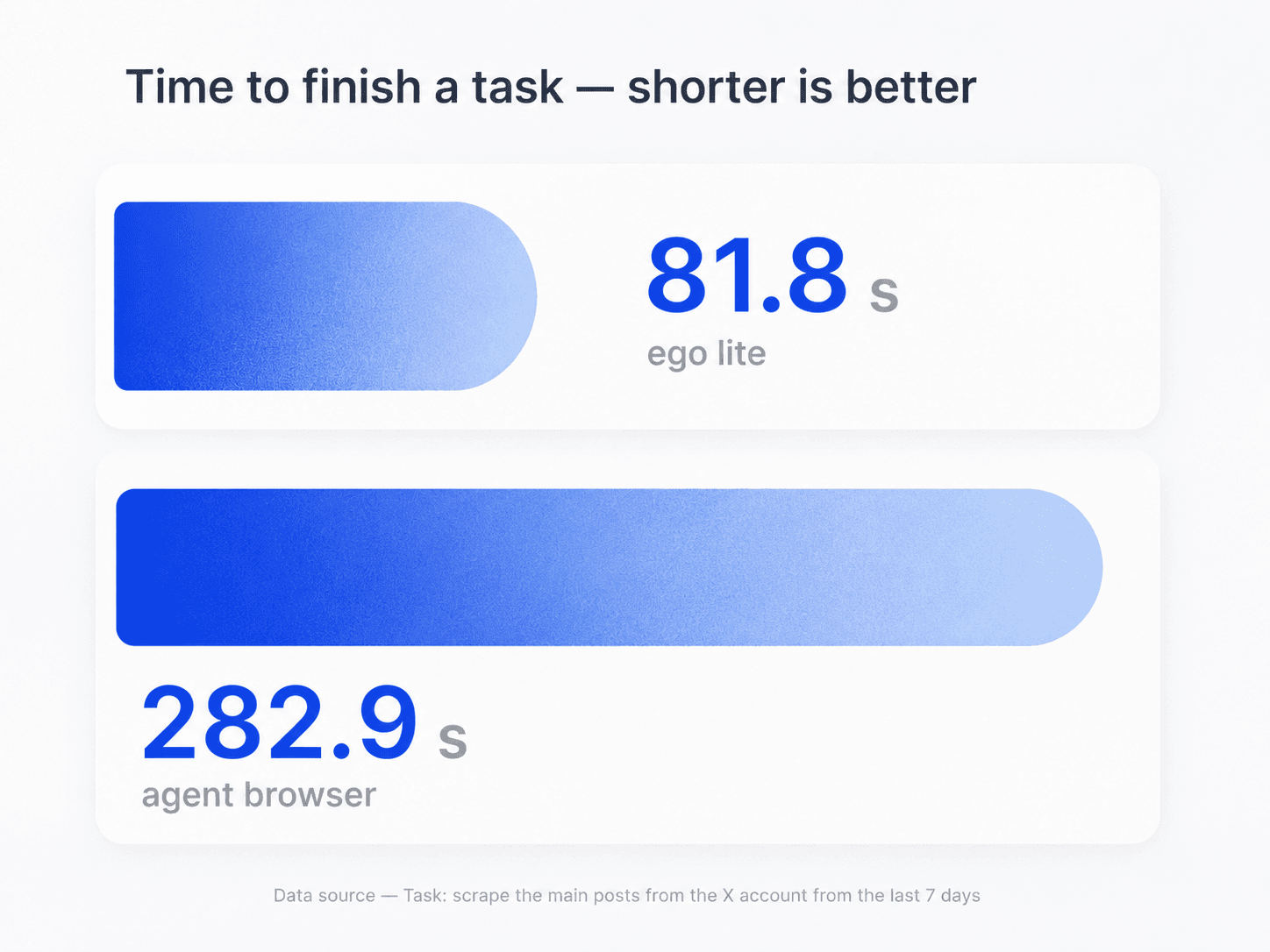
ego (lite) completed the browser automation benchmark shown here in 81.8 seconds, versus 282.9 seconds for another agent browser. It is a general browser task, not an Instagram-specific benchmark, but it shows how less waiting can keep profile research moving.

Task-time comparison showing ego (lite) completing a browser automation task faster than another agent browser

Scrape several Instagram profiles in parallel

Use one Space per username or profile URL instead of opening an untraceable tab pile. Separate Spaces let the Agent check a bounded batch at the same time while keeping each profile's state and evidence clear.

Parallel ego (lite) Spaces for separate Instagram profile scraping tasks

Run different tasks in parallel with ego (lite)

Use separate Spaces to research profiles, analyze posts, and run other browser tasks at the same time. Each Space keeps its own browser state, so your Agent can move several workflows forward without waiting for one task to finish before starting the next.

Use only the browser context you authorize

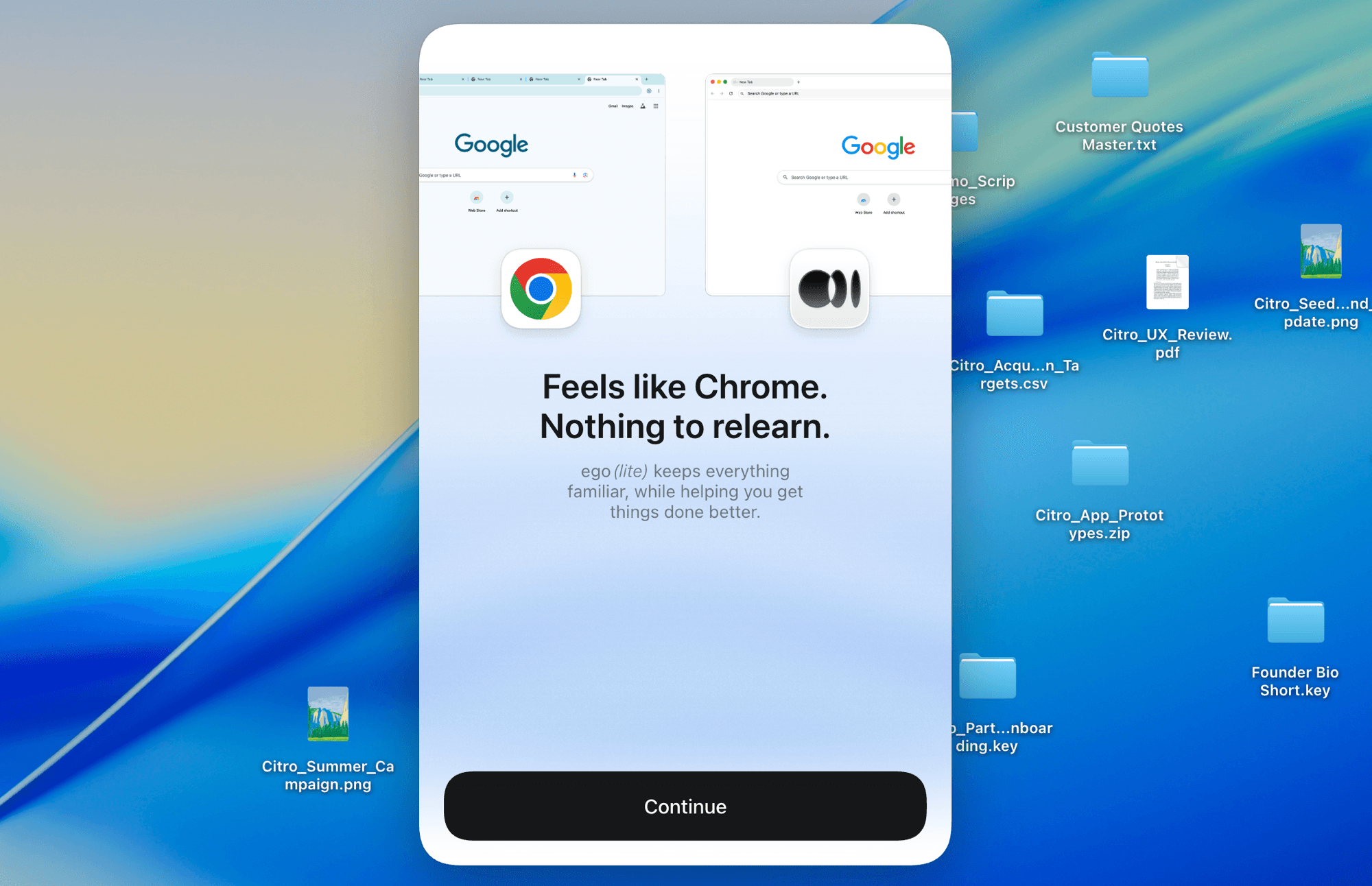
Import the Chrome context you choose instead of giving credentials to an unknown scraper. Instagram's login, private-account, age, region, verification, and rate-limit controls still decide what the browser can display.

ego (lite) onboarding screen for importing an authorized Chrome context

What Instagram profile data can be scraped?

The output is limited to profile information Instagram displays publicly or in the browser session you are authorized to use. Profile fields can change, disappear, or require access, so every export should retain its source and checked-at time. Private posts, hidden contact details, and restricted content stay unavailable.

Profile fields the Agent can record

Public account data and evidence visible in the current session.

  • Resolved username, display name, profile URL, bio, external links, and profile picture presence
  • Visible follower, following, and post counts, account category, verification state, and public/private state
  • Recent public-content themes or examples when the profile page displays them
  • Source URL, checked-at time, access status, and limitations for every profile row
  • A numeric Instagram user ID only when Instagram clearly exposes it

Data that stays unavailable or unverified

Private, hidden, restricted, or inferred information does not become public.

  • Private posts, Close Friends content, DMs, deleted content, or hidden email addresses and phone numbers
  • Passwords, cookies, visitor identity, or a list of people who viewed or searched for an account
  • Bypassing login, CAPTCHA, verification, follow approval, age or region controls, or rate limits
  • Inferred account ownership, demographics, location, audience quality, or missing engagement values
  • An unlimited crawl, guaranteed field coverage, or an official export of another person's account

Read Meta's list of Instagram profile information anyone can see

Turn Instagram profiles into a dataset you can verify

Give your Agent the profile URLs and fields you need. Get back visible account data with its source, check time, access status, and limitations attached to every row.

Download ego (lite) free and scrape your first profiles

Instagram profile scraper FAQ

An Instagram profile scraper turns selected profile information into structured data. With ego (lite), an AI agent opens a defined list of public usernames or profile URLs in visible browser Spaces, records fields the session can display, and exports the result with source URLs, checked-at times, access status, and limitations.

Install ego (lite), choose an authorized browser context, and give Codex or Claude Code a bounded list of Instagram usernames or profile URLs plus the fields you need. The Agent opens one Space per profile, records visible data, stops at access controls, and returns CSV or Markdown rows for review.

Yes, when “Instagram account scraper” means collecting visible profile-level fields from a defined list of accounts. The workflow can organize usernames, display names, bios, links, visible counts, category and verification state. It does not scrape private posts, hidden contacts, passwords, or unrestricted follower lists.

Depending on what Instagram displays, the Agent can record a username, display name, profile URL, bio, external links, profile picture presence, visible follower, following and post counts, category, verification state, and public/private state. Every row should also include its source URL, checked-at time, access status, and limitations.

It can record only the basic profile information Instagram shows publicly or in a browser session you are already authorized to use. It cannot bypass private-account settings, follow approval, login, verification, CAPTCHA, region controls, or rate limits. Protected posts and hidden fields remain unavailable.

Not for every public profile, but Instagram decides when a login wall or verification step appears. If one appears, the Agent stops and lets you inspect or take over the Space. Use only an account and browser context you are authorized to access; ego (lite) does not bypass the prompt.

Account lookup starts with a name, handle, or URL and helps resolve the right profile or candidate matches. Profile scraping starts with known usernames or profile URLs and extracts a consistent set of visible fields into structured rows. Use lookup first when identity is ambiguous, then scrape the confirmed profiles for comparison.

No. This is an Agent-driven browser workflow, not a hosted high-volume API or proxy dataset. It is designed for a bounded research list where you want to see the browser state, intervene when needed, and keep evidence with the output. Use an official or dedicated data API when your approved use case requires programmatic scale.