











ego (lite) is just a browser, ego is your personal agent across devices.
Join waitlist
URL extraction from live web pages

Free URL extractor for live web pages with your AI agent

Give your AI agent a list of pages. ego (lite) opens each page in a visible browser on your Mac, extracts rendered hyperlinks, resolves relative URLs, and exports a source-linked CSV or Markdown report.

Download for Mac(yes, free)

Trusted by developers from

OpenAIAnthropicGoogleMetaNVIDIACursorPerplexity
SpaceXTeslaNotionFigmaStripeNetflixAirbnb

How to extract URLs from web pages in 5 steps

Give your Agent the source pages, required fields, and a clear result limit. ego (lite) opens each page in a visible Space, keeps browser state separate, and pauses whenever a page needs your input.

1

Install ego (lite) and choose an authorized browser context

Download ego (lite) for Mac, then choose only a Chrome context you are authorized to use. The Agent works with the same rendered pages you can open and stays inside that visible access boundary.

2

Define the source pages, fields, and limits

List the pages you want to process, the fields you need, and a maximum result count. Ask for destination URL, anchor text, link type, source page, deduplication, and CSV or Markdown output so the task stays bounded and reviewable.

3

Watch the Agent collect rendered links

The Agent opens each source page in its own Space and records the hyperlinks in the rendered document. It resolves relative URLs and keeps the anchor text, link type, and source page without following destinations unless you request a separate checking pass.

4

Keep each source in a separate Space

Give each page or page group its own Space and run the same output rules in parallel. Browser state stays independent, while you can open any Space to inspect progress, pause the task, or take over.

5

Review and export the URL list

The Agent returns a CSV or Markdown report with one row per unique source-and-destination pair. Review the resolved URL, anchor text, link type, source page, check time, and access status before using the list in your next task.

Why use ego (lite) as your link extractor?

Online tools work well for one public page, and text parsers work well for pasted copy. ego (lite) adds a reviewable browser workflow for rendered pages, authorized sessions, and page batches where every URL needs a source.

Keep extraction, cleanup, and export in one Agent workflow

The same coding Agent collects anchors, resolves relative paths, classifies link types, removes duplicates, and writes the final CSV or Markdown files. You avoid passing the list between multiple extensions and preserve the same fields from input to export.

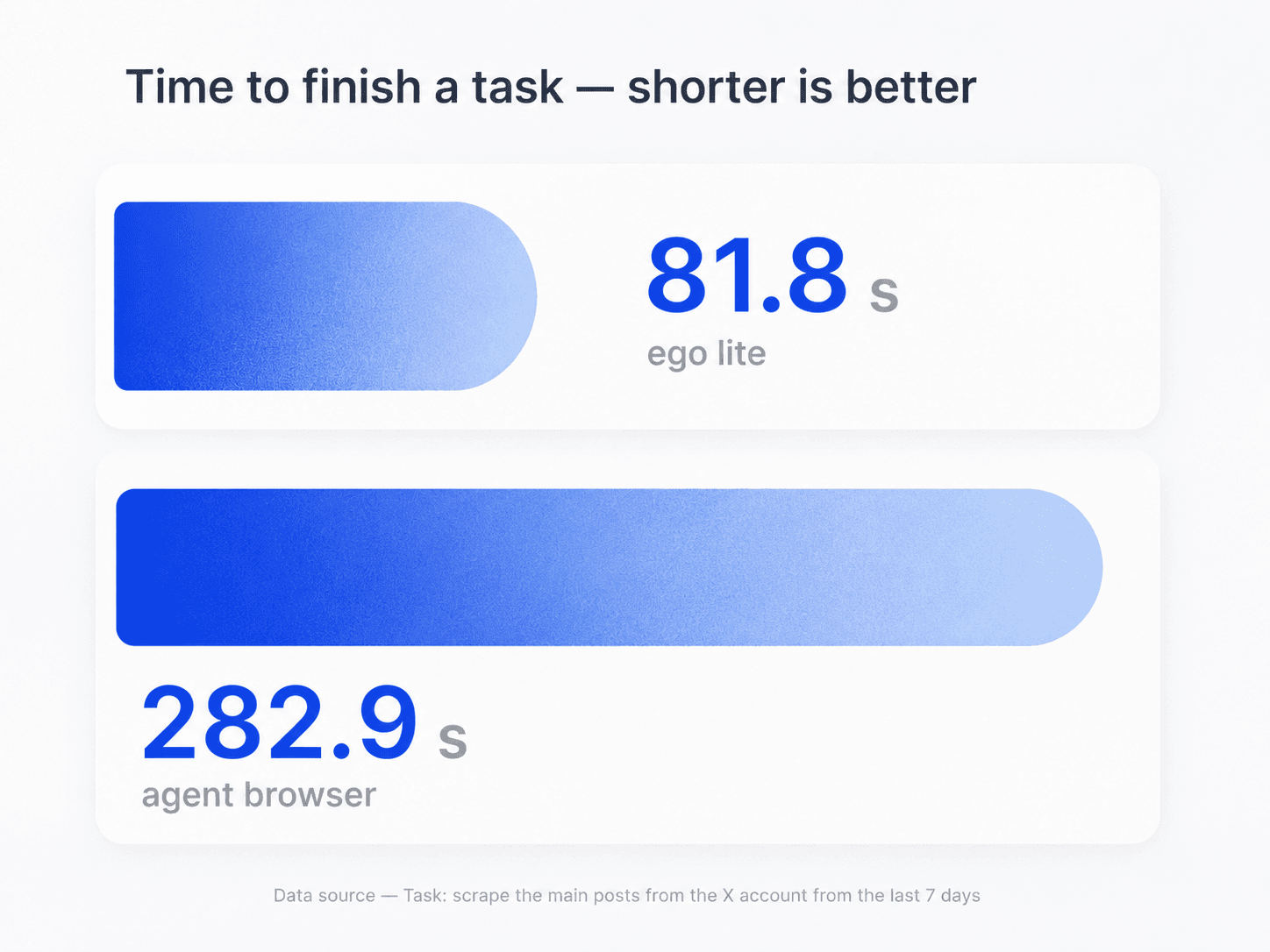
Existing ego (lite) browser-research task-time comparison, shown as product context rather than a URL extraction guarantee

Run several page-level extractions side by side

Give each source page or page group its own Space and apply the same columns and deduplication rules. Every row keeps its source, and one blocked page does not stop the other Spaces from finishing.

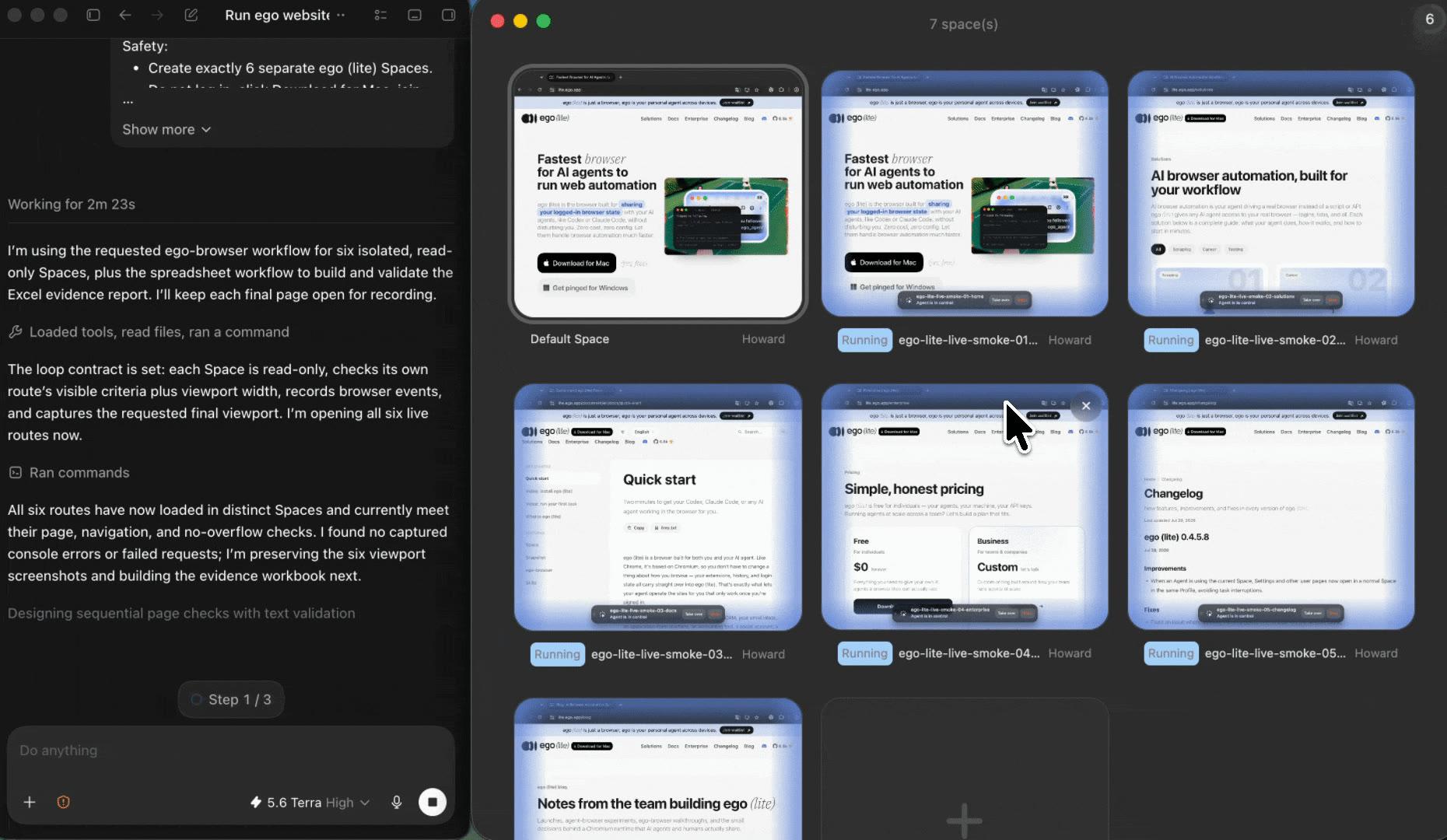
Parallel ego (lite) Spaces extracting links from separate source pages

Multitask across parallel Spaces

Run several URL extraction tasks at the same time, each in its own ego (lite) Space. Switch between Spaces to monitor progress without interrupting the others, and take over only when one task needs a login, CAPTCHA, consent screen, or another human decision.

Use the browser context you already control

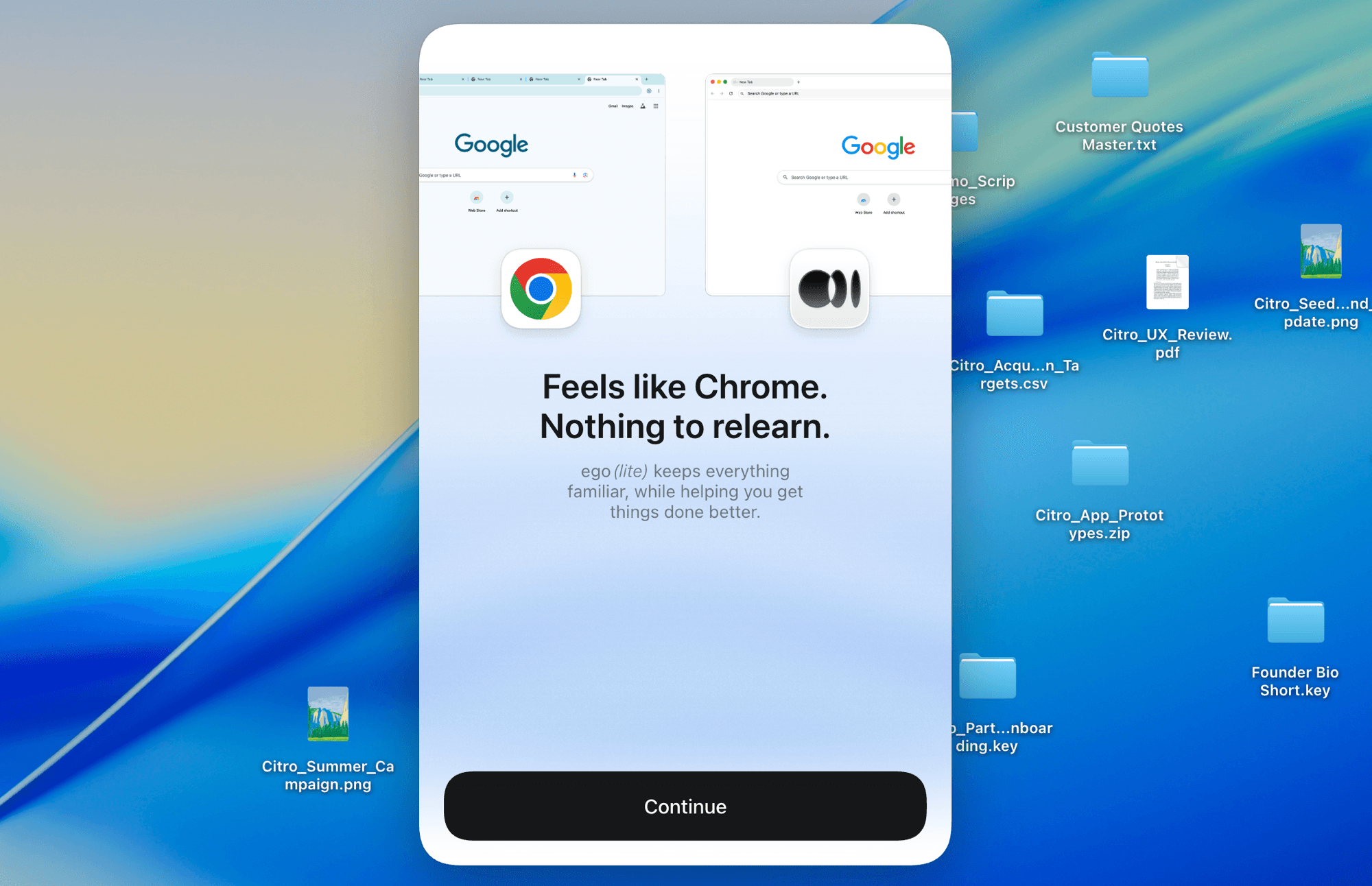
Import only the Chrome context you authorize. The Agent can work with the same rendered page you can open, including an authorized tool or dashboard, while keeping the extraction local to your Mac and every result tied to its source.

ego (lite) Chrome context import for an authorized page-level link extraction task

What this URL extractor can and cannot collect

This page-level URL extractor reports links from the source pages you provide. It does not become a complete site crawler or broken-link checker unless you explicitly add those steps.

What your Agent can extract

Link destinations and useful context from the rendered source pages in your bounded list.

  • Destination URLs resolved from relative and absolute href values in the rendered document
  • Anchor text, rel, target, occurrence count, and internal, external, file, email, phone, or fragment classification
  • A source-linked CSV or Markdown report with check time and access status across several pages

What stays out of scope by default

No unlimited crawl, hidden-page discovery, destination check, or access bypass.

  • A complete site inventory or orphan-page list from pages that were never linked or provided
  • URLs stored only in network traffic, canvas content, scripts, or unlinked text unless you add that source type
  • Destination status, redirects, canonicals, or access bypasses unless you request a separate authorized checking pass

Read the Robots Exclusion Protocol

Extract a URL list you can trace back to every page

Give your Agent the source pages and output columns. ego (lite) returns a reviewable CSV or Markdown list with visible browser work and a source page on every row.

Try the free URL extractor

URL and link extractor FAQ

A URL extractor turns links from a page, HTML block, document, or text into a clean list. For a live web page, a useful result usually includes the resolved destination URL, anchor text, link type, and source page. With ego (lite), your coding Agent opens the live page in a visible browser, extracts the links from the rendered document, and returns a source-linked CSV or Markdown report.

Install ego (lite), give your Agent the page URLs, and choose the columns and output format you need. The Agent opens each page in its own Space, waits for it to render, resolves relative paths, classifies and deduplicates the links, and writes the final list. You can watch any Space and take over if a page asks for a human decision.

A URL extractor often means a text tool that finds URL-shaped strings wherever they appear. A link extractor or hyperlink extractor usually reads actual HTML anchors, so it can keep anchor text, rel attributes, targets, and internal-versus-external context. This ego (lite) workflow focuses on page-level hyperlinks by default, while the prompt can be expanded to include plain-text URLs when that is genuinely part of the task.

Not from one page alone. It can get the links available in the rendered document for every source page you list, but a complete website inventory may also require an XML sitemap, a bounded internal crawl, and another discovery source for orphan pages. The page keeps that distinction explicit instead of calling one extracted page a complete site map.

Yes, when the links become available in the rendered document that your authorized browser session can see. The Agent waits for the page's main content before collecting anchors. Links hidden in closed shadow roots, canvas drawings, network responses, or code are separate extraction sources and are not included unless you ask for them explicitly.

Yes. The Agent resolves each href against the final source-page URL, compares the destination origin with the source origin, and labels the row as internal or external. It can also keep file, email, phone, fragment, rel, target, anchor-text, and occurrence fields so the list is useful for an SEO or content audit.

Yes. Ask your Agent for CSV, Markdown, or both, with the same fields in each file. You can also request a short summary of source-page coverage, unique links, internal and external counts, and any page that needs your review.

Only when you are authorized to view the page and choose an ego (lite) browser context that already has the required session. The Agent never asks for or enters your credentials. If the session does not have access, or the page asks for a CAPTCHA, approval, or another human decision, the Agent stops and hands the visible Space back to you.

Not by default. Extracting a destination from a source page does not prove that the destination returns 200, redirects correctly, or has the expected canonical. Add a separate, bounded checking pass if you need those fields; that pass must open each destination and record its own check time and status instead of guessing from the source link.

ego (lite) is free to download for Mac. The workflow uses the coding Agent you already run, so its token usage and any provider costs still apply. It is designed for visible, supervised page batches rather than an unlimited unattended site crawl.