How to automate native file dialogs in browser automation without driving the OS window


A file upload can look like a normal browser interaction until the operating system opens its own file picker. At that point, a Playwright locator has nowhere to go because the window is no longer part of the DOM. The first step is therefore not clicking harder. It is figuring out whether the page exposes a real file input, an interceptable file chooser, or a truly native OS dialog.
For browser owned flows, Playwright can usually avoid the desktop window entirely. It can set files directly on an input[type="file"], intercept a filechooser event from a custom button, or save a download through the browser API. ego(lite) follows the same browser level path inside a visible Space, with the added advantage that the signed in browser remains available to inspect or hand back to the user if the workflow reaches a native prompt that automation cannot safely control.
This guide focuses on that boundary: how to upload and download files without driving the OS window, how to recognize when browser automation has reached its limit, and when the right next step is a human handoff rather than another desktop automation workaround.
What is a native file dialog in browser automation?
A native file dialog is the OS Open or Save window the browser shows when a page asks for a file. It belongs to macOS, Windows, or the desktop environment, not to the document. JavaScript in the page cannot walk it. A locator in the page cannot click it.
Three nearby surfaces get mixed up in search results. A hidden input[type=file] is still a page control. A custom Browse button that triggers that input is still a page control. The sheet that appears after a true OS pick is not.
| Surface | Where it lives | Automation path |
|---|---|---|
| input[type=file] | In the DOM, often hidden | setInputFiles on that input |
| Custom Browse button | In the DOM, opens a chooser | Wait for filechooser, then set files |
| OS Open / Save sheet | Outside the browser process | Avoid. If it is required, a person takes over |
Why can't the test click the OS file window?
Browser automation talks to the page through the browser. The OS dialog is a different process. Selenium's JavaScript cannot reach it. Playwright locators cannot reach it. Ranking pages that paste AutoIt are compensating for that wall, not removing it.
The-internet upload demo still has a file input. That is why setInputFiles works there. A widget that never creates an input and only opens a desktop picker is the hard case. Confirm which surface you have before you reach for an OS tool.
File dialogs on this page assume the page is already reachable. Uploads behind a signed-in session belong with persistent browser sessions, not with another scrape-routing guide.
How do you upload without opening the dialog?
Find the file input and set its files. Playwright's locator.setInputFiles accepts a path or a list of paths. Hidden inputs are valid targets. You do not need the input to be visible.
import { chromium } from "playwright";

const browser = await chromium.launch();
const page = await browser.newPage();
await page.goto("https://the-internet.herokuapp.com/upload");
await page.setInputFiles("#file-upload", "/absolute/path/sample.txt");
await page.click("#file-submit");
await page.waitForSelector("#uploaded-files");
console.log(await page.locator("#uploaded-files").innerText());
await browser.close();
We tested that path on 2026-09-18 from OpenCode. Headed Chromium opened the-internet.herokuapp.com/upload. The File Uploader page stayed in the browser. No OS Open window appeared.
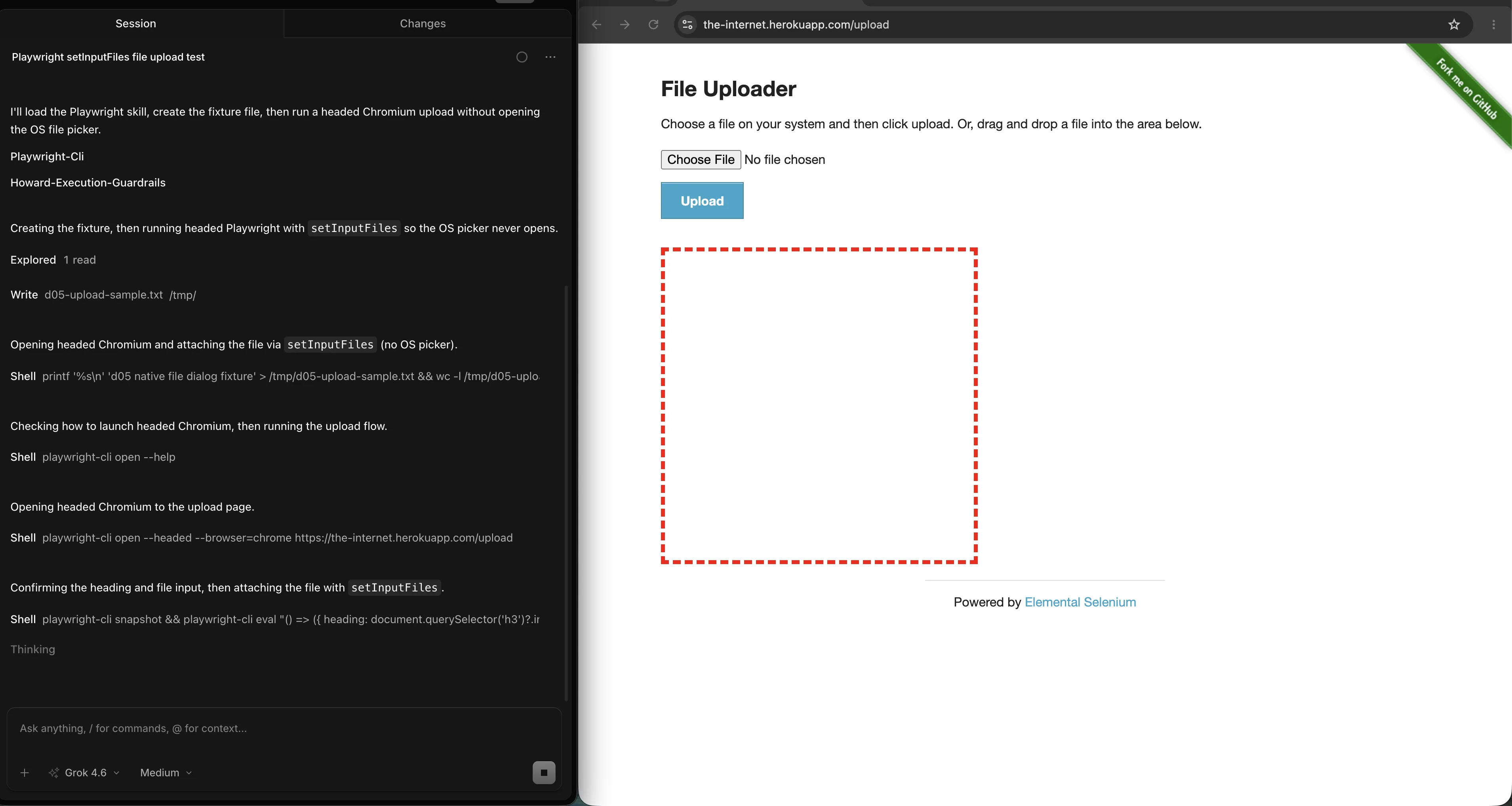
After submit, the confirmation node #uploaded-files shows the file name. No desktop picker appears because the input received the path directly.
The same headed run printed d05-upload-sample.txt in #uploaded-files after setInputFiles and #file-submit.
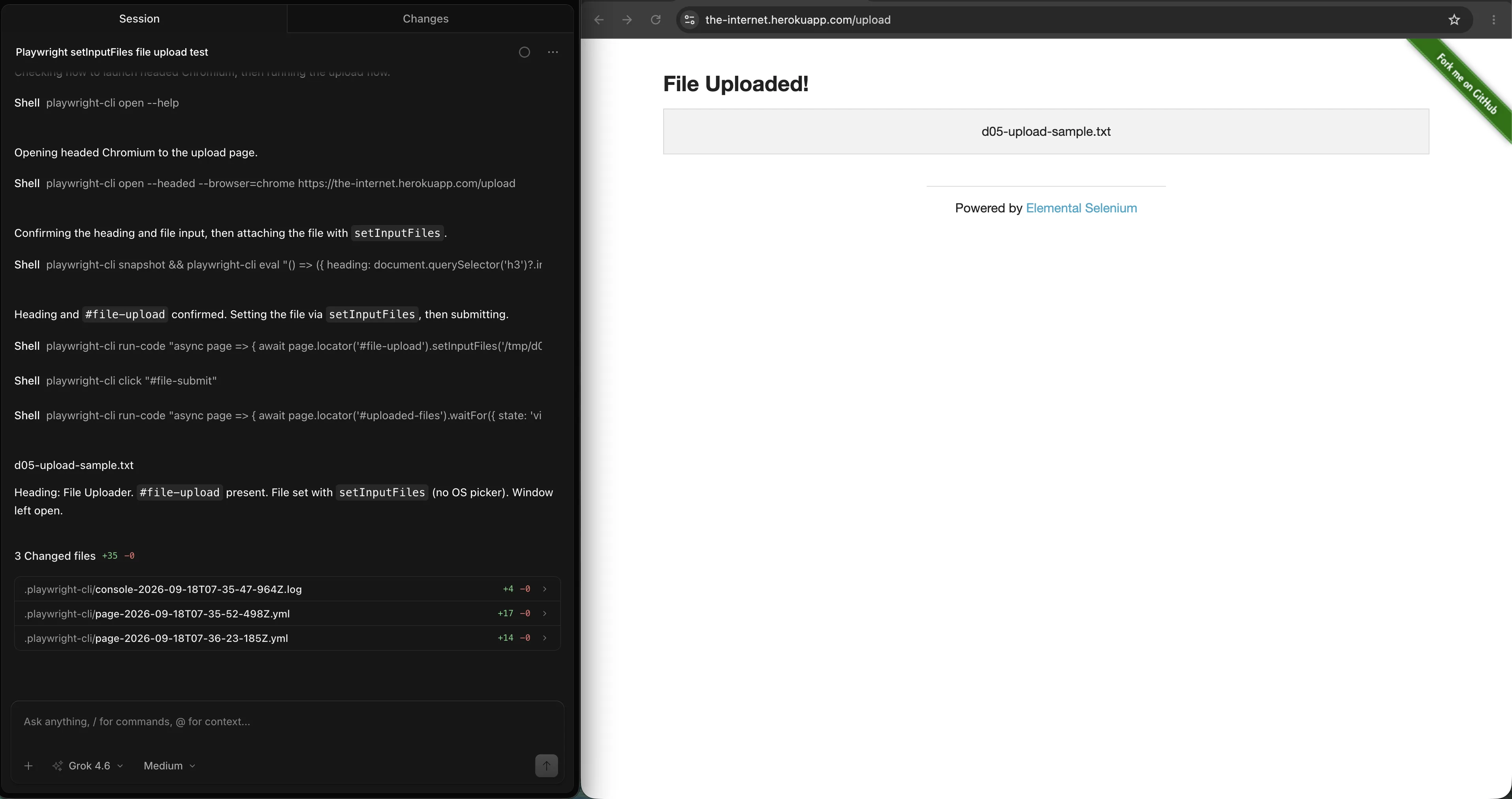
If the input is missing from the static HTML, search labels and descendants. Many design systems wrap the real input and style a button. The button is decoration. The input is the control.
How do you intercept a file chooser from a custom button?
When the click creates the chooser, start waiting before the click. Playwright's FileChooser then accepts setFiles. That still never opens the OS window. It intercepts the chooser the browser would have shown.
const chooserPromise = page.waitForEvent("filechooser");
await page.click("text=Browse");
const chooser = await chooserPromise;
await chooser.setFiles("/absolute/path/sample.txt");ego(lite) exposes the same shape as waitForFileChooser, then chooser.setFiles. Arm the wait first. A click that already opened a desktop sheet is too late for this path.
If waitForEvent('filechooser') times out, you probably do not have a chooser. You have a true OS dialog, a permission prompt, or a click that never reached the input. Snapshot the page and confirm an input exists before you escalate.
How do you save a download without a Save As window?
Downloads are another native-looking sheet that the browser API already owns. Playwright's download docs tell you to wait for the download event, then call saveAs with an absolute path. ego(lite) uses the same event and saveAs.
const downloadPromise = page.waitForEvent("download");
await page.click("text=Download");
const download = await downloadPromise;
await download.saveAs("/absolute/path/report.pdf");
Do not set a global download directory with raw CDP unless you know you can restore it. Per-download saveAs keeps the rest of the session alone.
When is OS-level automation the last resort?
Use AutoIt, Robot, or xdotool only after you have confirmed there is no file input and no interceptable chooser. Those tools type into the desktop window. They are not portable. They fail in headless CI. They break when the OS language changes the button names.
| Tool | Where it runs | Why it is last |
|---|---|---|
| AutoIt | Windows GUI | No Linux runner, no headless job |
| Java Robot / SendKeys | A headed desktop | Needs focus. A screensaver or extra window steals keys |
| xdotool | Linux X11 | Not macOS, not Wayland by default |
Cross-platform suites should not default to those tools. Ranking Medium posts do, because the query names the native dialog. The maintainable answer is still the input and the chooser.
When should a person take over the prompt?
A person should take over when the browser shows a real OS sheet, a permission prompt, or a device picker that automation cannot fill. That is not a test failure to hammer. It is a control boundary.
ego(lite) 0.5.0.32 can setInputFiles and waitForFileChooser inside a Space. When the next step is a desktop prompt, call handOff and wait. Changelog for that version is dated 2026-09-12 on the ego(lite) changelog. The agent should not guess through a macOS privacy dialog.
Download ego(lite) when the upload sits behind a signed-in profile you already use, and you want to watch the chooser or take over. Keep Playwright for a CI loop that already has an input[type=file] and a fixture path.
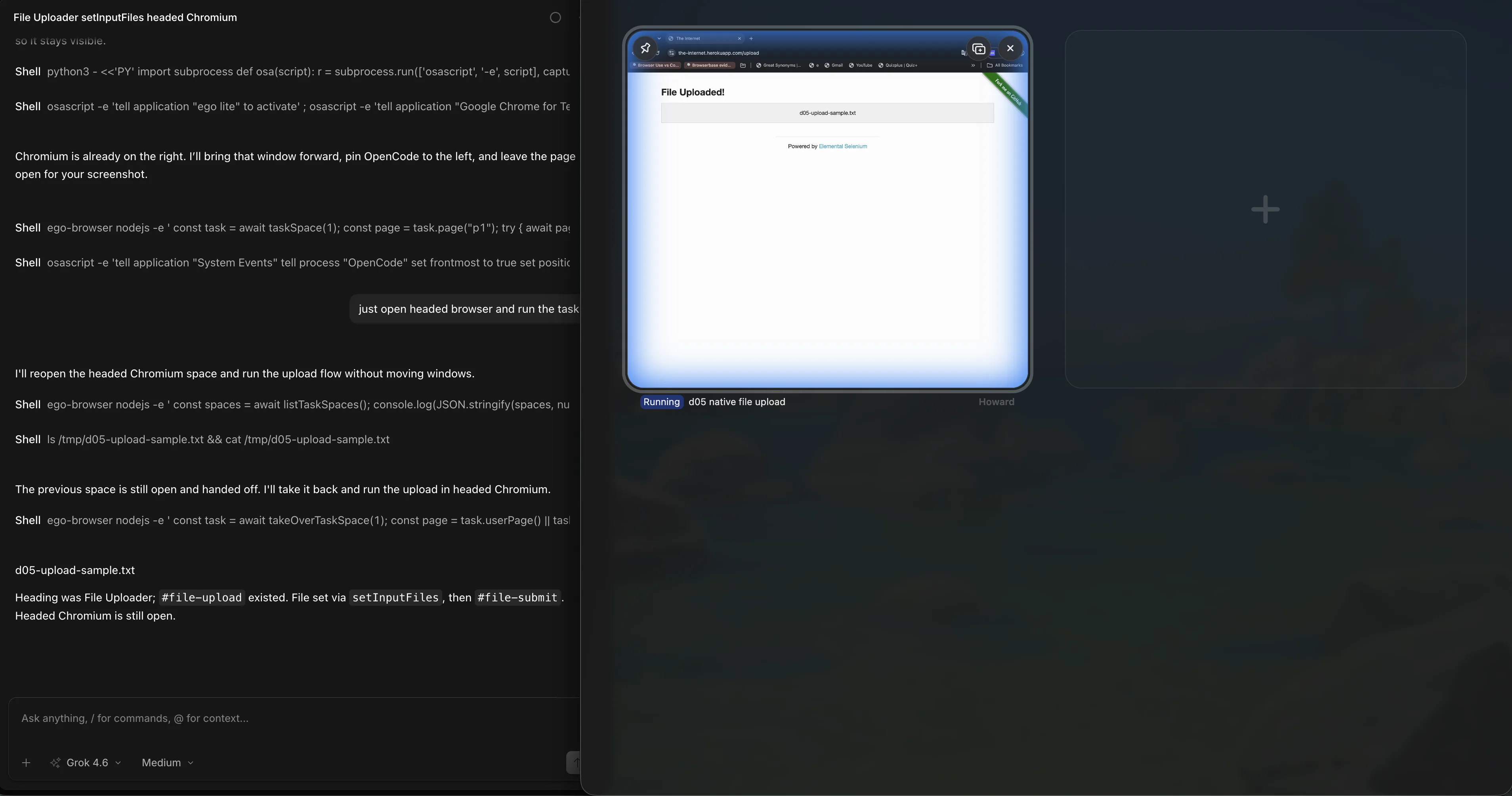
We tested that Space path from OpenCode. The Spaces overview kept d05 native file upload in its own running Space, with an empty slot beside it instead of a second stacked browser.
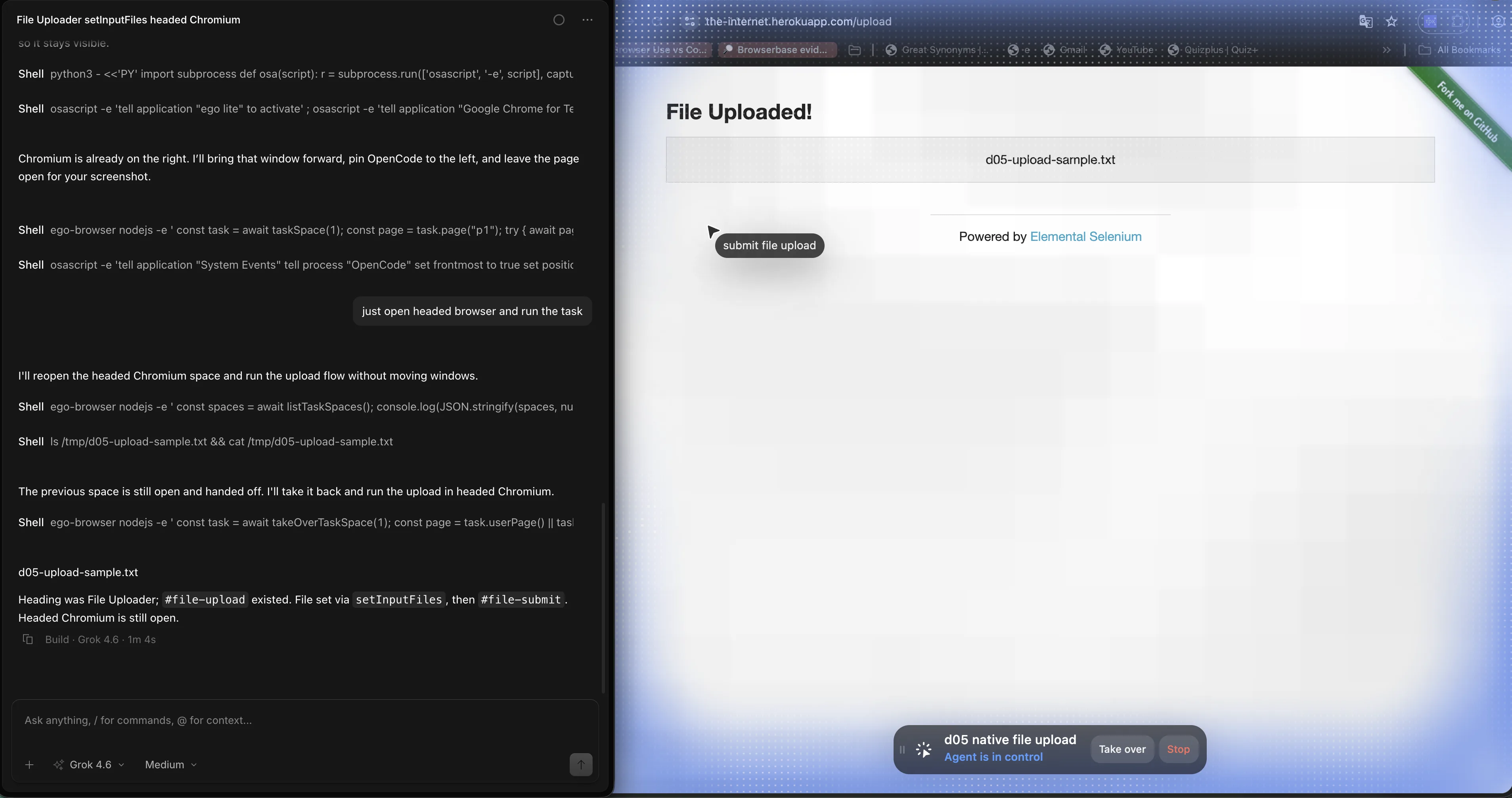
We tested the same public upload inside that Space. The Space stayed in agent control on File Uploaded, with d05-upload-sample.txt, Take over, and Stop visible. No OS Open sheet was in the frame.
What are the challenges and limitations?
The hard widget never mounts an input and never fires filechooser. Then you do not have an upload to automate. You have a desktop prompt or a broken control.
Headless CI has no desktop to type into. Robot examples from SERP die there. setInputFiles does not.
Multiple files, drag-and-drop zones, and folder picks each need their own check. Multiple files are still setInputFiles with an array. Drag-and-drop may still hide an input. Folder picks are often native and should go to a person.
If Choose File is still in the page, set the input. If a desktop Open sheet is already up, stop. On 2026-09-18 the headed run never opened that sheet and printed d05-upload-sample.txt after submit.
FAQ
How do I automate a native file dialog in Playwright?
Usually the OS window is never clicked. Call setInputFiles on the file input, or wait for filechooser and set files there. the-internet.herokuapp.com/upload is the public example of the input path. On 2026-09-18 the headed run printed d05-upload-sample.txt in #uploaded-files.
How do I upload a file when the input is hidden?
Hidden inputs still accept setInputFiles. Target the input, not the styled button.
What if there is no input[type=file] on the page?
Arm waitForEvent('filechooser') before the click. If that times out, the control is likely a true OS dialog. Hand it to a person.
Can Selenium click the Windows file dialog?
Not with a page locator. Ranking answers add AutoIt or Robot. Those are Windows-headed workarounds, not a portable suite.
How do I handle a Save As dialog?
Wait for the download event and call saveAs with an absolute path. Do not fill the OS Save sheet.
Does this work in headless CI?
setInputFiles and download saveAs work headless. OS typing does not.
How does ego(lite) upload a file?
Use setInputFiles or waitForFileChooser in the Space. If a native sheet appears, handOff. ego(lite) 0.5.0.32 follows that split.
Can I upload multiple files?
Yes, if the input allows it. Pass an array of absolute paths to setInputFiles.
Should I use clipboard paste into the dialog?
No as the default. Clipboard plus Enter needs a focused headed window and a stable OS locale. Prefer the input.
Is it safe to automate file picks on a shared machine?
Only with fixtures you own. Do not point automation at other users' documents, and do not dismiss OS permission dialogs automatically.
If the upload needs a watched signed-in browser, ego(lite) is free to download.