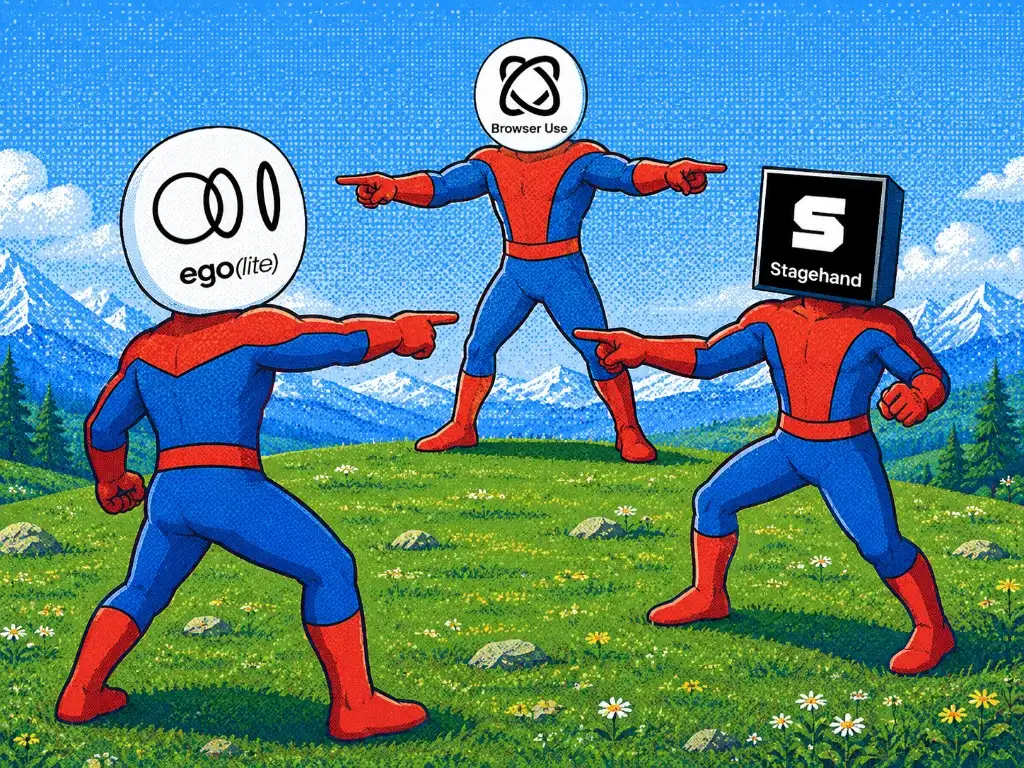
The short answer: Browser Use owns an autonomous browser-agent loop; Stagehand gives developers a CDP-native SDK that mixes deterministic code with AI primitives; ego (lite) hands the agent a full Chromium to drive. Choose by who should own the next action, not by a feature checklist.
We installed current packages, ran the same multi-step local request workflow through each available product browser interface, and saved every failure, tool output, server event, and screenshot. The AI Agent paths were inaccessible without a model provider; the results below have that explicit boundary.
Disclosure: we build ego (lite).
What is the core difference?
The comparison becomes much easier when you separate autonomy from browser control. Browser Use is an agent framework. Stagehand is an SDK for browser agents. ego (lite) is a browser made available to an external coding agent.
| Decision factor | Browser Use | Stagehand | ego (lite) |
|---|---|---|---|
| Primary role | Autonomous agent loop and browser runtime | Hybrid SDK for deterministic and AI actions | Persistent real browser for shell-capable agents |
| Current runtime checked | Python 3.12 used; package 0.13.10 | Node 22.18+ required; package 4.1.0 | Installed macOS app and CLI 0.5.2.16 |
| Who chooses the next action? | The configured model inside Browser Use's loop | Your code, with AI exactly where you call it | Your coding agent, through scripts and CDP |
| Official language surface | Python | TypeScript, Python, and Go | Any agent that can run its shell skill |
| Best default fit | Unknown routes that require exploration | Browser workflows maintained in a codebase | Coding-agent tasks in a persistent personal browser |
Browser Use: the model owns the route
Browser Use is an MIT-licensed Python framework with an Agent that observes the page, decides what to do, acts, and repeats. That is the right abstraction when the route cannot be written in advance. It also means model choice, prompts, timeouts, output validation, browser profiles, and infrastructure are part of your system.
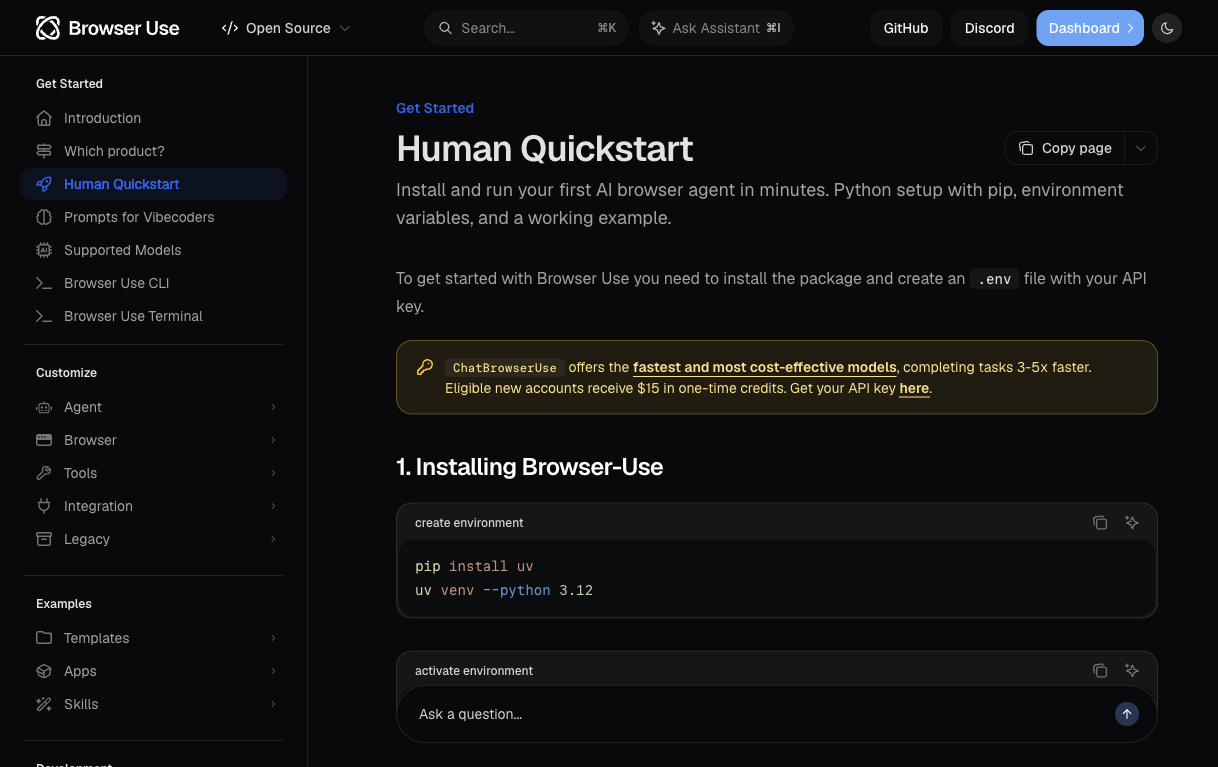
The official Quickstart says to install the Python package and put the model API key in a .env file. The screenshot above records that prerequisite; read the full-resolution Quickstart screenshot to inspect its original text.
Stagehand: code owns the route
Stagehand is Browserbase's open-source browser-agent SDK. The current v4 SDK uses a CDP-native browser interface rather than Playwright as its runtime, while exposing familiar Page methods. Its act, extract, and observe calls let code keep known steps deterministic and ask a configured model only about the uncertain part.
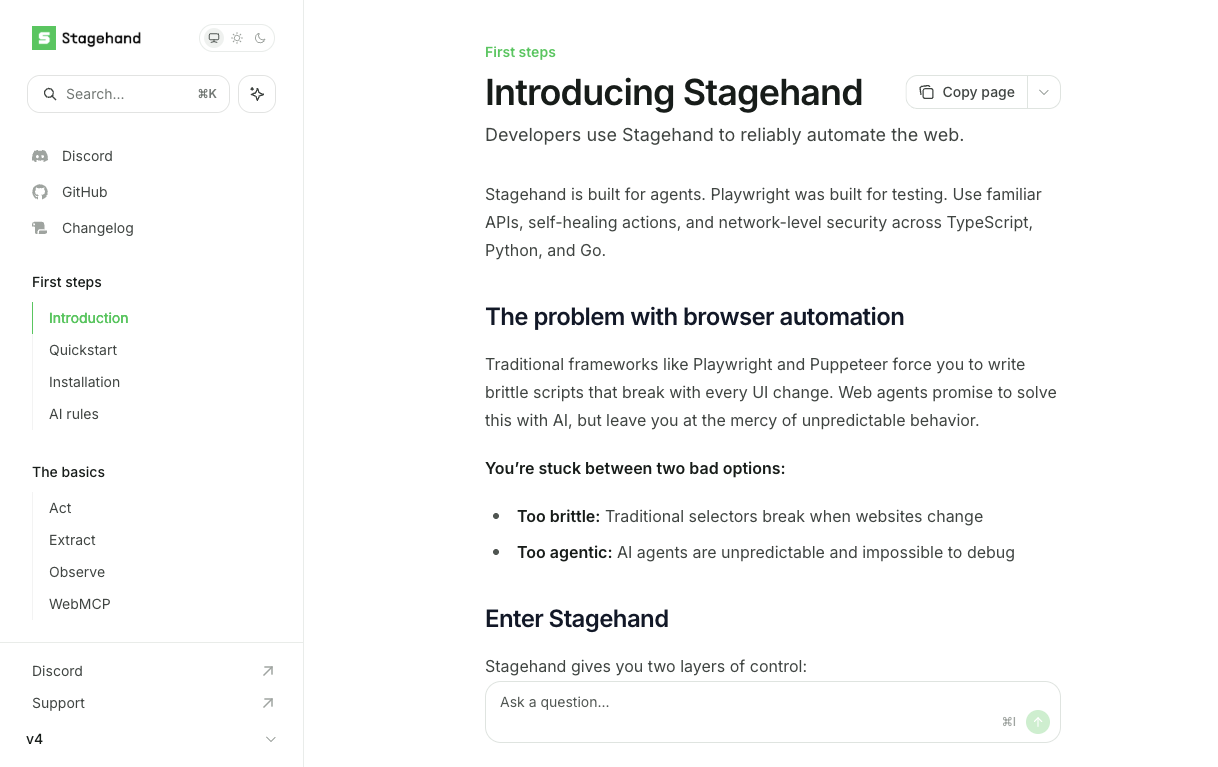
Open the full Stagehand documentation screenshot
ego (lite): the browser your coding agent works in
ego (lite) does not add another planning model. A coding agent such as Codex or Claude Code writes a JavaScript workflow for its Chromium TaskSpace. This case tested page fields, a reload, screenshots, and a server-verified write; it did not test cross-origin iframes or shadow DOM.
What did the current browser-layer test actually show?
On September 28, 2026, we used one independent local Request Desk app to test the browser interfaces we could actually run. Every route had to create the same synthetic request for order 6123, assign Mira, set High priority, save it, mark it Ready, reload the page, and return the saved row. The Ready action is rejected until the owner and priority are correct. A separate server state endpoint and event log supplied an independent answer key.
The versions were browser-use 0.13.10 on Python 3.12, @browserbasehq/stagehand 4.1.0 on Node 23.11, and ego-browser 0.5.2.16. Browser Use and Stagehand used separate headless Chrome 153 profiles; ego used its real Space and Chromium 154. We had no provider API key or Ollama executable in the test shell, so Browser Use's Agent and Stagehand's AI act/extract/observe path were blocked. These are real product browser-interface runs, not autonomous-agent or model-cost comparisons.
The core browser calls were small enough to inspect. Browser Use used BrowserSession and actor Page, Stagehand used localBrowser plus Page locators after Stagehand.create, and ego used a TaskSpace Page. The full scripts, package locks, original tool output, server events, screenshots, and both the initial and corrected scoring sheets are in the reproduction pack.
# Browser Use 0.13.10, after opening the local page
await (await element('#order')).fill('6123')
await (await element('#subject')).fill('Address discrepancy QA')
await (await element('#create')).click()
await page.evaluate('() => { document.querySelector("#owner").value="Mira"; document.querySelector("#priority").value="High"; }')
await page.evaluate('() => document.querySelector("#save").scrollIntoView({block:"center"})')
await (await element('#save')).click()
await page.evaluate('() => document.querySelector("#ready").scrollIntoView({block:"center"})')
await (await element('#ready')).click()
await page.reload()
// Stagehand 4.1.0, localBrowser after Stagehand.create({ browser })
await page.locator('#order').fill('6123');
await page.locator('#subject').fill('Address discrepancy QA');
await page.locator('#create').click();
await page.locator('#owner').selectOption('Mira');
await page.locator('#priority').selectOption('High');
await page.locator('#save').click();
await page.locator('#ready').click();
await page.reload();| Product browser path | Three fixed-script runs after diagnostics | Injected false success |
|---|---|---|
| Browser Use BrowserSession | bu-10, bu-11, bu-12: all four checks passed | bu-fault-4: Draft after reload |
| Stagehand localBrowser | sh-4, sh-5, sh-6: all four checks passed | sh-fault-2: Draft after reload |
| ego-browser Space | ego-4, ego-5, ego-6: all four checks passed | ego-fault-2: Draft after reload |
The table describes the final fixed scripts, not an overall product success rate. We retained every earlier failure. Browser Use's select_option returned without selecting the fixture's implicit-value options, and early saves did not reach the server until we set those values through its Page.evaluate interface and scrolled to the button before clicking. Stagehand had one early race when our script read the page before its asynchronous save completed. Our first scorer also read only stdout even though ego-browser emitted its structured console log on stderr; the unedited log and a separate rejudging script show that correction. None of these diagnostic runs were deleted.
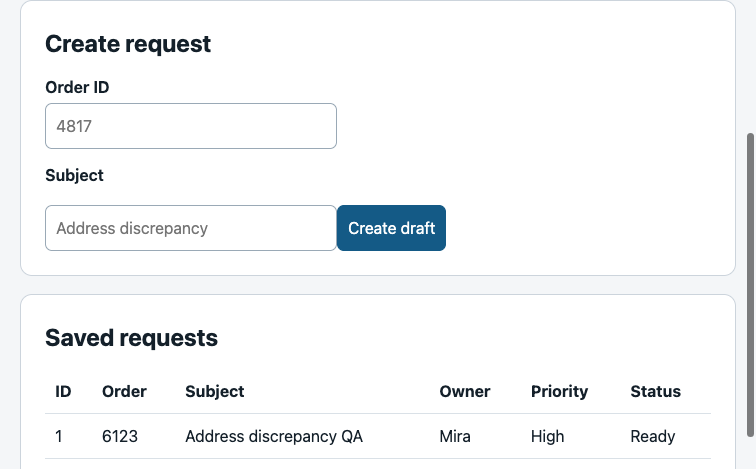
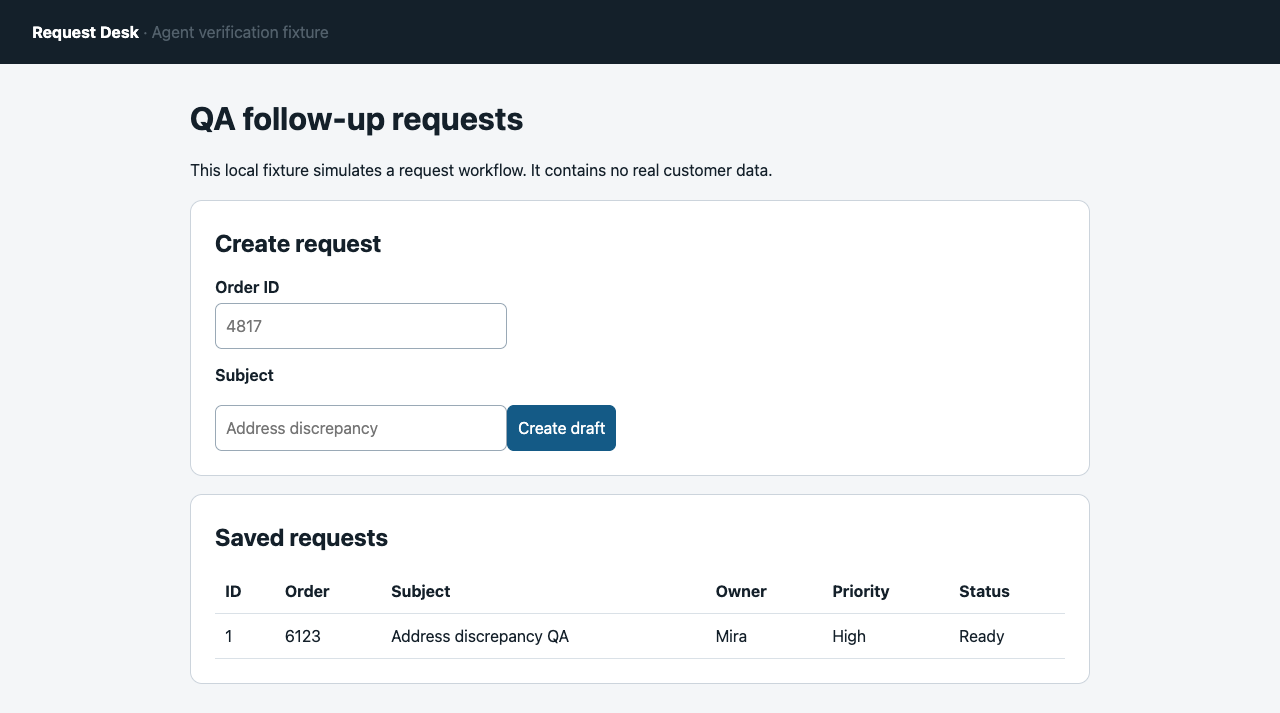
Readable record from the sh-4 screenshot after reload: order 6123, owner Mira, priority High, status Ready. The independent server event log agrees with the row. Inspect the full-resolution sh-4 screenshot for the unedited browser view.
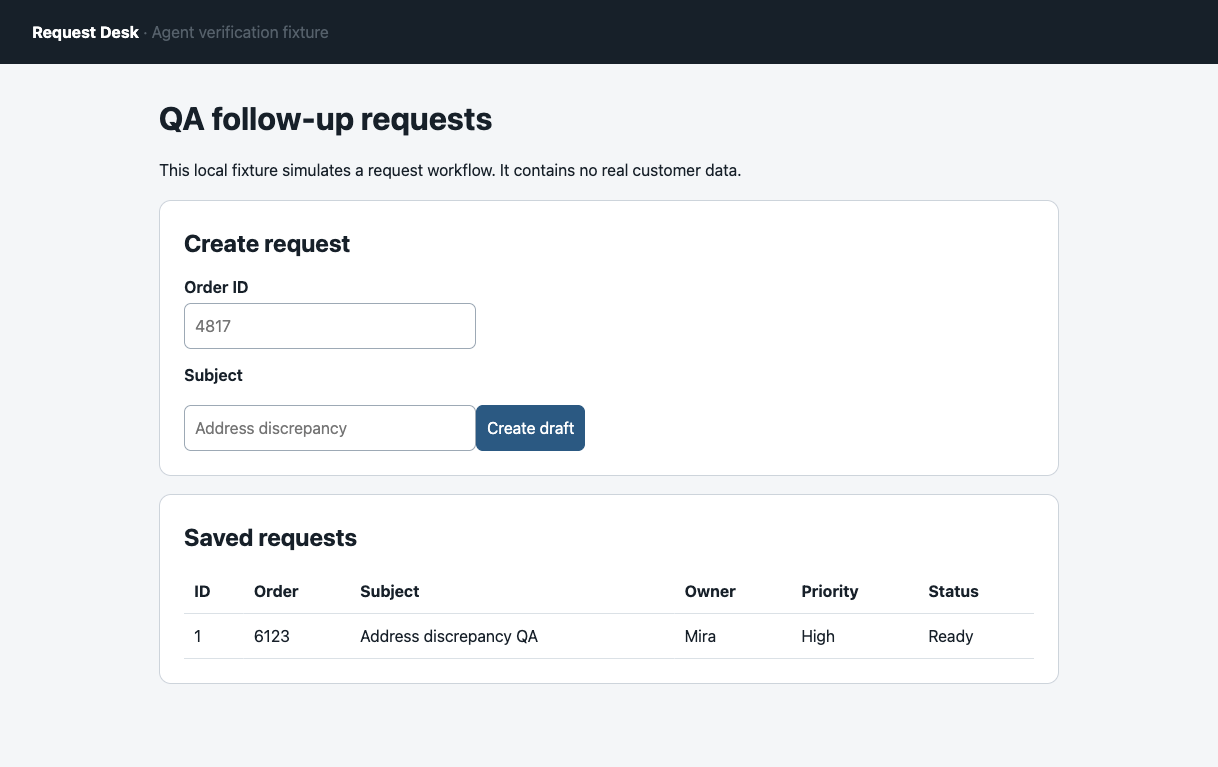
Open the full original result screenshots: Browser Use bu-10, Stagehand sh-4, ego-browser ego-4.
In the injected case, all three routes got an immediate success signal, but the server kept the request as Draft. The next page load and ready_write_suppressed event exposed the mismatch. This demonstrates why a toast, a 200 response, or a screenshot before reload is insufficient evidence of a durable browser task. One fault run per route cannot estimate real-world failure rates.
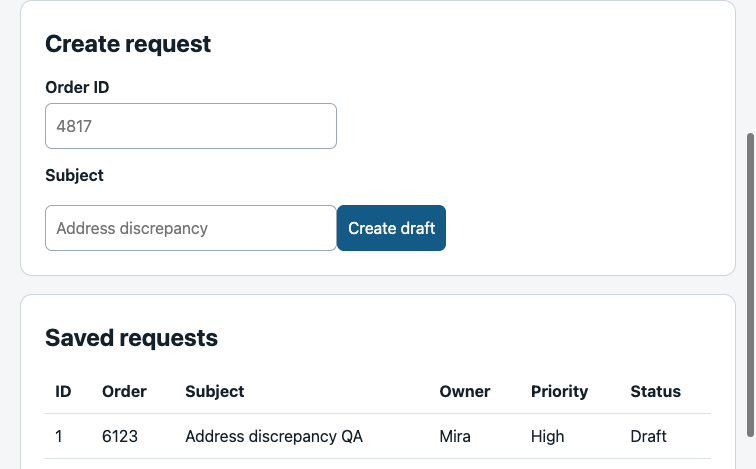
Open the full bu-fault-4 screenshot
Download the reproduction pack to inspect all 32 attempts, the original and corrected scores, version locks, fixture, actual browser scripts, screenshots, and server events. Its public copy makes the ego runner's output path relative to the extracted case directory; the source and public SHA-256 map identifies the two changed members. These runs do not measure model tokens, billed cost, AI planning quality, or cross-product speed.
For a separate external comparison, Skyvern reported a September 2026 Books to Scrape test with repeated Browser Use Cloud and Stagehand runs, a shared model label, and disclosed failed links. Its tasks, hosting, model setup, and scoring differ from ours. Treat that as an independent operator report, not extra trials for this local fixture.
Which browser agent is ready for production?
There is no production winner independent of the operating model. Browser Use is the clearest fit when an autonomous agent must discover a route. Stagehand is a better fit when a team owns a codebase and wants AI primitives beside deterministic browser code. AgentQL is a query-oriented option for teams that want natural-language data shapes over a Playwright browser, while Skyvern is a workflow platform to evaluate when a visual, service-managed process matters more than embedding a browser SDK. The browse CLI is a useful local comparison when the agent should call a small command surface.
Treat those labels as starting points, not guarantees. Before adopting any of them, run your own read-only acceptance task against the pages, account states, and output schema you actually need. Measure completion rate, recovery after a failed step, evidence captured, operator intervention, and cost per successful result. A tool that looks autonomous in a demo can still require a queue, retries, a validator, and a human escalation path in production.
| Production question | What to verify |
|---|---|
| Can it recover? | Retry limits, timeout state, and a resumable session rather than a blind replay |
| Can it be audited? | URL, inputs, extracted output, screenshots or logs, and the final validation decision |
| Can it be contained? | Separate profiles or Spaces, domain policy, scoped credentials, and a stop or takeover control |
What does one browser-agent execution cost?
The useful unit is cost per successful result, not the advertised token price. Add model input and output tokens, browser or session minutes, network or proxy charges, storage, retries, and the human time spent reviewing failures. A 100-token extraction that must be rerun three times can be more expensive than a longer deterministic script that succeeds once.
Stagehand's documented act, extract, and observe primitives can keep model calls limited to selected steps; Browser Use's Agent can plan a route; ego (lite) can let an existing coding agent keep that planning role. Our September case used no browser-product model provider, and we could not observe coding-agent tokens or billed cost. It is a browser-interface and verification case, not a price benchmark.
How should agents handle login and CAPTCHA?
Handle authentication as a state transition, not as a challenge to defeat. Give the agent a least-privilege profile, navigate to the login page, and pause for the account owner to enter passwords, one-time codes, or passkeys. Resume only after the page exposes a verifiable signed-in state. Keep CAPTCHA, WAF, and rate-limit responses as explicit stop conditions; do not automate solving or evade a site's access controls.
For a deeper threat model, read our browser-agent security checklist. It covers prompt injection, credential boundaries, approval gates, and the kill switch that should exist before an agent can reach a valuable account.
How do you automate websites that change often?
Use a layered contract. Keep navigation and high-risk actions deterministic where possible, prefer accessible names and stable data attributes over coordinates, and reserve AI observation for the uncertain edge. After every extraction, assert the URL, record count, required fields, and a source-page checksum or visible label. When the contract fails, save the page evidence and stop for repair instead of letting the agent guess.
Self-healing selectors can reduce maintenance, but they do not prove that the meaning of a field stayed the same. Run a small canary task after a site release, pin package versions, and keep a fallback path. The right response to a frequently changing website is observable recovery, not an unbounded retry loop.
How do you prevent an AI extraction from returning wrong numbers?
Validate semantics after validating shape. Require the expected number of rows, numeric bounds, units, rank or date ordering, and a citation to the exact source element. For a price, compare the currency and product identifier; for a ranking, compare the visible rank; for a count, reject formatted text that cannot be parsed unambiguously. If any invariant fails, return an error with evidence instead of a plausible-looking number.
The September case tested a write rather than AI extraction. Its false-success injection showed a parallel problem: an HTTP 200 response and immediate Ready display were both valid shapes, while the saved record remained Draft. Reloading and checking the independent server event caught it. We did not run Stagehand extract or Browser Use Agent in this case, so no AI extraction accuracy claim follows from these runs.
Can a local AI model run this reliably?
The September run cannot answer this empirically. No Ollama executable or provider key was available in the test shell, so we stopped at the browser interfaces. To evaluate a local model, hold its exact version, quantization, context, browser, timeout, prompts, and task rubric fixed. Save all failures and validate each output against the source page or server state.
A useful test is to keep known navigation in code and ask the model only for the uncertain step. Log its input and output tokens, response time, retries, errors, and accepted results. Do not call a deterministic BrowserSession or localBrowser run an AI-agent trial. A model decision needs its own run IDs and independent answer key.
How can a non-expert automate one annoying task?
Start with a read-only task that has a clear finish line: collect a short list, copy a report, or summarize one page into a file. Write the starting URL, allowed domains, expected output, and stop conditions in plain language. Run it in a separate browser profile or ego (lite) Space, inspect the first result, and only then add pagination or a second site.
For example, an email-to-RAG workflow should first extract each question into a numbered JSON array, preserve the email subject and timestamp, and ask for review before indexing. That small contract is easier to debug than asking an agent to read an entire inbox and decide what matters. Once the read-only path is repeatable, add human-approved writes one action at a time.
What does each one require to run?
The visible API is only part of setup. The real first-run surface includes language runtimes, browser binaries or services, model access, profiles, and the place where results are validated.
| Product | Minimum practical setup | Availability checked September 28, 2026 |
|---|---|---|
| Browser Use | Python 3.12 in the checked Quickstart, package or CLI, a supported provider or configured local model, browser/profile choice, and result validation | MIT package is free to self-host; model and browser infrastructure cost extra; optional Browser Use Cloud is usage-priced |
| Stagehand | Current language SDK, ESM-compatible setup for TypeScript, local or Browserbase browser, and a supported model or client callback for AI primitives | MIT SDK is free to self-host; model and browser costs remain; Browserbase is an optional managed production path |
| ego (lite) | Desktop app, one-time ego-browser skill setup, and a shell-capable coding agent that can write and verify the workflow | macOS download was free; Windows remained a waitlist; the coding agent's own plan or API usage is separate |
The new install resolved browser-use 0.13.10 on Python 3.12 and Stagehand 4.1.0 on Node 23.11. Stagehand required Stagehand.create({ browser }) before its localBrowser context was accessible. Browser Use's actor Page required an explicit select-value and scroll workaround on our fixture. ego-browser 0.5.2.16 ran in an existing Space; our scorer had to read its console output from stderr. These are reproducible setup and harness findings, not a production ranking.
How should you think about sessions?
Browser Use documents real-browser profile reuse and profile sync. Stagehand local-browser options expose userDataDir and profile preservation, while Browserbase provides managed session paths. ego (lite) starts from a persistent desktop browser and keeps agent work inside separate Spaces.
Choose Browser Use or Stagehand when your application should provision and own the browser profile or remote session. Choose ego (lite) when an existing coding agent should work from a persistent, visible desktop browser where it inherits your real Chrome logins. Whichever route you take, define which accounts, domains, and actions the agent may reach before connecting valuable accounts.
For the connection models themselves, read our guide to how agents connect to an existing browser and the browser-agent security checklist before using valuable accounts.
Which one should you choose?
Choose Browser Use when discovery is the job
If the agent must discover an unfamiliar route, adapt across changing pages, and decide what action comes next, Browser Use gives you the right top-level abstraction. Budget for a capable model, traces, timeouts, retries, and an independent validator. The direct browser APIs are still available when a deterministic escape hatch is needed.
Choose Stagehand when the workflow belongs in code
If an engineering team owns the browser workflow, the stable route should remain code and tests. Call extract or act only for the variable part, then check the output against source-page invariants. Stagehand is especially compelling when Browserbase already fits the deployment model, but local browser execution is available too.
Choose ego (lite) when a coding agent needs its own persistent browser
If Codex, Claude Code, or another shell-capable agent is already doing the planning and writing code, adding a second browser-agent framework can be redundant. ego (lite) supplies what is missing, a free full Chromium that your coding agent drives against real sites.
Choose Playwright when the task is fully deterministic
If the DOM and route are known, neither a full agent loop nor an AI extract may be necessary. A lower-level automation library is easier to test and cheaper to reason about. Our Browser Use vs Playwright comparison covers that boundary directly.
What are the real limitations?
Browser Use
The framework offers an autonomous Agent, but we did not run that path without a model provider. In the current BrowserSession case, implicit-value option selection returned without changing the field, and a save click did not write until we explicitly scrolled first. The corrected browser-layer route completed the fixed task; it does not validate autonomous Agent behavior.
Stagehand
Stagehand is a developer SDK. You still design the workflow, configure a model for its AI primitives, and build result checks. Its localBrowser path ran our fixed task, but an early script failed when we did not wait for asynchronous UI state. We did not test extract semantics in this September case.
ego (lite)
ego (lite) is strongest when a shell-capable coding agent needs persistent browser state, an isolated task Space, and a human-visible takeover path on macOS. It keeps planning in the coding agent and browser execution in a dedicated desktop environment. For unattended CI, standalone autonomous navigation, or server-side browser fleets, compare the headless and real-browser trade and choose infrastructure designed for that operating model. The first scorer mislabeled ego runs because its console output went to stderr; the preserved transcript and rejudging script correct our harness error, not a product failure.
FAQ
Is Stagehand built on Playwright?
No. The current Stagehand v4 documentation describes an agent-focused SDK with familiar browser APIs and a CDP-native runtime. Its localBrowser path in our 4.1.0 install used Stagehand’s own browser interface, not a Playwright Test runner.
Can I use Stagehand without Browserbase?
Yes. Stagehand v4 exposes a localBrowser path as well as Browserbase launch and connect paths. We used localBrowser for this test. Browserbase becomes relevant when managed sessions, proxies, observability, or production browser infrastructure match your deployment needs.
Stagehand vs Browser Use: which is better for scraping?
For known sites and exact fields, Stagehand's deterministic-first shape is usually easier to validate. For unknown sites where the route itself must be discovered, Browser Use's autonomous loop is the stronger starting point. If the sources sit in a persistent personal browser and a coding agent already owns the task, ego (lite) is a third architecture rather than a drop-in SDK substitute.
Can all three keep login state?
All three expose a session strategy, but through different ownership models. Browser Use can reuse or sync profiles. Stagehand can preserve a local user data directory or use managed Browserbase sessions. ego (lite) is built around persistent browser state and isolated Spaces. None of that proves automatic compatibility with every site or account.
Did this case compare Browser Use Agent with Stagehand AI?
No. This September case used Browser Use BrowserSession, Stagehand localBrowser, and ego-browser Space without a shared model client. The Agent and AI primitive routes were blocked by model access. A future AI comparison would need the same task, model, account state, success rubric, repeated runs, and separate cost records.
Which option is cheapest?
The packages can be self-hosted, but model, browser, proxy, retries, and operator review still have costs; managed services add their own billing. The ego (lite) macOS download was listed as free on September 28, while the coding agent has a separate plan or API cost. This case did not measure model tokens or billed spend, so it cannot rank total cost.
Do any of them bypass CAPTCHAs reliably?
Do not choose any of the three from a universal bypass claim. Browser Use Cloud and browser-infrastructure vendors offer CAPTCHA-related services, while persistent profiles can reduce some repeated challenges, but site behavior changes and anti-bot systems are adversarial. We did not test CAPTCHA handling in this experiment.