Claude Code MCP configuration: scopes, setup, and Playwright fixes


If you’ve already added Playwright MCP to Claude Code but still can’t open a page, reinstalling everything usually isn’t the best place to start. Most MCP setup issues come down to a few common causes: the project-level MCP server hasn’t been approved yet, the launch command is incorrect, or the required browser binaries are missing.
Start by running /mcp to check whether the server is connected and whether the Playwright tools are available. Then ask the agent to open a page. This helps narrow down whether the problem is with the MCP connection, Playwright itself, or the browser environment, without repeatedly changing a configuration that may already be correct.
But opening a page is only the first step. Real browser tasks often involve searching, opening multiple pages, moving between different sources, and deciding what to do next based on what appears on the page. When investigating an error, for example, an agent may need to review search results, open several relevant discussions, compare reported environments and error messages, and evaluate the suggested fixes before deciding which one is worth trying.
With ego(lite), the agent can keep these pages open and continue working inside a separate browser Space without interrupting the browser window you’re using. You can enter that Space at any time to review what the agent has found or take over when human judgment is needed.
This article starts with configuring MCP in Claude Code and troubleshooting common Playwright and browser issues. It then uses the same investigation task to demonstrate a different approach to browser workflows. An MCP server showing “connected” only means the tools are available. What matters is whether the agent can actually use them to complete the browser task that comes next.
What does an MCP server add to Claude Code?
Claude Code ships with its own built-in tools, but a model context protocol server lets you add named capabilities it does not have by default, a browser, a database, or a SaaS API. The official Claude Code docs describe servers as a way to connect to external tools and data sources, added with claude mcp add and managed in-session with /mcp.
The protocol itself is defined at modelcontextprotocol.io, which is where transports and capabilities are specified.
The CLI reference behind these commands is the official Claude Code MCP documentation.
The connection runs over JSON-RPC 2.0. Claude Code acts as the host, the MCP server runs as a subprocess (stdio) or a reachable endpoint (HTTP), and each tool carries a name, a description, and an input schema the model reads before calling it. That schema is why a misconfigured server fails as missing tools rather than a crash: the connection opens, but no tool is discovered.
A server is not a plugin and not an extension. A plugin can bundle an MCP server, but adding a server directly writes an entry to your MCP config. That distinction matters when the same tool appears twice, once from a plugin and once from your own config, with different arguments.
Which scope should you pick: local, project, or user?
Claude Code resolves MCP servers by scope, and the scope controls two things at once: where the config lives, and who else can load it. Pick by how the server should travel, not by habit.
| Scope | Stored in | Who can see it | Best fit |
|---|---|---|---|
| local (default) | ~/.claude.json under the project path | Current project only, not shared | A private server you want for one repo and nowhere else. |
| project | .mcp.json at the project root | Current project only, shared via version control | A server the whole team needs, pinned to one config. |
| user | ~/.claude.json | All your projects, not shared | A personal server you want available everywhere. |
When the same server name appears in more than one scope, Claude Code takes the highest-precedence entry whole. Local beats project, project beats user, and the winning entry is not merged with the others. A stale user-scope entry can silently shadow a project one.
How do you add and verify an MCP server?
Add a local stdio server with claude mcp add, using -- to separate Claude Code's own flags from the server command it will spawn. The double dash keeps anything after it from being parsed as a Claude Code option.
claude mcp add --scope project playwright -- \
  npx --yes @playwright/mcp@latest --isolated
For a remote HTTP server, pass the transport and the endpoint. A JSON entry with a url but no type is a configuration error, so spell the type out when you hand-write config.
claude mcp add --transport http sentry https://mcp.sentry.dev/mcpVerification is separate from adding. claude mcp list shows a health status per server, and claude mcp get takes the server name and prints the failure detail when one exists. Inside a session, /mcp lists connected servers, their tool counts, and any that need authentication or approval.
claude mcp list
claude mcp get playwright
A server that shows Connected but exposes no tools, or one that shows Failed to connect with an error code, has not passed verification. The saved config is the beginning of the check, not the end.
When does a project server ask for approval?
Project-scoped servers from a .mcp.json file prompt for approval the first time an interactive Claude Code session tries to use them. That is deliberate: a committed file should not silently hand browser control to the agent just because it exists in the repo.
Non-interactive runs change the rule. In claude -p, Agent SDK sessions, and cloud sessions there is no prompt to show, so Claude Code loads project-scoped servers without asking. That is why a config you trust locally can be a wider surface in CI.
| Run type | Approval behavior | What to watch |
|---|---|---|
| Interactive session | Prompts before using a project server | Pending approval is a trust state, not a crash. |
| claude -p / Agent SDK / cloud | Loads project servers without the prompt | A committed .mcp.json acts with no human gate. |
| Untrusted workspace | Repo-checked-in approvals are ignored until you trust the folder | Server stays Pending approval until you run claude and accept. |
If you never want a specific project server to load, add it to disabledMcpjsonServers. If you want to start with only the servers you pass explicitly, use --strict-mcp-config. Both are deliberate controls, not paper over a trust prompt.
What fixes does Playwright MCP actually need?
Playwright MCP is the most common browser server people attach to Claude Code, and its failures cluster in three places. Each one has a fix that beats reinstalling.
The server in every example here is microsoft/playwright-mcp, where its tool list and open issues live.
The API it wraps is documented at playwright.dev.
If you are still choosing which browser server to attach, the browser MCP comparison for Claude Code ranks the options.
If you are starting from a clean machine rather than repairing an existing server, the Playwright MCP setup guide for Claude Code and Cursor covers the install and registration in order.
Windows: npx breaks the stdio pipe
On Windows, npx is npx.cmd, a batch wrapper that Claude Code spawns without a shell. The stdio pipe MCP relies on never connects, and the server reports Connection closed. The documented workaround is to wrap the command so cmd runs it, or to call node directly against the package's cli.js.
claude mcp add --scope user playwright -- cmd /c npx @playwright/mcp@latest{
"mcpServers": {
"playwright": {
"command": "node",
"args": ["C:\\path\\to\\node_modules\\@playwright\\mcp\\cli.js"]
}
}
}Missing tools or a stale package name
The correct package is @playwright/mcp. The old @modelcontextprotocol/server-playwright name is deprecated, and @executeautomation/playwright-mcp-server is a separate community project. If the connection opens but no tools appear, confirm the exact package Claude Code is launching, not the one you think you typed.
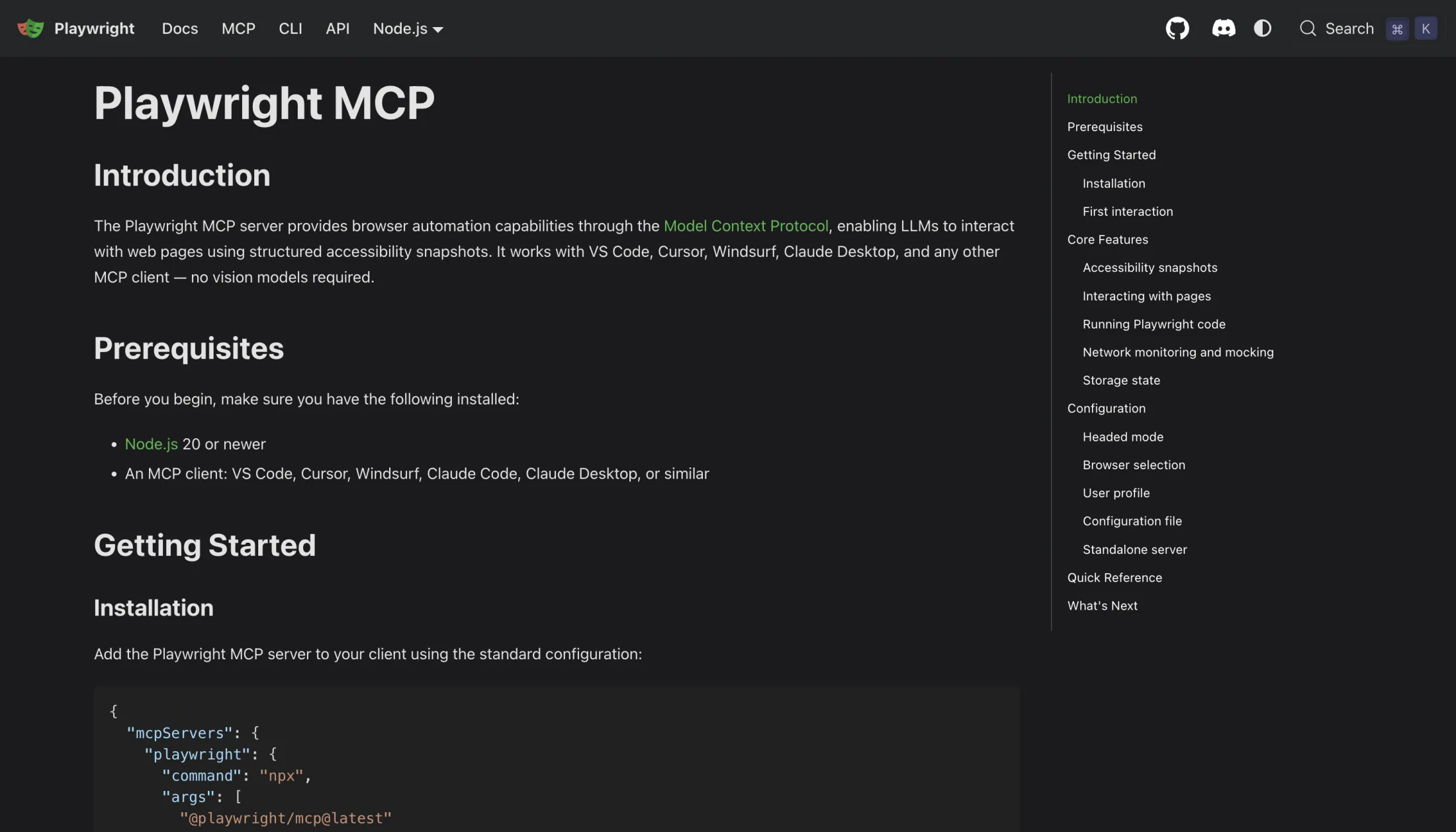
Playwright MCP also needs its browser binary. If the server starts but a launch fails, run npx playwright install, and add npx playwright install-deps on Linux or in Docker. The official docs recommend a Node.js requirement that differs by page, 18 or newer in the README, 20 or newer in the getting-started guide, so check the page in front of you and your node --version.
A server that dies and never comes back
Claude Code does not auto-reconnect stdio servers. When the subprocess dies, the server is marked failed and you reconnect it manually through /mcp. If a browser tab crash or a laptop sleep killed your server mid-task, the fix is a reconnect, not a reinstall.
When should you switch from MCP to CLI or a real browser?
Keep MCP when you want structured tools inside the agent loop, a browser action with a returned snapshot, or a tool Claude Code can reason about by name. Move to the Playwright CLI when the task is shell-shaped, a script, a saved output file, or a run you want to rerun verbatim without the agent loop.
For the same failure class against an existing Chrome session, Chrome DevTools MCP: setup, existing sessions, and fixes walks it through.
Once servers are connected they also cost context; how to reduce MCP token usage covers that trade-off.
Switch to a real-browser route when approved login state is the hard requirement. A fresh isolated Playwright profile does not inherit your everyday Chrome session, and no MCP flag changes that by itself.
For the wider menu of browser routes an agent can take, the five ways to give Claude Code a browser compares them by setup cost and login-state behaviour.
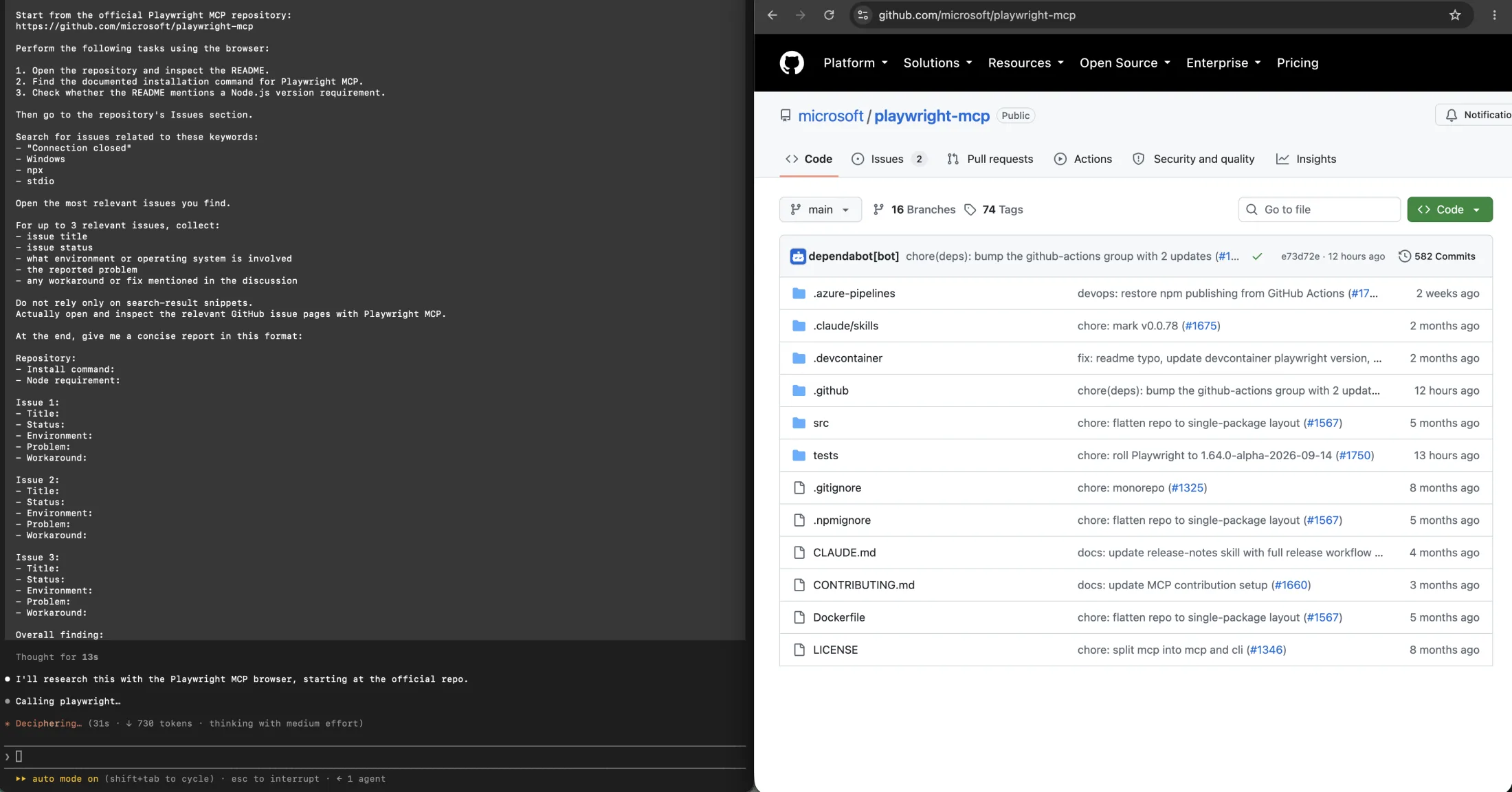
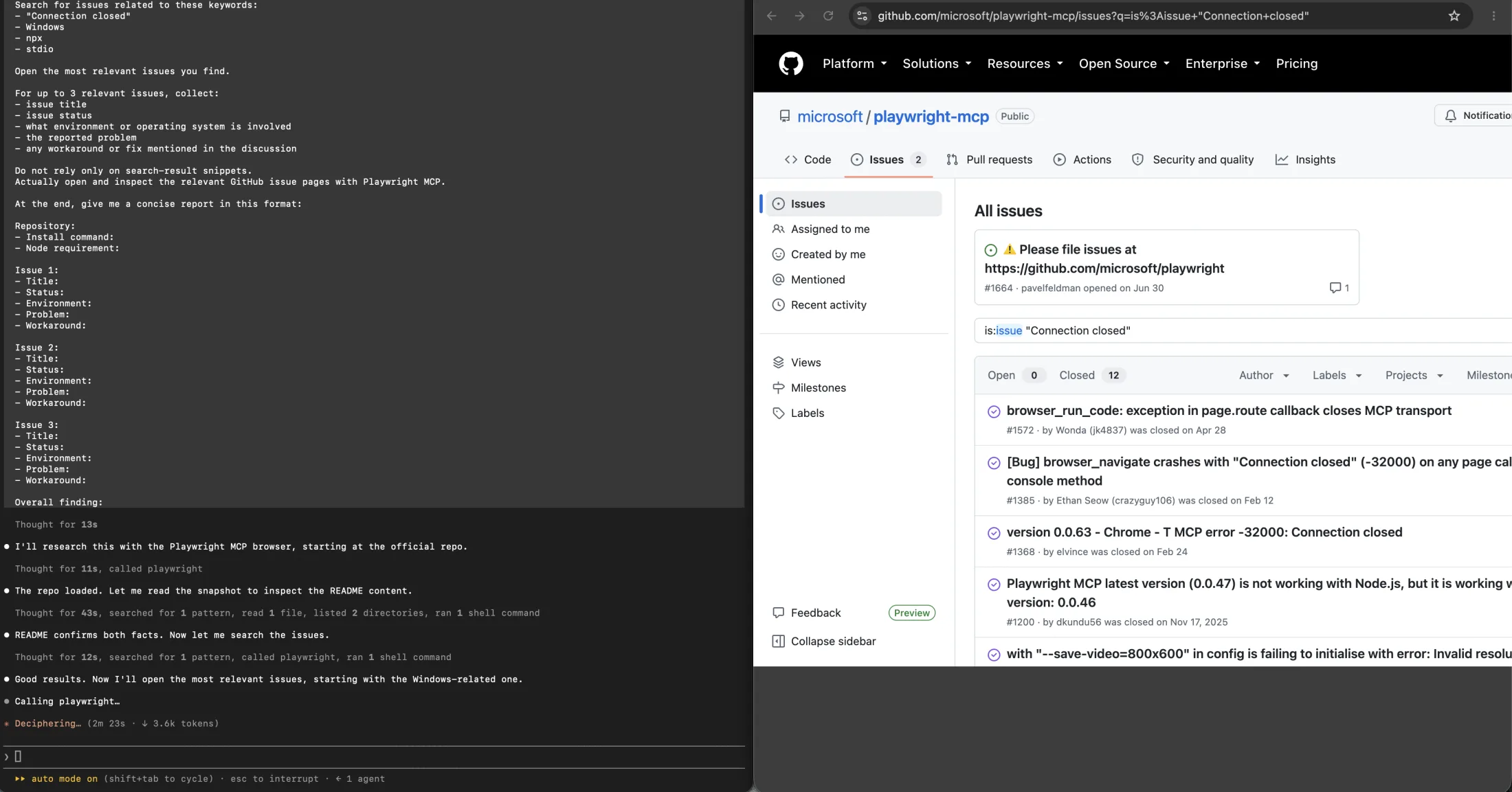
We ran the same research prompt through two of these routes on one machine: the configured Playwright MCP server, and an independent browser Space driven by the ego-browser CLI. The prompt asked for the repository README, the install command, the Node.js requirement, and up to three issues about Connection closed, npx, and stdio — each with its environment, problem, and workaround. Both runs eventually reported three issues. They did not report the same three.
The MCP route read the repository first, confirmed the README and the Node.js 18 requirement, then went to the Issues tab. From there it read each issue as a saved DOM dump and pulled the fields back with shell text tools. At the three-minute-forty-second mark it was opening its second issue, and the run finished around seven minutes fifteen seconds with issues 1385, 1540, and 1611.
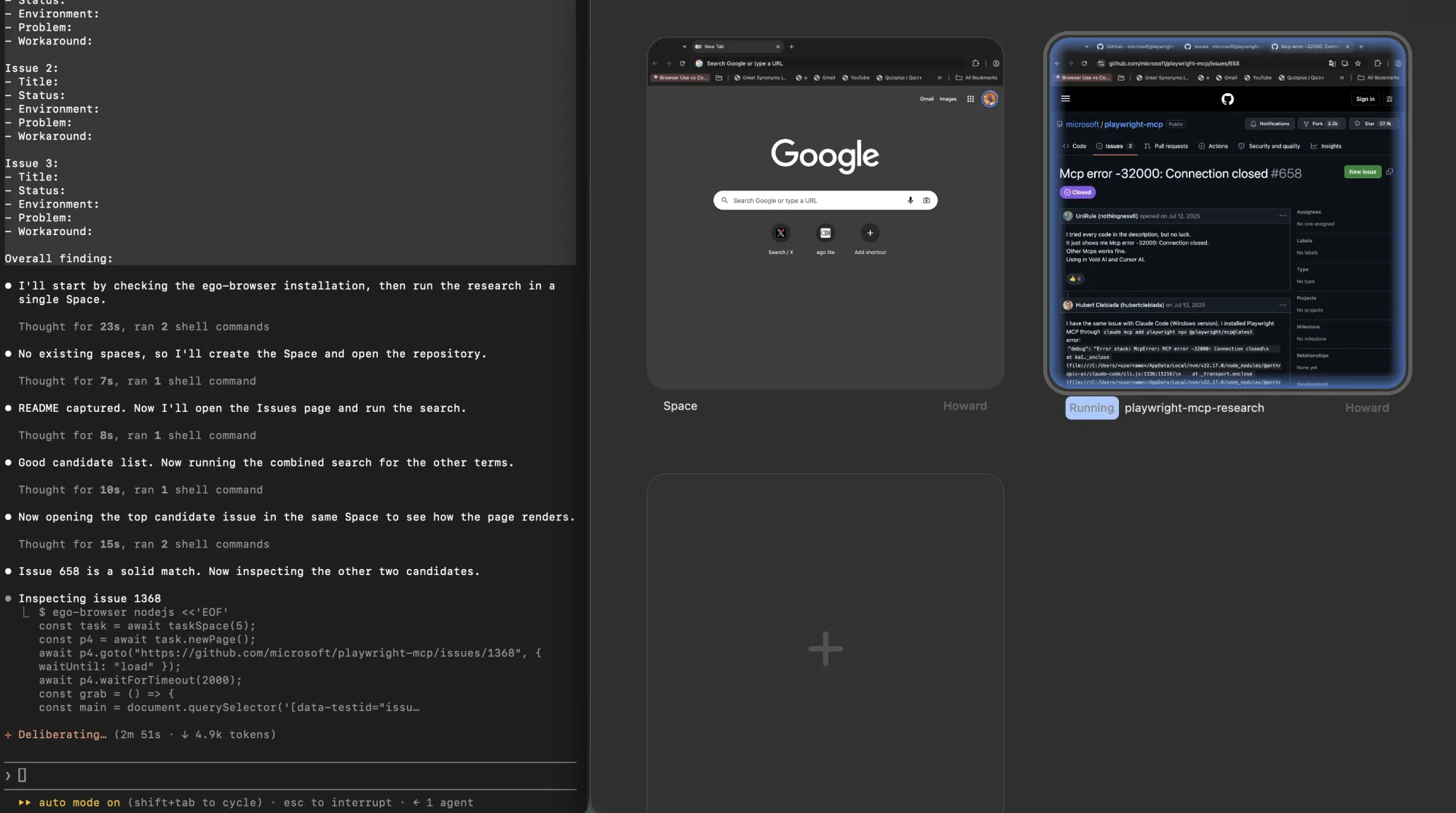
The real-browser route queried the live DOM inside the page instead of dumping it, and opened a second Space so the search results and the issue pages stayed visible at the same time. By three minutes three seconds it had a confirmed candidate, and it reached the third issue's repository notice at four minutes eleven seconds. It reported 658, 1540, and 1385.
The overlap is 1540 and 1385. The difference matters more than the overlap: 658 is the thread carrying the one configuration workaround that several reporters confirmed, and the MCP run did not surface it. The real-browser run also dropped a candidate as too thin, while the MCP run kept an issue whose own reporter had closed it as not valid for that repository. That is a sourcing difference, not a speed difference, and it is the honest reason to pick a route rather than a stopwatch.
| Observed in this run | Playwright MCP route | Real-browser route |
|---|---|---|
| How the page was read | Snapshot saved to a file, then read back with shell text tools | Live DOM queried inside the page while it stayed open |
| Second issue opened at | 3m 40s | 3m 03s, with a confirmed candidate |
| Third issue reached at | Still reading at 5m 45s | 4m 11s, report already in progress |
| Reported issues | 1385, 1540, 1611 | 658, 1540, 1385 |
| Carried the working configuration fix | No | Yes — issue 658 |
| Visible and interruptible while running | No — tool activity only | Yes — both Spaces on screen, with a take-over control |
| Route | What it can do | What it cannot assume |
|---|---|---|
| MCP server | Expose named tools and live page evidence to Claude Code. | It doesn't become a durable test suite or inherit personal Chrome state by default. |
| Playwright CLI | Run concise shell commands and save snapshots or output files for selective reading. | It can't run in a client without shell and filesystem access. |
| Real-browser route | Operate an independent browser workspace with eligible, approved state. | It doesn't provide Playwright Test fixtures, assertions, network mocking, or traces. |
For the full interface and context-cost comparison, read Playwright MCP vs CLI. This page stays focused on Claude Code configuration and Playwright fixes.
Where does ego(lite) fit, and where does it not?
ego(lite) is a different execution route for the jobs where the MCP connection is not the problem. Through the ego-browser skill, it drives a real Chromium browser in an independent Space and can reuse eligible user-authorized state, which matters when a task needs a logged-in session, visible steps, or a human to take over mid-run.
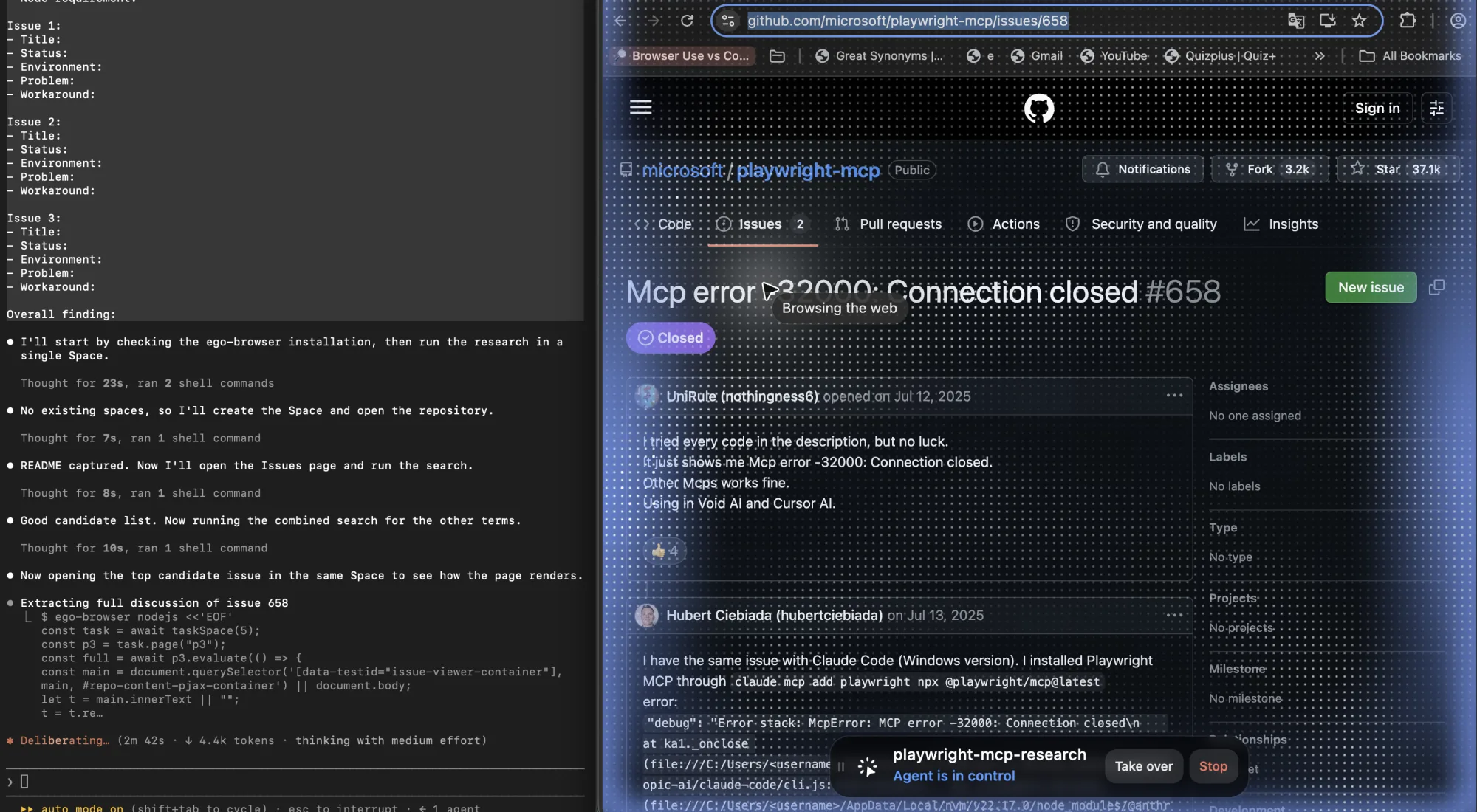
The workflow is a single JavaScript round, not a long stream of MCP tool calls. You open a Space once, then batch the checks you would otherwise run one browser action at a time:
ego-browser nodejs <<'EOF'
const task = await taskSpace("article-qa");
for (const [slug, url] of Object.entries({
  home: "https://lite.ego.app/",
  mcpConfig: "https://lite.ego.app/article/claude-code-mcp-configuration"
})) {
  const page = await task.newPage();
  await page.goto(url, { waitUntil: "domcontentloaded" });
  const report = await page.evaluate(() => ({
    h1: document.querySelectorAll("h1").length,
    horizontalOverflow: document.documentElement.scrollWidth > innerWidth
  }));
  console.log(slug, report);
}
await task.finish({ keep: [] });
EOF
That pattern already runs inside our own publishing pipeline. On September 10, 2026, we kept eight article pages open in one Space and checked desktop and 390-pixel mobile layouts together: canonicals, language tags, one H1, heading order, image loads and alt text, anchor targets, code overflow, and horizontal overflow, then clicked an article outline and verified the target heading entered the viewport.
It is not an MCP server, not a Playwright Test runner, and not a Claude Code plugin. Use it when an agent needs an inspectable browser workspace with approved live state. Keep Playwright for assertion-heavy E2E suites, network mocking, trace artifacts, and headless CI.
FAQ
How do I add an MCP server to Claude Code?
Use claude mcp add, with -- separating Claude Code flags from the server command. Add --scope project or --scope user deliberately, then verify with claude mcp list or /mcp.
Where does Claude Code store MCP configuration?
Local and user scope live in ~/.claude.json. Project scope lives in a .mcp.json file at the project root, which you can commit to version control.
Why does Claude Code say Pending approval?
Project-scoped MCP configuration requires trust approval in interactive sessions. Open Claude Code in the trusted project, review the command, and approve it.
Does a project server ask for approval in CI?
No. claude -p, Agent SDK, and cloud sessions can't show the prompt, so they load project-scoped servers without asking. Treat a committed .mcp.json as a wider surface outside interactive use.
Why does Playwright MCP fail with Connection closed on Windows?
npx on Windows is npx.cmd, a batch wrapper whose stdio pipe Claude Code can't use without a shell. Wrap the command with cmd /c, or call node against the package's cli.js.
What is the right Playwright MCP package name?
@playwright/mcp is the official package. The old @modelcontextprotocol/server-playwright name is deprecated, and @executeautomation/playwright-mcp-server is a separate community project.
What Node.js version does Playwright MCP need?
Official pages disagree: the README says 18 or newer, the getting-started guide says 20 or newer. Check node --version and the page you are actually reading before trusting either.
Does Playwright MCP use my existing Chrome login?
Not by default. Browser state depends on isolated mode, a user-data directory, storage state, or a real-browser route you configure separately.
Should I use MCP, CLI, or a real browser with Claude Code?
Use MCP for structured browser tools in the agent loop. Use CLI for shell-oriented tasks with file artifacts. Use a real-browser route when approved login state is the requirement.
Can ego(lite) replace Playwright MCP?
Not as a drop-in replacement for the MCP integration. ego(lite) is a separate Chromium browser that gives the agent its own isolated Space and inherits your existing login state, so it covers the tasks where the MCP server connects fine but the browser session behind it is the blocker. It is not an MCP server, and it does not replace Playwright MCP.