A browser job can click every button and still fail. It can save the wrong record, miss a new page of results, retry a submission that already succeeded, or lose account access while its process exits cleanly. Define success as a result that a separate check can confirm, not a sequence of completed browser actions.
For each recurring job, record the input and task ID, expected outcome, result check, retry limit, stop rule, and owner. When a run fails, find the first failed checkpoint and keep the browser and runtime evidence before changing a selector. ego (lite) can make an authorized browser run visible and let a person step in when needed. Scheduling, alerts, safe retries, and final outcome checks still need to be managed around the browser.
Why do automations fail over time?
A changed button is the obvious failure. The quieter ones are worse: an account loses access, a new dialog changes the order of actions, a dependency update changes browser behavior, or the job reports success before the server stores the result. A monitoring rule that only checks process exit misses these cases.
Classify failures before editing the automation. Use the first failed checkpoint to find the layer that changed. This prevents a locator patch from hiding an expired session or a changed business rule.
| Failure signal | First check | Response |
|---|---|---|
| Control cannot be found | Current page, accessible name and flow order | Repair the page contract or update the task steps. |
| Unexpected login or challenge | Session state and account permissions | Pause for authorized human action; don't retry the form. |
| Timeout after submission | Whether the target record now exists | Reconcile before another write. |
| Job passes, result is wrong | Independent outcome check and source data | Stop the run and repair the assertion or workflow. |
What should a stable workflow promise?
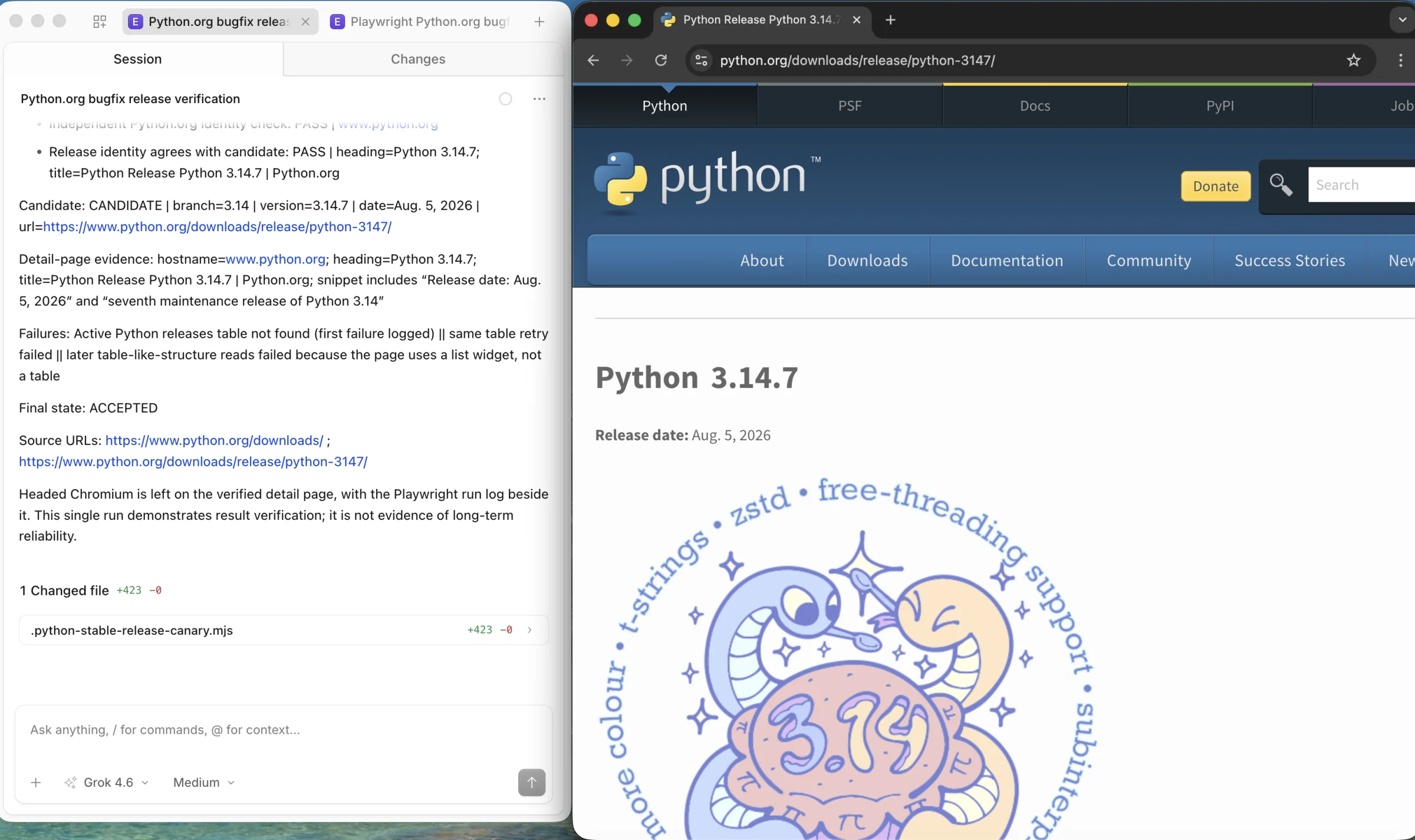
Define success as a business outcome that another page, API or record can confirm. For a report download, check the file's date and expected columns. For a form submission, check the created record and its identifier. For a read-only collection job, check row count, source URLs and a small sample against the original pages. A toast that says ‘Saved’ is useful feedback, but it isn't the whole result check.
Give the run a unique task ID and record its input, account scope, expected output, stopping rule and owner. Store enough evidence to distinguish a failed action from an action that succeeded while its confirmation was lost. Remove secrets and personal data from logs. If a workflow cannot verify its result, label it unconfirmed rather than successful.
How should it handle page changes?
Choose controls by their role and accessible name when those labels are a stable part of the interface. For an application your team owns, a test ID can be a better contract when visible text changes often. Avoid long CSS paths tied to wrapper elements. The Playwright locator guide explains these locator choices. Our guide to surviving UI changes covers the page-level repair in detail.
A changed workflow needs more than a new selector. If a page now requires approval before saving, update the task's expected steps and final assertion. Keep this page-change repair small, then run the complete task from a clean starting state. Long-term maintenance is about finding the changed assumption, not teaching every script to guess past it.
When is a retry safe?
A read can often be retried after a transient page or network failure. A write is different. If a submission times out after the click, you don't know whether the server accepted it. Look for the target record first. Retry only when you can show that the first attempt did not take effect, or when the underlying service provides an idempotent request contract. AWS's guidance on idempotent APIs explains why a request identifier must be supported by the service; adding one to a browser script alone does not make a form safe to repeat.
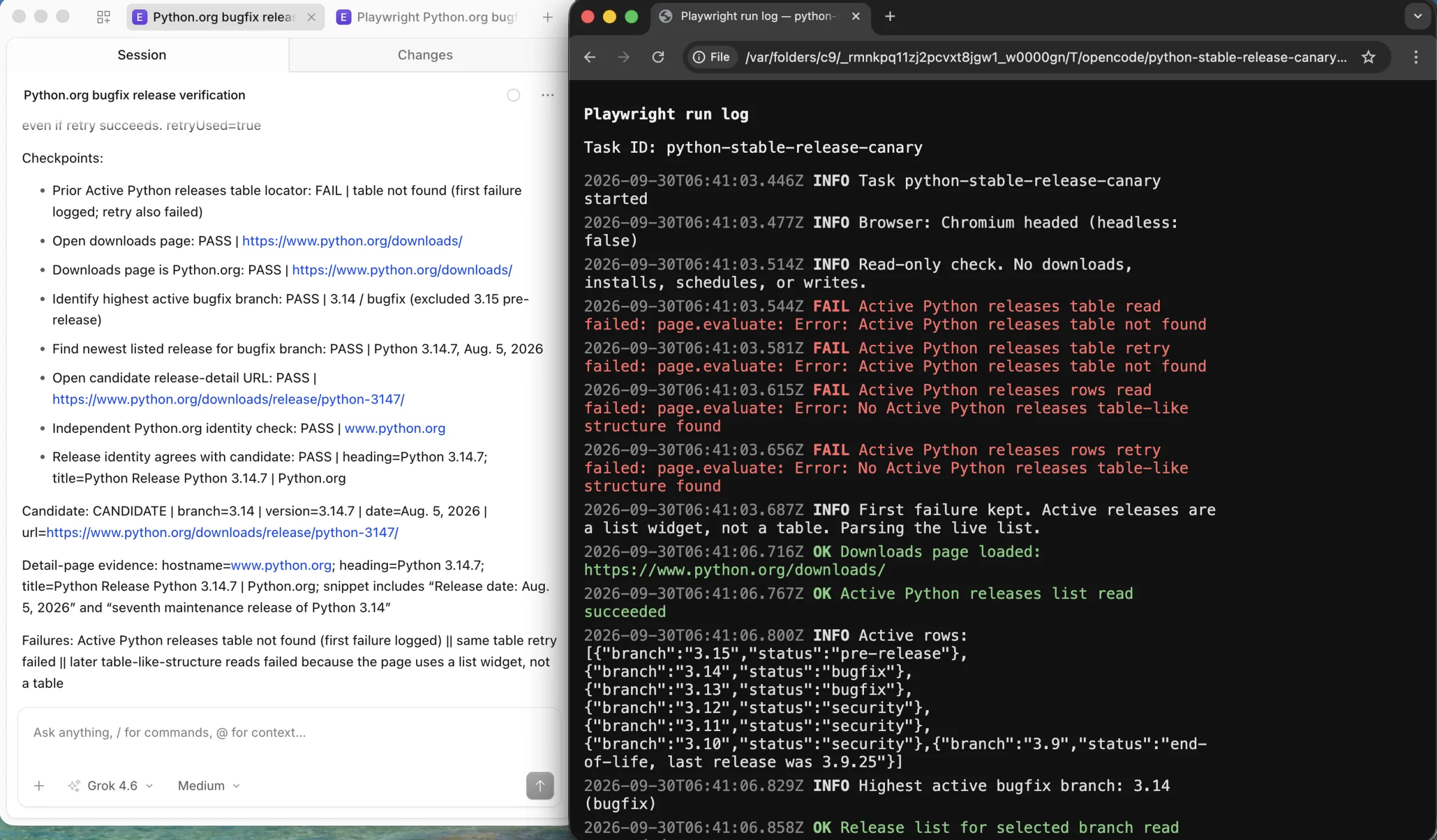
Set a small retry budget for transient reads and record every attempt. Stop on changed page structure, expired access, unclear write state or a human decision. The Playwright retry documentation distinguishes a test that passed on its first try from one that passed only after a retry. Keep that distinction in operational reports too.
What should you monitor and alert on?
Count attempted tasks and independently accepted results. Review first-attempt success, retries, unconfirmed outcomes, human interventions and time to restore a broken job. A sudden rise in ‘successful’ runs with no accepted results is an incident, even when every browser process exits with code zero.
Keep the task ID, source URL, checkpoint, error category, browser and package versions, and a redacted trace or screenshot when available. Alert the owner when accepted results stop arriving on schedule or a new error category appears. Set thresholds from the job's actual frequency and impact rather than copying a generic failure-rate target.
How do you control environment changes?
Record the browser build, automation package, operating system, locale, viewport, account type and test data for the last accepted run. Pin dependencies where you control them. Before upgrading, run one representative task in the new environment and compare its accepted result with the previous environment. A dependency lockfile helps reproduction; it doesn't freeze a third-party website.
For an application you own, run the representative workflow against a staging release before rollout. For a third-party site you are authorized to use, keep a small canary and a manual fallback. If the site changes without notice, the canary gives you an early signal without treating one missed run as proof that every workflow has failed.
What belongs in regression testing?
A useful regression set covers the path that earns the result: starting state, one normal run, an empty or delayed page, an expired session, and the final independent check. Add a controlled uncertain submission if the job writes data. Preserve the failure evidence instead of only saving the rerun that passed. The Playwright trace viewer and CI guide show how a maintained test suite can retain enough context to diagnose failures.
Don't duplicate a full test suite in a monitoring job. Keep automated checks small enough that someone will investigate when they fail. If the problem is specifically Playwright page objects, fixtures or CI triage, that belongs in a test-maintenance guide rather than this cross-stack operating routine.
What does an ongoing maintenance routine look like?
Use a short review cycle that matches the job's schedule. The owner checks whether useful results arrived, repairs the layer that changed, and verifies the repair before returning the job to unattended operation.
- At every run, log the task ID and final accepted result. Route unconfirmed results for review.
- After a site or runtime release, run the canary from a clean start and compare its result with the expected record.
- When a run fails, retain the first failed checkpoint, classify it, and stop any unsafe retry.
- At the next owner review, group failures by cause. Fix a repeated cause in the page contract, session setup, environment or result check, then rerun the whole workflow.
- Keep rollback and manual fallback instructions beside the task. Retire a workflow whose result can no longer be checked.
For example, a weekly account report can finish with a green job status while quietly omitting a newly paginated results page. A row-count check and sampled source links expose the gap. The fix is to handle pagination and rerun the report, not to increase the click timeout.
When does a visible browser help?
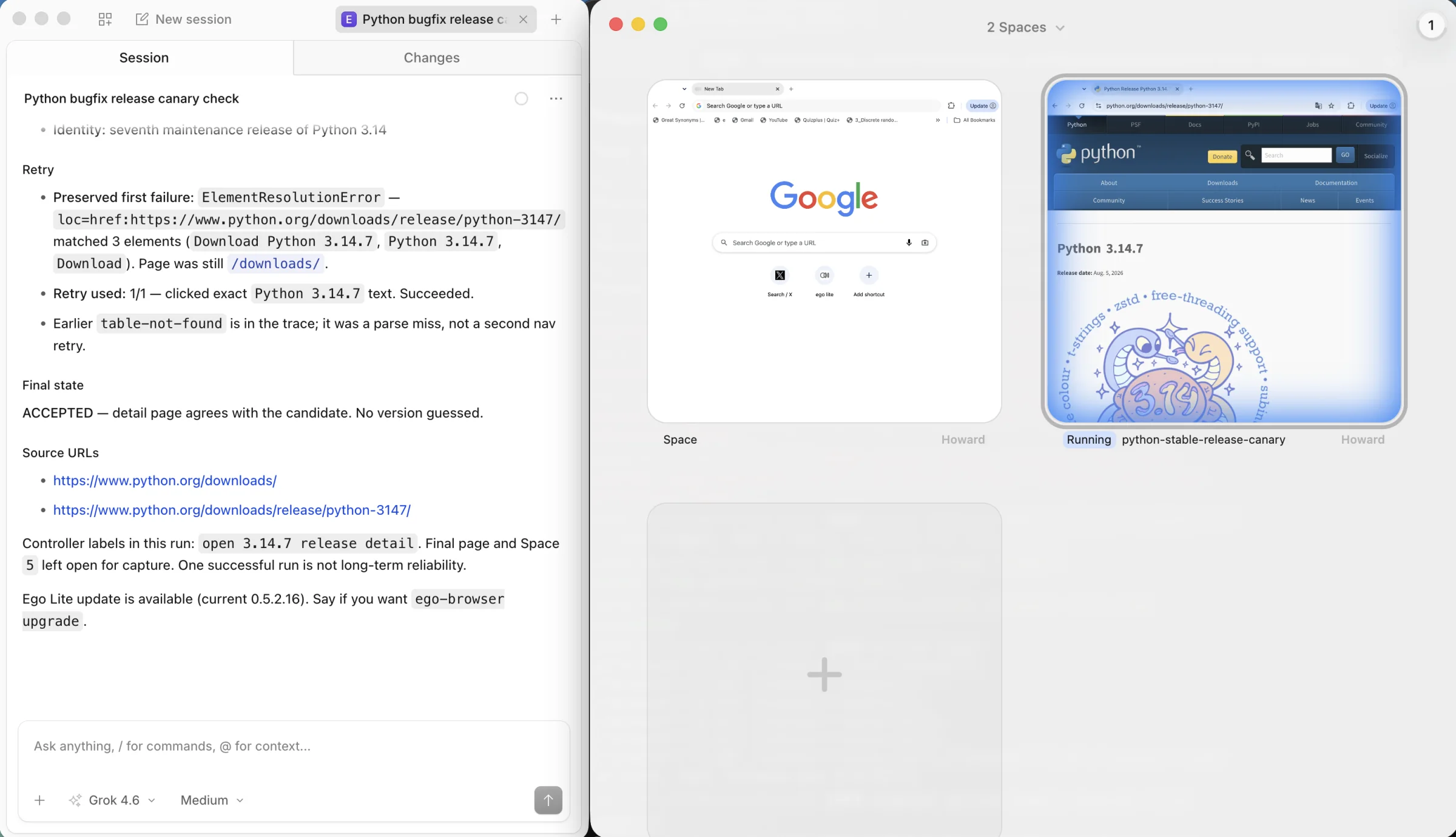
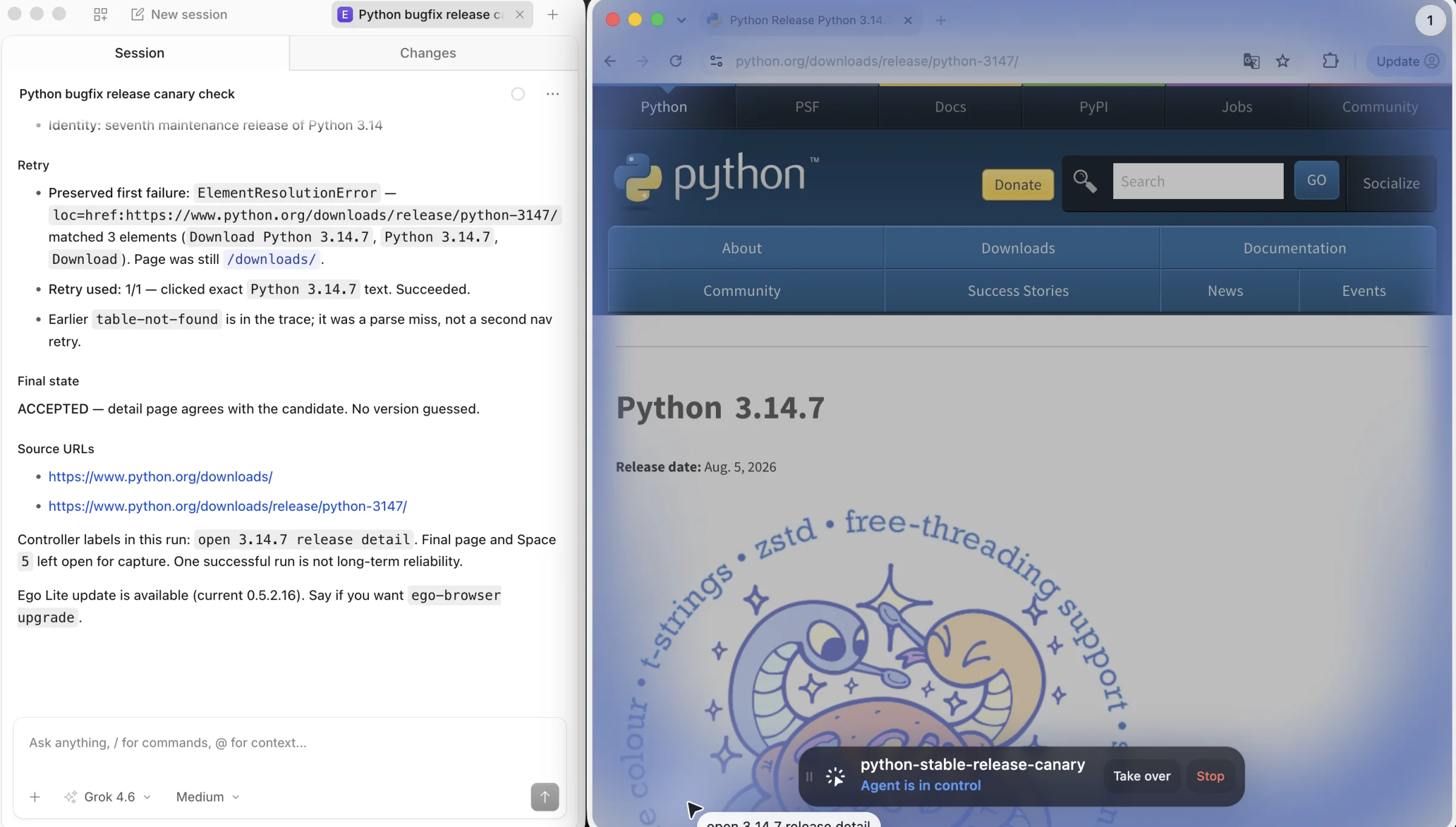
If an official API or ordinary HTTP request returns the complete, verifiable result, use it. A browser is useful when an authorized workflow depends on a signed-in page, dynamic controls or human intervention. In that case, ego (lite) can let an agent work in a visible Space while you inspect the current page and take over for login or a decision. Its quick start describes the Space workflow.
For a recurring job, start from a recorded input, let the agent open the authorized page, and save the key page states and source URLs. If a control or session has changed, stop at the affected step and inspect it. After any repair, check the final result in the system of record. ego (lite) is the execution and inspection environment here. Scheduling, alerts, safe write semantics and long-term reliability still need their own controls. One successful run cannot establish a monthly success rate.
For the browser-level decision between scripted steps and an agent, read our UI change guide. For account state across runs, see persistent browser sessions. Those are parts of the operating system for a recurring job, not substitutes for checking the result.
FAQ
Can self-healing selectors remove maintenance?
No selector can decide whether a changed page still performs the same business action. Treat a suggested replacement as a proposed repair, then rerun the whole task and verify the stored result. Use the previous accepted run to see what changed.
How many times should a failed automation retry?
Set the retry budget by operation. A transient read can have a small limit. After an uncertain write, check whether the target record exists before repeating the action. Stop when the result cannot be reconciled safely.
What is the first metric to add?
Track accepted results per attempted task. It tells you whether the job delivered the outcome you wanted and exposes the gap between a green process status and useful work.