Playwright storageState: what the JSON stores, how to load it, and how to prove it worked


A Playwright storageState file can look complete and still fail to restore the state an app actually depends on. Cookies may be there, localStorage may be there, and the JSON may look perfectly valid, but sessionStorage is missing by default. If the app keeps part of its session there, loading the file into a new context will not bring that state back.
That distinction matters because storageState is a snapshot, not a full browser profile. Playwright makes that snapshot easy to export, load, isolate by account, and verify. But when the task depends on browser state that does not fit cleanly into the file, such as sessionStorage, extensions, an existing signed-in profile, or a human completing MFA, ego(lite) takes the other route: keep the real Chromium environment in place instead of trying to recreate it from JSON.
This guide stays focused on the snapshot itself: what storageState contains, how to generate and load it, how to keep accounts and environments separate, and how to prove the restored state actually worked. Login loops and automatic re-authentication are a separate problem. Here, the question is simpler: what did the file really save, and what did it leave behind?
What is Playwright storageState?
Playwright storageState is the saved cookie and localStorage snapshot of one browser context. You export it after the context already has the state you want, then seed a later context so it starts with that snapshot instead of an empty jar.
Official Playwright authentication docs build test setup on this file. That is a consumer of the snapshot, not the definition of the snapshot. This page stays on the file.
Login walls on X and LinkedIn are covered in AI scraping behind login walls.
JavaScript scrape routing is covered in web scraping with JavaScript.
What does the storageState file actually contain?
The file is JSON with cookies and origins. cookies is an array of cookie objects. origins is an array of origin records, each with localStorage name/value pairs. Playwright's storageState API writes that shape when you pass a path, and returns the same object when you do not.
| Store | In storageState by default? | What that means |
|---|---|---|
| cookies | Yes | Each entry can carry name, value, domain, path, expires, httpOnly, secure, and sameSite. |
| localStorage | Yes, under origins | Keyed by origin. A key saved on https://quotes.toscrape.com does not appear on another origin. |
| sessionStorage | No | The JSON has no sessionStorage key by default. A restored page reads sessionStorage as null. |
We tested that file shape on 2026-09-18 from OpenCode. Headed Chromium on quotes.toscrape.com exported storageState with top-level keys cookies and origins. d05-demo was in origins localStorage. The JSON string did not contain sessionStorage or d05-session.
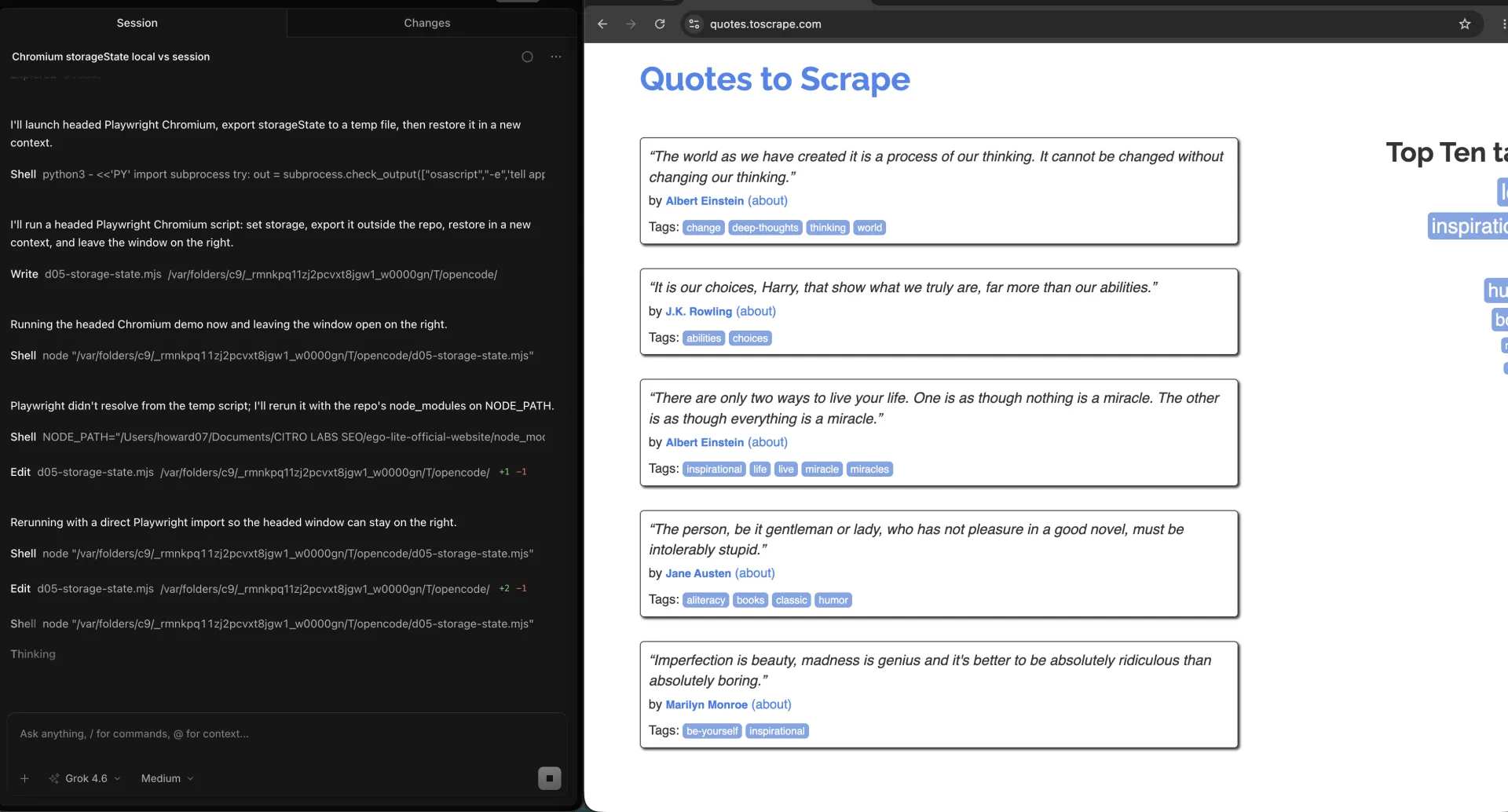
Playwright's authentication guide also mentions IndexedDB and passkeys in reused state for some setups. Do not assume those keys exist because a blog post listed them. Open the file you generated and read the top-level keys.
Session cookies without Expires or Max-Age are a separate trap in profile directories. That disk behavior belongs in persistent browser sessions. In a storageState JSON, cookie expiry is an explicit field on each cookie. Zero or a past timestamp is how you see a cookie that will not survive the next calendar day.
How do you generate storageState and load it?
Generate from a context that already has the state you want. Load into a new context before you open the page that needs it. Do not export from one origin and expect another origin's localStorage to appear.
import { chromium } from "playwright";

const browser = await chromium.launch();
const setup = await browser.newContext();
const page = await setup.newPage();
await page.goto("https://quotes.toscrape.com/");
await page.evaluate(() => {
  localStorage.setItem("d05-demo", "local-only");
  sessionStorage.setItem("d05-session", "session-only");
});
await setup.storageState({ path: "playwright/.auth/user.json" });
await setup.close();

const reused = await browser.newContext({
  storageState: "playwright/.auth/user.json",
});
const next = await reused.newPage();
await next.goto("https://quotes.toscrape.com/");
const restored = await next.evaluate(() => ({
  local: localStorage.getItem("d05-demo"),
  session: sessionStorage.getItem("d05-session"),
}));
console.log(restored);
await browser.close();
That snippet is the whole mechanism. Official Playwright authentication docs wrap it in a setup project so tests skip the login UI. The wrapper is optional. The two calls are not.
If the app keeps the session token only in sessionStorage, this file will not carry it. Copy sessionStorage with page.evaluate, keep a process alive, or use a real profile.
We tested the restore in the same OpenCode session. A new context loaded from that file printed local = local-only and session = null.
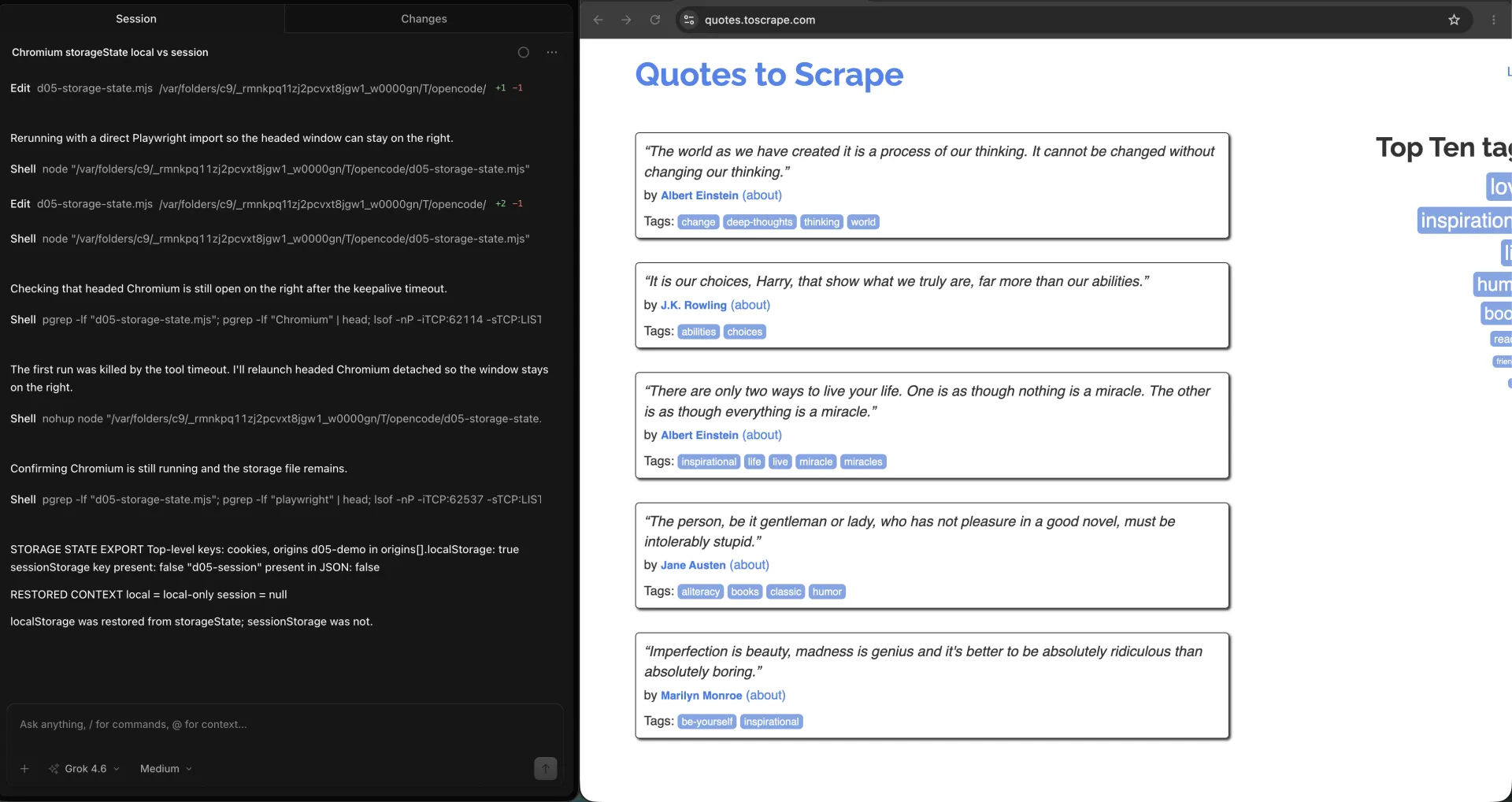
How do you prove the restored state took effect?
Prove restore with a key you wrote, or with an authenticated URL that only the saved cookies can open. Do not treat 'the login form is missing' as proof. A redirect bug can hide the form too.
await page.goto("https://quotes.toscrape.com/");
const local = await page.evaluate(() => localStorage.getItem("d05-demo"));
if (local !== "local-only") {
  throw new Error("storageState did not restore localStorage");
}
For a real account, hit a URL that returns 200 only when the cookie is valid, then assert a visible signed-in label. If you land on /login, the snapshot is stale. Re-auth belongs elsewhere. Here you only need the fail: this JSON did not restore the session.
| Check | Pass | Fail |
|---|---|---|
| localStorage key | Reads the value you saved | null after load |
| sessionStorage key | null unless you copied it yourself | Assuming it survived because localStorage did |
| Cookie expiry | expires is in the future on the cookies you need | expires is 0 or already past |
How do you isolate accounts and environments?
One file per account, per environment, per browser context you intend to reuse. Mixing staging and production cookies in user.json is how you test the wrong tenant.
Origins in the JSON are origin-scoped. A localStorage key saved on https://quotes.toscrape.com will not appear on http://quotes.toscrape.com. Scheme, host, and port all count.
playwright/.auth/staging-admin.json
playwright/.auth/staging-viewer.json
playwright/.auth/prod-readonly.json
Parallel workers each need their own file or their own context. Sharing one JSON across two contexts that then write back is a race. Export after setup, load read-only during the run, and write a new file only from a dedicated refresh job.
How do you tell the saved state expired?
The file can look valid while the site has already revoked the session. Check cookie expires in the JSON, then check a live URL that requires that cookie.
A cookie with expires: -1 or 0 is a session cookie in the snapshot. It may work in the same run and vanish later depending on how the browser treats it. A timestamp in the past is already dead. A future timestamp can still be revoked server-side.
The live check is the one that matters. Open an authenticated route after load. If you get the login page, 401, or an anonymous shell, the snapshot is spent. Refresh the file. Do not encode a login-once machine on this page.
How should you store storageState safely?
Treat the JSON as a password. Playwright's own auth guide says it may contain cookies and headers that impersonate you. Keep it out of git, logs, CI artifacts, and model context.
# .gitignore
playwright/.auth/
CI can inject the file from a secret store at job start and delete it at job end. Do not print it. Do not attach it to a failed-test zip. Do not paste it into an agent prompt to 'debug the session'.
When should you reuse a real browser profile instead?
Reuse a real Chromium profile when the app needs more than cookies and localStorage: extensions, sessionStorage, device signals, or a human sitting through MFA. A JSON file cannot carry that.
That is where ego(lite) 0.5.0.32 fits. The agent runs in an isolated Space against the daily browser profile already on the machine. The tab can be watched, a prompt can be taken over, and the task can be stopped. Changelog for that version is dated 2026-09-12 on the ego(lite) changelog. It is not a storageState exporter. It is the path that skips the file when the file is the wrong shape.
We tested that isolation in ego(lite) from OpenCode. The Spaces overview kept the quotes task in its own running Space, with other work in a separate Space instead of rebuilding the session from JSON.
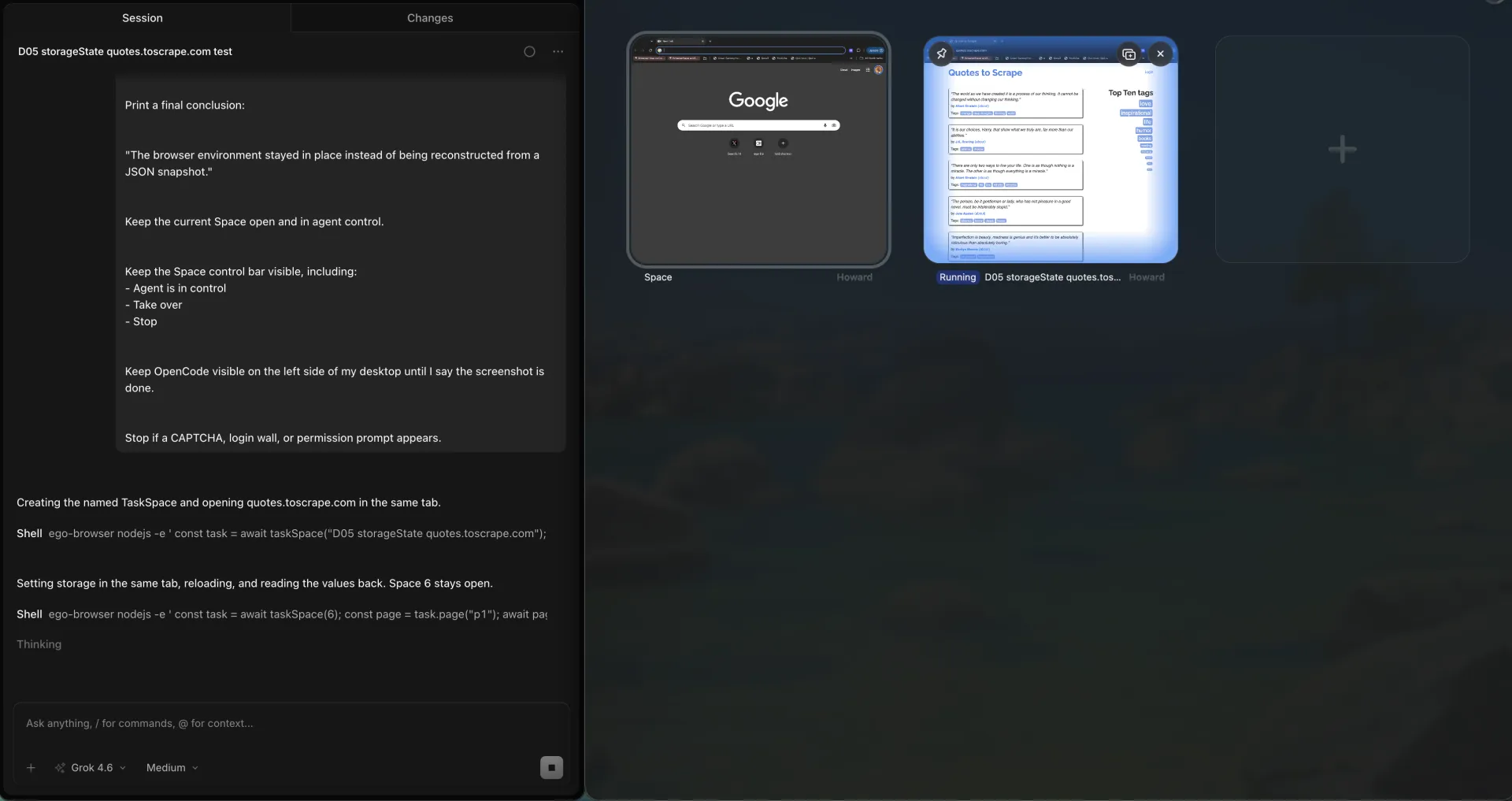
We tested the same public URL inside one of those Spaces. Space 6 stayed in agent control on quotes.toscrape.com, with Take over and Stop visible. The browser environment stayed in place instead of being reconstructed from a JSON snapshot.
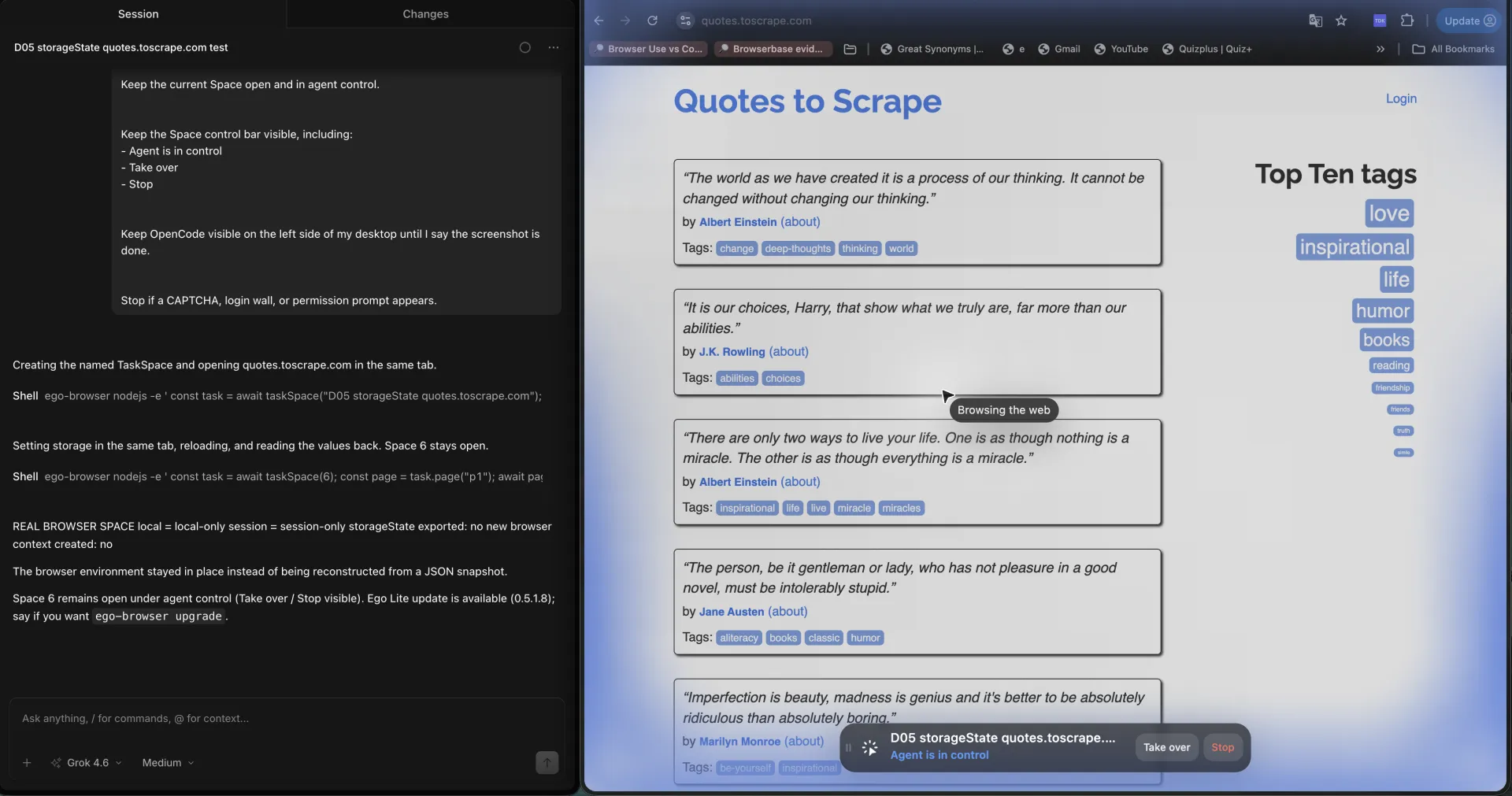
If localStorage comes back and sessionStorage is null, the file did its job. Do not treat a missing login form as proof. On 2026-09-18 the restored context printed local = local-only and session = null from dummy keys, with no password form.
What are the challenges and limitations?
The file looks complete and still misses the store your app actually uses. That is the default failure.
Origin mismatch is the second. Save on localhost:3000, load against 127.0.0.1:3000, and localStorage is empty while cookies may still attach depending on domain.
The third is overloading this page with login choreography. Detecting 401, bouncing to /login, and refreshing the snapshot are real jobs. They are not this file's job.
FAQ
Does Playwright storageState include cookies?
Yes. cookies is a top-level array in the JSON. Each cookie can include name, value, domain, path, expires, httpOnly, secure, and sameSite.
Does storageState include localStorage?
Yes, under origins. Each origin record holds localStorage name/value pairs for that origin only.
Does storageState include sessionStorage?
Not by default. A page can write sessionStorage, export storageState, and still produce a JSON with no sessionStorage key. The restored context reads that store as empty. On 2026-09-18 the headed run restored local = local-only and session = null.
How do I generate a storageState file?
Call await context.storageState({ path: 'playwright/.auth/user.json' }) after the context already holds the cookies and localStorage you want.
How do I load storageState in a new context?
Pass storageState: 'playwright/.auth/user.json' into browser.newContext. Load before you navigate to the page that needs the snapshot.
How do I know the restored state worked?
Read a localStorage key you set, or open a URL that only the saved cookies can reach. Missing login chrome is not proof.
Should I commit storageState to git?
No. Add playwright/.auth/ to .gitignore. The file can impersonate the account it captured.
Can two tests share one storageState file?
They can load the same snapshot read-only. Do not let parallel workers write the same file. Use one file per role if the accounts differ.
When should I use a real browser profile instead?
When the app needs sessionStorage, extensions, or a human for MFA. ego(lite) runs that work in a Space against your daily Chromium profile.
Is storageState the same as a user data directory?
No. storageState is a JSON snapshot. A user data directory is the on-disk profile.
If the next task needs the real signed-in browser rather than a JSON snapshot, ego(lite) is free to download.