Web scraping with JavaScript: static HTML, rendered pages, and Playwright


Web scraping with JavaScript often fails not because the code is wrong, but because the wrong access route was chosen. If the data is already in the initial HTML, Node.js fetch plus an HTML parser is enough. A browser only becomes necessary when the page must execute JavaScript, paginate, click, or otherwise interact before the data appears, which is the dividing line between static HTML and rendered pages.
Playwright is a strong fit for workflows that are known in advance and repeated often: open the page, wait for an element, click a control, extract the fields, and run the same path again. The problem starts when the page structure, pagination, or interaction flow changes and a fixed sequence of selectors and actions begins to break.
That is where an agent-driven browser such as ego(lite) fits better. Instead of assuming the original path still exists, the agent can inspect the current rendered page, decide what to do next, and keep executing reliably after navigation or dynamic changes.
What actually decides whether a JavaScript scraper works?
The access route decides the outcome. The same target site can be trivially scrapable over HTTP and completely opaque to HTTP, depending on whether the data arrives in the initial HTML response or gets fetched and painted afterward by JavaScript running in a browser.
So the first task is not writing a scraper. It is opening the target page, viewing source rather than the rendered DOM, and finding out where the values you want actually live. Everything else in this guide follows from that answer.
Which of the three access routes does your target need?
Three routes cover nearly every scraping job, and they are ordered by cost. Static HTML is cheapest and fastest. A JSON endpoint the page already calls is often the cleanest data you will get. A real browser is the most capable and the most expensive in CPU, memory, and fragility.
| Route | What it can do | What it cannot do |
|---|---|---|
| HTTP request + HTML parser | Fetch any URL directly, read the response body, and query the returned markup. Runs thousands of pages per minute per process and needs no browser binary. | Run page scripts, click, scroll, or fill forms. On a client-rendered page it returns the empty shell, because the data was never in the response. |
| Direct JSON endpoint | Return structured data with no markup parsing, so field names survive redesigns of the page's layout. Smallest payload, fastest parse. | Stay stable across site updates. These endpoints are internal, undocumented, and can change or start rejecting requests without notice. |
| Real browser automation | Execute the page's JavaScript, wait for content to appear, and interact with the rendered result exactly as a person would. | Scale cheaply. Each browser context costs real memory, and a fleet of them needs more infrastructure than an HTTP loop. |
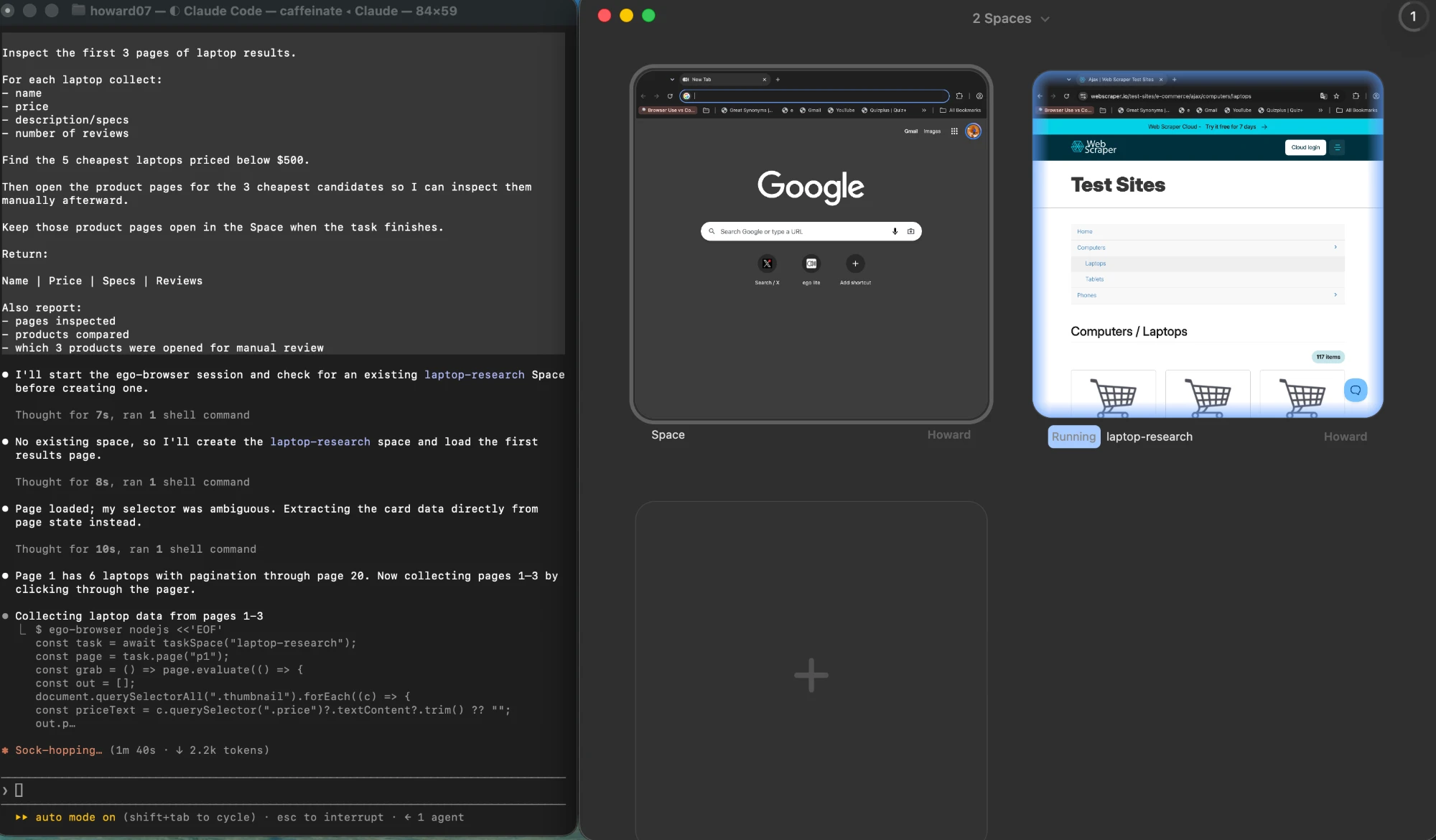
How do you fetch and parse static HTML in Node.js?
Start with the platform. Node.js exposes the Fetch API as a global, so a request needs no dependency at all. The pattern below is the whole first route: request, check the status, read the text, then hand the markup to a parser.
The request itself needs nothing beyond the platform, because the Fetch API ships as a Node.js global, so a plain GET has no HTTP library to install.
The status check is the part people remove first and miss most. A 404 or a bot-block page still returns a body, and that body parses happily into zero matching elements, which looks exactly like a selector bug.
const res = await fetch(url, {
  headers: { "user-agent": "my-scraper/1.0 (+contact@example.com)" },
});

if (!res.ok) {
  throw new Error(`${res.status} ${res.statusText} for ${url}`);
}

const html = await res.text();
Rate limiting belongs in the same loop, not bolted on later. One awaited delay between requests keeps a small job polite and keeps your address out of a blocklist:
const sleep = (ms) => new Promise((r) => setTimeout(r, ms));

for (const url of urls) {
  const html = await getHtml(url);
  await parse(html);
  await sleep(1000);
}
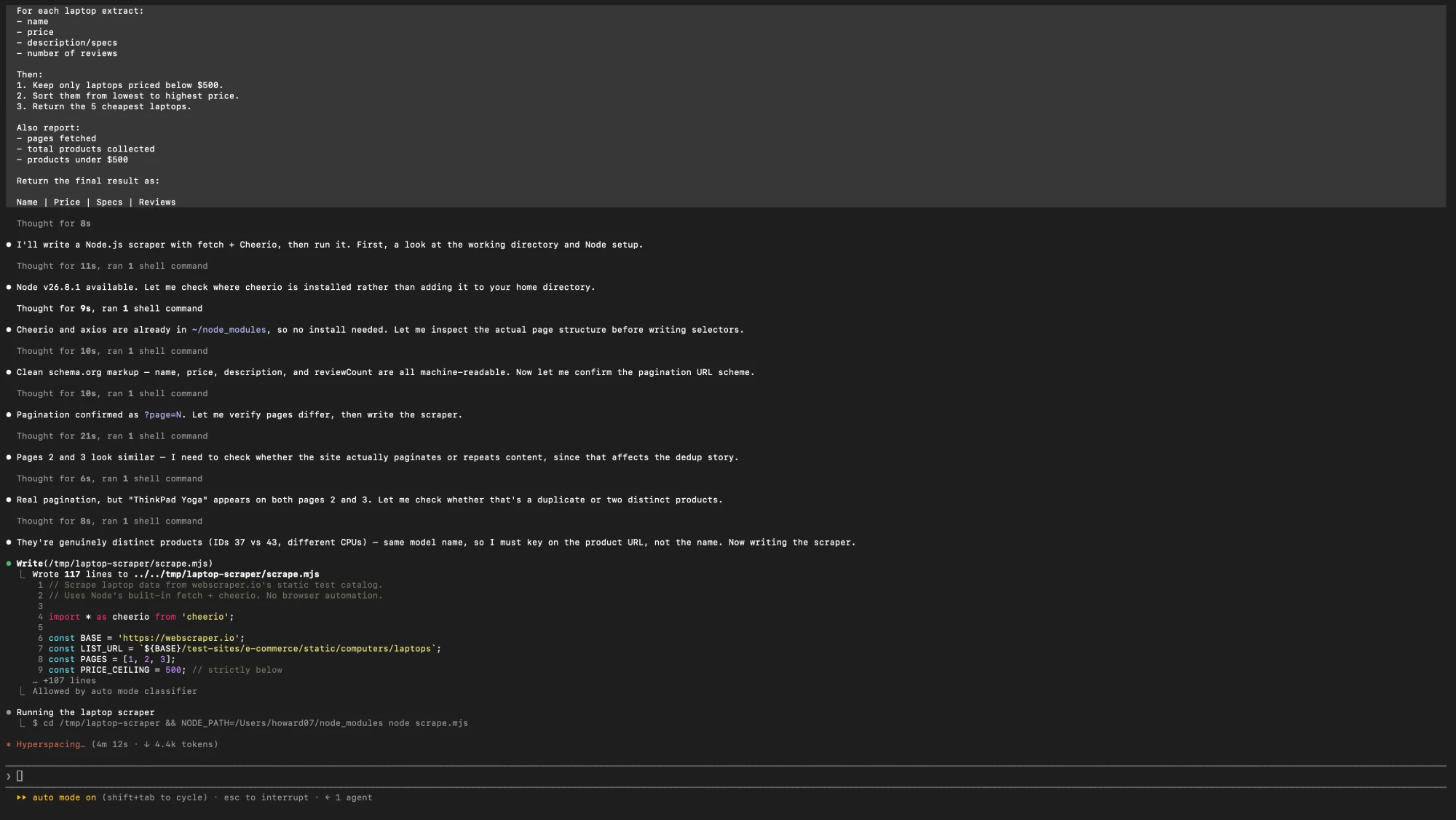
Here is what that first route actually returns. The table below is real output from a plain HTTP request plus a selector library against a public test catalogue of laptops: no browser, no rendering step, three pages fetched as three static responses.
| ID | Name | Price | Specs | Reviews |
|---|---|---|---|---|
| 32 | Aspire E1-510 | $306.99 | 15.6", Pentium N3520 2.16GHz, 4GB, 500GB, Linux | 2 |
| 45 | Asus VivoBook Max | $399 | 15.6" HD, Pentium N4200 1.1GHz, 4GB, 500GB, Windows 10 Home | 4 |
| 31 | Packard 255 G2 | $416.99 | 15.6", AMD E2-3800 1.3GHz, 4GB, 500GB, Windows 8.1 | 2 |
| 46 | Dell Vostro 15 | $488.78 | 15.6" FHD, Core i5-7200U, 4GB, 128GB SSD, Radeon R5 M420 2GB, Linux | 14 |
Four products out of eighteen come in under $500. That is the entire result of route one on this catalogue: three requests, no rendering, no browser process. And that is also where the honest part starts, because this table is missing something a reader would expect to see.
Cheerio, DOMParser, or jsdom: which parser fits?
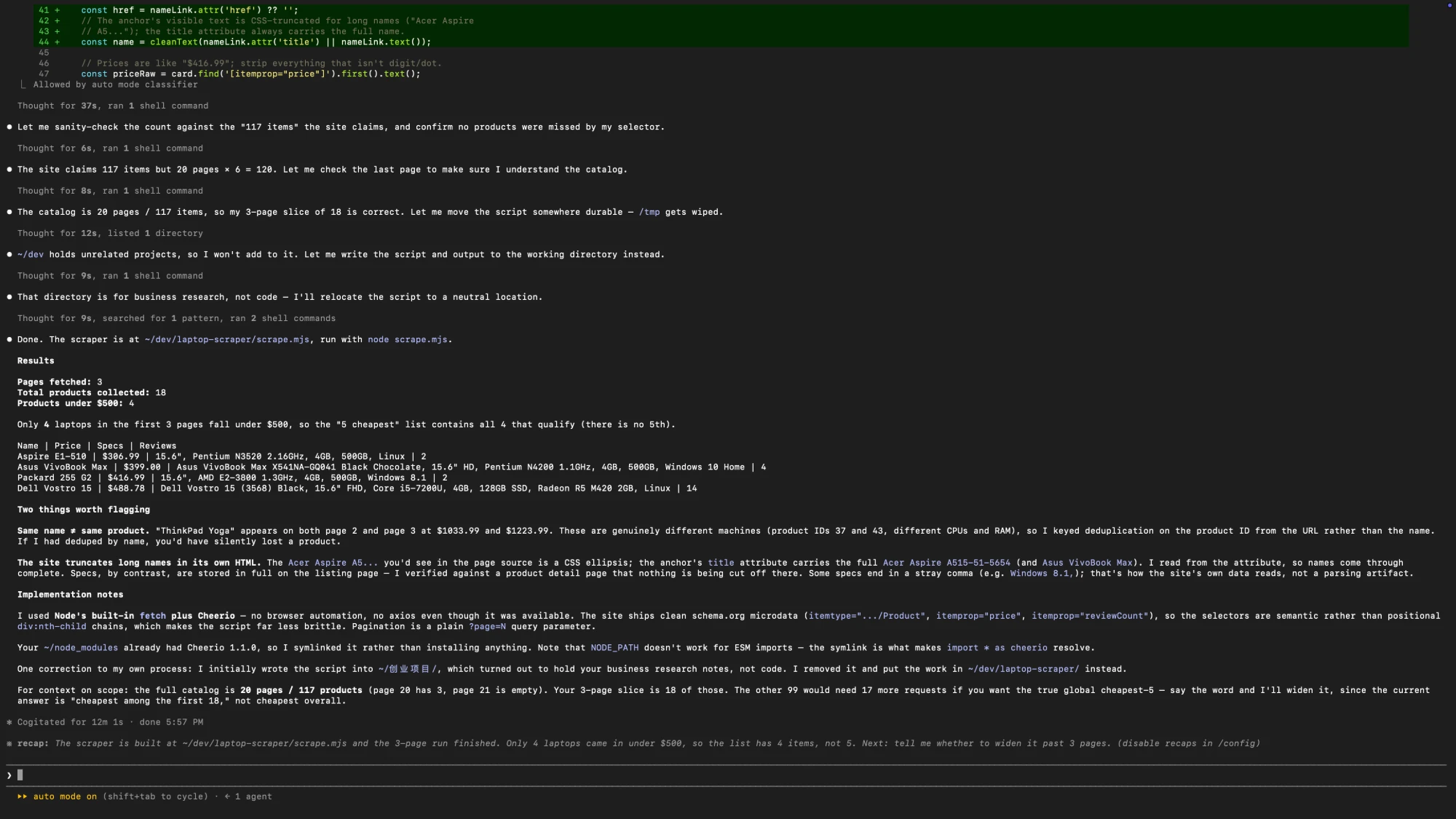
These three get compared as if they were interchangeable libraries. They are not, because they make different promises: two of them parse markup for querying, and one of them implements a DOM with script execution.
The parser this guide leans on is documented at cheerio.js.org, which is explicit that Cheerio parses and queries markup rather than executing page scripts.
| Option | What it can do | What it cannot do |
|---|---|---|
| Cheerio | Parse an HTML string fast and query it with jQuery-style selectors. Small dependency, no browser, ideal for a few hundred fields out of a response body. | Run page scripts, render components, or resolve layout. It parses markup; it does not behave like a browser. |
| jsdom | Provide a DOM implementation in Node.js with document, window, and script execution, so code written against browser APIs runs unchanged. | Match a real browser on rendering or fidelity, and it is far heavier per page. It is a DOM substitute, not Chrome. |
| DOMParser | Turn a string into a queryable document using a built-in browser API, with no dependency added to the project at all. | Be awaited: it is synchronous and blocking, and in Node.js it only became a global in recent versions. |
Reading from Cheerio uses the familiar selector API. Notice that the extracted text is trimmed at the boundary, because scraped markup carries indentation and newlines that will otherwise show up in your dataset:
import * as cheerio from "cheerio";

const $ = cheerio.load(html);
const items = $(".product-card").map((i, el) => ({
  name: $(el).find(".name").text().trim(),
  price: $(el).find(".price").text().trim(),
})).get();
The same extraction with DOMParser looks like this, and it only works where that global exists:
const doc = new DOMParser().parseFromString(html, "text/html");
const rows = [...doc.querySelectorAll("table tbody tr")].map((tr) => ({
  cells: [...tr.querySelectorAll("td")].map((td) => td.textContent.trim()),
}));
How do you find the JSON endpoint the page already uses?
Before writing a single selector, open the browser's network panel, filter to fetch and XHR, reload the page, and look at what came back. Many data-driven sites assemble the visible page from a small number of JSON responses that are far easier to consume than the markup.
When you find one, the request usually needs the same headers the page sent, and sometimes a session cookie. Replay it with the network panel's copy-as-fetch output rather than reassembling it by hand.
const res = await fetch("https://example.com/api/listings?page=1", {
  headers: { accept: "application/json" },
});

if (!res.ok) throw new Error(`${res.status} for listings page 1`);

const { items } = await res.json();Why does a client-rendered page return an empty shell?
A client-rendered page sends markup that contains almost no content. The initial response holds a root element, a bundle of scripts, and maybe a loading state. The text a person sees on screen is created by JavaScript after the response arrives, so an HTTP request that only reads the response has nothing to read.
This is diagnosable rather than mysterious. Two checks catch most cases: the visible text in the response is a small fraction of what the browser shows, and the markup is dominated by script tags:
const text = html.replace(/<script[\s\S]*?<\/script>/g, "").replace(/<[^>]+>/g, " ").replace(/\s+/g, " ").trim();

console.log({
  textLength: text.length,
  scriptCount: (html.match(/<script\b/g) ?? []).length,
  hasRoot: /id="(root|app|__next)"/.test(html),
});
Short text, many scripts, and an empty root div together mean the third route is the honest answer. A few dozen characters of text with no script tag at all usually means something simpler: the request was blocked, or you asked for the wrong URL.
What the difference looks like in practice:
| Signal in the HTTP response | What it usually means | Next step |
|---|---|---|
| Full content, real markup | The server rendered the page. Nothing else is needed. | Parse it with a selector library. |
| Root div plus many scripts | Client-side rendering. The content arrives after the response. | Look for the JSON endpoint, or render the page. |
| Very short text, no scripts | Blocked, redirected, or the wrong URL entirely. | Log status, final URL, and headers before parsing. |
How does Playwright scrape a real browser page?
Playwright drives a real browser, so the page executes exactly as it would for a visitor. The scraping shape is smaller than most people expect: open a context, go to the URL, wait for the specific thing you need, then read it out.
The API surface used here is documented at playwright.dev, the canonical reference for launching browsers, contexts, and locators. The wait, extract, and count checks for a JavaScript-rendered page are in web scraping with Playwright.
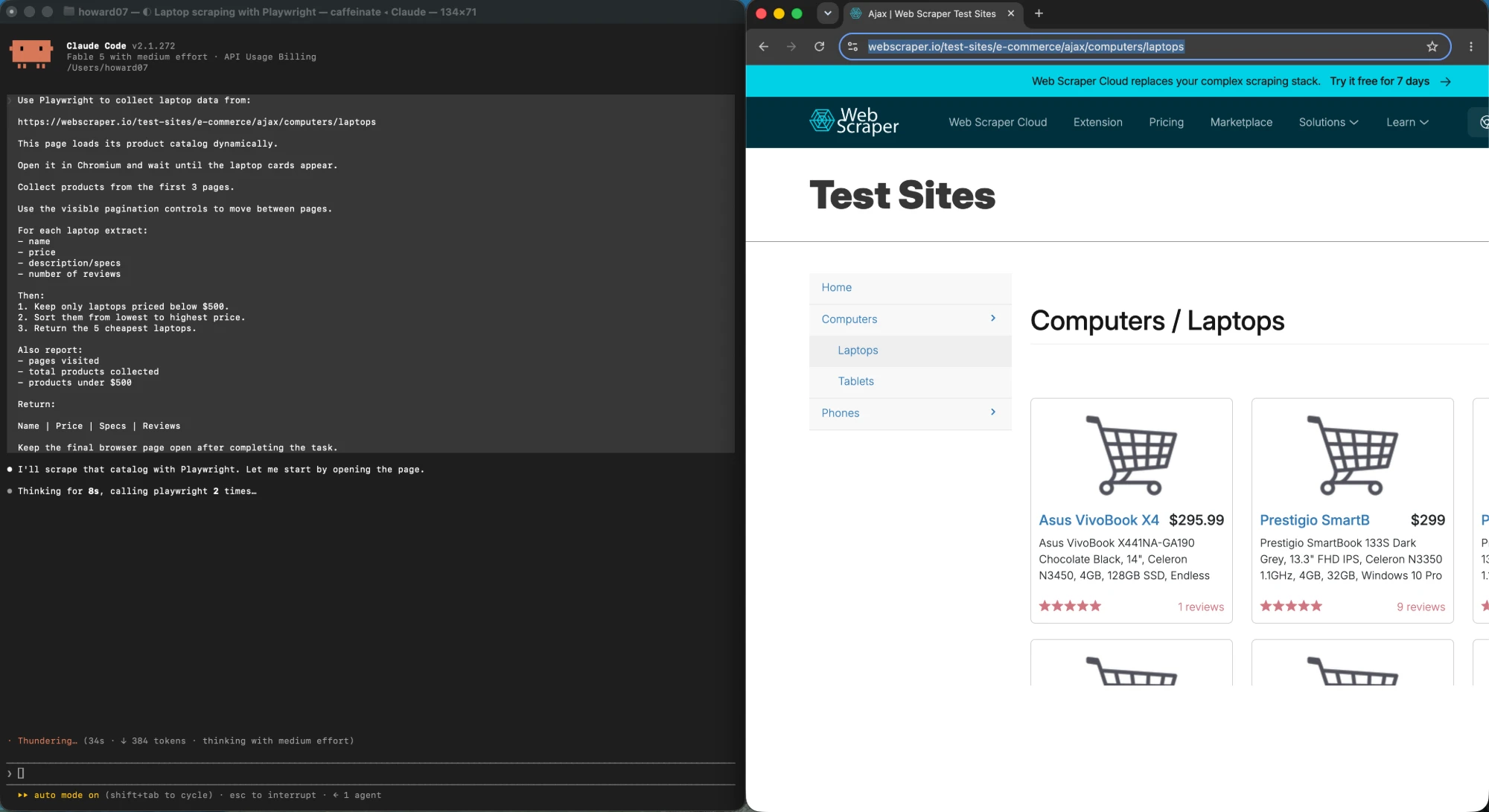
The retrieval pattern below waits for a selector and then extracts through page.evaluate, which runs your function inside the page and returns a serializable result:
import { chromium } from "playwright";

const browser = await chromium.launch();
const context = await browser.newContext();

try {
  const page = await context.newPage();
  await page.goto(url, { waitUntil: "domcontentloaded" });
  await page.waitForSelector(".product-card");

  const rows = await page.evaluate(() =>
    [...document.querySelectorAll(".product-card")].map((el) => ({
      name: el.querySelector(".name")?.textContent?.trim() ?? null,
      price: el.querySelector(".price")?.textContent?.trim() ?? null,
    })),
  );

  console.log(rows);
} finally {
  // contexts hold the memory; close it even when the scrape throws
  await context.close();
  await browser.close();
}
Two lifecycle details matter more than the selectors. A context is the cheap disposable unit, so one browser can serve several isolated runs, and each one finishes with a close. The second is that text extraction on the page returns text nodes, not rendered values: content hidden by CSS is still in the DOM and will still appear in your output.
When the target is a specific element rather than the whole list, locators are the cleaner retrieval path. Playwright's own locator documentation notes that waiting for a click is not required for buttons, links, and inputs, which is worth remembering before wrapping every interaction in an explicit wait:
const title = await page.getByRole("heading", { level: 1 }).innerText();
const price = await page.locator("[data-testid=price]").innerText();
How do sessions, block risk, and CAPTCHA change the plan?
The moment a target needs login, the scraper stops being a data exercise and becomes a session-management problem. Playwright supports this directly: authenticate once, save the browser's storage state to a file, and reuse it in later runs instead of scripting a credential entry every time.
// once, interactively
await context.storageState({ path: "auth.json" });

// later runs
const context = await browser.newContext({ storageState: "auth.json" });
Two operational facts follow from that. Saved session state is a credential, so it belongs in a secrets store rather than in the repository. And a saved session expires, so a run that suddenly starts returning login pages is a session problem, not a selector problem.
Keeping that state alive across launches is its own topic: persistent browser sessions across agent runs walks through it in detail.
For automated traffic in general, three constraints decide whether you have a scraping job or a losing fight: what the site's robots directives and terms allow, what rate the site publishes or tolerates, and whether the response you get back is the content or a challenge page. Those are policy questions to settle before writing code, and they are covered in more depth in our guide to scraping behind login walls.
What breaks a JavaScript scraper in production?
Scrapers rarely fail because a selector was wrong. They fail on the second run, against the hundredth URL, when a page is slower, a response is a redirect, or the site starts throttling. The fixes are unglamorous and specific.
async function getWithRetry(url, attempt = 0) {
  const res = await fetch(url);
  if (res.status === 429 || res.status >= 500) {
    if (attempt >= 3) throw new Error(`giving up on ${url}`);
    const retryAfter = Number(res.headers.get("retry-after"));
    const waitMs = Number.isFinite(retryAfter)
      ? retryAfter * 1000
      : 2 ** attempt * 1000;
    await new Promise((r) => setTimeout(r, waitMs));
    return getWithRetry(url, attempt + 1);
  }
  if (!res.ok) throw new Error(`${res.status} for ${url}`);
  return res.text();
}
Concurrency is the second trap. Ten parallel browser contexts on one machine will mostly compete for the same CPU, so the throughput gain is smaller than the memory cost, and the site sees a burst rather than a trickle. Start sequential, measure, and only then raise the number if the target tolerates it.
The third is that any scraper reading an unpromised endpoint needs a fallback. Keep the selector-based parse of the visible page in the codebase, and let a failed JSON call fall through to it, so a quiet upstream change degrades the run instead of emptying it.
When is a real browser genuinely required?
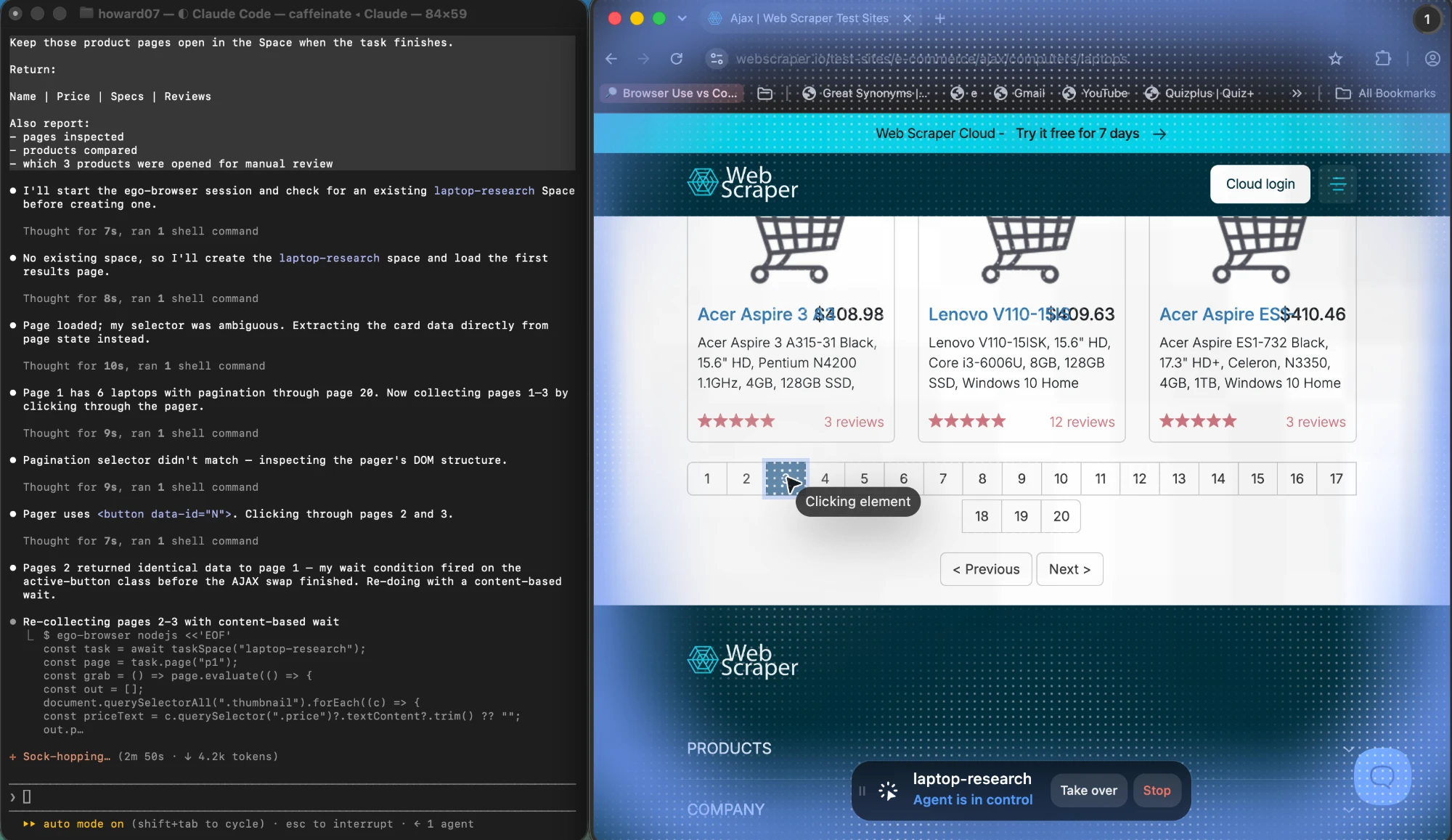
A real browser is the right answer when the task needs something only a browser can provide: an authenticated session that already exists on your machine, content that appears only after interaction, a flow where a person has to step in partway through, or a result that must be watched while it happens rather than fetched. Outside those cases, HTTP with a parser is faster, cheaper, and easier to keep running.
The trade-off between a headless and a real browser is covered in headless browser vs real browser for AI agents.
That is the situation where a task-driven browser agent becomes worth introducing. ego(lite) is a browser built for agent-driven work: you describe the objective, and it operates in a real browser, including the logged-in sessions you already have open, with a visible interface you can take over when a step needs human judgment. For scraping tasks that need a real login state, a dynamic page, visible execution, or a human handoff, that removes the session-wiring work described above. It is not a replacement for Playwright, and it makes no promise about every site: pages that answer with a challenge, or that forbid automated access, are off limits for it in the same way they are for any other route. Where a plain HTTP request or an official API already returns what you need, adding a browser agent would only make the job slower.
For a deeper comparison of browser tooling once a browser is genuinely the answer, our Playwright vs Puppeteer scraping breakdown covers the library choice itself, and AI web scraper workflows covers where agents fit in a scraper pipeline.
What are the main challenges and limitations?
Every route in this framework has a failure mode you cannot engineer away, and knowing them in advance is what separates a scraper that runs for a year from one that runs for a week.
Static parsing breaks when the site redesigns its markup. It has no way to notice, so a field that silently becomes null is more common than an outright crash. Validate a sample on every run rather than trusting the pipeline.
Internal JSON endpoints break with no warning at all, and they are the least contractual part of any site. A successful run today is not evidence about next month.
Browser automation is the most realistic and the most brittle at scale. Memory grows with concurrency, sessions expire, and anti-bot systems respond to patterns rather than to intent, so a technique that works from a laptop may not work from a datacenter.
And the largest limitation is not technical. What you are allowed to collect, how often, and what you may then do with it are decided by the site's terms, by robots directives, and by law in your jurisdiction, and none of that changes because the code works.
The troubleshooting sequence that follows from all of this is short. When a scrape returns nothing, check the status code first, then check whether the content is in the response at all, then check whether the selector matches the rendered DOM rather than the source. Only after those three should the browser be considered.
FAQ
Do I need a library to make HTTP requests in Node.js?
No. Node.js exposes the Fetch API as a global, so fetch is available without installing anything, along with the response object and its ok, status, and text() members. What you do need is a parser, because fetch hands back a string and string matching over HTML breaks as soon as the markup changes.
Why does my scraper return an empty list from a page that looks fine in the browser?
The most likely cause is that the page is client-rendered and the data was never in the HTTP response. Confirm it by comparing the visible text in the raw response with what the browser shows, and by counting script tags relative to content. If the response is a shell, move to the site's JSON endpoint or render the page in a real browser.
Is Cheerio a replacement for a headless browser?
No. Cheerio parses HTML and lets you query it with selectors. It does not run JavaScript, so it cannot produce content that the page generates after loading. It is the right tool for the first route and the wrong tool for the third, and reaching for a browser when Cheerio would do is the most common unnecessary cost in scraping code.
How do I know whether a page is server-rendered or client-rendered?
Request the URL and look at the raw response rather than the rendered DOM. If the values you want are present in the response body, it is server-rendered and the cheap route works. If the body contains a root element, script bundles, and little text, the content is being assembled in the browser.
How do I scrape a page that requires login?
Log in once in a browser context, save the storage state to a file, and load that state in later runs. Keep the file treated as a secret, expect it to expire, and prefer a session you are authorized to use. If a target requires bypassing a CAPTCHA or an ownership check, stop and use an official route instead.
Is Playwright or Puppeteer better for scraping?
Both drive a real browser and can scrape the same pages. The decision is about library details such as locator support, waiting behavior, and language bindings rather than about access routes, and it is covered in our Playwright vs Puppeteer comparison. Whichever you pick, the route decision from this article comes first.
How many pages can I scrape at once?
Start sequential and measure before increasing concurrency. HTTP requests scale far more cheaply than browser contexts, and parallel browsers on one machine mostly compete for the same CPU while giving the target site a burst of traffic. For HTTP scraping, four to eight in flight with a delay is a safer starting point than dozens.
What should I do when I get a 429 response?
Read the Retry-After header and wait at least that long, then retry with exponential backoff up to a small limit and fail loudly after that. A 429 is a rate signal, not an error to hammer through in a tight retry loop, and ignoring it is how an address ends up blocklisted.
Is scraping legal?
It depends on the site, the data, the jurisdiction, and what you do with the result. Robots directives and terms of service state what a site permits, and rules on personal data and database rights vary by country. Nothing in this article is legal advice; check the terms and the applicable law before collecting anything at scale.
When should I use an official API instead of scraping?
Whenever one exists and covers the fields you need. A documented API is a stable contract, it usually has explicit rate limits, and it does not break when the page layout changes. Scraping is the fallback for data published in a browser with no supported access path, not the default.
Do I need a browser agent for scraping?
Only for tasks that need a real login state, content that appears after interaction, visible execution, or a human takeover mid-flow. For pages that return their content over HTTP, or sites with an official API, a browser agent adds cost without adding capability.
If you want to try the browser-agent route on a scraping task that genuinely needs it, ego(lite) is free to download, and the price scraper and SERP scraper pages walk through two concrete jobs end to end.