Web scraping pagination: numbered pages, load more, and infinite scroll


Pagination in web scraping is not just about getting to the next page. The harder part is knowing whether there is still more data to collect and when the list has actually ended. Most sites use one of three patterns, numbered pages, Load More, or infinite scroll, and each requires a different navigation strategy, wait condition, and stopping rule. Get that wrong, and a crawler can stop early without ever throwing an error.
If the data is available directly in HTML or a JSON endpoint, you usually do not need a browser at all; plain HTTP is simpler and faster. A browser becomes useful when the list depends on client-side rendering, an authenticated session, page-generated tokens, or real scrolling behavior. And when that data depends on a browser you are already signed in to, ego(lite) lets an AI agent run the same pagination logic inside that existing browser session instead of reconstructing the login state.
In the sections below, we will test numbered pages, Load More, and infinite scroll with one question in mind: did the list actually end, or did the crawler simply stop asking for more? The examples use a repeatable local fixture with 135 rows across numbered pages, 81 rendered rows behind Load More, and a 60-item infinite feed. By the end, the crawler will not only paginate, but also record where it stopped, handle duplicates and missed rows, and verify that the collected data is complete.
How to tell which pagination mode you have
Three observations settle the classification. Changing the URL or clicking a numbered link changes the result set, which is numbered pagination. A button whose label promises more content appends rows without changing the URL, which is load more. Rows that appear as you scroll, with no control to click, are infinite scroll. When a page mixes patterns, treat each transition as its own mode rather than forcing one loop to cover both.
A quick check in the browser settles it faster than reading the code: open DevTools, watch the network panel, and interact once. A navigation request carrying a page parameter is numbered pagination. A background JSON or HTML request fired by a click is load more. Requests that repeat as you scroll are infinite scroll, and the response usually contains the next offset, which is a gift for a crawler.
Numbered pages: derive the URL rule and stop correctly
Numbered pagination is the friendliest mode because the state lives in the URL. Derive the rule from the first three pages: which parameter changes, whether it is a page number or an offset, and whether the page size is fixed. The rule should be expressible as a function, and a correct function produces page 4 from page 3 without visiting anything in between.
// Derive once, then verify against page 2 and page 3 before trusting it.
const pageUrl = (n) => `https://example.com/listings?page=${n}`;

let page = 1;
const rows = [];
while (true) {
  await browserPage.goto(pageUrl(page));
  const batch = await browserPage.locator("tr.row").evaluateAll((nodes) =>
    nodes.map((node) => ({
      id: node.dataset.id,
      title: node.querySelector(".title").textContent.trim(),
      price: Number(node.querySelector(".price").textContent.replace(/[^0-9.]/g, "")),
    })),
  );
  if (batch.length === 0) break;
  rows.push(...batch);

  const hasNext = (await browserPage.locator("a#next").count()) > 0;
  if (!hasNext) break;
  page += 1;
}
Termination deserves more care than it usually gets. A missing next link and an empty batch are both real end signals; a fixed page total is not, because lists grow and the number hard-coded today is wrong next month. In the fixture run, the crawler walked pages one through five, collected 135 rows in 80 milliseconds, and stopped when the next link disappeared. One of those five requests returned a 503 on the first attempt, the crawler retried the same page once, and the retry succeeded.
Two rules keep the loop honest. First, sleep between page requests rather than firing them as fast as possible, and honor the site's terms and the robots exclusion protocol described in RFC 9309. Second, treat a repeated page as a stop signal when the list is supposed to be ordered, because pagination that ignores its own parameters can otherwise loop forever.
Load more: click, wait, and deduplicate
Load more hides the state behind a button, so the crawler has to create the growth itself: click, wait until the row count actually increases, collect what is new, and repeat until the button disappears or stops changing anything. The wait is where most implementations fail. A fixed pause happens to work on a fast connection and silently truncates the list on a slow one.
await browserPage.goto("https://example.com/listings");

while (true) {
  const button = browserPage.locator("#load-more");
  if ((await button.count()) === 0) break;

  const before = await browserPage.locator("tr.row").count();
  await button.click();
  await browserPage.waitForFunction(
    (n) => document.querySelectorAll("tr.row").length > n,
    before,
    { timeout: 10000 },
  );
}

const rows = await browserPage.locator("tr.row").evaluateAll((nodes) =>
  nodes.map((node) => ({ id: node.dataset.id, title: node.textContent.trim() })),
);
In the fixture run, four batches of twenty rows arrived in 273 milliseconds, and the visible list held 81 rows against a dataset of 80. The extra row was a duplicate the fixture plants to model a common reality: the same record arriving twice across batches. The page's own status line read "Loaded 81 of 80", which is a good reminder that the counter rendered by the site is not a validation source. Deduplicate on a stable identifier such as the row's record id, not on the visible title, and you will remove exactly the one duplicate.
Infinite scroll: triggers, height stability, and stop rules
Infinite scroll has no button and no URL, so both the trigger and the stop condition have to be inferred. The trigger is usually a sentinel element entering the viewport or a scroll position threshold. The stop condition is where judgment is required, because the list does not announce the end in a way you can click.
One measured failure is worth showing because it is the failure most crawlers ship with. Scrolling to the bottom once and checking whether the row count grew, with no wait for the next batch to render, reports "no growth" immediately: the fixture stopped at 15 of 60 rows, one batch in, while the network had already been asked for the next batch. The check was not wrong about the moment; it was wrong to treat one quiet instant as the end of the list.
The reliable version waits for an observable condition, then confirms the end over several checks rather than one. Scroll, wait until the item count grows or the page states that the feed ended, and only when neither happens for three consecutive checks treat the list as finished. In the fixture the same 60 items completed in four scroll rounds with zero false stops, and the final status line read "End of feed (60 of 60)".
let stableChecks = 0;
while (stableChecks < 3) {
  const items = await browserPage.locator("article.post").count();
  await browserPage.evaluate(() => window.scrollTo(0, document.body.scrollHeight));

  const grew = await browserPage
    .waitForFunction(
      (n) =>
        document.querySelectorAll("article.post").length > n ||
        /end of feed/i.test(document.body.innerText),
      items,
      { timeout: 3000 },
    )
    .then(() => true)
    .catch(() => false);

  stableChecks = grew ? 0 : stableChecks + 1;
  if (!grew) await browserPage.waitForTimeout(700);
}
Two details make the difference between a stable loop and a flaky one. Height stability must be judged on the count of extracted items, not on document height, because lazy images and ads change height without adding records. And the scroll must actually re-trigger the site's loader: implementations built on the Intersection Observer API fire on intersection changes, so alternating scroll positions is more reliable than holding the page at the bottom.
Record crawl state and resume after a crash
All three modes share one requirement: a run has to survive its own interruption. Write a checkpoint after every completed batch, including the mode, the position, and the records collected so far, and make resume the default path rather than a special one. On the fixture, the numbered crawl was killed after page two with 54 rows in the checkpoint. A fresh process read the checkpoint, continued from page three, and finished with the same 135 rows and 133 unique ids as an uninterrupted run.
import { readFileSync, writeFileSync } from "node:fs";

const CHECKPOINT = "./crawl-state.json";
const save = (state) => writeFileSync(CHECKPOINT, JSON.stringify(state));
const load = () => {
  try {
    return JSON.parse(readFileSync(CHECKPOINT, "utf8"));
  } catch {
    return { mode: "numbered", lastPage: 0, rows: [] };
  }
};

const state = load();
for (let page = state.lastPage + 1; page <= 5; page += 1) {
  state.rows.push(...(await crawlPage(page)));
  state.lastPage = page;
  save(state); // checkpoint after every page
}
The checkpoint also changes debugging. When a crawl does produce a wrong count, you can inspect the state file instead of re-running the whole job, and the position recorded there tells you which batch to re-fetch.
Duplicates, missed rows, and false last pages
Three symptoms cover most pagination bugs, and each one has a signature in the data rather than in the code. Duplicates appear when a batch overlaps with its neighbor, which happens when the underlying list re-sorts between requests, so the stable identifier repeats. The fixture reproduced this exactly: the same id appeared once on page two and again on page three, and again inside page five. Both duplicates disappeared with an id-based dedupe.
Missed rows usually mean a wait was too short or a page was skipped. If the total is short by exactly one batch, look at the interaction before the shortfall; if it is short by a page, look at the loop's increment. The fixture's transient 503 is the other flavor of this bug: without a retry, page three would have contributed nothing and the run would have reported 106 rows without any error at all.
A false last page is the most dangerous, because the crawl reports success with less data. It happens when a page returns zero rows due to a session or rendering problem rather than because the list ended, and the loop treats both the same way. Distinguish them by probing once more: request the next page again after a short delay, and require either a real end marker or two consecutive empty responses before accepting the end.
Validate counts and field completeness
Validation is two checks that take seconds and catch most silent failures. The count check compares what was collected against every independent number you can find: the last numbered page's own "page 5 of 5" statement, a total in a header, or the sum of the per-page counts seen along the way. The field check confirms that every record carries the fields the job promised, and counts the exceptions instead of ignoring them.
const unique = new Map(rows.map((row) => [row.id, row]));
const missing = rows.filter((row) => !row.title || !Number.isFinite(row.price));

console.log({
  raw: rows.length,
  unique: unique.size,
  removedDuplicates: rows.length - unique.size,
  missingFields: missing.length,
});
On the fixture's 135 numbered rows the check reported zero missing fields, two removed duplicates, and 133 unique records, matching the dataset exactly. On the load more list it reported one duplicate out of 81. Neither number is interesting by itself; what matters is that a change in either one is visible immediately, rather than showing up as a downstream report with a mystery gap.
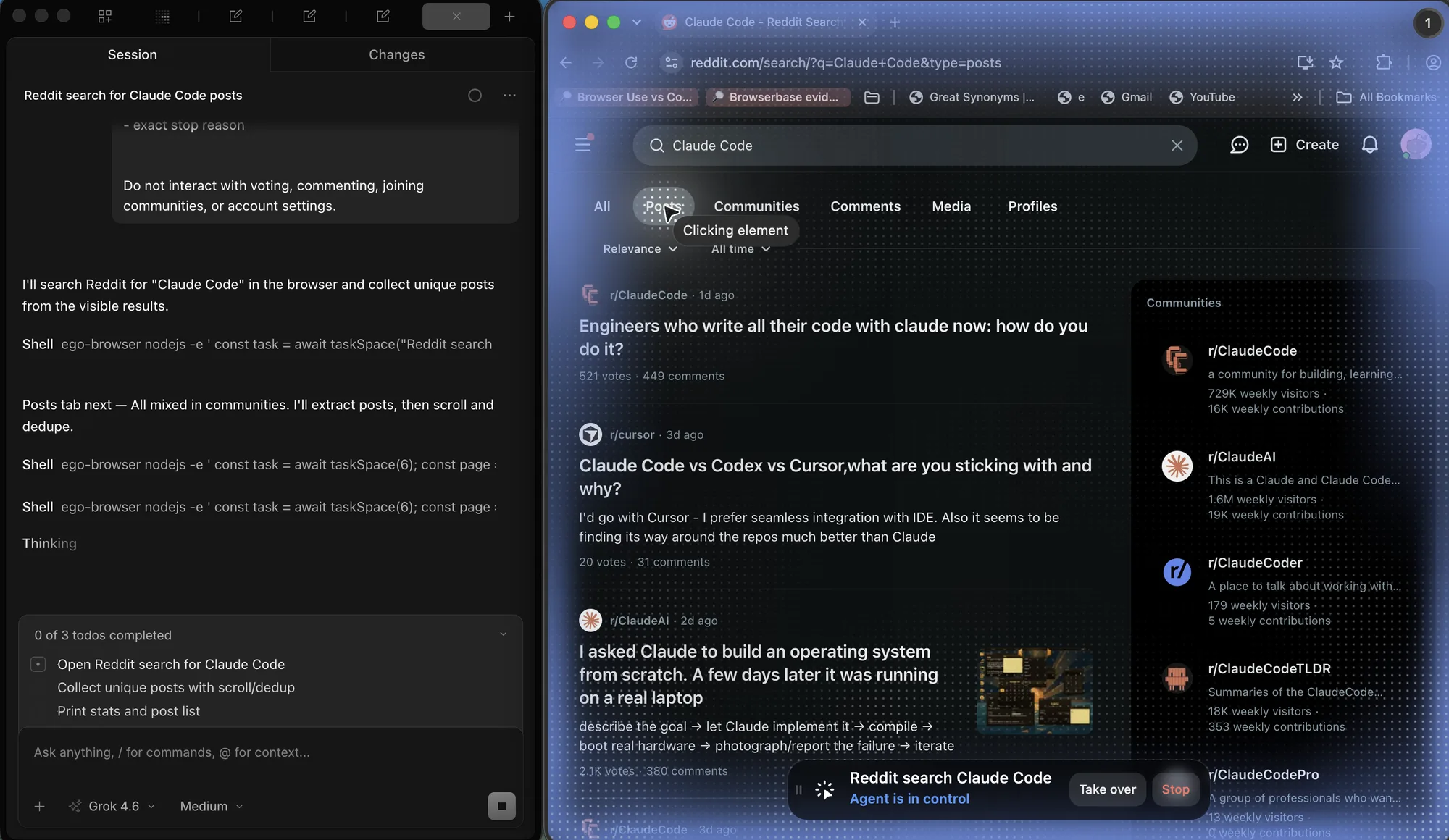
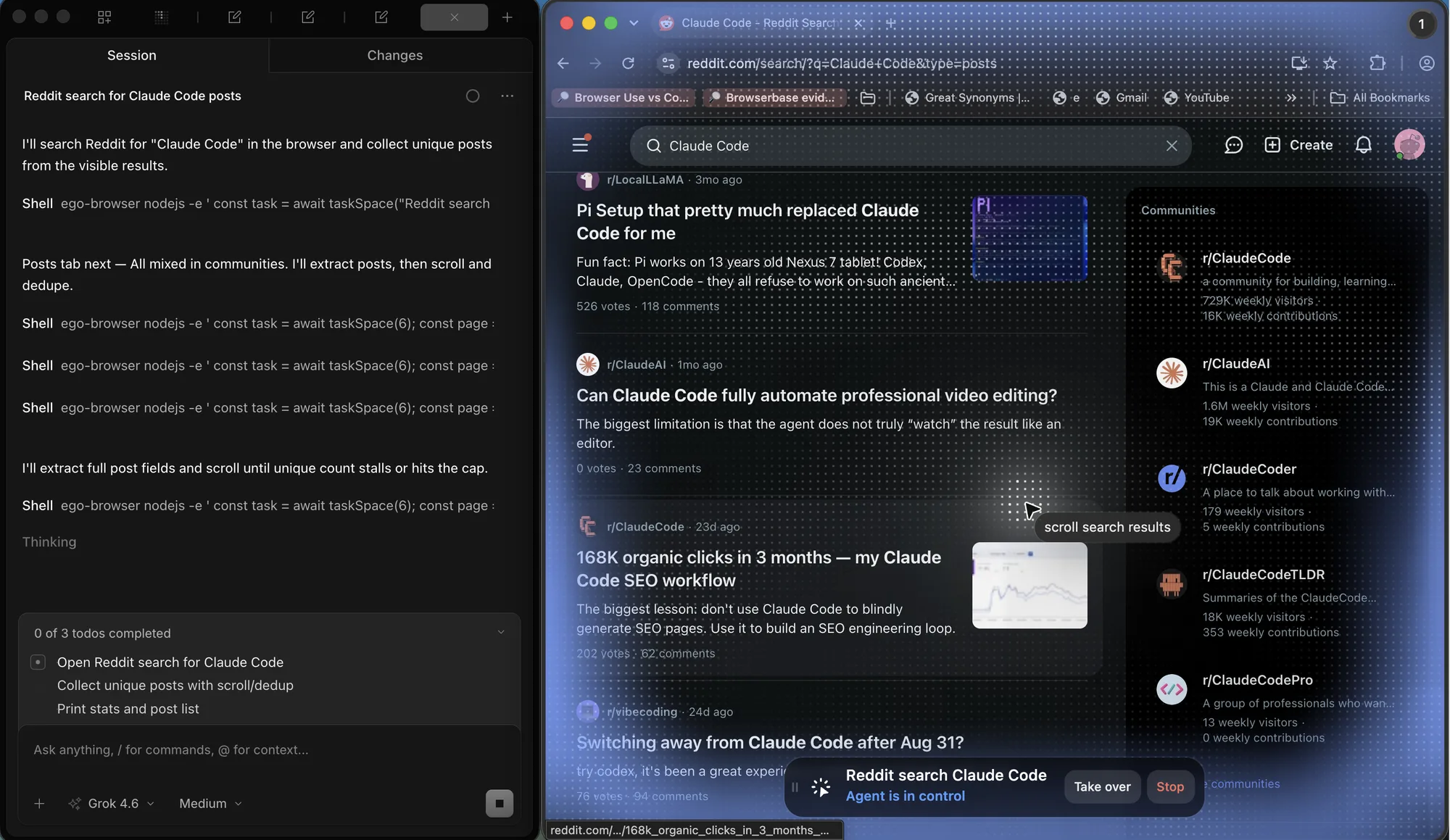
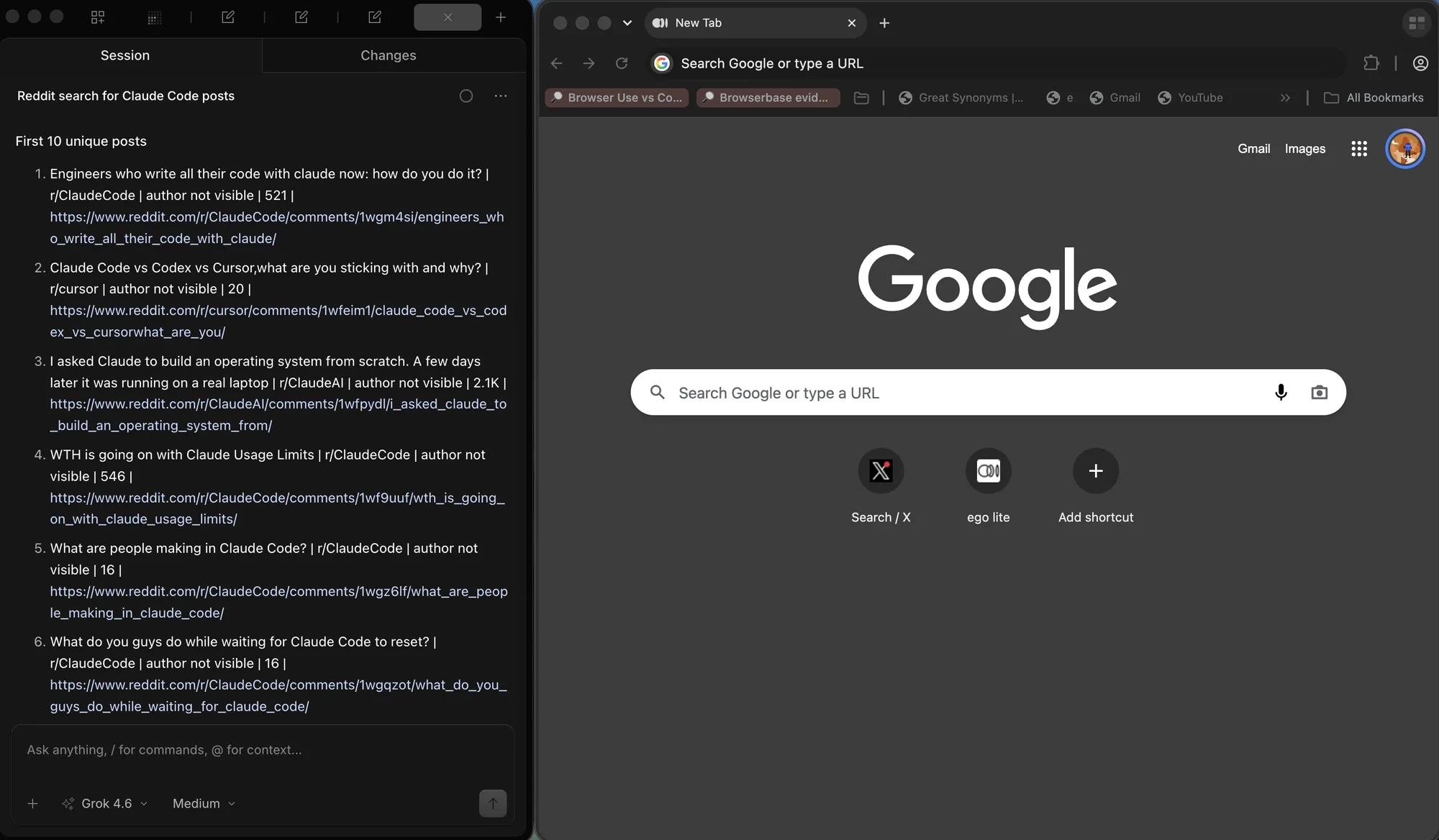
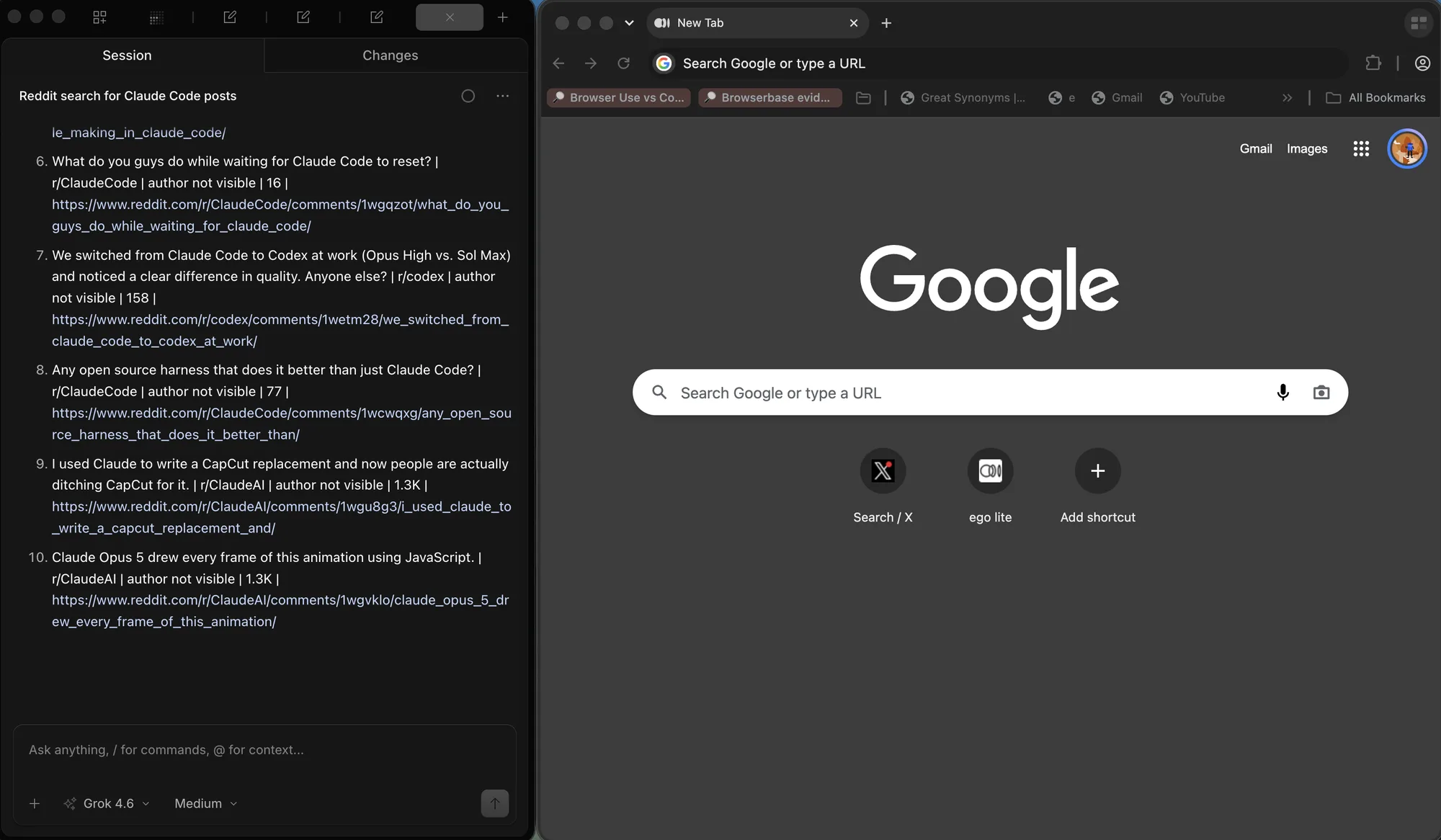
The Reddit run used the same check on a live unique list, not on the 135-row fixture. Each row needed a title, a subreddit, a vote count, and a URL. The numbered output is what you validate after the scroll.
When plain HTTP is enough, and when it is not
The same fixture data is reachable without a browser, and measuring both paths is the honest way to decide what the job needs. A plain HTTP client walked the numbered pages by URL, fetched the load more batches from their JSON endpoint, and pulled the infinite feed by offset, collecting all 135, 81, and 60 rows in 24 milliseconds combined. No rendering, no waits, no scrolling.
That is the default recommendation, and it should be stated plainly: if an official API exists, use it. If the numbered list is server-rendered, request the pages directly. If the load more or infinite modes are backed by a JSON endpoint that needs no signature, request that endpoint and paginate on the offset. A framework like Playwright is not required for any of it, and the HTTP path is faster and cheaper to run. The Apify pagination walkthrough, the Web Scraper pagination selector docs, and the network panel workflow in the Playwright network guide cover the same ground from different starting points.
A browser is warranted when the data only exists after client-side rendering, when requests carry a signature or token that is generated in the page, when the list requires a login, or when the endpoint responds differently without a real session and a real user agent. At that point the browser is not a scraping preference but the only honest path, and the earlier sections apply unchanged.
ego(lite) enters only after that HTTP path fails. If the list needs a signed-in cookie, a page-generated token, or a scroll that never happens without a real viewport, run the same numbered / load-more / infinite loop inside a browser that already holds the session. Do not start there. The fixture already showed the cheaper answer: 135, 81, and 60 rows over plain HTTP in 24 ms.
When you do need the browser, keep the crawl logic from the earlier sections. ego(lite) supplies the logged-in page and a Space you can watch; it does not invent a new pagination algorithm. If a step needs a person, stop. If curl or an official API already returns the rows, stay on HTTP.
The isolation rule from numbered pages still applies. Two crawlers that share one window fight over scroll position and overwrite each other's last-seen row. In the same browser, two Spaces are the equivalent of two Playwright contexts: one can sit idle on Google while the other keeps scrolling Reddit. Isolation is the point. The overview is just how you see both at once.
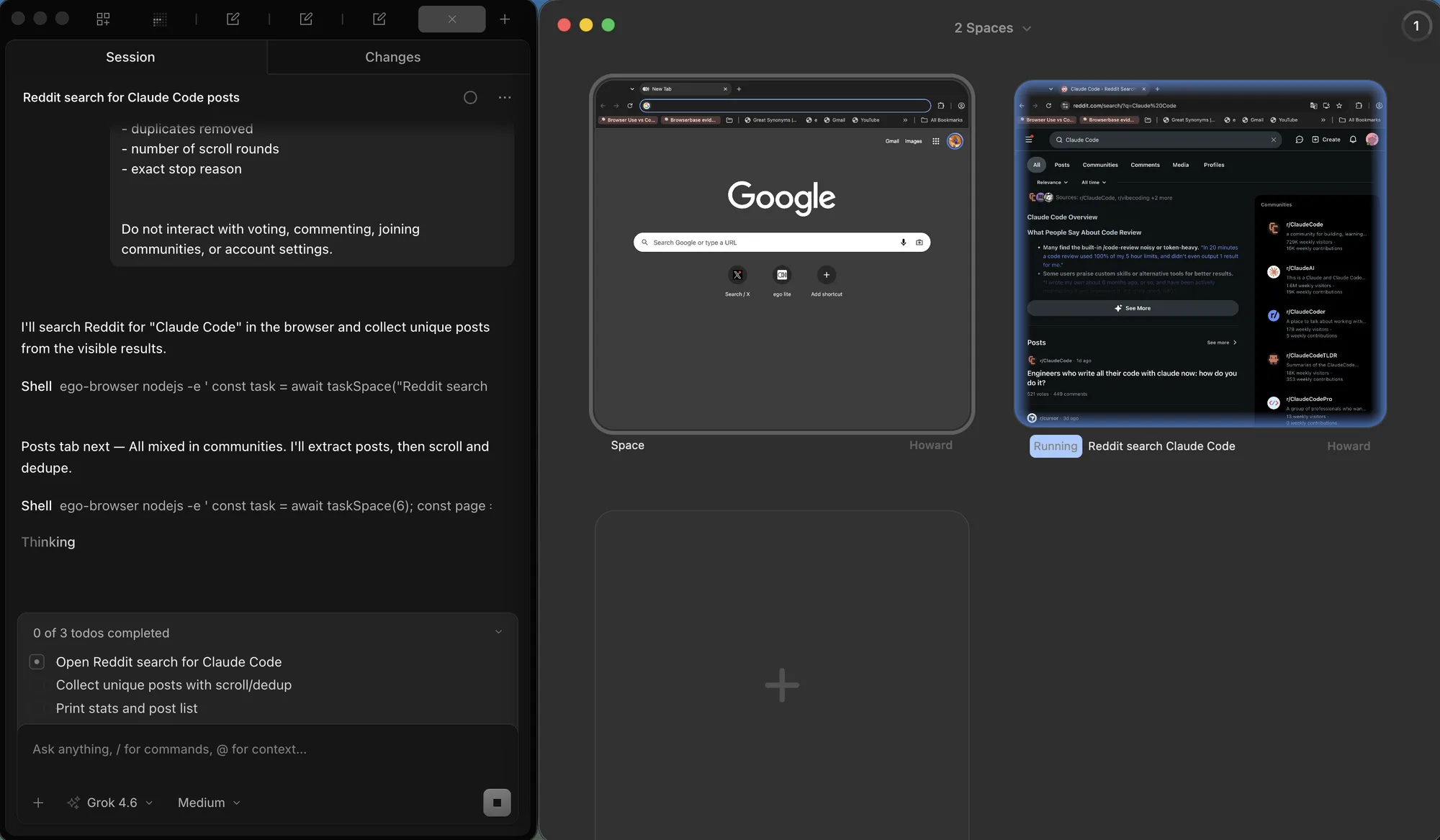
Version 0.5.0.32 is recorded in the changelog (2026-09-12). Recheck that page, the quick start, and the GitHub repo before quoting a newer build. The adjacent guide Web scraping with JavaScript covers the static-versus-rendered decision from the other side.
FAQ
How do I know how many pages a numbered list has?
You know how many pages a numbered list has by reading the last-page control, dividing a header total by page size, then walking to the end once. Treat that estimate as a check, not as the loop's stop condition.
Why does my scraper collect duplicates between pages?
Scrapers collect duplicates between pages when the underlying list re-sorts, so a record moves from one batch into the next. Deduplicate on a stable record id, not the visible title, and log how many duplicates you removed.
How long should I wait after clicking load more?
Until an observable condition is true: the row count increased, the button's disabled state cleared, or a known row from the next batch appeared. A fixed delay is a guess that works until the network is slow, which is exactly when it fails.
How do I detect the end of an infinite feed?
Prefer an explicit signal when the site provides one, such as a rendered end message or a has-more flag in the response. Without either, require several consecutive checks with no new items and no height change in loaded content before you stop, not a single quiet moment.
Should I use a headless browser for pagination scraping?
Only when the data requires rendering, a session, or in-page tokens. Server-rendered lists and JSON endpoints are better served by plain HTTP, which is faster and simpler to run. Measure both paths once; the comparison usually makes the decision obvious.
What causes a paginated crawl to stop early?
Three usual suspects: a wait that ended before the batch rendered, a transient error treated as an empty page, and a session that expired mid-run so the next page rendered the login form instead of rows. Each has a different fix, which is why the stop reason should be logged with the count.
How do I resume a crawl after a crash?
Checkpoint after every completed batch with the mode, position, and rows collected so far. Resume reads that file and re-enters the mode at the recorded position. Re-fetch one batch before the checkpoint position once, to confirm the source has not shifted underneath the saved state.
How can I validate that a crawl is complete?
Compare the unique record count against at least two independent numbers, such as the last page's own total and the sum of per-page counts, then check field completeness on every row and report the exceptions. A count that matches and fields that are all present is a strong signal; either one alone is weak.
Do I need to scroll slowly to trigger lazy loading?
Usually no, but do re-trigger the loader rather than parking at the bottom. Sites use intersection observers that fire on change, so alternating position or scrolling in steps is more reliable than one large jump, and it makes the growth check meaningful.
Can I scrape a paginated list behind a login?
Yes, with a real session and the same rules: paginate politely, keep the session alive, and treat a redirect to the login page as a session problem rather than as the end of the list. A browser that already carries your login, such as ego(lite), removes the session-reconstruction step entirely. The persistent session guide covers the state handling, and price scraping use case shows what a complete logged-in collection looks like.