












ego (lite) is just a browser, ego is your personal agent across devices.
Join waitlist
AI price scraping for public e-commerce data

Free AI price scraper tool for e-commerce

ego (lite) is a free AI price scraper tool for bounded e-commerce research. Give Codex, Claude Code, or another coding agent a list of product URLs; it reads prices displayed in your authorized browser and exports an auditable CSV with product, variant, currency, availability, source URL, checked-at time, and access status.

Download for Mac(yes, free)

Trusted by developers from

OpenAIAnthropicGoogleMetaNVIDIACursorPerplexity
SpaceXTeslaNotionFigmaStripeNetflixAirbnb

How to use ego (lite) as a price scraper

Create a small URL manifest, define the exact fields you need, and tell your Agent what should stop the run. ego (lite) supplies a visible browser Space for each store or URL set, while your Agent records only what the current session can actually see.

1

Install ego (lite) and choose an authorized browser context

Download ego (lite) for Mac, then import only the Chrome context you are allowed to use. Many product pages are public, but prices can still depend on location, language, account state, or membership. The Agent works inside the context you choose and does not enter credentials or change store settings on its own.
2

Give your Agent product URLs, fields, and stop rules

Paste a bounded list of product pages into one prompt. Ask for product title, the selected variant, displayed price, list price or discount, currency, stock text, seller, shipping text, source URL, and checked-at time. Tell the Agent to mark missing fields and stop at sign-in, CAPTCHA, rate-limit, or consent decisions.

3

Watch each e-commerce page being read on screen

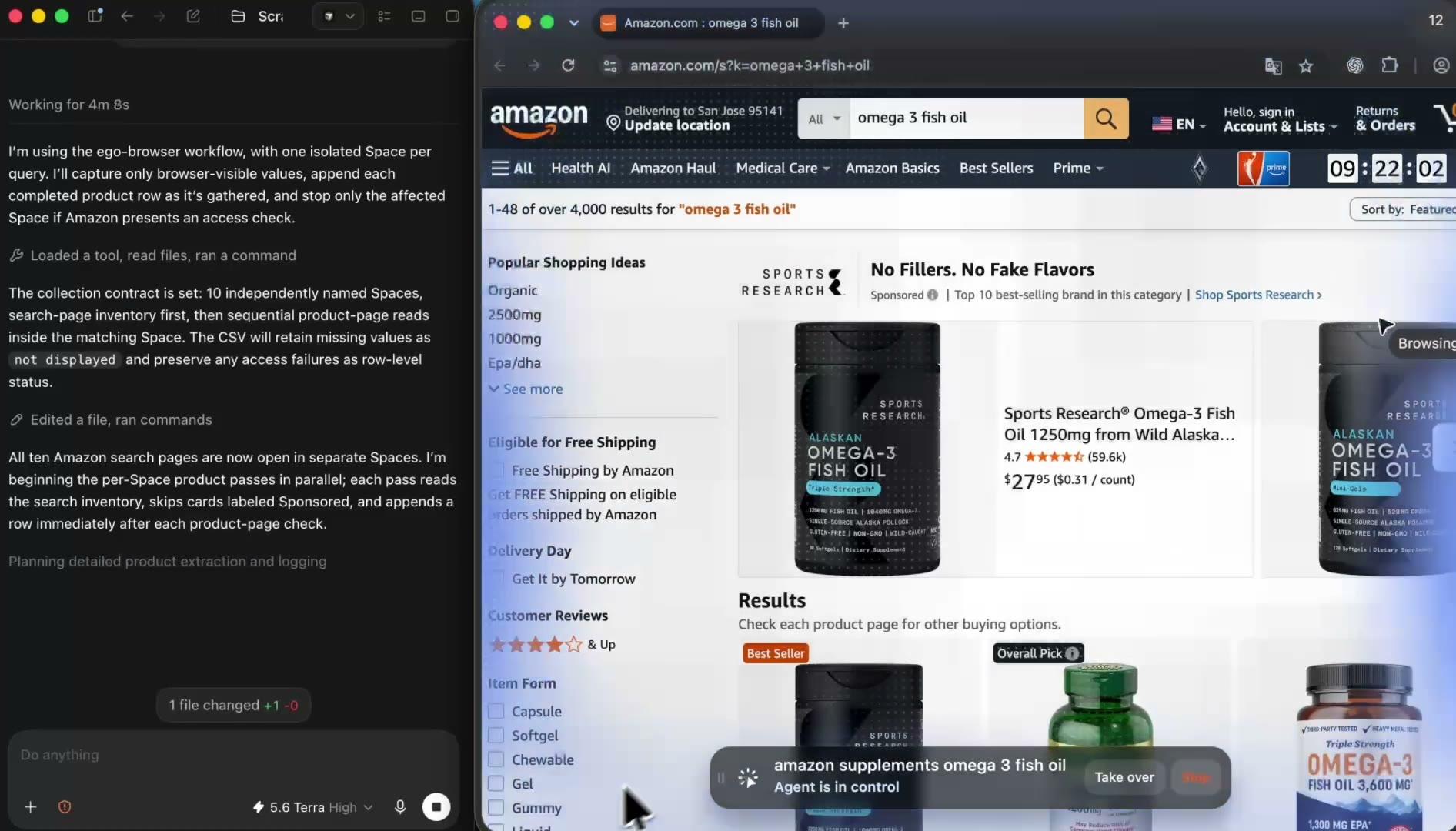
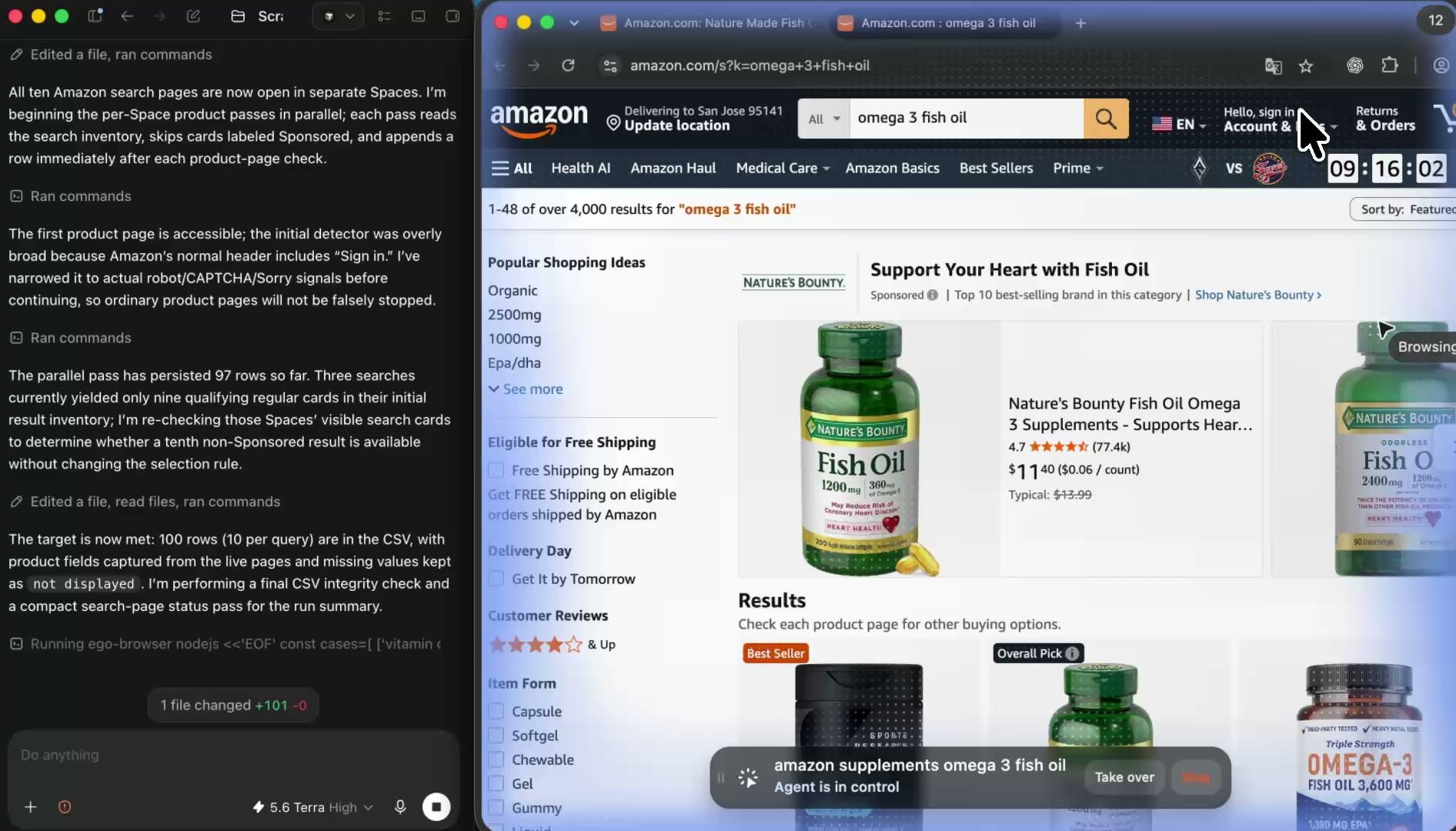
The Agent opens each product or result page in a visible ego (lite) Space and records the offer the current page state displays. You can inspect the selected size, color, seller, delivery location, and stock message before accepting the row instead of trusting a number returned by an unseen cloud request.

4

Keep stores or product groups in separate Spaces

Give each store, category, or product group its own Space so independent page states do not get mixed together. The Agent can work through several bounded lists side by side while you keep using your own tabs, and you can open any Space to check progress or take over.

5

Review the source-linked price scraper report

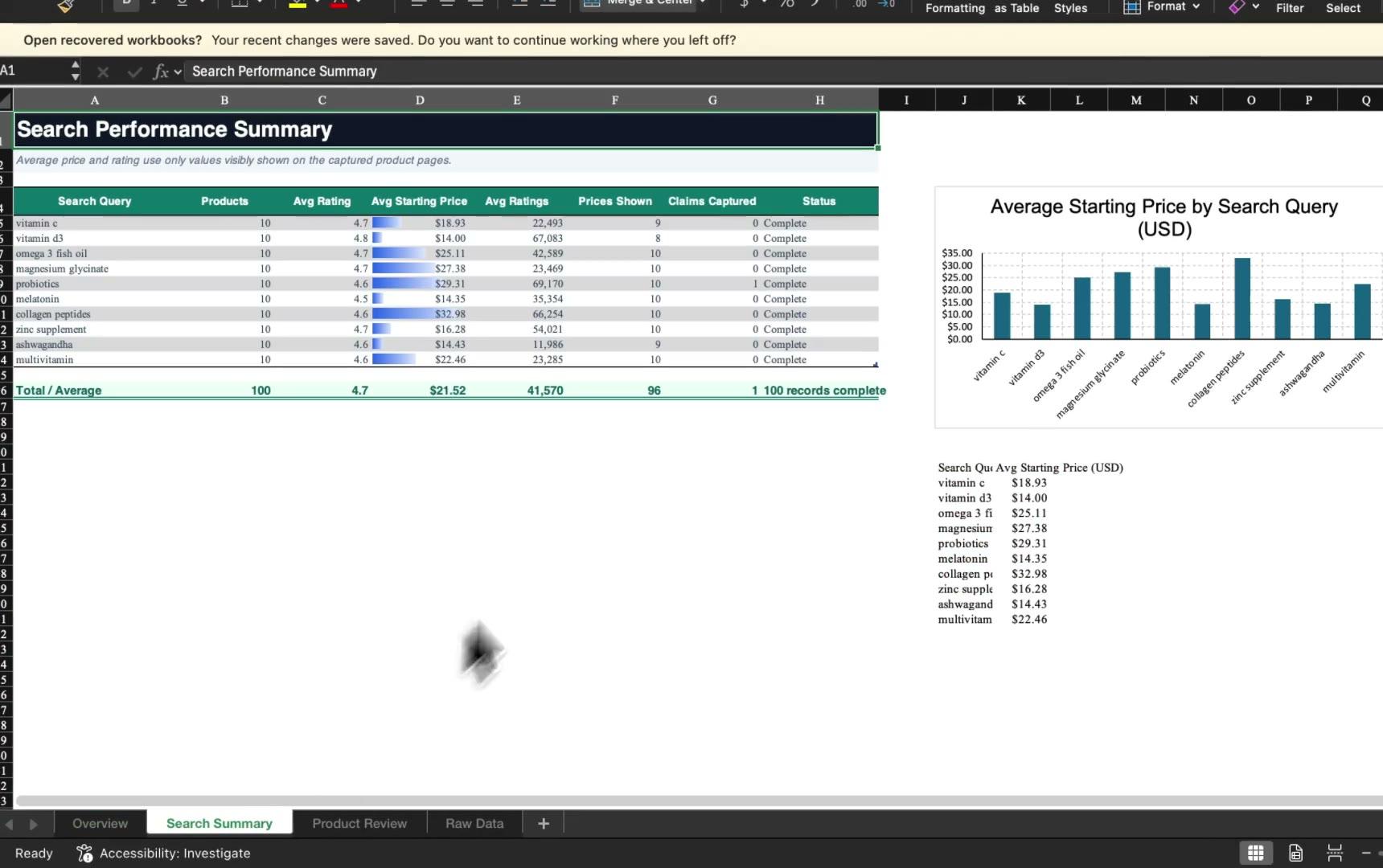
Open the CSV or Markdown result and check each price beside its product, selected variant, currency, source URL, and checked-at time. Keep unavailable and blocked rows in the file with a status, then rerun the same manifest later when you need a new snapshot and compare the two reports.

Why use ego (lite) as a price scraper tool?

Price monitoring SaaS products automate dashboards and alerts, while scraper APIs sell requests, records, JavaScript rendering, and proxy traffic. ego (lite) fits a different job: bounded price research with the coding Agent you already use, in a browser you can see, with no per-row scraping charge and a source trail on every result.

Finish browser collection tasks with less waiting

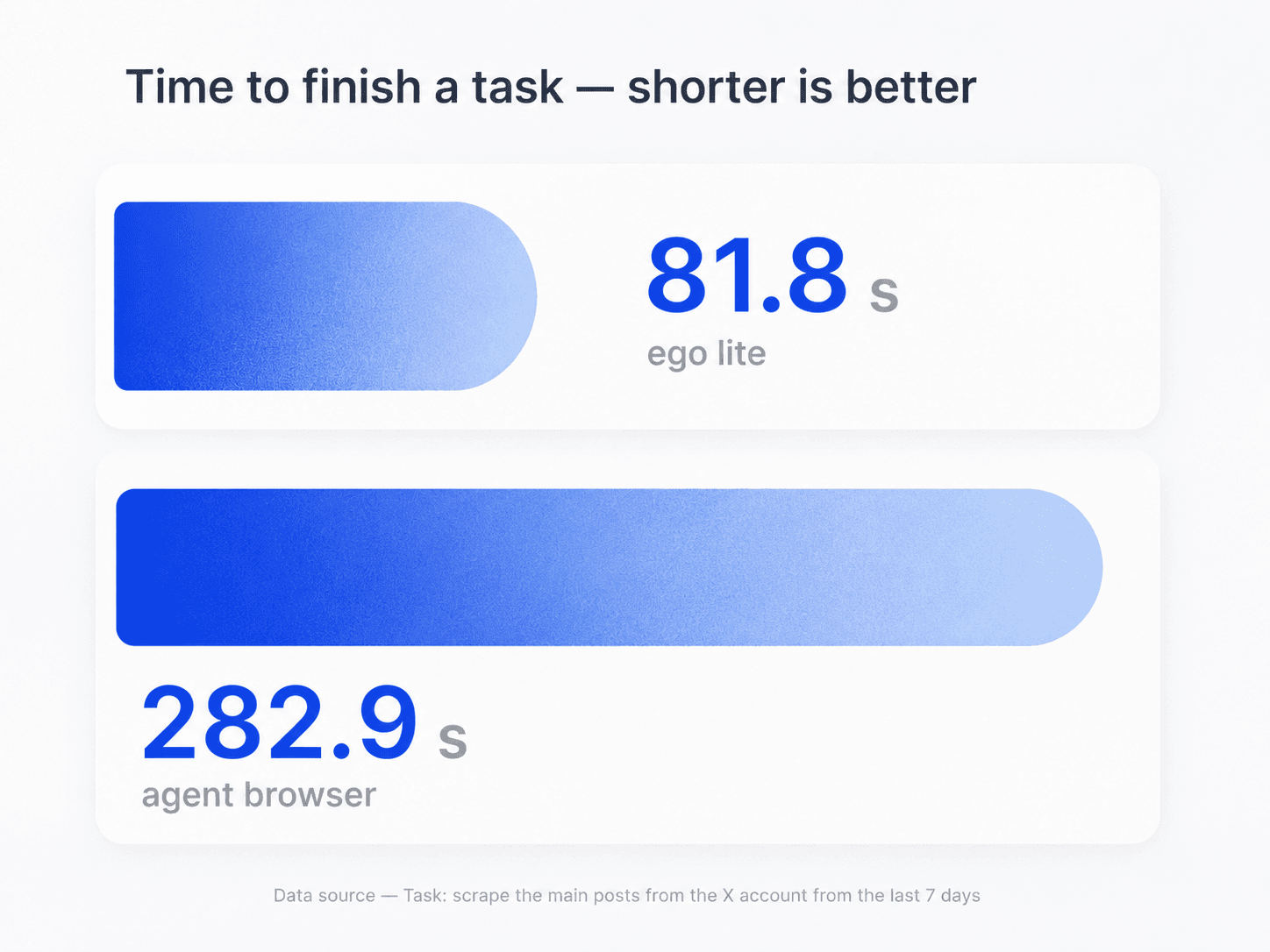
ego (lite) helps an Agent complete browser work faster by combining page snapshots, direct browser actions, and parallel Spaces. In the browser task shown by the shared benchmark, ego (lite) finished in 81.8 seconds versus 282.9 seconds for an agent browser. Actual timing varies by store, workflow, list size, and network conditions.

Task-time comparison for ego (lite) and an agent browser during browser automation

Compare several stores or product groups in parallel

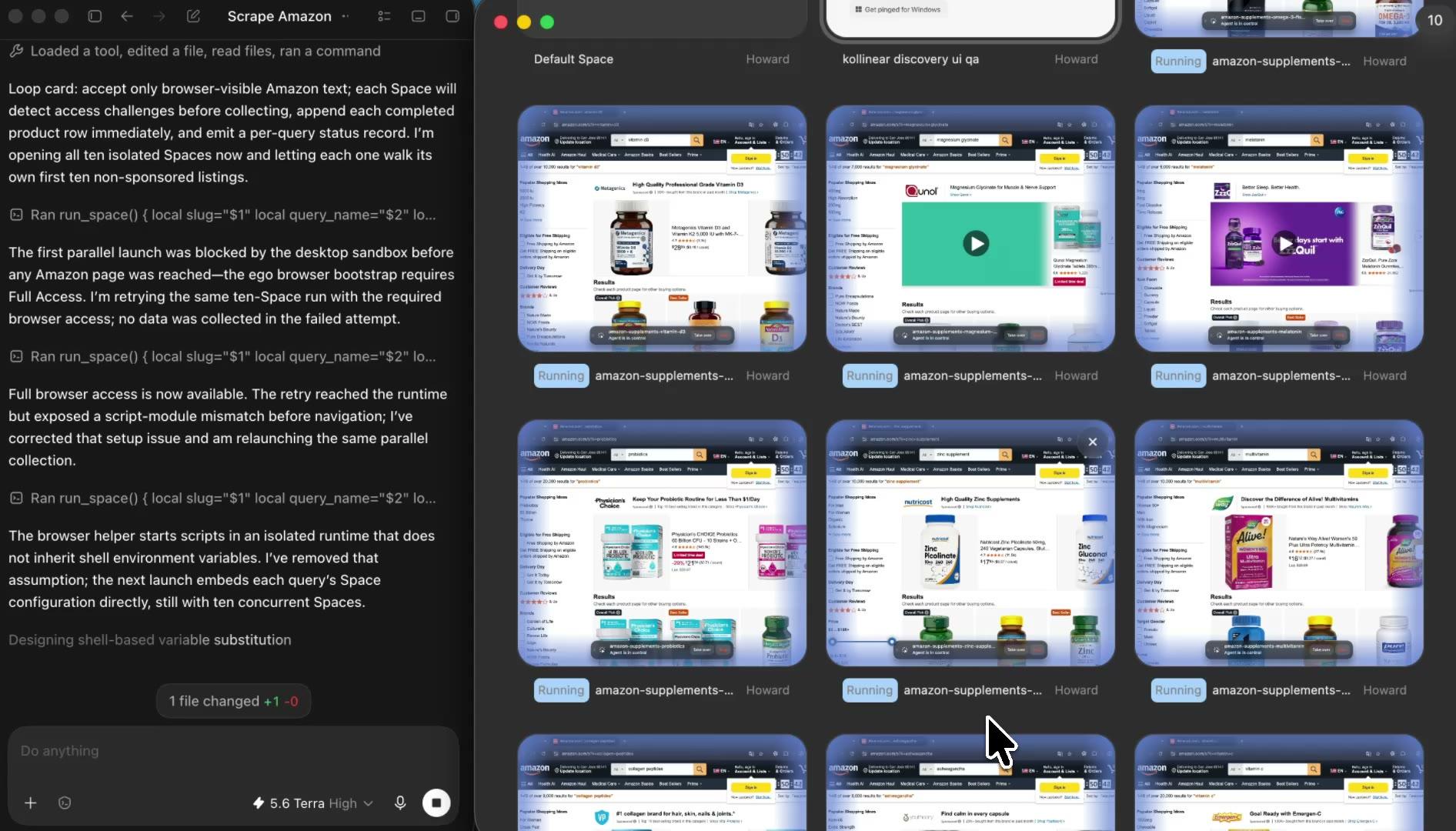
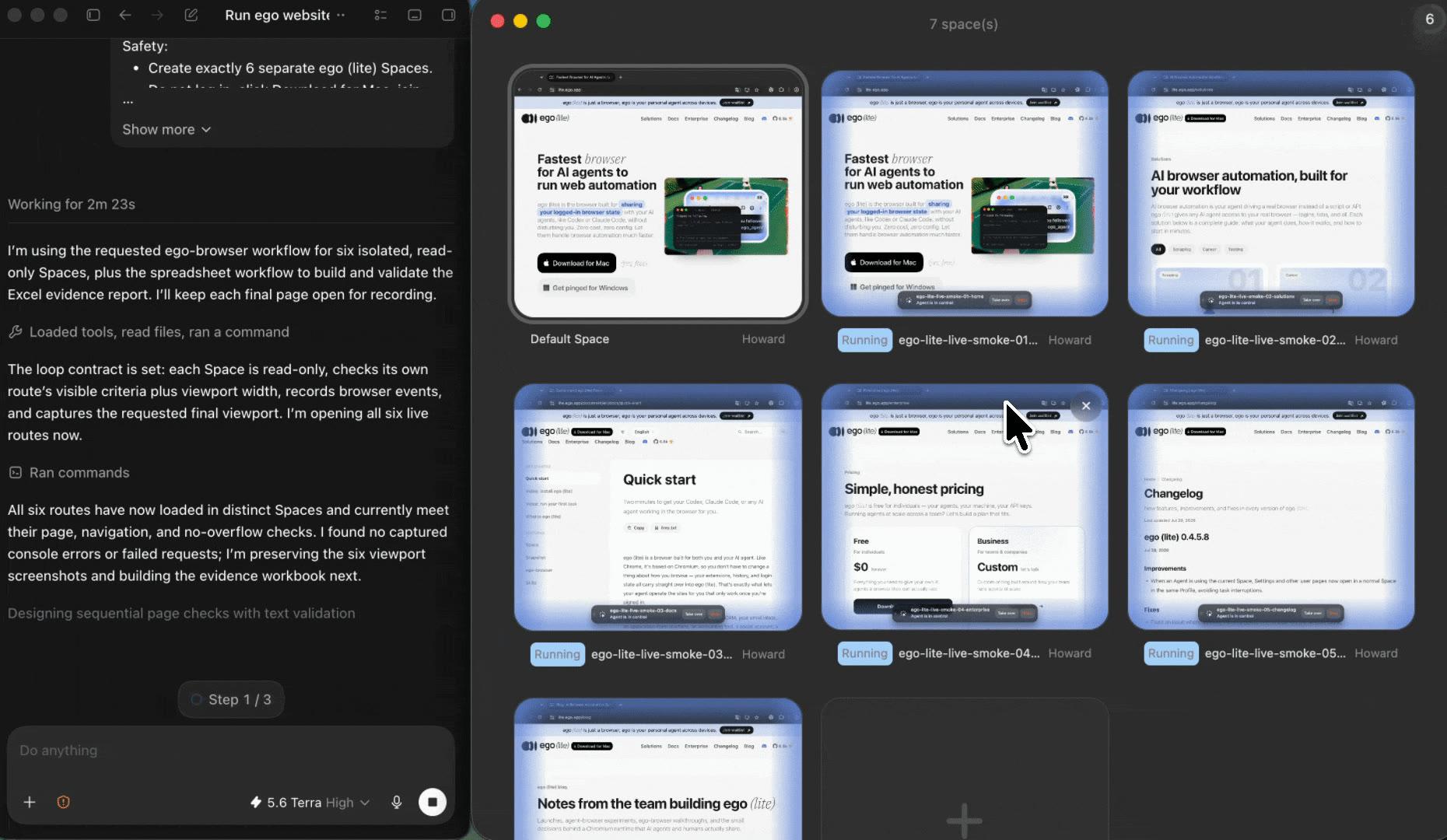
Give each store, region, category, or product list its own ego (lite) Space. Independent tasks progress side by side without mixing session state, and every report row still points back to the exact page and context that produced the displayed price.

Parallel ego (lite) Spaces for separate e-commerce price scraping tasks

Watch the price scrape and take over when needed

Open any Space to see which page the Agent is reading and which variant is selected. If a store asks for sign-in, membership, consent, or a CAPTCHA, the Agent stops that task and hands the visible browser back to you. You decide what happens next; the workflow does not bypass the check.

Use the browser context you authorize

Import the Chrome context you choose instead of sending account state to an unknown proxy pool. The Agent reads the same offer your selected session displays, and the report records enough context to explain why another region, member, seller, or variant may show a different number.

ego (lite) Chrome context import for an authorized e-commerce browser session

What this price scraper can and cannot do

ego (lite) records what the product pages in your chosen browser context display during a bounded run. Each website sets its own terms, robots policy, access controls, and rate limits. Review those rules before collecting data; a visible page is not automatic permission for unlimited scraping.

What your Agent can record

Displayed product and offer data from a bounded list you provide.

  • Product title, source URL, store domain, displayed product ID or SKU, and the size, color, pack size, seller, or other variant currently selected
  • Displayed selling price and currency, with list price, discount, coupon, member price, subscription price, shipping, or delivery text kept in separate labeled fields when shown
  • Availability or stock text, checked-at time, access status, and a note for every missing or blocked field
  • A new source-linked snapshot when you rerun the same bounded manifest, so two reports can be compared without inventing historical prices

What stays out of scope

No access bypasses, hidden data, account actions, repricing, or unattended scale.

  • Bypassing sign-in, paywalls, membership gates, CAPTCHAs, robot checks, consent decisions, rate limits, or a site's terms, robots policy, and technical controls
  • Rotating proxies or identities, faking a location, or changing currency, language, delivery location, seller, coupon, or product variant to manufacture a different price
  • Inventory quantities, margins, sales volume, buy-box history, negotiated prices, or any field the current page does not display
  • Adding to cart, saving, subscribing, purchasing, contacting sellers, changing prices, or taking any other account or commerce action
  • Continuous cloud monitoring, automatic alerts, and industrial crawls; use an official commerce API or a dedicated price-monitoring service when that is the real requirement

Read the Robots Exclusion Protocol and review each site's own terms

Collect prices you can trace back to the page

Give your Agent the product URLs, fields, and stop rules. ego (lite) turns the run into a visible, source-linked price snapshot with the product, variant, currency, checked-at time, and access status kept beside every displayed offer.

Try the free price scraper

Price scraper FAQ: tools, monitoring, and cost

A price scraper is a tool or workflow that visits product pages and turns the prices they display into structured data. A useful price scraper keeps more than the number: product, active variant, currency, seller or offer context, source URL, check time, and access status belong in the same row. With ego (lite), your own AI agent does that work in visible browser Spaces and returns a CSV or Markdown snapshot you can audit.

Install ego (lite), give Codex or Claude Code a bounded list of product URLs, name the fields you need, and set clear stop rules. The Agent opens each store or URL group in its own visible Space, records only what the current page displays, and returns a report with the price, currency, variant, source URL, checked-at time, and status. When a site needs a human decision, the Agent stops and lets you inspect or take over.

From the pages you provide, the Agent can record visible product titles, IDs or SKUs, selected variants, selling and list prices, currency, discount or coupon labels, member or subscription prices, seller, stock text, and shipping or delivery text. It keeps each value exactly as displayed and marks anything absent as not displayed. It does not infer inventory, margins, sales volume, negotiated prices, or other hidden data.

Price monitoring compares snapshots from different times. Run the same URL manifest with the same field contract, then compare the displayed_price and checked_at columns between reports. ego (lite) makes those snapshots visible and source-linked, but it is not an always-on monitoring SaaS: it does not schedule itself in the cloud, send automatic price alerts, or reconstruct price history from before your first run.

The cost depends on the model. Current tools commonly charge a monthly subscription, per request, per record, or for proxy and JavaScript-rendering usage; building your own also costs engineering and maintenance time. ego (lite) is free to download for Mac and adds no per-row scraping fee. You use your own coding Agent, which may have its own token or subscription cost, and the workflow is designed for bounded research rather than high-volume production monitoring.

ego (lite) is free to download for Mac, with no scraping credits or per-record charge. The Agent doing the work is your own Codex, Claude Code, or compatible coding agent, so its normal usage costs still apply. The trade-off is deliberate: this is a visible, supervised workflow for bounded URL lists, not a hosted service that promises millions of records or continuous monitoring.

Price monitoring software usually provides scheduled crawls, dashboards, alerts, and integrations for an ongoing subscription. Scraper APIs provide rendered pages or structured records through metered requests and often sell proxy rotation. ego (lite) uses the coding Agent you already have in a visible browser on your Mac. It is strongest when you want a bounded, reviewable price snapshot with source URLs and page context, not an unattended production data feed.

Stores can vary prices by selected size or color, pack quantity, seller, account or membership state, delivery location, currency, promotion, and time. Some pages also separate list price, sale price, coupon, subscription price, shipping, and tax. That is why this workflow records the active variant, labeled price type, currency, relevant page context, source URL, and checked-at time instead of reducing the page to one unexplained number.

This page does not promise unattended scheduling or alerts. You can keep the URL manifest and rerun it when you need a new snapshot, then compare reports by source and checked-at time. If you need hourly cloud jobs, alerting, API delivery, service-level guarantees, or thousands of products every day, use an official commerce API or a dedicated price-monitoring provider built for that operating model.

There is no universal answer. Public visibility, copyright, database rights, privacy law, contract terms, robots policies, rate limits, jurisdiction, and how you use the data can all matter. Review each website's current terms and technical rules, use official APIs when available, keep collections bounded, and do not bypass access controls. This workflow's conservative behavior does not create permission, and this page is not legal advice.

The Agent stops in that Space and records the source URL, check time, and visible restriction instead of solving or bypassing it. You can inspect the page, take over if the store asks for an appropriate human action, or end that source. The blocked row stays in the report so a partial result is never mistaken for a complete price comparison.