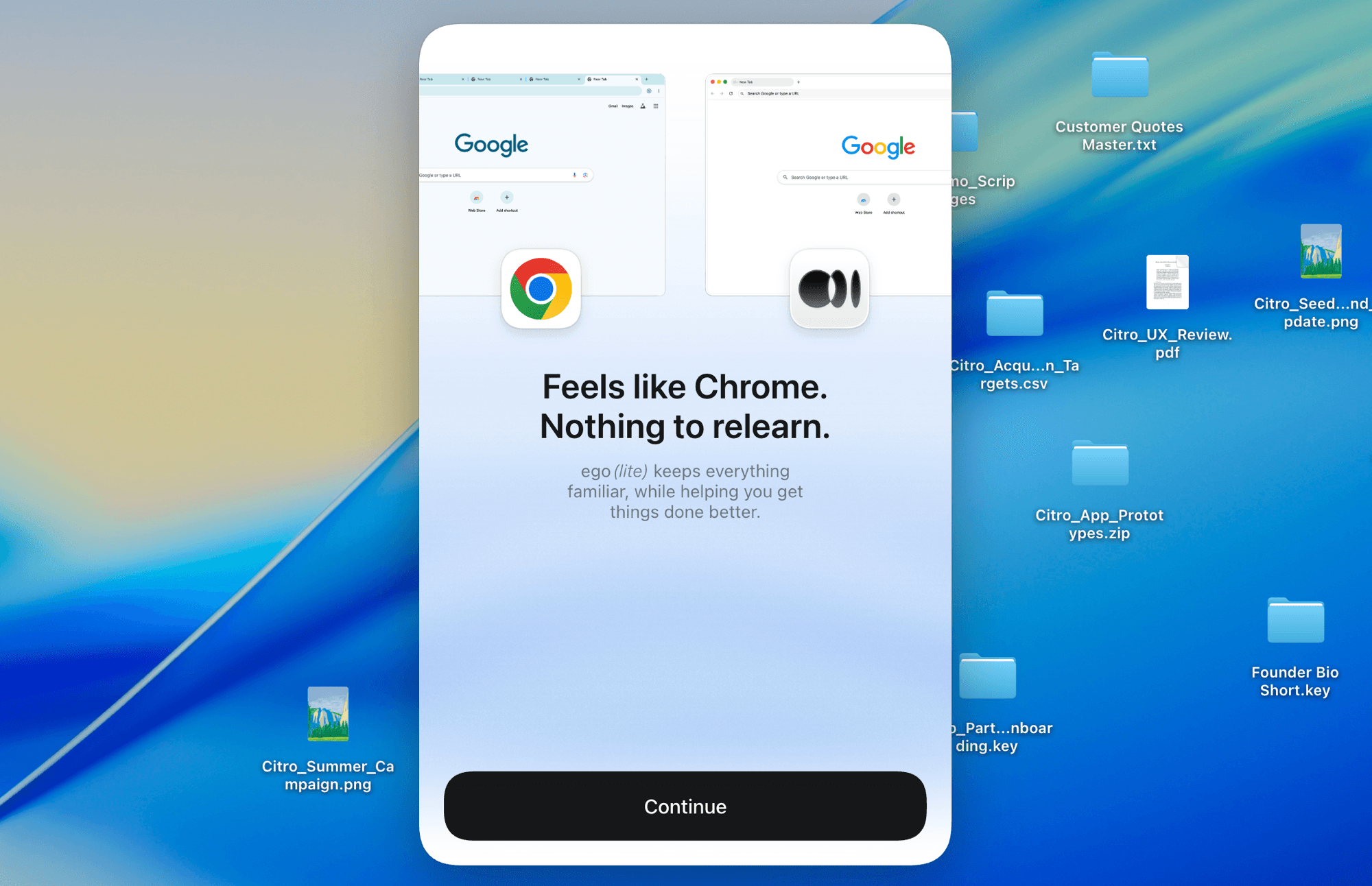













ego (lite) is just a browser, ego is your personal agent across devices.
Join waitlist
Visible Amazon price scraping with source-linked results

Free Amazon price scraper with your AI agent

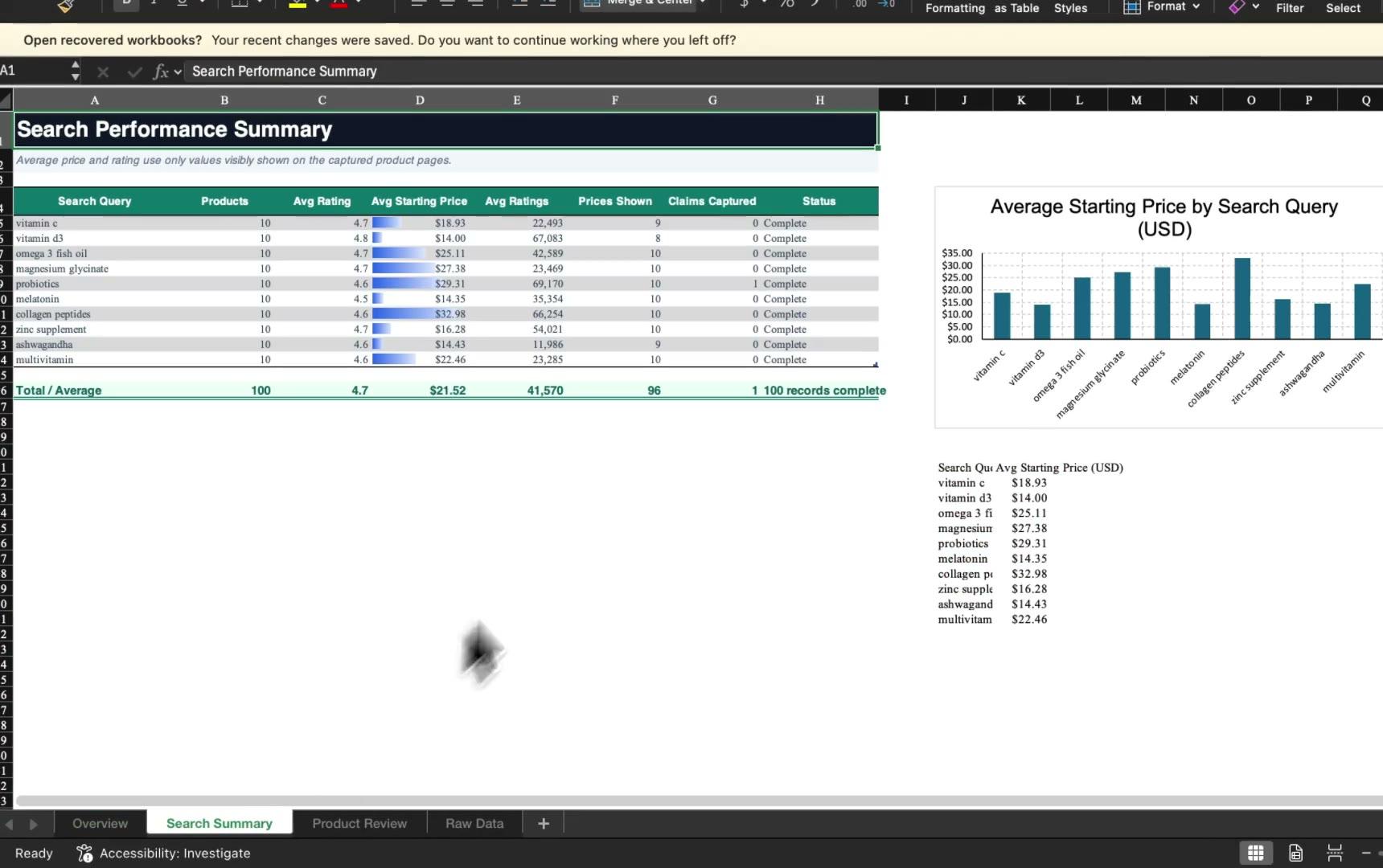
Give this Amazon price scraper a focused list of product or search URLs. Your coding Agent opens them in visible browser Spaces and returns each displayed price with the offer details and source page you need to verify it. In the recorded demo, ten parallel Spaces produced a validated 100-row CSV. Use this workflow only for sources and methods you are authorized to automate.

Download for Mac(yes, free)

Trusted by developers from

OpenAIAnthropicGoogleMetaNVIDIACursorPerplexity
SpaceXTeslaNotionFigmaStripeNetflixAirbnb

How to scrape Amazon prices with ego (lite)

Start with the Amazon URLs you want to check and the fields you need to compare. Your Agent opens each group in its own Space, records the offer details on screen, and returns a source-linked CSV or Markdown report for review.

1

Install ego (lite) on your Mac

Download ego (lite) and choose a Chrome profile you are authorized to use. Keep the marketplace, delivery location, and account state consistent throughout the run, because those details can change the offer Amazon shows.
2

Scrape Amazon prices and offer details with one prompt

Paste Amazon product URLs, a search results page, or a Best Sellers list into one prompt for Codex or Claude Code. Tell the Agent which fields to collect, such as the displayed price, list price, coupon, seller, selected variant, currency, and availability text. Then choose CSV or Markdown and tell it to stop when Amazon asks for sign-in, a robot check, or another human decision.

3

Watch the Agent collect prices in a real browser

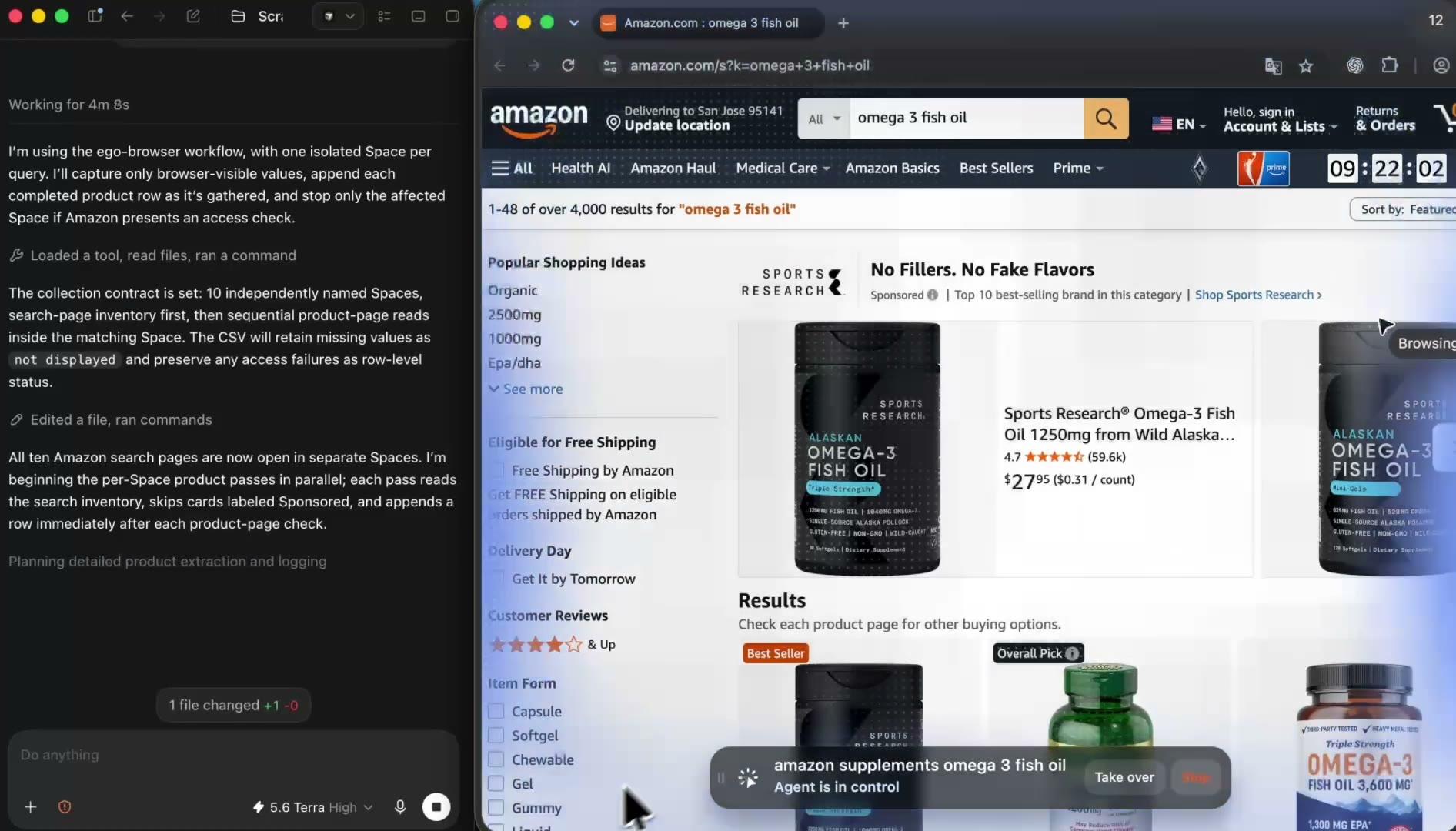
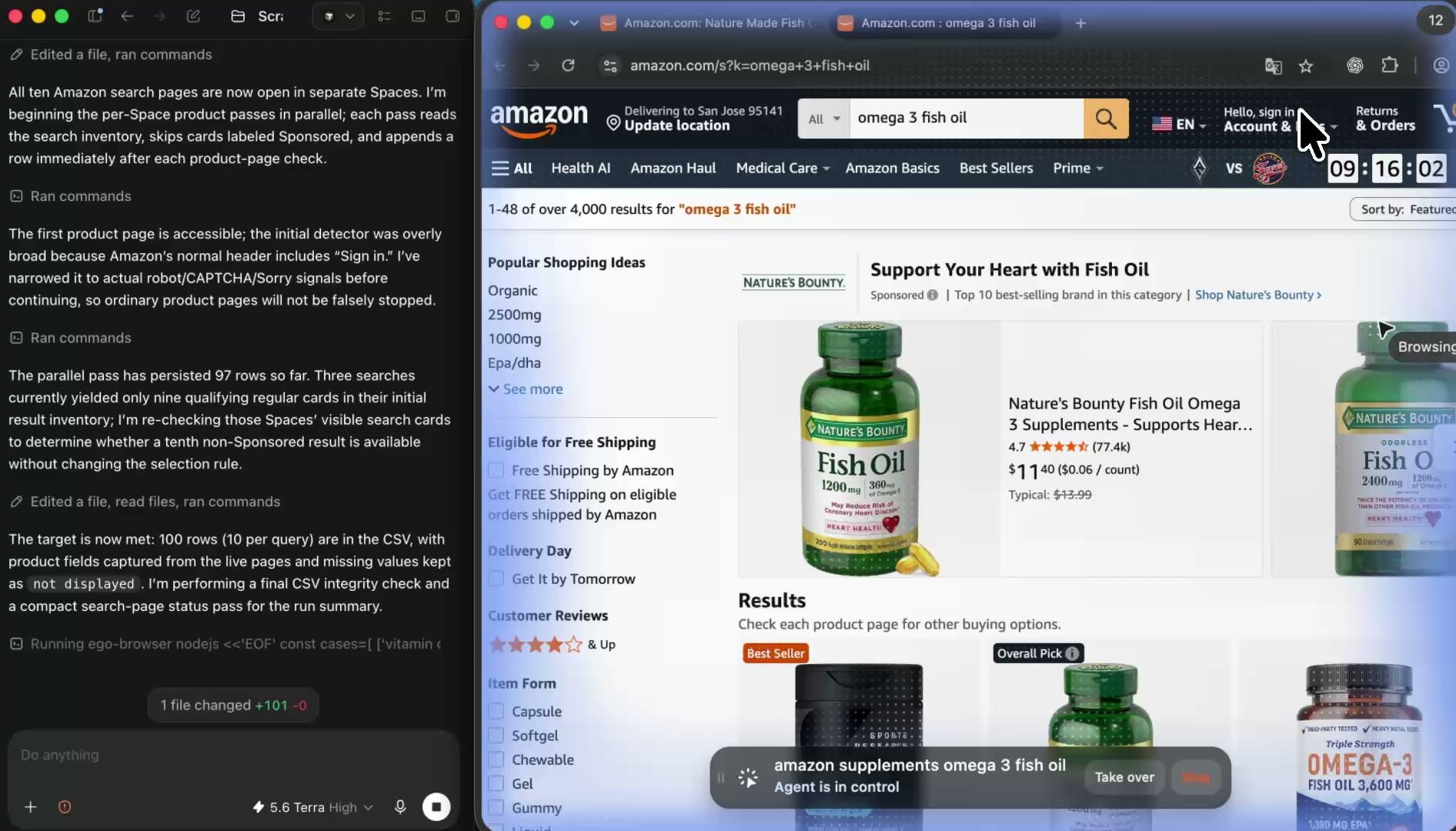
Your Agent opens each product or search page in its own ego (lite) Space and records the values the page visibly displays, including the selling price, list price, seller, selected variant, and availability text. The browser stays visible the whole time, so you can see exactly which page state supplied each price.

4

Multitask while Amazon price scraping runs in parallel

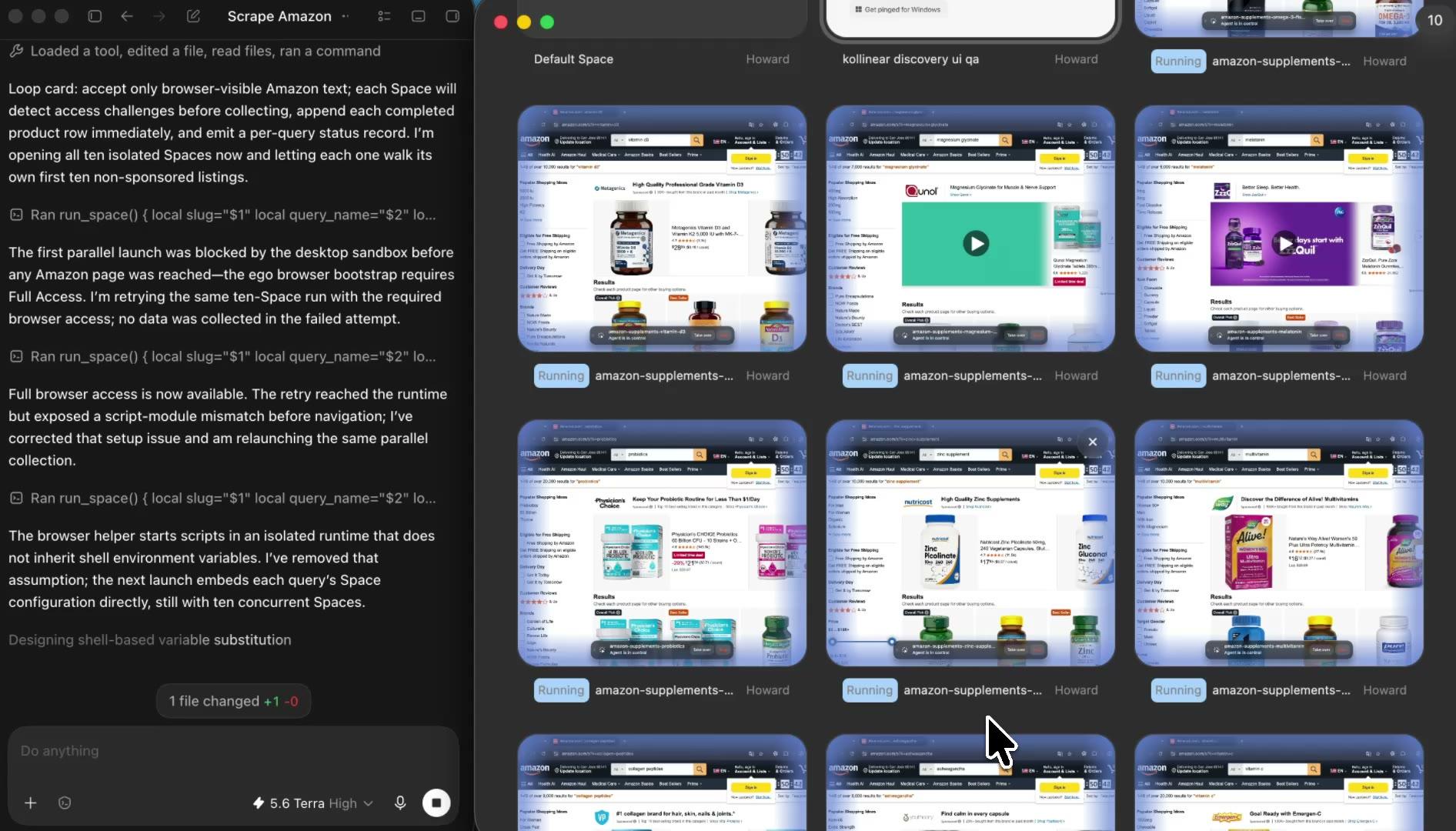
Give each search, category, marketplace, or product list its own Space and let your Agent run them side by side. Keep working in your own tabs while the price collections continue, then open any Space to check progress, pause a task, or take over when Amazon needs you.

5

Review the source-linked Amazon price scraper report

Open the finished CSV or Markdown report to compare every price with its source URL, seller, selected variant, marketplace context, and check time. Prices are copied exactly as the page displayed them, unavailable fields stay marked instead of guessed, and you can rerun the same list later to compare what changed between checks.

Why use ego (lite) as your Amazon price scraper?

Use the coding Agent you already have in a local browser you can inspect. Parallel Spaces reduce waiting, every report row keeps its source, and ego (lite) has no browser subscription or per-row fee. Your usual Agent or model costs can still apply.

Spend less time waiting on browser work

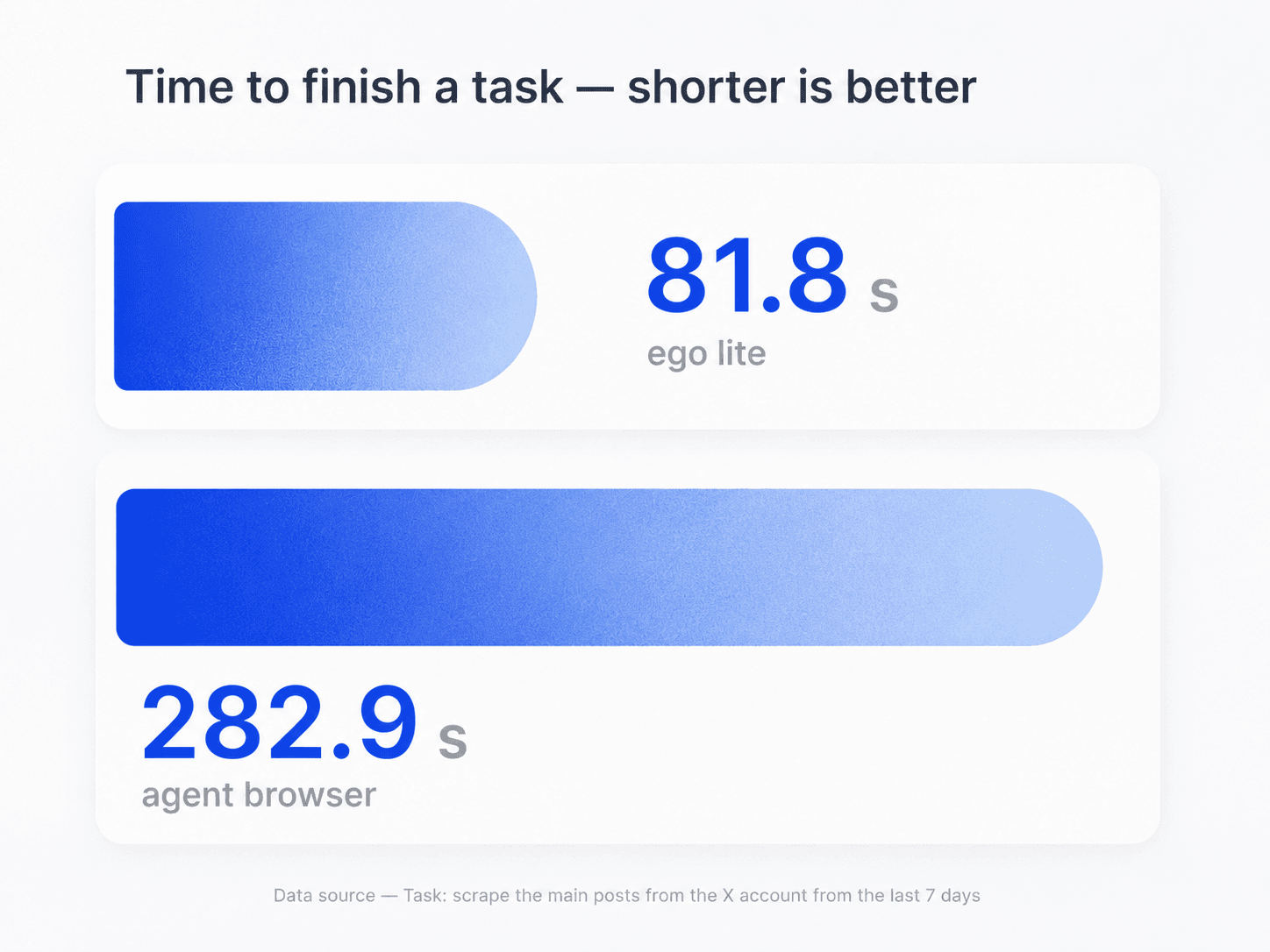
In the browser task shown here, ego (lite) finished in 81.8 seconds while an agent browser took 282.9 seconds. ego (lite) uses page snapshots, direct browser actions, and parallel Spaces. Timing varies by Amazon page, list size, workflow, and network conditions.

Task-time comparison for ego (lite) and an agent browser during browser automation

Compare more products without mixing page state

Open each Amazon search or product group in a separate Space. Several lists can run side by side, and every row still points to the page that supplied it. That lets you compare more offers without losing track of the seller, variant, or marketplace.

Parallel ego (lite) Spaces for separate Amazon price scraping tasks

See the run and step in at any time

Open any Space to watch the Agent work, check the active offer, or take over. If the task reaches sign-in, a robot check, a CAPTCHA, or another human decision, your stop rule keeps the Agent from pushing past it. You decide what happens next.

Keep the workflow on your Mac

ego (lite) runs the browser locally and can optionally import the Chrome profile you choose during setup. Your Agent reads the offer shown in that browser context. The report keeps the marketplace, delivery context, seller, variant, and check time that explain the price.

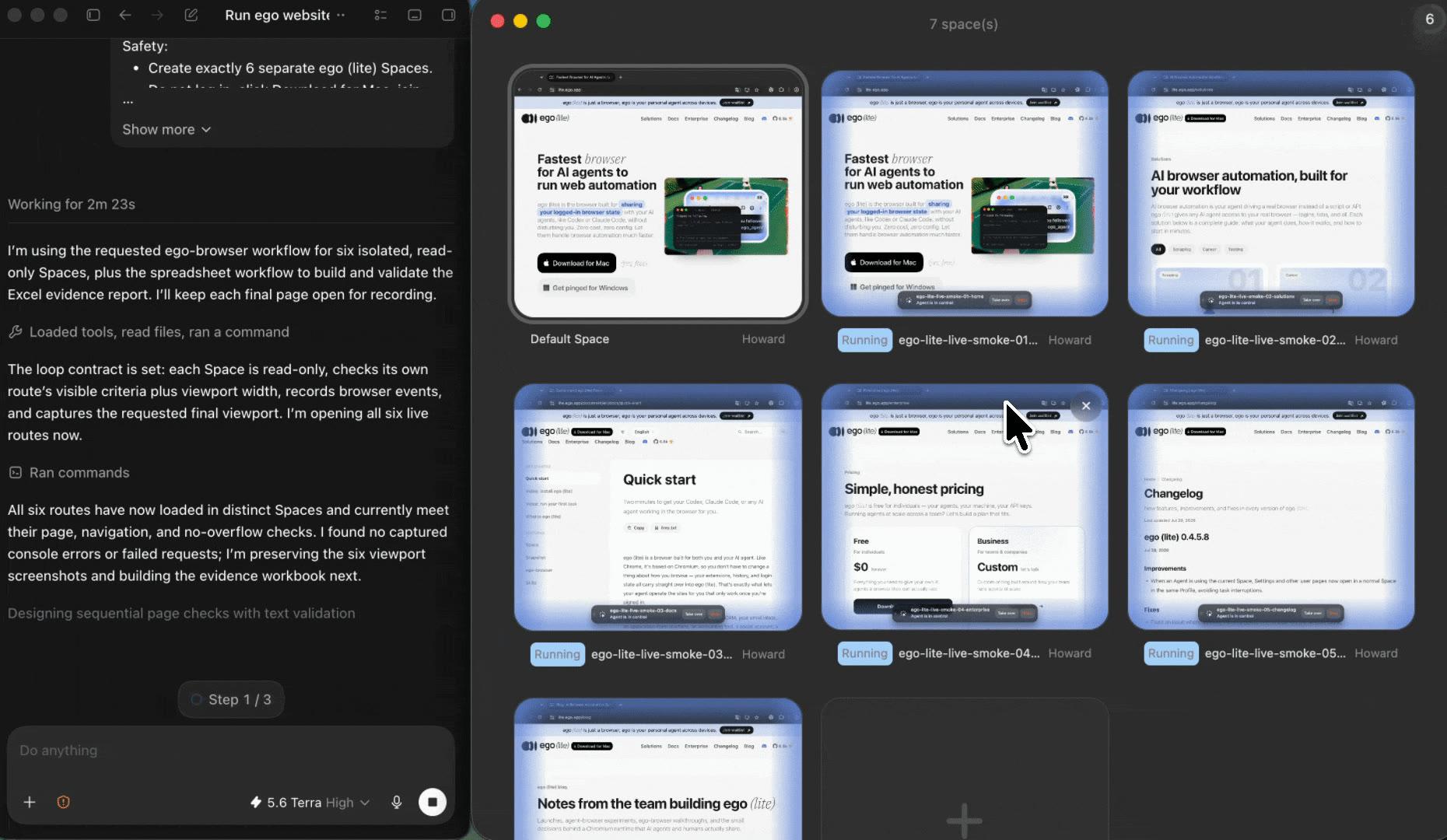
ego (lite) local browser onboarding for an Amazon price research workflow

What this Amazon price scraper does, and where it stops

Amazon's Conditions of Use and robots directives may restrict automated collection. Confirm that your source and method are allowed before you run the workflow. If permission is unclear or the page blocks access, stop and use an official API, licensed feed, or another authorized source.

Keep the price and the reason behind it

Collect the offer details shown on screen, with a source you can revisit.

  • Product title, source URL, ASIN when shown, seller, marketplace, and selected size, color, or pack quantity
  • Selling price and currency, with list price, discount, coupon, member price, or subscription price stored separately
  • Availability, shipping or delivery text, delivery location, check time, access status, and a note for fields the page does not show
  • New timestamped snapshots from the same focused list, ready to review or compare

Know when another tool is the better fit

This workflow does not bypass access controls, invent missing data, make purchases, or run as an always-on monitor.

  • No bypassing sign-in, robot checks, CAPTCHAs, or rate limits through proxies, identity changes, or bot-evasion tactics
  • No hidden sales volume, inventory, Buy Box history, margins, or historical prices that the page does not show
  • No selecting a different variant, applying coupons, or changing location or account settings, and no cart, purchase, subscription, review, or seller actions
  • No unattended schedules, automatic repricing, or unbounded ASIN crawls. Use an official Amazon API or another authorized service when you need programmatic scale

Check Amazon's current Conditions of Use

Turn Amazon prices into a report you can verify

Give your Agent the Amazon URLs and price fields that matter. ego (lite) opens the work in visible Spaces and returns each price with its seller, variant, source URL, check time, and status, ready for review or comparison.

Try the free Amazon price scraper

Amazon price scraper FAQ

An Amazon price scraper turns price and offer details from Amazon pages into structured data. With ego (lite), your coding Agent opens visible browser Spaces and returns each price with its seller, active variant, currency, source URL, check time, and status. You can watch the run and verify any row against its page.

Give Codex, Claude Code, or another compatible Agent your Amazon product or search URLs and the fields you need. The Agent opens each list in a separate ego (lite) Space, records what the page shows, and creates a CSV or Markdown report. You can watch the run and check any row against its source page.

ego (lite) can automate a focused run when the source and method allow it. It does not turn a visible page into permission to collect data. Check the current terms, robots directives, and any program rules first. If the method is not allowed or the answer is unclear, stop and use an official or otherwise authorized source.

It can record the product, ASIN when shown, selected variant, seller, selling price, currency, list price, discount, coupon, member or subscription price, availability, delivery location, marketplace, source URL, check time, and access status. The Agent keeps different price types separate and marks anything the page does not show instead of guessing.

Only when automated access to that source is allowed for the user agent, purpose, and volume you plan to use. For an allowed, focused results list, the Agent can record displayed product titles, URLs, prices, and Sponsored labels, then open the number of product pages you specify. If your stop rule is reached, the Agent records the block and stops that source.

Each allowed run can create a timestamped price snapshot. Compare snapshots only when your source agreement permits collection, storage, and comparison. ego (lite) does not reconstruct old prices or run an always-on cloud monitor, and some Amazon program rules restrict price tracking or alerts.

Variant, seller, marketplace, delivery location, membership, promotion, availability, and time can all change an Amazon offer. ego (lite) keeps those page details and the check time beside the price, so you can see why two people or two runs produced different numbers.

ego (lite) is free to download for Mac. There is no ego (lite) subscription, browser session meter, scraping credit, or per-row fee. You bring your own Codex, Claude Code, or compatible coding Agent and model credentials, so normal Agent or model charges can still apply.

Do not assume that it is. Amazon's Conditions of Use restrict collection and use of product listings, descriptions, and prices, along with data mining, robots, and similar tools, without consent. Check the rules that apply to your source and purpose, and use an official API or another authorized option when it fits. This page is not legal advice.

No. ego (lite) gives your coding Agent a local, visible browser rather than a hosted scraping API. If you need programmatic catalog access, scheduled monitoring, or large-volume collection, review Amazon's current official APIs and eligibility rules. Use the browser workflow for focused work that benefits from live inspection and source-linked output.

Amazon's Creators API offers product catalog access to eligible publishers, influencers, and affiliate partners. Enrollment, credentials, program policies, marketplace, and intended use still apply. Amazon has deprecated Product Advertising API 5 and directs integrations to migrate, so check the latest official documentation before choosing an API.

The Agent stops in that Space and records the source URL, check time, and restriction instead of trying to bypass it. You can inspect the page, take over when an appropriate human decision is needed, or stop work on that source. The blocked row stays in the report, so a partial result never looks complete.