












ego (lite) is just a browser, ego is your personal agent across devices.
Join waitlist
Amazon scraping for public product data

Free Amazon scraper with your AI agent

Use ego (lite) as a free Amazon scraper for public product, price, and search data. Send Amazon product or search URLs to Codex, Claude Code, or another AI agent, and it opens each page in a visible browser Space and returns a CSV or Markdown report with the displayed fields, source URLs, access status, and the time each page was checked.

Download for Mac(yes, free)

Trusted by developers from

OpenAIAnthropicGoogleMetaNVIDIACursorPerplexity
SpaceXTeslaNotionFigmaStripeNetflixAirbnb

How to scrape Amazon product data

To scrape Amazon product data, give your Agent public product URLs, a search results page, or a Best Sellers list, plus the fields you need. The Agent works in a real browser, keeps each source in its own ego (lite) Space, and records only the values the current session actually displays.

1

Install ego (lite) and choose your browser context

Download ego (lite), then import only the Chrome context you are authorized to use. Public Amazon pages usually load without signing in, but Amazon still decides what a marketplace, delivery location, or session can see, and it shows robot checks when it wants a human. The Agent works inside those rules instead of around them.
2

Scrape products, prices, and search results with one prompt

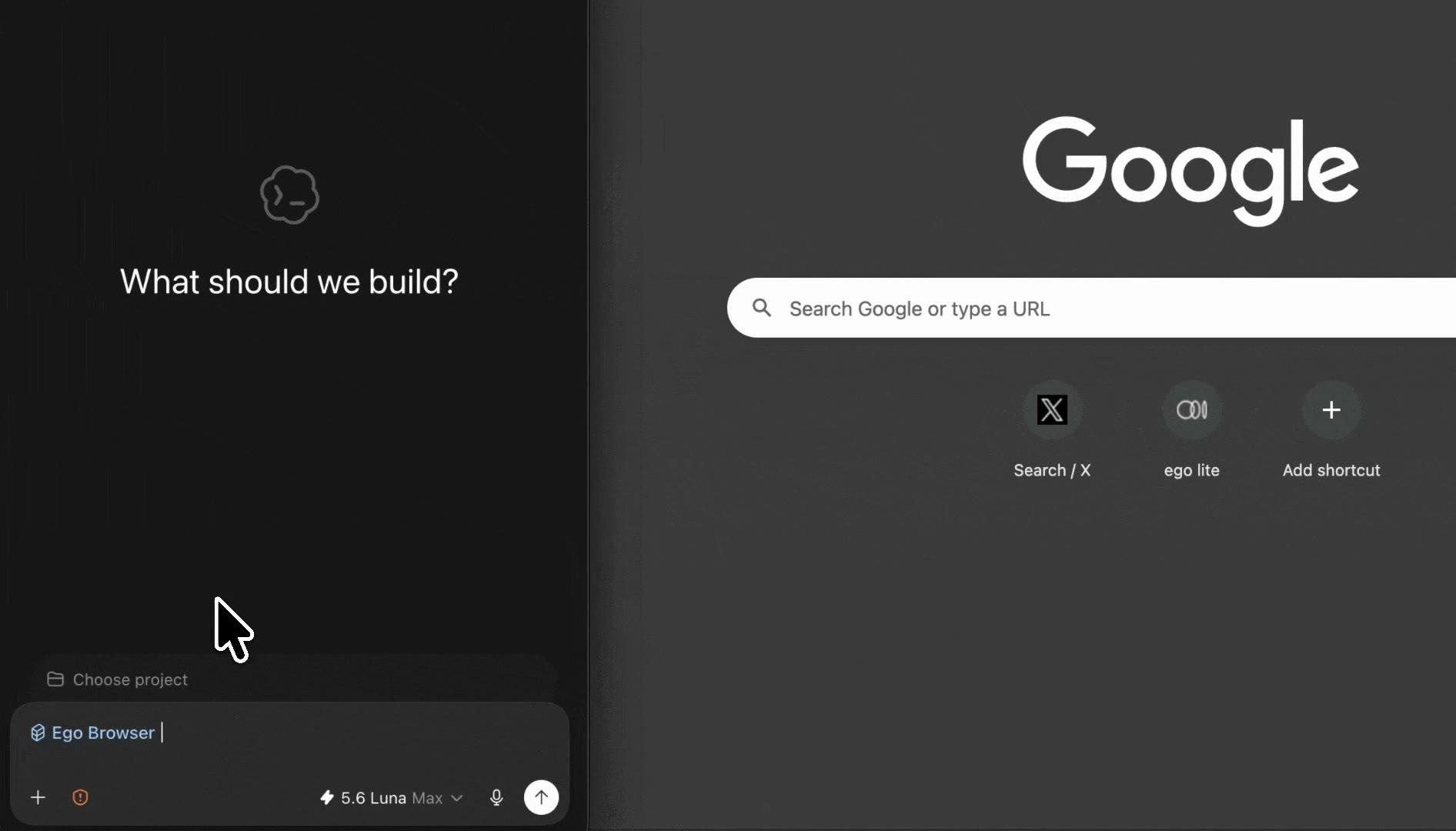
Paste public product URLs, a search results page, or a Best Sellers list into one prompt for Codex or Claude Code. Tell the Agent which fields to collect, such as the title, displayed price, list price, star rating, ratings count, and availability text. Then choose the output format and tell it to stop when Amazon asks for sign-in, a robot check, or another human decision.

3

Watch the Agent collect product data in a real browser

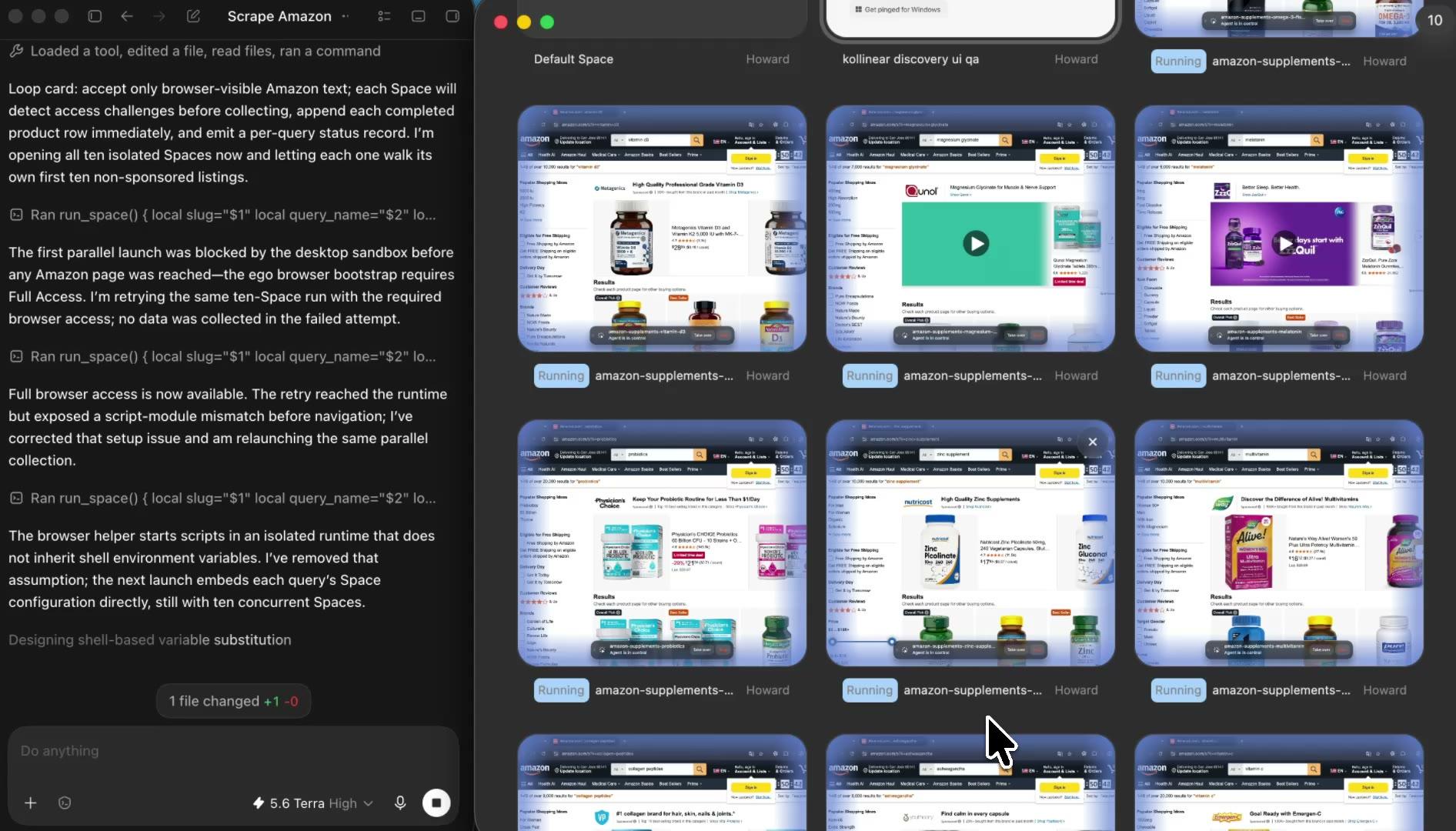
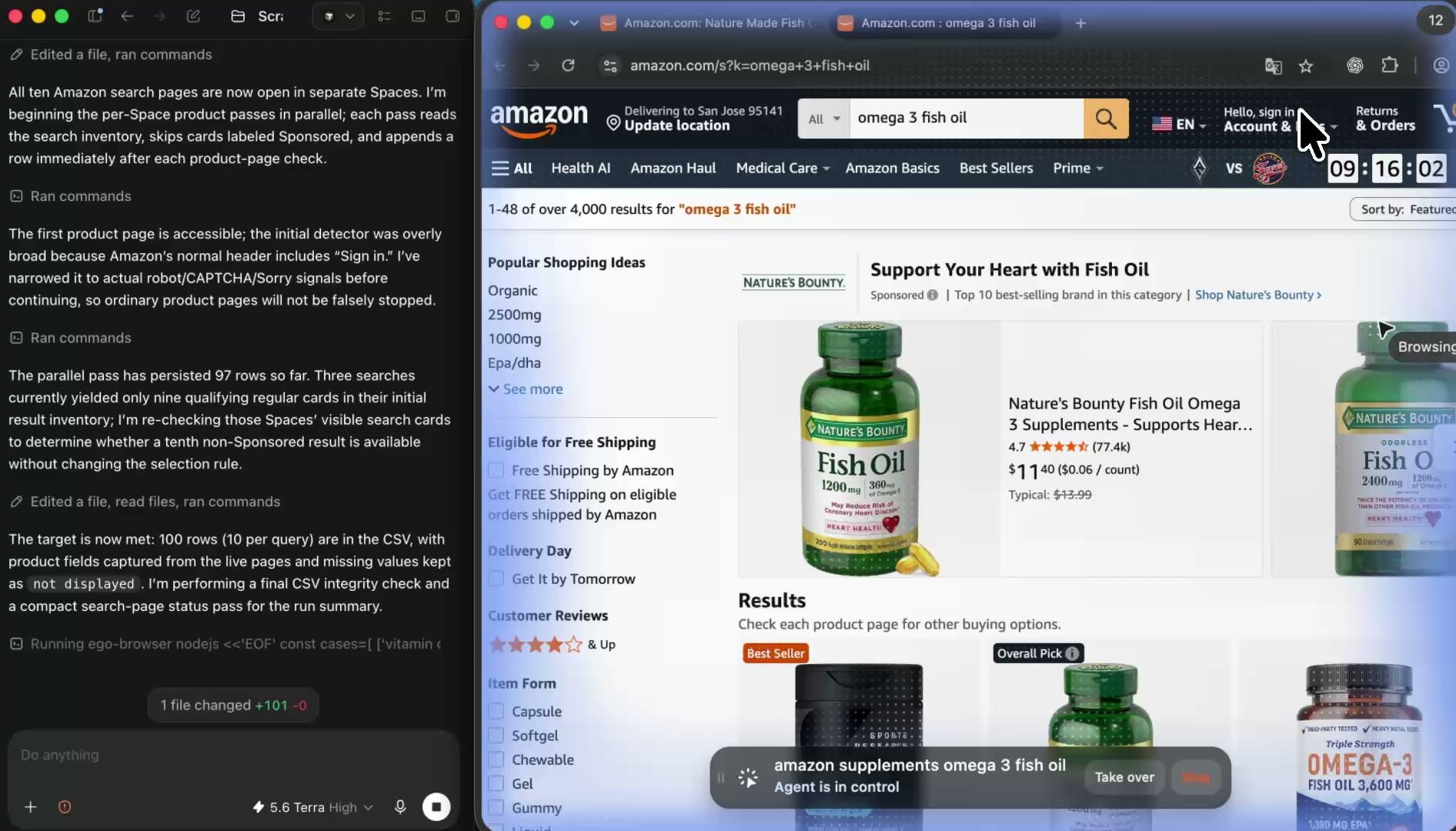
Your Agent opens each product or search page in its own ego (lite) Space and records the values the page visibly displays, including the displayed price, rating, and availability text. The browser stays visible the whole time, so you can see exactly which page state supplied each number.

4

Multitask while Amazon scraping runs in parallel

Give each search, category, or product list its own Space and let your Agent run them side by side. Keep working in your own tabs while the collections continue, then open any Space to check progress, pause a task, or take over when Amazon needs you.

5

Review the source-linked Amazon scraper report

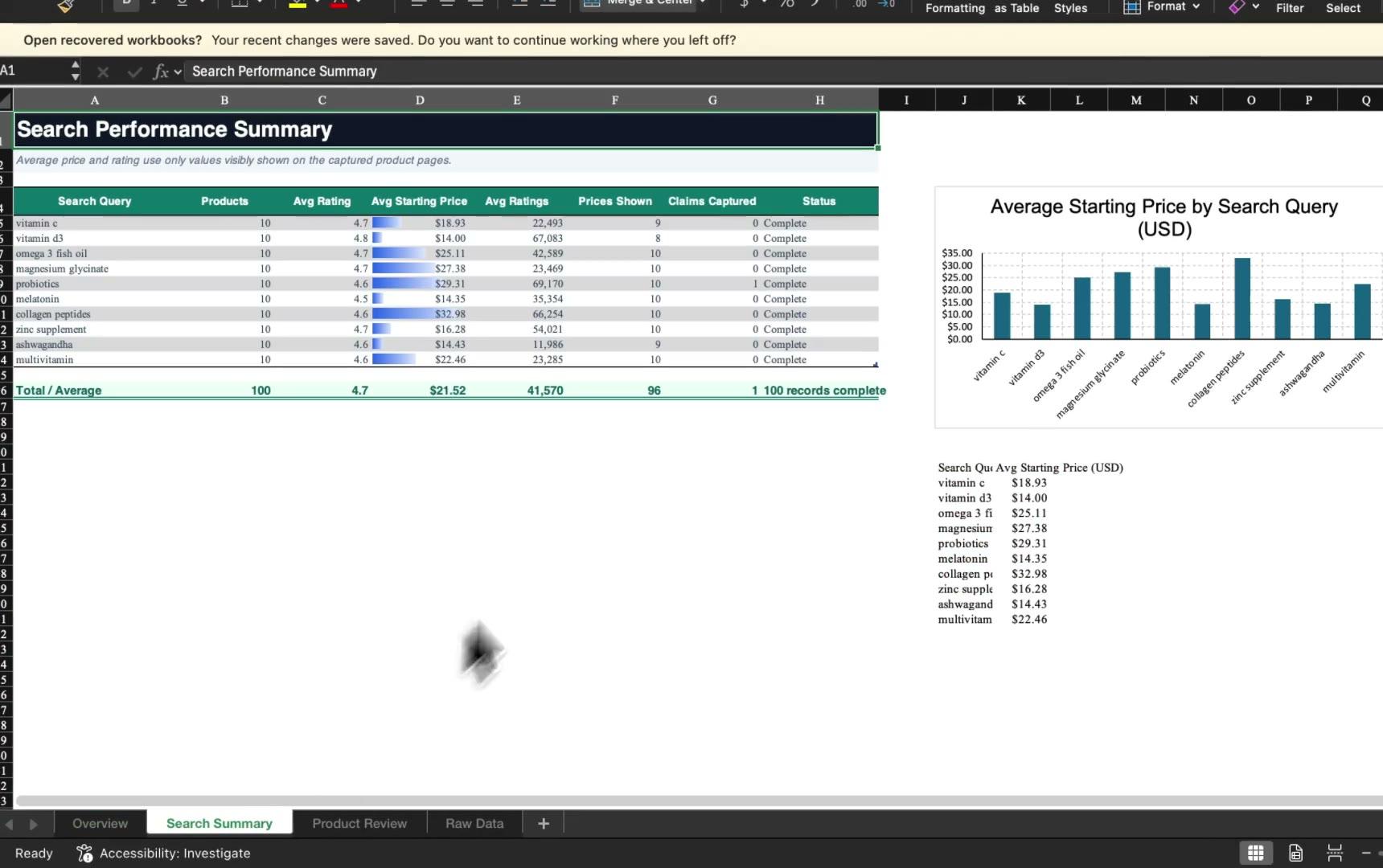
Open the finished CSV or Markdown report to compare every value with its source URL, marketplace context, and check time. Prices are copied exactly as the page displayed them, unavailable fields stay marked instead of guessed, and you can rerun the same list later to compare what changed between checks.

Why use ego (lite) as an Amazon scraper?

Most Amazon scrapers are credit-metered APIs or no-code crawlers running in someone else's cloud, and their answer to Amazon's defenses is proxy rotation you pay for. ego (lite) turns the coding Agent you already use into an Amazon data scraper with a real browser on your Mac: visible Spaces, a browser context you control, and a report that keeps every source, timestamp, and access status. The workflow is free, with no tokens or per-row charges.

Finish Amazon scraping tasks with less waiting

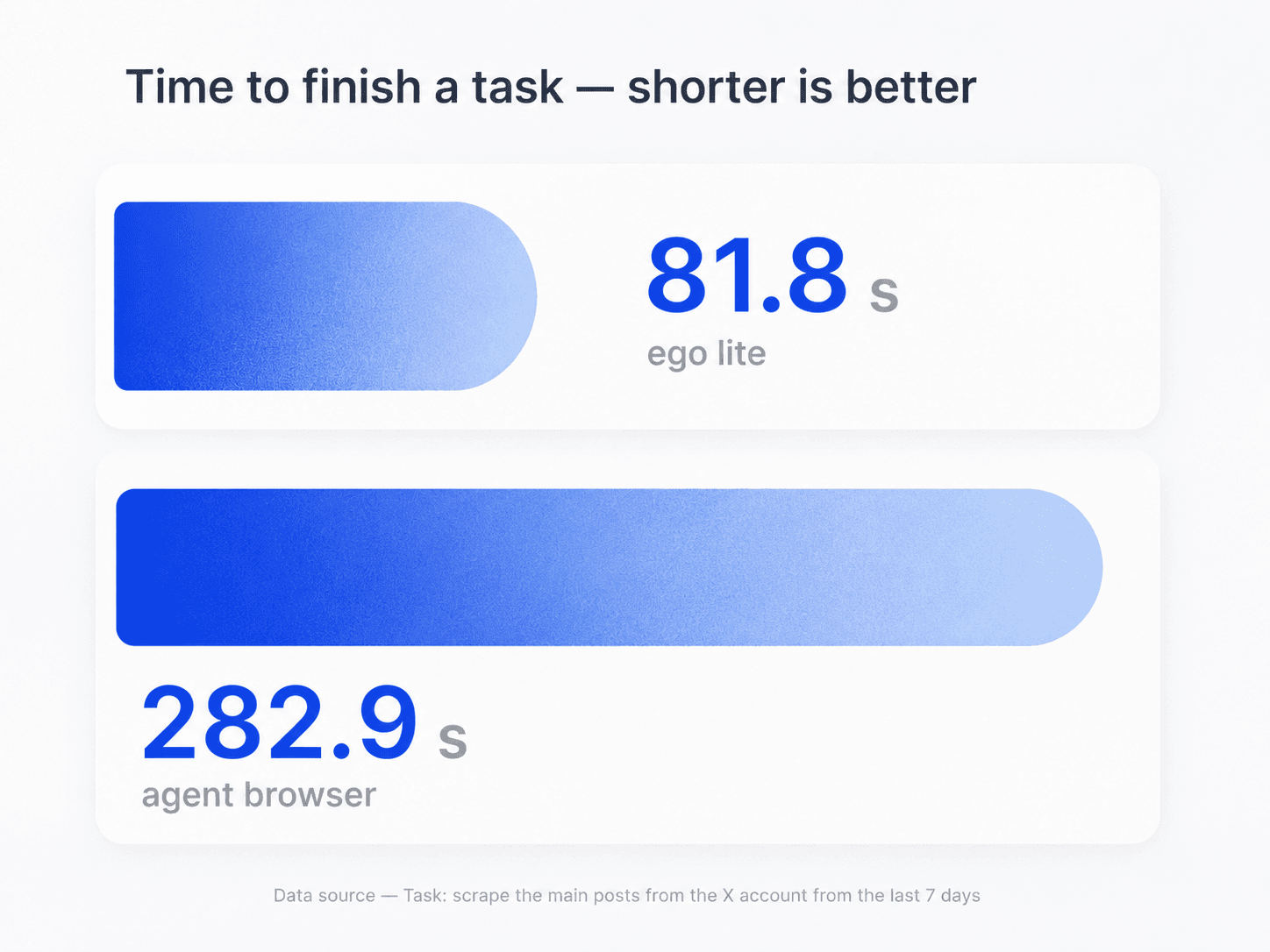
ego (lite) helps your Agent complete browser work faster, so a list of products or searches takes less time to check. In the task shown here, ego (lite) finished in 81.8 seconds, compared with 282.9 seconds for an agent browser. Actual timing varies by website, workflow, and network conditions.

Task-time comparison for ego (lite) and an agent browser during browser data collection

Scrape several searches or product lists in parallel

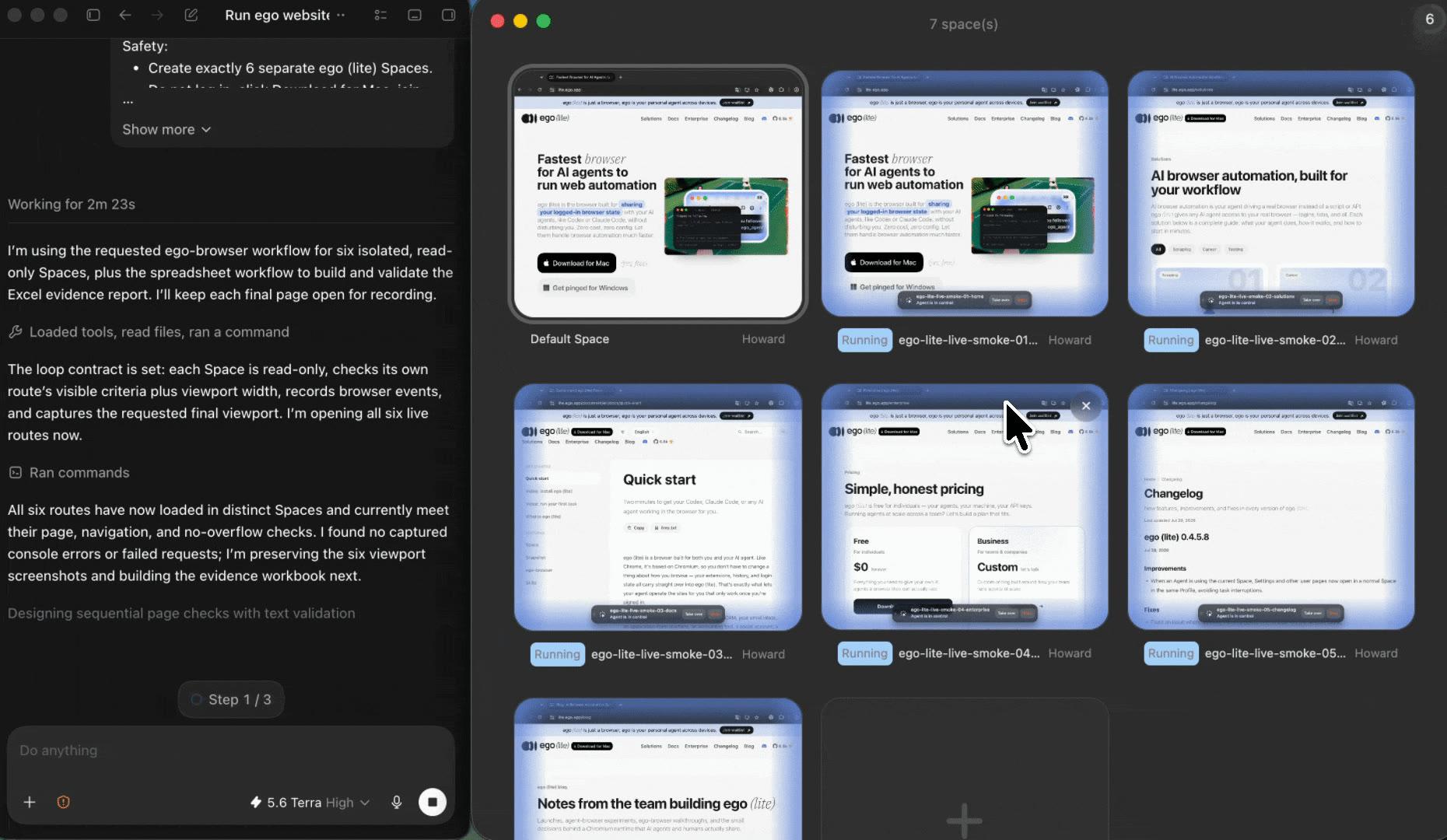
Give each search, Best Sellers list, or product set its own ego (lite) Space. The Agent works through independent sources side by side without mixing browser state, and you can return to the exact page a price came from whenever a row needs a second look.

Parallel ego (lite) Spaces for separate Amazon search and product scraping tasks

Watch the run and take over when Amazon needs you

Open any Space to see which product or search page the Agent is reading. When Amazon asks for sign-in or shows a robot check or CAPTCHA, the Agent stops, records the status, and hands you the browser. You decide whether to complete the step yourself, and nothing is bypassed.

Use the browser context you authorize

Import the Chrome context you choose instead of pasting URLs into an unknown cloud scraper. The Agent sees the same content you see when you open the page yourself, including the marketplace and delivery location your session displays. Amazon's sign-in, region, and robot-check rules still decide what the session shows.

ego (lite) Chrome context import for an authorized Amazon browser session

What this Amazon scraper can and cannot do

ego (lite) reads what Amazon pages display in the browser context you choose. It is built for bounded, reviewable lists rather than mass crawling. For large programmatic pipelines, Amazon's official Selling Partner API and Product Advertising API remain the right tools.

What your Agent can record

Public values visible in the current browser session.

  • Visible product fields: title, displayed price, list price or discount label, star rating, ratings count, availability or delivery text, brand, and the Ships from / Sold by text the page shows
  • Visible search and Best Sellers results: titles, URLs, displayed prices, and any Sponsored or Best Seller label the list shows
  • The price the page displays for the variant currently selected on screen
  • Source URL, marketplace domain, displayed delivery location, checked-at time, access status, and limitations for every row

What stays out of scope

No bypasses, no purchases, no hidden metrics, no mass crawls.

  • Sales volume, inventory levels, profit margins, buy-box history, competitor analytics, or any metric the public page does not display
  • Review text Amazon no longer shows signed-out sessions — since May 2026 full review pages require sign-in, so the Agent records only the rating and ratings count the page displays
  • Bypassing sign-in, robot checks, CAPTCHAs, or rate limits, as well as rotating proxies, faking a delivery location, or evading bot detection
  • Adding to cart, buying, subscribing, leaving reviews, or any other account action
  • Unbounded crawls of thousands of ASINs; use Amazon's official Selling Partner API or Product Advertising API for large-scale pipelines

Read Amazon's Conditions of Use

Scrape Amazon data you can still verify next week

Give your Agent the product, search, or Best Sellers URLs and the fields you need. ego (lite) turns Amazon scraping into a source-linked report that keeps displayed prices, marketplace context, access status, and checked-at time in the same row. You can rerun the same list later and see exactly what changed.

Try the free Amazon scraper

Amazon scraper FAQ: products, prices, and search data

An Amazon scraper is a tool or workflow that collects selected information from Amazon pages into a structured result, such as a CSV of product titles, displayed prices, ratings, and availability. With ego (lite), the scraper is your own AI agent working in a real browser: it opens each public product, search, or Best Sellers page in a visible Space and records the fields the page displays, together with the source URL, checked-at time, and access status.

Give Codex or Claude Code the prompt on this page plus your product or search URLs and the fields you need. The Agent opens each source in a separate ego (lite) Space, copies the values the page visibly displays, and returns CSV or Markdown rows with a status for every source. If Amazon asks for sign-in, shows a robot check, or needs another human decision, it stops in that Space and lets you review or take over.

From a public product page, the Agent records the fields the page displays: the title, ASIN when shown, displayed price, list price or discount label, star rating, ratings count, availability or delivery text, brand, and the Ships from / Sold by line. Values are copied exactly as Amazon shows them, and anything the page does not display stays marked as not displayed instead of being guessed.

Yes. Point the Agent at a search results URL or a Best Sellers list and it first records the visible results with their titles, URLs, and displayed prices, noting Sponsored placements the page labels. It can then open up to a number you set of those products, one at a time in separate Spaces, and record the full product fields for each.

No. ego (lite) is an Agent-driven browser workflow, not a hosted API endpoint. There are no API keys, credits, or JSON quotas. If you need thousands of rows per day inside a server-side pipeline, Amazon's official Selling Partner API, the Product Advertising API, or a dedicated service is the better fit. This workflow is for bounded lists where you want the run observable and every row source-linked.

Amazon's Conditions of Use prohibit data mining, robots, and similar automated collection without consent, and rules differ by jurisdiction and use, so review them before you run any collection. This workflow is deliberately conservative: it reads only public values your own browser session already displays, respects sign-in walls, robot checks, and rate limits instead of bypassing them, and keeps a source trail for review. None of this page is legal advice.

You can rerun the same product list whenever you want a fresh check. Because every row keeps its displayed price and checked-at time, comparing two runs shows exactly what changed between checks. What the workflow does not do is run continuously in the cloud or reconstruct price history the page never displayed; each run records only what the session saw at that moment.

Only what the current session visibly displays, which has become very little. Since May 2026, Amazon returns full review pages only to signed-in sessions, and signed-out product pages no longer include review text. The Agent records the star rating and ratings count the page shows and marks review content as unavailable instead of working around the restriction. For review data at scale, there is no honest public route.

Amazon prices and availability depend on the marketplace domain, the delivery location, current offers, and sometimes the session viewing the page. That is why every row in this workflow records the marketplace, the displayed delivery location, and the checked-at time next to the price. When two people see different numbers, the report shows which page state produced each one.

ego (lite) is free to download for Mac, and the Agent doing the work is your own Codex or Claude Code. There are no scraping credits, per-row charges, or sign-up walls in this workflow. What it can record is limited by what your browser session can see, not by a meter.

Scraper APIs and no-code crawlers run in someone else's cloud, meter output by credits, and sell proxy rotation and CAPTCHA handling as the answer to Amazon's defenses. ego (lite) runs in a visible browser on your Mac with the agent you already use: the scope stays bounded by your input list, nothing is bypassed, and every row keeps its source URL, marketplace context, checked-at time, and access status so results stay reviewable.

The Agent stops in that Space and records the visible restriction instead of solving or bypassing it. You can inspect the browser state, complete the check yourself if appropriate, or end the run. The report keeps the source, time, and blocked status so a limited result is never mistaken for a complete one.