A single UI refactor can break a dozen Playwright tests when each test carries its own copy of a locator. Changing twelve selectors might clear today's failures, but the next redesign repeats the work. Shared control identity and page actions belong in page objects, account and test data setup in fixtures, and assertions about the user-visible outcome in the tests.
Classify the failure before changing code. A missing control, a changed workflow, an expired test record, and a slow dependency can all end in a timeout, but they need different fixes. Use the trace to find the changed assumption, keep the final assertion intact, and review any AI-suggested repair as a code change.
If the changed flow requires a real login, ego (lite) can help you inspect the current path in a visible Space and step in when needed. The repeatable regression fix still belongs in Playwright Test.
Why does Playwright test maintenance feel endless?
A failing end-to-end test reports a symptom, not the layer that caused it. Before changing a selector, compare the failing run with the intended behavior and the application change that preceded it. The same timeout can mean a renamed accessible label, a dialog that must now open first, an expired account, or a slow response that never reached the state the test expects.
| What changed | What to inspect | Likely owner of the fix |
|---|---|---|
| Markup or control name | Locator, accessible name, and action snapshot | Page object or component contract |
| User flow or business rule | Expected behavior and the steps before the failure | Test case and product requirement |
| Account, record, or permission | Fixture setup and server response | Test data or environment setup |
| Timing or dependency | Trace timeline, network response, and assertion state | Application, environment, or wait condition |
A component redesign can create several of these changes at once. Fix them separately. If the test still reaches the right button but the save no longer persists, changing the locator is busywork.
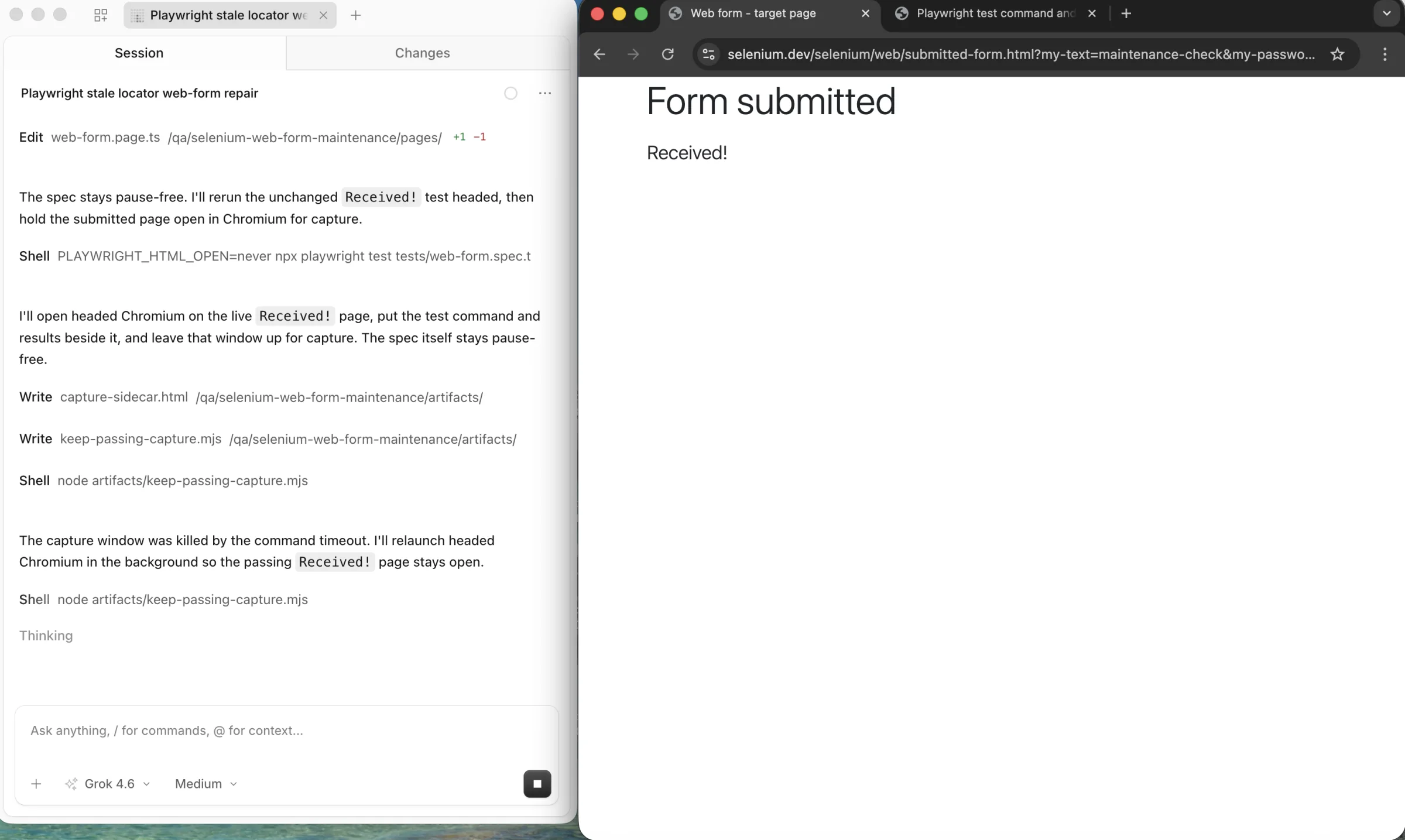
Which locators survive a UI refactor?
Start with the interface contract the user can perceive, such as a button's role and accessible name. When that text is expected to change, a stable test ID owned by the application can be a better contract. The Playwright locator guide recommends user-facing attributes and explicit contracts instead of long CSS or XPath paths tied to DOM structure. A stable locator survives a moved wrapper; it cannot decide whether the workflow itself changed.
const save = page.getByRole('button', { name: 'Save profile' });
await save.click();
await expect(page.getByRole('status')).toHaveText('Saved');
The locator names the action. The assertion names an observable result. If the product changes the button to 'Update profile' but the behavior is unchanged, update the locator contract. If the new flow saves a draft instead of publishing a profile, the assertion and the test's purpose need review too. Our stable Playwright locators guide covers scoping, strict mode, re-renders, and selector choice in detail.
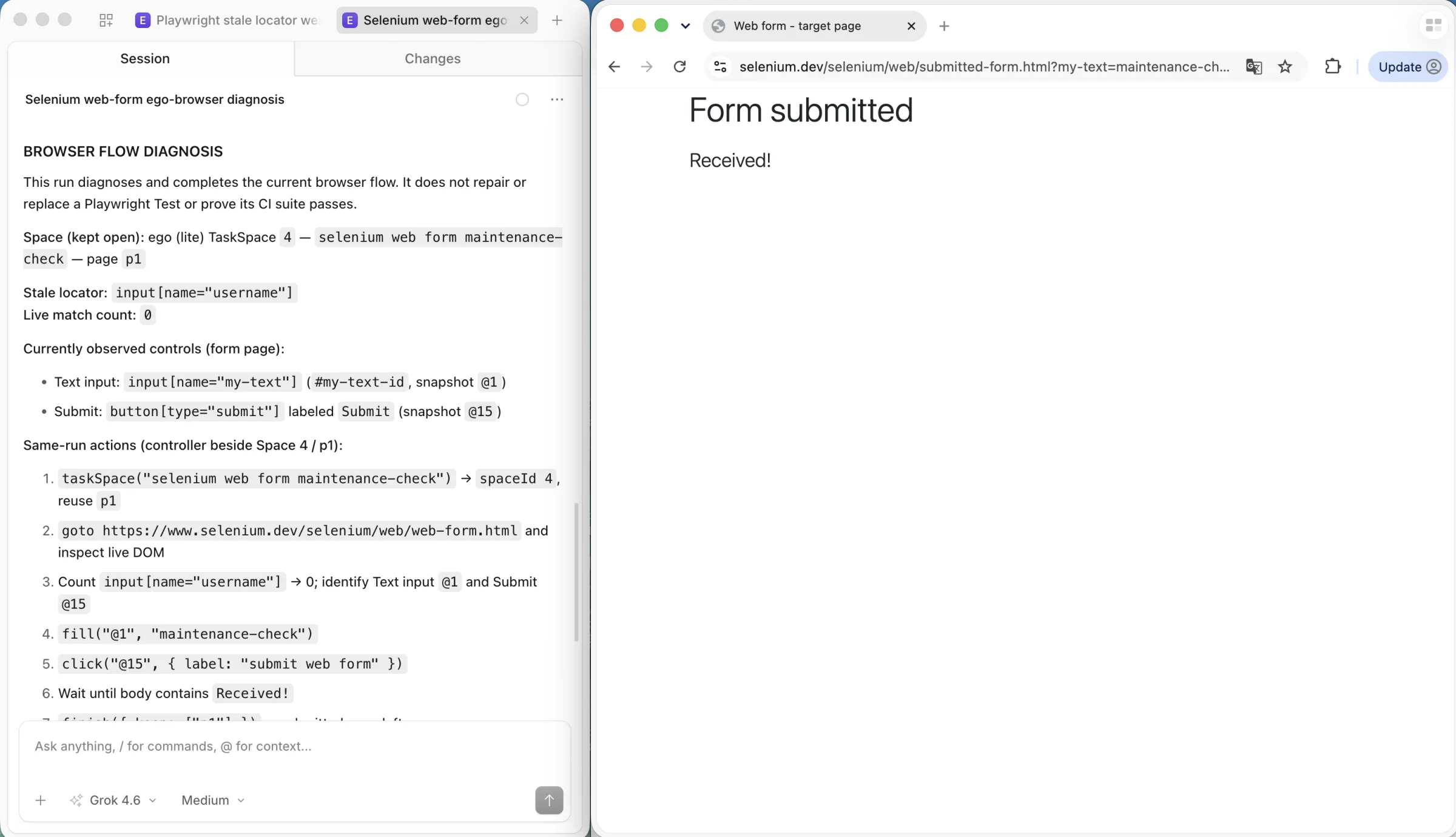
In the browser inspection below, the old CSS locator matches no controls. The current form exposes a text input and a Submit button. That observation identifies a candidate repair; the Playwright test still needs its own reviewed change and rerun.
What belongs in page objects, fixtures, and tests?
A page object gives tests a small API for interacting with the interface. The official Playwright page-object guide places selectors and reusable actions in one place. That reduces the number of files touched when a control moves. Keep the object close to a page or component, though. A single class that owns login, checkout, billing, and reporting only hides the same maintenance work behind a large file.
| Layer | Owns | Keep out |
|---|---|---|
| Page object or component helper | Locators and user actions such as open, edit, and submit | Fixed account names, test order, and broad business assertions |
| Fixture or data factory | Isolated account, record, permissions, and cleanup for a test | Selectors and hidden navigation through the UI |
| Test | Scenario, relevant actions, and assertions about the outcome | Repeated DOM paths and shared mutable test records |
Use a test-scoped fixture for a fresh record or session when tests can run in parallel. Playwright's fixture documentation explains that its page and browser context fixtures are isolated between tests. A shared server-side account or record is still shared unless your setup makes it unique. Create data through a supported API when possible, then test the behavior that actually requires the UI. This makes failures easier to attribute than making every test populate the same record through a long browser setup.
Keep assertions in the test when they state the behavior being protected. Playwright's web assertions retry as the page settles. That is a better fit for asynchronous results than reading a value once or adding an arbitrary sleep. A page object may expose a locator for the result, while the test decides which result is correct.
How should a suite handle a component redesign?
Treat a redesign as a contract review, not a batch selector replacement. Before the change lands, name the behavior that must stay true. A profile edit might still mean that the saved name appears after a reload, even if the fields move into a dialog. If that outcome remains the contract, update the component helper's path to the dialog and leave the assertion intact.
If the redesign adds an approval step, the behavior changed. The test should show the new intermediate state and the final approved state rather than quietly clicking through the new screen. If a component is removed, decide whether its test still protects a real requirement; keeping an obsolete test alive by pointing it at a different control creates false confidence.
- Compare the product requirement with the old test's final assertion.
- Update shared component actions in one owner, then review every caller for changed meaning.
- Seed data that matches the new flow and rerun one representative test locally.
- Run the affected tests and the full suite before accepting the UI change.
This is also a useful review rule: the UI change and its required test update should travel together. A green suite is valuable only if its assertions still protect the intended behavior.
Can AI repair a failing Playwright test?
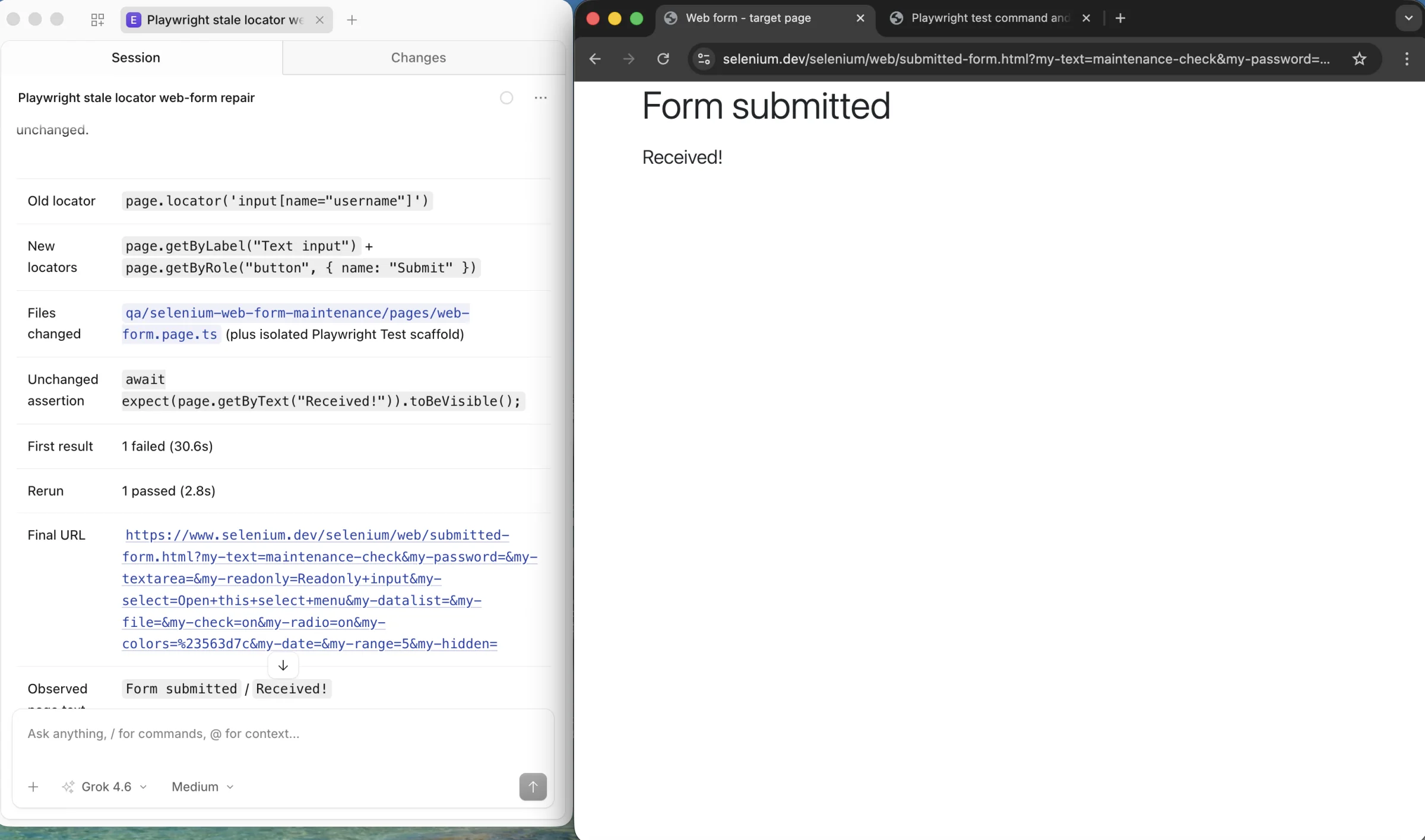
It can propose a repair. Playwright's official Test Agents guide describes a healer that replays failing steps, inspects the current UI, suggests changes, and reruns a test. It may skip a test if it believes the feature is broken. That output is a starting point for review, not evidence that the original requirement is satisfied.
Review the patch against the failure trace and the product requirement. Check that the target record, action, and final assertion are still the same. A new locator that makes the test pass by clicking a different button is a regression in the test itself. A skipped test needs an owner and a reason. Keep AI-assisted edits as normal code changes with a diff, reviewer, and rerun; do not let a runtime fallback silently redefine the scenario.
How do you diagnose a UI-change failure in CI?
Start with the failed test's report and Trace Viewer. The trace lets you inspect the locator used for an action and the page state around it. Pair that view with the commit that changed the component and the test's expected outcome. Screenshots alone can show the surface but often miss the action sequence or response that caused the failure.
- Open the first failed action and compare its DOM snapshot with the expected control.
- Check the network response and console output if the control exists but the result did not appear.
- Check fixture setup and test record ownership if the failure depends on account or data state.
- Reproduce the same failure once with the same browser project, environment, and data.
- Change the smallest owning layer, rerun the failing test, then run the full suite.
The default retry count is zero. When retries are enabled, Playwright labels a test that failed first and passed on retry as flaky in its retry report. A green retry does not repair a broken contract. If you configure traces only on the first retry, the initial failed run is missing from that artifact. Choose a trace mode that retains the initial failure when its state matters. The CI guide provides report-artifact examples and warns that its changed-tests shortcut is heuristic, so it should be followed by the full suite.
What should you measure and refactor?
Count the work that reaches your team, not just the number of green runs. A small ledger for each failed test can record its first failure, owning layer, repair time, and whether the same signature returned. These fields tell you whether a shared page object is worth refactoring or a test no longer deserves to be end to end.
| Measure | Record it as | Question it answers |
|---|---|---|
| First-run failure rate | Failed first attempts / all first attempts | Did this release make the suite noisier? |
| Retry-pass share | Tests that passed on retry / tests that failed first | Are retries hiding instability? |
| Repair time by failure class | Time from triage start to reviewed fix, grouped by cause | Which layer consumes the maintenance budget? |
| Recurring failures and skips | Repeated signatures and skipped tests with an owner | Which tests have stopped protecting a requirement? |
Review the ledger after each UI release and at a regular team maintenance meeting. If the same component causes repeated failures, move its actions behind a focused helper or negotiate a stable test ID with the UI owner. If the same test spends most of its time preparing data, move setup into a fixture or API. If a test repeatedly fails because its protected behavior was removed, retire it with a recorded requirement change. Set thresholds from your own baseline; this article has no cross-team benchmark to prescribe.
When does a visible browser agent help?
For a changed workflow behind a real login, an engineer may need to see the current path before editing the test. ego (lite) is an optional browser environment for that investigation: its official repository describes an agent working in a separate, visible Space while a person can watch or take over. You could ask the agent to open the changed flow, identify the control and intermediate states, and stop before making a write. Compare that observation with the failing Playwright trace, then update the page object and test under review. This is a proposed investigation path, not a measured repair result.
Keep the repeatable regression check in Playwright Test. A visible agent session does not replace isolated test data, assertions, trace artifacts, or a CI gate. If a supported API already gives you the state needed to diagnose the problem, use it instead of adding browser work. The ego (lite) quick start explains the browser setup for teams that need the visible path.
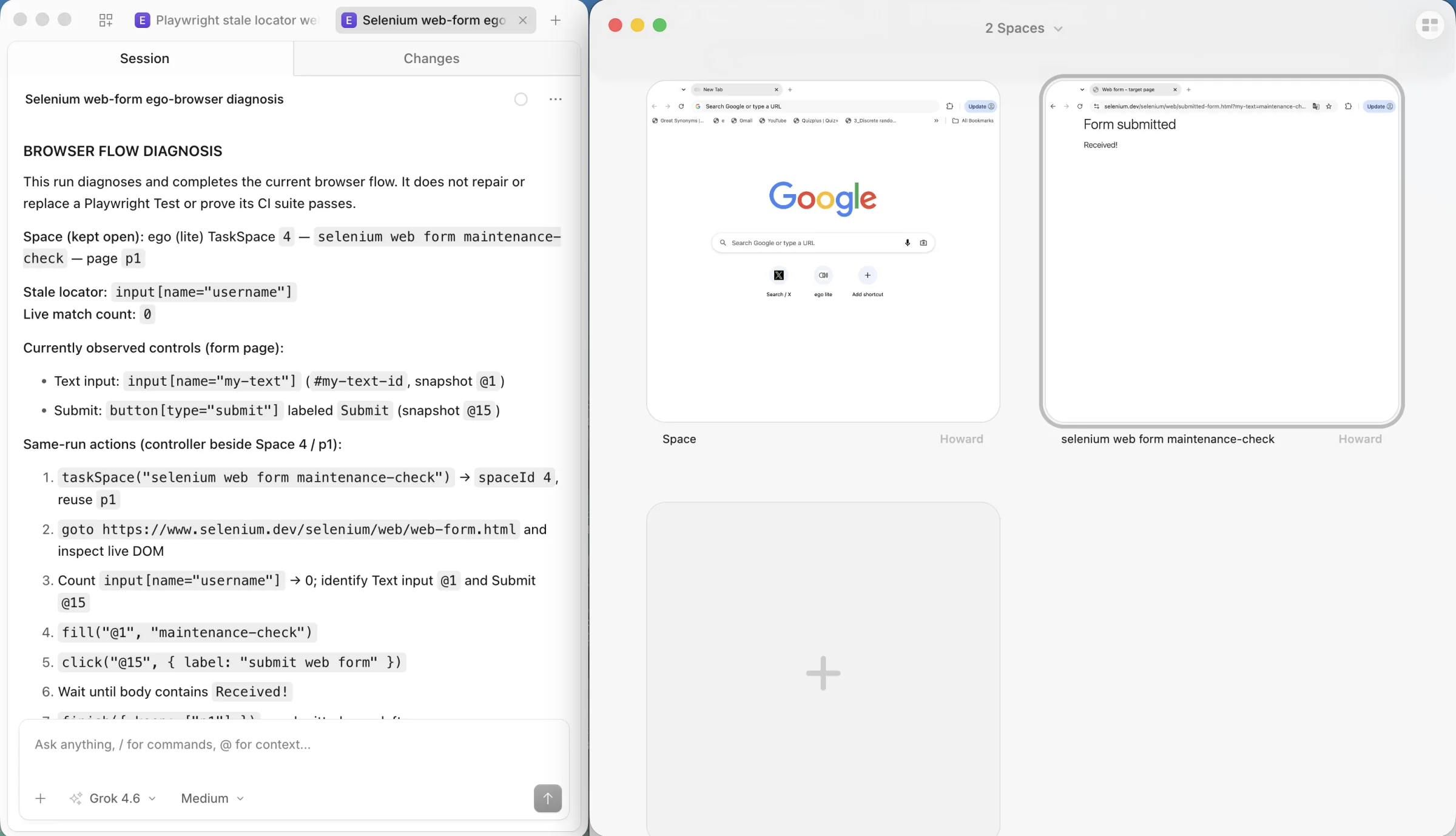
ego (lite) can keep separate tasks in separate Spaces, as its Space guide explains. The overview below shows two Spaces, with the form result open in one and the other idle. It illustrates the layout available for parallel tasks; it does not show two tasks running at once.
A maintenance checklist for the next UI release
- Write down the behavior each affected test must still prove.
- Classify each failure as identity, flow, data, timing, or product behavior.
- Change locators in the owning page object and records in the owning fixture.
- Update the test only when the user-visible contract changed.
- Review any AI-proposed patch against the requirement and failure trace.
- Rerun one failing case, affected tests, and the full suite in CI.
- Record repair time and recurring failure signatures for the next review.
Playwright test maintenance becomes manageable when a UI change produces one clear, reviewed change to the right layer. A passing run is the final check, not the definition of the fix.
Related reading
- Stable Playwright locators for the detailed role, label, test ID, and strict-mode decisions.
- Browser automation that survives UI changes for the broader reliability model across scripts and browser agents.