
Hermes Agent GitHub and browser setup with ego(lite)


Searching for Hermes Agent GitHub usually means two things: finding the source project and working out how its agent can operate on real websites. Hermes Agent is the runtime; ego(lite) is a browser layer that makes supervised web work visible. This guide links to the upstream project, gives the current installation path, and separates Hermes' browser options from what ego(lite) actually adds.
Where is Hermes Agent on GitHub?
The official Hermes Agent repository is NousResearch/hermes-agent on GitHub. It is an MIT-licensed open-source project from Nous Research, with a CLI, messaging gateways, scheduled tasks, skills, memory, terminal backends, and browser integrations. The repository is the right source for releases and implementation details; the official documentation is the right source for setup and configuration that can change between versions.
Hermes is not an ego(lite) plugin or an extension shipped by ego. Hermes supplies the agent loop and chooses a browser backend. ego(lite) supplies a Chromium-family browser designed for people and agents to share through Spaces. You can connect an agent to ego-browser, but that connection is an integration path, not proof that ego(lite) is part of the Hermes repository. Keeping those responsibilities separate makes troubleshooting and security decisions much clearer.
How to install Hermes Agent
Use the installer documented by Nous Research, then complete setup before adding browser automation:
# macOS, Linux, WSL2, or Termux
curl -fsSL https://hermes-agent.nousresearch.com/install.sh | bash

# Windows PowerShell
iex (irm https://hermes-agent.nousresearch.com/install.ps1)

# First-run configuration
hermes setup
hermes model
After installation, start a normal conversation and confirm that the selected provider responds. Hermes supports multiple model providers, so no single model or API vendor is a prerequisite. Use hermes tools to enable browser automation and hermes doctor when a dependency or backend is not working. The official quickstart also documents hermes gateway for Telegram, Discord, Slack, WhatsApp, Signal, and other interfaces.
For the canonical command list, see Hermes Agent Quickstart and the upstream README; commands and supported platforms can evolve, so avoid copying an old third-party installer.
Which browser does Hermes use?
Hermes does not have one browser implementation. Its official Browser Automation documentation lists Browser Use cloud, Browserbase, Firecrawl, Camofox, Lightpanda, local Chromium over CDP, and local agent-browser. In Browser Use mode, Hermes can execute model-written Python through the Browser Use CLI 3.0; that path requires terminal access. Cloud sessions have provider costs and limits, while local modes depend on your machine and browser configuration.
Hermes can also connect to a running Chrome, Brave, Chromium, or Edge instance from its terminal CLI with /browser connect or a CDP endpoint. This is an interactive CLI command, not a message you can send through Telegram or WhatsApp. Chrome 136 and later require a dedicated non-default user-data directory when starting a remote-debugging port, so follow the upstream CDP instructions instead of pointing automation at your everyday profile directory.
Hermes also documents real-profile browsing. With browser.use_real_profile: true, it copies the active Chromium profile into ~/.hermes/browser-profile/<browser>/ and drives the snapshot; it does not open the live profile directly. The feature is off by default and is a consent-gated convenience, not a security boundary. A page visited in that session can act with the copied login state, so use it only for tasks you are willing to supervise.
A real browser, with your full login state
Most browser agents are headless. They start from a clean slate: no cookies, no logins, no extensions. That is fine for tests and one-off demos, but it is not how you really use the web.
Your actual work happens in the browser you are already logged into. Your X timeline is personal. YouTube remembers what you watch. Gmail, Notion, CRMs, dashboards, admin panels, and internal tools all live behind your login, your permissions, and the settings you have built up. ego(lite) gives agents that same real browser. It is a proper Chromium browser built for both you and your AI agents. It carries your cookies, logins, extensions, and bookmarks so the agent can complete the browsing, reading, organizing, and submitting you would normally do by hand. The process stays visible, you can take over at any time, and it can ask for confirmation before key actions.
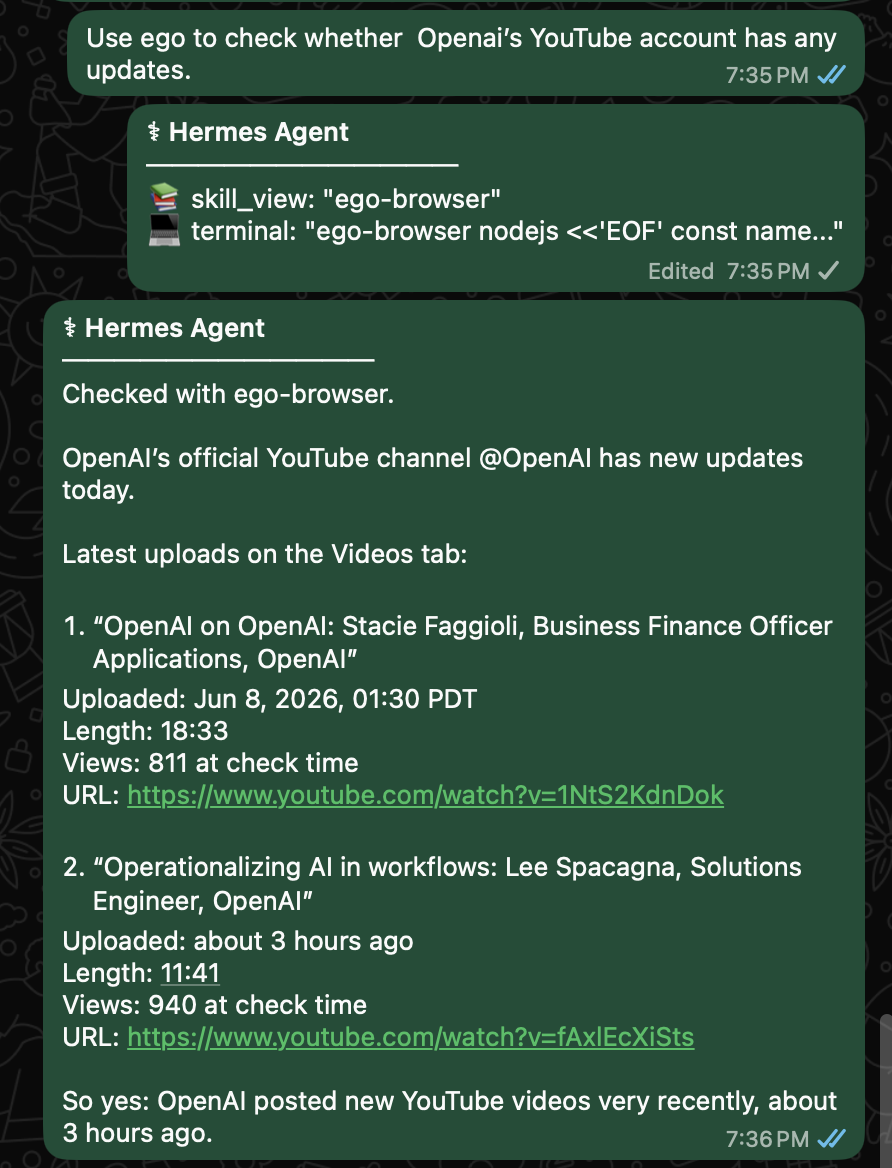
That matters for Hermes. When you ask Hermes from WhatsApp to check whether OpenAI’s YouTube account has any updates, it can use ego(lite) to open the real web, inspect the channel, read the latest uploads, and report back with titles, upload times, lengths, view counts, and links.
This is not Hermes acting like an outside crawler. It is Hermes doing the browser work you would otherwise do by hand, from a real browser, without making you switch contexts.
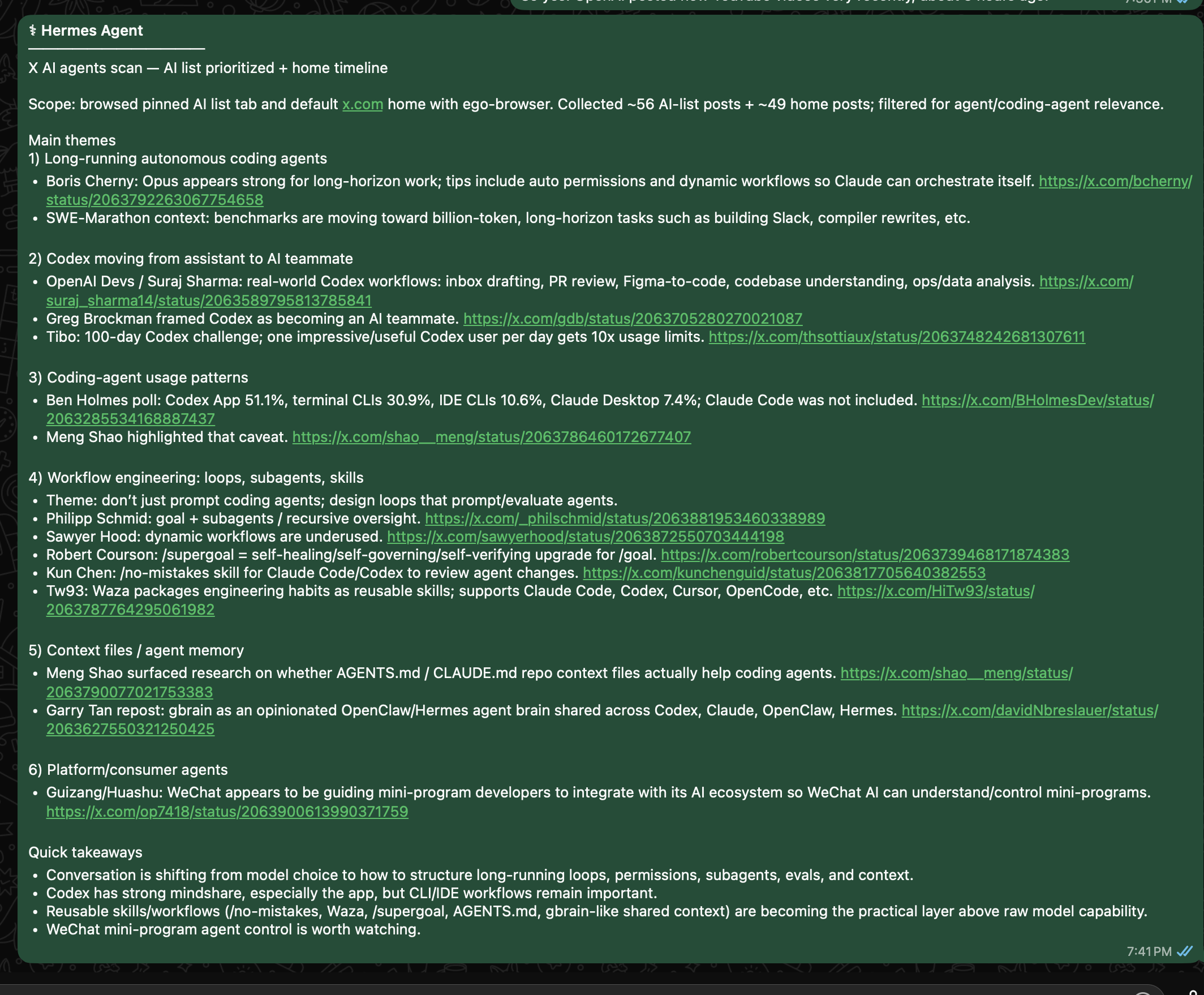
The same applies to X. If you ask Hermes Desktop to browse X for AI agent updates, your AI list and your home timeline are not generic public search results. They are your logged-in view of the world. With ego(lite), Hermes can work from that real view, using the account state, lists, follows, and context you already use every day.
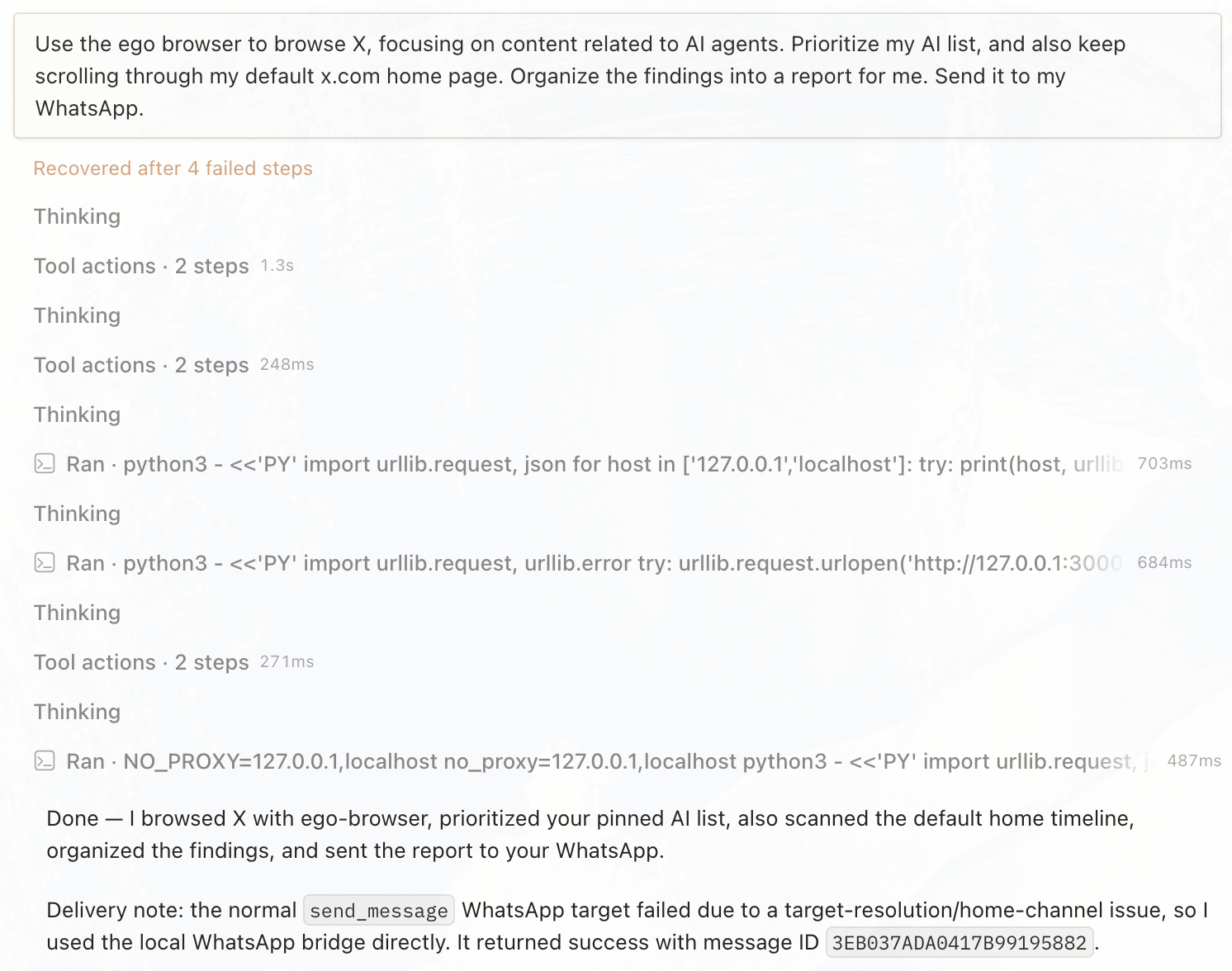
Hermes turns that single instruction into a recurring web workflow: it works from the same logged-in X context you use, organizes the signal, and delivers the summary back through the channel you chose.
One browser for human and agent
The point is not to hand Hermes a separate black-box browser and hope it behaves. The point is balance: one real browser environment that serves both you and the agent, with a clear separation through Spaces.
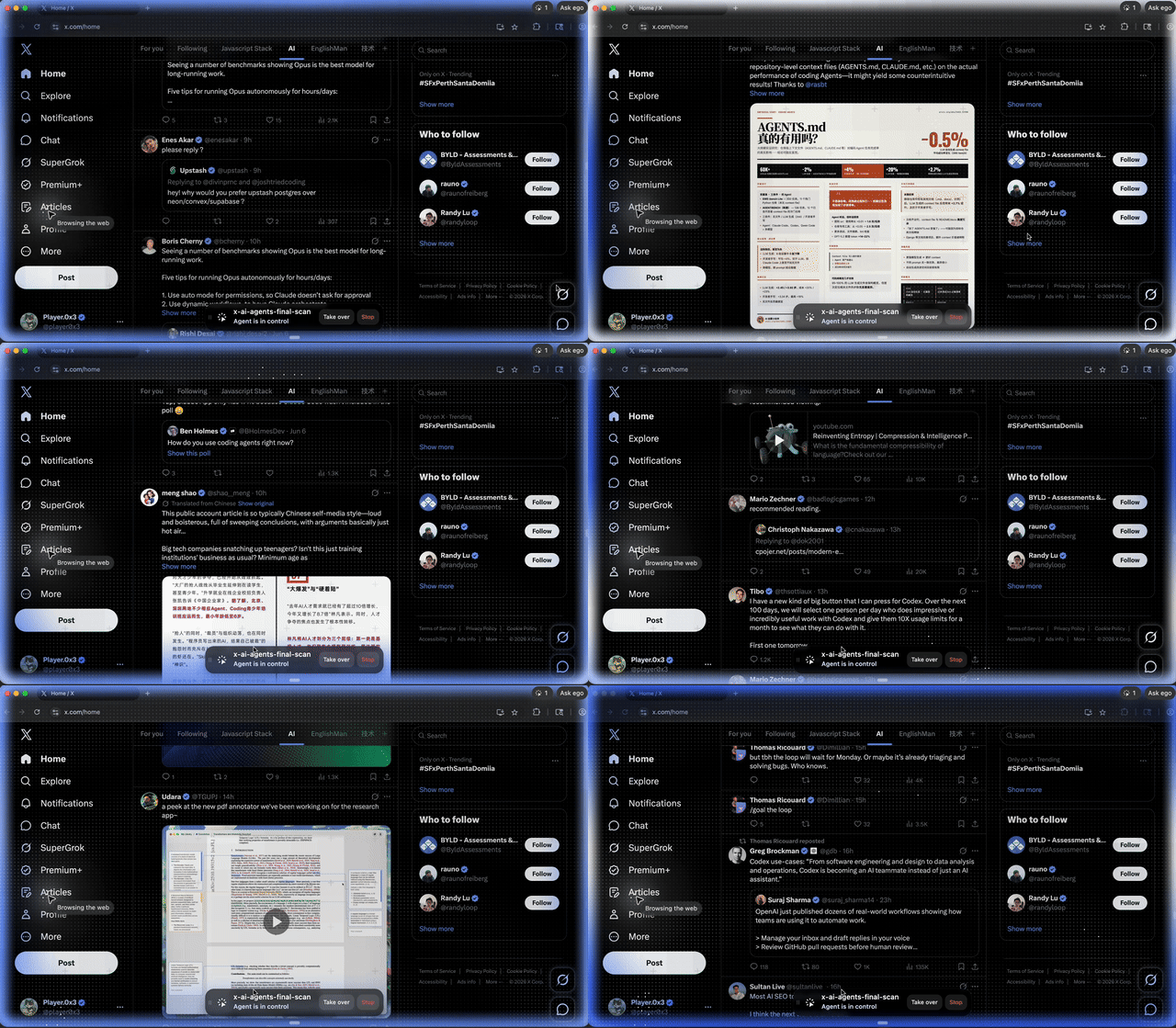
Hermes works inside its own Space while you keep using your own tabs. When you need to, you can jump into that Space, see what it is doing, and take over for login, confirmation, or any key action. It is not disappearing into an invisible headless session. It is running in a real browser you can inspect and interrupt.
An evolving agent meets an experienced browser
Hermes was never just a tool that chats. It is an evolving agent with task execution, skill growth, and memory. Useful work does not have to disappear after one task; it can become part of what Hermes carries forward.
ego-browser is not a disposable browser script either. It accumulates web operating experience: how to read an X timeline, extract Google results, or organize GitHub issues can become reusable browser skills.
So the real value of Hermes + ego(lite) is not simply “an agent connected to a browser.” Hermes is an evolving agent you can summon through WhatsApp, Hermes Desktop, and other chat surfaces. ego(lite) adds the missing piece: a real browser body it can share with humans. One side evolves skills and memory; the other preserves ways to operate the web. That is what makes Hermes + ego(lite) interesting: an agent that understands you meets a browser that knows the web.