Hermes Agent の GitHub リポジトリと、ego(lite) を使ったブラウザ設定


「Hermes Agent GitHub」で検索する人の目的は、たいてい二つです。ソースとなるプロジェクトを見つけること、そしてそのエージェントが実際の Web サイトをどう操作できるのかを把握することです。Hermes Agent はランタイムであり、ego (lite) は人が見守りながら進める Web 作業を目に見える形にするブラウザレイヤーです。このガイドでは、アップストリームのプロジェクトへのリンクと現在のインストール手順を紹介し、Hermes のブラウザオプションと、ego (lite) が実際に加えるものを切り分けて説明します。
Hermes Agent は GitHub のどこにありますか?
Hermes Agent の公式リポジトリは GitHub 上の NousResearch/hermes-agentです。Nous Research が開発する MIT ライセンスのオープンソースプロジェクトで、CLI、メッセージングゲートウェイ、スケジュールタスク、スキル、メモリ、ターミナルバックエンド、ブラウザ連携を備えています。リリース情報や実装の詳細はリポジトリを、バージョンによって変わりうるセットアップや設定は公式ドキュメントを参照するのが確実です。
Hermes は ego (lite) のプラグインでも、ego が提供する拡張機能でもありません。 Hermes はエージェントループを担い、ブラウザのバックエンドを選びます。ego (lite) は、人とエージェントが Space を通じて共有できるよう設計された Chromium 系ブラウザを提供します。エージェントを ego-browser に接続することはできますが、それはあくまで連携の手段であり、ego (lite) が Hermes のリポジトリの一部であることを意味するものではありません。こうした役割を切り分けておくと、トラブルシューティングやセキュリティ上の判断がずっと明確になります。
Hermes Agent のインストール方法
Nous Research が案内しているインストーラーを使い、ブラウザ自動化を追加する前にセットアップを済ませてください。
# macOS, Linux, WSL2, or Termux
curl -fsSL https://hermes-agent.nousresearch.com/install.sh | bash

# Windows PowerShell
iex (irm https://hermes-agent.nousresearch.com/install.ps1)

# First-run configuration
hermes setup
hermes model
インストールが終わったら、普段どおりに会話を始めて、選択したプロバイダーが応答することを確認します。Hermes は複数のモデルプロバイダーに対応しているため、特定のモデルや API ベンダーが前提条件になることはありません。ブラウザ自動化を有効にするには hermes tools を、依存関係やバックエンドがうまく動かないときは hermes doctor を使います。公式クイックスタートでは、Telegram、Discord、Slack、WhatsApp、Signal などのインターフェース向けに hermes gateway の使い方も説明されています。
正式なコマンド一覧は Hermes Agent クイックスタート と アップストリームの READMEを参照してください。コマンドや対応プラットフォームは今後変わる可能性があるため、古いサードパーティ製のインストーラーを流用するのは避けてください。
Hermes はどのブラウザを使いますか?
Hermes のブラウザ実装は一つではありません。公式の Browser Automation ドキュメントには、Browser Use のクラウド、Browserbase、Firecrawl、Camofox、Lightpanda、CDP 経由のローカル Chromium、ローカルの agent-browser が挙げられています。Browser Use モードでは、Hermes はモデルが書いた Python を Browser Use CLI 3.0 経由で実行でき、この方法にはターミナルへのアクセスが必要です。クラウドセッションにはプロバイダーの料金や制限があり、ローカルモードはお使いのマシンやブラウザの設定に左右されます。
Hermes は、ターミナルの CLI から、実行中の Chrome、Brave、Chromium、Edge のインスタンスに接続することもできます。その際は /browser connect または CDP エンドポイントを使います。これはインタラクティブな CLI コマンドであり、Telegram や WhatsApp から送れるメッセージではありません。Chrome 136 以降では、リモートデバッグポートを起動する際に、デフォルト以外の専用ユーザーデータディレクトリが必要です。普段使いのプロファイルディレクトリを自動化の対象にするのではなく、アップストリームの CDP 手順に従ってください。
Hermes のドキュメントでは、実際のプロファイルを使うブラウジングについても説明されています。browser.use_real_profile: true を設定すると、使用中の Chromium プロファイルを ~/.hermes/browser-profile/<browser>/ にコピーし、そのコピーを操作します。稼働中のプロファイルを直接開くわけではありません。この機能はデフォルトでオフになっており、同意を前提とした便利機能であって、セキュリティ境界ではありません。そのセッションで開いたページは、コピーされたログイン状態のまま操作を実行できてしまうため、自分で見守れるタスクに限って使用してください。
ログイン状態をすべて引き継いだ、本物のブラウザ
多くのブラウザエージェントはヘッドレスです。Cookie もログインも拡張機能もない、まっさらな状態から始まります。テストや一回限りのデモならそれで構いませんが、実際に Web を使うときの姿ではありません。
実際の作業は、すでにログイン済みのブラウザの中で行われています。あなたの X タイムラインはあなた向けにパーソナライズされており、YouTube はあなたの視聴履歴を覚えています。Gmail、Notion、CRM、ダッシュボード、管理パネル、社内ツールも、すべてあなたのログイン・権限・積み重ねてきた設定の奥にあります。ego (lite) は、エージェントにもその同じ本物のブラウザを与えます。あなたと AI エージェントの両方のために作られた、正真正銘の Chromium ブラウザです。Cookie、ログイン状態、拡張機能、ブックマークをそのまま引き継ぐので、エージェントは普段あなたが手作業で行っている閲覧・読み取り・整理・送信をこなせます。作業の様子は常に見え、いつでも引き継げますし、重要な操作の前には確認を求めることもできます。
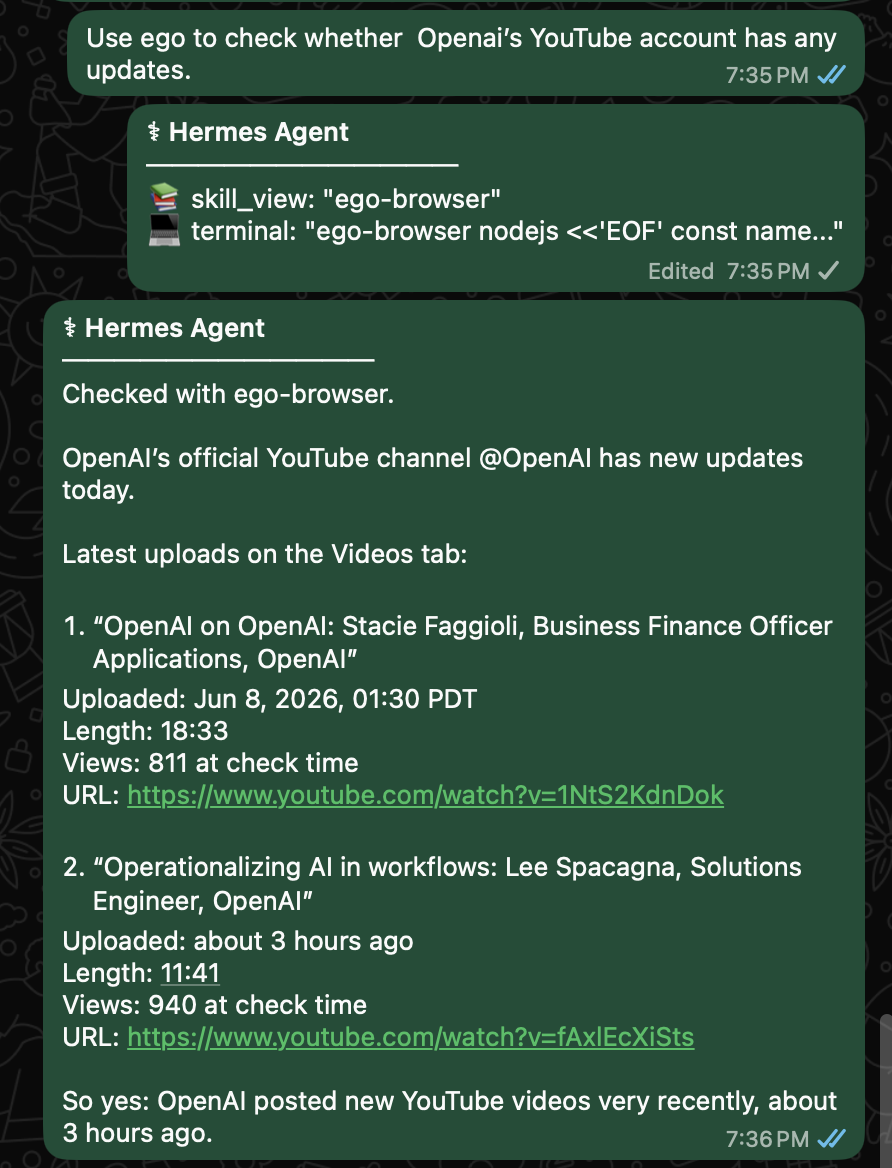
これは Hermes にとって重要な意味を持ちます。WhatsApp から Hermes に「OpenAI の YouTube アカウントに更新がないか確認して」と頼めば、ego (lite) を使って実際の Web を開き、チャンネルを確認し、最新の投稿を読み取ったうえで、タイトル・投稿時刻・長さ・再生回数・リンクを添えて報告してくれます。
これは Hermes が外部のクローラーのように振る舞っているわけではありません。本来あなたが手作業でやるはずのブラウザ作業を、本物のブラウザの中で代わりにこなしているのです。あなたが今の作業を中断して画面を切り替える必要もありません。
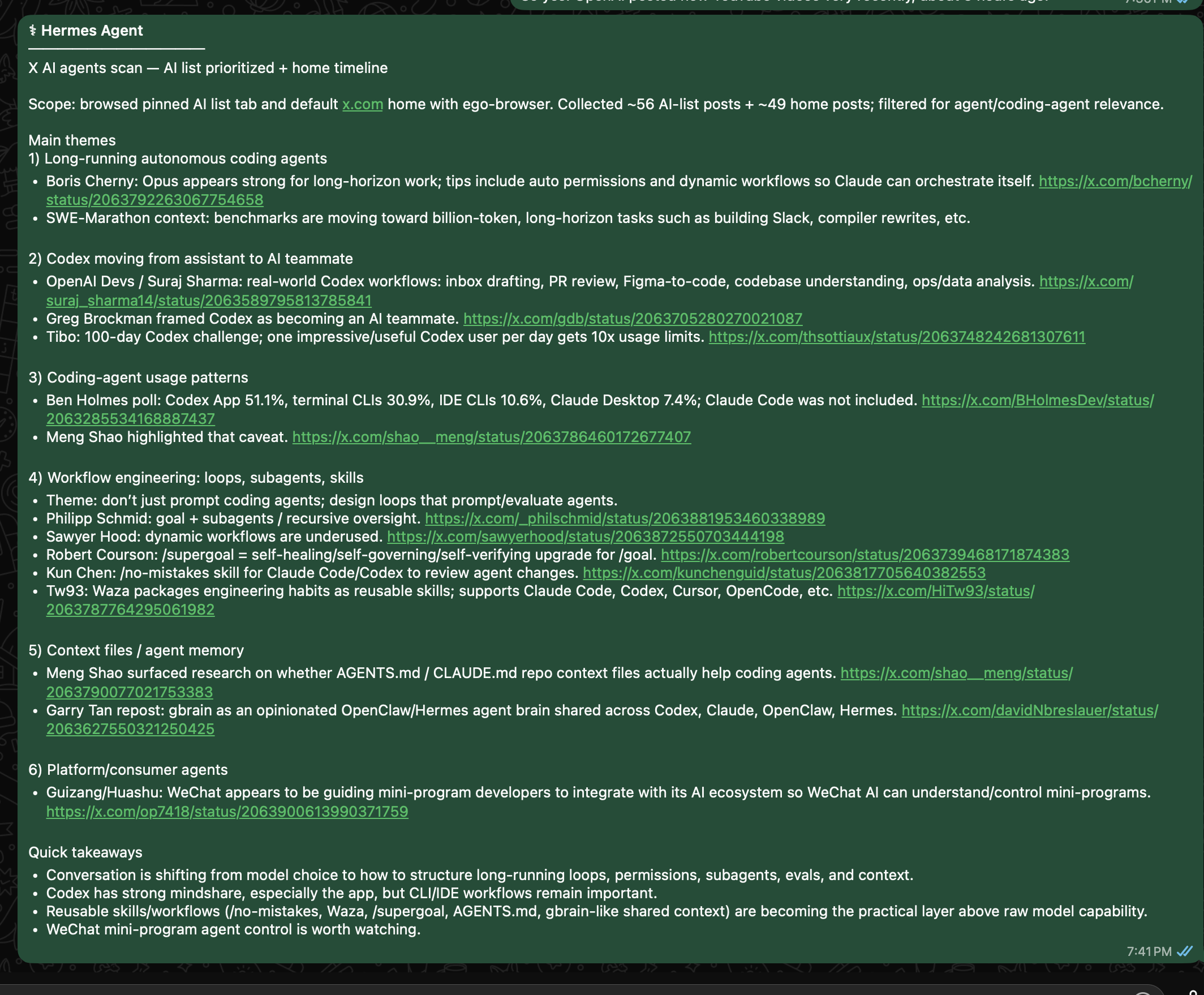
これは X でも同じです。Hermes Desktop に「X で AI エージェントの最新情報を見て」と頼んだとき、あなたの AI リストやホームタイムラインは、誰でも見られる一般的な検索結果ではありません。それは、あなたがログインした状態だからこそ見える世界です。ego (lite) を使えば、Hermes はその本物の視点から、あなたが日々使っているアカウントの状態やリスト、フォロー関係、コンテキストをそのまま活用して作業できます。
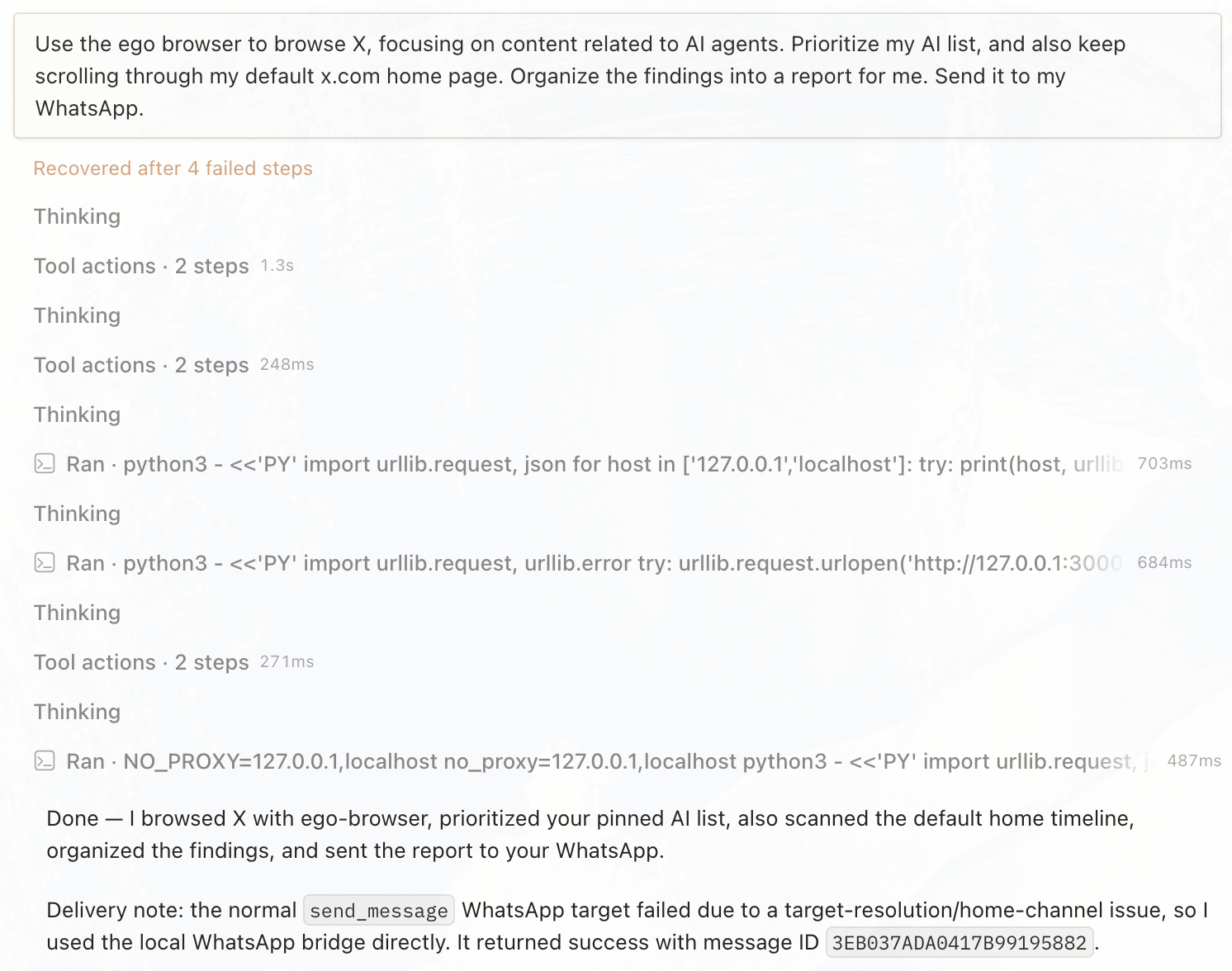
Hermes はその一言の指示を、繰り返し実行される Web ワークフローに変えます。あなたが使っているのと同じログイン状態の X から情報を取得し、ノイズを整理したうえで、選んだチャネルに要約を届けます。
人とエージェントが共有する 1 つのブラウザ
大事なのは、Hermes に別のブラックボックスなブラウザを渡してうまくいくよう祈ることではありません。大事なのはバランスです。一つの本物のブラウザ環境を、Space によってはっきり分離しながら、あなたとエージェントの両方が使えるようにすることです。
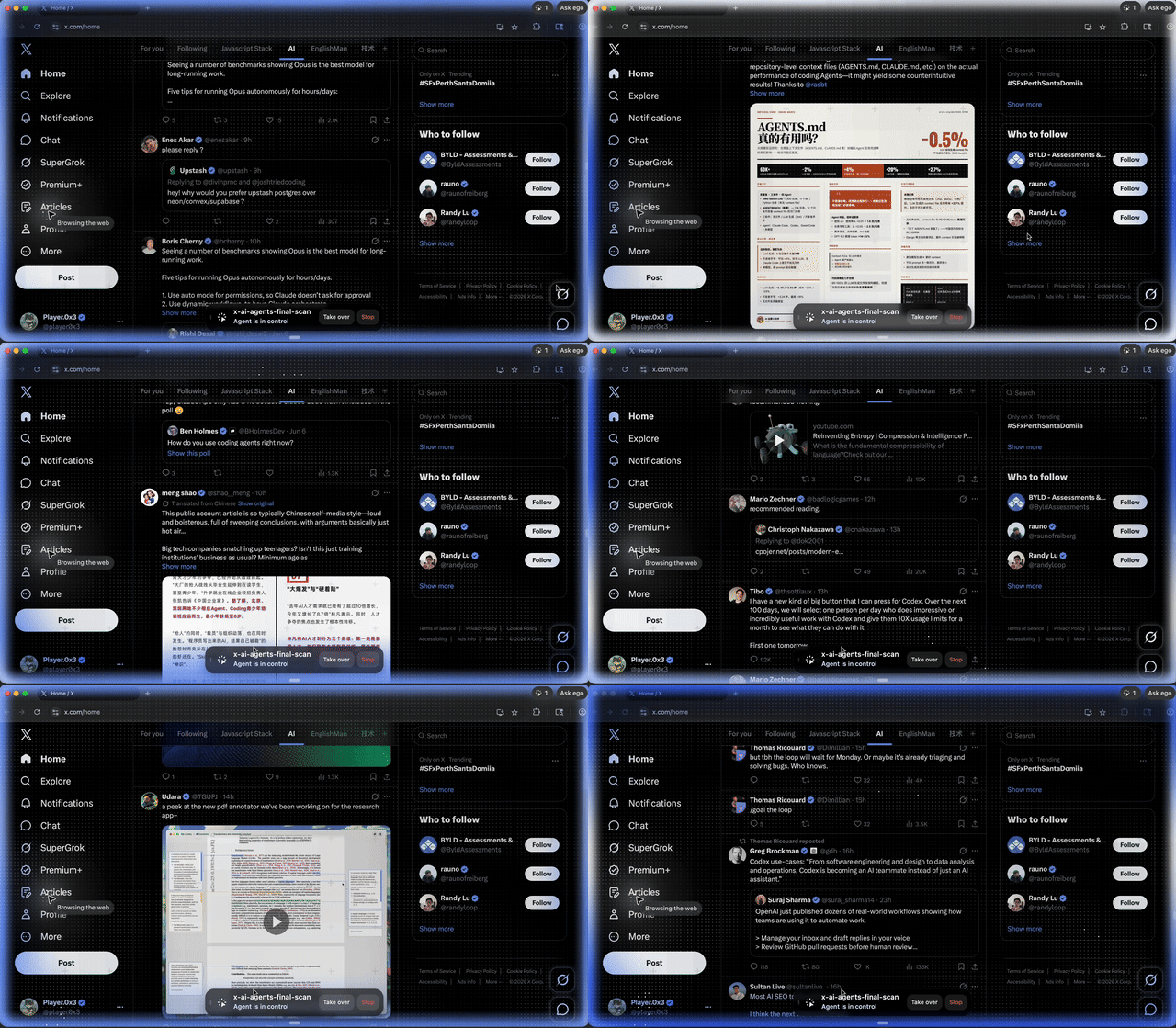
Hermes は自分専用の Space の中で動作し、あなたは自分のタブをそのまま使い続けられます。必要なときはその Space に切り替えて、今何をしているかを確認したり、ログインや確認、重要な操作を引き継いだりできます。見えないヘッドレスセッションの中に消えてしまうわけではなく、あなたが確認し中断もできる本物のブラウザの中で動いています。
進化するエージェントと経験豊富なブラウザの出会い
Hermes は、もともと会話するだけのツールではありません。タスクの実行、スキルの成長、記憶を備えた、進化し続けるエージェントです。役に立った作業は1回のタスクで消えてしまうのではなく、Hermes が次に活かせる資産になります。
ego-browser もまた、使い捨てのブラウザスクリプトではありません。X のタイムラインを読む方法、Google の検索結果を抽出する方法、GitHub の Issue を整理する方法など、Web 操作の経験を再利用可能なブラウザ Skill として蓄積できます。
つまり、Hermes と ego (lite) の本当の価値は、単に「ブラウザにつながったエージェント」ということではありません。Hermes は WhatsApp や Hermes Desktop など、さまざまなチャット窓口から呼び出せる、進化し続けるエージェントです。ego (lite) はそこに欠けていたピース、人と共有できる本物のブラウザという身体を与えます。一方はスキルと記憶を育て、もう一方は Web を操作する術を蓄えていく。あなたを理解するエージェントと、Web を知り尽くしたブラウザが出会う——それが Hermes と ego (lite) の面白さです。