













ego (lite) is just a browser, ego is your personal agent across devices.
Join waitlist
Browser testing and E2E testing with your coding Agent

Run end-to-end browser tests with the coding Agent you already use for free

ego (lite) gives Codex, Claude Code, and other coding Agents a visible Chromium browser and a separate Space for each E2E test. Your Agent follows the user flow you define, shows what the page rendered, and returns evidence while you keep control of the browser context, sensitive steps, and your own tabs.

Download for Mac(yes, free)

Trusted by developers from

OpenAIAnthropicGoogleMetaNVIDIACursorPerplexity
SpaceXTeslaNotionFigmaStripeNetflixAirbnb

Run real E2E tests in 5 simple steps

Turn a plain-language test brief into a real E2E run in five simple steps. No complex test scripts required. ego (lite) gives your coding Agent a dedicated browser Space to test the user journey, capture evidence, and leave your own browser untouched.

1

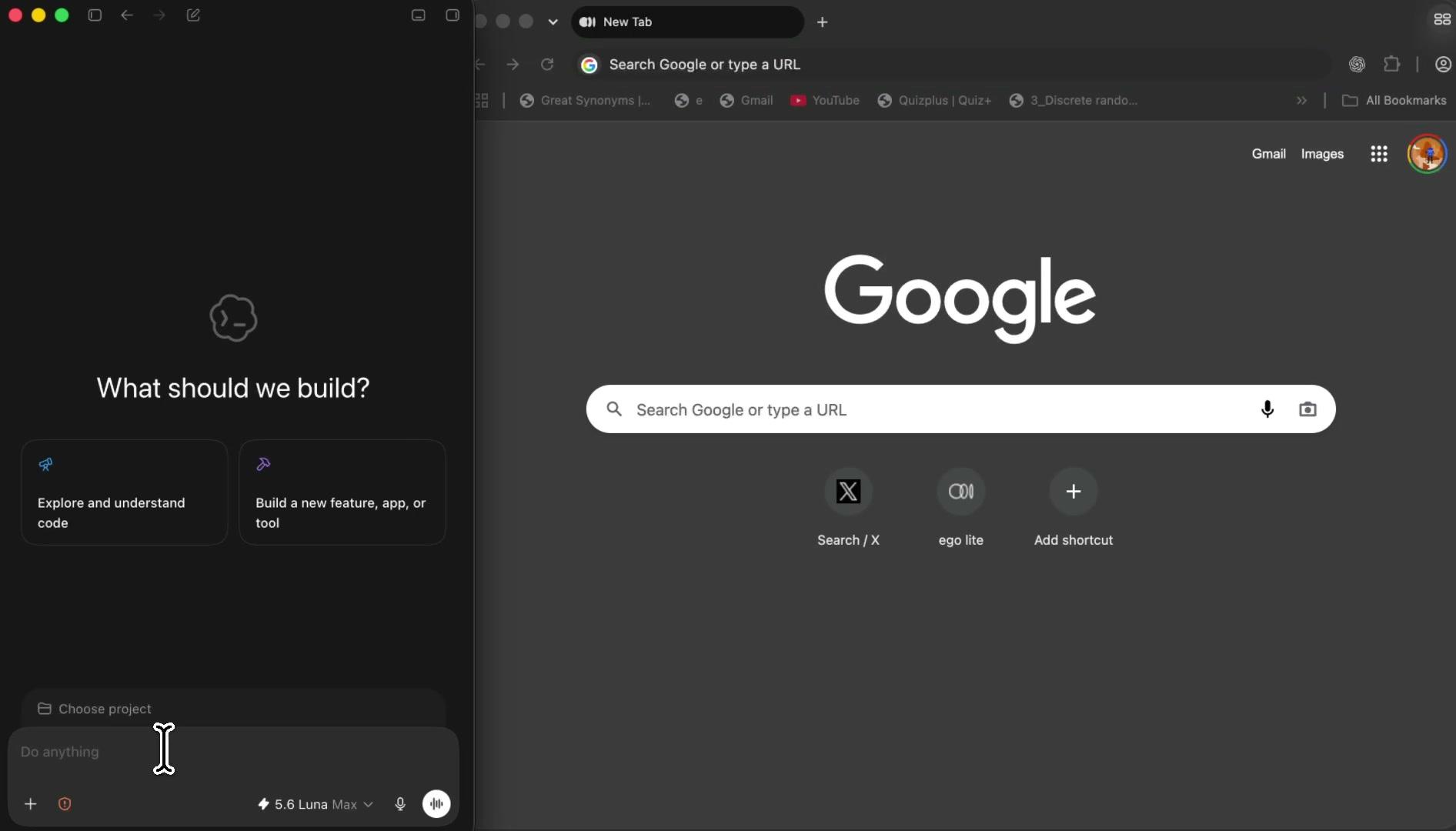
Give your Agent the browser tools to test the real flow

Install ego (lite) and let Codex, Claude Code, and other coding Agents use the ego-browser skill in a separate Space. They can open your app, click through the UI, fill forms, and inspect the rendered result while your normal browsing stays undisturbed.
2

Run E2E tests without writing complex scripts

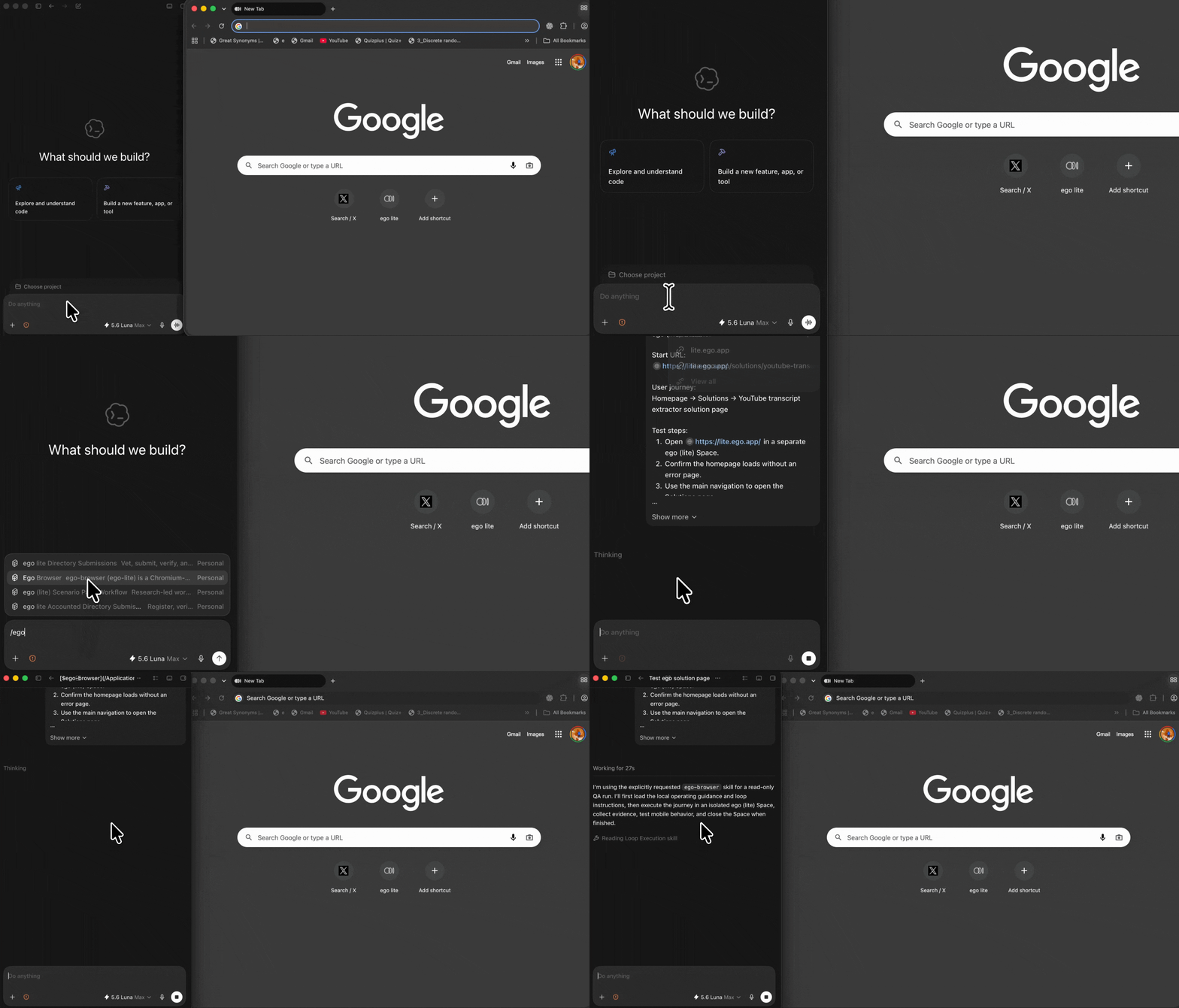
Start with a simple prompt, no complex test scripts required. Your coding agent launches a real end-to-end test in its own browser Space, then brings back screenshots and page-level evidence for easy review.

What should it test?

Prompt instructing a coding agent to run an end-to-end browser test and report the result
3

Watch your Agent test the real user flow

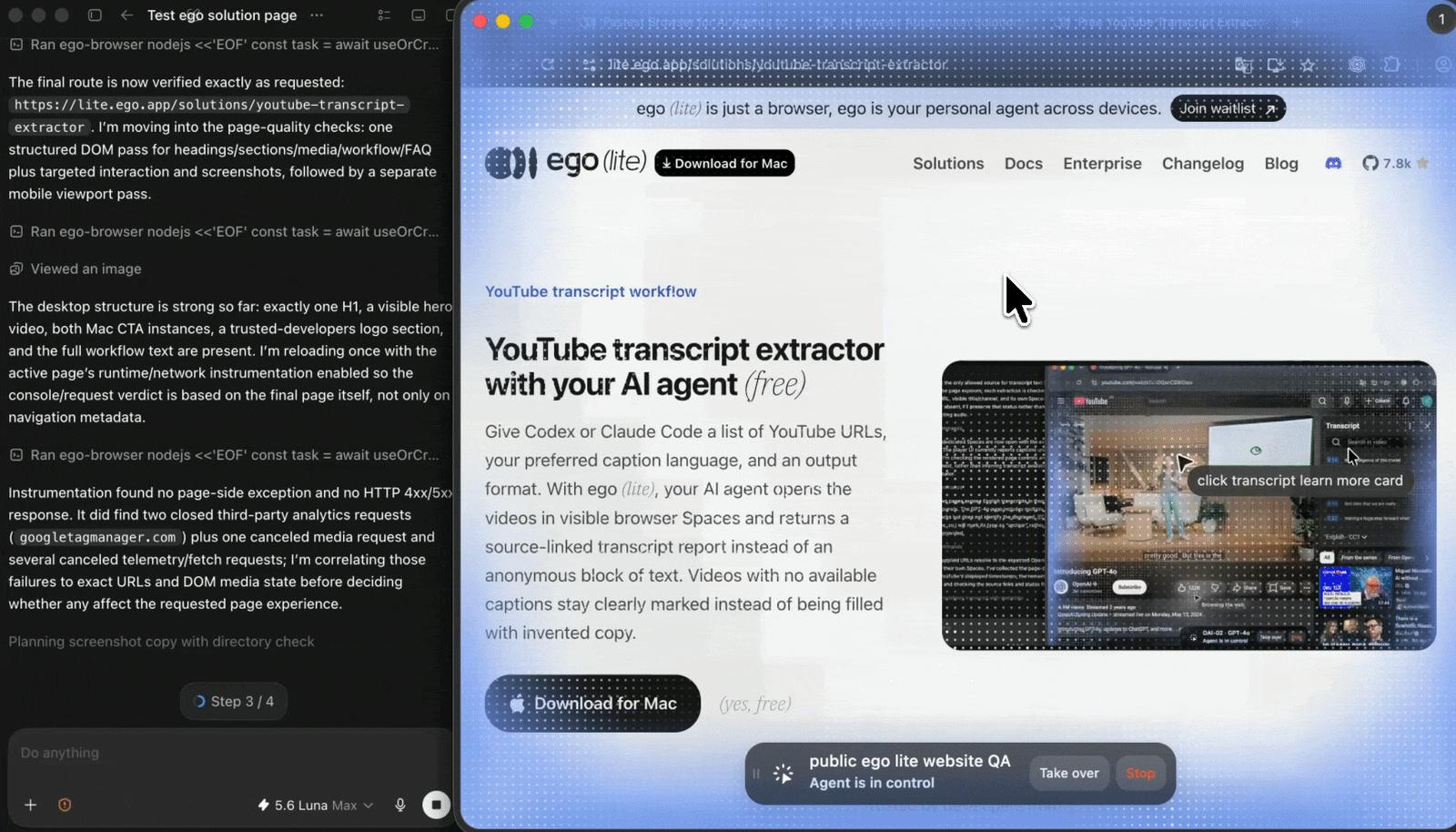
The ego-browser skill opens your authorized app in its own Space and carries out the E2E steps in a real browser. Watch the rendered page as it runs, or take over whenever a decision needs you.

4

Keep working while E2E tests run

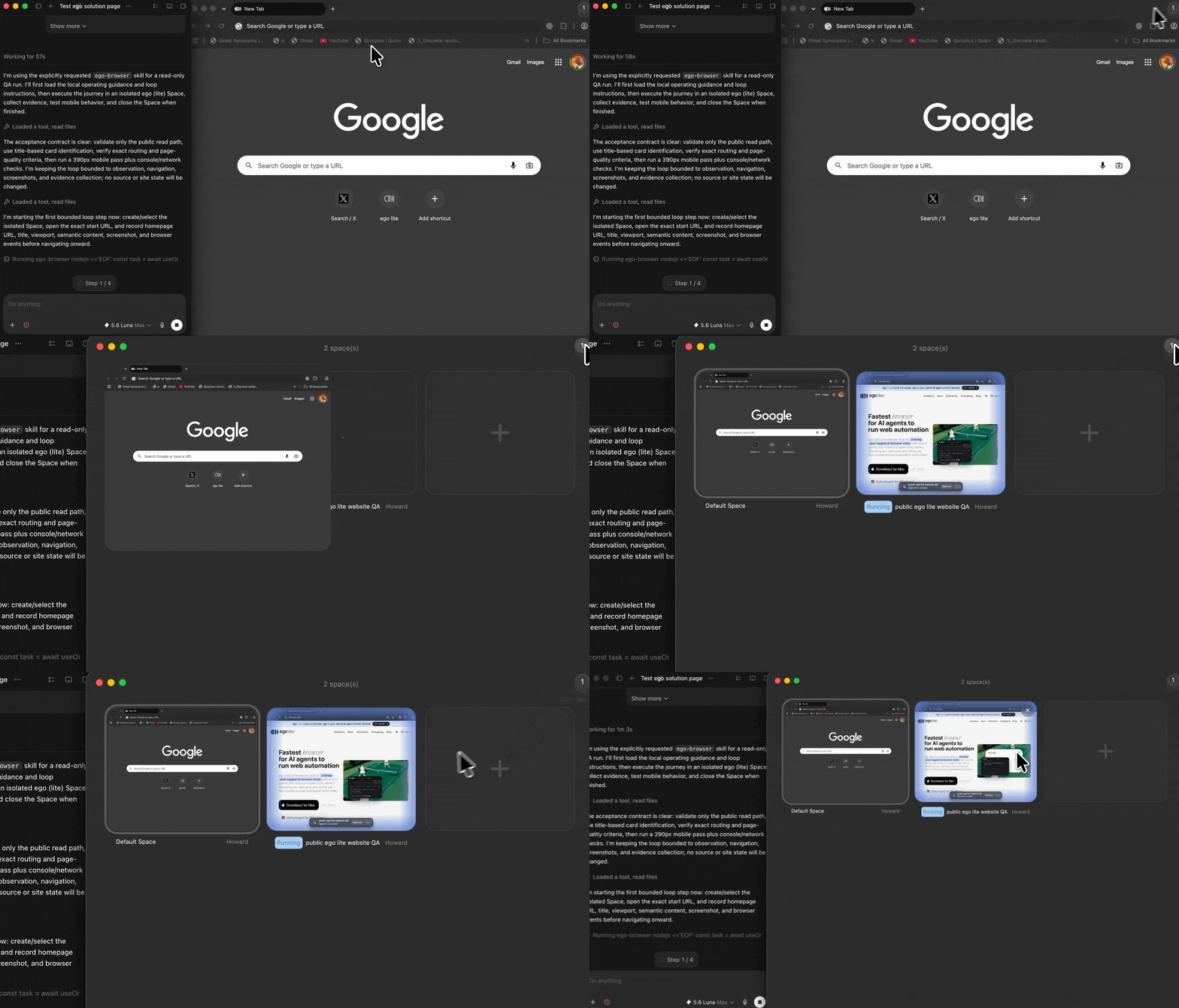
Each E2E run stays in a separate Space, so you can browse and work in yours. Run independent checks in parallel without mixing tabs, browser state, or test accounts.

Separate ego (lite) Spaces running independent end-to-end browser tests in parallel
5

Review the evidence, fix the issue, and rerun

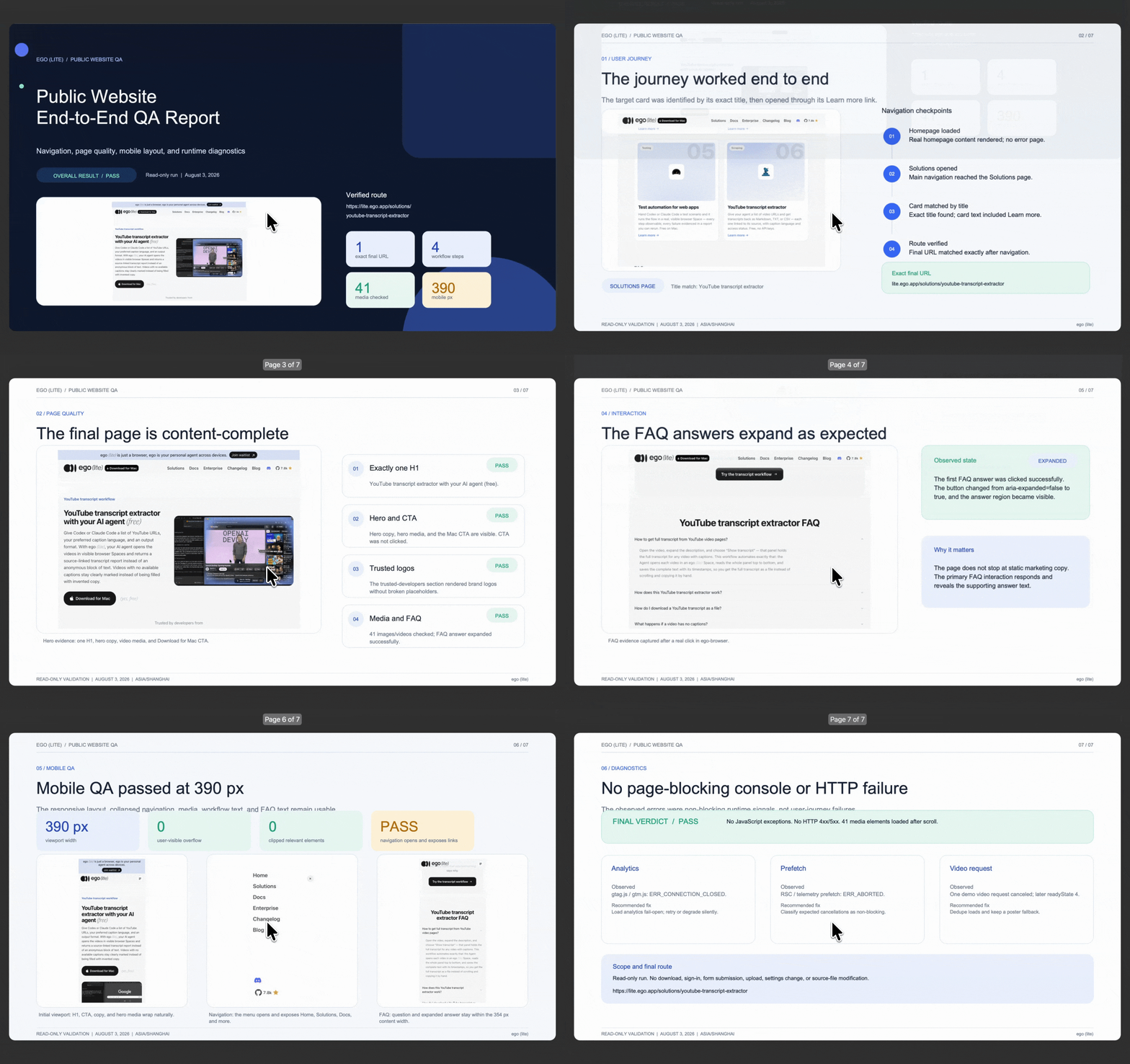
The Agent returns the tested route, completed steps, expected and actual results, plus useful screenshots or errors. Review the result, make the fix, and rerun the same path from the same workflow.

End-to-end test report with completed browser steps, expected results, and failure evidence

Why ego (lite) helps with E2E testing

ego (lite) does not replace your CI framework. It gives the coding Agent you already use a visible Chromium browser, the context you choose, separate Spaces, and a human takeover point for E2E work that benefits from real browser feedback.

Move from browser failure to a focused fix

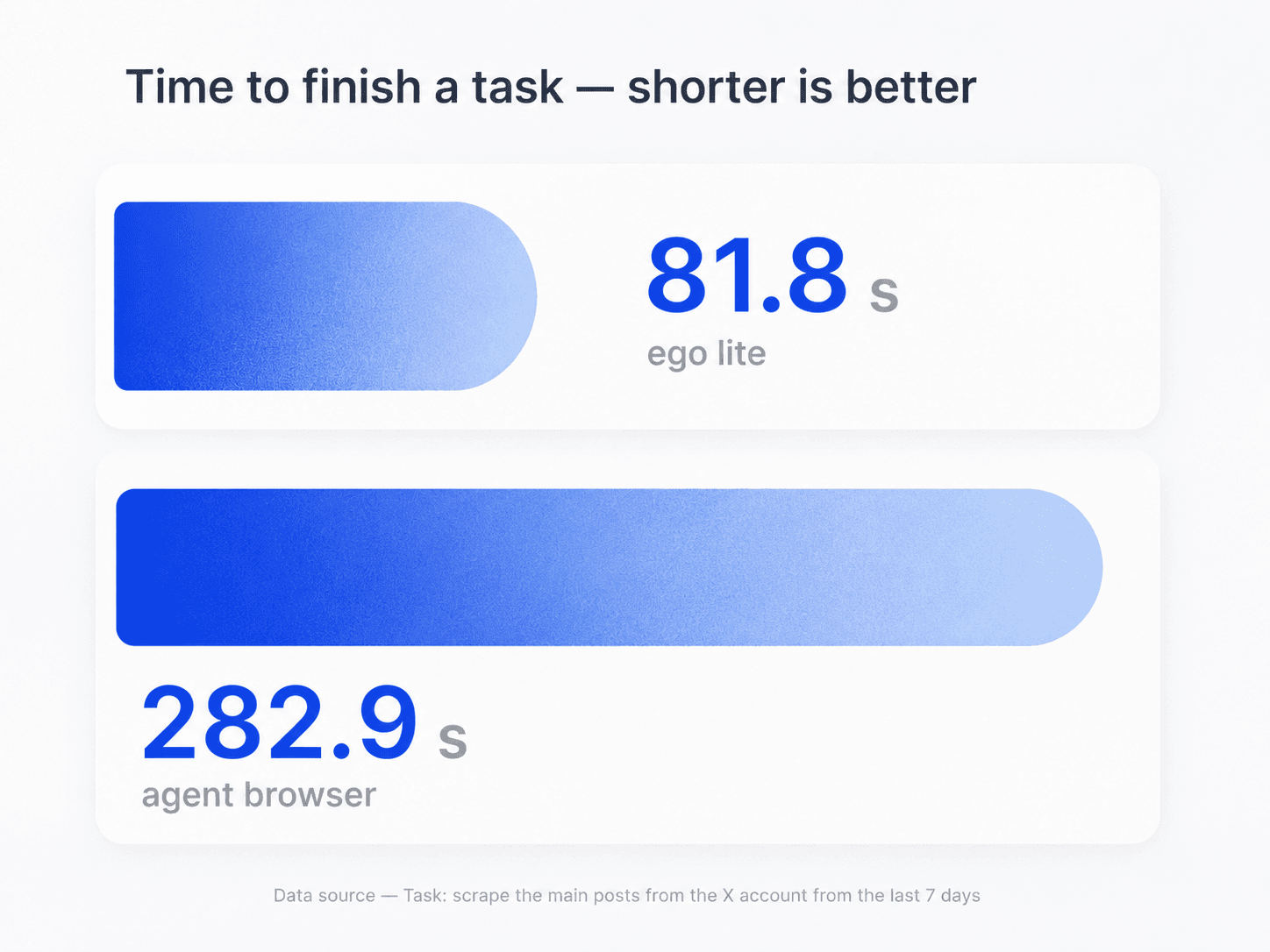
Use the same coding Agent for the browser check and the investigation that follows. It can inspect the rendered page and test evidence, then help you focus the next fix before you rerun. In the task shown here, ego (lite) finished in 81.8 seconds, compared with 282.9 seconds for an agent browser. Actual timing varies by website, workflow, and network conditions.

Task-time comparison for ego (lite) and an agent browser during browser testing

Run independent E2E checks in parallel

Give each feature, account role, viewport, or regression scenario its own ego (lite) Space. The Agent can run independent checks side by side without mixing browser state, and you can return to the exact page and result whenever you need.

Parallel ego (lite) Spaces for separate end-to-end browser test cases

Keep working while your Agent runs E2E tests

Use an AI website testing agent to run browser testing and end-to-end software testing in its own ego (lite) Space. While it completes the real user flow, you can keep browsing, researching, and working in your own Space. Open the test Space whenever you want to review progress, inspect the rendered page, or take over.

AI website testing agent running E2E testing in a separate ego (lite) Space while the user browses independently in another Space

Use the browser context you authorize

Reuse a browser context you choose for test accounts or roles that need a signed-in flow instead of handing credentials to a testing service. Your app's access controls, MFA, rate limits, and permission checks remain in effect; ego (lite) does not bypass them.

ego (lite) Chrome context import for authorized end-to-end browser testing

Where ego (lite) helps in your E2E workflow

ego (lite) helps an Agent execute a browser test procedure in a context you authorize. It is built for visible, interactive E2E investigation and verification in Chromium. Keep a full cross-browser testing program and deterministic CI framework alongside it.

What your Agent can test

Repeatable browser-level user journeys you authorize it to open and inspect.

  • Navigation, search, forms, validation messages, dashboards, and account-role flows visible to the selected browser context
  • Expected page state, buttons, text, URLs, client-side errors, and visible network failures
  • A numbered E2E test case with expected versus actual result, screenshots or source references, and a clear pass, fail, or blocked status
  • Several independent browser testing runs in separate Spaces when their test data and side effects are safe to run in parallel

What still needs a framework or your judgment

Scripted suites and human review remain essential for deterministic or high-risk work.

  • Versioned, unattended CI regression suites that need the deterministic assertions of Playwright, Selenium, Cypress, or another E2E testing framework
  • Charging a real card, placing a live order, sending messages, deleting data, or changing production account settings
  • Entering passwords, completing MFA, accepting legal terms, CAPTCHA challenges, or another access-control decision
  • Cross-browser compatibility testing across Firefox, WebKit, and real devices, or a full accessibility, security, or legal-compliance audit from one browser run

Read the ego (lite) quick-start guide

Give your coding Agent a real browser for its next E2E check

Start with one safe user journey and a clear expected result. ego (lite) gives Codex, Claude Code, and other coding Agents a visible Space to run it, lets you inspect or take over, and preserves the evidence for the next fix.

Try E2E testing in ego (lite)

Browser testing and E2E testing FAQ

E2E testing, short for end-to-end testing, validates a complete application workflow from beginning to end. A typical end-to-end test starts from a known state, completes a realistic flow such as sign-in, search, or a checkout sandbox, and compares the rendered result with a stated expectation. It is broader than a unit test because it verifies how several components work together from the user's point of view.

E2E means end to end. When someone asks what E2E means in software testing, they are referring to a test that follows a flow from its beginning to its final visible outcome instead of checking one isolated function or service. For a web application, the flow may include navigation, form input, validation, an authenticated state, a server response, and the page the user sees afterward.

Browser testing checks an application through a real browser interface. It can verify rendered content, navigation, forms, buttons, URLs, visible client errors, and browser-dependent behavior. Browser testing can mean a complete E2E flow or cross-browser compatibility testing; this workflow focuses on authorized, real-browser E2E tests in Chromium. For Firefox, WebKit, device coverage, or broad compatibility testing, keep a dedicated framework or device cloud in the loop.

AI end-to-end testing with ego (lite) starts with a safe URL, numbered steps, expected results, permitted test data, and stop conditions for Codex, Claude Code, and other coding Agents. The Agent opens the app in a separate ego (lite) Space, performs the browser actions, and returns a report with pass, fail, or blocked status and evidence. You can inspect the visible Space or take over at any point.

A practical end-to-end testing process defines a stable starting state, the user journey to follow, the expected result for each important step, safe test data, and the evidence to keep. Run the flow, compare the actual result with the expectation, record any failure point, then rerun the same test after a fix. Start with a small, high-value journey before expanding the test set.

An E2E test case should state its starting state, URL, account or fixture, numbered actions, expected results, and stop conditions. It should also specify what evidence to retain when something fails: the final URL, screenshot, visible error, console or network detail when relevant, and the exact step where the run stopped. Clear cases make an end-to-end test repeatable instead of a remembered manual check.

E2E testing tools and frameworks such as Playwright, Selenium, and Cypress run versioned test code and are well suited to deterministic CI regression suites. An AI website testing agent can carry out a plain-English browser brief, help investigate a failure, and keep the live run observable. Use them together: keep scripted frameworks for unattended repeatability and use an Agent-driven run for fast, visible browser checks and investigations.

Yes, when you use a browser context and test account you are authorized to use. Prefer staging and isolated test data for logged-in flows. The Agent can use the session available to the selected browser context, but it does not bypass MFA, permissions, CAPTCHA, rate limits, or other access controls. If a human-only step appears, inspect or take over the Space yourself.

It can test a checkout sandbox or another safe fixture when the test case makes the boundary explicit. Do not let an Agent place a real order, send a real message, delete live data, change permissions, or accept legal terms without an approved test environment and a human decision point. Mark those actions as blocked or take over the browser when needed.

AI browser testing does not replace unit tests, integration tests, deterministic CI suites, security testing, performance testing, accessibility audits, or a full cross-browser compatibility program. It also cannot turn an ambiguous product requirement into an objective pass/fail assertion. Use it for the browser-level flow you define, then keep the specialized checks and human judgment that the broader release risk requires.