











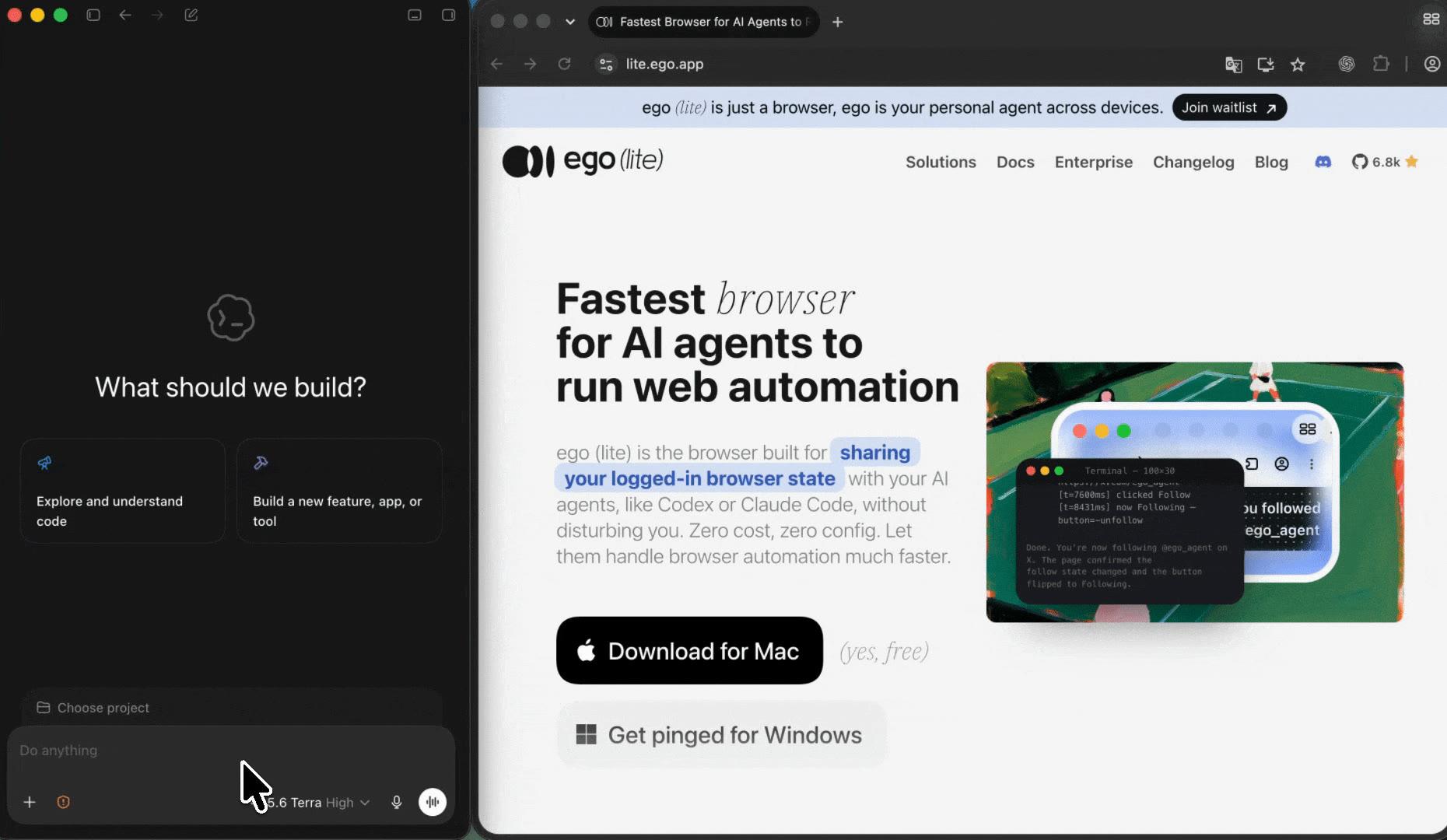
ego (lite) is just a browser, ego is your personal agent across devices.
Join waitlist
URL to Markdown conversion in a real browser

Free Webpage to Markdown converter for your AI agent

Turn webpages into clean Markdown using the browser session you are already signed into. Your AI agent converts what you can actually see, including internal docs and subscribed articles. It saves each page as a clean .md file.

Download for Mac(yes, free)

Trusted by developers from

OpenAIAnthropicGoogleMetaNVIDIACursorPerplexity
SpaceXTeslaNotionFigmaStripeNetflixAirbnb

How to convert a web page to Markdown in 5 steps

For one public article, a free web converter is faster and you should use one. This workflow is for the rest: pages that need the session you are already signed into, or a list you want converted in a single run. Give your Agent a bounded list of URLs, the output shape you want, and a rule to stop at anything that needs a human. ego (lite) supplies the visible browser, a separate Space per page, and your existing session for the pages that require one.

1

Install ego (lite) and choose an authorized browser context

Download ego (lite) for Mac, then import only the Chrome context you are authorized to use. That context is the whole point: it is what lets the Agent open an internal doc or a subscribed article as you, rather than as an anonymous server. The Agent works inside the context you choose and never enters credentials or works around a check.
2

Send the URL-to-Markdown prompt to your AI agent

Give your Agent a short prompt: the URLs, whether you want one file per page or a single combined document, and whether to keep front matter. Say what to do with images and links, and keep the rule that the Agent stops when a page needs a login, payment, or consent decision you have not already made.

3

Watch each page render before it is converted

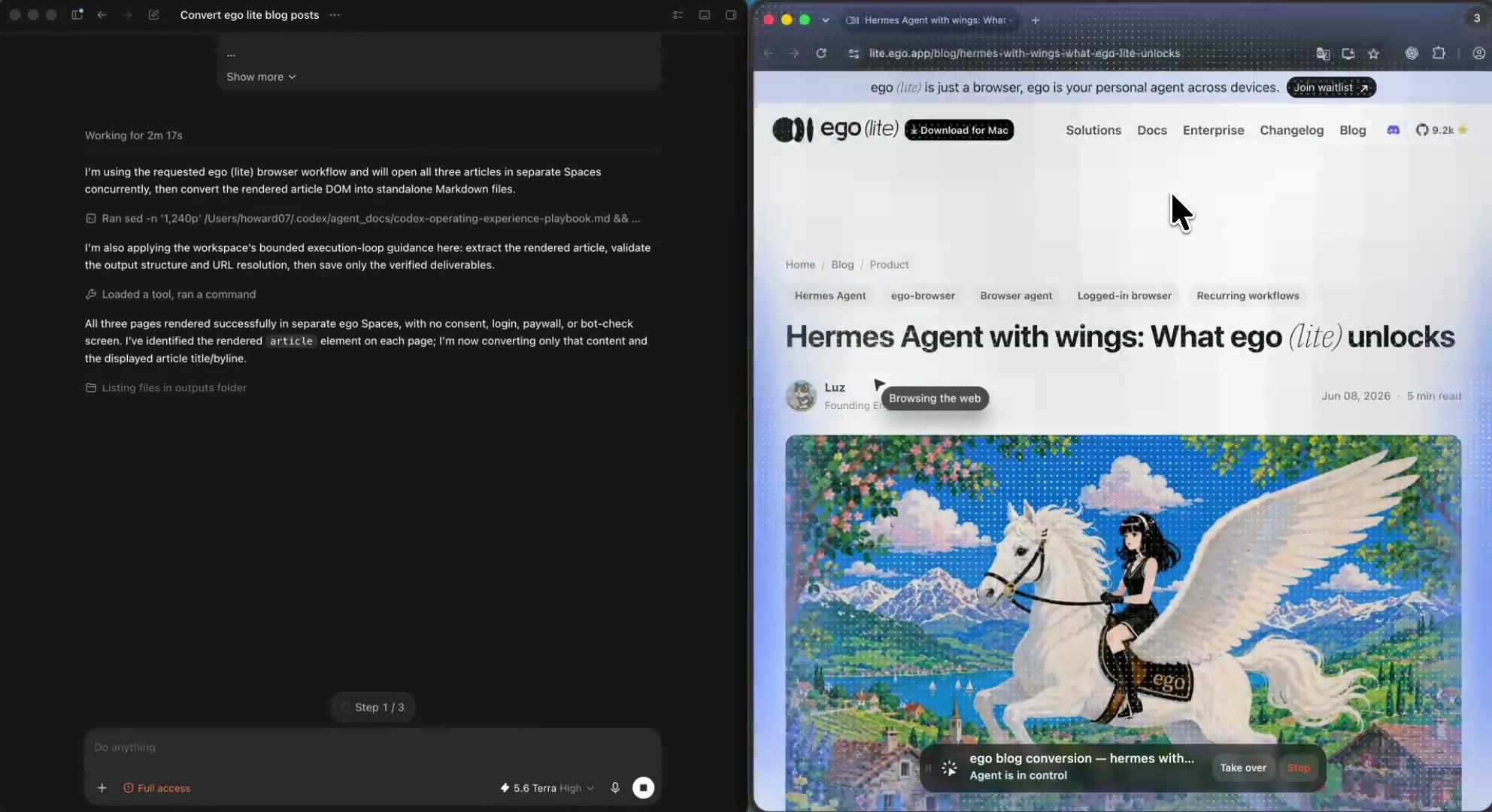
Your Agent opens each URL in its own ego (lite) Space and converts the page after it has rendered, so content that a plain HTTP fetch would miss is present in the Markdown. Headings, lists, tables, code blocks, links, and images map to their Markdown equivalents; navigation, ads, and cookie banners are left out.

4

Convert a list of pages in parallel Spaces

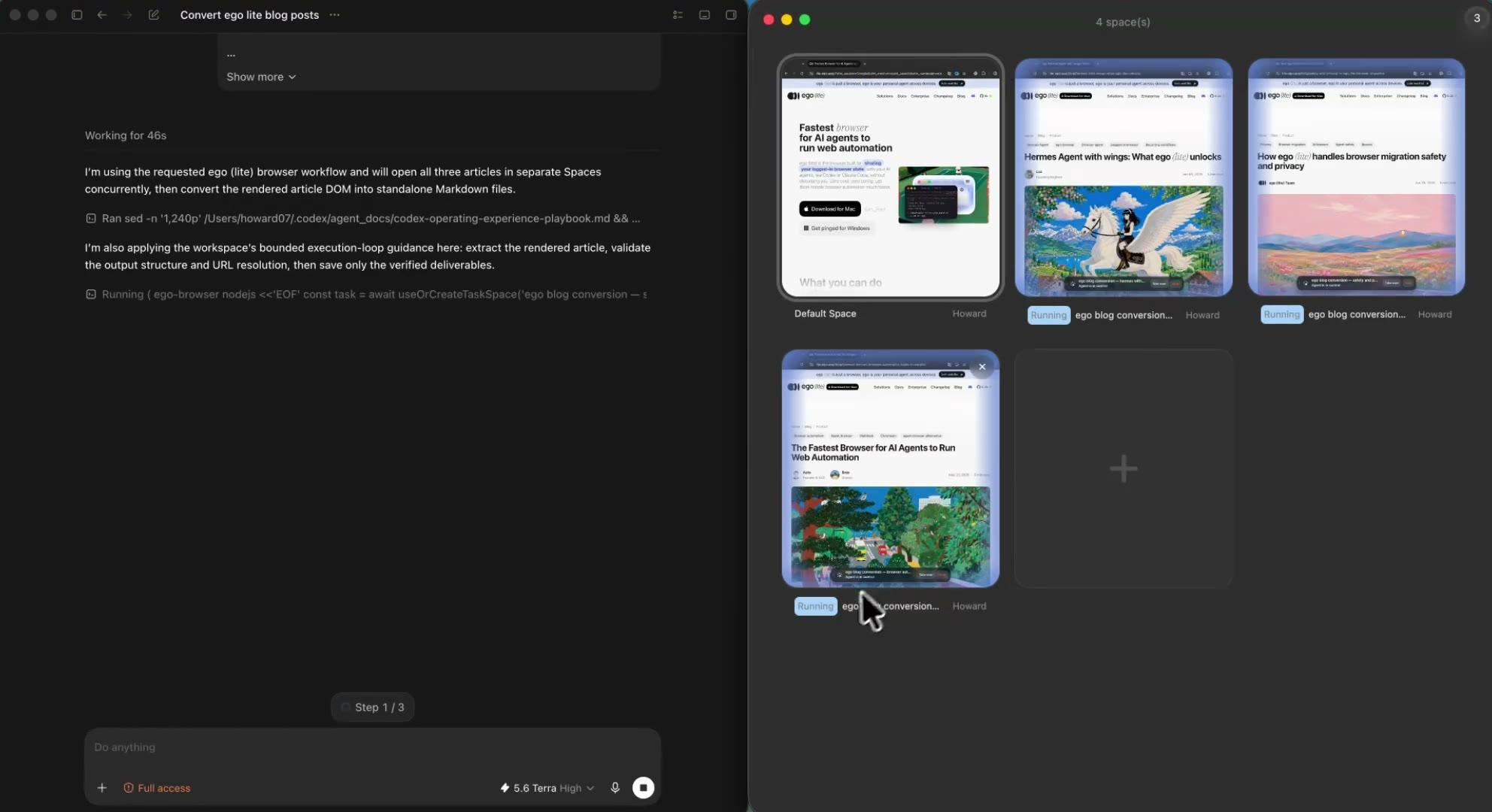
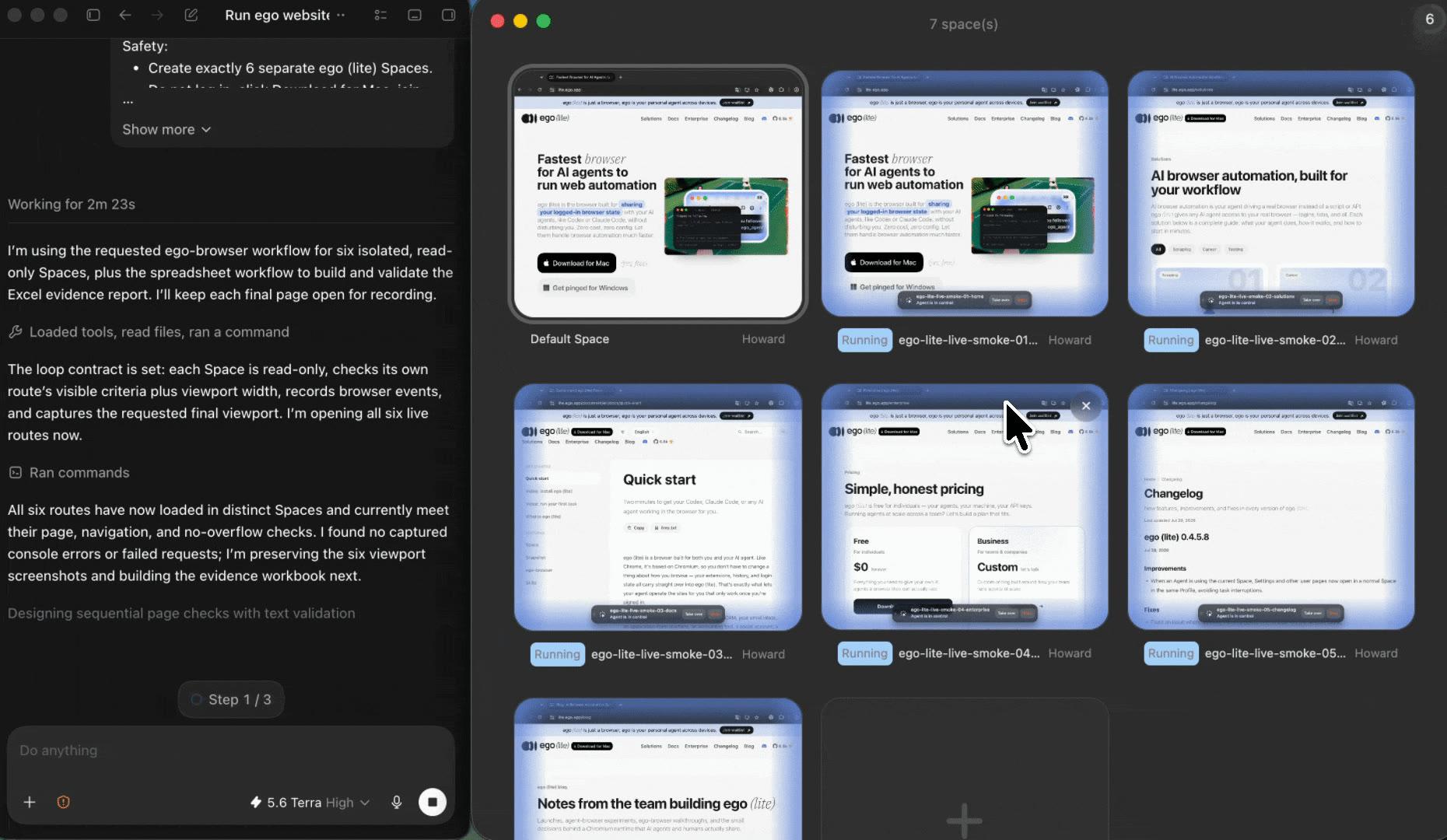
Give each page its own Space and convert a whole list at once instead of pasting URLs one at a time. The pages progress side by side without mixing browser state, so a docs section or a reading list becomes one run. Your own tabs stay untouched while the Agent works.

5

Get Markdown files that remember where they came from

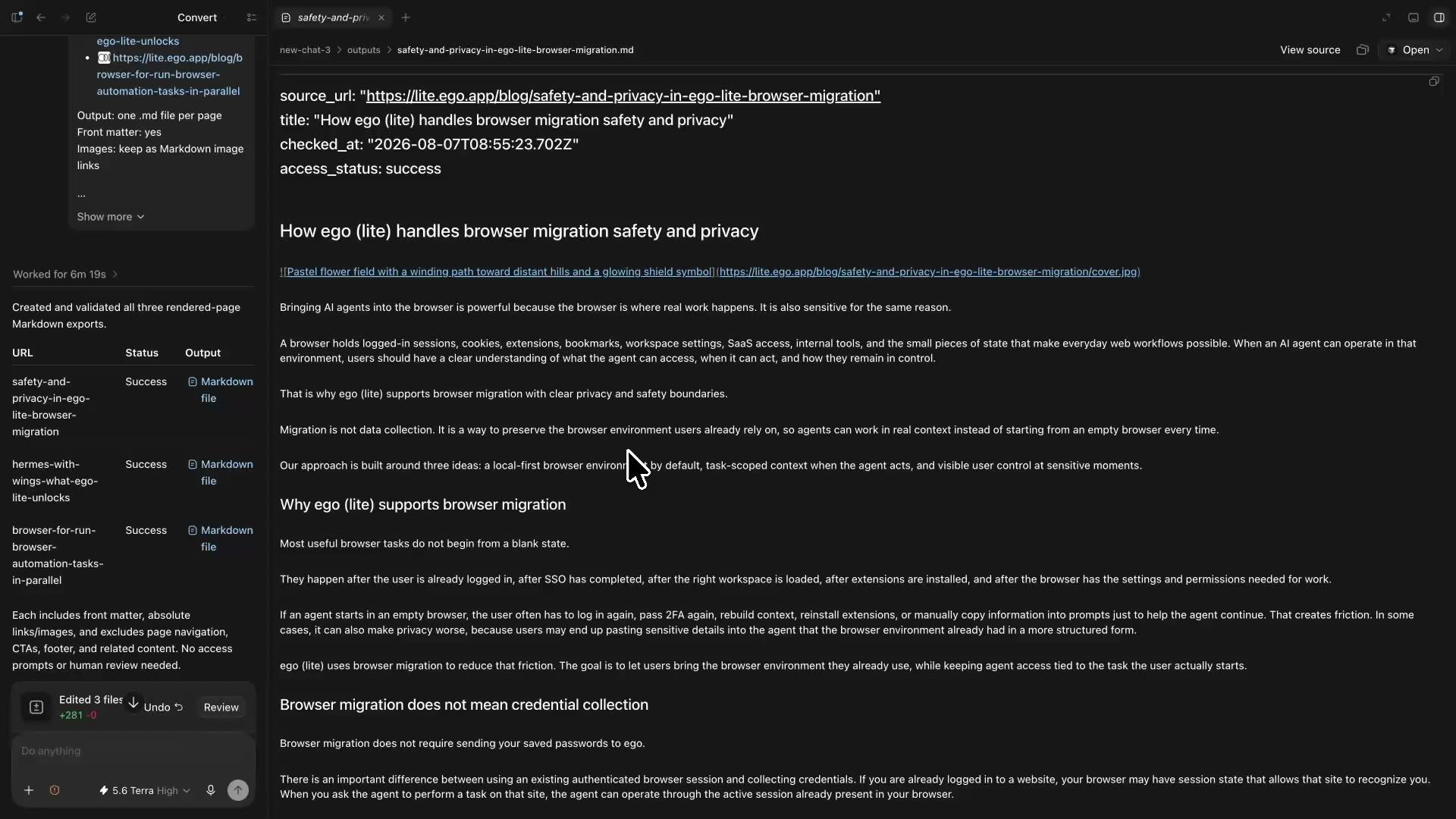
The Agent writes a .md file per page, or one combined document if you asked for that, with the source URL, page title, and checked-at time in the front matter. Links and images are resolved to absolute URLs so they still work outside the original site, and any page that did not fully open is listed with its status instead of being saved as a clean file of the wrong content.

Why use ego (lite) to convert a website to Markdown?

Hosted web to Markdown converters are quick for public pages and blocked on everything else. Libraries like Turndown and markdownify convert HTML you already have, but cannot go and render the page for you. ego (lite) sits where both fall short: a real browser holding your own session, several pages at once, and a file that records what it actually converted.

Finish this browser task 3.5× faster with ego (lite)

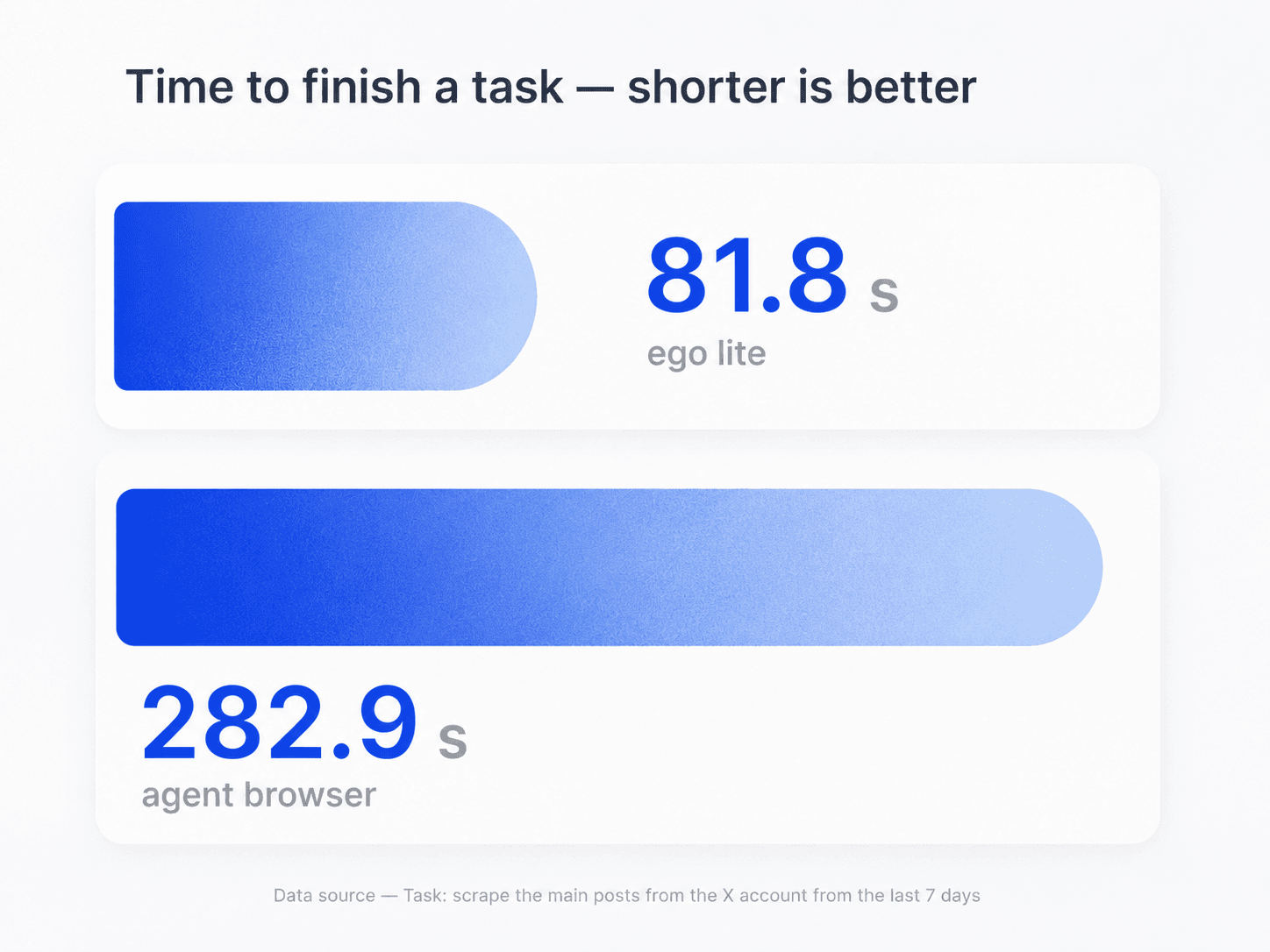
Use the same coding Agent for the conversion and whatever you do next with the Markdown. It renders each page in a real browser and returns files you can drop straight into your notes or an agent's context. In the task shown here, ego (lite) finished in 81.8 seconds, compared with 282.9 seconds for an agent browser. Actual timing varies by website, workflow, and network conditions.

Task-time comparison for ego (lite) and an agent browser during a webpage conversion task

Convert a whole list at once, not one URL at a time

Free web converters take one page per paste, and Firecrawl's free tool says outright that bulk conversion needs the paid API. Here each page gets its own ego (lite) Space and the list runs in parallel, which is what makes a docs section or a reading list a single job. The scope stays your list: this is bounded conversion, not a site crawler.

Parallel ego (lite) Spaces converting separate web pages to Markdown

Keep multitasking while your Spaces work

Run several conversions in parallel, each in its own visible Space. Keep working in your own tabs, or open any Space when you want to check what a page rendered. If one page hits a login wall, a paywall, or a consent screen, the Agent pauses only that Space and hands it back to you—without interrupting the rest.

Reach the pages a hosted converter never can

This is the difference that matters. Import the Chrome context you choose, and the Agent can convert the internal wiki page, the shared doc, the staging environment, or the publication you subscribe to — the pages an anonymous server request returns a login screen for. It uses the access you already have and never creates new access.

ego (lite) Chrome context import for converting pages that require a signed-in session

What this Markdown converter can and cannot do

The scope is deliberately narrow: pages you can already open, converted in a browser you control, for a list you provide. It uses the access you have; it does not create access you do not have, and it is not a site crawler.

What your Agent can convert

Pages the current authorized session can already open.

  • Article and documentation pages, including client-rendered ones, converted after the page finishes rendering
  • Pages that need the session you are already signed into, such as an internal wiki, a shared doc, a staging environment, or a subscription you hold
  • Headings, paragraphs, lists, tables, code blocks with their language, emphasis, links, and images, with URLs resolved to absolute form
  • A bounded list of URLs converted in parallel, as separate .md files or one combined document
  • Front matter carrying source_url, title, checked_at, and access status for every file

What stays out of scope

No bypass, no crawling, no invented content.

  • Getting past a paywall, login wall, consent screen, or bot check, or entering credentials on your behalf
  • Crawling a whole site or following links beyond the URLs you list
  • Producing a file for a page that did not load; the status is recorded instead
  • Reading text out of images, screenshots, or video, or transcribing audio
  • Any right to republish what you converted — the source's copyright and terms still apply

Read the CommonMark specification

Convert the pages other tools return a login screen for

Give your Agent the URLs and the output shape you want. ego (lite) converts each page in a visible browser holding your own session, then hands back Markdown files that remember where they came from and what state the page was in.

Try the free Markdown converter

Webpage to Markdown converter FAQ

For a single public page, paste it into a free web converter such as Firecrawl's or Microlink's — that is the fastest route and this workflow is not trying to replace it. For pages those tools cannot reach, install ego (lite) and give your coding Agent the URLs, the output shape you want, and a rule to stop at anything needing a human. The Agent opens each page in a visible browser Space using your own session, converts what rendered, and writes .md files that keep the source URL, title, and check time.

Because they fetch the page from their own servers, with no access to your cookies or session. Firecrawl's free tool states it directly: it works on publicly accessible pages, and content behind a login or paywall is not accessible without credentials. What you usually get back is not an error but clean Markdown of a login form or a paywall teaser. ego (lite) converts inside the browser context you authorized, so it sees the page you see, and it records the access status alongside the content.

ego (lite) is free to download for Mac, and the work is done by the coding Agent you already use, so the only cost is your Agent's tokens. There are no conversion credits or per-page charges in this workflow. Compare that to the usual meaning of free in this category: Microlink allows 25 conversions a day, Firecrawl's free plan runs on a monthly credit allowance and limits its free tool to one page at a time, and Jina AI's Reader offers a rate-limited free tier before paid plans. The trade-off here is setup: you need a Mac and a coding Agent.

Yes, and for one public page you should. A hosted converter or the r.jina.ai URL prefix will do it in seconds with nothing installed. Choose this workflow when the thing you actually need is different: a page that requires your session, a list of pages in one run, or files that record which page state was converted. If none of those apply, a web converter is the better tool and this page will not pretend otherwise.

If you already have the HTML, use a library: Turndown in JavaScript or TypeScript, markdownify or html2text in Python, or Pandoc on the command line. They are mature, free, and the right answer for HTML in hand. Their limit is that they convert what you give them — they do not go and render a page, and they have no access to your logged-in session. ego (lite) covers that earlier step: getting the correct rendered page out of a real browser. The two compose; use a library for HTML you have, this for pages you need to open first.

Yes. The Agent works in a real Chromium browser and converts the page after it has rendered, so content a plain HTTP request would miss is present in the Markdown. Some hosted converters also render pages now, so this is no longer a unique advantage on public URLs. It matters most in combination with your session: a client-rendered page that also requires a login is where anonymous fetchers fail on both counts.

Ask for it in the prompt. Turning a URL to a Markdown file is the default output: the Agent writes one .md per page into the location you specify, or a single combined document if you prefer, with source_url, title, and checked_at in the front matter. Because links and images are resolved to absolute URLs, the file still works after you move it into a notes vault or a repository. Pages that did not fully open appear in the run summary with their status rather than as files.

It converts a bounded list of URLs, each in its own Space, in parallel — a docs section or a reading list is one run. It is not a site crawler: it will not discover and follow links across a domain, and this page will not claim otherwise. If you need site-wide crawling with scheduling and retries, a crawler API such as Firecrawl's is the built-for-purpose category. If you need a supervised run over pages you chose, including ones that require your session, this fits better.

Tables become GitHub-flavored Markdown tables, code blocks become fenced blocks carrying the language when the page shows it, and emphasis, headings, and lists map to their Markdown equivalents. Links and image sources are rewritten to absolute URLs so they resolve outside the original site. You can ask for images as Markdown image links, as a separate list, or omitted. Text inside an image is not extracted; there is no OCR in this workflow.

Markdown carries the document's structure — headings, lists, tables, code — in far fewer tokens than the equivalent HTML, so the same content costs less context and its hierarchy survives chunking. That is why Markdown has become the common target format for feeding web content to models. What this workflow adds is provenance and reach: each file records the URL and time it came from, so you can re-check a retrieved chunk against its source, and internal documentation that a hosted fetcher cannot open can go into the pipeline too.

No, and no converter's is. Markdown has no equivalent for many things a page can do: interactive widgets, forms, embedded players, complex nested layouts, and heavy styling do not survive, and unusual table structures may need a manual pass. The Agent converts the main content and leaves out navigation, ads, and consent banners, which is normally what you want but is still a judgment about what counts as content. The front matter keeps the source URL so you can always go back and compare.

Converting a page you are authorized to view into another format for your own reading or research is ordinary use of your browser, and this workflow does nothing your browser cannot already do. Two things still apply: the source's copyright does not change because the format did, so republishing converted content is a separate question, and a site's terms may restrict automated access regardless of format. This is not legal advice. Keep runs bounded to pages you have legitimate access to, and never use this to get around a paywall.