Why ChatGPT can read your Chrome tab but cannot click or type

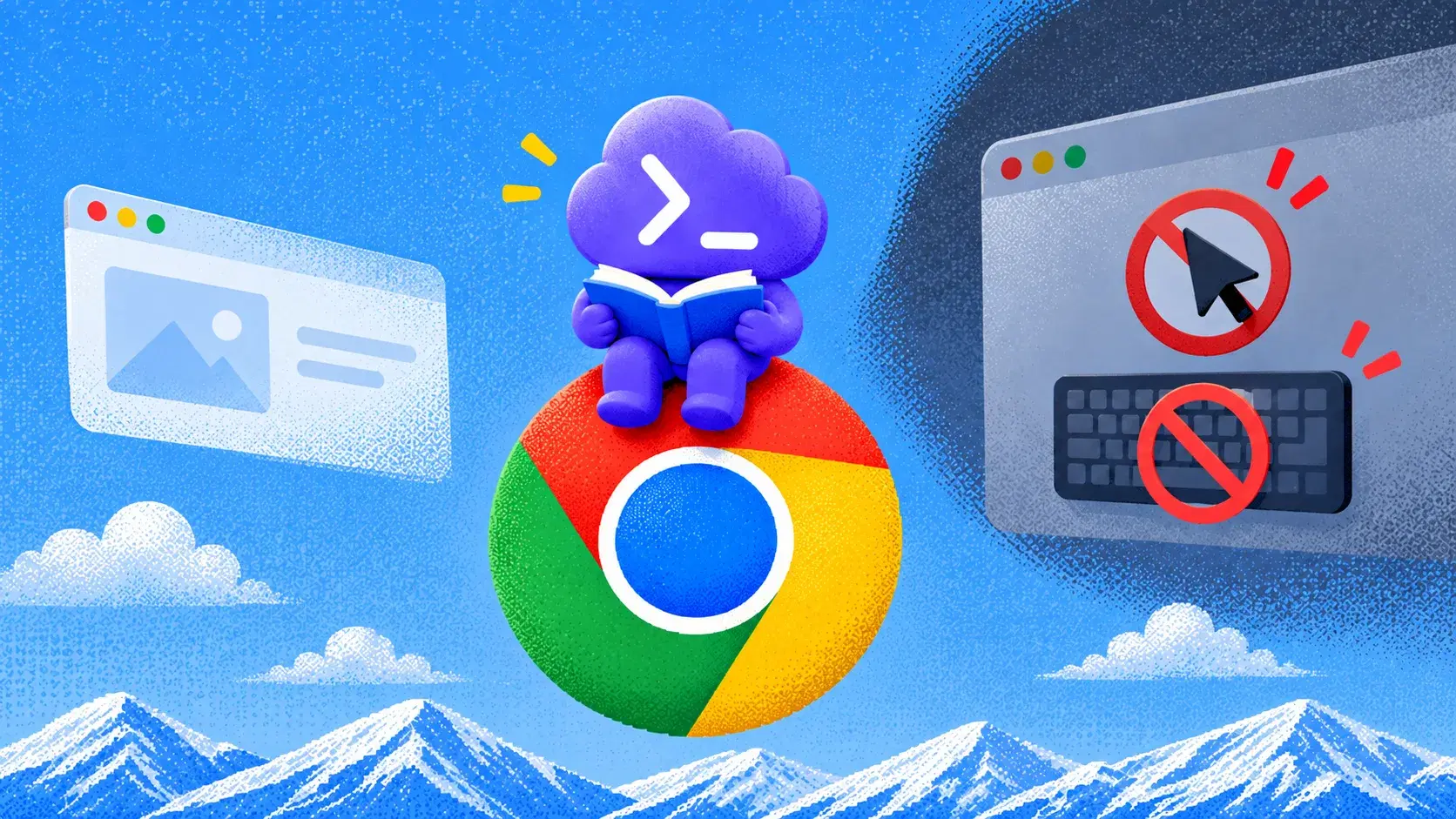
If ChatGPT can describe the tab in front of you but cannot click a button or type into a field, the page itself may be working perfectly. The missing piece is browser control. Reading and acting travel through different parts of the Chrome integration, so ChatGPT can still see text and screenshots even when the control path is unavailable.
The first step is to fix that control path, not keep asking the model to click again. Check the ChatGPT desktop app, Computer Use connection, native messaging host, active Chrome profile, and site permissions, then prove the connection with a real click on a public page. If Chrome still stays read-only after those checks, ego(lite) provides a different route: run the task in a visible Chromium Space where the agent can click and type, while you can watch, take over, or stop the task when needed.
What matters is whether the current browser route can actually interact with the page. Once you separate page visibility from browser control, the failure becomes much easier to diagnose. If you want a broader comparison of the available ChatGPT browser routes and when to use each one, see ChatGPT browser use.
Why is Chrome control read-only?
ChatGPT's Chrome path is a bridge, not a second copy of Chrome. The extension sits in the browser. The desktop app owns Computer Use. A native-messaging host carries commands between them. Reading the current tab can succeed while click, type, tab creation, and page navigation stay blocked.
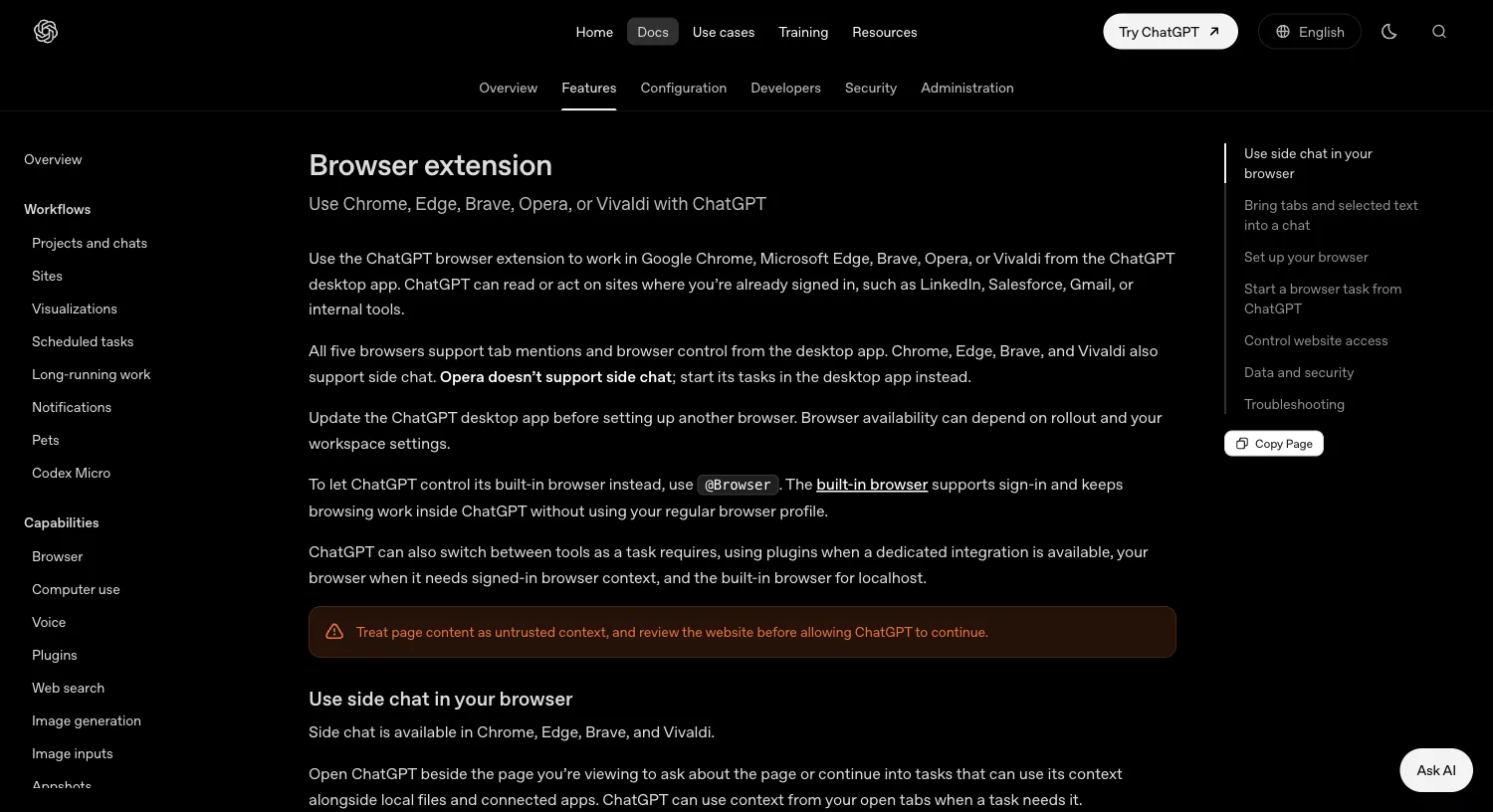
OpenAI's browser extension docs say ChatGPT can read or act on sites where you're already signed in. Install the extension from Settings > Computer Use, then start a Work or Codex chat with an @ mention. That 'or' is the trap. Side chat and tab mentions feed page text into the conversation without handing the same session a control interface.
Public bug threads from August 2026 describe the same split. On macOS, one report had a native host that existed, was ARM64, and was signed by OpenAI, and it still couldn't click until a logout plus a later clean restart. On Windows, GitHub issue 39836 described an extension that could read the selected tab but couldn't navigate to another URL, create a tab, click, or type. Issue 40118 sharpened the split: a sidebar chat stayed read-only and blamed an outdated native host, while a separate desktop task claimed the same tab and landed a test click.
Those reports are user evidence, not a run on this machine. We didn't drive ChatGPT @Chrome against a personal signed-in tab for this article. We did confirm that the install files on a macOS arm64 host can look healthy while other Chrome profiles never got the extension. That's enough to treat 'reinstall Chrome' as the wrong first move.
What native-host and permission setup is required?
Click and type need the native-messaging host, not only the Web Store listing. On this machine on 2026-09-20 the Chrome host name was com.openai.codexextension. The JSON allowed chrome-extension://hehggadaopoacecdllhhajmbjkdcmajg/ and a second OpenAI extension origin. The binary path resolved through ~/.codex/plugins/cache/openai-bundled/chrome/latest to ChatGPT for Chrome, a signed ARM64 Mach-O from OpenAI OpCo, LLC. OpenAI's bundled check-native-host-manifest.js reported correct: true for Chrome.
That check is an install diagnostic, not a click test. The OpenAI forum case had a valid manifest and still couldn't interact. Don't repair the JSON by hand. OpenAI's bundled Chrome troubleshooting file tells the agent not to install or patch the host itself. Reinstall the Chrome plugin from the ChatGPT plugin UI if the manifest is missing or invalid.
Chrome's permission prompt is wide on purpose. The official docs list page debugger access, website data, history, bookmarks, downloads, tab groups, and cooperating native applications. Those permissions make control possible. ChatGPT still asks before using a new website host. Allow once, allow for this site, allow for all sites, or decline. Allow for all sites is labeled elevated risk because it turns the per-site prompt off.
Profile mismatch is a quieter native-host failure. The same 2026-09-20 check found the ChatGPT extension installed and enabled in Chrome Default, and missing from the other local profiles. Computer Use can show Manage while you're looking at a profile that never received the extension. Install it in the profile you will @ mention, then leave that profile in the foreground.
Why does the desktop app fail to connect to Chrome?
OpenAI's published order is still the right first pass. Update the ChatGPT desktop app. Remove extra ChatGPT or Codex app copies. Restart the browser and confirm side chat loads in Chrome, Edge, Brave, or Vivaldi. In Settings > Computer Use, the browser row must show Manage. If it still shows Install, finish that flow. Start a new Work or Codex chat and @ the browser again.
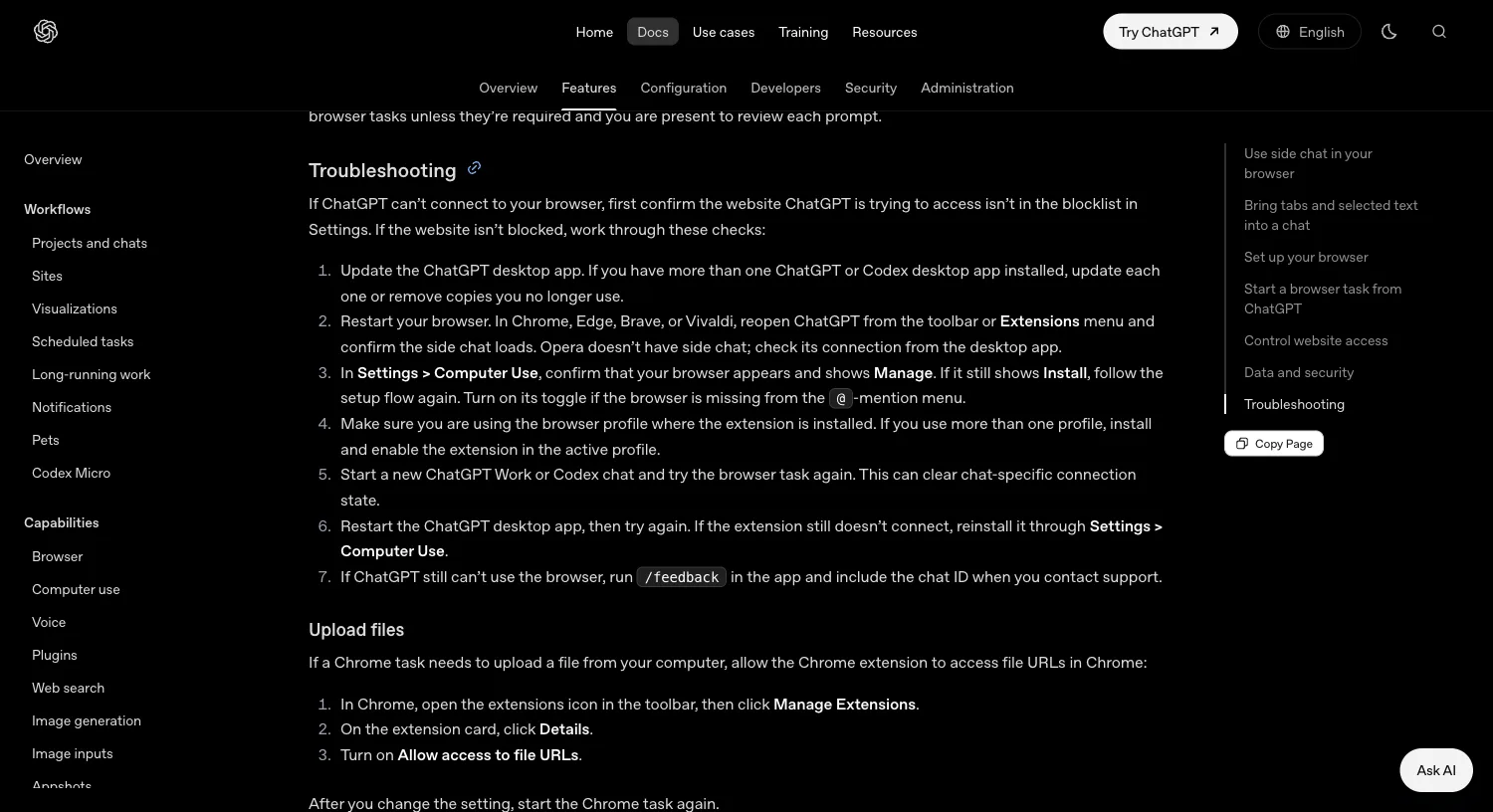
Then separate the three connection bugs that the generic list collapses into one. Duplicate desktop apps leave a stale native host. A blocked host in Computer Use Manage looks exactly like a dead extension. A WSL agent runtime on Windows can report wsl-disabled even when the window sits on the desktop. That last one is a runtime boundary, not an extension reinstall. SmartScope's 2026-07-28 write-up of GitHub issue 25301 is the public source for the split.
Don't run the same live chat in the desktop app and the Chrome side panel at once. GitHub threads describe writer contention and a read-only loop when both surfaces try to own the tab. Start a new chat after you change plugins, profiles, or the native host.
How do you debug a missing click or type?
Name the missing action before you change anything. Can the model list tabs? Quote visible text? Click? Type? Navigate to another URL? Create a tab? Read-only control usually fails at click and type first, and still succeeds at tab listing.
| Symptom | Check this first | Do not start here |
|---|---|---|
| Reads the page, says native host is outdated | Quit Chrome and ChatGPT, reopen Chrome, then the app. Confirm Computer Use shows Manage. | Editing com.openai.codexextension.json by hand |
| Reads the page, says the connection is read-only | New Work or Codex chat. Avoid dual desktop and side-panel ownership of the same thread. | Reinstalling Google Chrome |
| Works in a desktop @Chrome task, fails in the sidebar | Treat sidebar and desktop as different control interfaces. Run the task from the desktop chat. | Assuming the host binary is corrupt |
| Extension missing in the profile you have open | Install ChatGPT in that profile. Other profiles on the same Mac can be empty. | Clearing all Chrome user data |
| Site never gets a click, other sites do | Open Computer Use > Manage. Remove the host from the blocklist or allow it once. | Allow for all sites as the first fix |
After each change, use a public page you are allowed to automate. Ask for one click that changes the URL or a visible label. If the model only restates the DOM, the action channel is still down. Sources for the read-only wording include the OpenAI forum case, GitHub 39836, 40118, and 39800.
Which control route should you use instead?
ChatGPT Chrome is the right tool when you need the daily Chrome profile, the open tabs, and the site logins, and Computer Use already shows a live control session. It's the wrong tool when all you needed was a page summary, when the task is localhost, or when the native bridge stays read-only after a clean restart.
Use the built-in browser with @Browser for local development and pages you're willing to sign into inside ChatGPT's own profile. That profile doesn't inherit your regular Chrome cookies. Use Computer Use when the target is a desktop app, not a tab. Prefer a dedicated plugin when Gmail, calendar, or Slack already has one. Attaching an agent to an existing browser in general is covered in how agents connect to your existing browser.
When the job is 'act in a real Chromium session I can watch, take over, or stop,' and ChatGPT Chrome won't leave read-only, ego(lite) is the local execution layer. It isn't a ChatGPT plugin, and it doesn't replace Computer Use. Changelog 0.5.0.32, dated 2026-09-12 on the ego(lite) changelog, is the current published version we checked on 2026-09-20. Setup is the ego(lite) quick start.
On 2026-09-20 we used ego(lite) on the public ChatGPT Chrome docs at https://learn.chatgpt.com/docs/chrome-extension. OpenCode stayed on the left. The Spaces overview kept a Google tab in one Space and the running docs task in another, so the click proof didn't take over the rest of the window.
ego-browser nodejs <<'EOF'
const task = await taskSpace("chrome docs click proof");
const page = task.page("p1");
await page.goto("https://learn.chatgpt.com/docs/chrome-extension");
await page.waitForSelector("text=Browser extension");
await page.click("text=Troubleshooting");
await page.waitForFunction(() =>
  location.hash.includes("troubleshooting") ||
  document.body.innerText.includes("If ChatGPT can't connect to your browser")
);
console.log({ url: await page.url(), spaceId: task.spaceId });
EOF
Watch the Space while that runs. Take over if a real site shows a login wall, 2FA, or CAPTCHA. Stop if the agent reaches a purchase, submit, or settings change you didn't ask for. If ordinary HTTP or an official API already returns the data, you don't need ego(lite) or ChatGPT Chrome.
How do you prove click and type actually work?
Don't accept 'I clicked the button' as the success signal. Require a page change you can see without the model's narration: a hash, a heading, a control label. Run that check once in ChatGPT Chrome if control came back, and once in the fallback route you actually intend to keep.
On ChatGPT Chrome, the minimum passing run is: Computer Use shows Manage, the extension is enabled in the foreground profile, the site isn't blocked, a new Work or Codex chat is used, and one public click changes the page. If the sidebar still refuses clicks while the desktop chat succeeds, record that as a surface bug, not as a missing install. File /feedback with the chat ID if you need OpenAI support.
On ego(lite), the minimum passing run is the docs click above. The Troubleshooting heading and the agent cursor label 'open troubleshooting section' have to be in the same frame as Take over and Stop. Don't paste session cookies into the prompt. If you need the daily profile rather than a one-off Space, that's a different page: persistent browser sessions.
FAQ
Why can ChatGPT see my Chrome tab but not click it?
Reading the tab and controlling the tab use different parts of the extension bridge. Side chat and tab mentions can supply page text while click/type stay off. Confirm Computer Use shows Manage, then start a new @Chrome chat.
The app says the native host is outdated. Should I reinstall Chrome?
No. Reinstall the ChatGPT Chrome plugin from Settings > Computer Use, fully quit both apps, and retry in a new chat. Forum and GitHub reports show that message on hosts that already look current.
Does a valid native-host JSON mean clicks will work?
No. On 2026-09-20 our Chrome manifest check passed and the Default profile had the extension. That only proves install files. Public reports still needed a session reset after the same files looked valid.
Should I use the Chrome sidebar or the desktop app?
If the sidebar is read-only, run the same prompt from a ChatGPT Work or Codex desktop chat. Issue 40118 reported desktop control on a tab the sidebar wouldn't click.
When should I stop fixing ChatGPT Chrome and switch tools?
After an update, a full quit, a profile check, a new chat, and one failed public click. Use @Browser for localhost. Use ego(lite) when you need a watched local Space. Stay on ChatGPT Chrome if that public click already works.
Can ego(lite) replace the ChatGPT Chrome extension?
No. It doesn't attach ChatGPT's Computer Use plugin to Chrome. It's a local Chromium browser an agent can drive through ego-browser, with Take over and Stop in the Space. Use it when you need that watched path, not as a silent substitute for @Chrome.
If the next step is a local Space you can watch instead of a read-only Chrome bridge, ego(lite) is free to download.