An extraction job can return a beautifully formatted page and still miss the only field your application needs. That makes the Crawl4AI vs Firecrawl decision harder than comparing Markdown samples. Start with the records you need to trust.
Crawl4AI vs Firecrawl is a choice between different ways to operate web extraction: the Crawl4AI library gives a Python team control over its crawler, while Firecrawl's hosted API moves much of the collection infrastructure to a service. Choose by deployment responsibility, required output and the cost of producing verified records.
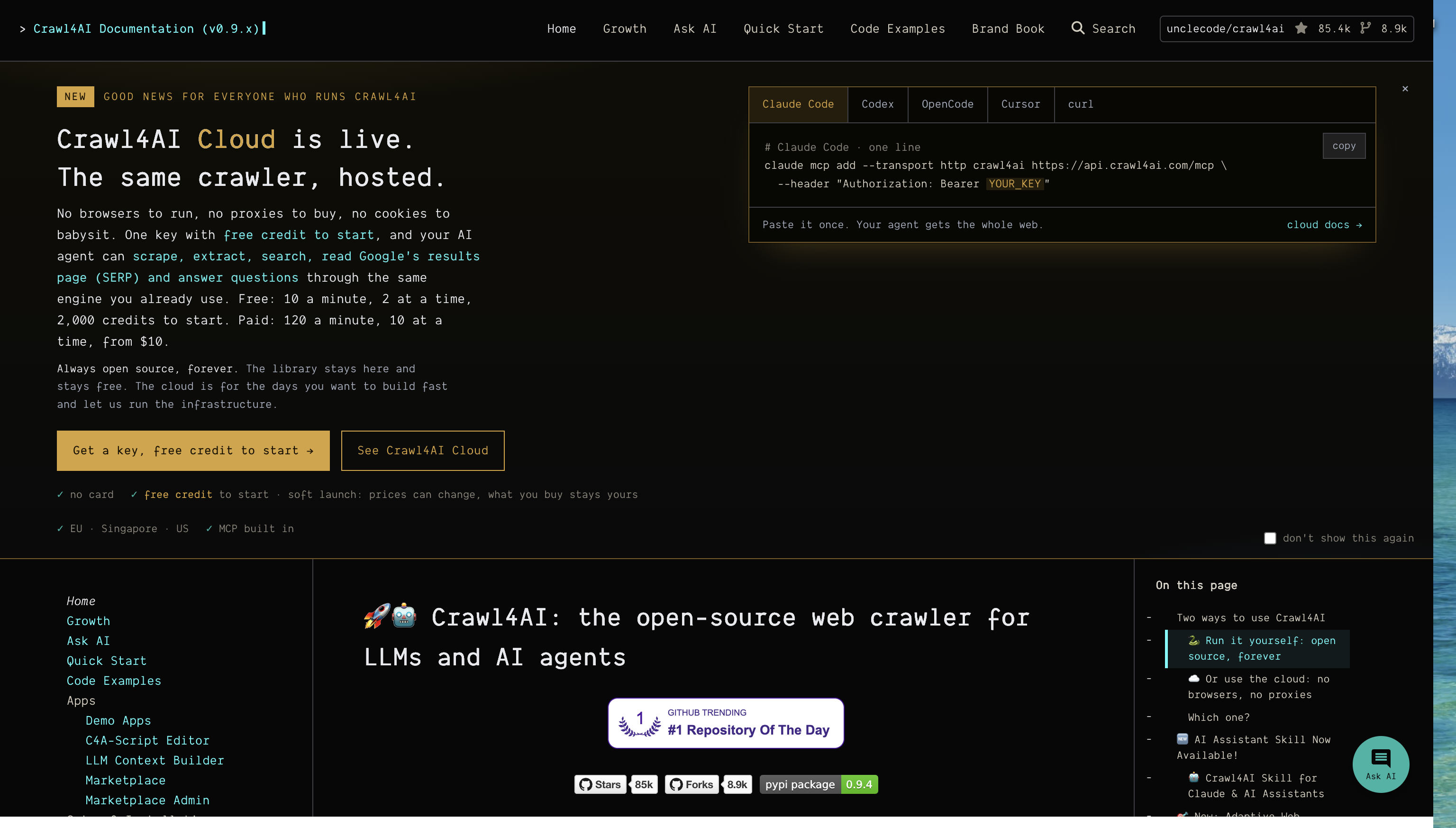
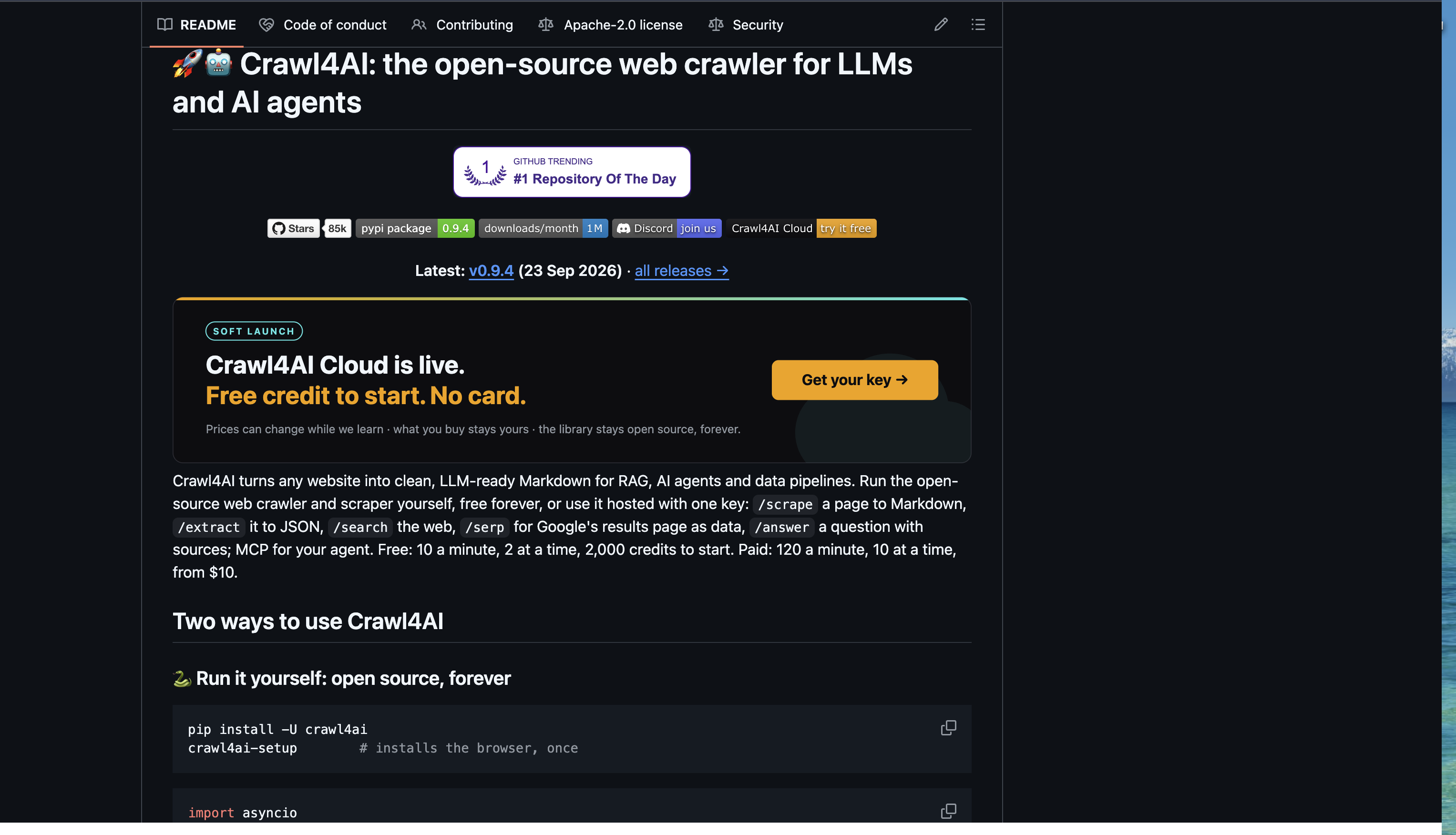
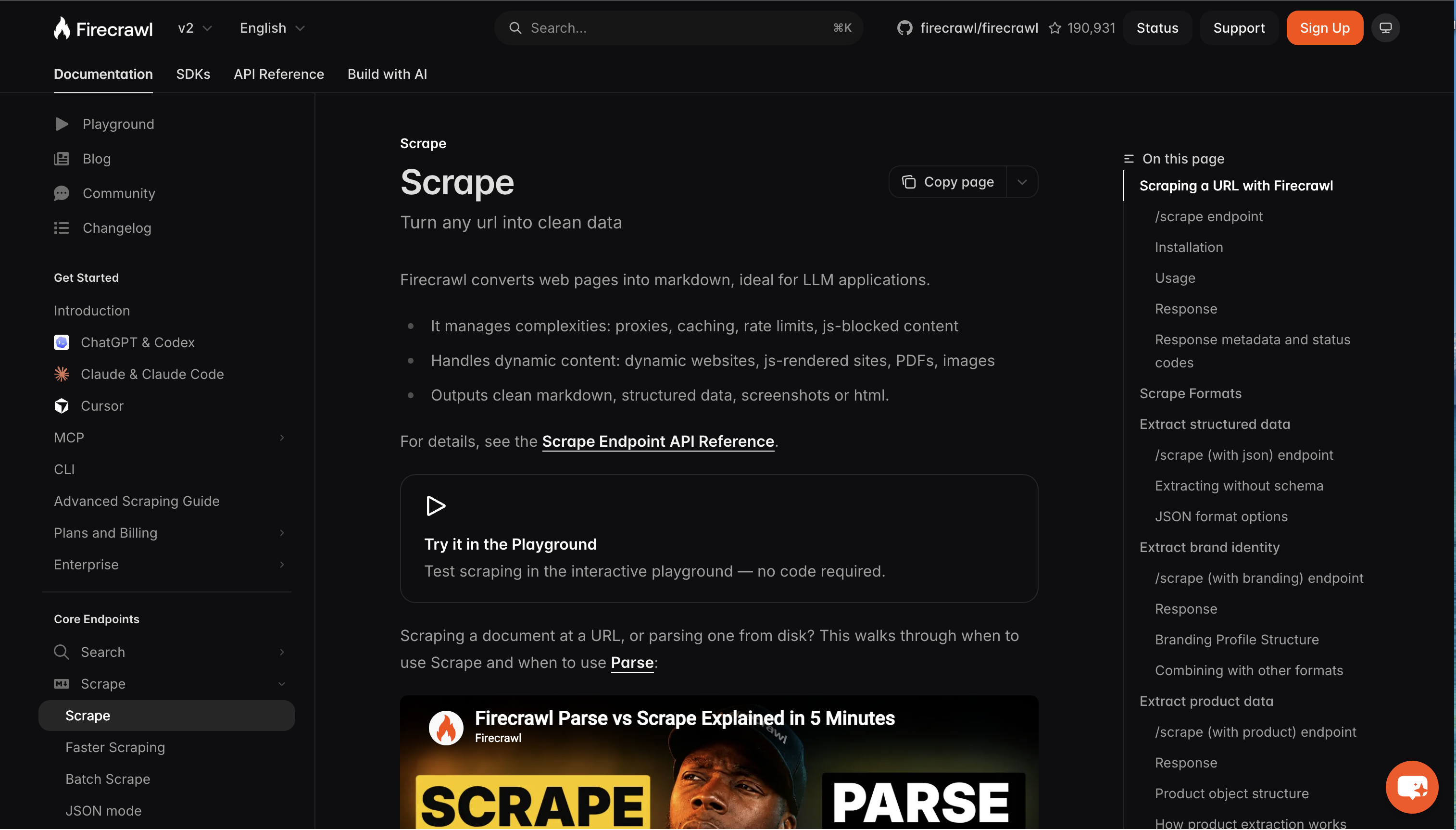
This guide compares the self-hosted library with the hosted API using official documentation, then shows a separate ego (lite) browser extraction example from October 13, 2026. The Crawl4AI and Firecrawl screenshots document capabilities and deployment options; they are not extraction runs. The same-site evaluation below is a protocol, not a measured tool ranking.
Which approach fits your extraction job?
Choose Crawl4AI's library when you need to control the runtime and can operate it. Choose hosted Firecrawl when an API fits your application and you want the service to manage collection infrastructure. Neither choice removes your responsibility to validate the extracted fields.
| Your requirement | Crawl4AI library | Hosted Firecrawl API |
|---|---|---|
| Python pipeline with custom browser configuration | Direct library integration | Python client or HTTP integration |
| Team wants to own deployment and scheduling | You manage the workers and their dependencies | You manage API usage and downstream processing |
| Application spans several languages | Wrap the library behind your own service if needed | Call the HTTP API or a supported SDK |
| Precise repeating fields on a known DOM | Configure a CSS or XPath extraction strategy | Request supported output and apply a checked extraction contract |
| Fast prototype with little infrastructure work | Install the library and browser dependencies | Start with the hosted endpoint and its current access limits |
| Result must be auditable | Keep source captures, configuration and raw output | Keep request options, raw response, source and usage details |
For example, a team already running Python workers may find a local crawler easier to integrate with its existing queue. A small application team may prefer sending URLs to a managed endpoint. Those are architectural fits; they do not establish which tool extracts your target site more accurately.
Are these products only self-hosted and hosted?
No. The comparison becomes misleading if a deployment preference is treated as a permanent product limitation. Crawl4AI now documents a Cloud offering, and Firecrawl documents a self-hosted edition alongside its managed service.
Crawl4AI's current documentation distinguishes its local library from Cloud access. Firecrawl's open-source and Cloud comparison describes differences between its deployments. Recheck the chosen edition before making a feature or infrastructure commitment.
Open the full-resolution capture
For the local Crawl4AI route, your machine or worker loads the target, processes it and returns output to your pipeline. You own browser updates, resource limits, queue behavior and recovery. Adding an external model or another service introduces another data path that should be documented separately.
Open the full-resolution capture
For hosted Firecrawl, your application sends a request to the service and receives its response. Review what is sent, which output formats are returned and how you will retain evidence. A managed API simplifies the application boundary, but service limits and downstream validation still need an owner.
Open the full-resolution capture
Firecrawl also documents interaction features. It would be inaccurate to say that it can only fetch text. This article's comparison stays on extraction because expanding it into every browser-action capability would change the decision being evaluated.
What should count as a successful extraction?
A successful extraction contains the required records with the right meaning and source. An HTTP response, a nonempty Markdown string or valid JSON is only one part of that contract. Decide how you will detect a plausible but incorrect result before you run either tool.
Use a small, inspectable task first: extract quote text, author and tags from Quotes to Scrape and its second page. Keep a source URL on every record. This public training site lets a reviewer compare the output with the page without a login.
| Field or check | Acceptance rule | Common false success |
|---|---|---|
| Quote text | Matches the source after a declared whitespace rule | Truncated text or a navigation label |
| Author | Matches the author within the same quote card | Author borrowed from a neighboring card |
| Tags | Preserves all tags and their order within that card | A page-wide tag list copied to every record |
| Source URL | Identifies the page where the record was read | Homepage URL attached to second-page records |
| Coverage | Ten cards per page and twenty unique records for this fixture | First page collected twice |
| Failure status | Missing content or blocked access is recorded as a failure | Empty records labeled successful |
Treat the count as a fixture expectation to recheck before execution, since a public page can change. Use the text and author together as the record key for this example. A count of twenty cannot prove correctness if one quote is duplicated and another is missing.
Save the original output before normalization. Trimming outer whitespace may be reasonable; silently rewriting punctuation, inventing missing tags or combining duplicate records makes a later review harder. Keep disagreements visible.
For another reference on source-checkable extraction, see the Octocrawl documentation. Its introduction covers readable page content and fields on supported pages, which is useful when designing a result contract that preserves the source and flags missing data.
How do you compare the same site and fields?
Run both routes against the same explicit URL list and acceptance rules. Preserve their original outputs independently, then apply the same checks. The following procedure is an evaluation design, not a report of completed runs.
- Freeze the two URLs, four-field schema, expected page counts, timeout and application retry budget. Record the date and source captures used for review.
- Record the Crawl4AI package version, browser build, machine and extraction configuration. For Firecrawl, record the API version, request options, client version and any observable service metadata. Mark unavailable server details as unknown.
- Run Crawl4AI separately, retain its source/output and normalize into the agreed schema. Do the same with Firecrawl without giving either route the other's results.
- Compare every record against the source fixture. Classify absent, mismatched, duplicate and unsupported fields separately rather than awarding a pass for parseable JSON.
- Repeat each route at least three times. Keep all attempts, including setup failures. Record caching behavior; compare equivalent cache settings where available and disclose differences where they are not.
- Report setup, extraction, verification, retries and manual work separately. State whether timing includes rendering, screenshots or model calls.
Crawl4AI's LLM-free extraction documentation explains CSS and XPath strategies for repeating page structures. They are useful when the fields have inspectable DOM locations. Firecrawl's scrape documentation describes its output options. Requesting Markdown for one route and structured fields for the other would test two different deliverables.
There are two defensible comparisons. An end-to-end comparison can let each route use its normal extraction approach while holding the final schema constant; report any model usage. A collection-only comparison can request comparable HTML and feed both outputs through the same parser. Name which comparison you ran because the attribution changes.
The quote task is deliberately small. It cannot establish production throughput, behavior on protected sites or performance under load. Add representative sites only after the smoke test passes, with authorized access and a new source-backed acceptance contract.
How should you handle dynamic pages and failures?
Evaluate failure behavior with the same care as successful output. A delayed page, a denied request and a malformed schema are different problems, and each should lead to a different recovery decision.
For a dynamic page, verify which state contains the required fields. Give both routes an equivalent readiness requirement rather than rewarding whichever returns the earliest HTML. Record custom waits, interaction steps and any managed behavior you cannot inspect.
Use an owned fixture to simulate an empty response or a temporary server error. The expected outcome should be a recorded failure or a bounded retry, never invented records. A fixture you control makes the failure repeatable without repeatedly stressing someone else's website.
A missing field with the correct page present usually calls for an extraction check. A login page instead of the requested content calls for an access decision. A browser worker that cannot start calls for an environment fix. Increasing every timeout obscures those distinctions.
Stop at access challenges or unauthorized content. Changing libraries does not grant access. Preserve the useful error details and move to an approved API, authorized session or human review when that is part of the task.
What belongs in the cost calculation?
Compare cost per accepted task, using the same task definition and observation period. Software acquisition cost, API charges and operating cost are separate inputs. A failed request can consume resources even when it produces no usable records.
| Cost component | Self-hosted library route | Hosted API route |
|---|---|---|
| Collection | Worker compute, browser memory, bandwidth | Actual service usage and charged options |
| Extraction | Local processing and any model calls | Included or separately charged extraction features |
| Operations | Deployment, updates, queue and incident work | Integration, limits and service incident handling |
| Verification | Source checking and rejected-output handling | The same source checks and rejection rules |
| Recovery | Retries and failed-worker work | Retries, failed jobs and observable usage |
Calculate observed total cost divided by accepted tasks, and publish the denominator. If no tasks pass, report that fact rather than a reassuring per-task number. Keep labor estimates separate from measured bills so readers can change the assumptions.
Do not infer that self-hosting is cheaper at a universal volume threshold. The answer depends on browser demand, target behavior, rejected outputs and the people operating the pipeline. Use current vendor billing documentation when collecting evidence; plan names and rates can change.
Firecrawl's introduction currently permits an initial request without an API key and describes keys for higher limits. That makes a small trial easier, but it does not imply unlimited anonymous use or an unmetered production pipeline.
Can you migrate without rewriting the consumer?
Keep the consumer attached to your validated record schema rather than either tool's native response. A small adapter boundary lets you change collection routes while preserving downstream expectations.
Store raw output separately from normalized records. Attach source URL, retrieval time, adapter version and acceptance status. Keep extraction options with the run so a changed result can be traced to a changed configuration.
Before switching, replay a representative URL sample through the new adapter. Compare accepted records, failures and missing fields with the existing contract. A shape-compatible JSON response may still change field meaning or omit content.
Retain a rollback path until the new route passes those checks. Avoid silently mixing cached output from one route with fresh output from the other; it makes freshness and accuracy comparisons difficult to interpret.
How does ego (lite) make this browser task visible?
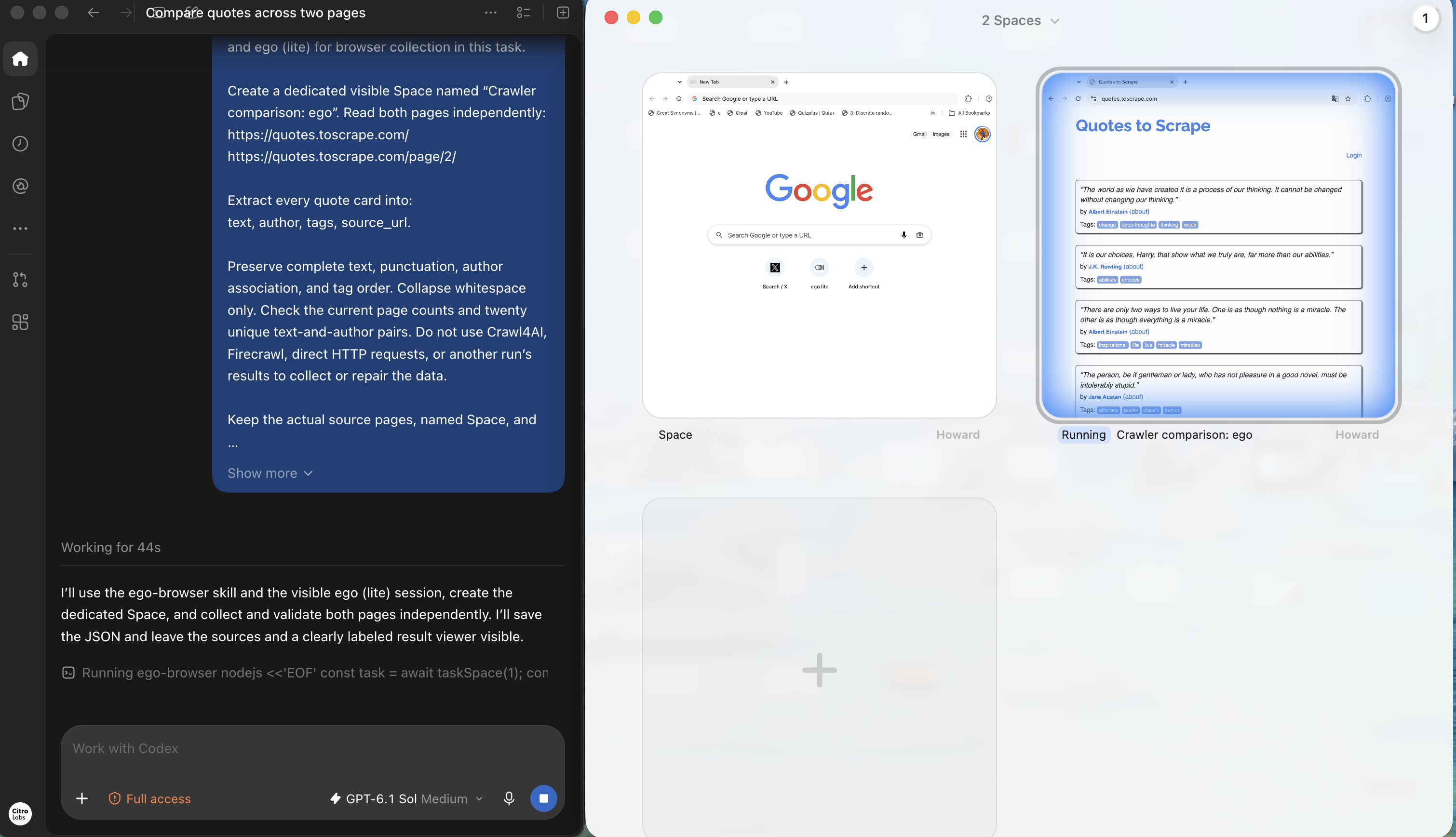
The visible ego (lite) browser workspace lets a coding agent collect and check page content. In the supplied October 13, 2026 run, Codex used the ego-browser skill in a dedicated Space named “Crawler comparison: ego” to read the same two quote pages independently.
Open the full-resolution capture
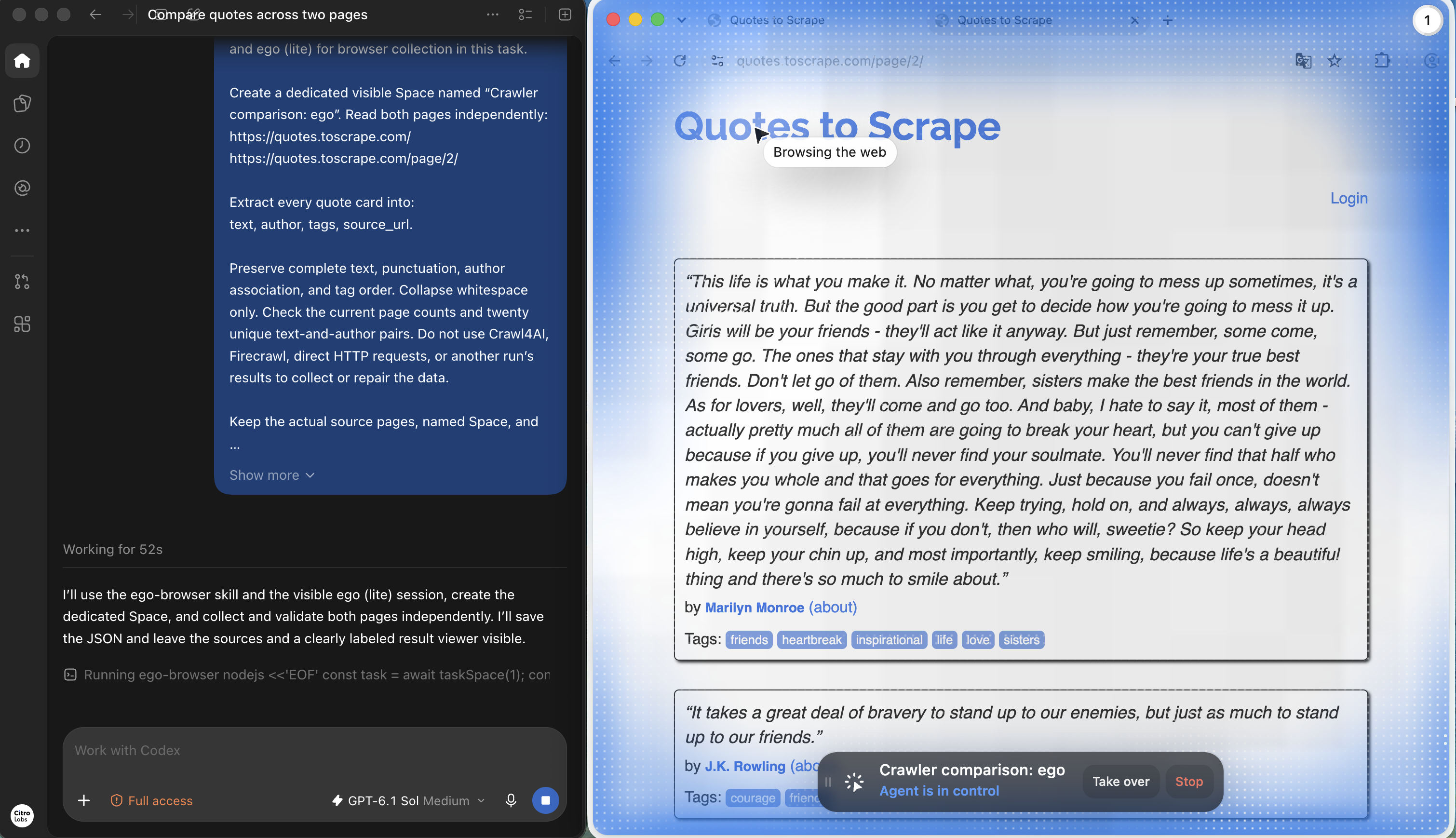
The task requested complete text, author, ordered tags and source URL for each card. The source tabs remained available throughout the run. The next capture shows page two, including its long first quote, with the agent task controls visible.
Open the full-resolution capture
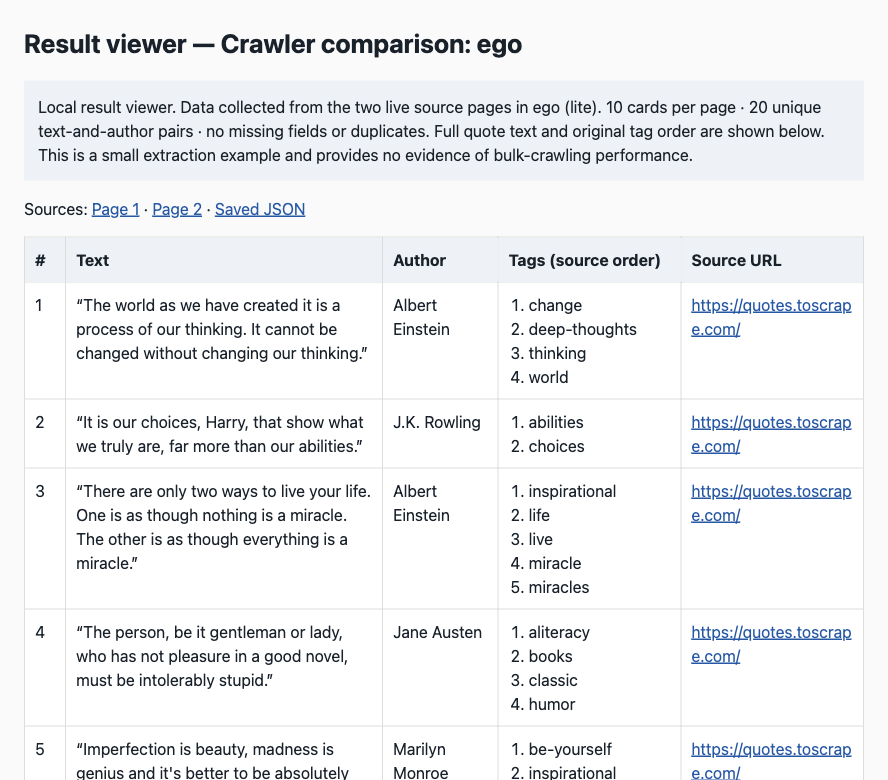
The saved JSON contains twenty records, ten per source URL, and twenty unique text-and-author pairs. Checks on the saved file found no empty required fields or duplicate pairs. The accompanying run report records source reloads and comparisons of text, authors and ordered tags; the screenshots show selected source and result details rather than all twenty records.
| Saved-output check | Result |
|---|---|
| Records per requested source | 10 on page one; 10 on page two |
| Unique text-and-author pairs | 20 |
| Duplicate pairs or empty required fields | 0 in the saved JSON |
| Source reload verification | Recorded in the supplied run report |
Open the full-resolution capture
The run report also records one missing skill-path setup error, resolved by locating the bundled guide, and no extraction retries or human interventions. The agent used DOM text to preserve long quotes that an accessibility snapshot had shortened. That is a concrete reason to verify complete fields against their source rather than assuming every observation contains the full text.
This example shows a visible collection and validation workflow. It supplies no direct Crawl4AI or Firecrawl result and no evidence of relative speed, production throughput or bulk-crawling reliability. Those comparisons still require the independent runs described above.
For scheduled bulk collection, choose and operate the crawler or API that meets the acceptance contract. Use a visible browser when source state, an authorized interaction or a human review needs attention. The ego-browser workflow documentation explains the agent connection, and the Space documentation describes the browser workspace.
FAQ
These answers separate deployment choices from output guarantees. Verify the selected edition and record its configuration when you perform your own comparison.
What is the main difference between Crawl4AI and Firecrawl?
For the routes compared here, Crawl4AI runs as a library you operate, while Firecrawl supplies a hosted API. The main decision is who operates collection and how the resulting data enters your application.
Is Crawl4AI only a self-hosted tool?
No. Its current documentation also advertises Cloud access. Check that offering separately; conclusions about operating the local library do not automatically apply to its hosted deployment.
Can Firecrawl be self-hosted?
Yes. Its official documentation describes self-hosting and differences from Cloud. Do not assume the self-hosted edition has the same features, service behavior or support as the hosted API.
Do both tools require an LLM?
Not for every extraction. Crawl4AI documents CSS and XPath strategies without model inference, and Firecrawl supports content formats such as HTML and Markdown. Record model usage when choosing structured extraction features.
Is a clean Markdown response enough for an AI workflow?
Only if clean page text is the task's accepted deliverable. A record-based workflow also needs correct fields, coverage, provenance and explicit treatment of missing information.
Which route is cheaper?
That requires a workload-specific calculation. Include rejected output, retries, compute or API usage, model calls and operating work. Compare cost per task that passes the same acceptance rules.
Which handles dynamic websites better?
Measure your required page state and fields. Rendering capability alone does not prove complete extraction. Test readiness, interactions and failures on representative pages rather than using a general product score.
Does Firecrawl need an API key to try it?
The current introduction offers an initial anonymous request and describes keys for higher limits. Recheck access and usage rules before extending a trial into repeated or production requests.
Should I use both in one pipeline?
Possibly, if each route has a defined role and both satisfy the same consumer contract. Record which route produced every result so routing decisions and freshness remain auditable.
Can ego (lite) replace a bulk extraction service?
Its role here is visible source review and browser interaction with a coding agent. Choose a crawler or extraction API for the scheduled collection layer, then use browser review for the exceptions that need it.
Related reading
Use these guides for adjacent decisions after choosing the extraction route. They cover the tool category, a JavaScript implementation and the checks needed to trust an agent's completion claim.