
A resilient scraper needs extraction layers that prefer stable signals such as structured data and semantic attributes, plus a contract that fails loudly when row counts, required fields, or types stop matching expectations. We reproduced that across four versions of the same product list: a nested CSS selector went from three rows to zero after a redesign while still reporting success, while a layered extractor kept returning three rows until the page removed machine-readable markup, then stopped with a contract violation. On interactive pages where fixed selectors become the maintenance burden, ego (lite) offers a different path: the agent reads the page as it exists now inside a visible Chromium Space, finds the current structure, and continues from there. The output still has to pass the same field and row-count checks, so adaptability does not replace verification.
Why do scrapers break when a page changes?
A redesign can move a field, rename its class, or change what its value means. A selector may stop matching altogether. It can also keep matching while the price changes from a single number to a range, or starts using a different currency format.
I'd check the returned data before trusting the run status.
An extractor can finish without an error and still give you nothing useful.
Why is a zero-row scrape the dangerous failure?
We tested four versions of the same product list on September 21, 2026 with Playwright 1.59.1 and Chromium 153.0.8010.12. The original was v1. In v2, we changed the layout and class names but kept the structured data. We removed JSON-LD in v3, then the remaining machine-readable markup in v4.
Here's where each extractor stopped working.
| Extractor | v1 | v2 redesign | v3 no JSON-LD | v4 no markup |
|---|---|---|---|---|
| Nested selector: .product-card then .price | 3 rows, exit 0 | 0 rows, exit 0 | 0 rows, exit 0 | 0 rows, exit 0 |
| Layered: structured data, then semantic attributes, then contract check | 3 rows from JSON-LD | 3 rows from JSON-LD | 3 rows from microdata | CONTRACT_VIOLATION, expected >= 3 rows, got 0, exit 1 |
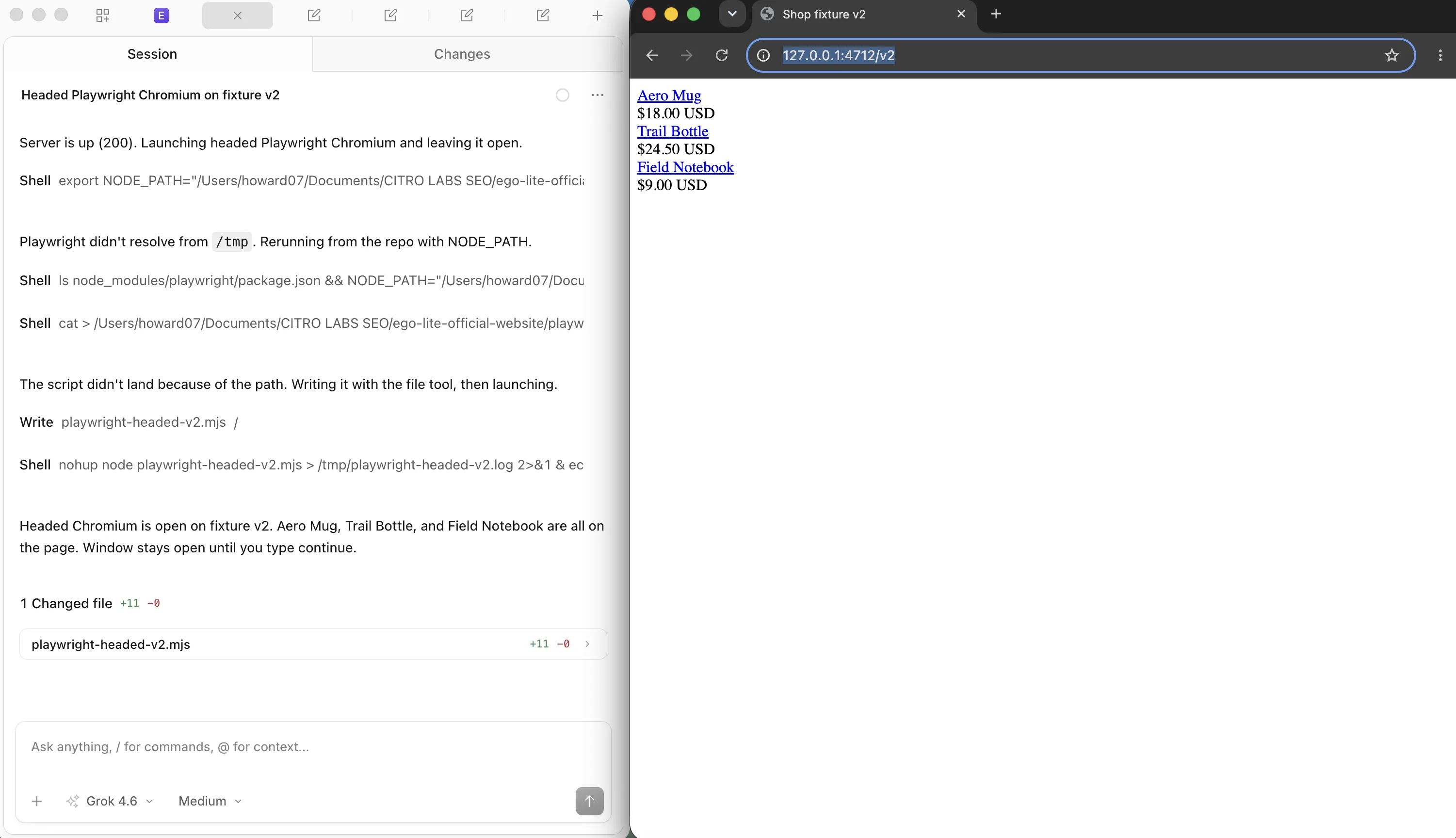
The result I'd pay attention to is 0 rows, exit 0.
The old selector reported success even though it missed all three products. The layered extractor used the JSON-LD we had deliberately kept in v2. When no supported markup remained in v4, its contract check stopped the run with exit code 1.
Which selectors survive a redesign?
I'd start with structured data when it contains the fields I need, then check semantic attributes.
Deep CSS paths would be my last choice.
The table shows what can still break each option, since none of them is a promise from a third-party site.
| Selector kind | Survives a redesign? | Fails when | Use it for |
|---|---|---|---|
| Structured data (JSON-LD, microdata) | Can survive when the site preserves it | The site drops or rewrites its markup, as in our v4 | First choice for products, articles, jobs |
| Semantic attributes (itemprop, ARIA, roles) | Often | The attribute is removed in a rewrite | Fallback when structured data is absent |
| Stable test ids (data-testid) | When the site maintains them | The site renames or removes them | First choice on sites you control |
| Visible text and headings | Sometimes | Copy changes, localization, A/B tests | Anchoring a section, not a field |
| Generated class names and nth-child chains | Unreliable across layout or build changes | Nesting changes or class names are regenerated | A fallback you monitor closely |
Log which source supplied each field.
If a run switches from JSON-LD to microdata, you'll want to know even if the rows still look right. And define when an empty result is valid.
Our fixture always has three products, so zero rows must fail its contract.
For structured fields, check the Product and ItemList schemas, MDN’s microdata reference, and Google’s product markup guide. For page elements, see Playwright’s locators and test-id guidance.
What does a maintainable scraper architecture look like?
I'd keep fetching, extraction, validation, and storage separate enough to test each one on its own. Then a changed product card only sends you back to the extractor.
You don't have to retest the database code just to fix a selector.
| Layer | Responsibility | Changes when | Test it with |
|---|---|---|---|
| Fetch | Requests, sessions, pagination, retries, rate limits | Access or anti-bot rules change | Recorded responses and latency checks |
| Extract | Selector layers in priority order, with the source recorded | The page structure changes | Saved page fixtures per version |
| Contract | Required fields, types, ranges, minimum row counts | The business meaning changes | Unit tests on the validator itself |
| Normalize and store | Currency, units, dates, deduplication, key selection | Downstream consumers change | A sample checked against the source page |
Here's a small contract to adapt after extraction. This example expects at least three GBP products with a title and a numeric price:
function validateProducts(rows, minimumRows = 3) {
  if (!Array.isArray(rows) || rows.length < minimumRows) {
    throw new Error('CONTRACT_VIOLATION: too few product rows');
  }
  for (const row of rows) {
    if (!row || typeof row.title !== 'string' || !row.title.trim() ||
        !Number.isFinite(row.price) || row.price < 0 ||
        row.currency !== 'GBP') {
      throw new Error('CONTRACT_VIOLATION: invalid product fields');
    }
  }
  return rows;
}
Call this before writing rows to storage. Set the threshold and currency for your source, and let a validation error fail the job. A source that can legitimately return no products needs its own empty-result rule.
How do you detect drift before your users do?
Our drift monitor compared a known-good baseline with the redesigned fixture. It flagged selectorHits, readablePriceCount, and firstThreePrices, then exited with code 2. Those names tell you what changed, so you can inspect the affected fields instead of starting with the whole scraper.
Start with row counts and required fields, then add type or range checks for the data you use.
A normal row count can still hide the wrong prices.
Send the alert somewhere someone will read it, and include the source layer so they know which extraction path ran.
What can be repaired automatically, and what cannot?
I'd accept an automatic fallback only when I can check the replacement value against the source.
Finding another number on the page isn't enough.
Here's where I'd let the run continue and where I'd stop for a review.
| Change | Auto-repair? | Why |
|---|---|---|
| A selector stops matching one field | Yes, if a fallback layer returns the same value | The fallback value is checked against the intended field |
| The layout moves but markup is intact | Yes | Structured data and semantic attributes are position-independent |
| Half the expected rows disappear | Stop and investigate | It may be a real change in inventory, not a bug |
| A price switches currency or format | Review the format and currency first | A plausible number can still mean the wrong amount |
| The source requires a login you do not have | No | A selector change won't provide the required access |
How do you regression-test a scraper?
Save the page that broke the scraper.
You can then test an extraction change against that HTML without depending on the live site. Our examples use four page versions, with a separate check for the data contract.
fixtures/
  product-list-v1.html     # original markup
  product-list-v2.html     # redesign, markup preserved
  product-list-v3.html     # redesign, semantic attributes only
  product-list-v4.html     # redesign, no markup
expected/
  product-list-v1.json     # field-level truth for the sample
tests/
  extract.spec.ts          # every fixture, every layer
  contract.spec.ts         # required fields, types, ranges
Keep the failing version after the fix.
It gives you a direct test of whether the same break returns. Refresh fixtures as the source changes, and regularly compare extracted rows with a human-checked sample from the live page.
Passing yesterday's fixture doesn't tell you what today's page contains.
What does a maintenance workflow look like in practice?
For a small team, I'd make every failed check produce either a resolved alert or a ticket with the saved page. The schedule below is a starting point. Adjust the review frequency to how quickly bad data would cause a problem.
| Cadence | Action | Output |
|---|---|---|
| Every run | Contract check, row-count threshold, source-layer log | Run status with a named failure reason |
| Daily | Drift alert review, on-call triage | Alert closed, or a ticket with the diff |
| Weekly | Check a sample against the page and refresh fixtures | A record of field accuracy and data freshness |
| On break | Save the page, add a fixture, fix extraction, and retest | A regression test for the failure you just fixed |
| Quarterly | Re-check access rules, terms, rate limits, and API alternatives | A keep, rewrite, or retire decision |
When is a browser agent the right layer for a changed page?
I'd use an official API when it supplies the data, or an HTTP client when the response already contains it. A browser becomes useful when reaching the data requires rendering JavaScript or interacting with the page. Login alone doesn't always require a browser, but an existing browser session can save you from rebuilding an interactive login flow.
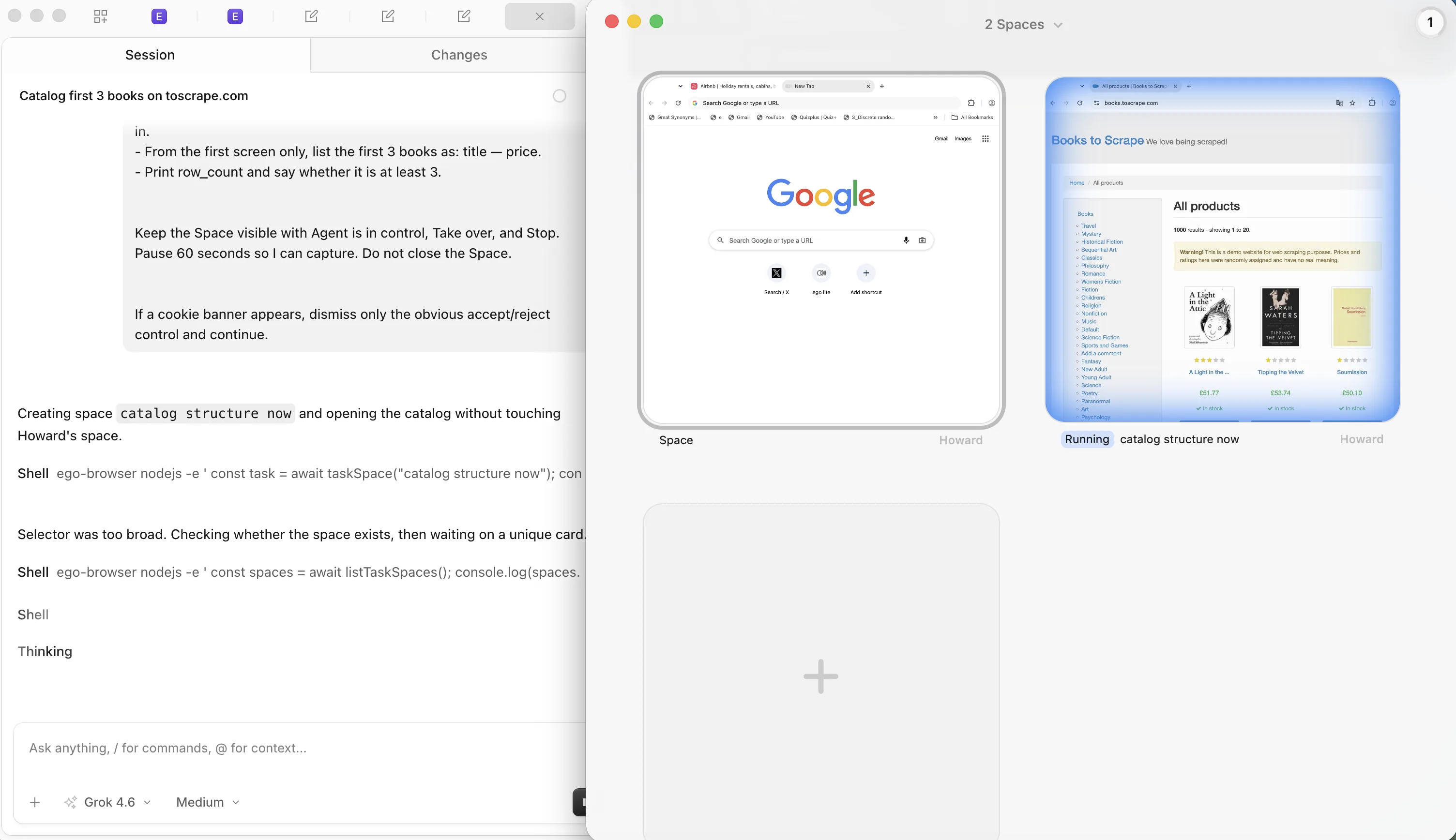
For those interactive steps, ego (lite) gives the agent a visible Chromium Space. It reads a semantic snapshot and finds elements on the current page, while you can take over if it gets stuck. You still need to check the extracted fields.
Give the agent an output format and a clear stopping point. For a small catalog check, try:
Read the first three products on books.toscrape.com. Return JSON with each full title, numeric price, currency, and product URL. If a value is missing, flag it instead of guessing.
Watch the task in its Space, then compare all three rows with their product pages and run the field checks above. Keep each source URL with the result so you can inspect a mismatch later.
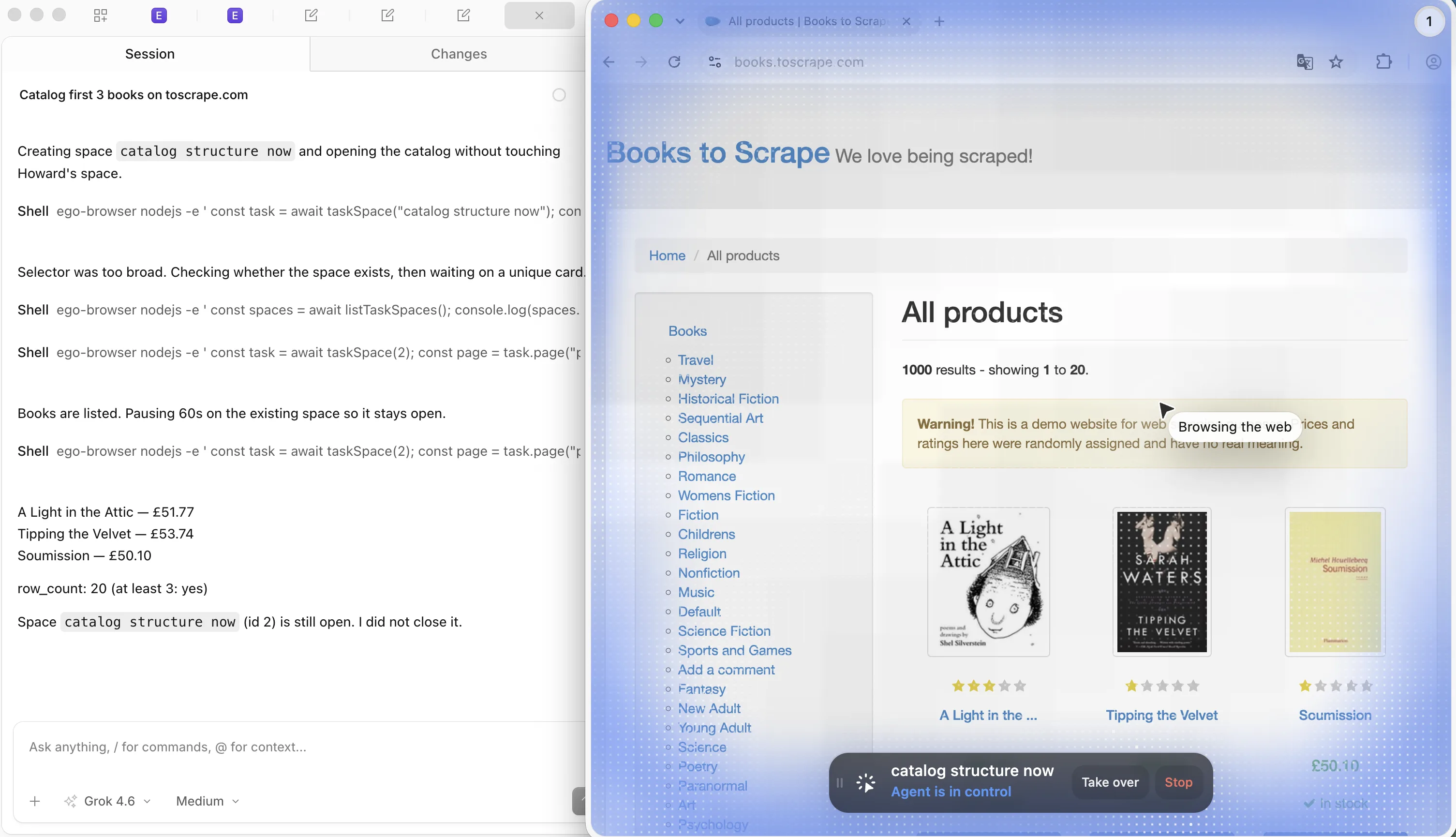
I'd reserve that browser work for the steps that need it. Keep bulk fetching on an API or HTTP client when that path works, and keep your output checks whichever tool collects the rows. The snapshot documentation and Space documentation explain the browser workflow. For signed-in sources, the login-wall guide covers the access questions. If you're choosing an extraction tool, start with our web scraping tools guide.
What are the limits of resilient scraping?
A fallback can't recover data the source no longer provides.
Our v4 fixture removed all the markup the extractor knew how to read, so it stopped. A contract can miss errors too, especially when the wrong value still has the expected type and range.
I'd rather maintain two extraction paths I can explain than five I haven't checked. Add a fallback when it solves an observed failure, keep a fixture for that case, and make sure the run tells you when it uses it.
For other extraction approaches, see The Web Scraping Club’s reliability guide and Context’s layout-change guide.
FAQ
How do I know when a website change broke my scraper?
Check required fields, row counts, types, and ranges before storing the result. Flag unexpected empty batches, and include the extraction layer in the alert.
Should I scrape JSON-LD instead of HTML?
Start with JSON-LD when it supplies the fields you need and matches the visible page. Keep a verified HTML fallback for missing or incomplete structured data.
How many fallback selectors should one field have?
Keep the paths you can test and maintain. Add a fallback when an observed failure justifies it, and save that page as a regression fixture.
Can I auto-repair a scraper when the page changes?
Switch to a fallback you've verified against the intended field. Stop for review when the value's meaning, currency, or expected row count has changed.
How often should I refresh extraction fixtures?
Refresh them when the source changes or you fix a break. Save the failing page before editing the extractor, then test both the old and new versions.
If you’re choosing tools for the extraction workflow, our web scraping tools guide compares the options. For a source that requires sign-in, start with the login-wall guide.