A scraper that returns the wrong twenty records is still wrong in two languages. Rewriting it from Python into JavaScript will not repair a missing page or an author attached to the wrong quote. Choose the language after defining the output you will accept.
JavaScript vs Python for web scraping is a decision about the runtime, libraries and development workflow used to collect and validate web data. Both languages can operate a browser. The useful comparison holds the target, browser behavior and result contract constant, then asks which implementation your team can maintain.
The examples below use Playwright in both languages against the same public training site. A recorded October 13, 2026 run collected matching output in JavaScript, Python and an independent ego (lite) browser workflow. The code listings are illustrative implementations; the screenshots and saved run artifacts document the executed versions.
Which language should your team choose?
Choose the language that fits the system consuming the data and the people responsible for failures. A Node.js application may benefit from a JavaScript scraper in the same toolchain; a Python data pipeline may benefit from keeping collection and analysis together.
| Decision | JavaScript / Node.js | Python |
|---|---|---|
| Existing application | Natural fit for a Node.js service | Natural fit for a Python service or data job |
| Browser automation | Playwright library with async APIs | Playwright with synchronous or asynchronous APIs |
| Page-side logic | JavaScript in the browser and host | Python in the host; JavaScript can still run in the page |
| Data processing | Reuse your JavaScript validation and storage code | Reuse your Python validation and analysis code |
| Maintenance | Favor the language the responsible team debugs confidently | Apply the same ownership test |
There is little value in a language switch that leaves no one able to diagnose the next incident. Consider packaging, scheduled execution, logging and downstream schema checks alongside the extraction function. Those costs persist after the demo works.
If the choice is open, implement one small task in both. Keep the first versions and note where setup, editing or debugging became difficult. A short, controlled task can expose a workflow preference without pretending to benchmark the whole ecosystem.
Does a JavaScript page require a JavaScript scraper?
No. The browser executes the page's JavaScript regardless of which supported host language controls it. Python Playwright can wait for rendered content and interact with it just as the Node.js library can.
The official Node.js library guide explains its asynchronous browser API. The Python library guide documents both sync and async variants, including headed execution. In Python, evaluating a JavaScript function in the page is a browser operation, not a conversion of the scraper into a Node.js program.
Transport is a separate choice. If the required fields are in the initial HTML, an HTTP client and parser may be enough. If the task requires rendered state or UI interaction, a browser route may be appropriate. Compare two HTTP implementations or two browser implementations when trying to isolate the language decision.
Comparing a Python HTTP request with a JavaScript browser launch changes rendering, resource use and readiness behavior along with the language. That can still answer an architecture question, but it cannot attribute the difference to Python versus JavaScript alone.
What is the shared task and result contract?
The task is to read the first two pages of Quotes to Scrape and produce the same four fields for each quote. The fixture is small enough to inspect manually and includes pagination, repeated cards and multi-value tags.
Use the first page and page two. Before a run, confirm that each still has ten quote cards. The sample expects twenty unique text-and-author pairs across these pages; a changed fixture should fail that expectation visibly.
| Contract | Rule for both implementations |
|---|---|
| URLs | The same two explicit URLs, in the same order |
| Browser | Chromium, headed, matching Playwright release and browser build |
| Context | Fresh context; same viewport; no imported login state |
| Readiness | DOM loaded, then a quote card visible |
| Work pattern | Sequential pages; no application retries |
| Fields | text, author, tags, source_url |
| Normalization | Collapse whitespace; preserve punctuation and tag order |
| Acceptance | Ten records per page, twenty unique pairs, required fields nonempty |
| Evidence | Raw extracted fields, normalized JSON and failure details |
These structural checks are only the first pass. An independent source review still needs to confirm that each author and tag belongs to the correct quote. Matching JSON outputs could mean both scripts share the same extraction mistake.
How do you implement the task in JavaScript?
Use the Playwright library for this standalone Node.js script. Save it as quotes.mjs, install a chosen Playwright release and its Chromium browser, and record both versions. Choose the same release for the Python run rather than independently installing whatever each environment considers latest.
This example captures raw fields first, then normalizes and checks them. It stops on an unexpected page response or result count instead of writing an empty success result. The selectors are specific to this fixture and must be inspected again if its DOM changes.
import assert from 'node:assert/strict';
import { writeFile } from 'node:fs/promises';
import { chromium } from 'playwright';

const urls = [
  'https://quotes.toscrape.com/',
  'https://quotes.toscrape.com/page/2/',
];
const clean = value => value.replace(/\s+/gu, ' ').trim();
const browser = await chromium.launch({ headless: false });
const context = await browser.newContext({
  viewport: { width: 1280, height: 800 },
});
const page = await context.newPage();
const raw = [];

try {
  for (const url of urls) {
    const response = await page.goto(url, {
      waitUntil: 'domcontentloaded',
    });
    assert(response?.ok(), `Page failed: ${url}`);
    await page.locator('.quote').first().waitFor({ state: 'visible' });
    const records = await page.locator('.quote').evaluateAll(cards =>
      cards.map(card => ({
        text: card.querySelector('.text')?.textContent ?? '',
        author: card.querySelector('.author')?.textContent ?? '',
        tags: [...card.querySelectorAll('.tags .tag')]
          .map(tag => tag.textContent ?? ''),
        source_url: location.href,
      })),
    );
    raw.push(...records);
    assert.equal(records.length, 10, `Count changed: ${url}`);
  }
  const rows = raw.map(row => ({
    ...row,
    text: clean(row.text),
    author: clean(row.author),
    tags: row.tags.map(clean),
  }));
  assert.equal(rows.length, 20);
  assert(rows.every(row => row.text && row.author
    && urls.includes(row.source_url)
    && row.tags.length > 0 && row.tags.every(Boolean)));
  const keys = rows.map(row => JSON.stringify([row.text, row.author]));
  assert.equal(new Set(keys).size, 20);
  await writeFile('quotes-js.json', JSON.stringify(rows, null, 2));
} finally {
  await writeFile('quotes-js-raw.json', JSON.stringify(raw, null, 2));
  await context.close();
  await browser.close();
}
Run it with node quotes.mjs. A failed assertion exits with an error, while the finally block retains any raw records collected before failure. Keep the terminal error with those records; the raw file alone does not say whether the task passed.
The browser closes when the script finishes. For material capture, pause in a debugger before cleanup or add an explicit review pause to both versions. Exclude that pause from execution timing. Making only one run wait for a screenshot would distort a speed comparison.
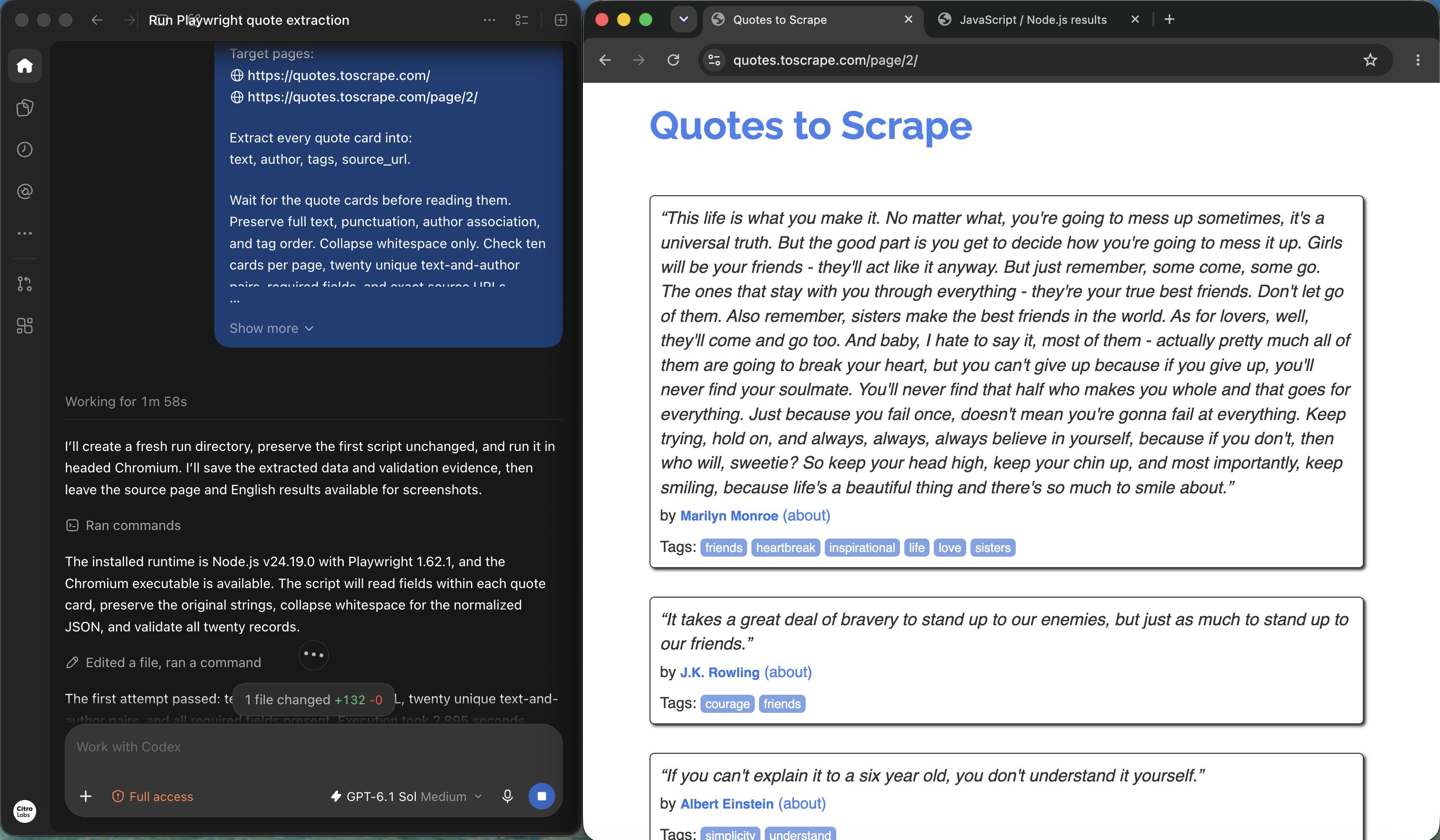
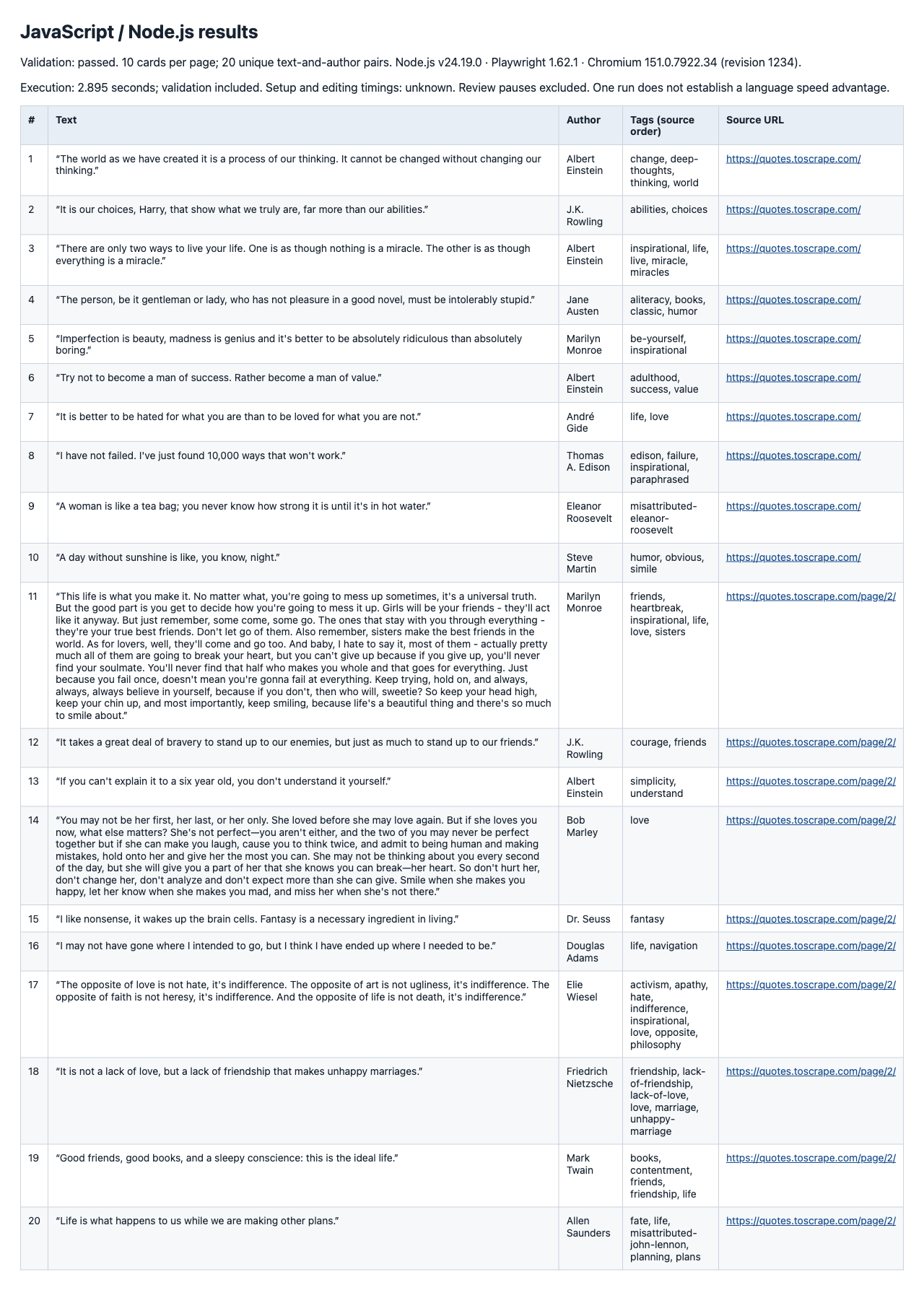
In the supplied JavaScript run, Node.js 24.19.0 and Playwright 1.62.1 launched headed Chromium with a fresh 1280 × 800 context. The first preserved script collected ten cards per page and passed the required-field, exact-URL and unique-pair checks with zero application retries.
Open the full-resolution capture
Open the full-resolution capture
How do you implement the same task in Python?
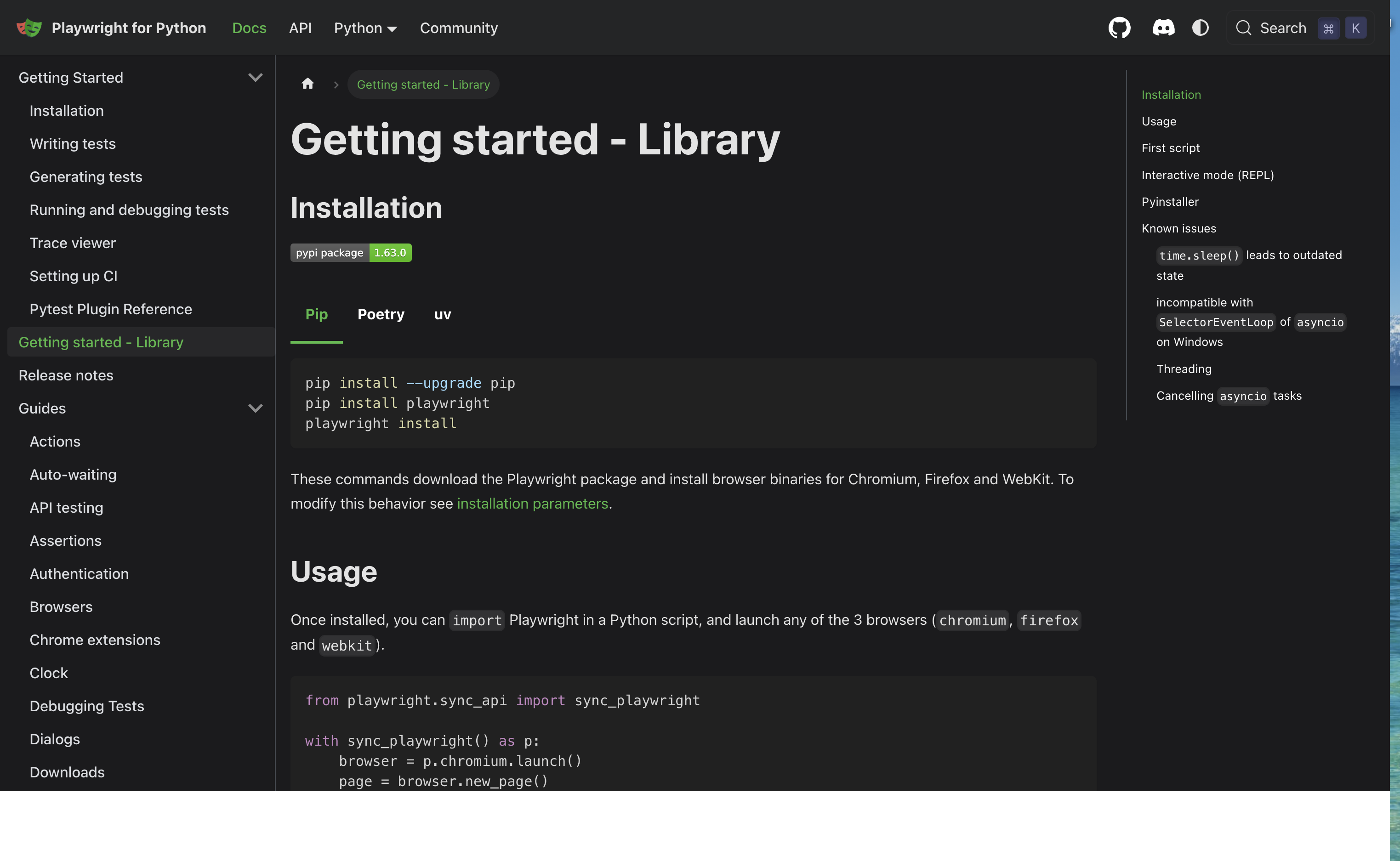
Use Python's async Playwright API so the example follows the same sequential await pattern. Save it as quotes.py, install the matching Playwright release in a virtual environment and install its Chromium browser. Keep the Python version and dependency lock with the run.
Open the full-resolution capture
The extraction function still runs JavaScript inside the page, where the DOM exists. Host-side normalization and output writing happen in Python. This separates page access from the language used to organize the pipeline.
import asyncio
import json
import re
from pathlib import Path
from playwright.async_api import async_playwright

URLS = [
    "https://quotes.toscrape.com/",
    "https://quotes.toscrape.com/page/2/",
]

def clean(value):
    return re.sub(r"\s+", " ", value).strip()

def require(condition, message):
    if not condition:
        raise ValueError(message)

async def main():
    raw = []
    async with async_playwright() as p:
        browser = await p.chromium.launch(headless=False)
        context = await browser.new_context(
            viewport={"width": 1280, "height": 800}
        )
        page = await context.new_page()
        try:
            for url in URLS:
                response = await page.goto(url, wait_until="domcontentloaded")
                require(response is not None and response.ok, f"Page failed: {url}")
                await page.locator(".quote").first.wait_for(state="visible")
                records = await page.locator(".quote").evaluate_all("""
                  cards => cards.map(card => ({
                    text: card.querySelector('.text')?.textContent ?? '',
                    author: card.querySelector('.author')?.textContent ?? '',
                    tags: [...card.querySelectorAll('.tags .tag')]
                      .map(tag => tag.textContent ?? ''),
                    source_url: location.href
                  }))
                """)
                raw.extend(records)
                require(len(records) == 10, f"Count changed: {url}")
            rows = [{**row, "text": clean(row["text"]),
                     "author": clean(row["author"]),
                     "tags": [clean(tag) for tag in row["tags"]]}
                    for row in raw]
            require(len(rows) == 20, "Total count changed")
            require(all(row["text"] and row["author"]
                        and row["source_url"] in URLS
                        and row["tags"] and all(row["tags"])
                        for row in rows), "Missing or invalid fields")
            keys = {(row["text"], row["author"]) for row in rows}
            require(len(keys) == 20, "Duplicate records")
            Path("quotes-python.json").write_text(
                json.dumps(rows, ensure_ascii=False, indent=2), encoding="utf-8"
            )
        finally:
            Path("quotes-python-raw.json").write_text(
                json.dumps(raw, ensure_ascii=False, indent=2), encoding="utf-8"
            )
            await context.close()
            await browser.close()

asyncio.run(main())
Run it with python quotes.py in the chosen environment. Explicit require checks keep validation active even if Python runs with optimization enabled. Like the JavaScript script, this saves partial raw extraction and closes browser resources after an error.
The samples do not add concurrency or automatic retries. Add those only after the basic result is accepted, with equivalent limits and clear failure reporting in both implementations.
The recorded Python run used Python 3.14.7 and Playwright 1.62.0. Version 1.62.1 was unavailable on the configured package index, so the run selected 1.62.0 and explicitly used the same Chromium 151.0.7922.34 executable as JavaScript. That package difference is part of the comparison. The saved Python output passed the same checks with zero application retries.
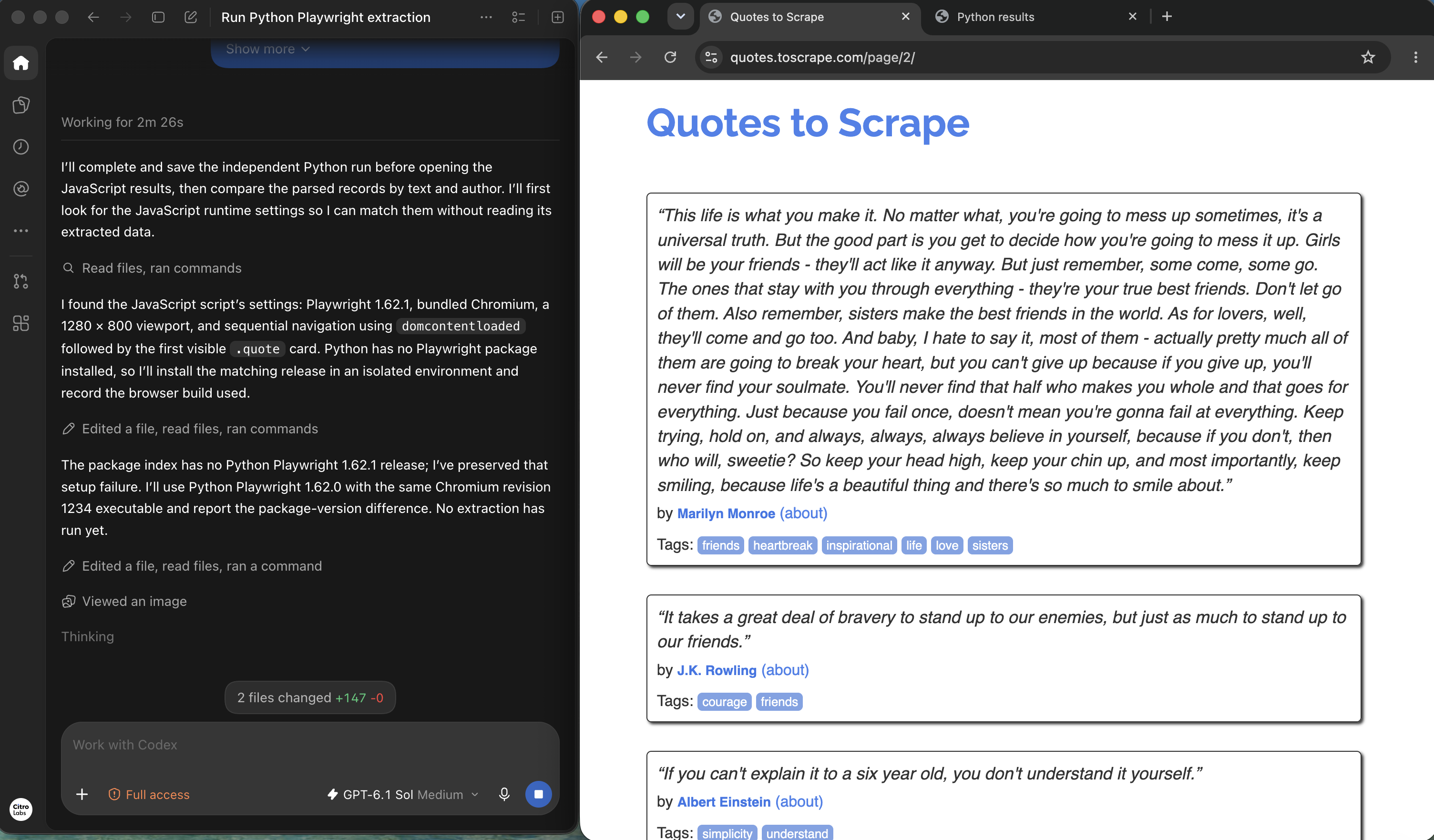
Open the full-resolution capture
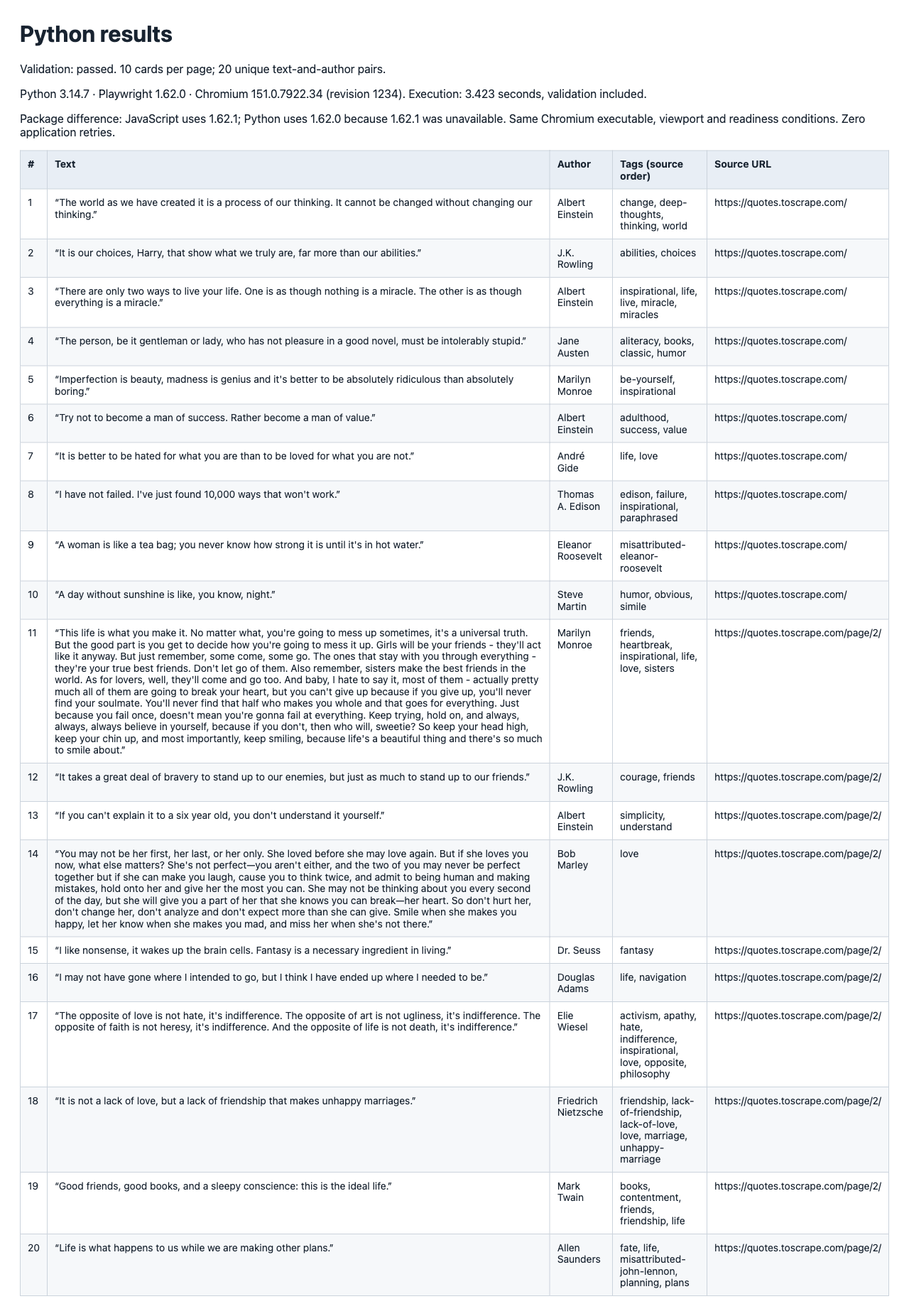
Open the full-resolution capture
How do you verify that the outputs agree?
Compare parsed records by identity and field value, not the bytes of two JSON files. Formatting, escaping and object-key order can differ without changing data. Missing records or different author associations are substantive disagreements.
Build the same key from normalized text and author in each output. Compare the key sets first, then compare tags and source URLs for each matching key. Preserve the original tag order for this contract; sorting it would conceal an ordering difference.
Reopen the source for disagreements. Check whether the DOM changed, a redirect occurred, one script read too early or normalization removed meaningful content. Also check a sample of agreements against the source. Agreement between implementations is useful evidence, but it is not independent ground truth. The Octocrawl documentation offers another reference for keeping extracted fields checkable against their source.
Both samples collapse whitespace. JavaScript and Python have language-specific Unicode whitespace rules, so test unusual characters if that matters to your target. Define a narrower normalization rule for production rather than silently discarding differences.
The three saved outputs contain the same twenty text-and-author identities and exact values for text, author, tags and source_url. Each source contributes ten records, and tag order matches. We checked the supplied JSON files directly; the run reports also record source review. This demonstrates agreement for this task, while source checking remains necessary to catch a shared mistake.
How should you compare development effort and runtime?
Measure setup, authoring, debugging, extraction and validation separately. A completed result needs all of them. A first browser launch can include installation or cache work that is absent from later runs.
| Measurement | What to record | What would distort it |
|---|---|---|
| Setup | Environment, packages and browser installation | Counting setup for only one language |
| Development | First draft, edits and time to accepted output | Comparing a rehearsed script with a new one |
| Execution | Navigation through extraction, same settings | Different browser builds, waits or concurrency |
| Verification | Record checks, source review and disagreements | Stopping at JSON creation in one run |
| Recovery | Errors, retries and human intervention | Removing failed attempts from the comparison |
Use the same machine, browser build, URL order and workload size. Run several repetitions, alternate the order and record caching or network variation. Separate a visible capture run from a timing run if review pauses are needed.
A twenty-record task can reveal a broken selector or awkward local setup. It cannot support a universal claim about language performance. Increase the workload only when it represents the actual production job, and keep validation inside the measured task boundary.
For these single recorded attempts, JavaScript reports 2.895 seconds and Python 3.423 seconds from browser launch through extraction, writes and validation. Setup and editing were not precisely timed. The ego (lite) report records 4.162 seconds of active collection, reload verification and saving, plus a separate 1.617-second initial browser round; it excludes agent reasoning and later comparison. These different measurement boundaries and one attempt per path do not establish a language or tool speed advantage.
Where does ego (lite) fit in this workflow?
A visible ego (lite) browser workspace can support an agent-assisted source review alongside either implementation. The coding language does not determine whether a reviewer needs to inspect the page and the extracted records together.
In the supplied run, the connected coding agent opened both exact URLs in the named Language comparison: ego Space, collected its own twenty records and saved them before reading the JavaScript and Python outputs. It reloaded both sources to verify the saved fields. The ego-browser documentation describes how agents use that browser environment. Keep source inspection separate from edits to either scraper so the review cannot quietly repair its evidence.
The visible Space makes the live source, task controls and extraction process easy to inspect together. One missing guide-path setup error was resolved using the installed helper; the report records zero collection errors, recovery retries or human interventions. This agent-assisted browser workflow complements the language implementations when a reviewer needs to check field meaning against the current page.
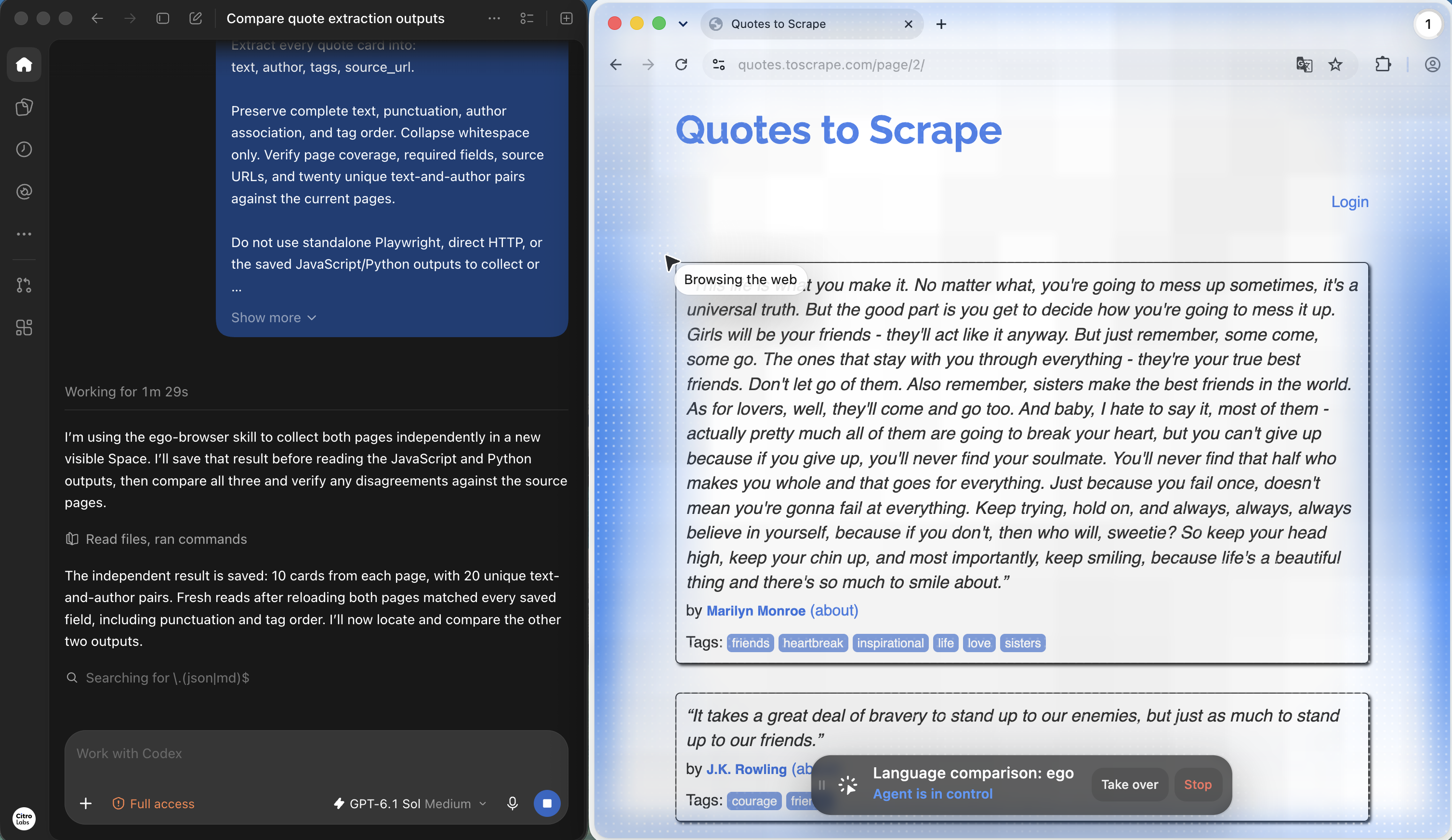
Open the full-resolution capture
View the complete twenty-record result capture

FAQ
These answers focus on the language choice. Rendering, access and acceptance requirements should be established before interpreting differences between implementations.
Is Python better than JavaScript for web scraping?
It can be a better fit for a Python data pipeline, but there is no universal winner. Compare maintenance, integration and accepted output for the workload your team will actually operate.
Can Python scrape JavaScript-rendered websites?
Yes, through a browser tool such as Playwright. The browser executes page scripts; Python controls navigation, waits and interactions through its supported API.
Is JavaScript faster for browser scraping?
That needs a controlled measurement. Page rendering, network behavior, browser settings and validation may dominate the task. A result from different frameworks or transports cannot isolate language performance.
Why use Playwright in both examples?
It reduces differences in the browser-control layer while comparing the host-language workflows. Matching releases and browser builds still needs to be recorded; sharing a library name alone is insufficient.
Can both examples use a headed browser?
Yes. The examples set headless: false in JavaScript and headless=False in Python. Add the same review pause to both if you need final-page screenshots.
Why does the Python script contain JavaScript?
Its evaluation callback runs in the browser against the DOM. Python remains the host language controlling the task and writing output. Page-side and host-side code have different roles.
Do I need a browser for static HTML?
Not always. If the required data is available through an authorized HTTP response, a client and parser may be sufficient. Choose that route before comparing the language implementations.
Does matching JSON prove both scrapers are correct?
No. They could share a selector error or normalization mistake. Check key sets and fields, then independently compare records with the source and report gaps.
Should I add concurrency immediately?
Start with an accepted sequential result. Then add bounded concurrency appropriate to the target and measure failures, resource use and throughput under the same conditions in both languages.
When should I keep my existing language?
When it already meets the task contract and the team can maintain it. Prefer a concrete integration or maintenance benefit over a rewrite based on an unsupported speed claim.
Related reading
Continue with a language-specific implementation, a broader extraction-tool decision or the evidence needed to trust an agent's result.