How to Build Reliable Long-Running Browser Agents

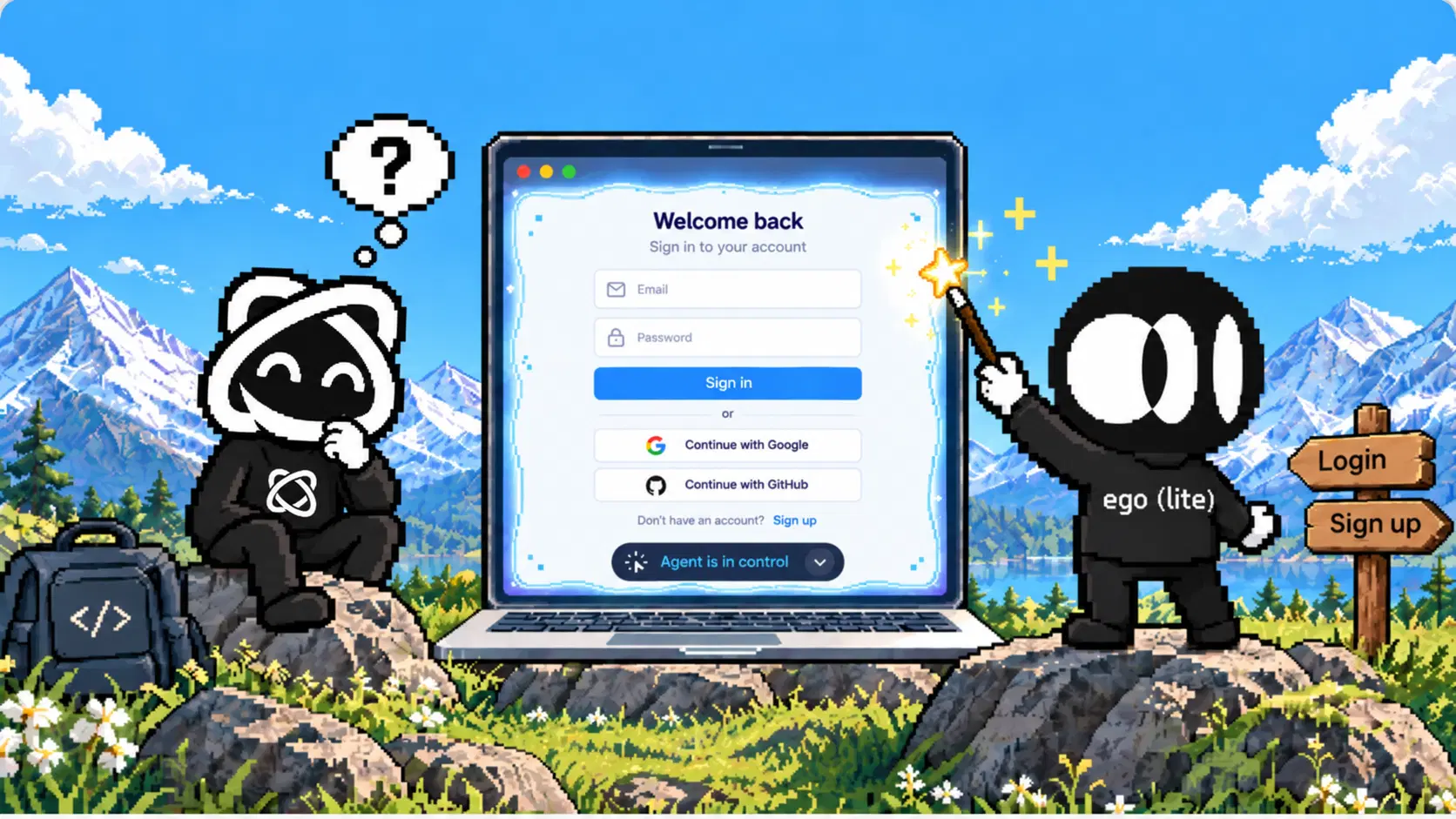
Build a reliable long-running browser agent around a durable job record, verified checkpoints and a bounded recovery policy. The browser handles the next page interaction; an external coordinator remembers what has actually completed. If the controller disappears, a replacement worker should be able to inspect that record and resume from a known point.
“Long-running” describes the recovery requirement as much as the duration. A short task can lose its controller after a click. A multi-hour audit may need to wait for login renewal halfway through. Extending one timeout does not tell either task what to repeat, what to verify or when to ask a person for help.
Why do long-running browser agents fail?
Long tasks create more opportunities for a session, page, process or assumption to change. Their hardest failures often sit between two apparently successful steps: a page was read but its output was not saved, or a submission succeeded but its confirmation never reached the controller.
| Failure | Risk to the task | Recovery requirement |
|---|---|---|
| Controller or worker stops | Progress exists only in memory. | Reload a persistent job and its accepted artifacts. |
| Session expires or account changes | Agent continues against sign-in or the wrong workspace. | Pause and revalidate the intended account. |
| Navigation, modal or re-render changes the page | An old element reference no longer describes the target. | Observe the current page and verify its identity again. |
| Source changes during pagination | Rows move, repeat or disappear. | Use a stable source view or report consistency limits. |
| Response to an external write is lost | A retry could duplicate the action. | Reconcile the destination before resubmitting. |
| Tabs, context or retries grow without bounds | The worker keeps consuming resources without accepted progress. | Enforce limits and stop with a resumable record. |
Design for these states before making the plan longer. A useful first implementation is one read-only job with deterministic validation and a clear interruption point. Add more workers only after that job resumes correctly.
Which parts of the system must survive a restart?
Separate four responsibilities. A coordinator owns job state and dispatch. A browser adapter executes one bounded interaction. A validator checks target identity and output fields. A durable store holds accepted results, checkpoints and the audit trail. The model can choose a next step within those rules, while the coordinator enforces them.
Keep browser state, workflow state and model context separate. Cookies may help reopen the intended account. The workflow record tells you which source records were accepted. A conversation summary supplies useful context for reasoning, but should not be the only record of either. See persistent browser sessions for the browser-state part of this design.
A workflow engine or a small database-backed coordinator can implement this separation. For example, LangGraph's persistence documentation distinguishes thread checkpoints from shared stores and warns that in-memory savers lose state on process restart. A framework name alone therefore does not establish durable recovery; inspect the configured storage and test it.
What belongs in a durable checkpoint?
Start with the task contract: permitted origins and actions, intended account alias, input version, required fields, stopping condition and deadline. Then store progress in terms the destination understands, such as a record ID or validated cursor. Do not persist a browser object, socket or temporary element reference as if it could recreate the page.
For a read-only catalogue audit, this illustrative checkpoint records a completed page boundary. The values are examples, not measured output.
{
  "schema_version": 1,
  "job_id": "catalogue-audit-001",
  "state": "ready",
  "input_manifest": "catalogue-fixture-v1",
  "account_alias": "approved-reader",
  "source_view": "fixture-snapshot-v1",
  "last_committed_step": "page-3",
  "next_cursor": "page-4",
  "accepted_artifact": "results/page-3.json",
  "artifact_digest": "<digest of committed artifact>",
  "checkpoint_revision": 3,
  "attempts_used": 0,
  "deadline_at": "<persisted UTC deadline>",
  "pause_reason": null
}
The source view matters. An offset cursor into a live, changing result list may skip records after an insertion. Prefer an API snapshot, export version or stable ordering/cursor when the source supports it. Otherwise retain observed IDs and timestamps, deduplicate, recheck boundaries and report that the result spans a changing view. Do not claim a complete point-in-time dataset without a source contract that supports it.
Store credentials separately in the authorized credential mechanism. Keep checkpoint payloads small, version their schema and define retention. A job record may need a source identifier; it rarely needs the entire signed-in page or raw authentication state.
When should results and progress be committed?
Commit after validation, with results and progress in one atomic boundary. If a cursor advances before its records are durable, recovery can skip work. If records are saved but the cursor stays behind, recovery will repeat that page. Use an idempotent result key, such as job ID plus source record ID, to make that repetition safe for stored read results.
The coordinator below is pseudocode. Its storage, lease and browser operations are contracts you must implement and test, not an SDK example.
job = load_job(job_id)
lease = claim_exclusive_lease(job_id)
assert job.state allows execution
assert deadline and attempt budget remain

page = browser.open_allowed_target(job.next_cursor)
observation = browser.read_current_page(page)
records = validate_identity_and_fields(observation, job)

transaction:
    reject_expired_lease_or_stale_checkpoint(lease, job.revision)
    upsert_results(job_id, records, key=source_record_id)
    save_verified_artifact_reference()
    advance_cursor_and_checkpoint_revision()
commit

release_lease(lease)
A crash before the transaction commits leaves the old checkpoint in place. A crash after commit leaves the new checkpoint available, even if the worker never received the acknowledgement. Reload it before deciding what to repeat. If artifacts live in object storage, write and verify the immutable artifact first, then atomically commit its reference with the result metadata and cursor. Clean up unreferenced artifacts later.
Only one worker should own a job at a time. Use a lease plus a revision or fencing check so an old worker cannot commit after a replacement takes ownership. This protects your store; it does not cancel an external browser action already in flight. Keep uncertain writes out of automatic replay until the destination has been reconciled.
Which failures should the agent retry?
Classify the failure before spending another attempt. AWS's guidance on timeouts, retries and jitter explains why retries can amplify load and why backoff needs limits. Give one layer ownership of retries so a tool, worker and coordinator do not each multiply the same operation.
| Failure class | Policy |
|---|---|
| Transient read or transport failure | Retry within the job's remaining attempt and time budget; back off with jitter. |
| Rate limit | Honor the server delay and shared limit. Persist and defer when the job cannot wait. |
| Changed page, stale reference or unexpected navigation | Observe again, verify identity and allow a bounded recovery step. Stop if the expected contract still fails. |
| Expired login, security challenge or permission uncertainty | Persist a human-review state and pause. |
| Explicit denial or forbidden action | Stop and report; do not retry through another identity or route. |
| External write with unknown outcome | Query the destination or ask an operator to reconcile. Do not submit again blindly. |
A local action ID helps correlate logs. It does not make an arbitrary “Send” or “Purchase” button idempotent. The service must support the idempotency contract for that protection to apply. If no reliable readback or service-side key exists, preserve the uncertainty and hand the decision to a person.
How do you bound time, context and browser resources?
Use several limits with separate meanings. A job deadline bounds total work. A step timeout bounds one operation. A no-progress limit stops repeated activity that produces no newly accepted checkpoint. An attempt budget limits recovery. Persist the deadline and attempt counters so a restart does not silently reset them.
Before each operation, compare its maximum wait and planned backoff with the remaining budget. Use a monotonic clock for elapsed time inside a running process and a persisted UTC deadline for recovery across processes. When the budget expires, record partial accepted work and the next safe resume point. A partial result should not be labeled complete.
Bound open pages, downloads, artifacts and model turns too. Close pages after their evidence has been retained, keep large outputs outside the conversation, and pass only the current contract, checkpoint and relevant observations into the next model decision. Context compaction may reduce prompt size, but it cannot replace durable results.
Start with a small concurrency limit and measure resource use on the actual pages. There is no page-independent RAM budget or worker count that proves reliability. Preserve a clean shutdown path that releases ownership without deleting accepted work.
How should human takeover pause a durable job?
Make waiting for a person an explicit state, such as awaiting_human. Persist the reason, target identity, last accepted checkpoint and allowed next action. Stop dispatching browser operations while control belongs to the user. Define when the pause expires and whether human waiting counts against the overall deadline.
Record the resume decision and reacquire job ownership. Then inspect the current account, URL and page before continuing. The person may have navigated elsewhere or decided to cancel. A successful handback event is not evidence that the original target is still open.
Framework pause semantics matter. LangGraph documents that an interrupted node restarts from its beginning on resume. An external side effect before that interrupt can therefore execute again unless you design for replay. Put consequential actions behind separate authorization and outcome checks, rather than relying on the position of a line in a prompt.
Where do ego(lite), Space and Snapshot fit?
ego(lite) can supply the visible browser execution layer when an authorized job needs an interactive signed-in page and human inspection. The Space documentation describes a task workspace inside the browser. Keep the job associated with one named Space and verify the intended login there. Keep durable progress in the coordinator described above.
Snapshot provides structured page observations and temporary actionable references. Read a fresh Snapshot after navigation, re-rendering or reconnection; an old @N reference is not a durable work item. Persist a source record ID and verified URL instead. The quick start also explains visible task control and takeover, which can support the human-pause branch.
These are documented capabilities and a proposed integration, not a completed endurance or crash-recovery test. Space does not supply your durable queue, atomic result store or exactly-once external actions. Use an official API for suitable data jobs and a supported server runtime for server execution.
Scope browser and host permissions to the approved task. The privacy policy explains that page content and operation results can reach the connected external AI tool. Redact logs and screenshots accordingly, and keep purchases, messages, account changes and other consequential submissions outside automatic recovery unless specifically authorized and safely verified.
Can browser agents run several tasks in parallel?
Yes. ego(lite) supports parallel browser tasks through Space, so an agent can work while you continue browsing. Its official Space documentation, checked October 20, 2026, describes separate task tabs, cookies and storage within the same browser process. Assign each independent job a named task workspace and keep its page references, progress record and retry budget associated with that job.

Parallel execution needs ownership rules. Give each job one active writer, use separate output keys and reject stale checkpoint revisions. Two Spaces should not independently change the same order or account setting. A task workspace does not remove shared browser resource limits or application-side conflicts. Start with bounded concurrency, then measure the actual workload before raising the limit.
What did the TodoMVC reload check establish?
A separate October 20, 2026 observation supplied for this article exercised a smaller persistence boundary. Codex used the ego-browser custom CLI to control visible ego(lite) in Space 9 on the Playwright TodoMVC demo. The task created one uniquely named item, completed only that item and reloaded the same page. The route was Codex through ego-browser, despite the experiment's task name containing “Playwright MCP.”

The saved initial, created, completed and final records were reviewed during article integration. They tie the checks to run ego-20261020T154034-35ac9771. The initial page had eight existing rows; the final page contained those rows and exactly one new completed item. The records support these bounded observations:
- The exact new item was absent initially and appeared once, unchecked, after creation.
- An intentionally missing exact target had zero matches and received zero actions.
- Only the new item was completed. After reload it remained checked, with the completed class and line-through styling.
- All eight pre-existing rows retained their text, checked state and order through creation, completion and reload.

Check the rows that should stay unchanged
The preservation check includes the existing work. The report below lists all eight original rows with their order, full text and checked state. Comparing those fields after each operation helps detect a bulk toggle, accidental edit or deletion that a successful new-item check could miss.

Keep the desktop frame connected to the result
The evidence viewer also retains the full desktop composition beside the result record. It connects the Codex execution trace to the visible TodoMVC page and native agent-control bar. The first overview capture and the corrected desktop capture are documented separately.

The records report zero application retries and zero human interventions for this task. The first desktop capture showed the Space overview; a second capture supplied the live controller-and-page composition. That capture correction is separate from task execution. This check establishes page-reload persistence and preservation of unrelated rows. It does not test a controller crash, browser restart, expired login, multi-hour endurance or concurrent job completion. Those require the fault tests below and an external durable checkpoint store.
Which logs show useful progress?
Emit structured events with job ID, step ID, attempt, checkpoint revision, worker ownership, observed page identity, failure class, validation result and artifact reference. Record elapsed time and remaining budget. A heartbeat says the worker is alive; a new accepted checkpoint says useful work became durable. Monitor both.
- Accepted completion: attempted jobs whose outputs pass an independent task validator.
- Recovery outcome: resumed jobs accepted, safely stopped, blocked or unfinished, with false success counted separately.
- Lost or repeated progress: work redone after interruption, duplicate IDs rejected and missing IDs found.
- Stall indicators: time since the last accepted checkpoint, retry consumption, open-page count and human-pause age.
Keep denominators and measurement boundaries visible. Report first-attempt completion separately from eventual recovery, and active execution separately from human waiting. Do not count a safe stop as task completion. For the acceptance layer, see verifying browser-agent results. For ongoing canaries and release upkeep, see maintaining browser automations over time.
How do you test recovery before trusting a long task?
Use an owned read-only fixture with stable IDs and a known expected result set. Freeze the source view, task contract and environment before injecting failures. Start with the same interruption scenario for every execution route you evaluate, and verify the final page and stored records independently of the agent's completion message.
| Injected fault | Required observation after recovery |
|---|---|
| Controller stops after extraction, before commit | Old checkpoint remains. Page can be repeated without losing or duplicating accepted records. |
| Commit succeeds, acknowledgement is lost | Reload finds the committed revision; accepted data is preserved and the cursor is not rolled back. |
| Unexpected navigation during the next step | Fresh observation detects the wrong page and returns only to an allowed, verified target. |
| Login expires or human takes over | Job records the pause, stops dispatching and revalidates identity after explicit resume. |
| No-progress or resource budget expires | Job stops with partial accepted artifacts and an accurate resume point, without declaring completion. |
This fault-injection matrix is a proposed test plan. The TodoMVC reload observation above did not exercise these crash and interruption scenarios. When you run it, preserve calibration corrections and every failed attempt. Separate controller interruption from browser-process and host restart tests: passing one does not establish the others. For an initial repeated comparison, predeclare the same retry/deadline policy and run at least ten trials per route for each chosen fault. Ten trials are a starting test set, not proof of general reliability.
A useful report links each job ID to the injected fault, committed checkpoint, recovery actions, final source state and validator result. Measure recovery through fresh final validation. Keep setup, human waiting and packaging separate, and leave provider cost or latency unknown when the telemetry is unavailable.
FAQ
Can I make an agent reliable by increasing its timeout?
A larger timeout allows a slow step more time. It does not preserve progress or make replay safe. Define checkpoint, retry, validation and stop behavior before increasing the budget.
Is a persistent browser profile enough for recovery?
It can retain browser state, subject to site and runtime behavior. It does not record which business results were durably accepted. Store that progress separately and verify the account after reconnecting.
How often should I save a checkpoint?
Use a verified unit of work, such as one accepted page or record batch. Choose its size according to how much work you can afford to repeat and the cost of committing. Never advance the cursor ahead of durable output.
Can the browser guarantee exactly-once submissions?
A browser alone cannot establish that guarantee for an arbitrary site. Use service-supported idempotency where available; otherwise reconcile the destination and preserve uncertainty for human review.
If you are choosing the browser execution layer, compare ego(lite) and Playwright MCP. Keep the same durable job contract and acceptance checks whichever route you choose.