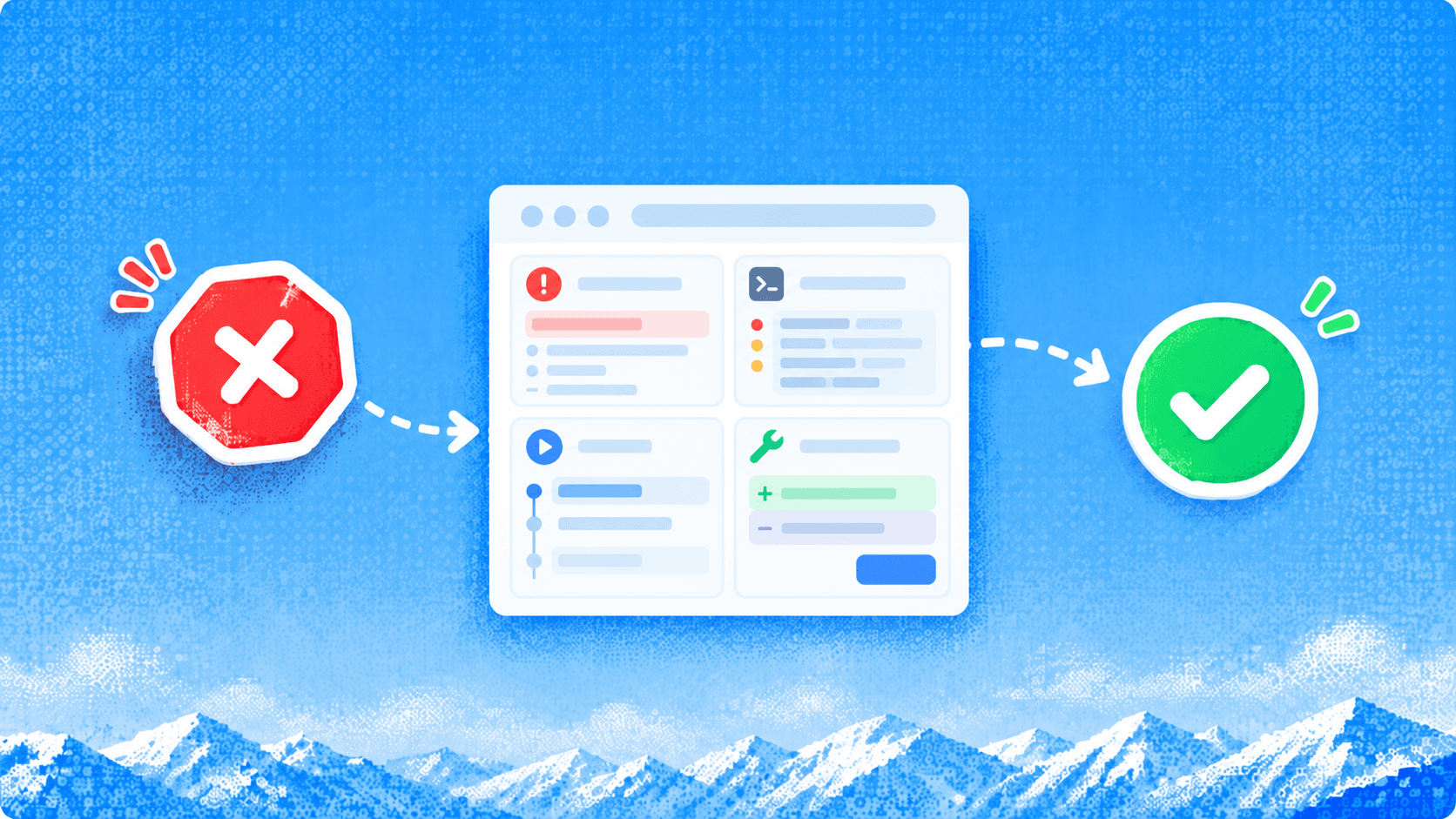
Why AI Browsers Are Slow and Unreliable, and What to Do


The browser opens the right dashboard, pauses, scrolls past the record, then starts looking again. If you're asking why AI browsers are so slow and unreliable, separate the time spent deciding from the time spent waiting on the page. Changing the model won't fix an expired session.
An agentic browser workflow lets a model interpret page observations, choose actions and check their effects to complete a web task for the user. A browser sidebar that only summarizes text has a different execution path. This guide concerns agents that actually operate pages.
The practical approach is to time each boundary, remove unnecessary decisions and verify the final application state. For work behind a login, ego(lite)'s documented Space and Snapshot features offer a local path to evaluate. Below, a public GitHub task shows how we checked recovery on two execution paths. It does not test authentication recovery.
Where does an AI browser task spend its time?
A browser agent adds a decision loop around ordinary browser work. The model receives an observation, requests an action, receives the result and decides whether to continue. Anthropic's computer-use documentation describes this loop and supports batches of dependent actions executed in order.
For a sequential workflow, this accounting model helps explain the pauses. It's a way to instrument a task, not a published performance measurement.
task wall time = setup + sequential steps + recovery + verification

each sequential step can include:
  capture observation
  prepare and send model request
  wait for model response
  dispatch and execute browser action
  wait for the required application state
If work overlaps, measure the critical path instead of adding every span. Record human waiting separately so you can report both total elapsed time and unattended execution time.
Use the symptom to choose the next measurement. A single total duration can't distinguish these cases.
| Observed pause or failure | Measure first | Change to investigate |
|---|---|---|
| Long pause before a tool call | Model request start to response, provider errors | Reduce unnecessary turns or select a suitable model. |
| Agent repeatedly rereads the page | Observation size, repeated snapshots, decision history | Scope the observation and make the goal explicit. |
| Action sent, page result delayed | Request waterfall, rendering and readiness condition | Wait for the relevant result and inspect app latency. |
| Fast completion message, wrong output | Final record IDs, active filters, artifact contents | Repair verification before optimizing speed. |
| Task restarts after a challenge | Authentication, retry history, checkpoint state | Use bounded recovery or human handoff. |
Start with one task and a single timeline. Without that trace, “the AI browser is slow” is a description of the experience rather than a diagnosis.
How much delay comes from the model?
Model latency is the elapsed time between submitting a request and receiving the response needed to act. Capture it at the agent or provider boundary. A visible spinner alone doesn't tell you whether time is spent in provider queueing, reasoning, tool execution or orchestration.
Changing models is useful only if model time is material and the replacement still makes correct decisions. A faster model that needs extra retries can lose the apparent saving. Record model identity and reasoning settings with the run, and keep the page, task and success criteria constant when comparing configurations.
Reduce decisions before reducing capability. If an agent already knows which field to fill and which result to check, it doesn't need a new planning turn after every keystroke. Batch a short known sequence, then observe at a point where the page result can change the next decision.
Stop the batch when a dependent step fails. Continuing to type after a failed navigation can put data into the wrong page. The recovery budget should limit attempts and elapsed time, with a clear route back to a verified checkpoint.
Why does understanding the page add work?
A page observation is a representation of the interface at a moment in time. A screenshot provides visual layout, while semantic text exposes controls and names. Neither guarantees that the agent has all the context needed for the next action.
A long dashboard can bury a relevant record among unrelated navigation and repeated controls. A screenshot can miss off-screen content. A semantic representation can omit details drawn inside a canvas. Use the smallest observation that still contains the evidence the decision requires, and bring in a different view when something important is missing.
Freshness matters as much as size.
After a filter changes, a dialog opens or a table rerenders, an earlier target reference can be stale. Re-observe before choosing the next target. Don't let a plausible old snapshot silently substitute for the live page. The deeper context-design choices belong in context engineering for browser agents.
Unreliability also appears when the agent checks only whether a click was dispatched. A selected filter, a changed URL or a returned file can help establish the outcome, but the check must match the actual task. A downloaded CSV with the wrong date range is still a failed export.
How do network and site defenses affect reliability?
A browser task can wait on DNS, connection setup, redirects, API responses and client-side rendering before the requested data appears. It can also encounter a permission denial, expired session, rate limit or verification screen. These are different states and need different responses.
Capture the URL, response status and visible page state. If the server responds but the UI stays busy, inspect the application's request and rendering behavior. If the response is an authentication or rate-limit error, don't spend another model turn hunting for a hidden button. The Chrome DevTools Network panel is useful for separating request timing from the agent's decisions.
Use the site's authorized access path. Pause for human verification, respect retry instructions and stop when access isn't permitted. Trying a different selector doesn't resolve a CAPTCHA or restore revoked authorization.
For transient read failures, a bounded retry with a fresh observation can be reasonable. For an uncertain write, first check whether the action already took effect. Blindly replaying a submission can create a duplicate transaction.
Can the browser architecture become the bottleneck?
Browser startup, loaded extensions and page scripts consume resources alongside the agent. Multiple active pages can compete for CPU or memory, while a remote browser adds connection and scheduling boundaries. Architecture changes where the costs occur; it doesn't prove a universal performance ranking.
Compare a single active task with the same task under the intended concurrency. Inspect process memory, main-thread work and browser crashes. Chrome's Performance panel can help identify expensive page work. Keep the model configuration constant during this check.
Warm sessions may avoid repeated setup, but they also retain mutable state. A persistent login that helps a daily task can make a regression test less reproducible. Record cold or warm starts and session age instead of mixing them into one average.
For startup, rendering and queue costs without an agent decision loop, read why headless browser platforms are slow. Here the extra question is how those waits interact with repeated model decisions and recovery.
Which changes should you try first?
Optimize the largest observed source of wasted work while preserving the completion check. These changes address different costs, so use the timeline to choose among them.
| Change | What it can improve | What it can't establish |
|---|---|---|
| Use an authorized API or export | Avoid unnecessary UI navigation for structured data. | That the browser interface works for users. |
| Batch known dependent actions | Reduce avoidable planning round trips. | That later steps are safe after an earlier failure. |
| Use scoped, fresh observations | Reduce irrelevant input and stale-target mistakes. | That omitted visual details don't matter. |
| Wait for a specific outcome | Replace arbitrary pauses with a meaningful condition. | That the outcome is correct without a task-specific check. |
| Reuse a permitted signed-in session | Avoid repeating authentication setup when valid. | That access won't expire or permissions won't change. |
| Add a human checkpoint | Recover from a challenge or resolve ambiguous authority. | Fully unattended task completion. |
Define the task more precisely than “check my dashboard.” Name the account or workspace, target record, required fields and stop conditions. Require a result with source URLs and stable IDs. This reduces ambiguity and gives you something independently checkable.
Keep a repeatable known path in a script or reusable workflow, and reserve model decisions for the steps that require interpretation. For an unexpected failure, use the browser-agent debugging guide to find the first unsupported transition.
What did a controlled recovery task show?
We ran a read-only GitHub task on 19 October 2026 to test a specific failure: the page changes after the agent has read the right record, but before it verifies completion. The task used the public Playwright issue list, filtered by is:issue is:open sort:created-asc. It collected the first ten issues, opened fixed target #1086, and returned the issue number, title, state, labels, issue URL and source query URL.
Each route had one separate calibration followed by ten sequential recovery trials. In every recovery trial, a coordinator deliberately navigated the same tab from issue #1086 to the repository overview. The agent had to detect the mismatch, return to the target and pass a fresh page check. This was an injected interruption, not a naturally occurring GitHub failure.
Recovery protocol, fixed before execution:
1. Reset task tab to about:blank.
2. Apply the query; collect ten current issue records.
3. Open #1086 and read its initial identity and state.
4. Inject one navigation to the repository overview.
5. Observe the wrong page; recover to the fixed target.
6. Independently check the query, records and final detail.
Limit: two recovery attempts, 180 seconds per task.
Stop for access denial, rate limits or human verification.
The first route used Codex Desktop with Microsoft's official Playwright MCP, package @playwright/mcp@0.0.83, and headed Chromium 155.0.8059.12. Its launch configuration was npx -y @playwright/mcp@0.0.83 --isolated --browser chromium. Source interactions used the MCP tools; a standalone Playwright script did not replace that route.

Fresh checks accepted all ten MCP recoveries. Each used one recovery attempt, with no false success, blocked or unfinished trial, or human intervention recorded. The median task duration was 21.32 seconds, from task start through independent final validation. Calibration took 22.59 seconds and is excluded from that median.

How did the visible ego(lite) path recover?
We independently ran the same public task through the installed ego-browser helper in a dedicated visible Space named “AI browser latency: ego recovery.” Codex Desktop used gpt-6.1-sol with medium reasoning and the OpenAI provider on both routes. The ego(lite) results were saved before the MCP output was opened for comparison.
The official Space guide describes visible task workspaces and pauses for human authentication. The Snapshot guide describes structured page text, roles, names and temporary references such as @1. Those references need fresh observations after navigation or a dynamic rerender. This run tested public-page recovery while signed out, so it supplies no evidence about expired sessions, MFA or reusing a logged-in account.

The interruption deliberately left the browser on the repository's Code page. A plausible completion message at that point would have been wrong: the required issue was no longer open in the tab. Recovery had to re-establish the target's identity from the current page.

The final page checks found issue #1086, “[Feature] create context in fullscreen mode,” still Open. Validation also compared the ten returned records against saved source observations. After the independent result was frozen, the two routes' records agreed across the six fields apart from state capitalization, open versus Open. Original values were preserved.

Keep successful trials and recovery friction together
Both routes completed 10/10 controlled recovery trials, with one recovery attempt per trial and no false success or human intervention recorded. The ego(lite) median was 12.85 seconds. The table includes every timed task, including calibration, which is outside the ten-trial denominator. Helper errors are not additional wrong-page recovery attempts.
| Trial | MCP task (s) | ego(lite) task (s) | ego helper errors |
|---|---|---|---|
| Calibration (separate) | 22.59 | 90.68 | 2 |
| 01 | 26.08 | 24.03 | 1 |
| 02 | 15.12 | 17.17 | 1 |
| 03 | 14.09 | 13.01 | 1 |
| 04 | 38.77 | 11.68 | 1 |
| 05 | 20.66 | 8.97 | 0 |
| 06 | 23.34 | 10.29 | 0 |
| 07 | 30.88 | 12.69 | 0 |
| 08 | 14.45 | 21.57 | 0 |
| 09 | 20.68 | 12.11 | 0 |
| 10 | 21.97 | 28.22 | 0 |
Calibration exposed a real validation problem on the ego(lite) route. An initial extraction included historical activity labels instead of only the issue's current sidebar labels. The initial result was rejected, the extraction was scoped to the sidebar, and fresh verification then passed. Calibration also retained a readiness timeout and a page-changed-during-snapshot error. Each of the first four recovery trials needed one fresh Snapshot retry; those errors stayed in the record and task timings.

The ten ego(lite) tasks took 159.73 seconds in total, including reasoning and final validation. Instrumented helper operations accounted for 42.62 seconds inside that interval. Setup before calibration took 104.80 seconds; calibration took another 90.68 seconds. Report packaging was outside the task timer. Provider latency, per-trial tokens and billable cost were unavailable, so subtracting helper time does not produce a model-inference measurement.
The medians describe these two batches, not a speed ranking. MCP ran first, then ego(lite); run order was not alternated. Conversation history and browser cache/context persisted within each route, while the task tab reset to about:blank. MCP used a 1280 × 800 viewport; ego(lite) actually reported 936 × 788 despite an accepted override. Browser builds differed, network conditions were not controlled, and the effective proxy route was unknown.
The saved version record also needs care. The helper and skill came from framework 0.6.0.12, with skill version 2.1.0, while saved app metadata reported 0.6.1.1. That mismatch leaves the exact running app build unresolved. Preserve both values and resolve them before a version-specific rerun; the report label alone is insufficient.
The useful finding is that a checkpoint plus fresh identity validation made this particular wrong-page interruption recoverable on both paths. Visible controls also made takeover available, although no human handoff was exercised here. For your own task, preserve failed attempts, cap recovery and require final-state evidence before accepting completion.
Before using private pages, review the ego(lite) privacy policy and the connected AI provider's terms. Local browser storage does not mean the external model processes nothing. Limit observations to necessary data. Stop for authentication or human verification, and require approval before messages, purchases, permission changes or submissions. None of those actions was part of this public read-only test.
When should you use an API, script or human instead?
The right alternative depends on the output you need. Use the path with enough capability and the smallest avoidable execution burden.
An authorized API or built-in export is a strong first choice for known structured data. A deterministic browser script fits repeated UI workflows with stable contracts. An agent helps when the route needs interpretation, while a person should resolve identity verification, ambiguous authority or an uncertain consequential action.
For a CI gate, use a test framework with controlled fixtures and assertions. If the tests themselves fail intermittently, start with the Playwright flakiness diagnosis. Faster agent narration won't repair a shared test account.
For an occasional task that takes less time to do than to specify and verify, doing it manually can be the better choice. Compare total user effort, including supervision and corrections, rather than browser motion alone.
What else affects a useful result?
Does a faster model make the browser task faster?
A faster model helps when model response time is a material part of the task and accuracy holds. It won't speed up a slow server response, and extra recovery can erase the saving.
Are screenshots always slower than semantic snapshots?
There isn't a universal ranking. Capture, transport and model processing depend on the implementation and page. Measure the full route and keep the representation that preserves the information the task needs.
Does a logged-in browser eliminate authentication failures?
A valid session avoids some repeated setup. Expiry, revoked access and new verification challenges still require handling. Define a human handoff rather than treating those states as ordinary page interactions.
What is the most useful reliability metric?
Start with independently verified task completion over all attempted trials. Report false success, human assistance and stopping behavior alongside it so an apparently high completion rate doesn't hide supervision.
A useful browser agent leaves you with a result you can trust and enough evidence to understand a failure. For a local signed-in trial, review ego(lite) and Playwright MCP's execution paths, then use the ego(lite) download and setup guide to evaluate your own task.