












ego (lite) is just a browser, ego is your personal agent across devices.
Join waitlist
LinkedIn scraping for public data

LinkedIn scraper for public profiles and job data with your AI agent

Use ego (lite) as a free LinkedIn scraper for public profiles and job data. Send profile or job URLs to your AI agent and get a CSV or Markdown report with visible fields, source URLs, access status, and the time each page was checked.

Download for Mac(yes, free)

Trusted by developers from

OpenAIAnthropicGoogleMetaNVIDIACursorPerplexity
SpaceXTeslaNotionFigmaStripeNetflixAirbnb

How to scrape LinkedIn profiles and public job data

To scrape LinkedIn profiles or visible job data, give your Agent public profile URLs, a public job search page, or individual job links. The Agent uses a real browser, keeps each task in its own Space, and returns only the fields the selected session can actually display.

1

Install ego (lite) and choose your browser context

Download ego (lite), then import only the Chrome context you are authorized to use. Public LinkedIn pages may load without signing in, but LinkedIn can still request login, verification, or another human decision depending on the page, region, and current platform controls.
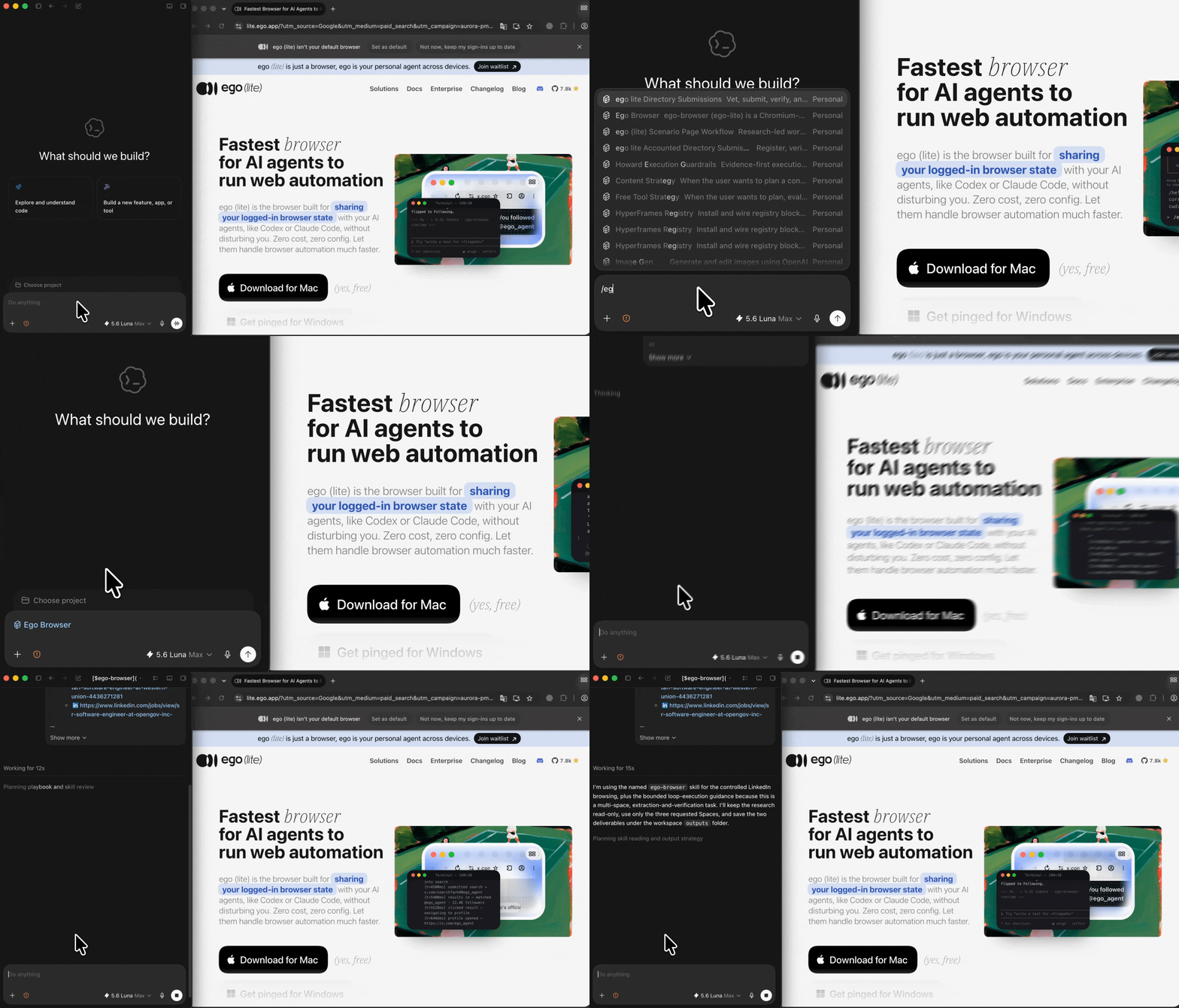
2

Send LinkedIn profile or job URLs in one research brief

Paste public profile URLs, a LinkedIn job search URL, or individual job pages. State the fields you need, the output format, and the rule to stop when LinkedIn asks for login, CAPTCHA, verification, or another access decision.

Preparing a browser research brief with ego (lite) for public LinkedIn data
3

Start LinkedIn scraping tasks in parallel

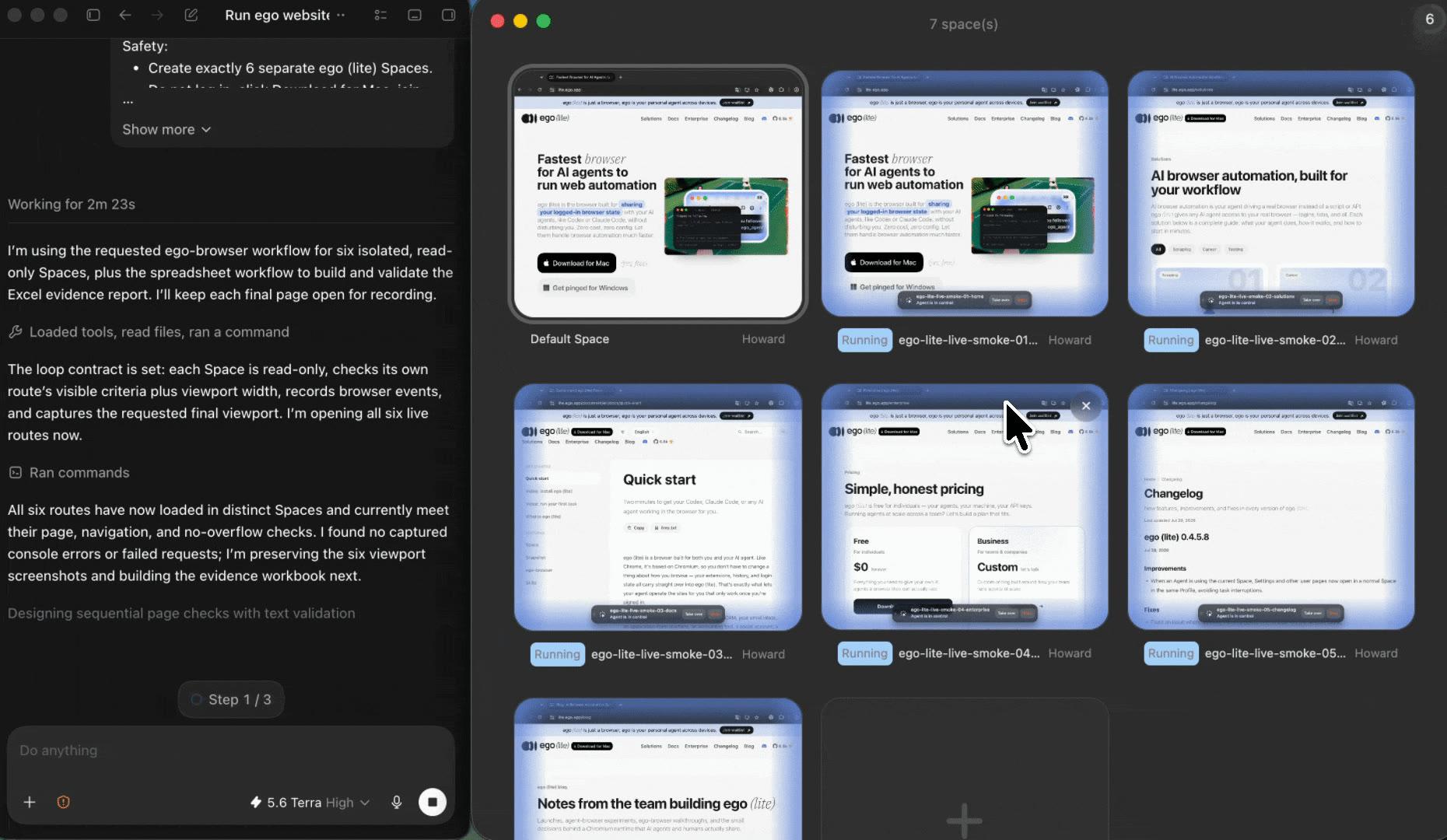
Give each LinkedIn profile, job search, or job listing its own ego (lite) Space. This lets your AI agent multitask across independent Spaces, so profile research and job research can run in parallel without mixing with your everyday tabs. Open any Space to check progress, pause one task, or take over when LinkedIn needs you.

Parallel ego (lite) Spaces for LinkedIn profile and job research tasks
4

Review a source-linked LinkedIn scraper report

Review the profile or job fields, source URL, checked-at time, access status, and limitations. Export a CSV for comparison or a Markdown note for a readable research handoff; unavailable fields stay marked instead of being filled with assumptions.

Reviewing a source-linked LinkedIn public-data report in a spreadsheet

Why use ego (lite) as a LinkedIn scraper?

Many LinkedIn scrapers produce a temporary list with no context. ego (lite) makes LinkedIn scraping reviewable with a visible browser workflow, separate research Spaces, and a report that keeps public fields, sources, and access limits together.

A faster LinkedIn scraper for public data

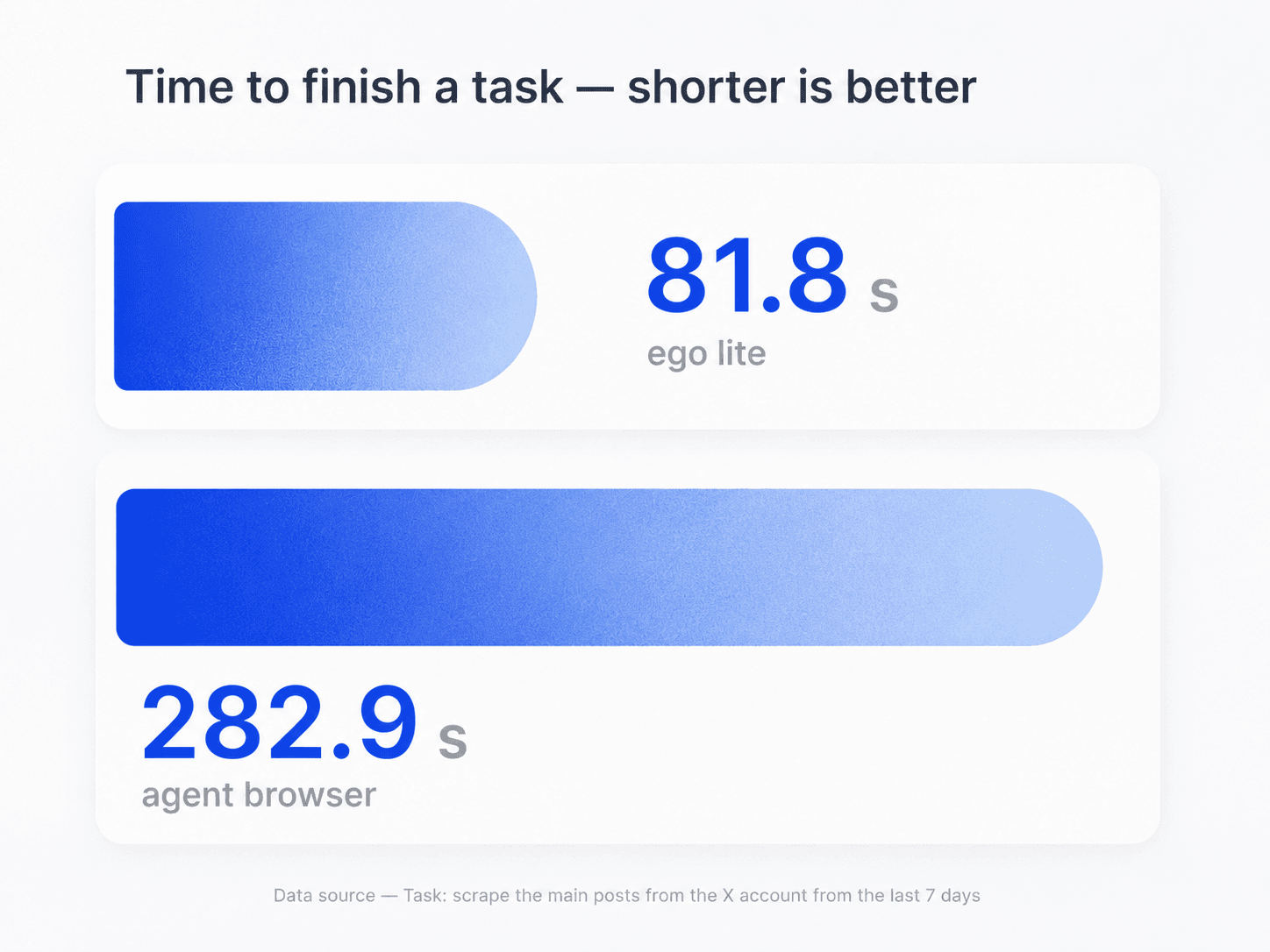
ego (lite) helps your AI agent complete browser tasks faster, so you can scrape LinkedIn profiles and public job listings with less waiting. It keeps visible fields, source URLs, and access status together in a reviewable report.

Task-time comparison showing ego (lite) completing browser tasks faster than an agent browser

Multitask across separate Spaces

Use the LinkedIn scraper for several profile, job search, or job listing tasks at once, with each in its own ego (lite) Space. The Spaces keep browser state separate while you use your everyday tabs and return to any task when it is ready for review.

Parallel ego (lite) Spaces for separate LinkedIn profile and job research tasks

Monitor parallel tasks and take over when needed

Open any Space to see which LinkedIn profile or job page the Agent is checking while other tasks continue in parallel. If one task reaches login, verification, CAPTCHA, or another human decision, take over that Space yourself and let the rest keep moving.

Use the browser context you authorize for LinkedIn research

Open the Space to see which profile or job page the Agent is checking. If LinkedIn asks for login, verification, CAPTCHA, or another human decision, take over the browser yourself instead of asking the Agent to bypass it.

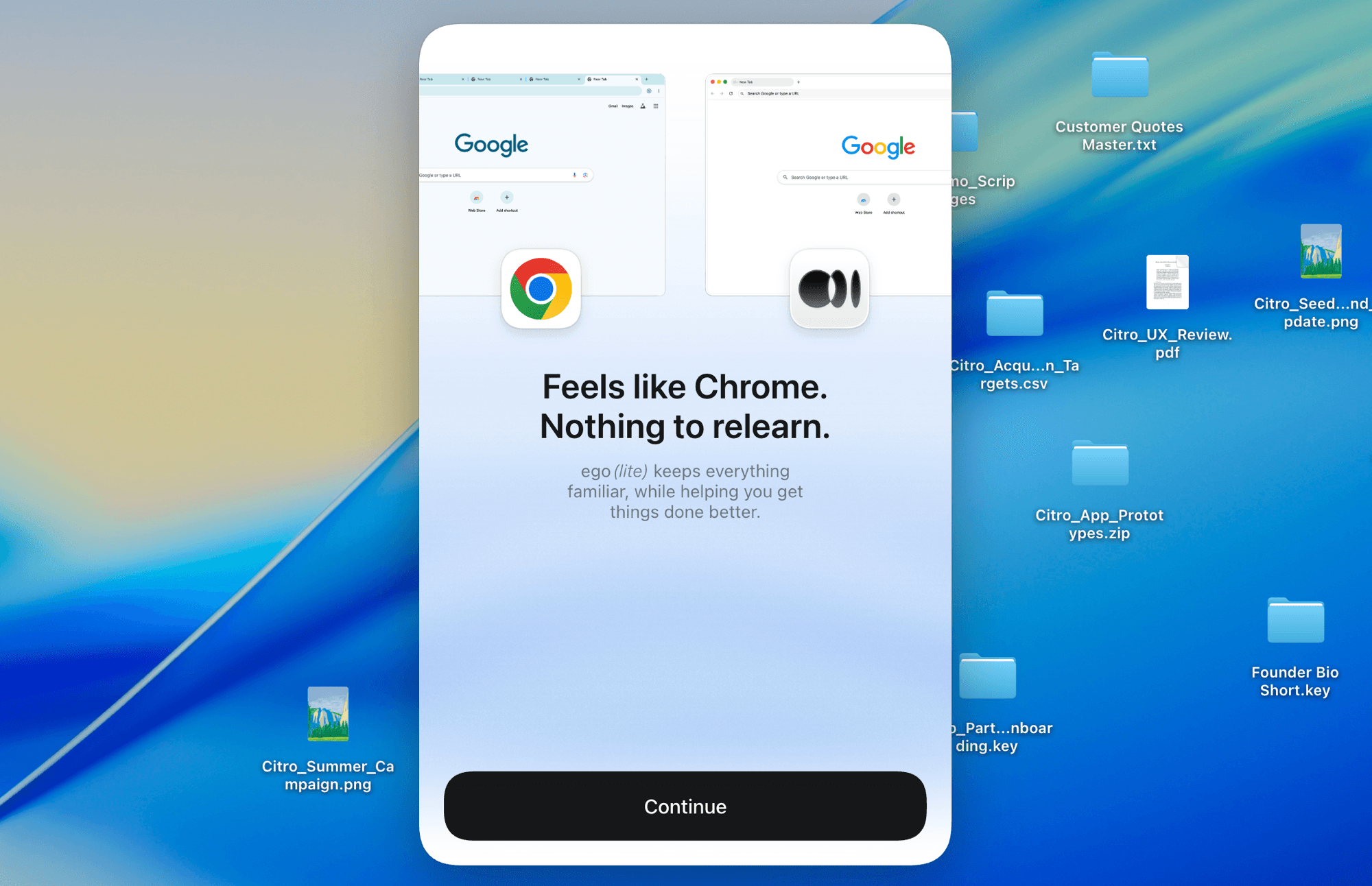
ego (lite) Chrome context import for an authorized LinkedIn browser session

What a LinkedIn scraper can and cannot access

ego (lite) follows the visibility of the LinkedIn page in the browser context you choose. It can organize public or already-authorized data, but it cannot unlock private profiles, hidden contact information, or platform controls.

What your Agent can record

Public profile and job information visible in the current session.

  • Visible profile fields such as headline, current role, location, public About text, and public links
  • Visible job fields such as title, company, location, work mode, posted date, description, and job URL
  • Public search results or job lists the selected browser session can display
  • Source URL, checked-at time, data type, access status, and limitations for every row

What stays unavailable or unverified

Private, hidden, restricted, or identity-level claims do not become public.

  • Private profiles, connections-only fields, hidden email addresses, phone numbers, or private messages
  • Bypassing login, CAPTCHA, verification, rate limits, blocks, or other LinkedIn controls
  • Inferring a person's identity, employment, contact details, or missing job information
  • Sending messages, connection requests, job applications, or changing LinkedIn account data

Read LinkedIn's User Agreement

Scrape LinkedIn profiles and job data you can review later

Give your Agent the public profile or job URLs and the fields you need. ego (lite) turns LinkedIn scraping into a source-linked report you can review later, with visible data, access status, and checked-at time in the same place.

Try the free LinkedIn scraper

LinkedIn scraper FAQ: profiles, jobs, and access

A LinkedIn scraper is a workflow that collects selected information from LinkedIn pages into a structured result. With ego (lite), the Agent uses a real browser and records only profile or job fields visible in the public page or an authorized browser session, together with the source URL, checked-at time, and access status.

Give Codex or Claude Code the prompt on this page, plus public profile URLs, a public job search page, or job links. The Agent opens each input in a separate ego (lite) Space, records what the browser displays, and returns CSV or Markdown rows. If LinkedIn asks for login, verification, CAPTCHA, or another human decision, it stops and lets you review the Space.

Yes, for public LinkedIn profile information that the current browser session can display, such as a visible headline, role, location, public About text, or public links. The report marks a field unavailable when LinkedIn hides it, asks for access, or does not show it. It does not reveal private profile fields or infer missing identity details.

Yes, for public job search results or job pages visible in the authorized browser session. It can record the visible job title, company, location, work mode, posted date, description, job URL, checked-at time, and access status. A job that disappears, requires login, or does not expose a field stays marked instead of being completed from a guess.

Unlike an unbounded LinkedIn crawler, ego (lite) is an Agent-driven browser workflow with a defined input list. It opens public profiles or job pages in visible Spaces and returns a reviewable report. The scope stays bounded by your inputs, the browser's access, and LinkedIn's current controls.

Only to the extent the private profile or field is already visible in a browser session you are authorized to use. ego (lite) cannot bypass connection visibility, privacy settings, login, approval, verification, CAPTCHA, or other LinkedIn controls. Protected information remains unavailable and is recorded as a limitation.

No promise is made for hidden contact data. The workflow records an email address or phone number only if LinkedIn visibly provides it in the authorized session and your task is permitted to collect it. It does not infer, buy, or retrieve hidden contact information from another source, and it marks unavailable fields clearly.

You can use a bounded, reviewable workflow to compare public LinkedIn profile or job-page changes that you are allowed to research. Give the Agent a defined list and fields, keep the source URL and checked-at time, and review any difference before acting on it. This is not an unbounded crawler or a promise of hidden competitor intelligence.

Not in this LinkedIn scraper workflow. It is designed for public profile and job-data research. Sending messages, connection requests, or job applications creates an external action and stays outside this page's read-only collection flow; use the separate job-application workflow when you intentionally want to review that task.

ego (lite) is free to download for Mac, and the Agent doing the work is your own Codex or Claude Code. The workflow does not promise unlimited crawling or access to restricted data: what it can report depends on the pages and browser context LinkedIn allows you to see.

The Agent stops in that Space and records the visible restriction instead of solving or bypassing it. You can inspect the browser state, complete an authorized human step yourself if appropriate, or end the run. The report keeps the source, time, and blocked status so a limited result is not mistaken for a complete one.