
Full Browser Use Benchmark: 7 Models and 3 Browser Tool


We compared three browser tools (ego-browser, agent-browser, and playwright-cli) across seven AI models on a set of 28 web tasks. Across 189 attempts per tool, ego-browser had the highest pass rate (78.3%) and was the fastest on average.
In terms of cost, ego-browser was slightly more expensive per attempt than playwright-cli. That is a difference in what the average covers, not a sign that ego-browser spends more to do the same work. A per-attempt average counts every attempt the same, and it says nothing about whether the attempt returned anything. We graded these tasks all or nothing: an answer passed only if every part of it we checked was right, and an attempt that used up its 100-step budget failed with nothing to hand back. So a failed attempt costs real tokens and leaves you with no result. ego-browser failed less often than the other two tools, which means the same spend bought more finished tasks. Counted that way, with the tokens from failed attempts charged to the tasks that passed, ego-browser was the most cost-efficient tool.
The tool mattered as much as the model. For example, GPT-6 Sol passed 12 of 25 web tasks with playwright-cli. When we kept the model and switched to ego-browser, it passed 18. Pairing ego-browser with GPT-6.1 Sol brought that to 24 of 25, twice as many passes as the original setup. Those six extra passes from switching tools alone are why we’d try a different browser tool before writing off a model that struggles on the web.
How much the tool matters depends on the kind of work. For automation inside a single web app, all three tools passed nearly every attempt, and which one finished first depended on the model. If your current tool already handles those workflows reliably, we’d time a few typical jobs with your model before switching. The difference shows up on jobs that collect the same fields from several websites: across all seven models, ego-browser passed 59% of those attempts, playwright-cli 41%, and agent-browser 28%. For that kind of work we’d switch to ego-browser.
That leaves the model. Paired with ego-browser, we’d start with GPT-6.1 Sol: it passed 27 of 28 tasks, more than any other model we tested, at $0.46 per passed task. That number spreads the cost of the failed attempts over the tasks that passed, so it is the price of an answer you can use rather than the price of one run. GPT-6.2 Sol was cheaper at $0.38 but passed 23 of the 28. Claude Fable 5.2 passed 25 at $3.13. If you run a high volume of jobs and someone checks the output, DeepSeek V4.1 Flash passed 17 of 25 at about $0.10.
Which browser tool fits your work?
Choose ego-browser for work that regularly pulls the same facts from several websites or checks social posts against official sources. It got more of those jobs right than either alternative. For work inside one web app, such as matching invoices to payments, keep the tool you already use if it handles the work reliably. The three tools were close on those jobs and on research that uses a single source.

Review multi-site results before you use them in a report or decision. Even with ego-browser, only about six in ten data collection attempts got every part right. Check the fields that matter against the original sources.
Which model and browser tool work best together?
GPT-6.1 Sol with ego-browser got the most tasks right on the 23 jobs every pairing tried. If you already use agent-browser, GPT-6.1 Sol and GPT-6.2 Sol tied for the best result. Those two also tied with GPT-6 Astra on playwright-cli. Which model you pick can depend on the tool you plan to keep.

If you want to keep your model, check what a tool switch does on the same jobs. Claude Opus 5 got five more tasks right with ego-browser than with playwright-cli. GPT-6 Astra got the same number right with both tools, so we’d look at speed and cost to choose between them.
With GPT-6 Sol, switching to ego-browser got almost as many extra jobs right as upgrading to GPT-6.1 Sol with playwright-cli. Try each change on the same jobs to see which fixes the failures you care about. See our GPT-6.1 Sol and GPT-6 Sol test.
If you’re choosing a model and a tool together, test them as a pair. On the 23 common tasks, DeepSeek V4.1 Flash with ego-browser got more jobs right than Claude Opus 5 with either of the other tools.
Among the tools we tested, ego-browser got the most correct results from both Grok 4.7 and DeepSeek V4.1 Flash. Those models also submitted answers more often with it. Some of the answers still contained errors, so check the results against the sources before relying on them.

In the nine-phone comparison, DeepSeek visited the same manufacturers in the same order with all three tools. With ego-browser it delivered a correct table. With the other tools it reached the last site and ran out of steps before it could submit.
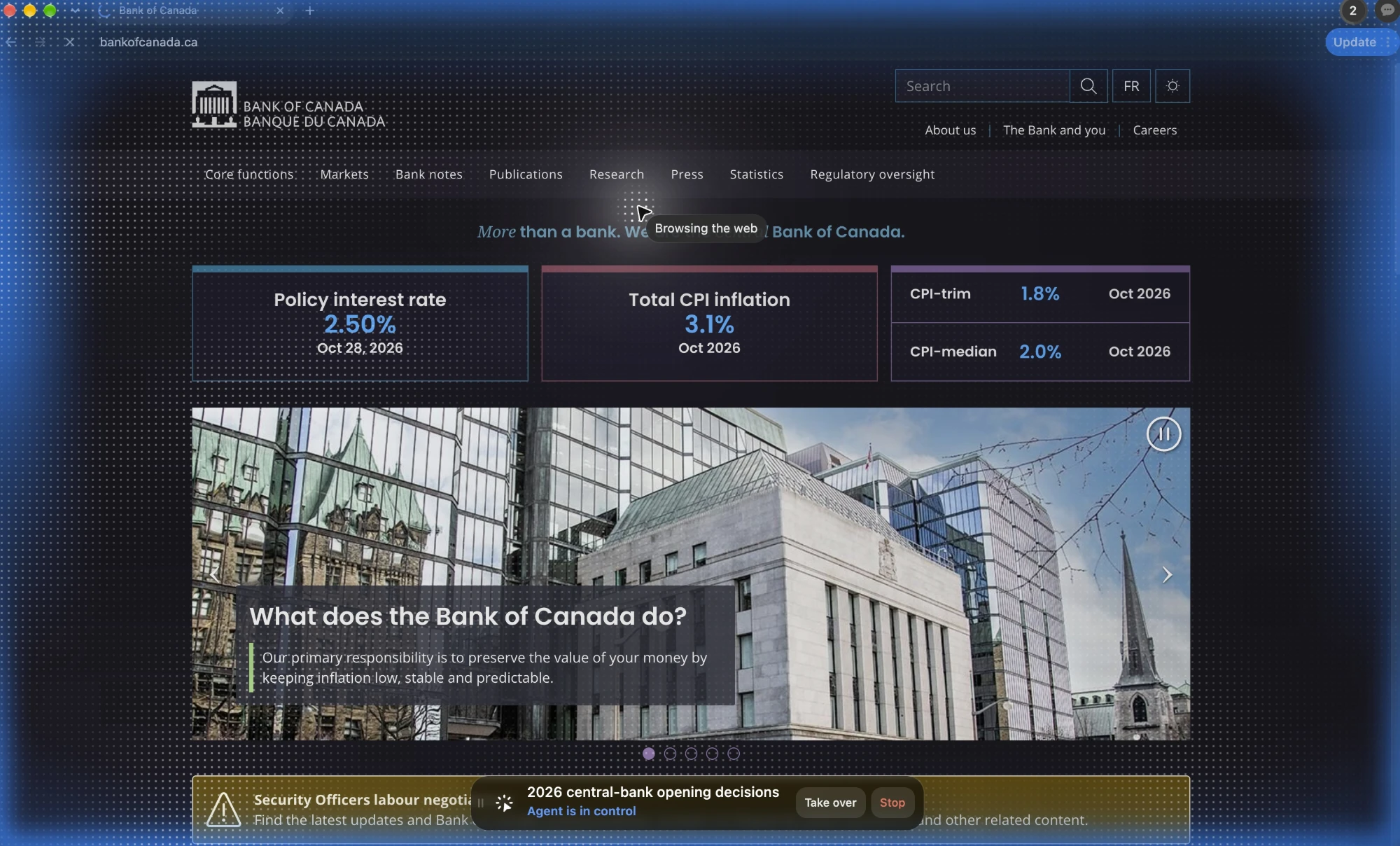
With GPT-6 Astra, the central-bank task shows what changed in the browser. In ego(lite), one ego-browser script opened both the Federal Reserve and European Central Bank decisions. Astra correctly collected data from all 12 central banks in less than half as many calls as with playwright-cli.
Which model should you pair with ego(lite)?
Pair GPT-6.1 Sol with ego(lite) for a mix of research, data collection, and work inside web apps. It got the most jobs right on the first try. Claude Fable 5.2 came closest on the same 28 tasks and cost nearly seven times as much per correct result.
Consider GPT-6.2 Sol if the savings are worth correcting more answers. It cost less per correct result than GPT-6.1 Sol. It returned an answer every time, and five of those answers still needed fixing.
Choose DeepSeek V4.1 Flash for a large queue where someone already checks the work. Across the 25 tasks both models tried, GPT-6.1 Sol cost about $9 more and got seven more tasks right. We’d pay that difference when the user needs a correct answer on the first try.
The table covers 11 models tested in ego(lite) using the ego-browser skill, including four from separate model comparisons. Both cost columns include failed runs. Cost per attempt is the average cost of one run. Cost per correct result divides total cost by the number of jobs the model got right.
| Model | Tasks done correctly | Cost per attempt | Cost per correct result |
|---|---|---|---|
| GPT-6.1 Sol | 27 of 28 | $0.45 | $0.46 |
| Claude Fable 5.2 | 25 of 28 | $2.79 | $3.13 |
| Claude Opus 5 | 24 of 27 | $3.28 | $3.69 |
| GPT-6.2 Sol | 23 of 28 | $0.31 | $0.38 |
| GPT-6 Astra | 23 of 28 | $3.03 | $3.69 |
| Claude Fable 5.1 | 23 of 28 | $3.99 | $4.85 |
| GPT-6 Sol | 18 of 25 | $0.84 | $1.17 |
| DeepSeek V4.1 Flash | 17 of 25 | $0.07 | $0.10 |
| Grok 4.7 | 16 of 28 | $3.02 | $5.28 |
| Gemini 4 Argon | 11 of 15 | $1.19 | $1.62 |
| Gemini 3.1 Pro | 5 of 15 | $1.34 | $4.02 |
Before replacing a working model, test the jobs users depend on most. GPT-6.2 Sol was cheaper per correct answer and still got fewer of the same jobs right than GPT-6.1 Sol. See if that trade is worth it on your own workload.

If you use Fable 5.1 for price or product research, Fable 5.2 is worth trying. It found the cheapest nonstop fares from three cities and compared specs from nine phone makers. Fable 5.1 missed both jobs.
When speed or cost changes the choice
When two setups get the same number of jobs right, speed can decide which to use. With GPT-6 Astra, ego-browser and playwright-cli tied on correct results. On the jobs all three tools got right, ego-browser took about two minutes less on average than playwright-cli. We’d pick it when a user is waiting for Astra.

If your app has a firm deadline, choose the setup that gets more jobs right by then. With GPT-6.2 Sol, agent-browser delivered the most correct answers by five minutes, and ego-browser led by ten. We’d test both if a five-minute wait is the limit.

If a failed run means paying for another attempt, compare the cost of a correct result. Divide the total cost of all runs by the number of jobs the tool got right. With GPT-6.1 Sol, ego-browser cost slightly more per attempt than playwright-cli. It got more of the same 28 tasks right, so a correct result cost $0.46 with ego-browser and $0.53 with playwright-cli. See the GPT-6.1 Sol tool comparison.
For short jobs that run reliably in the background, choose the cheaper tool. With Claude Opus 5.5, all five tools got every practice-app attempt right, and agent-browser cost the least. ego-browser saved about 23 seconds compared with agent-browser for about 11 cents more per task. That trade is easier to justify when someone needs the answer to keep working. See our separate Claude Opus 5.5 test.
How to test the choice on your own tasks
Run a few jobs you actually do, including some your current setup gets wrong. Decide what a correct result must include and how long users can wait. Use the same tasks, prompts, and step limit each time, and change only the tool or the model in each comparison.
Choose the setup that gets more of your jobs fully right. If both get the work right about as often, compare time and model cost on the jobs both got right. When users have a deadline, count how many correct answers arrive in time.
FAQ
Which browser tool is best for AI agents?
Choose ego-browser for an agent that works across sites. In our seven-model test it got 26 more attempts right than the next-best tool, playwright-cli. Inside one web app, all three tools did well. Keep the one that already works unless another saves you time or money.
Is ego-browser faster than playwright-cli and agent-browser?
Yes on average, for each of the six models we timed. We compared only tasks all three tools got right with the same model. If users have a deadline, measure how often each tool returns the right answer in time. With GPT-6.2 Sol, agent-browser led at five minutes and ego-browser led at ten.
Is ego-browser cheaper?
Usually, if you’re paying for a correct result. Including failed attempts, ego-browser was cheapest with six of seven models and tied with playwright-cli on GPT-6 Astra at $3.69 to the nearest cent. For a single attempt, the cheapest tool depends on the model. In the separate Claude Opus 5.5 practice-app test, agent-browser cost less and both tools got every attempt right.
Does ego-browser help weaker models?
Yes, if the model often runs out of steps. Grok 4.7 and DeepSeek V4.1 Flash got to an answer more often with ego-browser and got more tasks right. For work you’ll rely on, have someone check the answers against the sources.
Which web tasks are hardest for AI browser agents?
Tasks that compare several sources need the most checking. For example, only six of 21 model and tool pairs matched all eight companies’ posts on X to their press releases. Work inside one app, such as matching invoices to payments, was much more reliable.
Which AI model works best with ego(lite)?
GPT-6.1 Sol is the best default for mixed work. It got the most tasks right on the first try while keeping the cost per correct result low. Choose DeepSeek V4.1 Flash if model cost matters more and someone already reviews the answers.
Do the results repeat on a second run?
The two repeat runs were close. GPT-6.1 Sol got one fewer task right with ego-browser, and DeepSeek V4.1 Flash got one more right. For a close call, run your own jobs more than once before switching.
How do Chrome DevTools CLI and Browser Use CLI compare?
With Claude Opus 5, we’d choose ego-browser when getting more jobs right is the priority. It got six more of the 27 tasks right than Chrome DevTools CLI. Chrome DevTools CLI matched playwright-cli and was one task ahead of Browser Use CLI. See our Claude Opus 5 test.
Is a browser tool better than a computer-use tool for web tasks?
For work that stays in a browser and needs to run alongside your own work, we’d choose ego-browser. It got the most tasks right in our seven-task test with DeepSeek V4.1 Flash, and its separate browser space let the user keep working. See browser use vs computer use.
How we tested
Each of the three tools ran 189 attempts across seven models, using a set of 28 web tasks. The chart that compares all seven models uses the 23 tasks every model tried with every tool. The linked studies cover tests run in October and November 2026, including separate model comparisons and practice-app tests.
The tasks covered collecting the same facts from 8 to 12 official sites, checking posts on X against original sources, and looking up facts across one to three sites. We also tested research that uses one source and work inside one app, such as matching invoices to payments. The hardest group contains the 11 tasks the agents got right least often across the seven models and three tools.
Each model used each tool once per task it ran, with up to 100 model replies per attempt. Every attempt counted toward the success rate. An answer with even one wrong or missing item counted as incorrect. If the model ran out of replies before submitting, we recorded no answer.
Time includes the wait for the model to reply. For average speed, we compare tasks all three tools got right with the same model. For a time limit, we count correct answers that arrive by the cutoff across the full set of attempts.
We report model costs in US dollars. Cost per attempt divides total spend by all attempts. Cost per correct result divides that same total by the number of correct results. We also compare the average cost on tasks all three tools got right with the same model.
Full results
- GPT-6.1 Sol with three browser tools
- GPT-6 Astra with three browser tools
- Grok 4.7 with three browser tools
- DeepSeek V4.1 Flash with three browser tools
- Claude Opus 5 with five browser tools
- GPT-6.1 Sol and GPT-6 Sol with three browser tools
- Claude Fable 5.2 and 5.1 with ego-browser
- Gemini 4 Argon and Gemini 3.1 Pro with ego-browser
- Kimi K3.1 Pro and Kimi K3 with ego-browser, 66 tasks
- GPT-6.1 Terra and GPT-5.6 Terra with ego-browser, 66 tasks
- DeepSeek V4.1 Flash and GPT-6.1 Sol with ego-browser, 72 tasks
- Claude Opus 5.5 with five browser tools on practice apps
- Browser use vs computer use