Most local-versus-CI failures come down to a small set of differences: browser builds, network conditions, CPU speed, timezone and locale, or state shared across workers. The useful debugging move is to compare those inputs before changing the test. If the troublesome step depends on a real signed-in session, a visible browser, or a person completing verification, that step may belong outside CI. ego (lite) gives those interactive browser tasks a visible Chromium Space where an agent can work and you can take over, while Playwright keeps the deterministic tests that belong in the pipeline.
We reproduced five common failure classes with Playwright 1.59.1 and kept both the passing and failing output: locator strictness, slow-runner timing, parallel worker collisions, timezone drift, and missing browser builds. The examples below show what each failure looks like, which evidence points to the cause, and what changed after the fix.
Why does the same Playwright test pass locally and fail in production?
The spec hasn't changed, but the browser running it might have.
I'd start by comparing the browser build, timezone, and test data on your laptop with the failed run. Then check the runner's resources and network. Any of those differences can expose an assumption that happened to hold locally.
A production run also depends on live services and live data. A checkout that works against a resettable staging database can fail against an account with an existing order.
Before changing the assertion, check what the failed run actually opened.
What actually differs between your machine and the runner?
Work through these five inputs first. The last column gives you something to check in the failed run, so you can rule out a difference before spending time on it.
| Input | Your machine | CI runner / production | How to verify |
|---|---|---|---|
| Browser build | Whatever npx playwright install downloaded last | Cache from a previous version, or nothing at all | Log browser.version() in a global setup step |
| Network | Office wifi, warm caches, no proxy | Shared egress, proxy, cold caches, rate limits | Record request timing and failures in the trace |
| Clock and locale | Your timezone, your locale | Often UTC with an English locale | Print Intl.DateTimeFormat().resolvedOptions().timeZone |
| CPU budget | Fast, idle, sometimes with a browser you can watch | Shared vCPU, containers, several workers per core | Compare action durations, not just pass/fail |
| Shared state | One worker, one fixture copy | Several workers against one account or database | Run the same file with --workers=1 and --workers=2 |
Which locator failures only appear in CI?
A strict mode error tells you that an operation expecting one element found several. In our example, the same error message appeared in both a form summary and a field-level warning.
Read the matched nodes in the error before changing the locator.
Error: expect(locator).toBeVisible() failed

Locator: getByText('This email is already registered')
Expected: visible
Error: strict mode violation: getByText('This email is already registered') resolved to 2 elements:
    1) <div id="summary" aria-live="polite">This email is already registered: qa@example.com</div>
    2) <div id="field-error">This email is already registered</div>

Call log:
  - Expect "toBeVisible" with timeout 5000ms
  - waiting for getByText('This email is already registered')
Scope the locator to the field or region you meant to check. Use { exact: true } if the two strings differ. I'd avoid reaching for .first() just to silence the error, since that can leave the test checking whichever element happens to come first.
Our corrected case passed in 426 ms.
If the duplicate only appears in CI, compare the DOM from both runs. A feature flag, a different viewport, or content added after hydration can explain why the same locator matches twice there.
For the two messages above, exact matching selects the field warning:
await expect(
  page.getByText('This email is already registered', { exact: true })
).toBeVisible();
When both messages are identical, narrow the search to the intended form or field. Playwright's locator guidance explains how to keep that selection tied to what the user sees.
Why do fixed waits and timeouts break on CI runners?
Our click took 200 ms normally and 992 ms with a 6x CPU throttle on the same machine. A 300 ms budget passed the first run and failed the second with Expected: < 300, Received: 992.
That budget was too short for the slower run.
For a functional test, I'd wait for the result I actually need: await expect(page.locator('#status')).toContainText('Ready'). That assertion keeps checking until the text appears or its timeout expires. If you're testing a performance requirement, keep the timing check, but measure it under defined conditions.
Those are different tests.
| Setting | What it controls | Where I'd start |
|---|---|---|
| test timeout | One whole test, including fixtures | Start with the 30-second default and adjust for the actual test |
| action timeout | A single action, such as click or fill | Leave unset unless a specific step is known to be slow |
| retries | How many times a failed test runs again | One or two can help capture failures, but don't repair them |
| expect timeout | How long a web-first assertion retries | Start with 5 seconds and increase it when the trace supports that |
Check the timeout reference before changing a limit: the test budget and assertion budget are separate settings.
Why do parallel workers break tests that pass alone?
Both of our tests wrote to the same fixture counter. With --workers=2, one expected 2 but read 1 after the other test overwrote it. With --workers=1, both passed.
Running them together exposed the shared state.
I'd use a single worker to confirm the collision, then give each worker its own account or records if parallel runs matter. Playwright's CI guidance also recommends one worker for reproducibility. Tests that must share data need explicit ordering and cleanup.
Check files and ports too.
Two workers can compete for the same download path or try to start a server on the same port, even when their database records are separate.
For a registration test, generate a fresh address inside each test so concurrent runs never create the same record:
import { randomUUID } from 'node:crypto';

// Use inside the test, then delete its records during teardown.
const email = 'qa+' + randomUUID() + '@example.com';
For reusable accounts, assign one per worker instead. The parallelism guide shows how worker fixtures isolate test data.
Why does a UTC runner change your assertions?
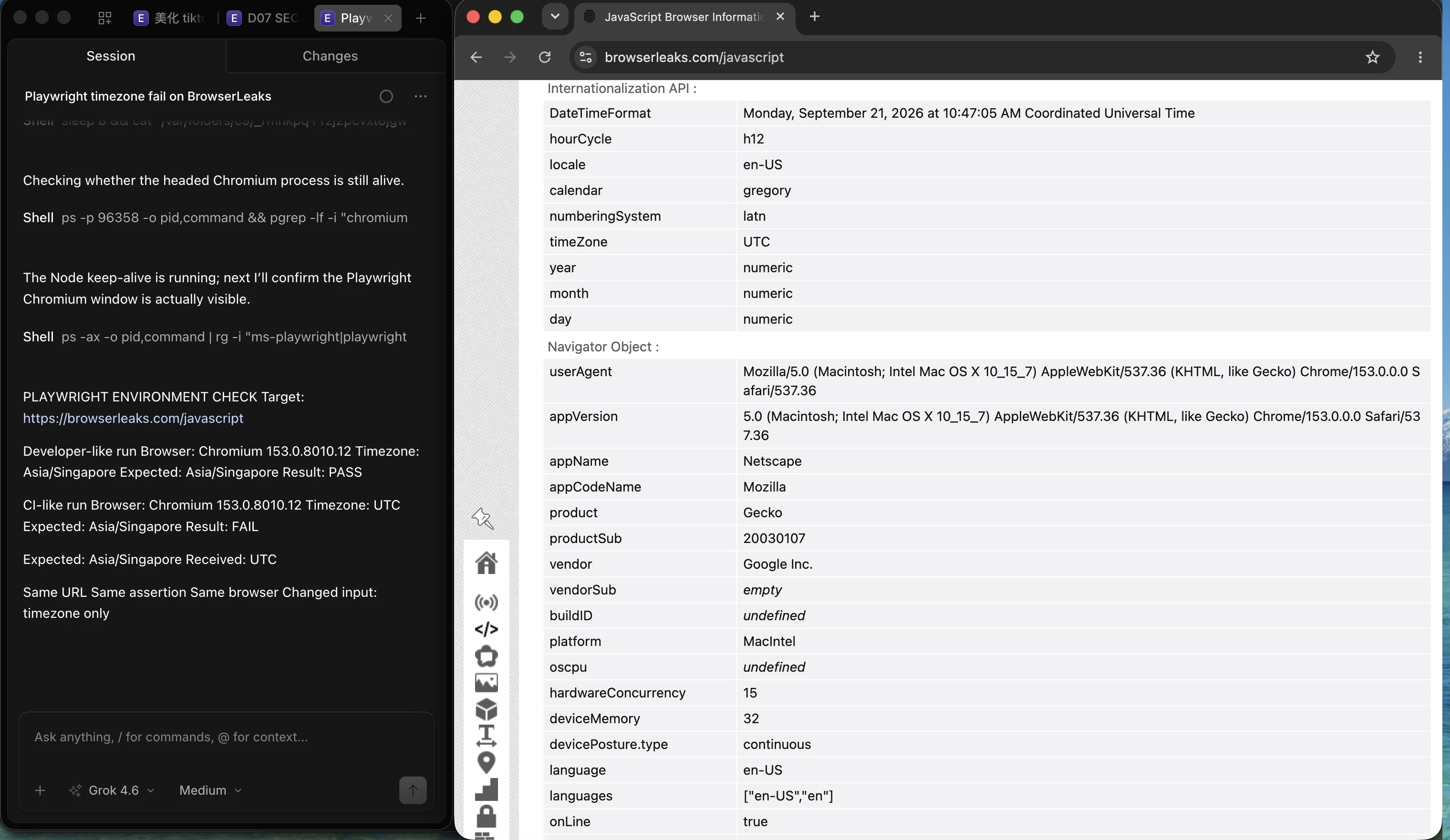
In the BrowserLeaks check, the browser configured for Asia/Singapore passed. The same assertion failed when timezoneId was UTC: Expected: Asia/Singapore, Received: UTC.
The test expected the developer's timezone, and the second browser didn't use it.
Set locale and timezoneId explicitly in the Playwright config.
If you're checking an instant in time, compare timestamps. If you're checking how that instant looks to a user, test the expected display in each supported timezone.
// playwright.config.ts
import { defineConfig } from '@playwright/test';

export default defineConfig({
  use: {
    locale: 'en-SG',
    timezoneId: 'Asia/Singapore',
  },
});
This pins the browser's settings. If your Node test code also formats local dates, set the runner's TZ separately. See Playwright's locale and timezone configuration for both layers.
What do missing browsers and system dependencies look like?
If the browser won't launch, I'd check the installation before opening the test file. Pointing our runtime at an empty browser cache produced this error:
Error: browserType.launch: Executable doesn't exist at
  .../empty-browsers/chromium_headless_shell-1217/chrome-headless-shell-mac-arm64/chrome-headless-shell
Looks like Playwright was just installed or updated.
Please run the following command to download new browsers:

    npx playwright install
The missing path names chromium_headless_shell. Playwright's default headless Chromium uses that separate download, so caching only the full browser can leave this run without an executable. On Linux, the browser also needs system libraries. Install both with npx playwright install --with-deps, or use the official Docker image that matches your Playwright version.
A headed run on a Linux runner also needs a display server. With Xvfb installed, use xvfb-run npx playwright test --headed to watch that path through a virtual display.
Use the official CI setup and Docker guides to match browser packages and system dependencies. The environment-difference issue thread provides another reported case to compare with your error.
Which artifacts tell you what happened?
I'd open the trace first. It lets you inspect what the page looked like around the failed action, then check the requests and console output at that moment. This configuration records a trace on the first retry and retains video and screenshots for failures:
// playwright.config.ts
import { defineConfig } from '@playwright/test';

export default defineConfig({
  retries: process.env.CI ? 2 : 0,
  use: {
    trace: "on-first-retry",
    video: "retain-on-failure",
    screenshot: "only-on-failure",
  },
});
A blank screenshot doesn't tell you why the page is blank.
In the trace, check the navigation, the response, and any browser errors before deciding whether the problem belongs to the test or the application.
Open the saved archive with npx playwright show-trace trace.zip. The Trace Viewer guide walks through the action timeline, DOM snapshots, and network details.
How do you keep local and CI environments consistent?
Once you've found the difference, put the fix in the config or pipeline so the next run gets it too. Here's where I'd keep each setting.
| Practice | What it helps control | Where it lives |
|---|---|---|
| Pin Playwright and browsers | Build-to-build browser drift and cache misses | Exact version in package.json, npx playwright install --with-deps in the image |
| Same image, local and CI | Missing system libraries, font, and codec differences | Official Playwright Docker image or your own |
| Set timezone, locale, and viewport | Timezone, formatting, and responsive-branch surprises | use block in the Playwright config |
| Per-worker data | 409s, duplicate rows, and half-updated fixtures | Fixtures that create separate accounts for each worker |
| Test accounts and seeded data | Failures caused by real user state and live data | Dedicated automation accounts and a seeded staging dataset |
When do you need a real browser instead of CI?
Some browser tasks need you nearby.
A verification screen may require a person, or you may be exploring a signed-in flow before you know what the test should assert. I'd do that work in a visible session, then move the repeatable parts into the suite.
ego (lite) gives an agent a dedicated browser Space for that work. The agent reads actionable page elements through a semantic snapshot, and you can watch the run or take over from the browser UI. That makes it useful for investigating a session-dependent step while Playwright handles the automated checks.
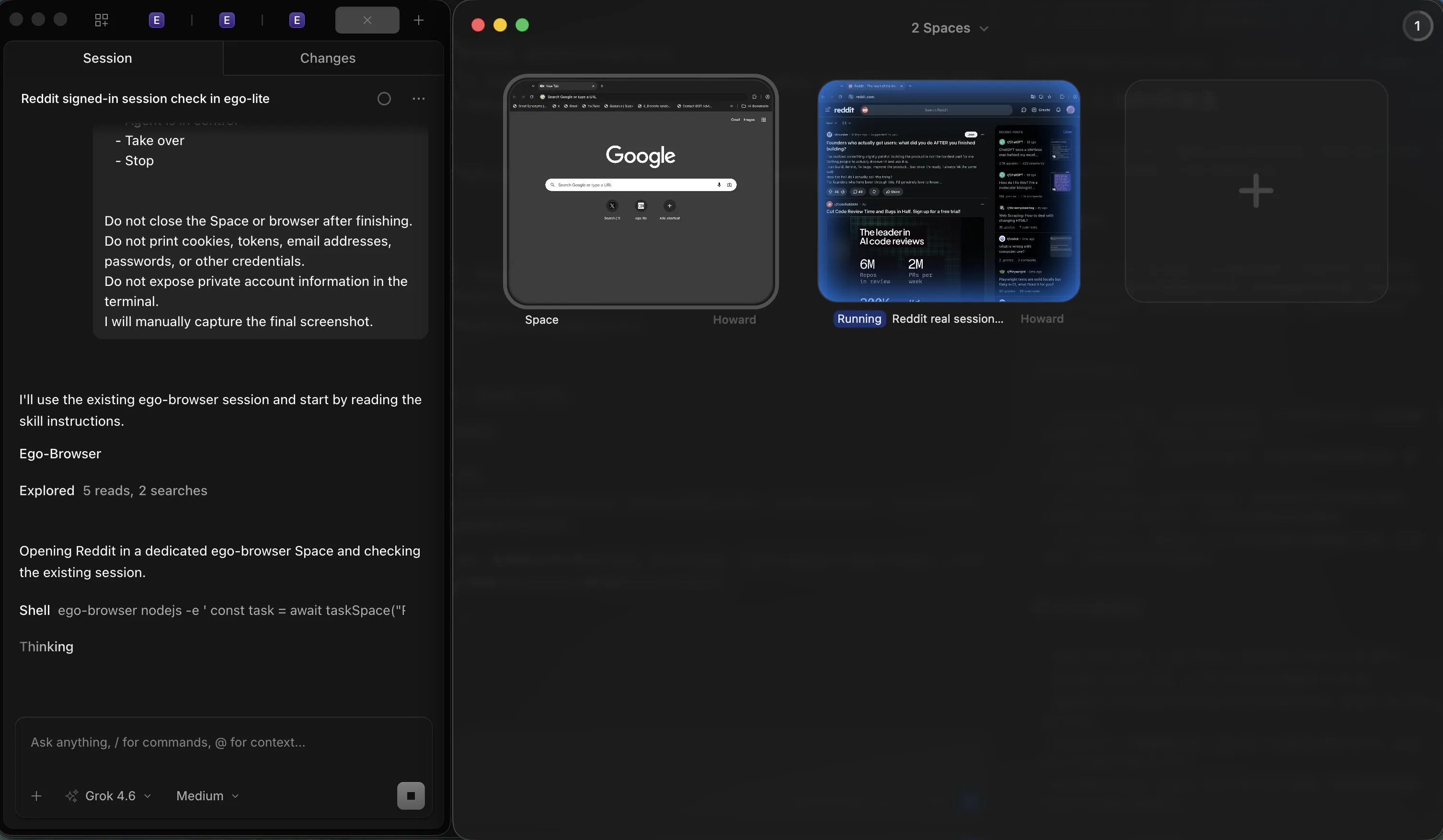
I'd keep a flaky locator or a slow assertion in the Playwright debugging workflow. ego (lite) is useful when the task needs an existing session or human intervention, but it doesn't supply Playwright's test runner and assertions. To try that browser workflow, follow the quick start for installing it and connecting your agent.
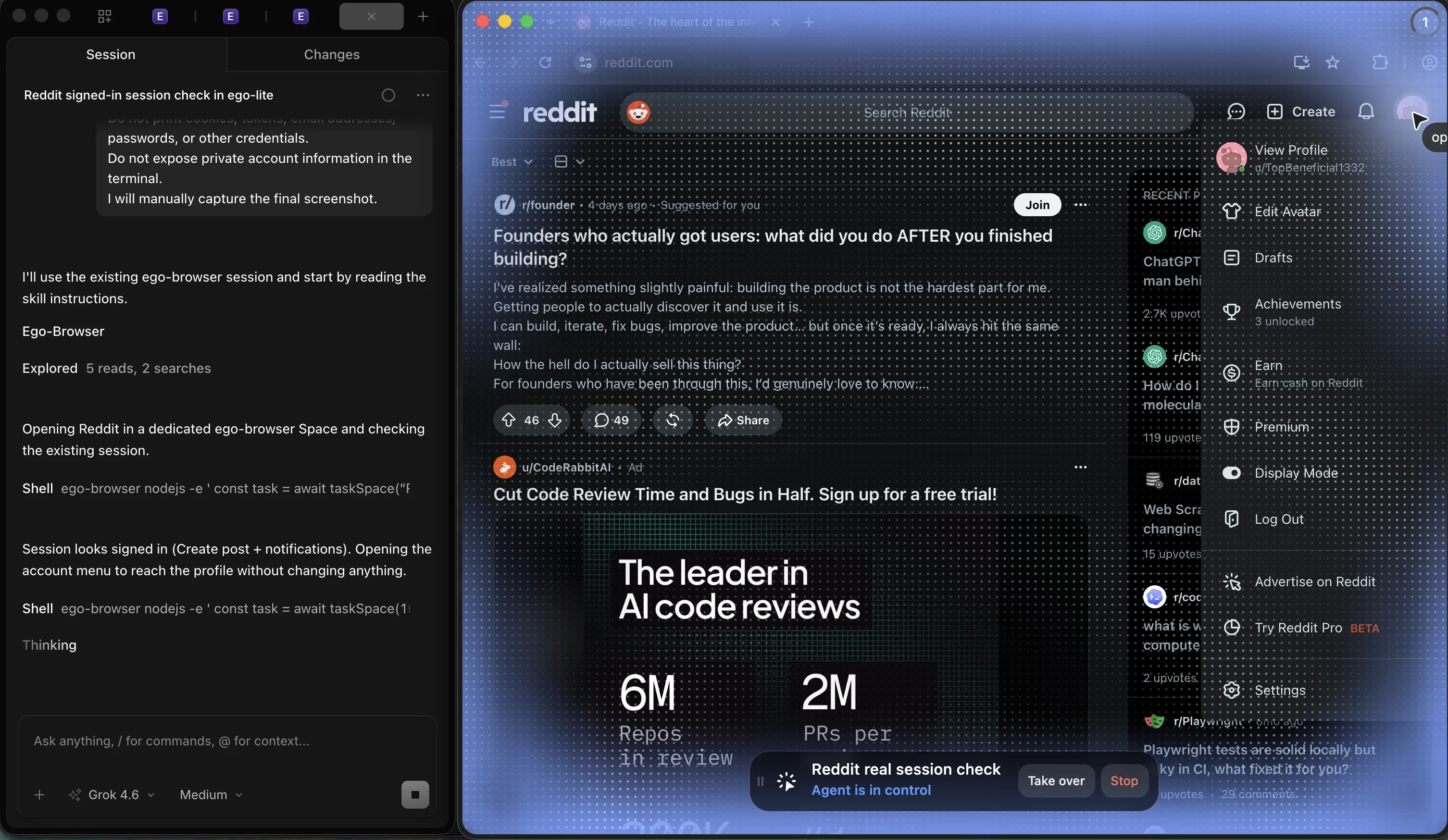
Playwright can reuse saved authentication state too.
The useful difference here is that the session is already open in a browser you can watch and take over. You don't have to reproduce the login just to inspect the next page.
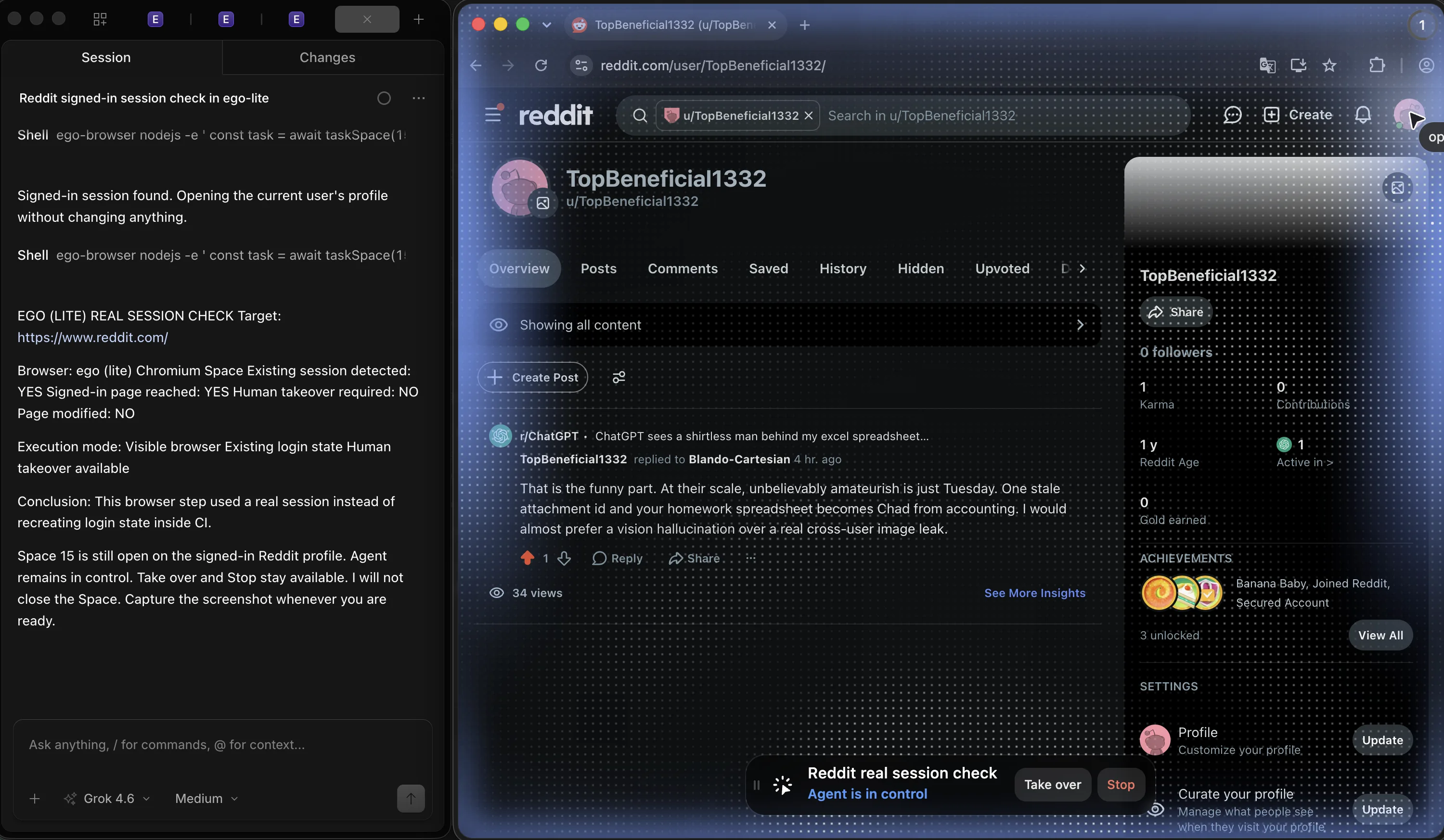
For a first browser investigation, try this prompt:
Open the affected page in my signed-in Space. Find the step that fails and report the URL, visible message, and current page state. Stop if verification is required, and don't submit the form.
Watch the run, complete any verification through Take over, then compare the reported state with the page. Turn the repeatable check into a Playwright assertion.
What are the limits of this debugging approach?
Use these five examples to narrow your investigation. The fixtures isolate specific failures on Playwright 1.59.1; your runner may also differ in network access, service limits, and data volume.
After a local fix passes, rerun it where the failure happened.
Live service limits or different data volumes may expose something the fixture never covered. I'd keep the original failure visible until that run passes too.
FAQ
How do I debug a CI-only failure I cannot reproduce locally?
Open the failed run's trace, compare its environment with your local setup, then change one suspected input at a time. Start with worker count, browser build, and timezone.
What is a strict mode violation in Playwright?
An operation expecting one element matched several. Read the matching nodes in the error, then scope the locator or use exact text matching.
Why does npx playwright test fail with 'Executable doesn't exist'?
Install the browsers with npx playwright install --with-deps using the same Playwright version as your tests. If you cache downloads, include that version in the cache key.
Should I raise timeouts or add retries to fix flaky CI runs?
Increase a timeout when the trace shows a legitimate step needs more time. Use retries to investigate intermittent failures, and track tests that pass only on retry.
Why do my tests pass alone but fail with parallel workers?
Check for a shared account, record, file, or port. Try --workers=1 to narrow the cause, then isolate that resource before restoring parallelism.
Does headed mode behave differently from headless?
It can. Match CI's browser channel and settings when reproducing the failure. A headed run helps you inspect the flow; rerun the fix in the original headless environment too.
If the failing step depends on a signed-in session or human verification, our headless vs real browser guide helps you choose where to run it.