Computer Use failures are usually boundary failures, not a broken target app. The useful order is permissions, then app approvals, then helper-context errors, then window-attach errors. We sorted recent reports by that cause and kept the real error strings so you can match the signature before changing the OS, the client, or the task.
When the failing work is a web page, a visible browser path can remove the screenshot-and-coordinates layer entirely. ego (lite) is that execution environment: a local Chromium Space with a semantic snapshot, live control, and a human takeover when verification is needed. Desktop apps, OS dialogs, and screenshot-only surfaces still belong to computer use.
Why is computer use not working properly?
I'd start with where computer use stopped.
If it never controlled an app, check system permissions and app approval. If it worked once and then lost control, look at the helper session or the target window. The reports below cover both situations.
Did any app come under control in this task?
That one detail gives you a much better starting point than trying every fix at once.
Which failure signature do you have?
Save the exact error before restarting anything.
This table groups the August and September 2026 reports by symptom, with a check to try next. A matching message is a useful clue, though it doesn't prove you have the same cause.
| What you see | Likely boundary | Next check | Source |
|---|---|---|---|
| The app list loads, but every capture or click attempt fails | Window attach or transport | Check whether the reported owner path matches the target process | openai/codex#37484 (Windows) |
| First action succeeds, the next state read fails with the helper missing | Helper context was not retained | Try a short new task that reconnects to the helper | aident.ai report (Windows) |
| Local app control is unavailable in this task | Session or connection state | Save the error, then retest in a new task | openai/codex#40394 (macOS) |
| The Chrome control connection is not available or the native host is out of date | Browser-control channel | Check client updates and retest the browser connection | openai/codex#40394 (macOS) |
| The skill stopped working with no visible UI change | Environment or config value | Check recent environment allow-list changes | @PaulSolt on X, Aug 2 2026 |
Are macOS or Windows permissions the problem?
For Codex Computer Use on macOS, check Screen Recording and Accessibility in System Settings under Privacy & Security. Screen Recording lets it see the window. Accessibility lets it click and type.
If either is missing, approving the target app won't be enough.
On Windows, start with the desktop session.
The documented workflow needs the target app visible on the active, unlocked desktop. Bring it into view and retry one small action before digging into the helper logs.
| Layer | What it gates | Where to change it | Does not gate |
|---|---|---|---|
| Screen Recording (macOS) | Seeing the target window | System Settings, Privacy & Security | File reads, shell commands, or project sandbox rules |
| Accessibility (macOS) | Clicking, typing, and navigating | System Settings, Privacy & Security | Which apps are allowed to be used |
| App approval | Using a specific app in a task | Computer Use settings, Always allow list | System privacy permissions, which are separate |
| Active desktop (Windows) | Foreground control of the target app | Window and session state | Background control or control of a locked session |
Use the official Computer Use setup guide to check the supported environment and required permissions. For the full setup sequence, see our Codex Computer Use guide.
Is an app approval or config value blocking the task?
System permissions and app approvals answer separate questions. The OS decides whether the client can see and control windows. The client also asks which apps it may use for the task. Check the app's approval status or Always allow entry if system access is already enabled.
A config change can explain a failure even when the UI settings look right.
One public report traced the problem to an include_only environment-variable allow-list. If the failures started after you edited that list, compare it with the previous working config.
That report is a lead to investigate, not a reason to remove all restrictions.
If you can't enable computer use at all, check whether your workspace administrator has disabled it.
A managed feature setting won't be fixed by changing permissions on your own machine.
What do node_repl and helper-context errors mean?
The reported node_repl exec context not found error means the agent couldn't find the code-execution context it expected. In the linked account, the first action worked and a later step failed. I'd save that sequence, then try a short new task that initializes the helper and finds the app again.
Keep the retry small enough to see exactly which step loses the context.
If the error persists, check for a client update and include the failed sequence in a bug report. Changing file ownership or disabling approvals doesn't follow from this error.
Why does a window no longer belong to its own process?
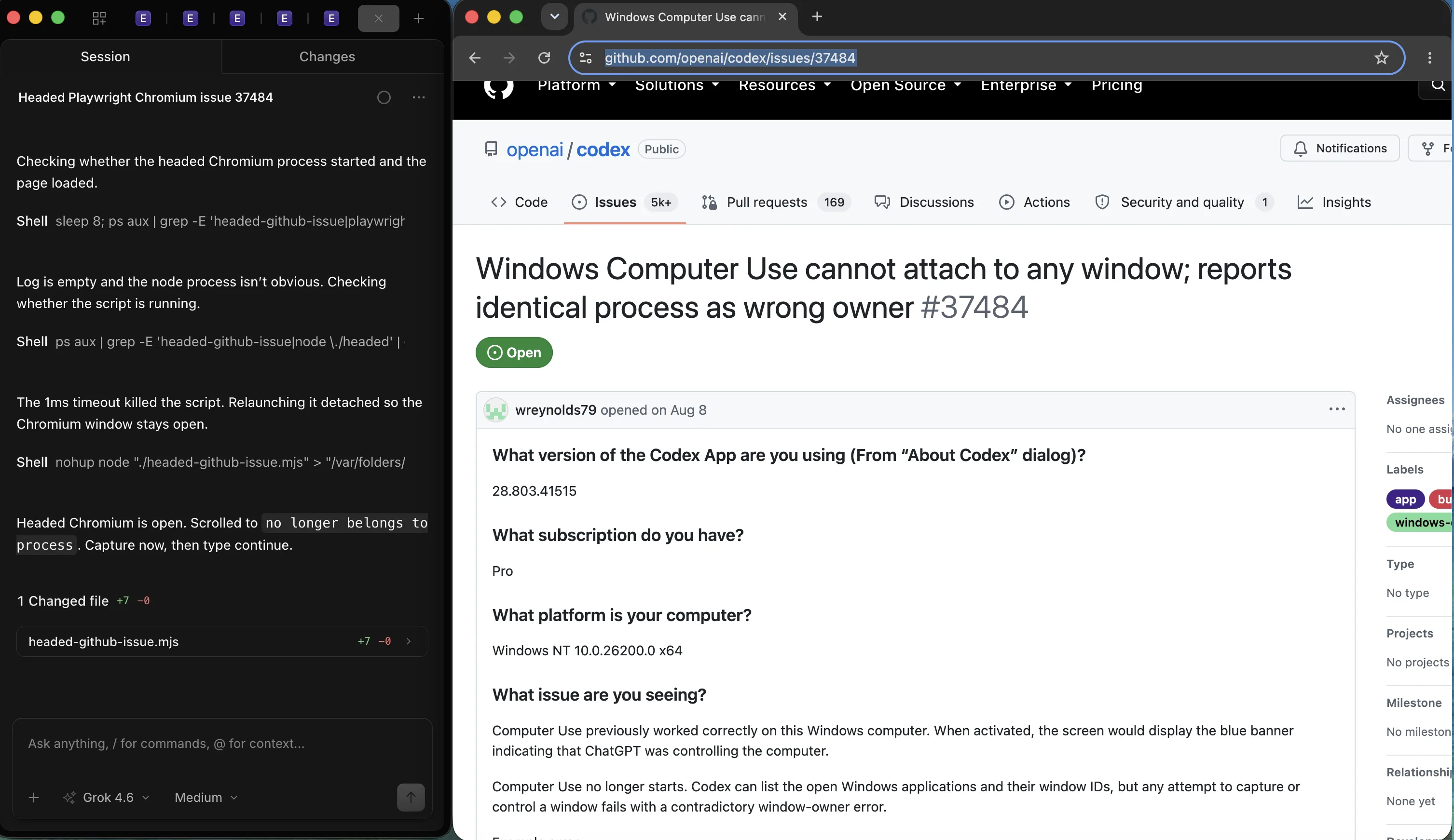
In the linked Windows report, the agent could list applications and window IDs, but it couldn't capture or control the target. The error said the window no longer belonged to a process, then named that same process as its current owner. The report also included a transport permission error.
Listing a window doesn't prove the client can capture or control it.
I'd reopen the target window and restart the client, then retry with one app in focus. If the same owner error returns, keep the full error and client version for the report. The duplicated path alone doesn't establish whether permissions, a stale handle, or the transport caused it.
How do you recover without losing the run?
Before retrying, look at the page again.
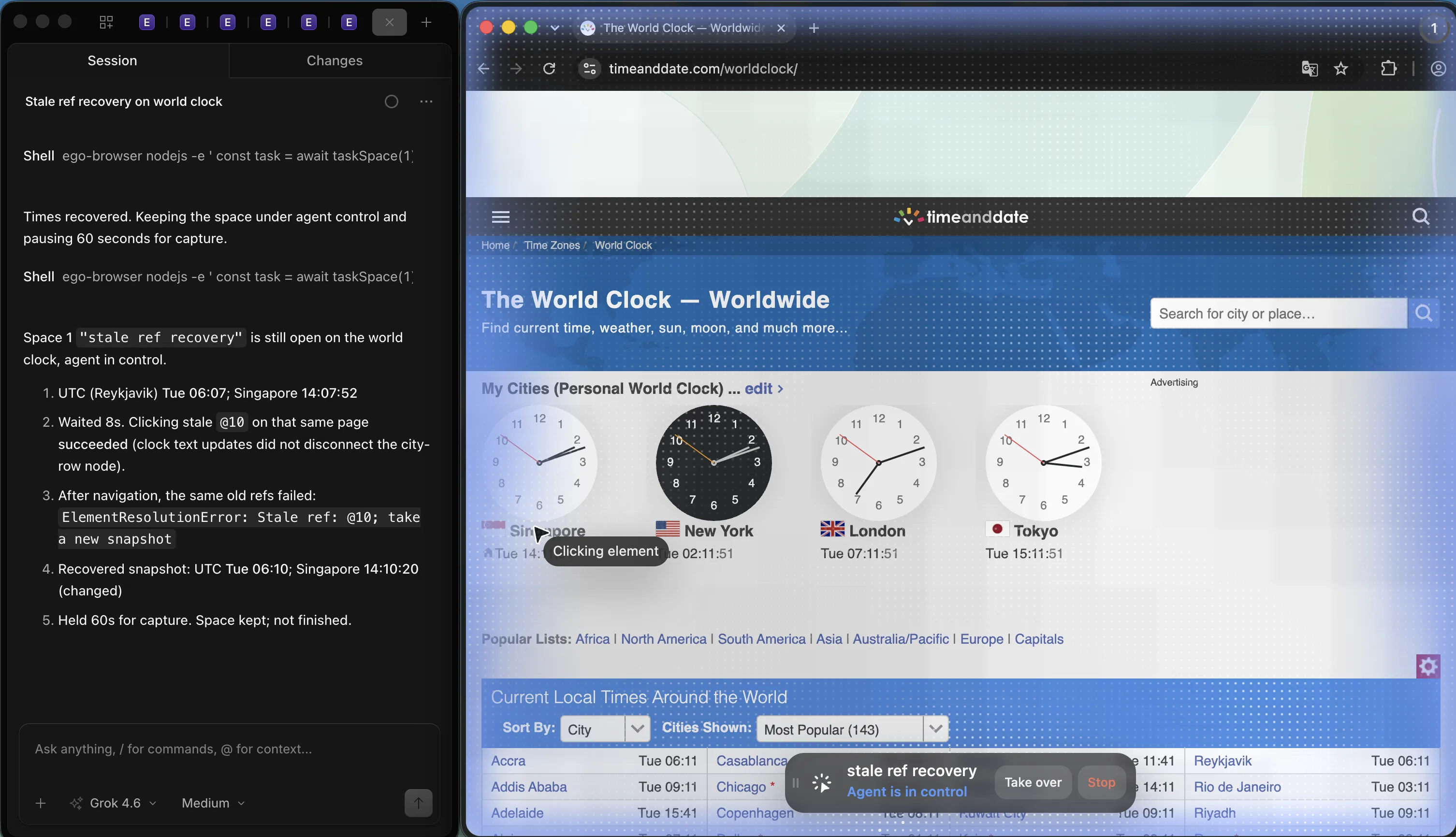
In our World Clock test, the first snapshot showed UTC 06:07 and Singapore 14:07. After navigation, replaying @10 returned ElementResolutionError: Stale ref: @10; take a new snapshot. The next snapshot showed UTC 06:10 and Singapore 14:10, matching the live page.
I'd use the same check after a desktop failure: get a fresh view and confirm what already happened. If a click may have submitted a form, look for the result before clicking again.
A failed tool response doesn't always mean the action failed.
When should you stop debugging computer use and use a browser instead?
If the stuck step is entirely inside a web page, I'd check whether a browser tool can reach it directly. DOM-based control can avoid the desktop window-attachment path and give the agent named page elements to work with.
It still needs access to the page and a way to verify the result.
ego (lite) provides that browser workspace. An agent works in a dedicated Chromium Space and reads a semantic snapshot of the page. You can watch or take over. In the World Clock example, taking a fresh snapshot was enough to continue after the stale reference failed.
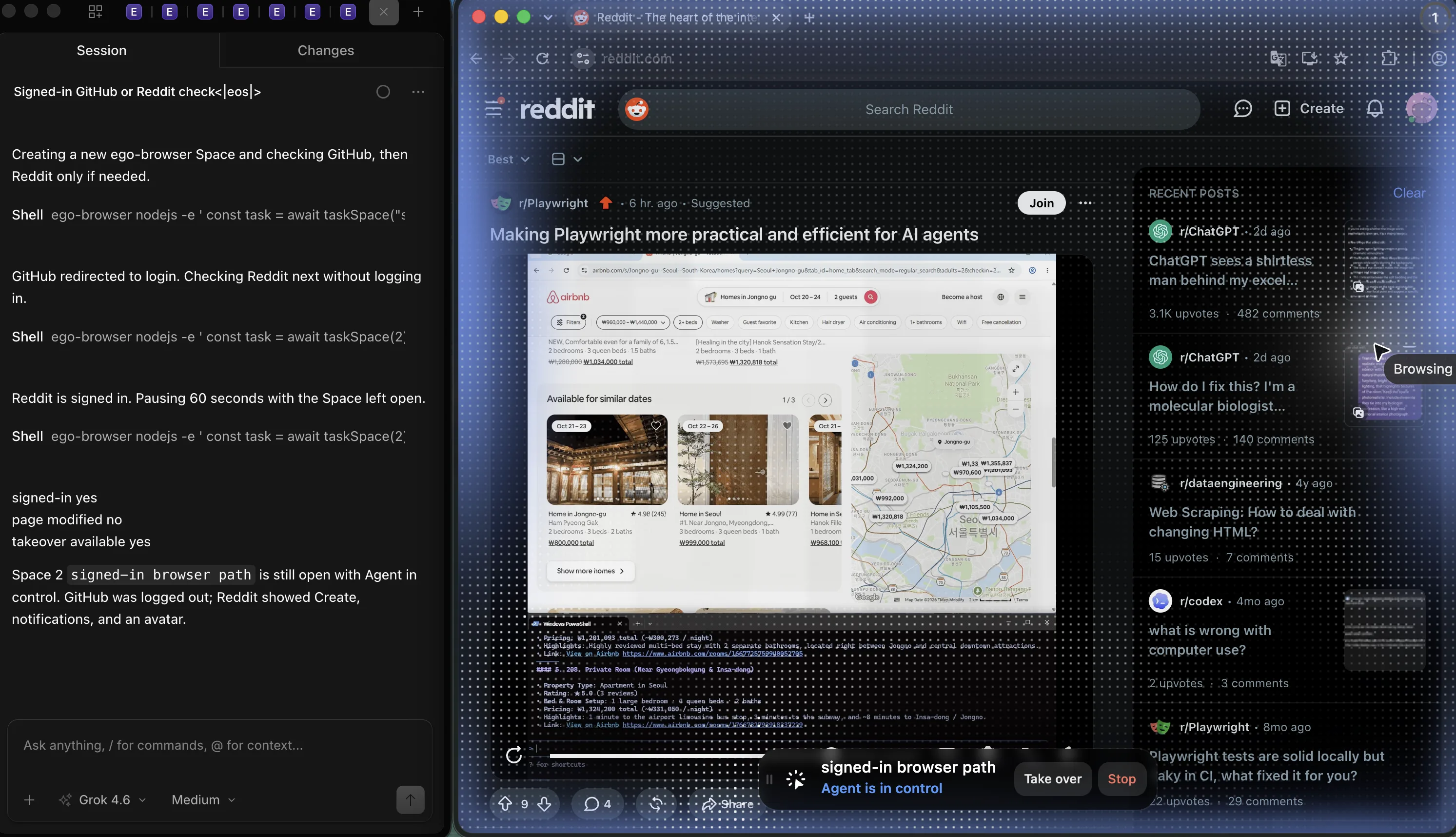
For a native desktop app or an OS dialog, you'll still need a tool that can work with that interface. I'd use ego (lite) for the web steps it can handle and keep the remaining desktop work separate. The Space documentation and snapshot documentation explain how the browser task runs.
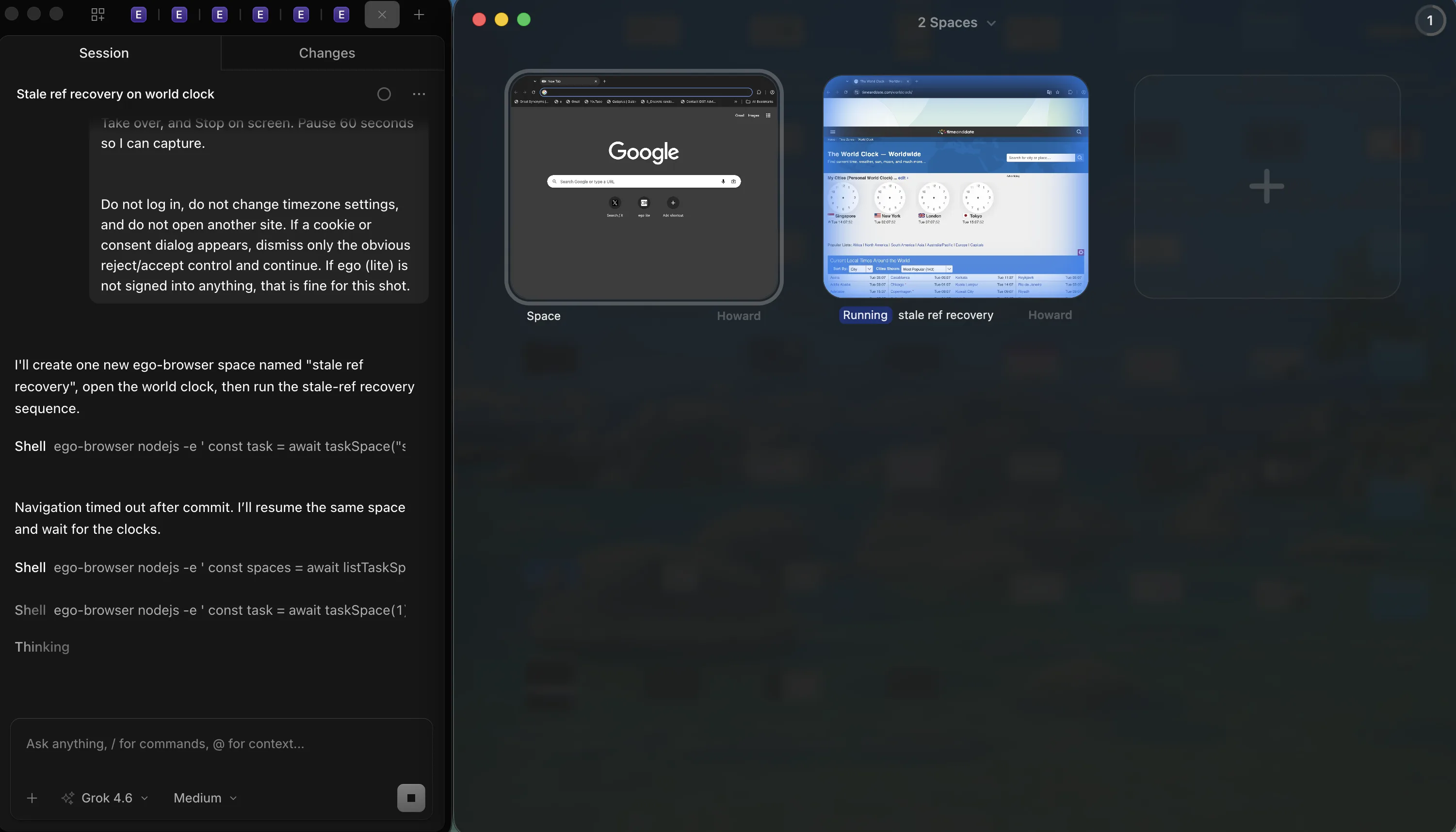
To try a recovery check in ego (lite), start with a small read-only task:
Open timeanddate.com/worldclock and read the UTC and Singapore times. After navigation, take a fresh snapshot before selecting another element. Return both times and the page URL.
Compare the returned values with the visible page before continuing.
What can computer use not do at all?
Check the documented limits before spending another hour on a blocked action. Codex Computer Use excludes terminal apps and the assistant itself, and it can't approve your computer's security or privacy prompts.
Complete those setup steps yourself before resuming the task.
On Windows, the agent still needs the active desktop after you resolve a failure. Plan a time when you can leave that session alone, or use a separate supported environment for the task.
FAQ
What permissions does computer use need on macOS?
Check Screen Recording and Accessibility under System Settings, Privacy & Security. Then confirm that the target app is approved in the client.
What does node_repl exec context not found mean?
The expected execution context is unavailable. Save the error, then try a short new task that initializes the helper again. Record which step fails if it happens again.
Why can computer use list apps but not control them?
Listing and control use different operations. Check capture and control permissions, bring the target window into view, then retry one small action.
Can I run computer use while my computer is locked?
Windows needs the active, unlocked desktop. On macOS, follow the official setup instructions for locked-use mode before relying on it.
How do I report a failure that survives a restart?
Include the client and OS versions, exact error, and smallest sequence that reproduces it. Note whether listing, capture, or interaction succeeded before the failure.
If you’re deciding whether to move the web steps into a browser agent, read our browser use vs computer use comparison. It maps each approach to the interfaces it can control.