The short answer, before anything else: four routes let an AI agent work in your signed-in browser state (DevTools auto-connect, extension injection, CDP takeover, and profile or state copies), and each gets one thing right at a structural cost. ego (lite) is not a fifth route: it is what the four combine into once the sharp edges are engineered away, and the only setup here that gives the agent your sessions while leaving your window untouched.
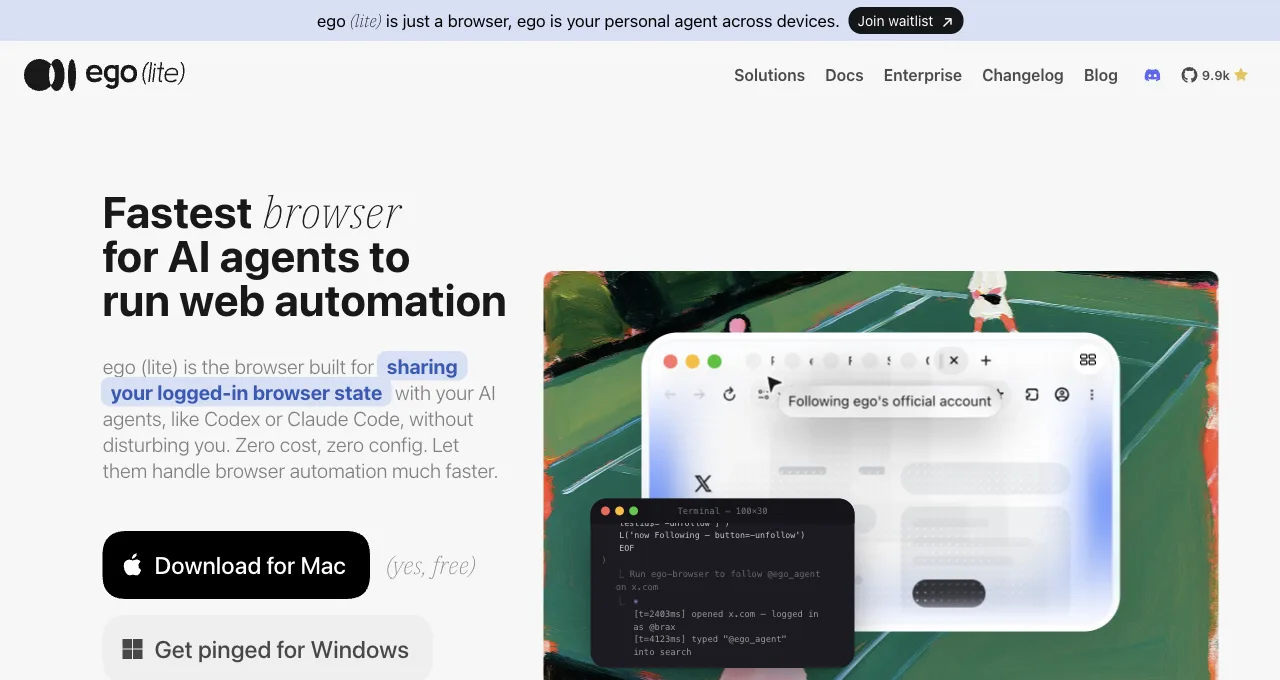
Mechanically, the ego-browser skill your agent installs controls the ego (lite) browser over CDP, route 3's protocol pointed at a browser built to be driven instead of your daily Chrome. Import from Chrome once and your sessions come along; the agent works in a Space with its own tabs. We build it, stated plainly.
Look at what users keep building when nobody gives them the feature: bridge projects like codex-browser-bridge, browser-bridge-mcp, and kimi-chrome-bridge, all doing the same job of wiring an existing agent into an existing browser.
The demand signal is unambiguous: agents are useful in proportion to how much of your real, signed-in web they can touch, and every fresh automation profile starts at zero.
Why do agents need your login state at all?
Because the tasks people actually delegate live behind auth. The requests filling forums aren't "open example.com"; they're LinkedIn and Salesforce workflows, Gmail triage, internal tools, dashboards, member communities. An agent in a fresh profile meets a login wall at each of those, and scripted credentials break on 2FA, device checks, and CAPTCHA-gated sign-ins, when they're acceptable to your security posture at all.
So the engineering question inverted years of automation practice: instead of "how do we keep automation isolated from the user's browser," it became "how do we safely let it in." The four routes are four different answers to that question, and their differences come down to two things: where the agent's actions land (your window or its own), and where the session state lives (your real browser, a copy, or an inheriting one).
State and window: every route is a position on those two.
What are the four routes?
Route 1: DevTools auto-connect.
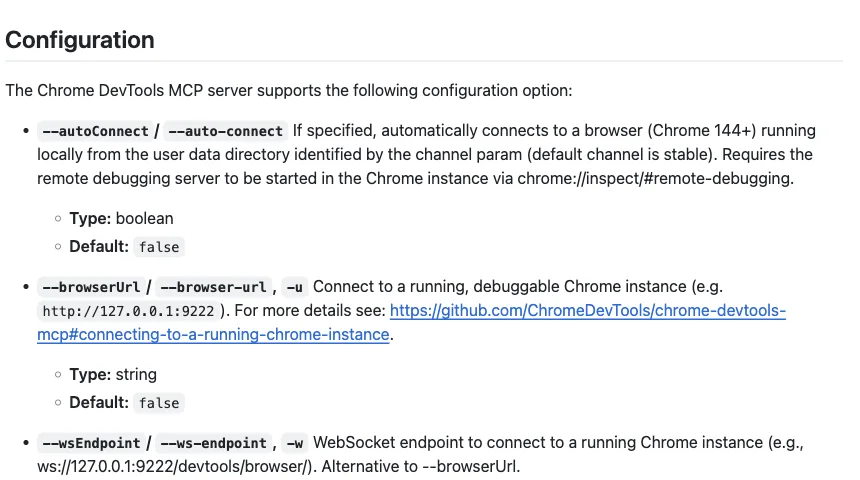
Chrome DevTools MCP's --autoConnect (Chrome 144+) attaches your agent to the browser you're signed into: enable remote debugging once at chrome://inspect, add the flag, click Allow per session. Official, sanctioned, and complete: the agent reaches your tabs, cookies, and storage. The mechanism's honest cost: it's your window being driven, turn by turn, and the grant covers your whole profile.
Route 2: extension injection.
Vendor extensions install the agent into your browser: Claude for Chrome and Codex for Chrome for their respective agents, Browser MCP as the agent-agnostic protocol version using "your existing browser profile." Zero technical setup and the most polished permission systems in this list. Same structural cost as route 1 (shared window, whole-profile scope) plus vendor lock for the first two.
Route 3: CDP takeover.
Launch Chrome with --remote-debugging-port and point any CDP client at it. Maximum flexibility, two documented sharp edges: Chrome 136+ ignores the flag on your default profile (you need a dedicated --user-data-dir you sign into separately), and the open port is reachable by any process on the machine, which is why the practitioners who document this route also document closing it.
Agents connected this way also collide with you: field reports include agents navigating the tab the user was reading.
Route 4: profile and state copies.
Export session state (Playwright's storageState, cookie files, or full profile copies) and load it into automation browsers. The only route that works headless and in CI, which keeps it permanently relevant for test accounts.
Its maintenance is structural: copies expire on the site's schedule, drift when sites bind sessions to device signals, and the state file is a credential-grade secret. Full profile copies add flakier failure modes; tools attempting live profile reuse have documented instability, including Browser Use's founder acknowledging its real-Chrome connection feature was unreliable.
ego (lite): the four routes, combined
Read the four routes again and a pattern shows: each one is reaching for something the others have. Auto-connect and extensions have your real sessions but take your window. CDP takeover has full programmatic control but an exposed port and a shared browser. State copies have isolation but expire on the site's schedule. ego (lite) is what you get when you combine the four and engineer the costs away.
Mechanically it is route 3, productized: the ego-browser skill your agent installs drives the ego (lite) browser over CDP. What changes is the target. Not your daily Chrome with an open debug port, but a browser built to be driven, with the port exposure, profile locks, and window collisions handled inside the product.
From routes 1 and 2 it takes the thing they exist for: your real sessions. Import from Chrome once and every site you've signed into stays signed in. From route 4 it takes isolation without the copies: the agent works in a Space with its own tabs, nothing expires on a schedule, and your window stays yours.
The agent-facing surface stays simple: any agent that can run a shell command drives it through the ego-browser skill, writing JavaScript that runs as whole workflows, with 2FA and similar challenges handled by a hand-off-and-resume flow instead of a hard failure.
The cost, stated plainly: this means adopting a product rather than configuring tools you already have, and we build it. It's also a desktop browser, so headless CI stays with route 4.
How do the risks compare, route by route?
Three risk classes matter: session conflict (agent and human corrupting each other's work), exposure surface (what a compromise or mistake can reach), and account risk on the sites you automate. No route zeroes all three, and any guide promising zero ban risk anywhere is selling something.
| Route | Session conflict | Exposure surface | Site-side profile |
|---|---|---|---|
| Auto-connect | High; one window, two operators | Whole profile, permission-gated per session | Your real browser; looks like you |
| Extension injection | High; your tabs are the workspace | Whole profile, vendor permission model | Your real browser; looks like you |
| CDP takeover | High; documented tab-stealing incidents | Open local port; any process can connect | Real browser, unusual debug signals |
| State copies | None; separate browser entirely | The state file itself, wherever it lands | Transplanted session; sites may flag device mismatch |
| ego (lite), combined | Low; separate Space, handoff protocol for shared moments | Sessions granted to a second real browser you control | A real daily browser; ordinary usage signals |
Which route is yours? Two questions decide
Question one: can you share your window during tasks? If yes (occasional, supervised work), routes 1 and 2 are the low-setup answers: pick auto-connect for debugging-shaped work and an extension for errand-shaped work. If no, you're in route 4 territory, or the combined setup.
Question two: do tasks need to run in parallel, or unattended-headless? Parallel with your sessions points to ego (lite), the only setup here built for simultaneous isolated tasks against inherited logins. Headless CI with test accounts points to route 4, the only one that doesn't need a desktop at all. Route 3 remains the specialist's tool: maximum control for people who accept managing ports, profiles, and the collisions.
Most working setups land on one route plus the combined setup: a route for supervised moments, ego (lite) for the recurring work. The pairing we see most, for what it's worth: an extension or auto-connect for the occasional in-your-tabs task, ego (lite) for everything daily.
Walk one real week through the two questions to see them bite. A developer wants an agent to check three vendor dashboards each morning, file a weekly expense report, and occasionally debug a flaky page in their own session.
Question one splits it immediately: the debugging is share-your-window work, so it goes to auto-connect, where watching the agent drive your live page is the point.
The dashboards and the expense report are not: they run better while you do something else, which is question two answered, so they go to ego (lite), three Spaces in parallel against inherited logins. Nobody picked a single winner; the tasks sorted themselves once the two questions were asked in order.
Download ego (lite) for Mac, free, or start from the login-wall guide if your entry point is a specific agent.
FAQ
Is there a cheaper alternative to full AI browser platforms for this?
Yes; that's much of this article. Every route here runs on free software (auto-connect, Browser MCP, storage state) or a free product (ego (lite)); the paid platforms' session features mostly wrap these same mechanisms. Pay for hosted scale when you need fleets, not for session access you can grant locally.
What about headless browser services with session support?
Cloud browser platforms (Browserbase, Browserless) accept injected state (route 4's mechanism, hosted), which fits scaled scraping with test accounts. Shipping your personal accounts' sessions to hosted infrastructure is a different risk decision than any local route here, and for daily personal tasks the local answer is strictly simpler.
Can multiple agents share one browser's sessions safely?
On routes 1-3, poorly: one window or one debug connection serializes everything, and documented multi-session conflicts (profile locks, daemon collisions) are the norm. ego (lite)'s combined route is the architecture built for exactly this: each agent's task gets its own Space against the same inherited sessions.
Does any route avoid CAPTCHAs and 2FA entirely?
No route should promise that. What the session-based routes change is frequency and recovery: challenges bind to real sessions once instead of per-run, and a hand-off flow (you complete the challenge, the agent resumes) turns them from failures into pauses. Fresh-profile automation re-earns every challenge every time.